Subscription businesses need more than a good offer to keep customers for the long term. Customers are more likely to stay when they continue to receive useful rewards or benefits as part of their subscription.
This can be especially important for businesses such as gyms, software services, meal-box companies, and media platforms. A loyalty reward might be a discount, a free product, or another benefit that encourages customers to continue their subscription. But managing these rewards can become difficult when a customer renews several times. A benefit that should apply to every renewal may be granted only once, or staff may have to manage it manually.
Odoo 20 makes this easier by allowing loyalty rules and rewards to work with subscriptions. One useful improvement is the ability to repeat a reward on each renewal instead of granting it only once. This means a long-term subscriber can continue receiving the benefit promised to them.
In this guide, we will look at how loyalty rewards can be used with subscriptions, how the recurring reward works in Odoo 20, how to configure it, and what to check before using it for customers.
Part of our Odoo 20 coverage
Explore more updates, improvements, and new features introduced in Odoo 20 in our Odoo 20 features and upgrade guide .
Odoo 20 Subscriptions: What's New?
Odoo 20 introduces new improvements to the Subscriptions application, helping businesses manage recurring revenue and improve customer engagement. One of the notable additions is the ability to create loyalty rules and rewards specifically for subscriptions.
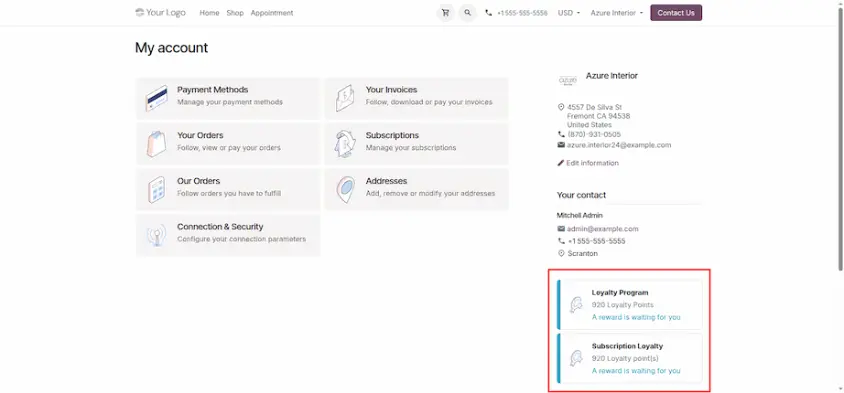
With subscription loyalty programs, businesses can provide recurring customers with incentives such as loyalty points and rewards based on their subscription activity.
Loyalty programs can now be used with subscriptions, making it easier to offer rewards as part of an ongoing customer relationship. In Odoo 20, loyalty rules and rewards can be linked to subscriptions, including rewards that can be granted again when the subscription renews. This is useful when a benefit is meant to continue throughout the customer's subscription rather than being given only once.
| Change | What it does | Where you see it |
|---|---|---|
| Recurring rewards | A loyalty reward is applied again in each renewal period while the customer has enough points. | Reward dialog, Subscription group |
| Recurring rules | Customers earn points in each renewal period if they meet the rule. | Conditional rule dialog |
| Loyalty point expiration | Lets you set an expiration date for loyalty points. | Sales, loyalty programs |
| E-invoices with loyalty lines | XML invoices with discounts and loyalty (negative) lines are supported. | Localizations |
Why it matters
Loyalty rewards can become a natural part of the subscription experience instead of something staff need to manage manually.
Better retention. Subscribers can continue receiving a useful perk throughout their subscription.
Less manual work. Staff do not need to add free items or discounts manually at every renewal.
Predictable cost. A recurring reward is configured once, making it easier to understand the cost for each period.
Rewards that match loyalty. Customers can earn points over multiple renewals and exchange them for available rewards.
Prerequisites
Have these ready before you create the loyalty program.
- ✓ The Subscriptions app installed.
- ✓ Discount and loyalty programs enabled in Sales settings.
- ✓ A subscription product with a recurring plan, such as a monthly membership.
- ✓ The reward product you want to offer, such as a guest pass or add-on service.
- ✓ The sale_subscription_loyalty module installed, as it provides the Recurring option.
- ✓ A customer with a test subscription, preferably with automatic payment so you can test renewals.
Step-by-step configuration
The example below is a gym membership: a monthly plan, 10 club points earned per order, and a reward of two guest sessions for 10 points. It follows the example used in Odoo's guide.
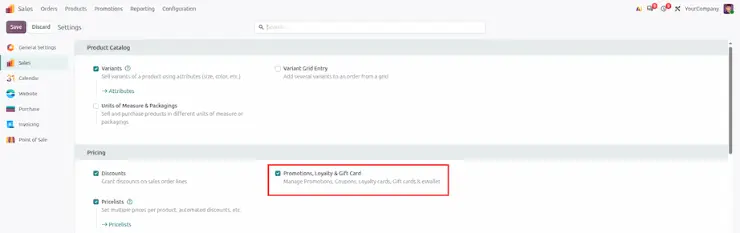
Enable loyalty programs. Open Sales > Configuration > Settings and turn on discount and loyalty programs, then save.
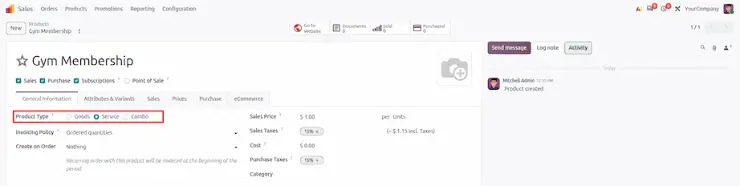
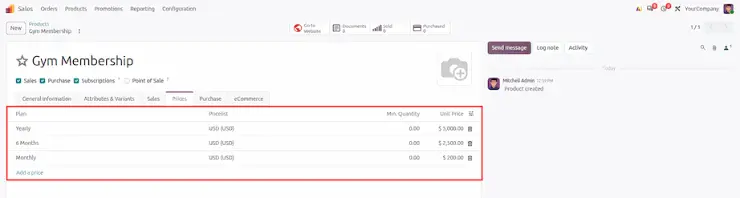
Create the subscription product. Add a service product such as "Gym Membership" with a monthly recurring plan and a recurring price.
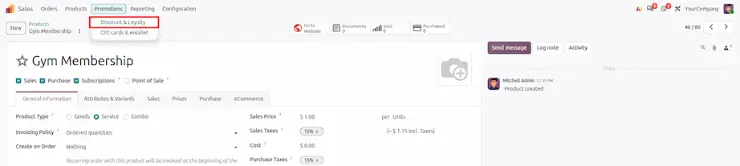
Create the program. Go to Sales > Promotions > Discount & Loyalty and click New. Choose the Loyalty Cards type and name it, for example "Subscription Loyalty". On older guides the menu sits under Products, so use search if you cannot find it.
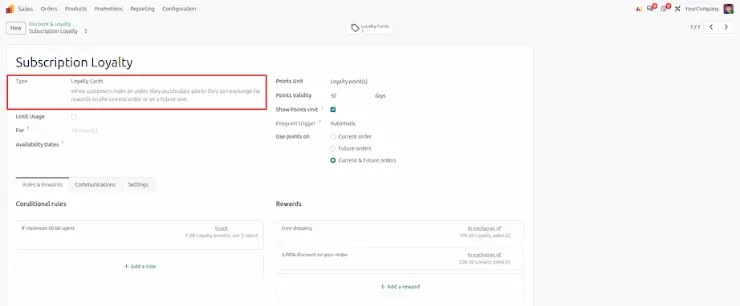
Add the rule. In Rules & Rewards, add a conditional rule according to your need. Tick Recurring if customers should earn points on every renewal.
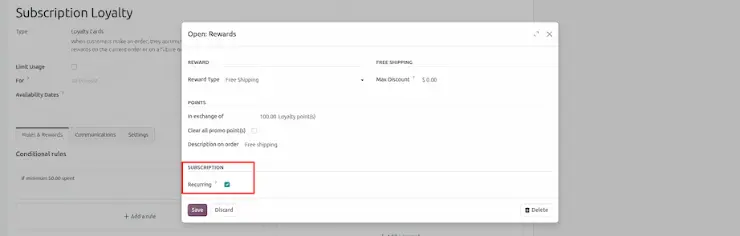
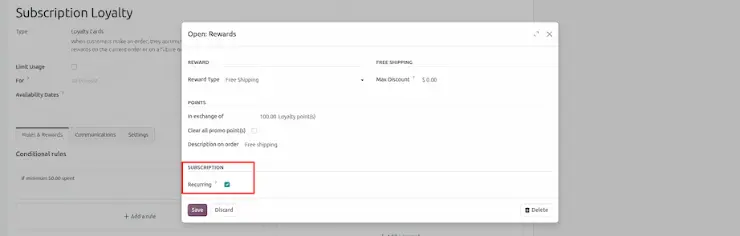
Add the reward. Add a reward of type Free Product, choose the guest session product, quantity 2, in exchange of 10 points. In the Subscription group, tick Recurring.
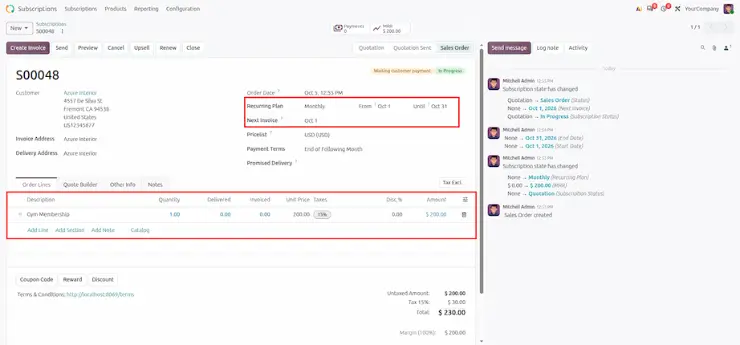
Save and create a subscription. Create a quotation for a test customer with the membership product and a monthly plan, then confirm it.
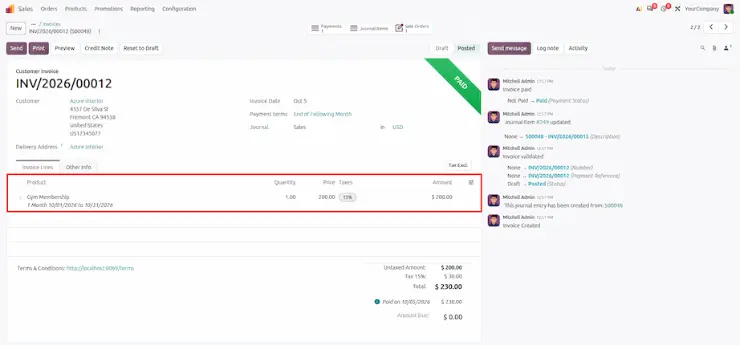
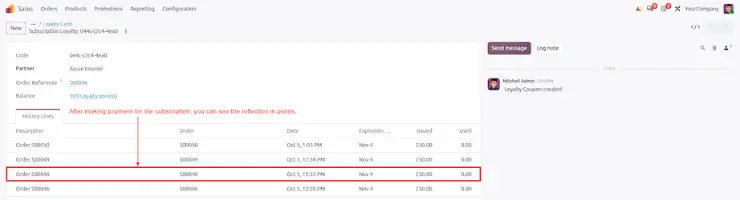
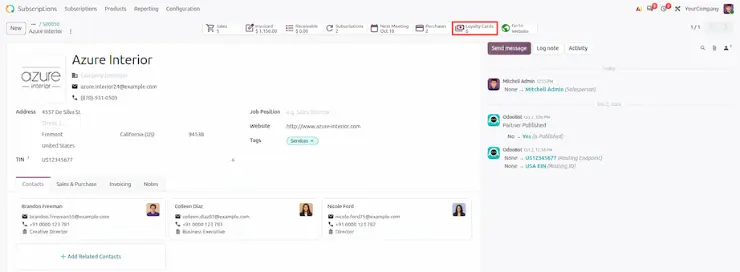
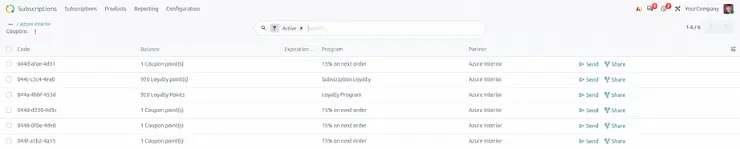
Check the balance. Open the customer contact and use the Loyalty Cards smart button to see the points. Run at least two renewals before going live.
The customer experience
A subscriber moves through a simple flow, and the loyalty part happens in the background:
- The customer buys the subscription and the program records their points.
- The first order grants points under your rule.
- At each renewal, Odoo applies the recurring reward if enough points are available.
- The renewal invoice shows the reward, for example the free guest sessions.
- If points run short, the reward is simply not applied for that period.
The key point is that the reward appears automatically. The subscriber does not have to claim anything each month.
Best practices and use cases
Where it fits
Gyms and clubs: free guest passes or classes for long-term members.
Software and SaaS: a free add-on or credits each period.
Meal boxes and consumables: a free item after enough renewals.
Media and communities: bonus content or perks for loyal subscribers.
How to get the most from it
- ✓ Price the reward for every period, not just once. A free product repeated for years adds up.
- ✓ Keep the program simple: one rule, one or two rewards.
- ✓ Check taxes and accounts on free product lines before go-live.
- ✓ Tell accounting how reward lines will look on renewal invoices.
- ✓ Test at least two renewals and one customer with too few points.
- ✓ If you use point expiration, test it together with recurring rewards.
Limitations to know before going live
The Recurring option is excluded for gift cards and eWallets.
Not every program type supports recurring rules and rewards. Some allow it on rewards only.
The Odoo 20 behavior described here comes from the release notes, the documentation and hands-on testing. Names, menus and availability can change, so re-test after each upgrade.
Test a rule marked Recurring over at least two renewals on your own database before you announce it.
The documentation menu path may be out of date. In this guide, programs are under Sales > Promotions.
Availability depends on your Odoo plan and hosting. Check yours.
Odoo 20 turns a one-time reward into part of the subscription. Define the rule and reward once, mark them Recurring, and let each renewal apply the perk. Keep the cost per period in mind, test several renewals, and confirm the rule-side behavior on your own database before you announce it.
Odoo 20 Subscriptions: New Features and Updates