What's New in Odoo 20 Sign?
Odoo 20 Sign introduces improvements to signature automation, document preparation, signer management, and the signing experience.
7 New Key updates include:
- 1. Automated Signature Requests — Send signature requests through automated actions with configured signer roles.
- 2. Custom Fields in the Template Editor — Create additional signature fields while preparing documents.
- 3. Improved Signer Progress Tracking — Review the signing status of multiple recipients more easily.
- 4. Mobile and Touchscreen Support — Prepare and manage signature documents on supported touchscreen devices.
- 5. Non-Latin Alphabet Support — Improve the display of supported scripts in signed PDFs.
- 6. Update Linked Odoo Records — Write values entered during signing to configured Odoo record fields.
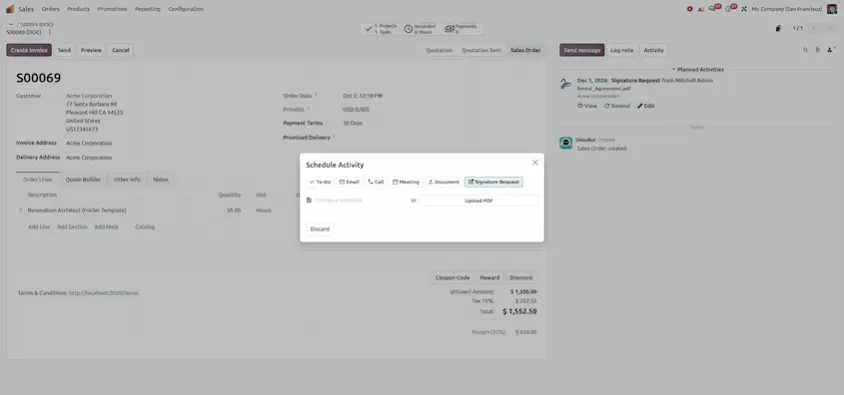
- 7. Signature Requests from Activities — Initiate signing workflows directly from supported activities.
Automated Signature Requests
Feature Overview: Signature requests can now be automatically sent to customers or internal staff using automated actions. You can assign fixed signers or dynamic signers based on record roles (e.g. Salesperson, Customer, Manager).
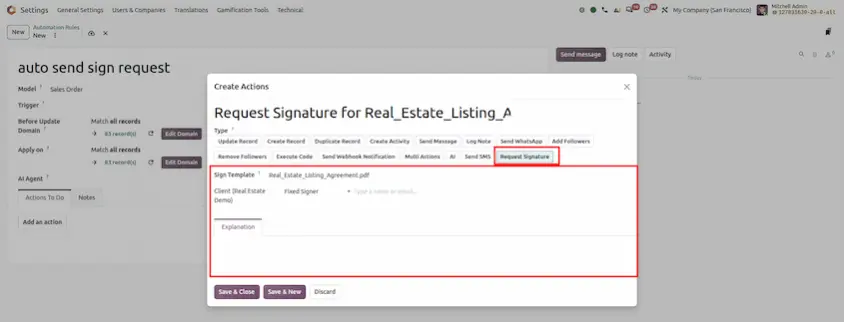
Create New Fields On The Go
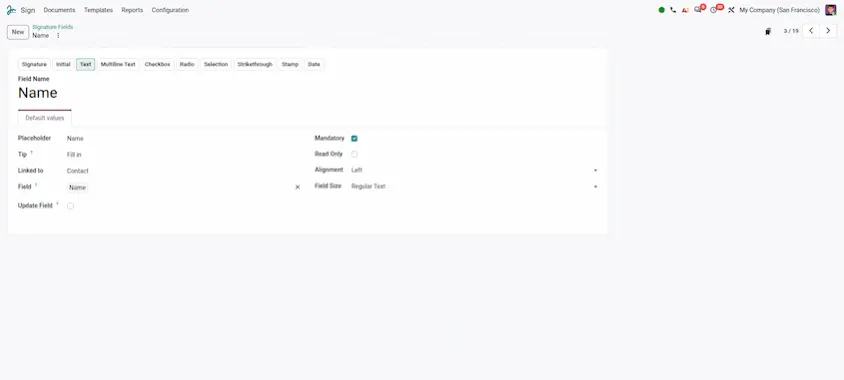
Feature Overview: Create new custom signature fields directly while preparing a document for signing without leaving the document builder, and set whether the new field is available to everyone or specific user groups.
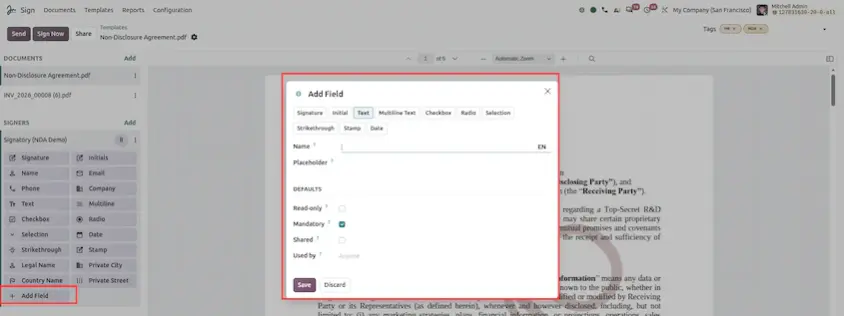
Improved Progress Tracking
Feature Overview: For documents with more than three signers, a new status dropdown displays the full signer list and each recipient's live signing status (Sent, Signed, Refused, Awaiting).
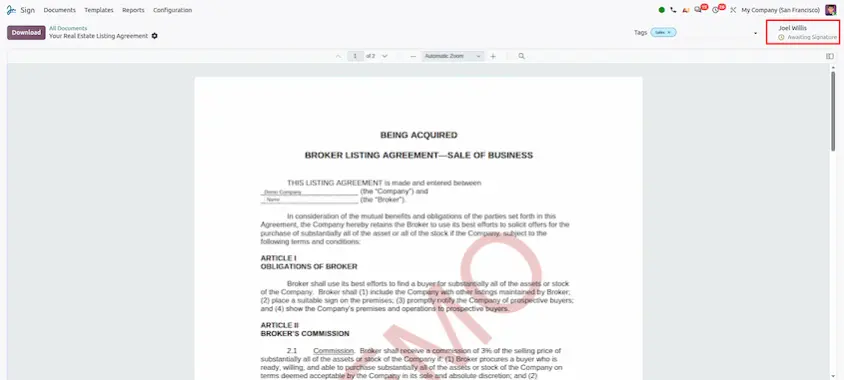
Mobile & Touchscreen Support
Feature Overview: The Sign application is fully responsive across all screen sizes. Touchscreen devices (tablets and mobile phones) support touch and stylus gestures for dragging, placing, and editing signature items.
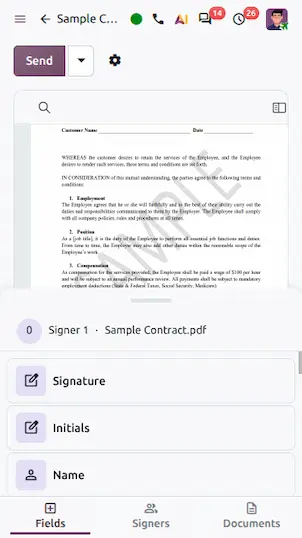
Non-Latin Alphabets Support
Feature Overview: Full PDF font rendering support for Cyrillic, Devanagari (Hindi/Marathi), Arabic, Bengali, and Gurmukhi alphabets, ensuring completed signed PDFs display non-Latin text crisp and clear.
Update Linked Odoo Records from Signed Fields
Feature Overview: Odoo Sign fields can automatically update the corresponding field on an Odoo record (e.g. updating a customer's phone number or address) with the information entered during the signing process.
Send Signature Requests from Activities
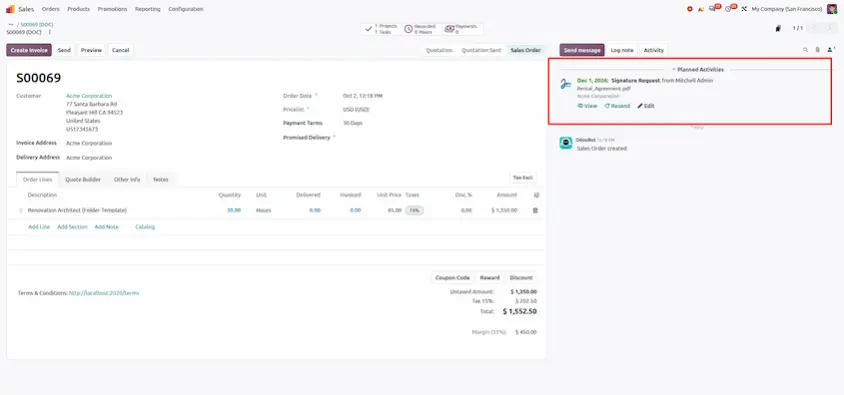
Feature Overview: Signature requests can now be initiated directly from schedule activities across Odoo apps (CRM, HR, Sales). A log note and final document link are automatically posted in chatter when signed.
Odoo 20 Sign makes the whole signature process faster to set up and easier to follow. Requests can start automatically or from an activity, templates are quicker to build and reorder on any device, and signers get clearer options and stronger identity verification.
The main takeaways:
- Less manual work: automated requests, requests from activities and record updates from signed fields.
- Easier template building: on-the-go fields, tag management, signer reordering, mobile support and PDF replacement that keeps field positions.
- Better signing experience: itsme® verification and QES, progress tracking, an options menu, non-Latin alphabets and preserved bookmarks and metadata.
A good way to start is with automated requests and record updates, then add the template enhancements as your team gets comfortable. Replace the screenshot placeholders with captures from your own environment to build training material.
Odoo 20 Sign: New Features and Updates