Finding the right candidate is one of the most important and time-consuming parts of recruitment. HR teams often need to review numerous resumes, compare candidate skills with job requirements, and identify applicants who are suitable for each position.
Odoo 20 Recruitment introduces improvements designed to make candidate evaluation more efficient. With applicant match score filtering and the Fitting Talent view, recruiters can identify relevant profiles more quickly and focus their attention on candidates who meet the requirements of an open position.
In this guide, we explore these Odoo 20 Recruitment features, explain how to configure and use them, compare the updated workflow with traditional candidate screening, and share practical recommendations for improving your hiring process.
Odoo 20 adds two improvements to the Recruitment app to fix this:
Filter by match score
Set a minimum score and see only the applicants who fit your job closely enough.
Fitting talent from the job
Open any job and see its best-matching people right there, ranked by score.
The Odoo 20 Flow at a Glance
This is how one hiring round runs from start to finish:
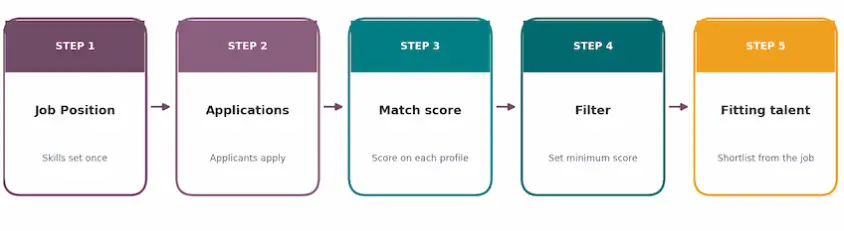
Filter Applicants by Match Score in Odoo 20
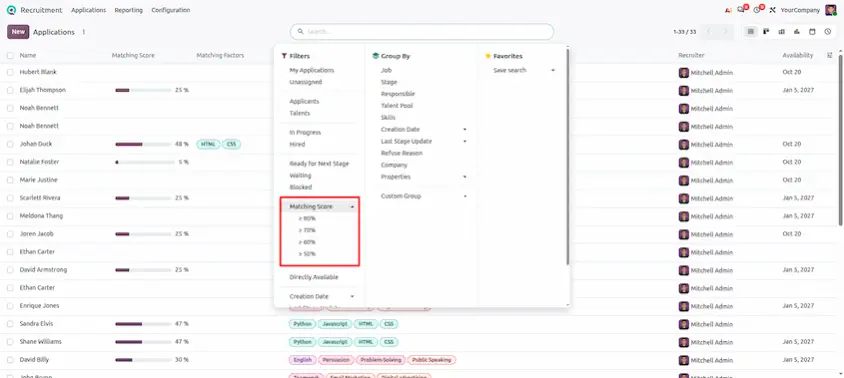
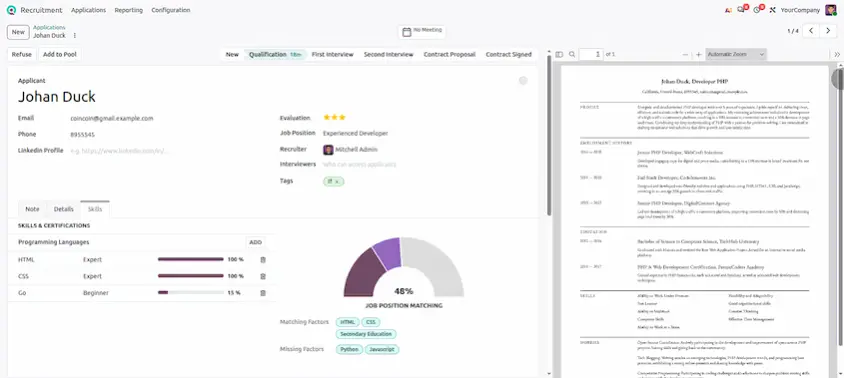
The applicant match score helps recruiters identify profiles that appear to align with the requirements of a job position. By applying a minimum score filter, HR teams can narrow the applicant list and prioritize candidates for further review.
How to use the match score filter
- Open the Recruitment application.
- Select the relevant job position and review its applicants.
- Open the available search filters.
- Apply the match score filter and select an appropriate threshold, if supported by your configuration.
- Review the resulting candidates and verify their skills, experience, qualifications, and suitability.
Best practice: Use the score as an initial screening aid rather than an automatic hiring decision. Review the underlying candidate information before rejecting or progressing an applicant.
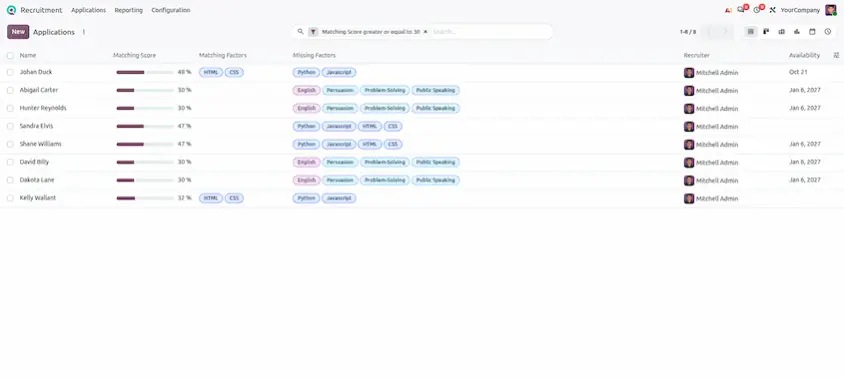
Find Suitable Candidates from an Odoo 20 Job Position
The Fitting Talent view helps recruiters discover applicants associated with a job position and review them according to their match scores. This makes it easier to begin candidate screening from the job itself rather than repeatedly navigating between different applicant lists.
How to use Fitting Talent
- Open the Recruitment application and select a job position.
- Locate the Fitting Talent view, if available in your Odoo 20 environment.
- Review the candidates and their displayed match scores.
- Open individual profiles to examine skills, experience, and qualifications.
- Shortlist suitable candidates and coordinate the next steps with the hiring team.
Best practice: Keep job requirements and candidate profiles accurate. Incomplete or outdated information may affect how useful the matching results are.
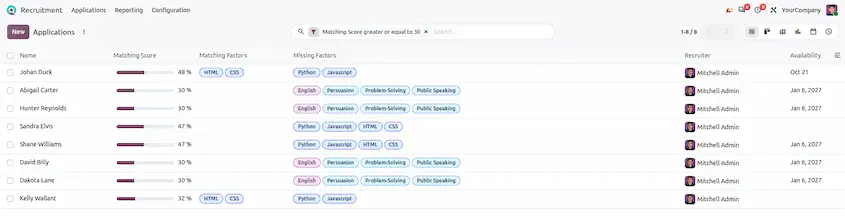
Before vs. Odoo 20
Odoo 20 Recruitment makes the hiring process simpler and less repetitive. With the Match Score filter and Fitting Talent view, recruiters can quickly identify applicants who best match a job, review candidates without constantly switching between screens, and move qualified applicants through the recruitment process faster. Together, these features provide a clearer and more efficient way to evaluate applicants and find the right talent for every position.
Odoo 20 Recruitment: New Features and Updates