Effective maintenance management requires more than simply recording repair requests. Maintenance teams need flexible workflows, clear request statuses, and efficient planning tools to keep equipment and work centers running smoothly.
With Odoo 20 Maintenance, several improvements make it easier to organize maintenance operations. Maintenance stages can now be configured for specific teams, a new Status widget provides additional visibility into maintenance requests, and Gantt views allow teams to create, manage, review, assign, and reschedule maintenance requests by equipment and work center.
In this article, we will explore the three key improvements in Odoo 20 Maintenance:
- Team-Based Maintenance Stages
- A New Status Widget for Maintenance Requests
- Plan Maintenance Requests by Equipment and Workcenter with Gantt Views
Team-Based Maintenance Stages
Different maintenance teams may follow different workflows depending on their responsibilities. For example, an internal maintenance team may handle general repairs, while a metrology team may focus on calibration and a subcontractor may manage outsourced maintenance activities.
Odoo 20 makes maintenance workflows more flexible by allowing Maintenance Stages to be assigned to specific Maintenance Teams.
When configuring a maintenance stage, users can select the teams that should use that stage. If no specific team is assigned, the stage can remain available to all maintenance teams.

For example, a company may have maintenance teams such as Internal Maintenance, Metrology, and Subcontractor.
Assign Maintenance Stages to Specific Teams

This allows each team to work with stages that are relevant to its maintenance process, helping keep workflows organized and easier to manage.
Business Value
Team-based Maintenance Stages help organizations:
- Configure workflows based on individual maintenance teams
- Keep team-specific stages organized
- Avoid unnecessary stages for particular teams
- Improve visibility into team-specific maintenance workflows
A New Status Widget for Maintenance Requests
Odoo 20 also introduces a new Status widget for maintenance requests.
The maintenance stage indicates where a request is within the configured workflow, while the Status widget provides additional information about the current state of the request.
The available statuses include:
- In Progress
- Changes Requested
- Approved
- Cancelled
- Done
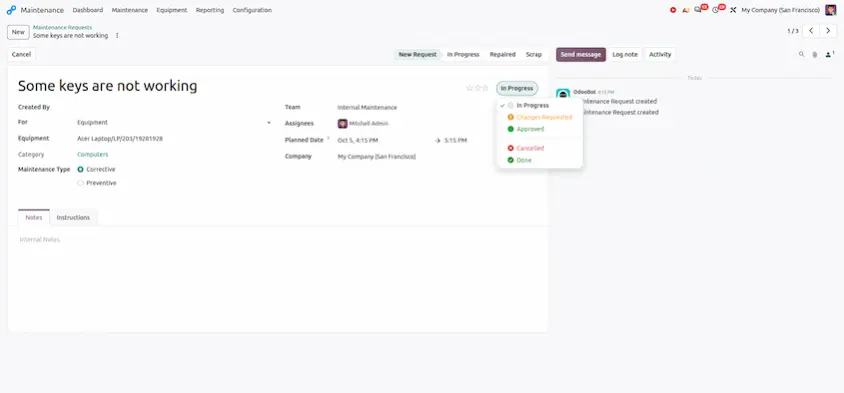
The Status widget works alongside maintenance stages, giving users more information about a request without changing the existing workflow structure.
For example, a maintenance request can remain in a particular stage while its status changes from In Progress to Approved or Changes Requested.
Stage vs. Status
The difference can be understood as follows:
- Stage: Defines where the maintenance request is in the workflow.
- Status: Indicates the current state of the maintenance request.
This provides maintenance teams with a clearer way to track and communicate the progress of their requests.
Plan Maintenance Requests by Equipment and Workcenter with Gantt Views
Odoo 20 introduces dedicated Gantt views for maintenance planning, allowing users to manage maintenance requests through a visual timeline.
Gantt planning is not limited to viewing scheduled activities. It provides a practical workspace where maintenance teams can create new maintenance requests, assign technicians, review activities, manage existing requests, and reschedule maintenance work.
Odoo 20 provides two dedicated planning views:
- Planning by Equipment
- Planning by Workcenter

Planning by Equipment
The Planning by Equipment Gantt view organizes maintenance requests according to the equipment involved.
Each equipment item is displayed as a row, while maintenance requests are shown as activities on the timeline.
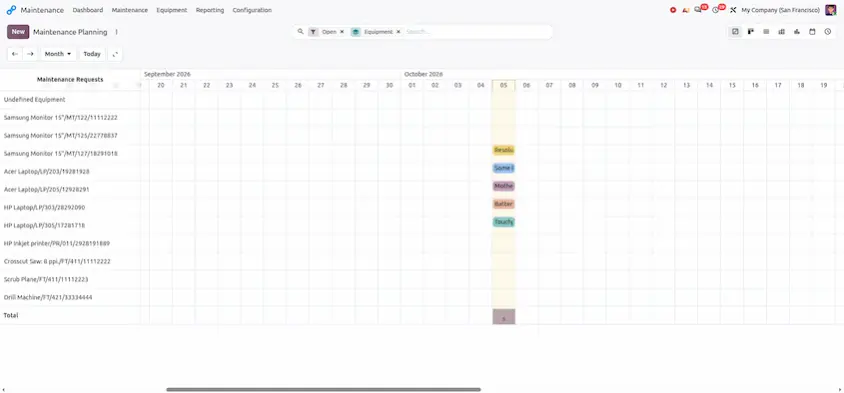
This gives maintenance teams a quick overview of scheduled activities and makes it easier to identify when equipment is planned for maintenance.
Create a Maintenance Request from the Gantt View
Users can create a new maintenance request directly from the Gantt view by selecting the required period on the equipment timeline.
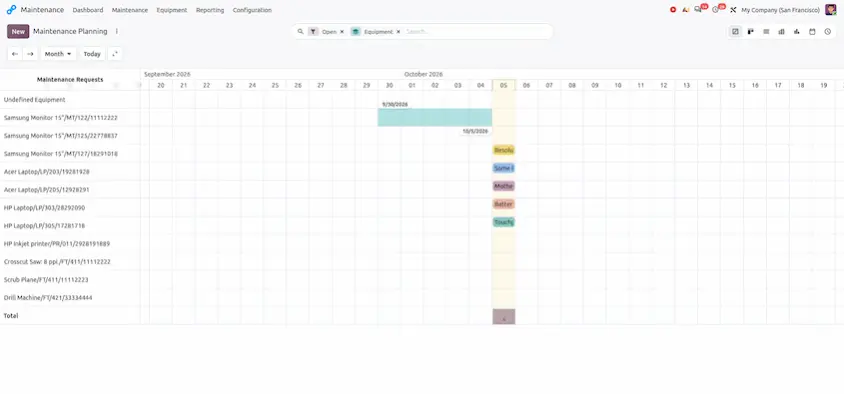
After selecting the required period, Odoo opens the maintenance request form.
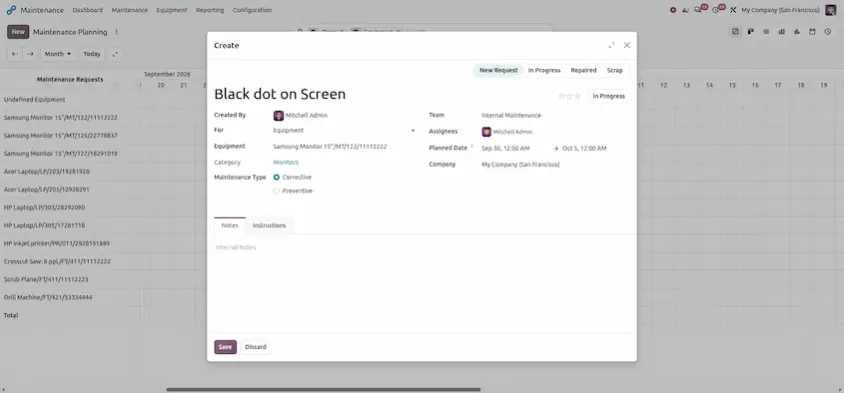
Once the request is saved, it appears directly on the equipment timeline.
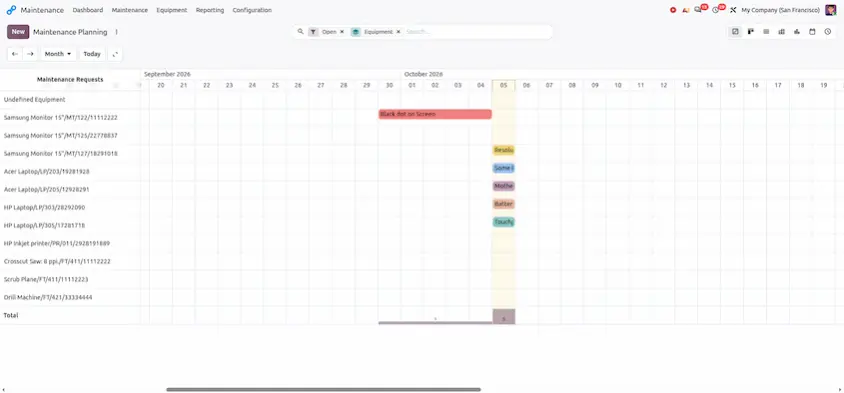
Users can select the scheduled activity to review its details.
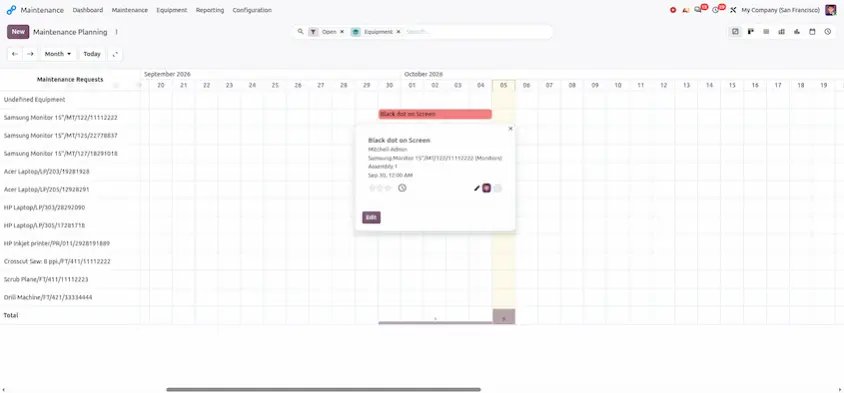
This makes it possible to manage the maintenance workflow directly from the planning timeline instead of switching between multiple views.
Planning by Workcenter
In manufacturing environments, maintenance activities are often associated with production work centers.
Odoo 20 provides a dedicated Planning by Workcenter Gantt view to help maintenance teams schedule and manage maintenance requests for production work centers.
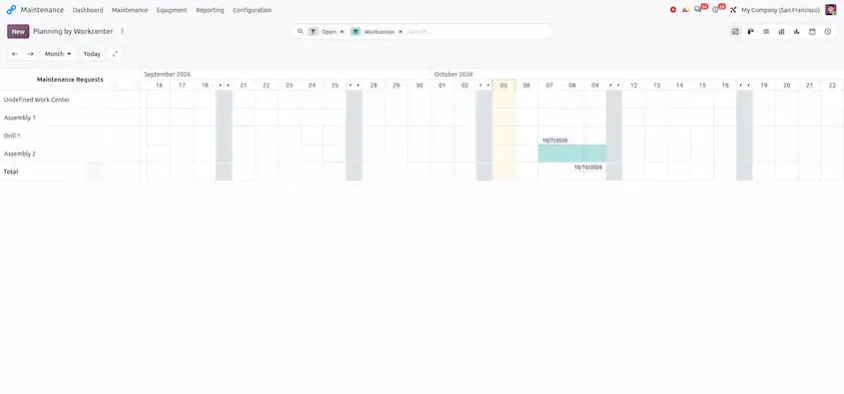
This provides maintenance and production teams with a visual overview of planned work center maintenance.
Create a Workcenter Maintenance Request
Users can create a maintenance request directly from the Workcenter Gantt view by selecting the required period on the timeline.
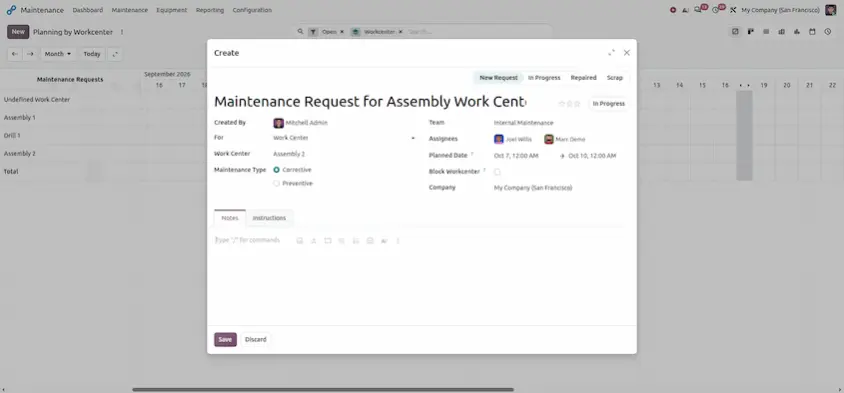
After saving the request, it appears on the selected work center's timeline.
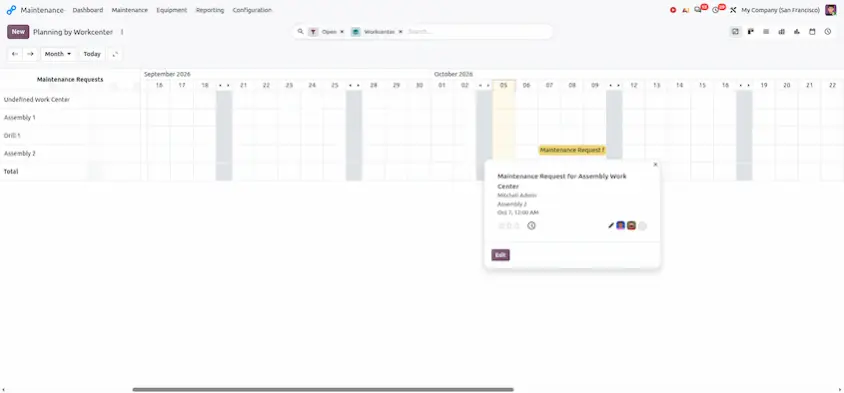
Manage and Reschedule Maintenance Requests
Gantt planning also makes it easier to manage existing maintenance activities.
Users can move a maintenance request to another date or, where applicable, another work center using drag and drop.
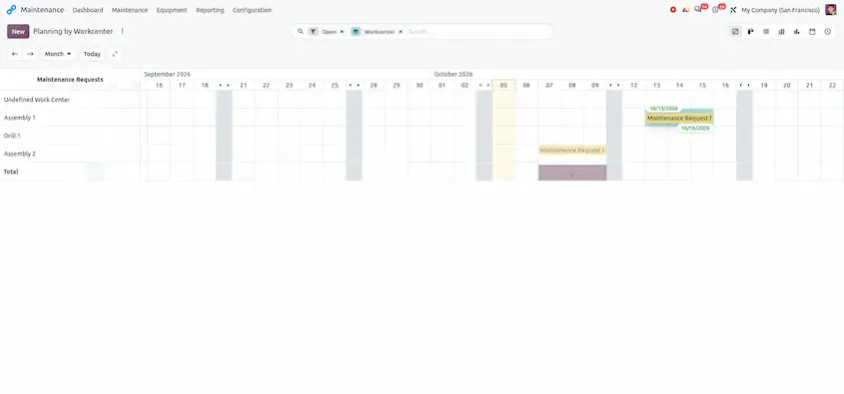
After the request is moved, Odoo displays a confirmation that the record has been rescheduled and provides an Undo option.
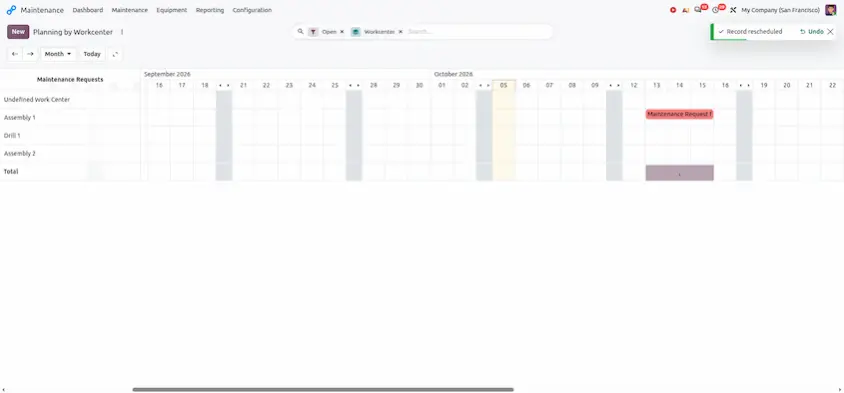
What Gantt Planning Includes
With Equipment and Workcenter Gantt views, maintenance teams can:
- Create new maintenance requests
- Plan maintenance activities on a timeline
- Assign technicians or responsible users
- Review scheduled maintenance requests
- Manage existing maintenance activities
- Reschedule requests using drag and drop
- Move activities between dates or work centers when required
- Monitor maintenance workload visually
This provides maintenance teams with a centralized and visual way to manage planned maintenance activities.
Business Benefits
Flexible Team Workflows
Team-Based Maintenance Stages allow organizations to configure maintenance workflows according to the teams responsible for the work.
Clearer Request Status
The Status widget provides additional visibility into the current state of each maintenance request.
Visual Maintenance Planning
Equipment and Workcenter Gantt Views allow maintenance teams to create, assign, review, manage, and reschedule maintenance requests from a visual timeline.
Together, these improvements make maintenance operations easier to organize and provide users with better visibility from workflow configuration to request tracking and planning.
Odoo 20 Maintenance Improvements at a Glance
| Improvement | What It Provides |
|---|---|
| Team-Based Maintenance Stages | Assign maintenance stages to specific maintenance teams |
| New Status Widget | Track the current state of maintenance requests |
| Gantt Planning by Equipment | Create and manage maintenance requests on an equipment timeline |
| Gantt Planning by Workcenter | Create and manage maintenance requests on a work center timeline |
| Gantt Request Management | Assign, review, manage, and reschedule maintenance activities |
Odoo 20 Maintenance introduces improvements that make maintenance workflows more flexible and easier to manage. Team-based maintenance stages help organize requests according to team responsibilities, the new Status widget improves request visibility, and dedicated Gantt views simplify equipment and work center maintenance planning.
Together, these updates help maintenance teams coordinate activities, track request progress, and manage maintenance schedules more efficiently.
Odoo 20 Maintenance:
Together, these improvements help maintenance teams move from simply recording requests to actively planning and managing maintenance activities from a single visual workflow.
Odoo 20 Maintenance: New Features & Improvements