Business Overview
Manufacturing businesses need efficient planning, scheduling, and production control to respond quickly to changing shop-floor requirements.
Odoo 20.0 Manufacturing introduces practical improvements for prioritizing Manufacturing Orders, scheduling work orders, comparing Bills of Materials, and simplifying production operations.
These enhancements provide greater flexibility across production planning, work-order management, and shop floor execution, helping manufacturers improve efficiency and respond faster to operational changes.
What’s New in Odoo 20 Manufacturing?
Manufacturing rarely follows a fixed sequence. Urgent orders, partial production, changing priorities, and blocked work centers can all require teams to adjust their plans and respond quickly.
Odoo 20.0 introduces several improvements that make manufacturing more flexible, visual, and responsive - from planning production to executing work orders and managing exceptions.
- Prioritized Manufacturing Order Planning
- Work Order Kanban and Gantt Planning
- Book Quantity on Work Orders
- Side-by-Side Bill of Materials Comparison
- Unified Produce Button
- Reset Manufacturing Orders
- Run Work Orders in Blocked Work Centers
These improvements are organized into three key areas:
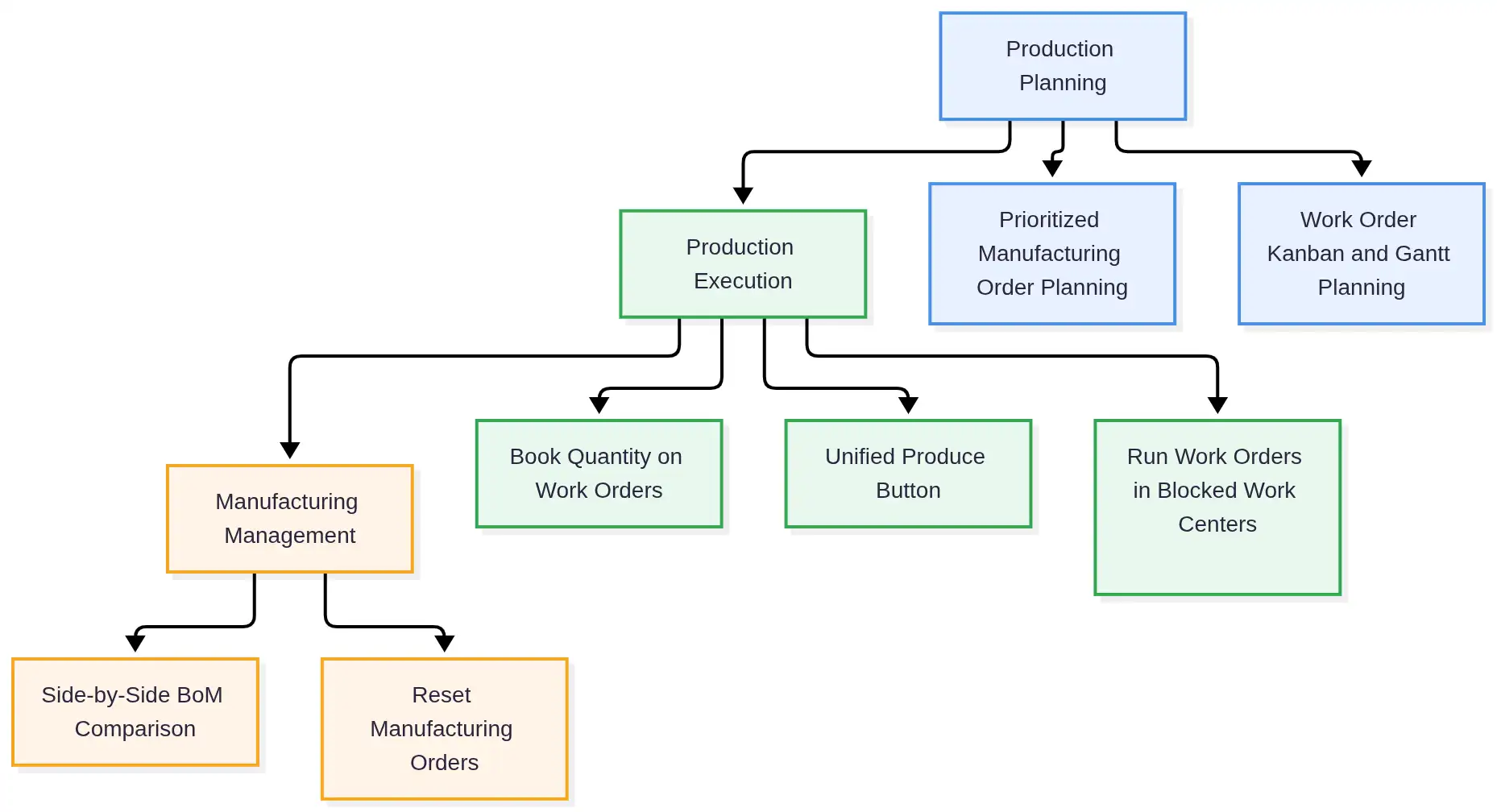
Business Process at a Glance
| Feature | Odoo Area | Main Activity |
|---|---|---|
| Prioritized MO Planning | Manufacturing Orders | Arrange orders by priority and plan them as soon as possible |
| Work Order Kanban & Gantt | Work Order Planning | Schedule work orders by work center and employee |
| Book Quantity | Work Orders | Book available quantities so the next operation can start |
| BoM Comparison | Bills of Materials | Compare product structures by component quantity |
| Unified Produce Button | Manufacturing / Shop Floor / Barcode | Record production with a single action |
| Reset Manufacturing Orders | Manufacturing Orders | Reopen completed or cancelled orders |
| Blocked Work Centers | Work Orders / Shop Floor | Continue applicable work orders when blocked |
Feature 1 – Prioritized Manufacturing Order Planning
Odoo 20.0 makes it easier to control the order in which Manufacturing Orders are planned.
Manufacturing Orders are planned as soon as possible, with their position in the Manufacturing Order list determining their planning priority. This allows production planners to quickly adjust the production sequence when priorities change.
How It Works
Production planners can arrange Manufacturing Orders according to their priority and then use the Plan action. Odoo uses the order sequence when planning the production schedule.
For example, if an urgent customer order needs to be produced before standard or future orders, the planner can move its Manufacturing Order higher in the sequence. Odoo then considers this priority when planning production.
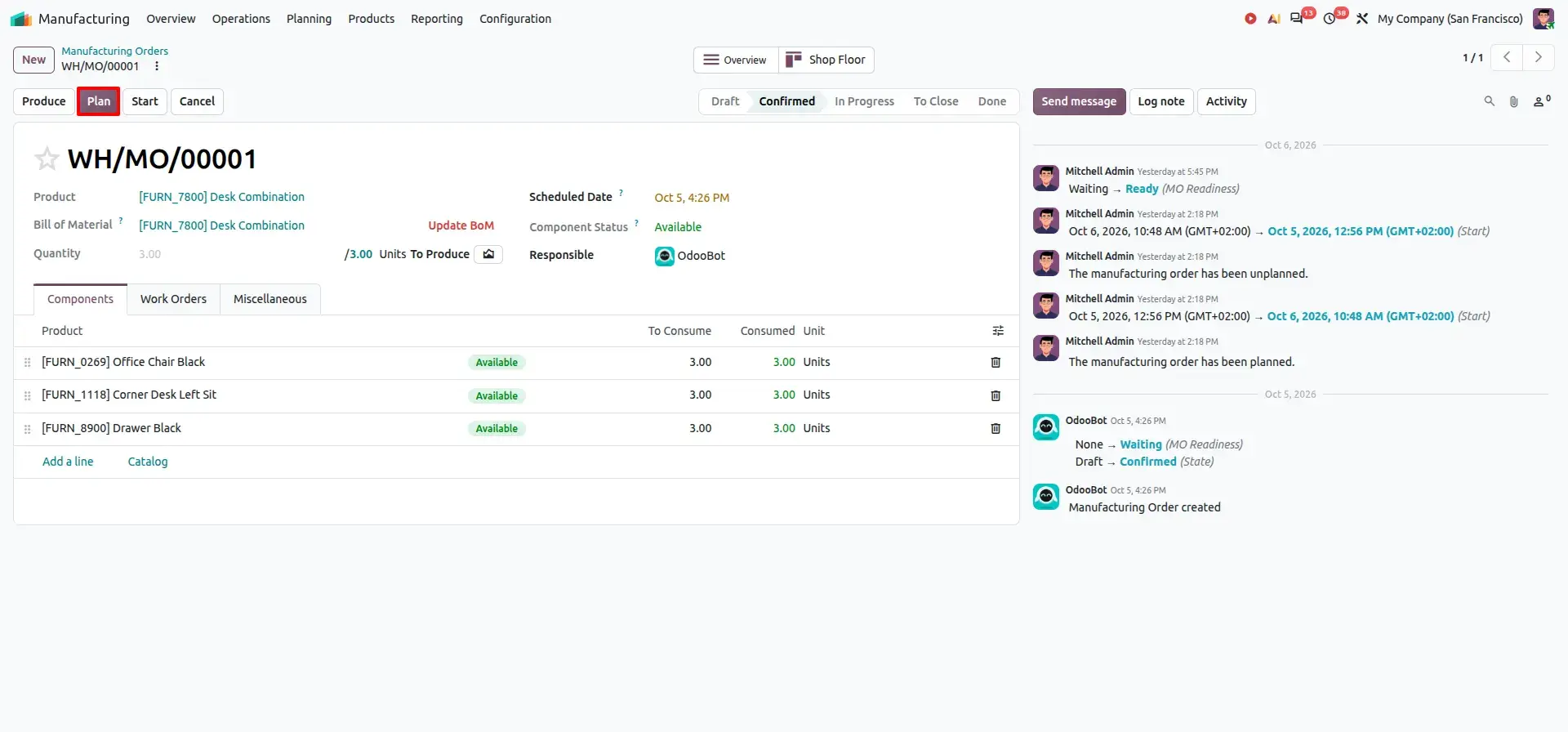
Priority in Gantt View
The Gantt view provides a visual way to review the production schedule and understand how Manufacturing Order priorities are reflected in the planned timeline.
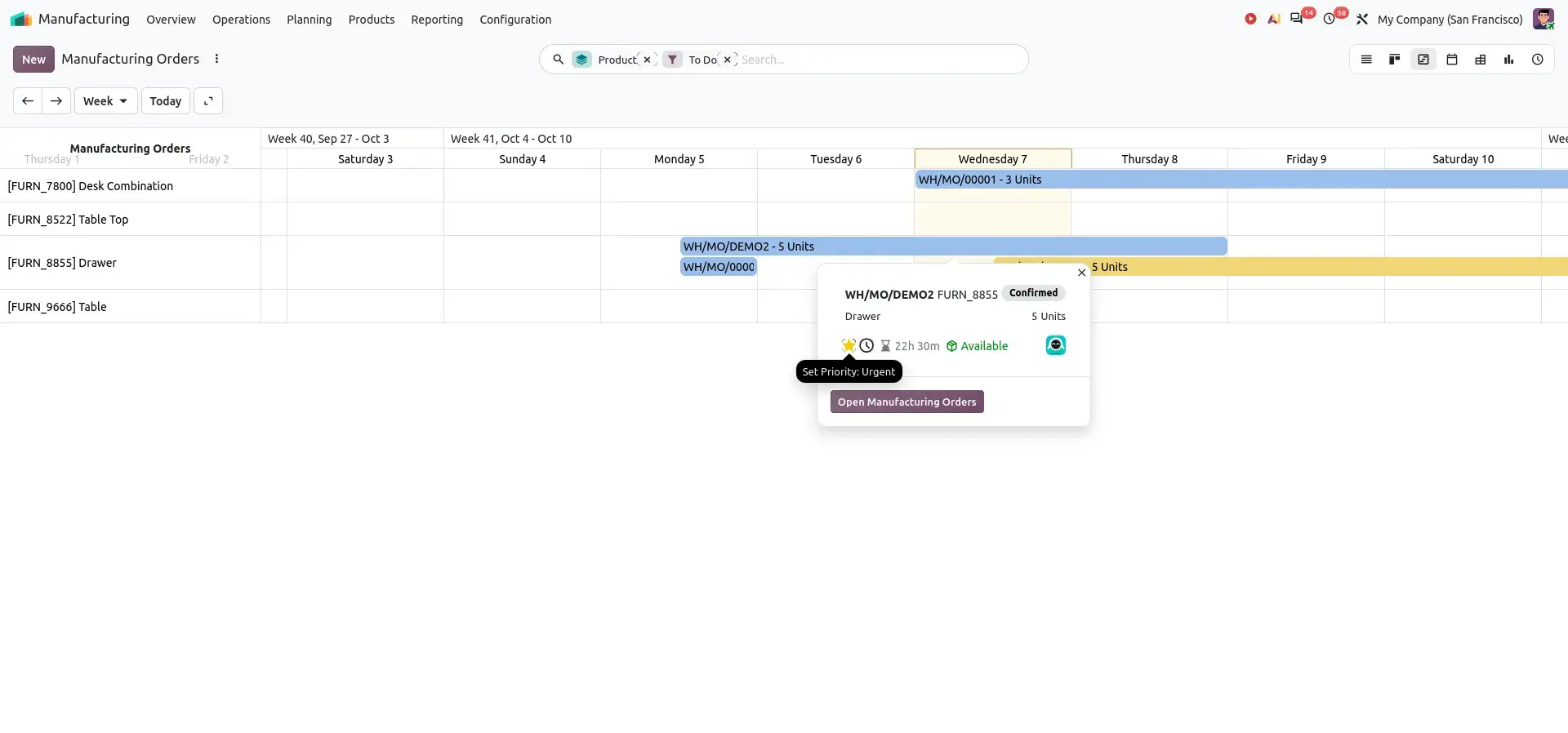
This gives production planners greater control over urgent orders, changing priorities, and the overall production schedule.
Feature 2 – Work Order Kanban and Gantt Planning
Work-order scheduling becomes increasingly important as manufacturers manage multiple work centers, operations, and employees.
Odoo 20.0 improves work-order planning with dedicated Kanban and Gantt views. These views give production planners a more visual way to understand and adjust production schedules.
All planning views are reached from the Planning menu:
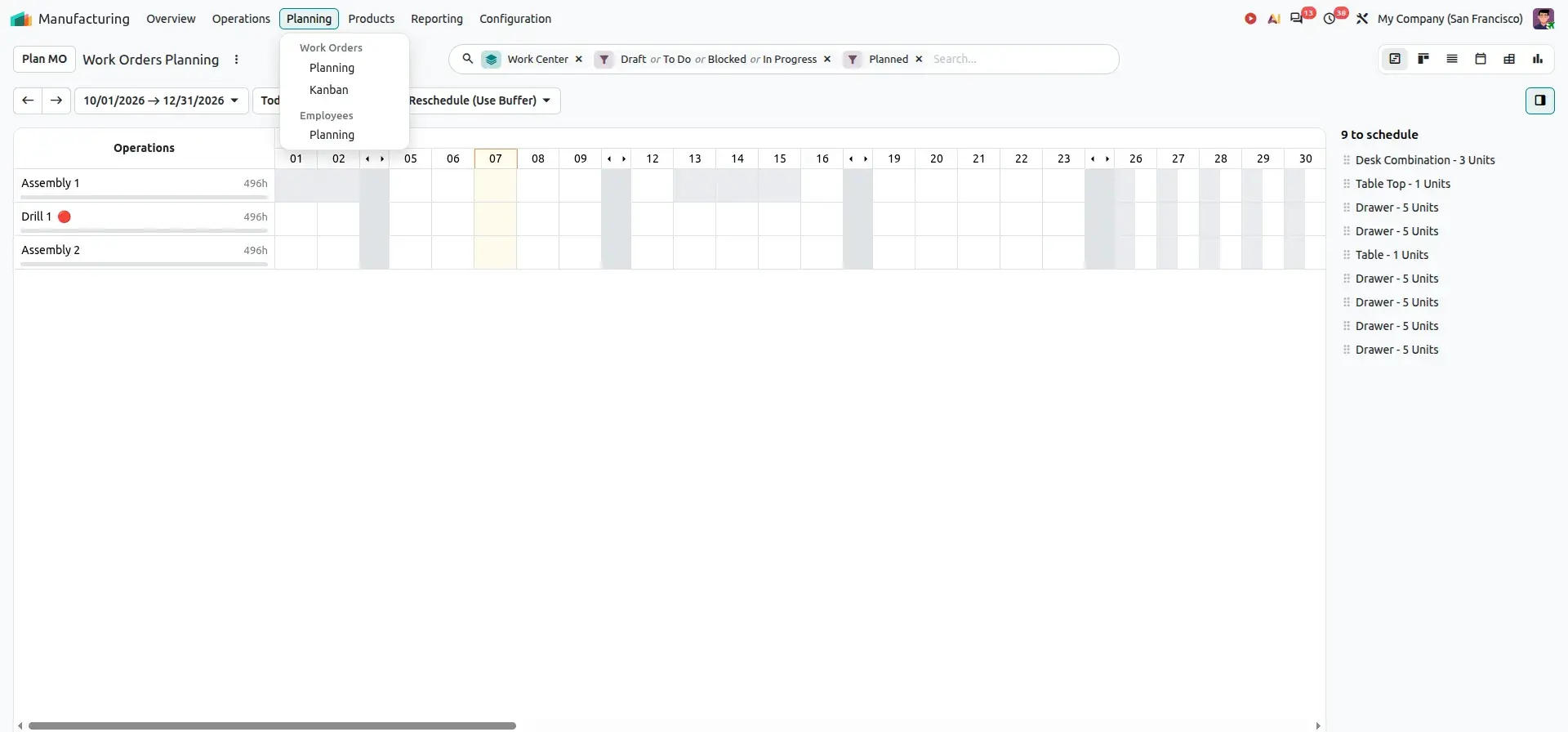
Work Order Gantt
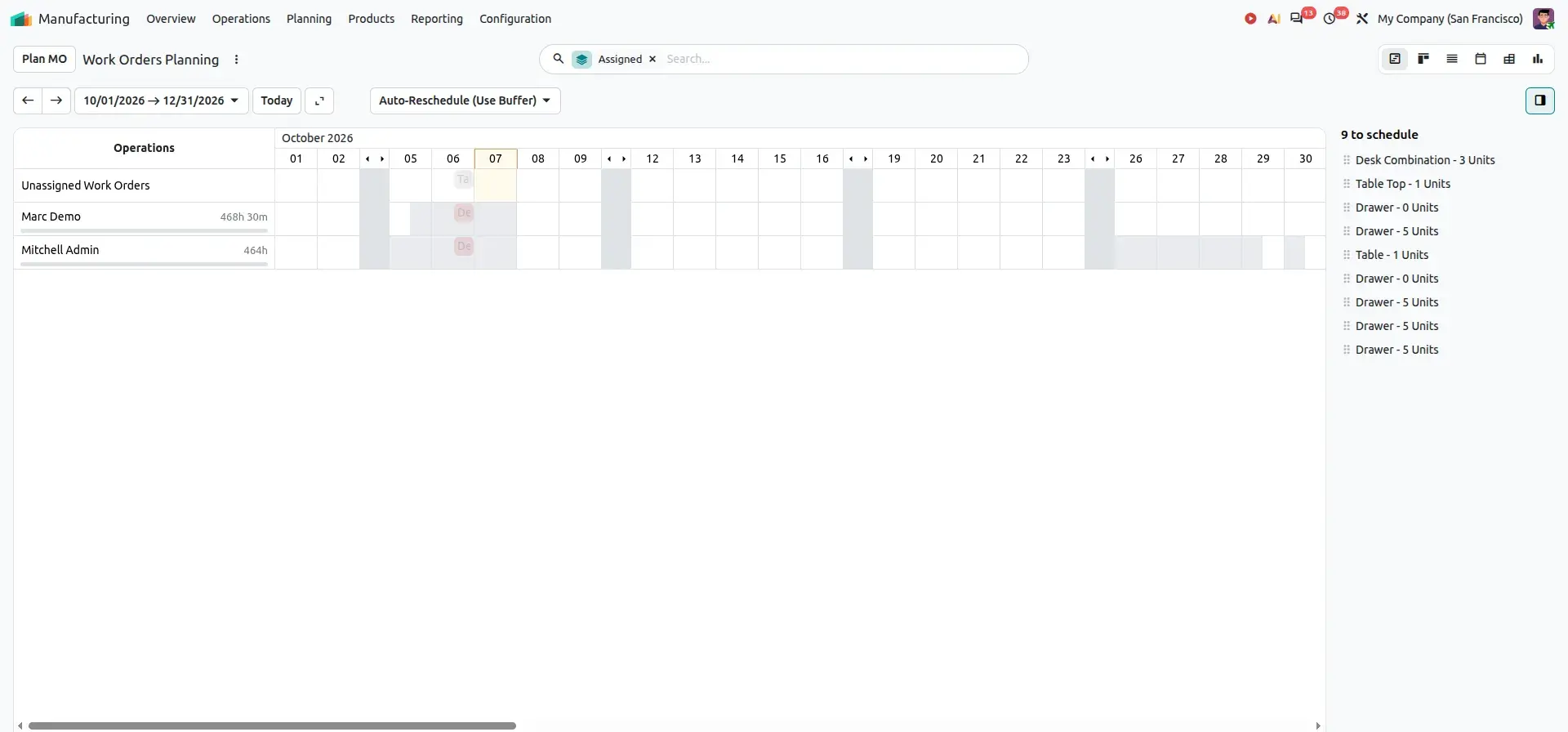
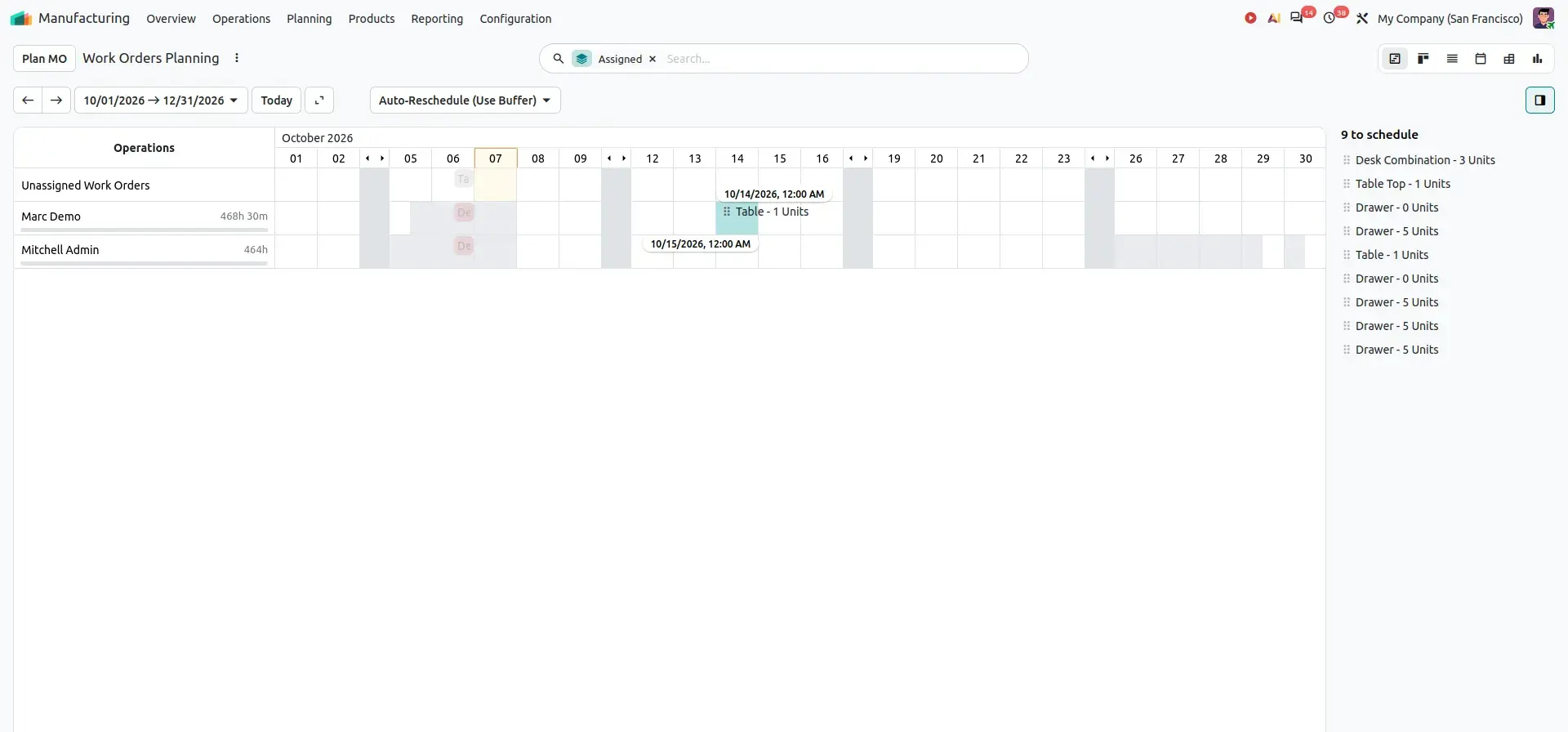
The Gantt view provides a timeline-based representation of work orders. Production planners can visually review the schedule and use drag-and-drop to adjust work-order timing.
Users can:
- View scheduled work orders
- Adjust start times and reschedule operations
- Review production timelines and manage workloads
- Plan work by employee
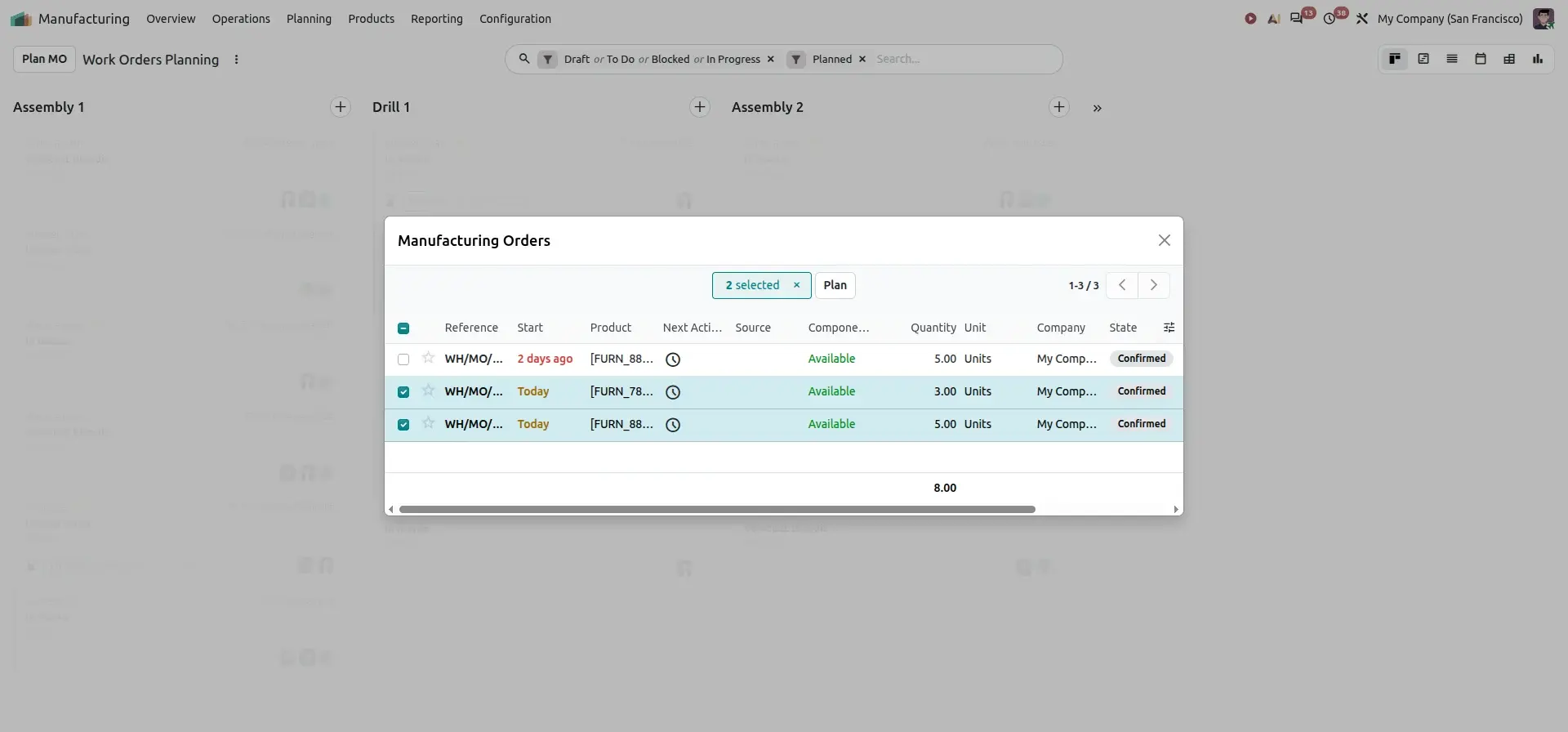
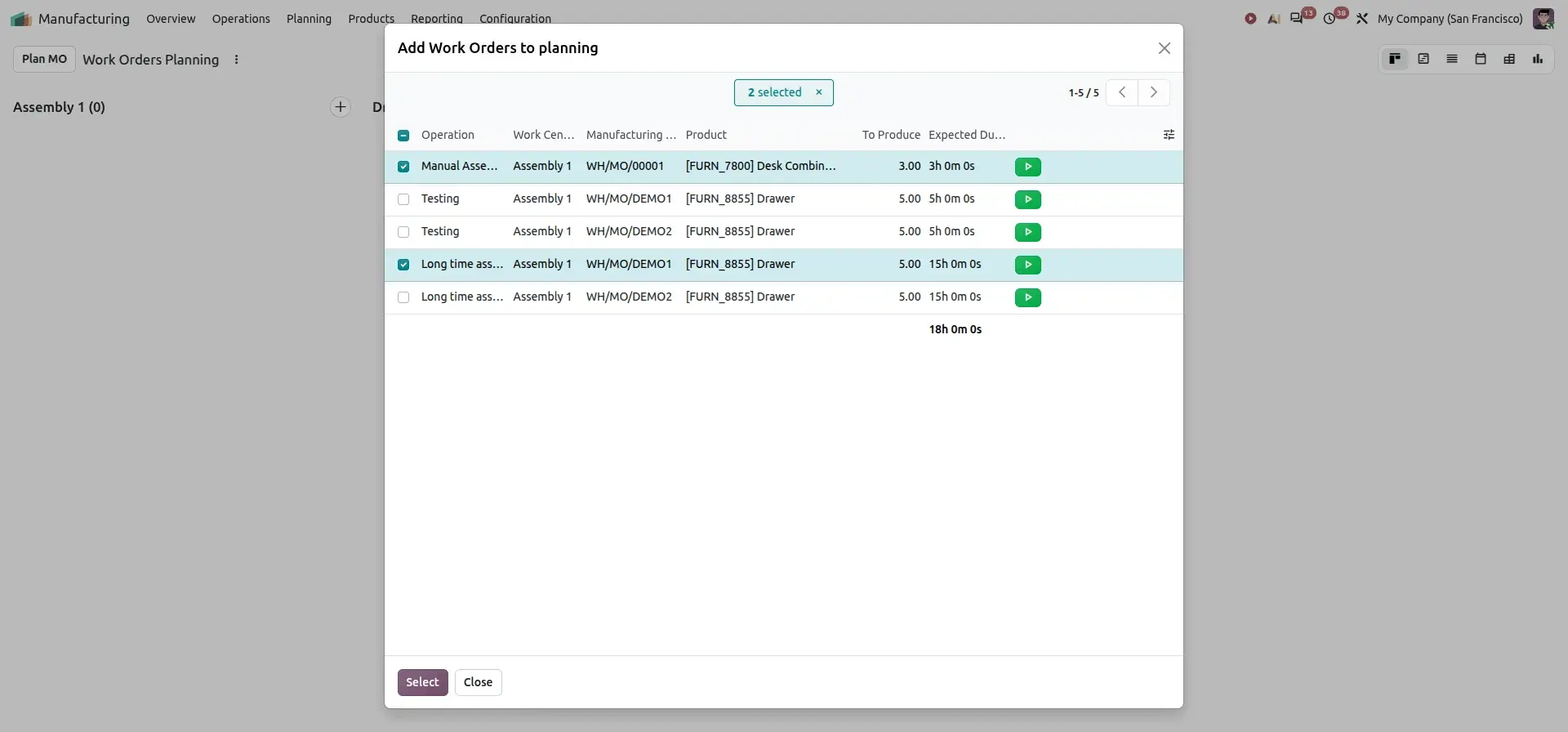
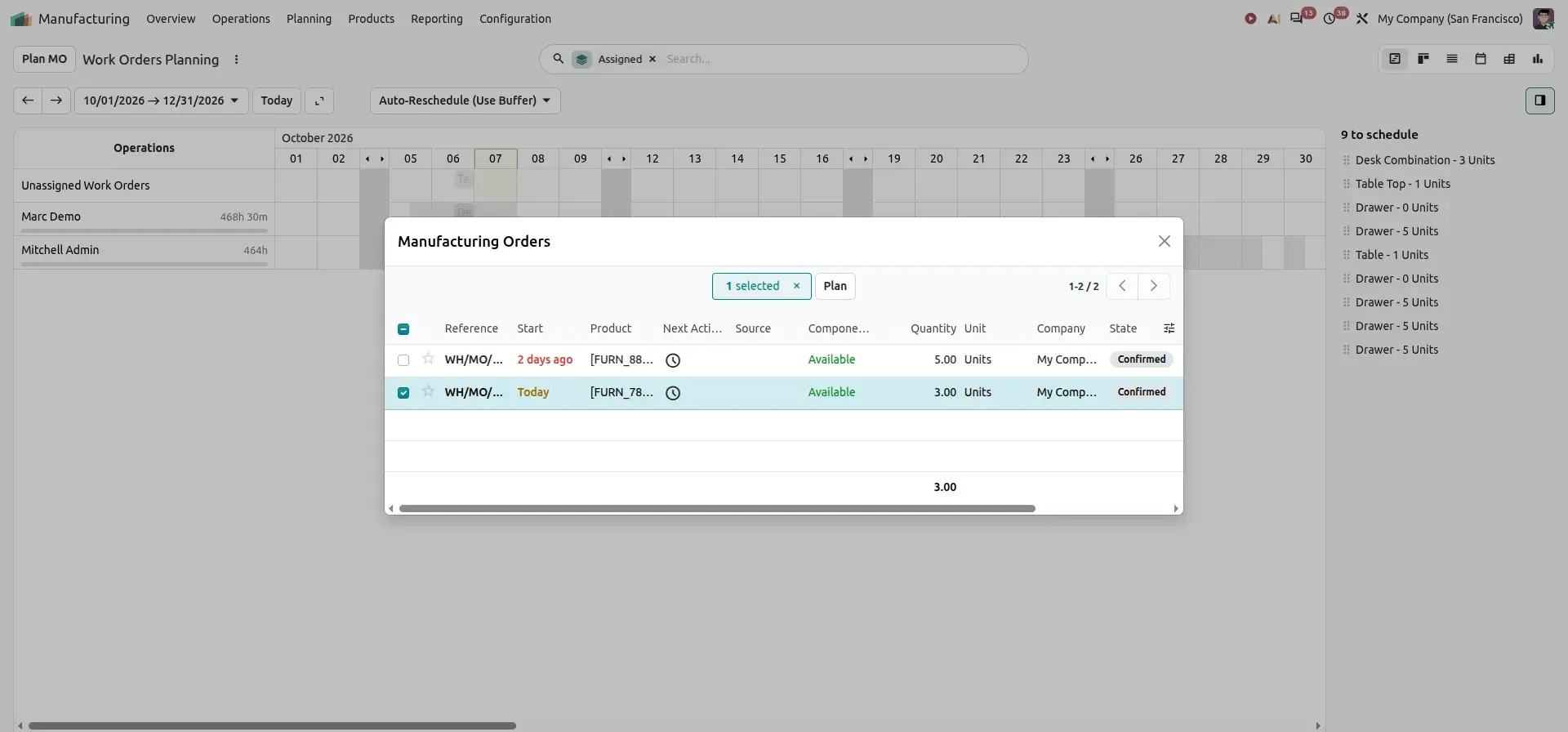
The Plan MO button lists the confirmed Manufacturing Orders that still need planning. Selecting an order and clicking Plan schedules its work orders on the work centers.
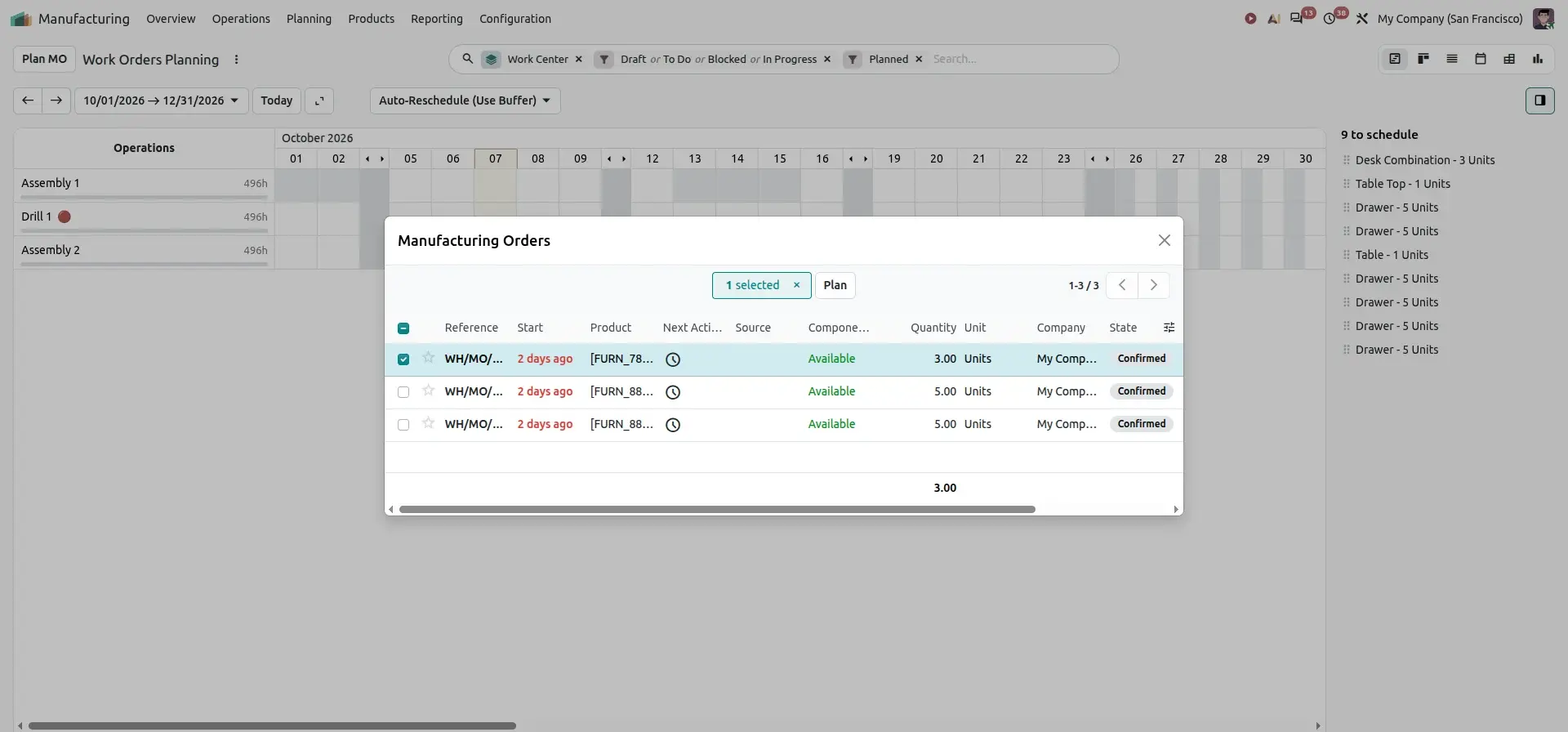
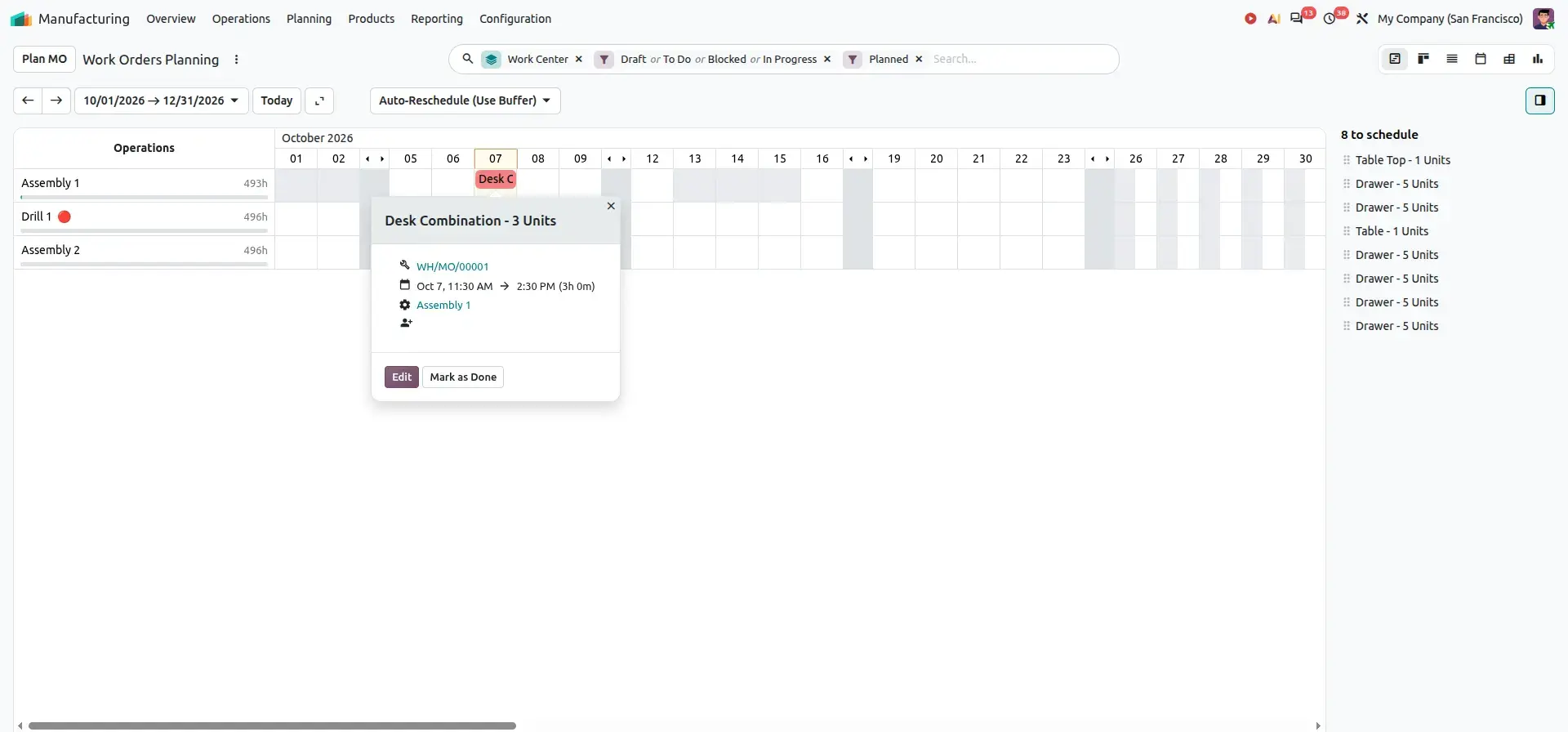
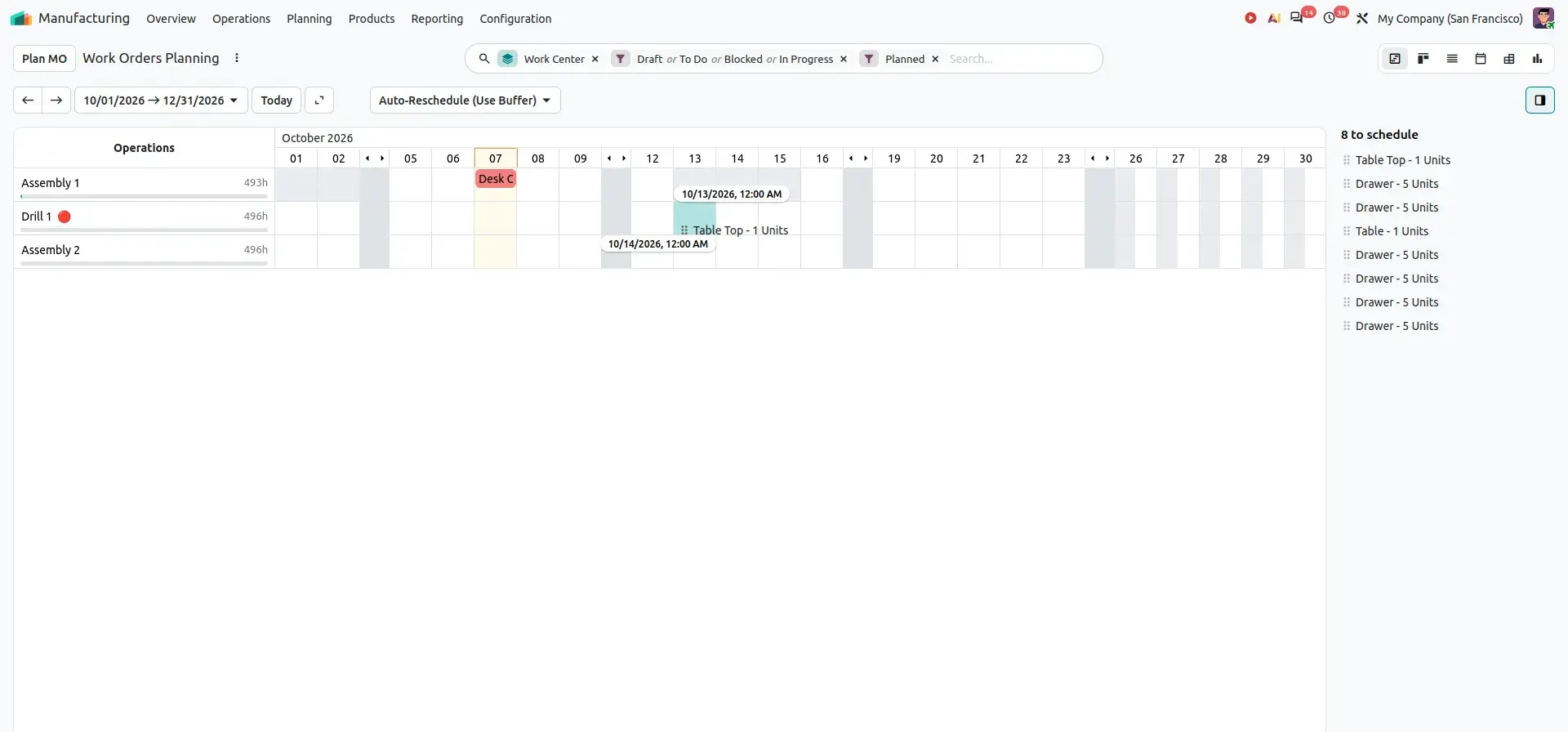
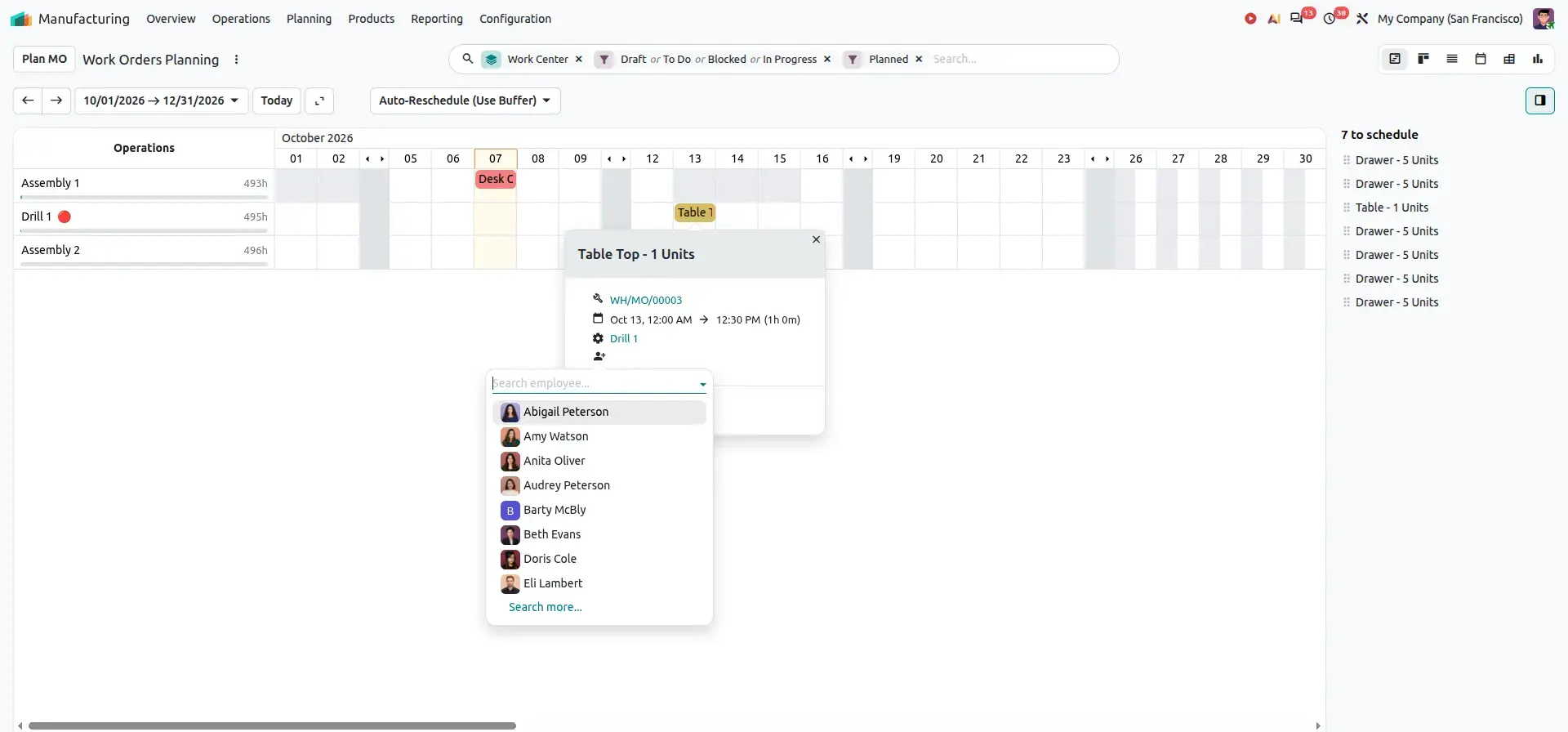
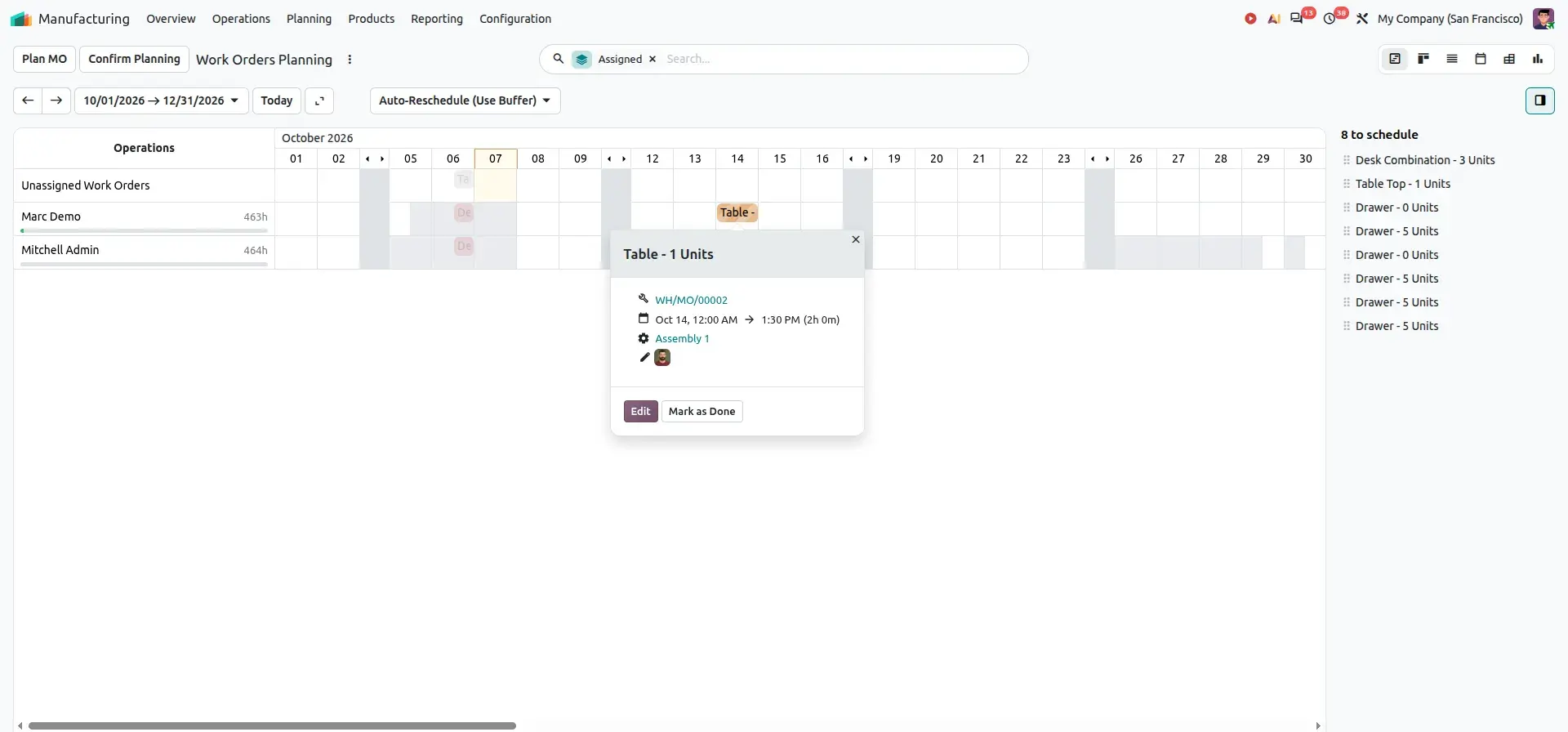
Planners can then drag a work order from the to schedule panel to a work center and time slot, and assign an employee from the work-order popup.
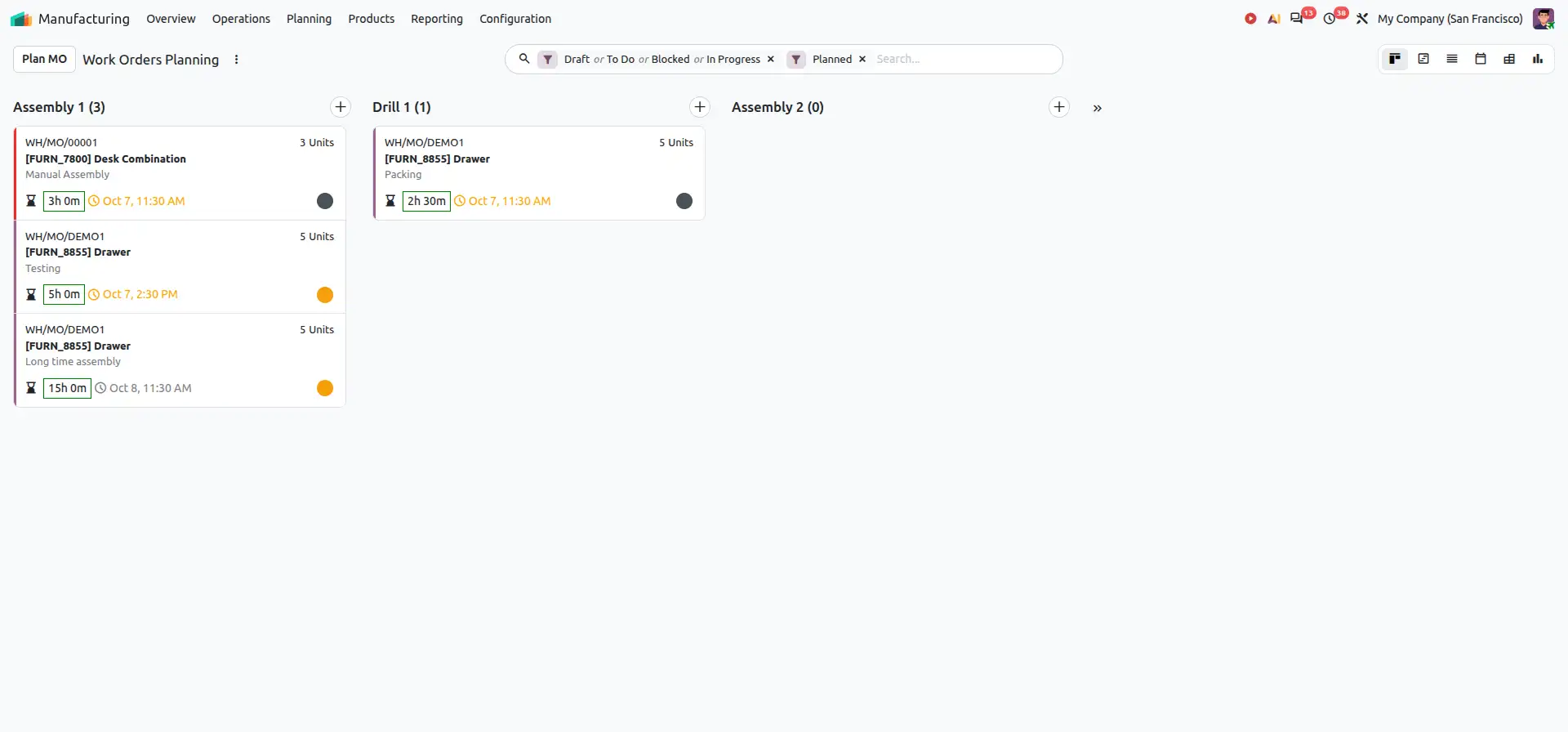
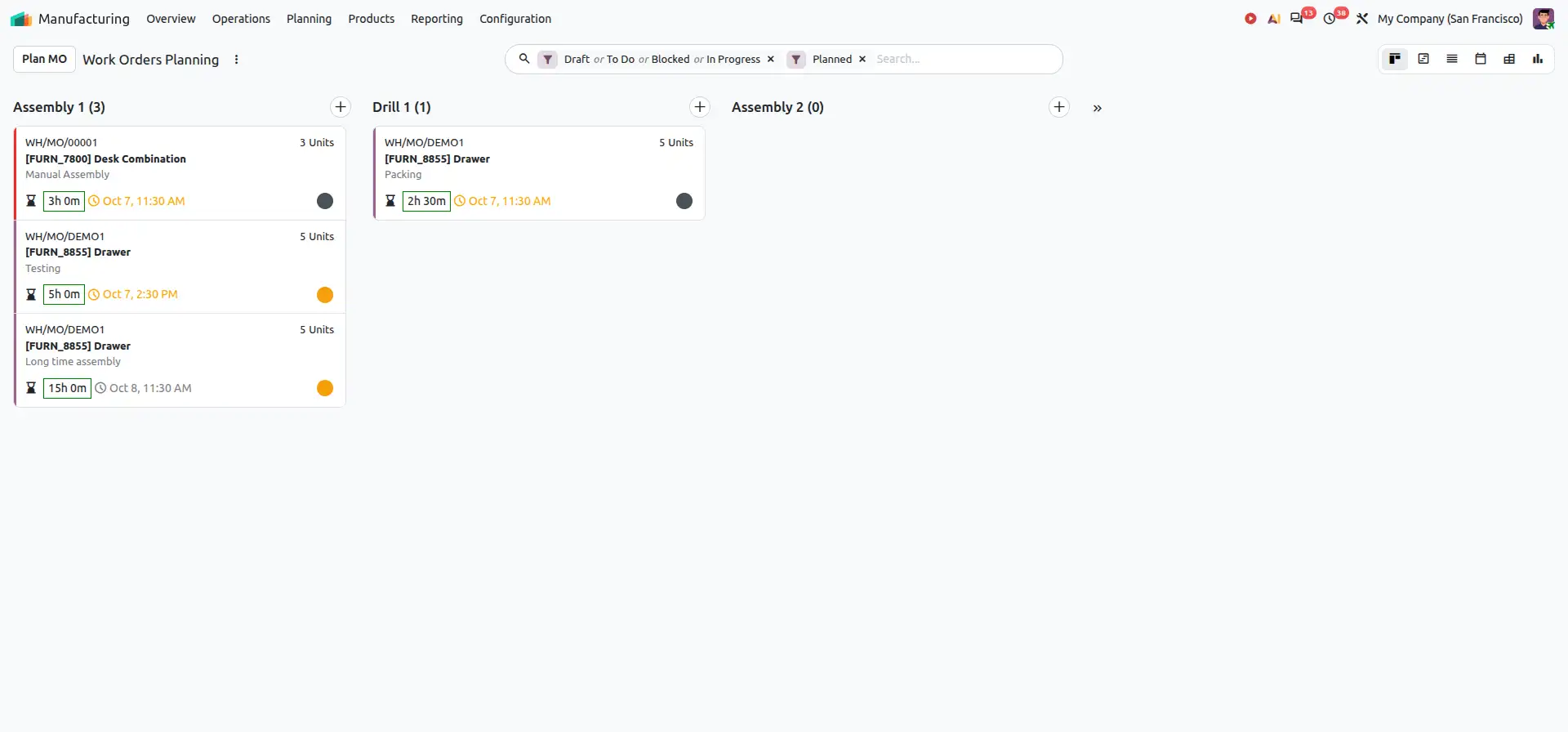
Work Order Kanban
The Kanban view provides a card-based representation of work orders, grouped by work center.
Planners can review work orders and organize production activities according to their planning status, providing a quick operational overview.
Employee-Based Planning
Production capacity depends not only on machines and work centers, but also on employee availability.
Odoo 20.0 provides employee-based planning visibility, helping managers understand how work orders are distributed across employees.
For example:
| Employee | Operation | Schedule |
|---|---|---|
| Employee A | Assembly | 09:00 - 11:00 |
| Employee B | Testing | 10:00 - 12:00 |
| Employee C | Packaging | 11:00 - 13:00 |
If Employee A is already assigned to another operation during the same period, the planner can identify the conflict and adjust the schedule.
Business Value
- Improve production visibility
- Balance employee workloads
- Identify scheduling conflicts
- Adjust schedules quickly
- Improve resource utilization
- Reduce manual planning effort
Feature 3 – Book Quantity on Work Orders
In a multi-step manufacturing process, downstream operations depend on the completion of preceding operations. Odoo 20.0 automatically updates work-order statuses based on these dependencies.
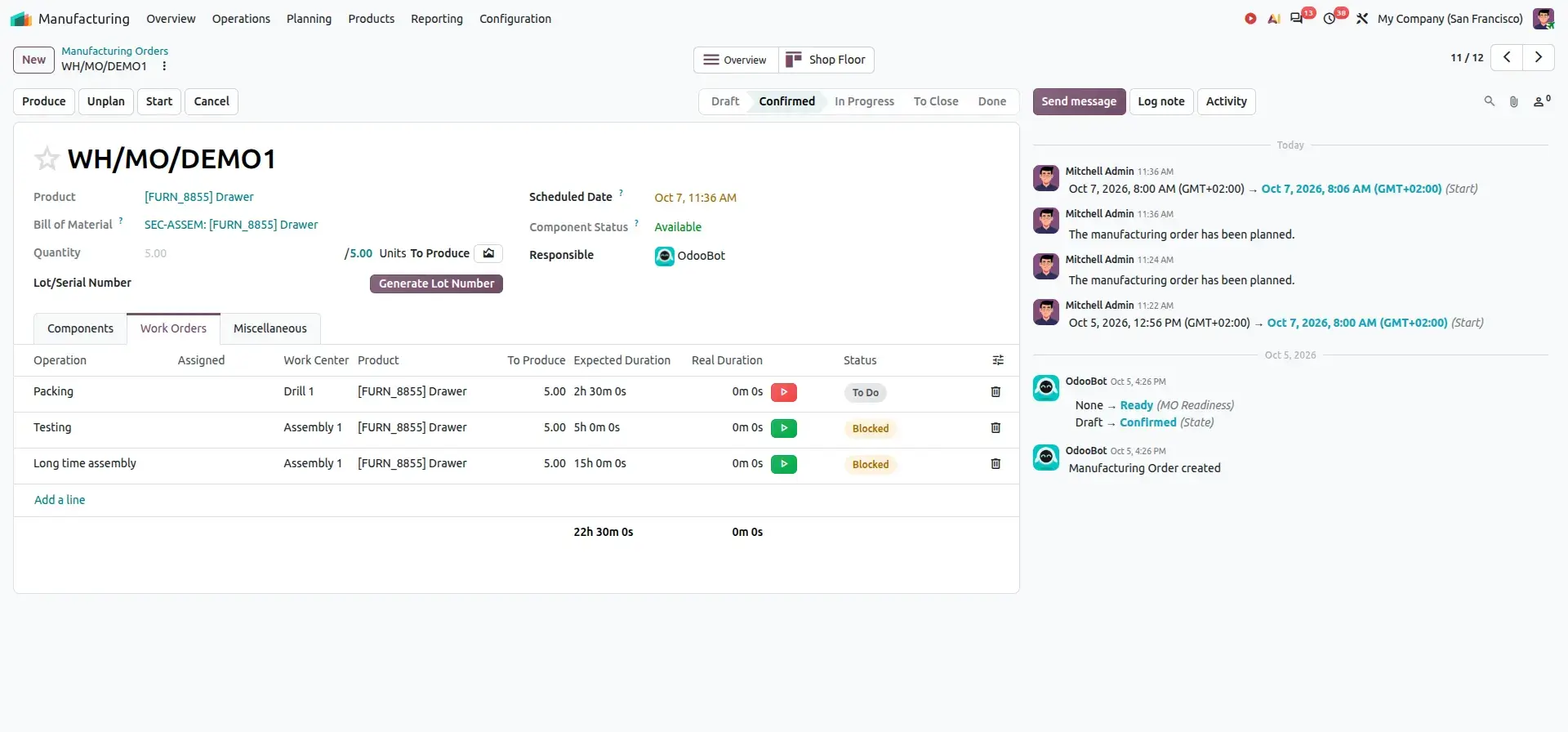
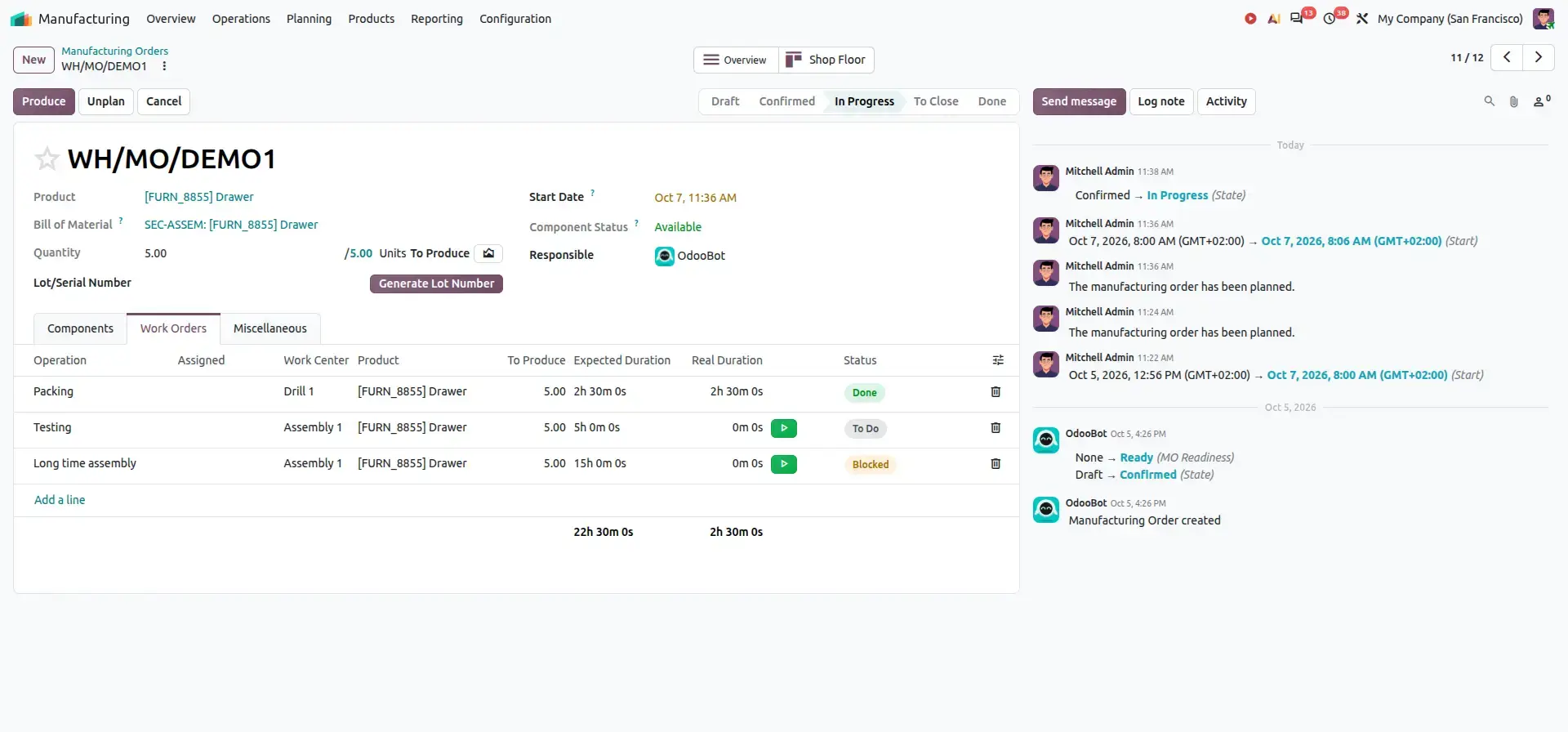
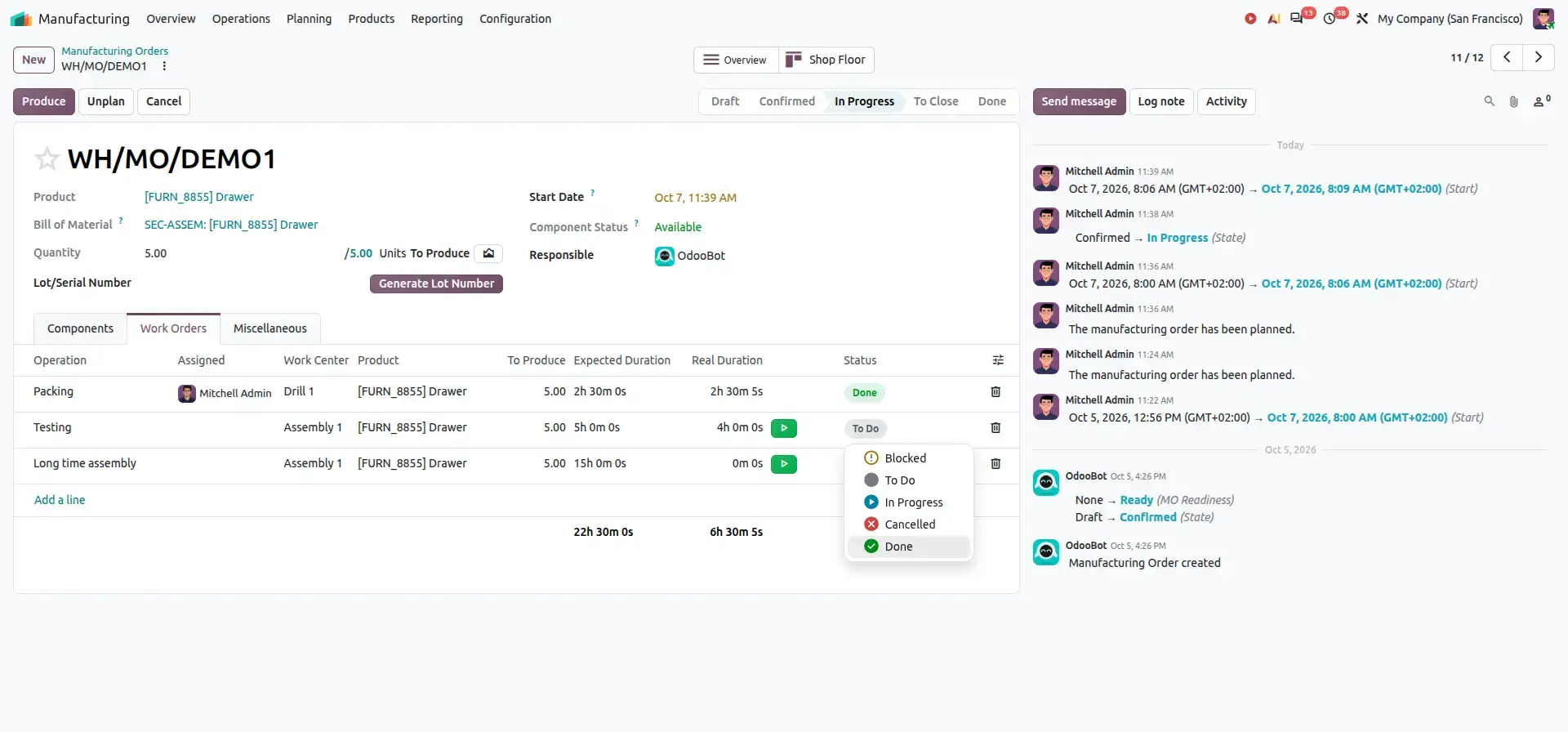
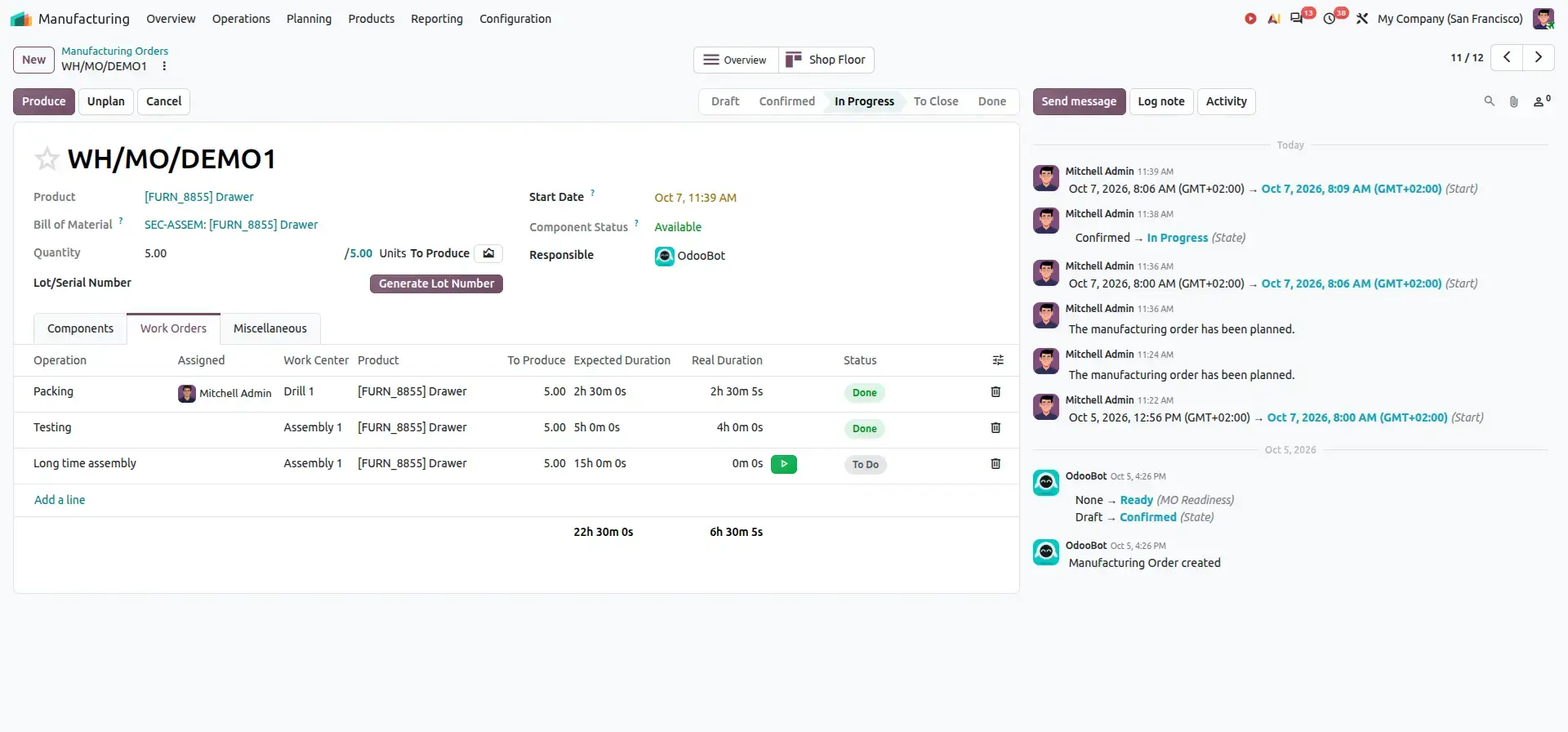
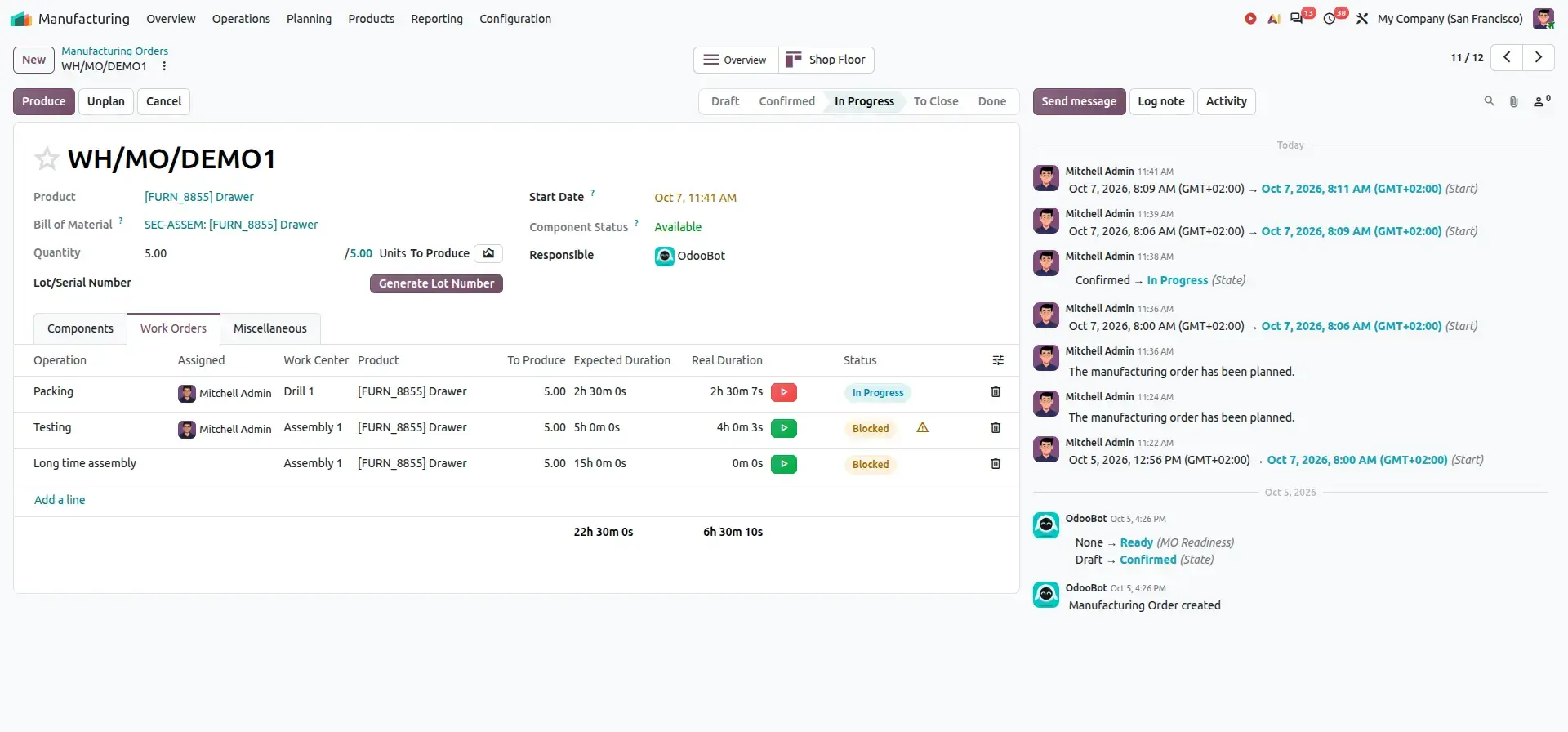
For example, consider three operations:
Initially, Packing can be started while Testing and Long time assembly remain blocked. Once Packing is completed, Testing becomes available. After Testing is completed, Long time assembly becomes available.
Business Value
- Clearly identify which operations are ready to start
- Prevent downstream operations from starting prematurely
- Improve production sequencing
- Provide better visibility into work-order progress
- Reduce delays caused by incorrect operation sequencing
Feature 4 – Side-by-Side Bill of Materials Comparison
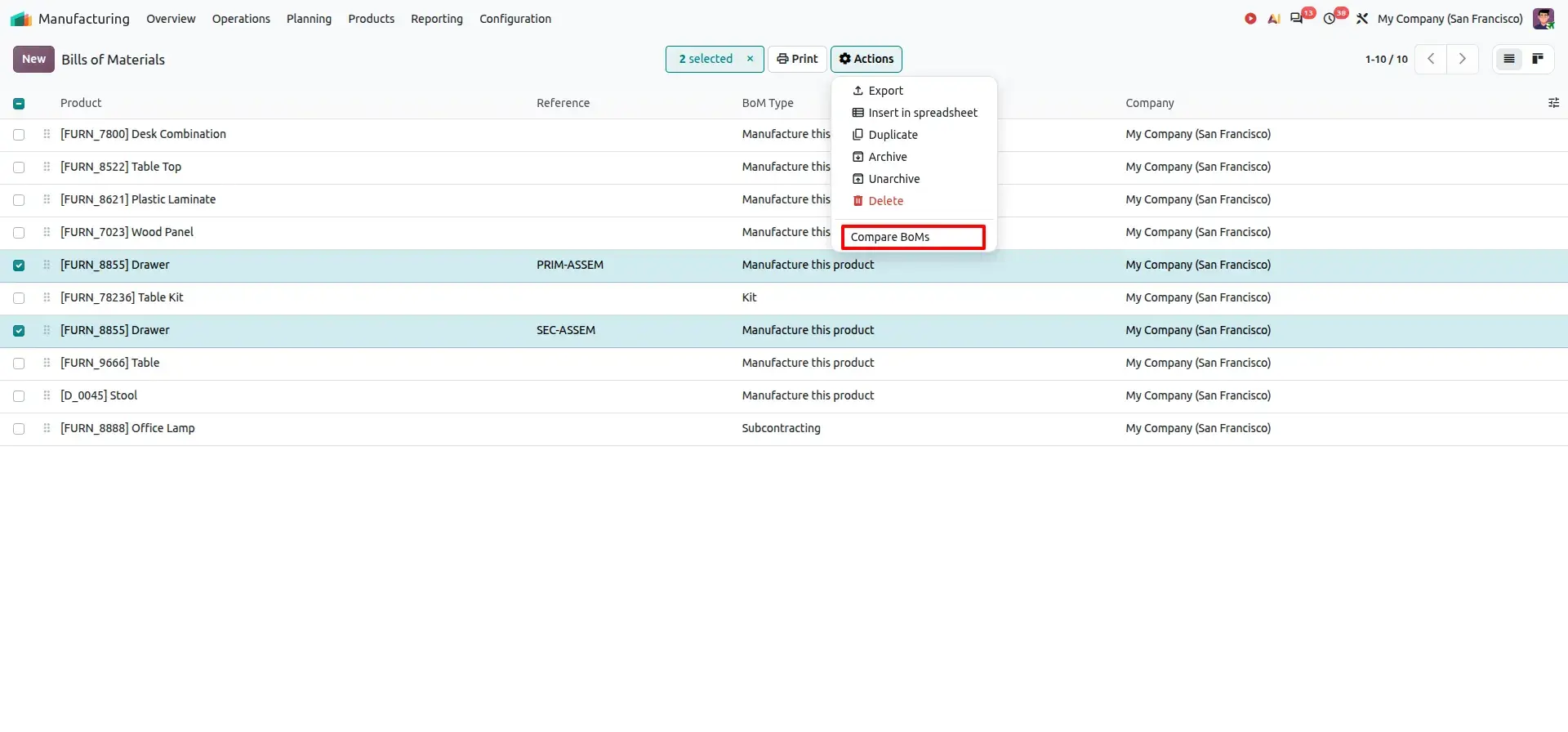
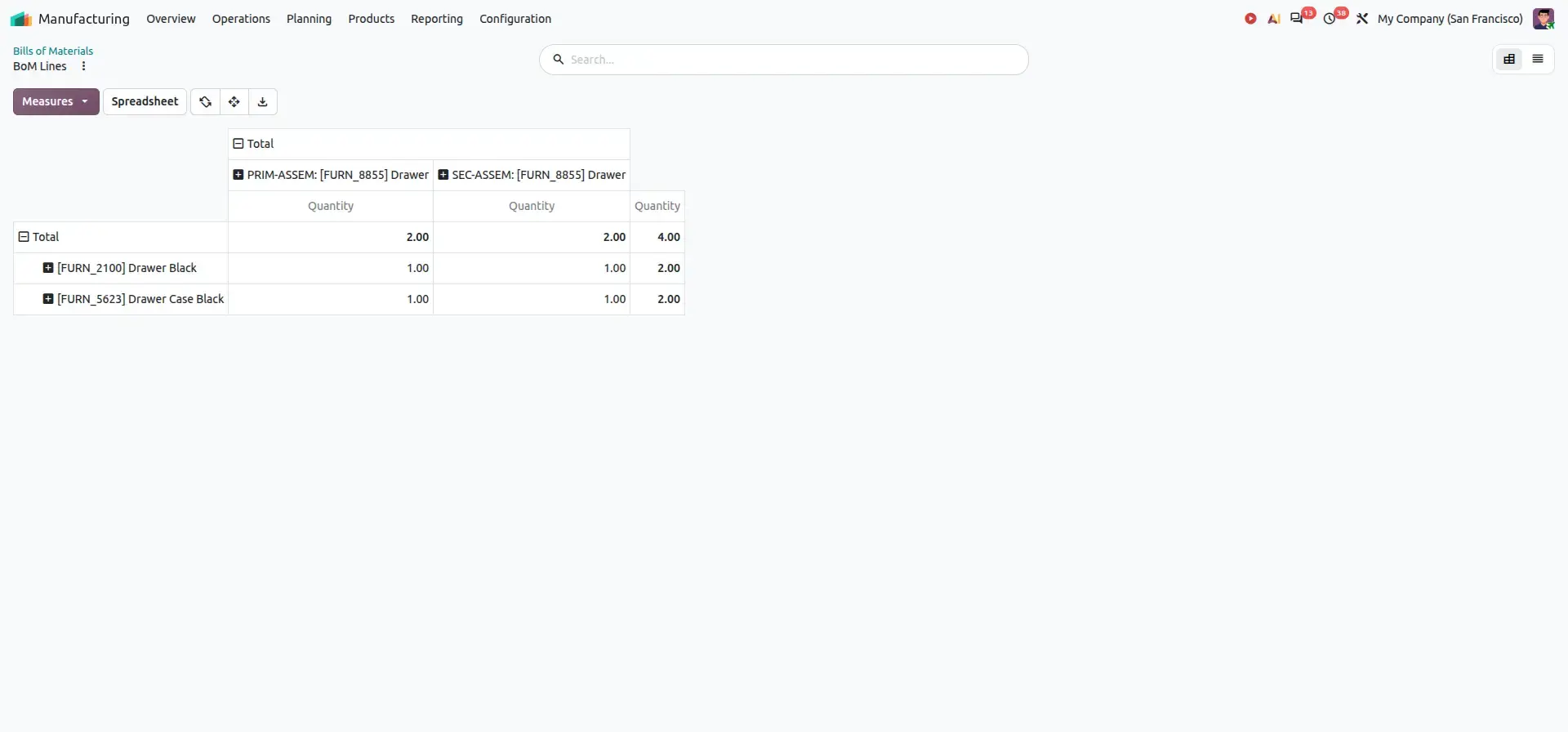
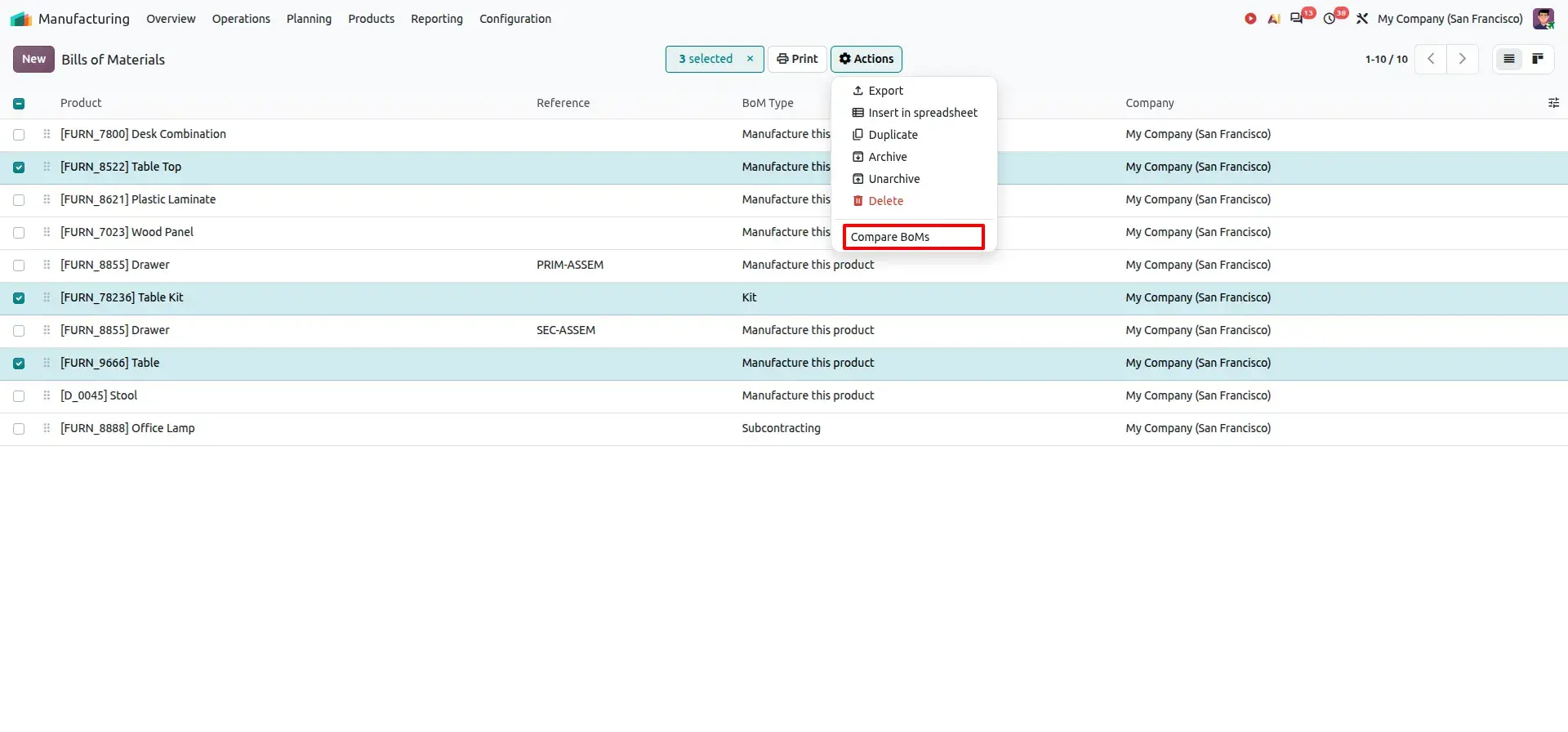
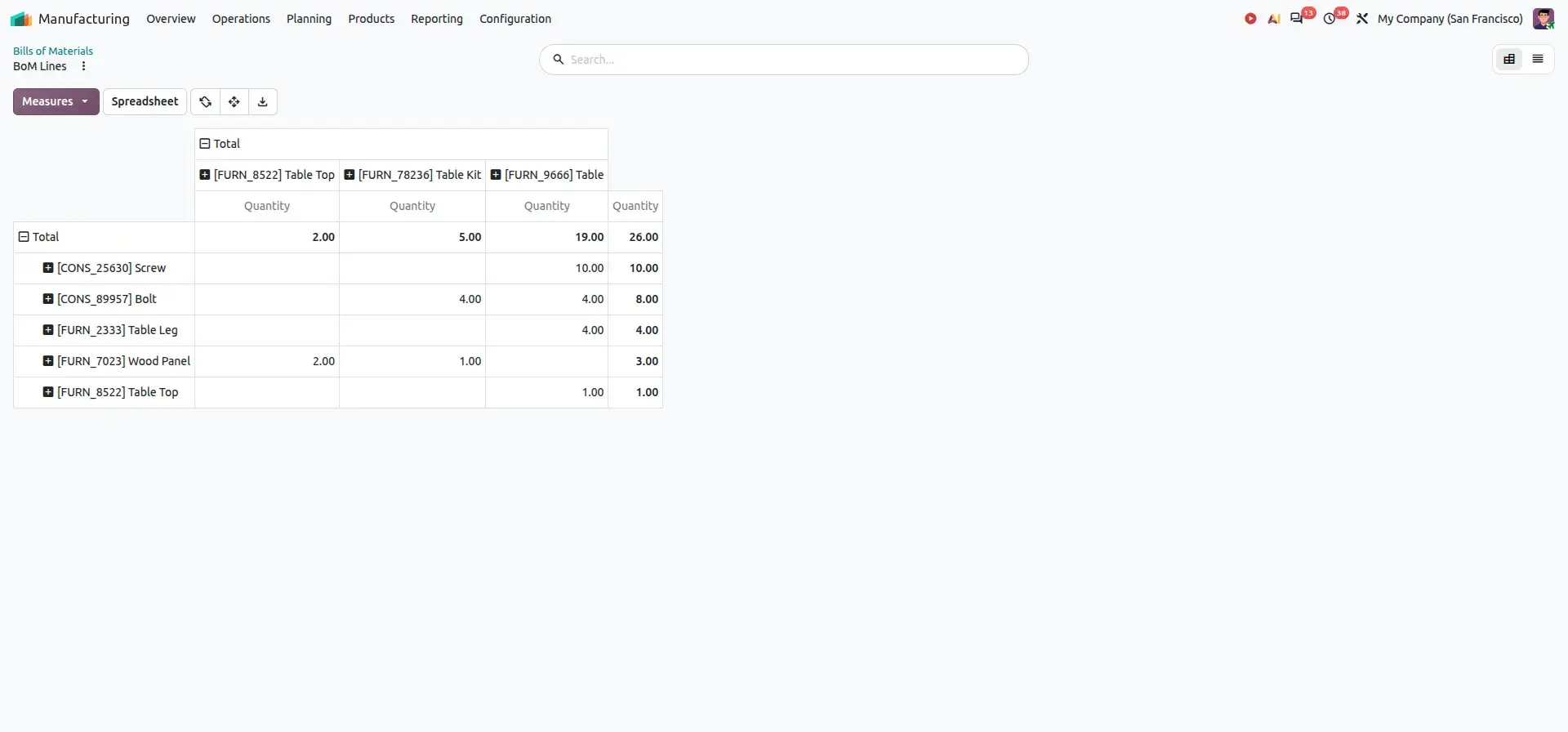
Odoo 20.0 allows users to compare multiple Bills of Materials (BoMs) side by side. Select the required BoMs from the list view and choose: Actions → Compare BoMs
Compare Two Bill of Materials
Compare Three Bill of Materials
Business Value
- Reduce manual comparison effort
- Identify component differences faster
- Improve BoM validation
- Support engineering reviews
- Reduce the risk of overlooking changes
Feature 5 – Unified Produce Button
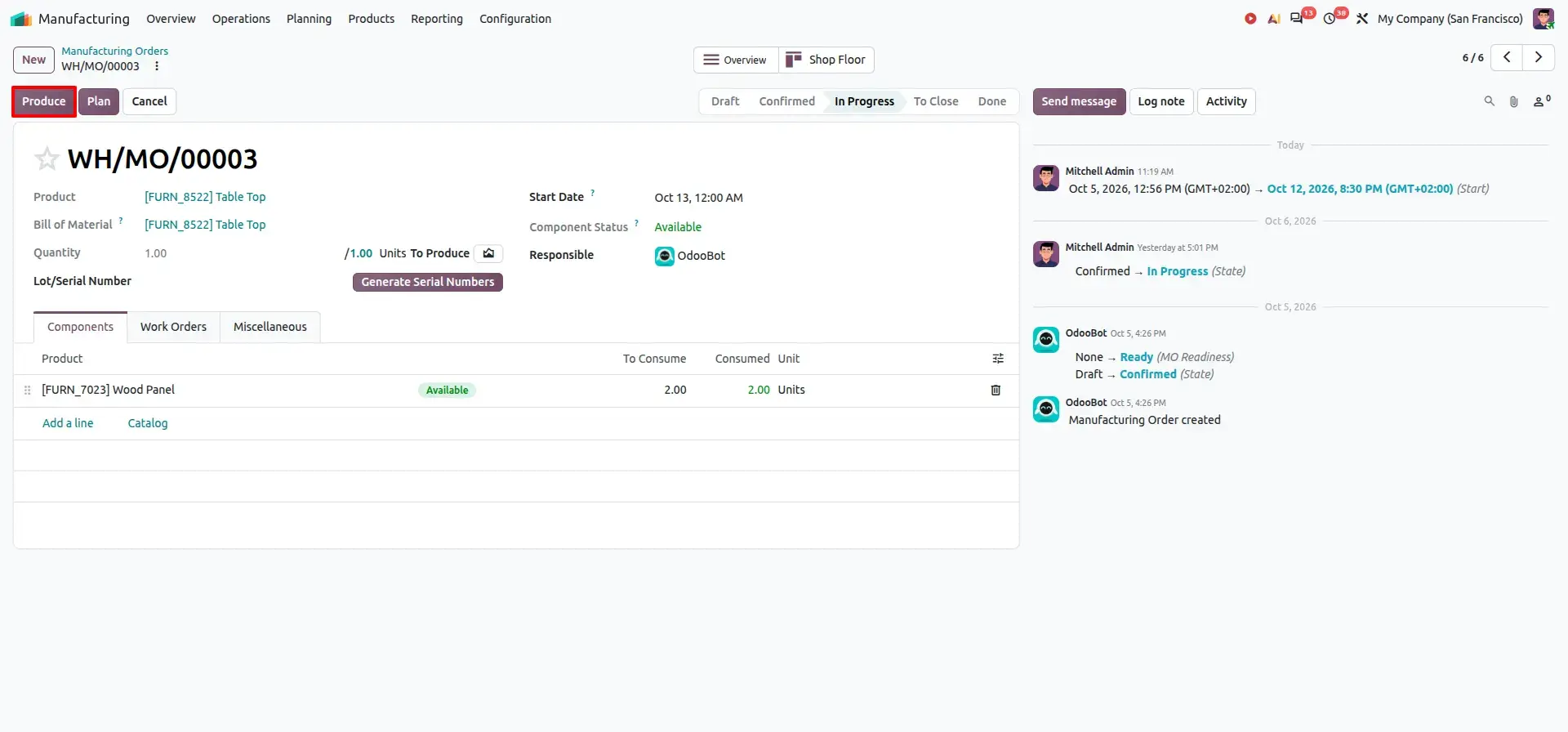
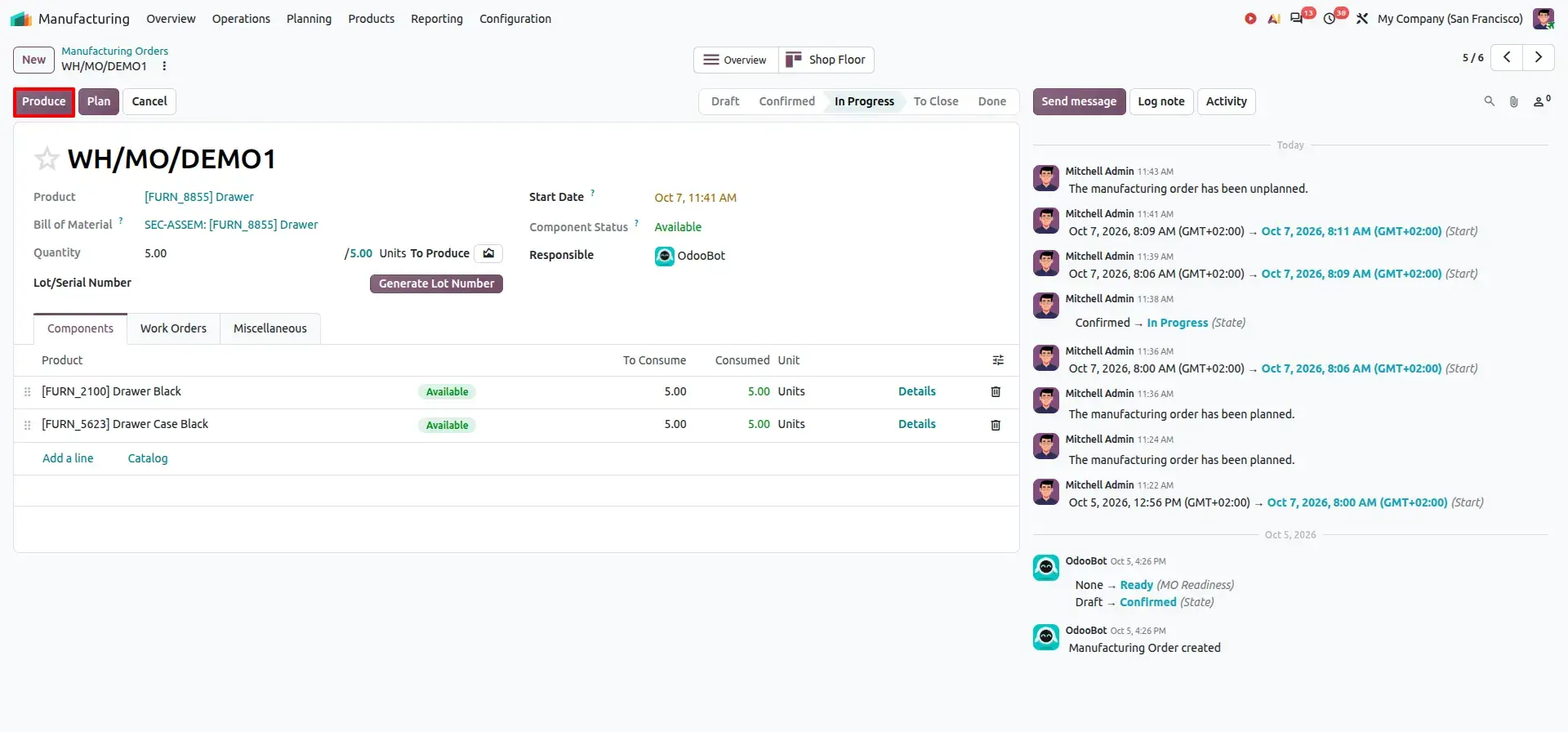
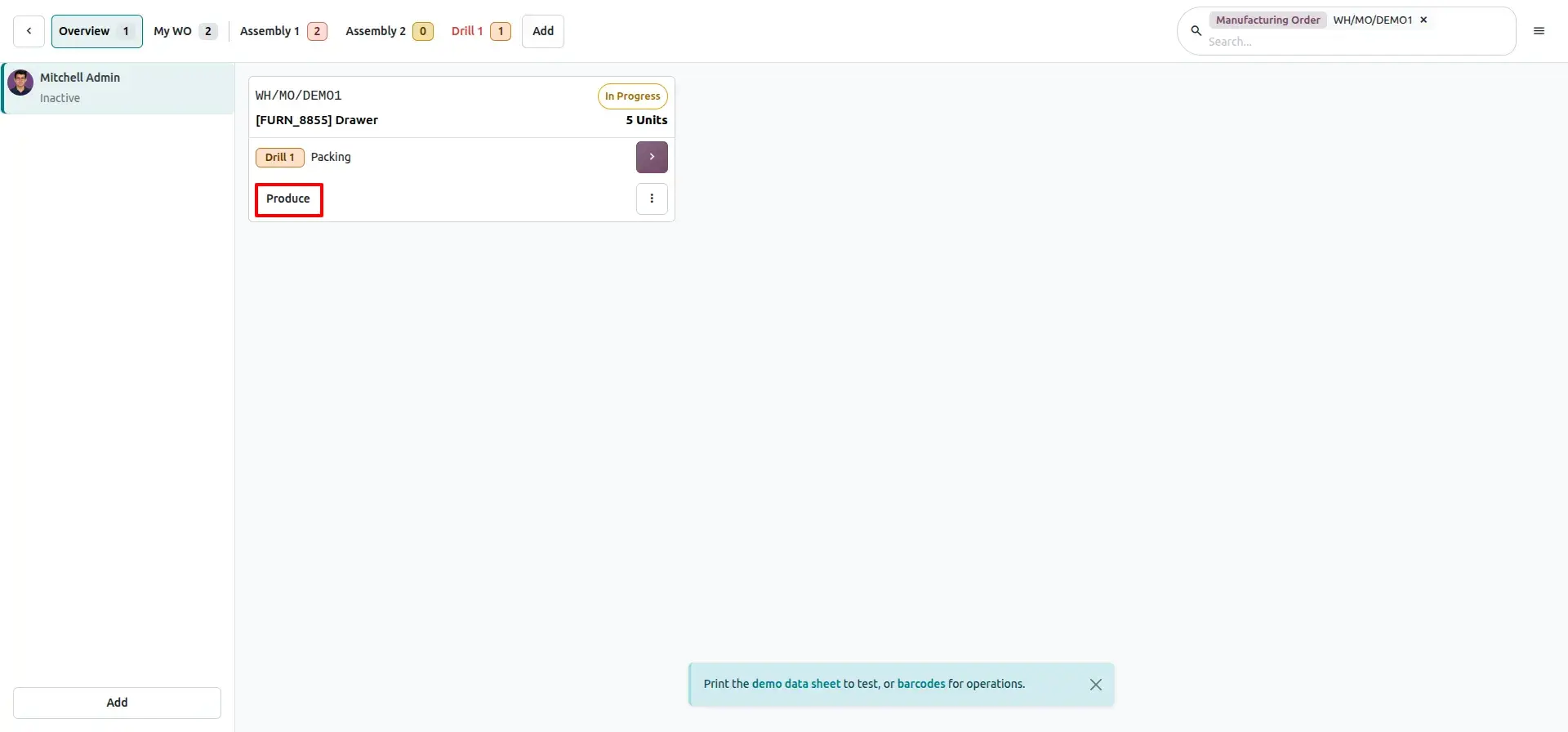
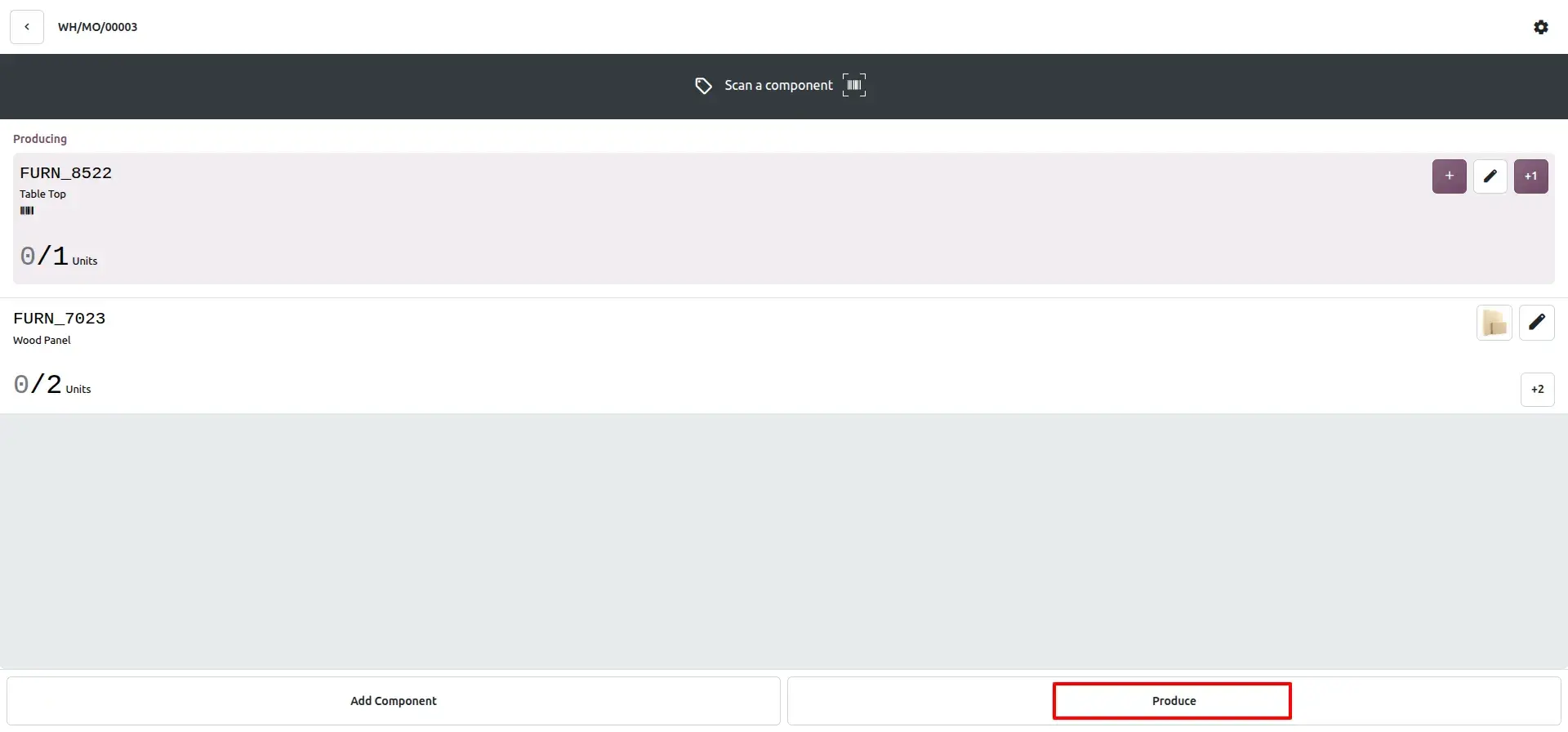
Odoo 20.0 simplifies the production interface by replacing the previous Produce and Produce All actions with a single Produce button.
This creates a cleaner and more consistent production experience.
The simplified action is available across the relevant Manufacturing, Shop Floor, and Barcode production interfaces.
| Version | Production Actions |
|---|---|
| Previous workflow | Produce and Produce All |
| Odoo 20.0 workflow | Produce |
Production operators can therefore focus on completing manufacturing activities rather than choosing between similar production commands.
Produce in Manufacturing
Produce in Shop Floor
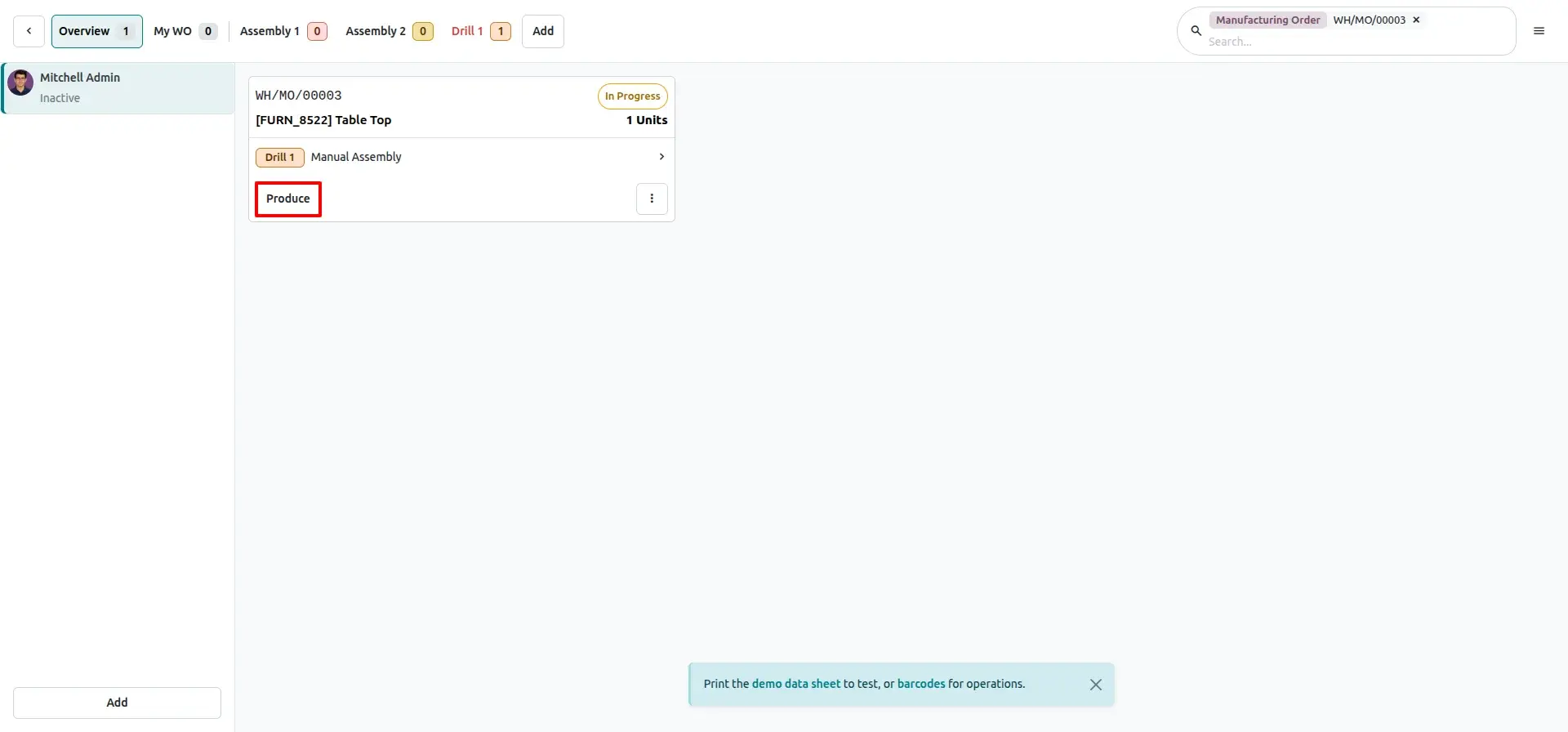
Produce in Barcode
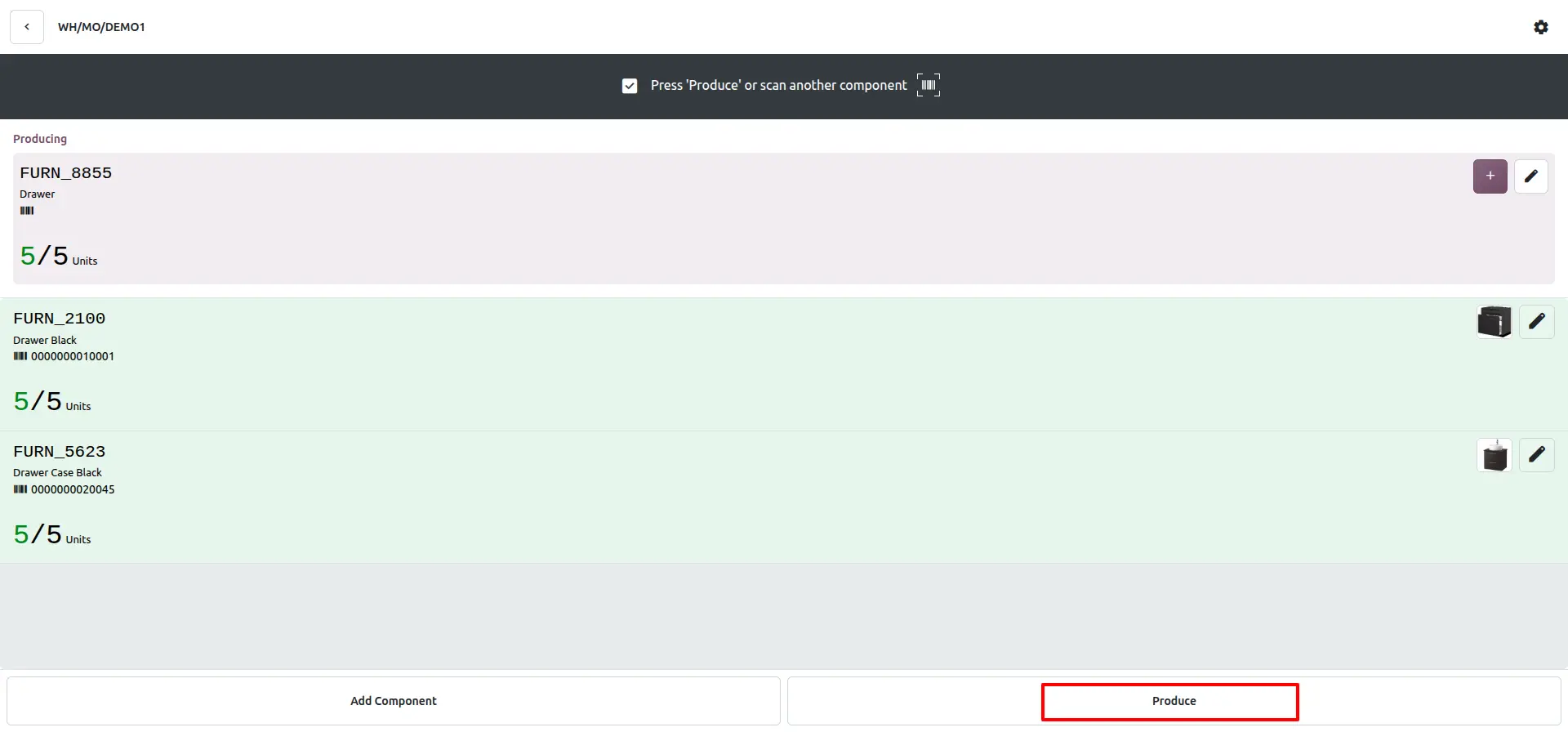
Business Value
- Reduce interface complexity
- Make production actions easier to understand
- Provide a more consistent user experience
- Simplify shop-floor operations
- Reduce unnecessary choices for operators
Feature 6 – Reset Manufacturing Orders
Manufacturing Orders sometimes need to be corrected or processed again after being completed or cancelled.
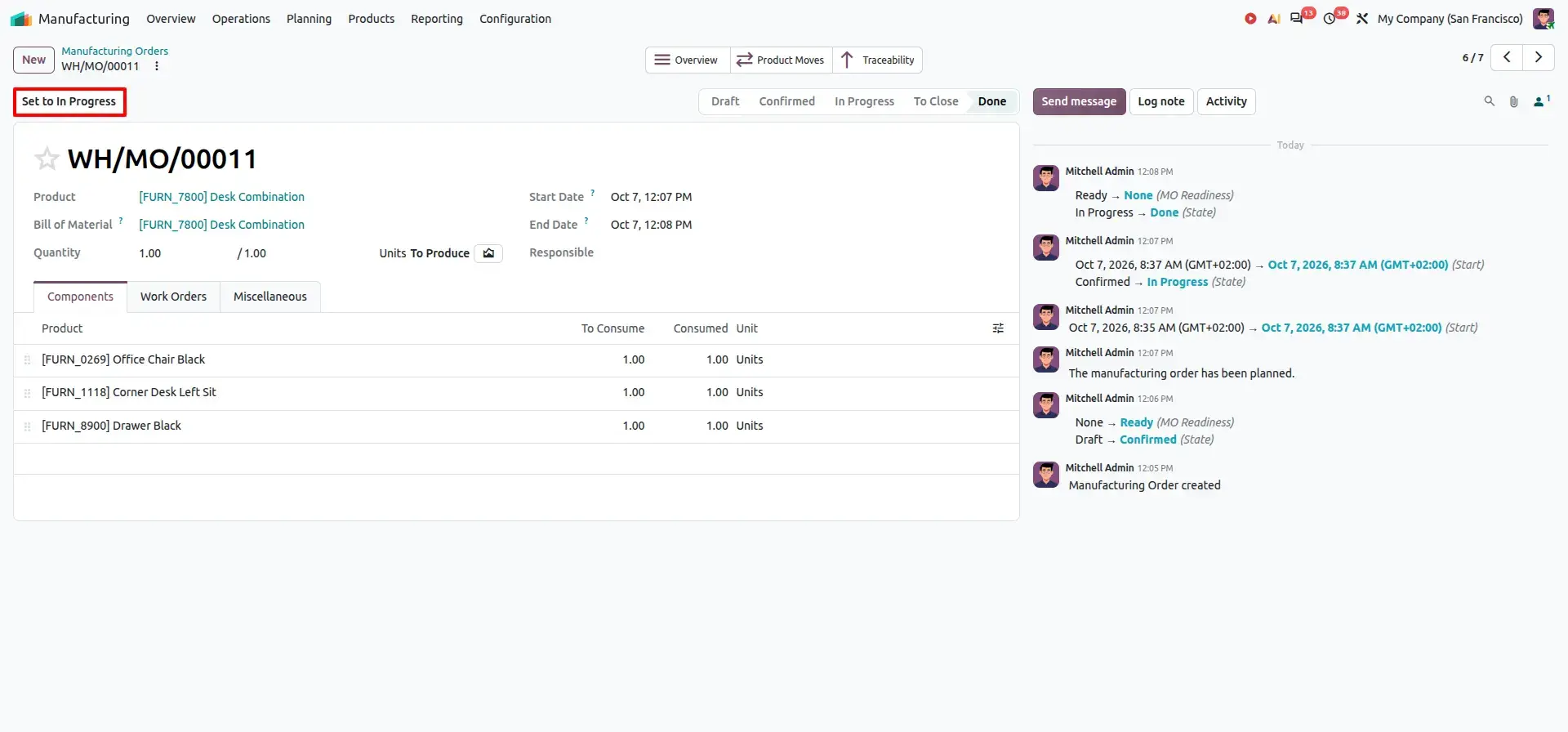
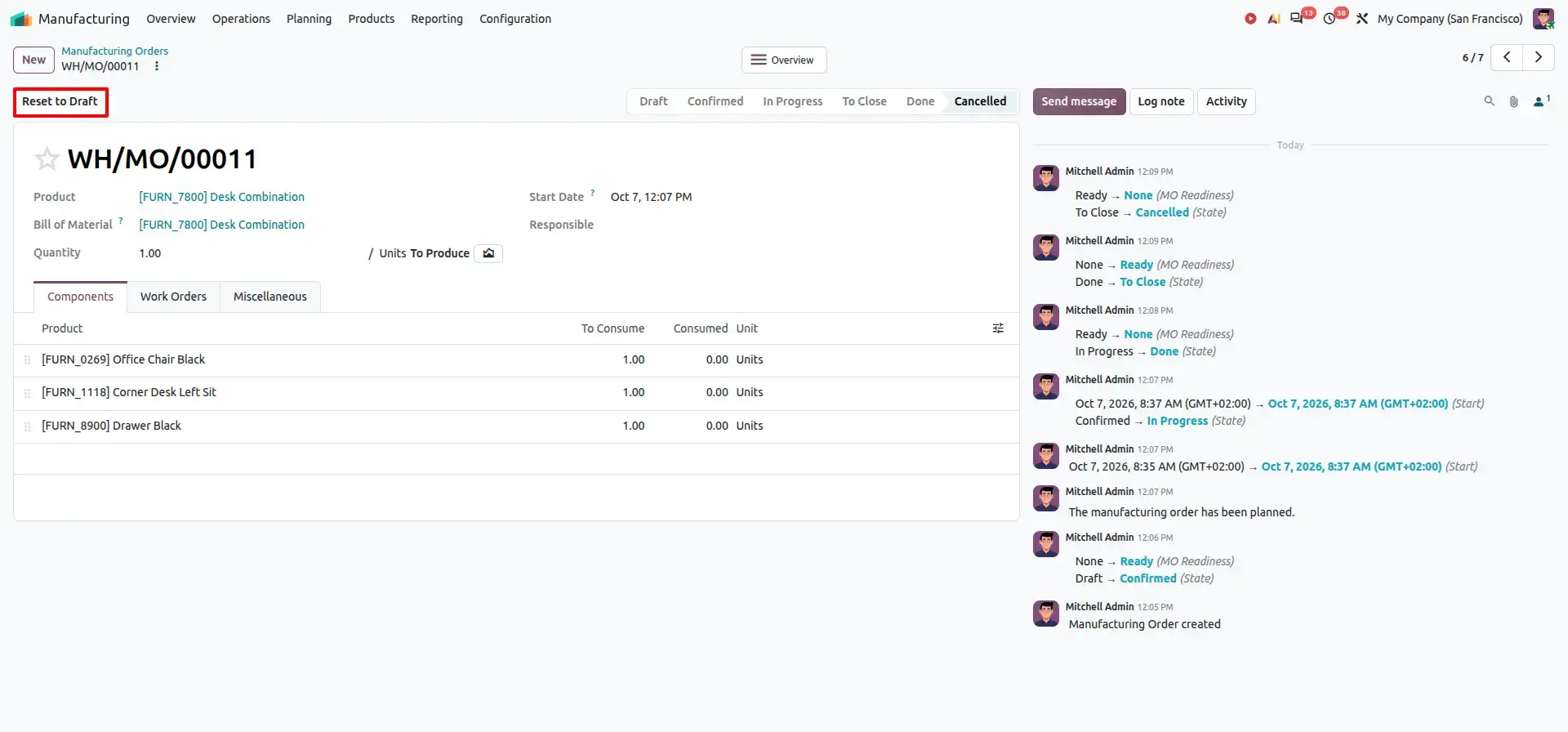
Odoo 20.0 provides the ability to reopen applicable done or cancelled Manufacturing Orders:
- A Done order can be set back to In Progress
- A Cancelled order can be reset to Draft
For Example, suppose a Manufacturing Order was completed with an incorrect quantity or production detail. Instead of creating a new order, the completed order can be set back to In Progress, reviewed, and corrected. Similarly, a cancelled order can be Reset to Draft, updated as needed, and confirmed again when production resumes.
Business Value
- Correct manufacturing information
- Reprocess production orders
- Reduce unnecessary duplicate Manufacturing Orders
- Simplify production-order management
- Handle manufacturing exceptions more efficiently
Feature 7 – Run Work Orders in Blocked Work Centers
Manufacturing conditions can change quickly, and a work center may be blocked while an individual work order still needs to be processed.
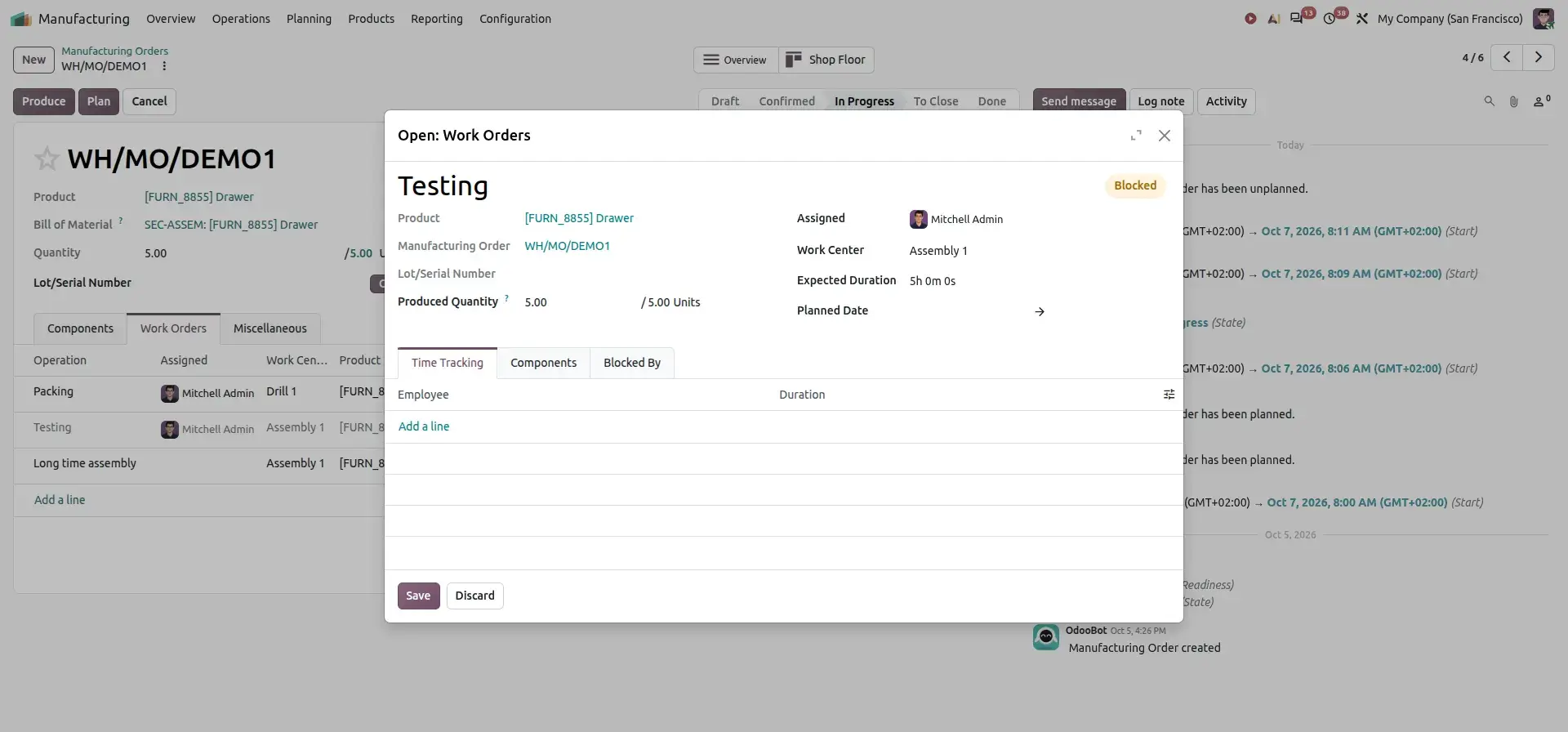
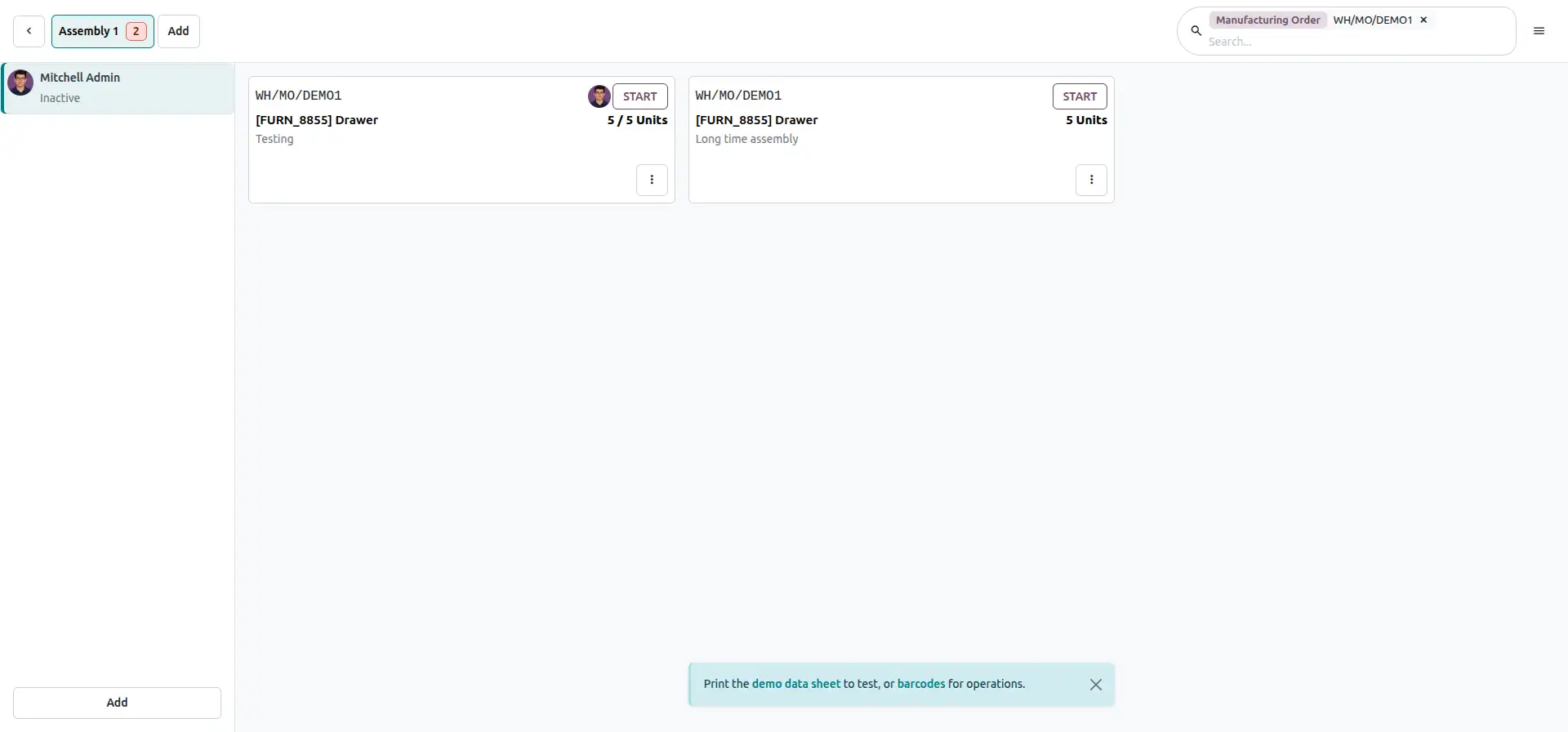
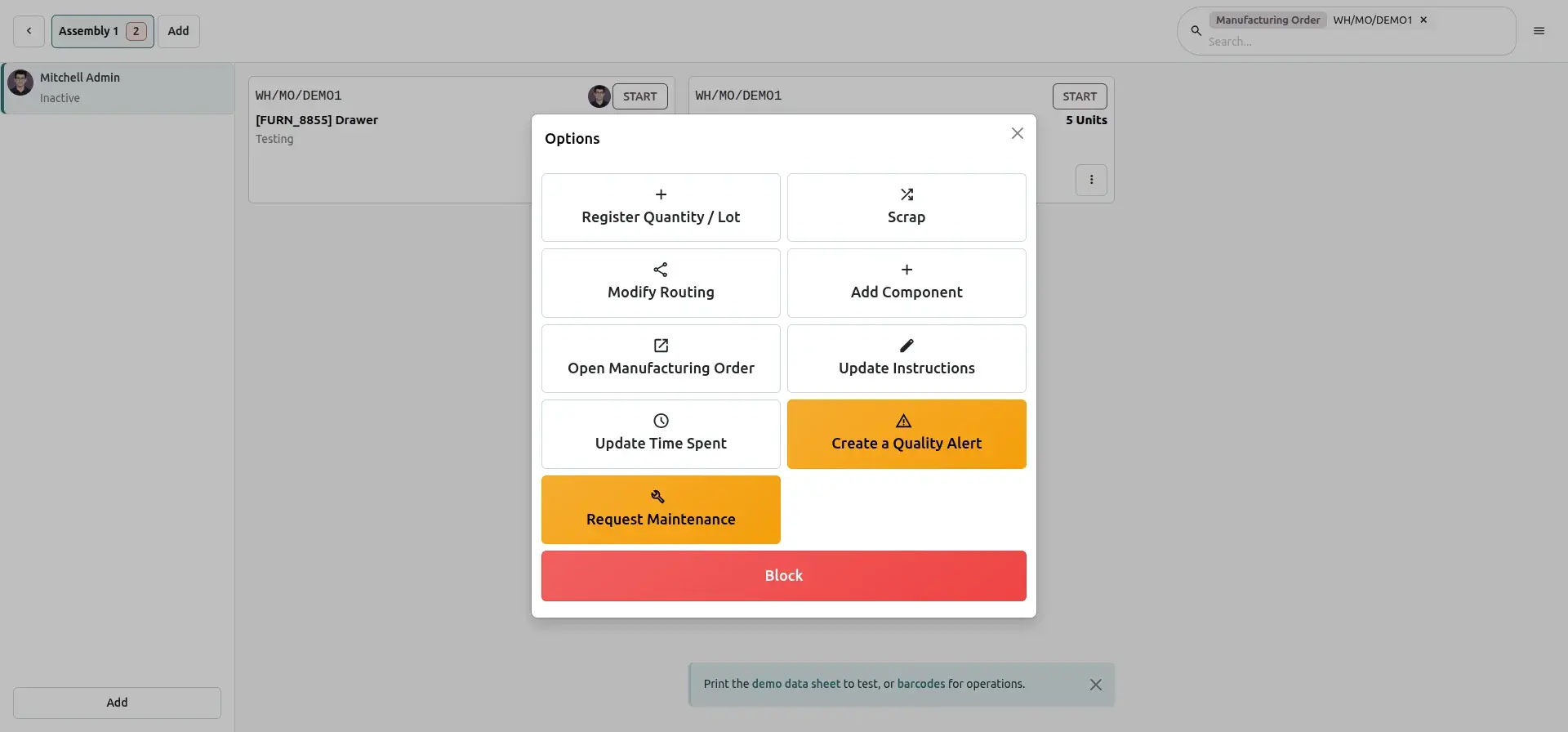
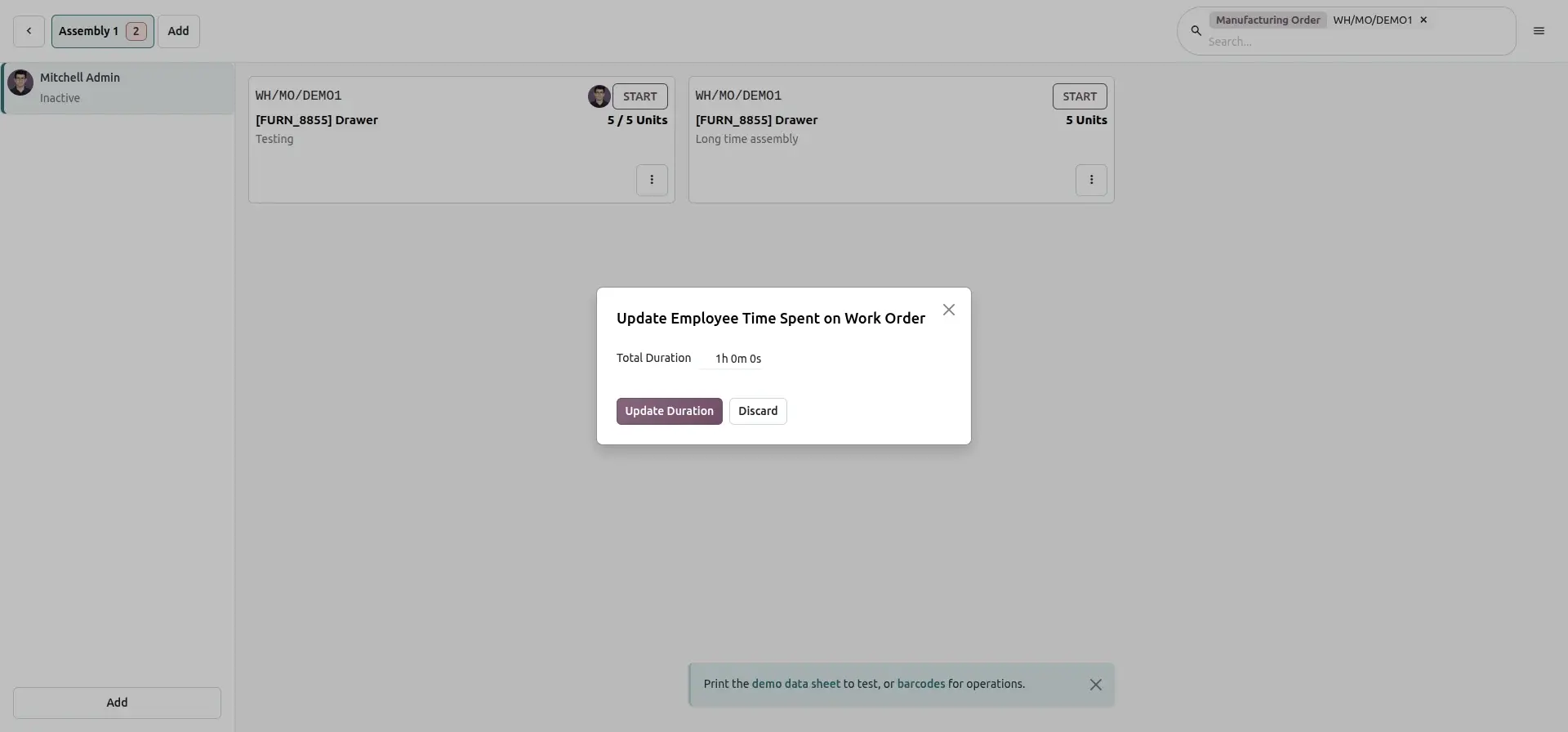
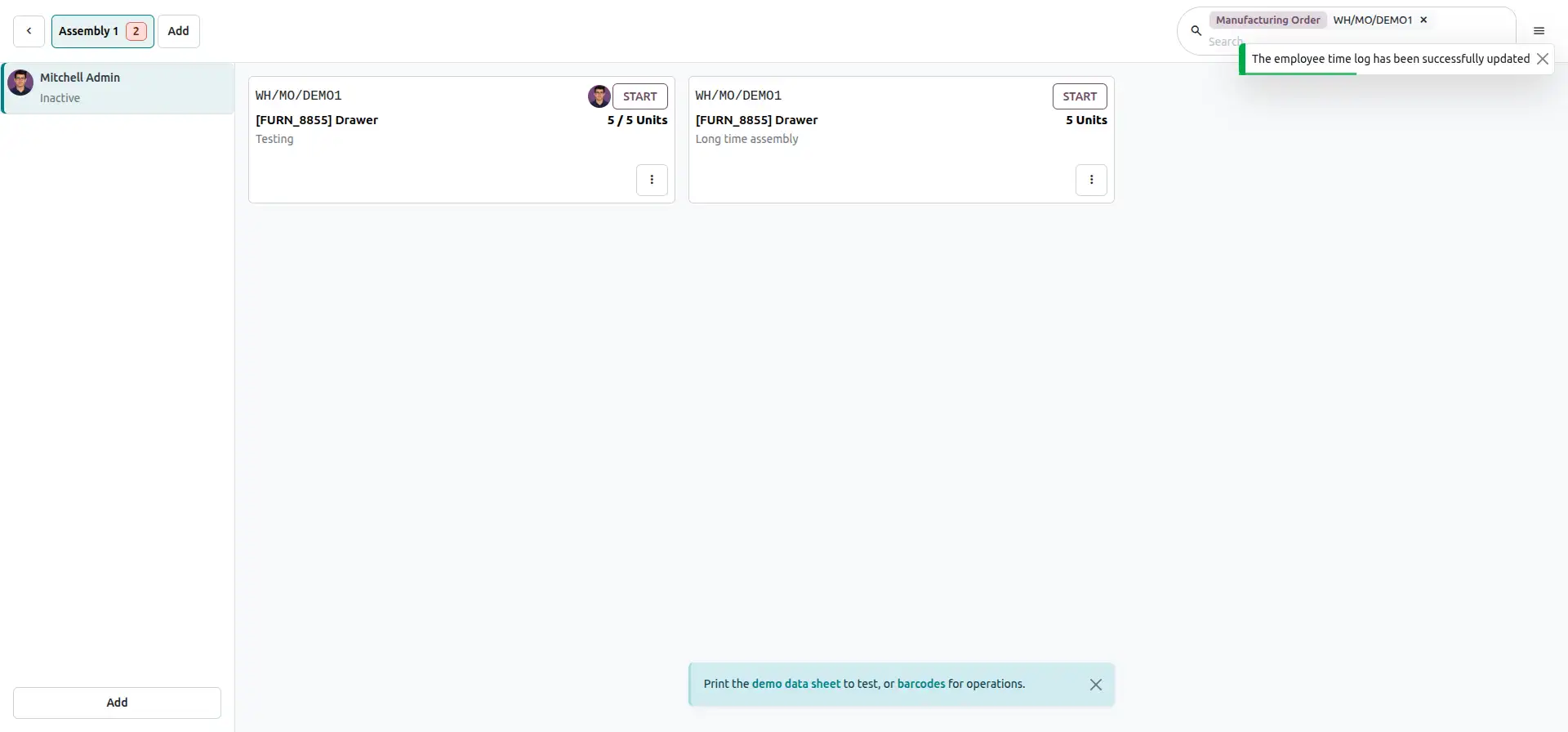
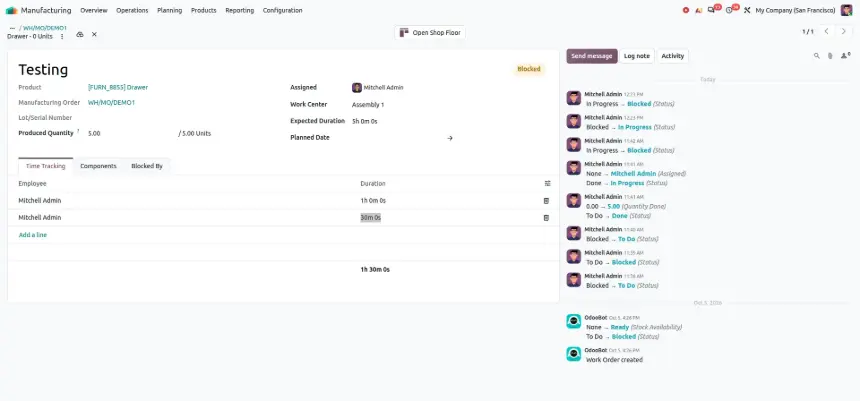
Odoo 20.0 provides flexibility to continue working on applicable work orders even when their work center is marked as Blocked. Operators can perform permitted actions, such as recording quantities and updating time spent, without changing the work center status.
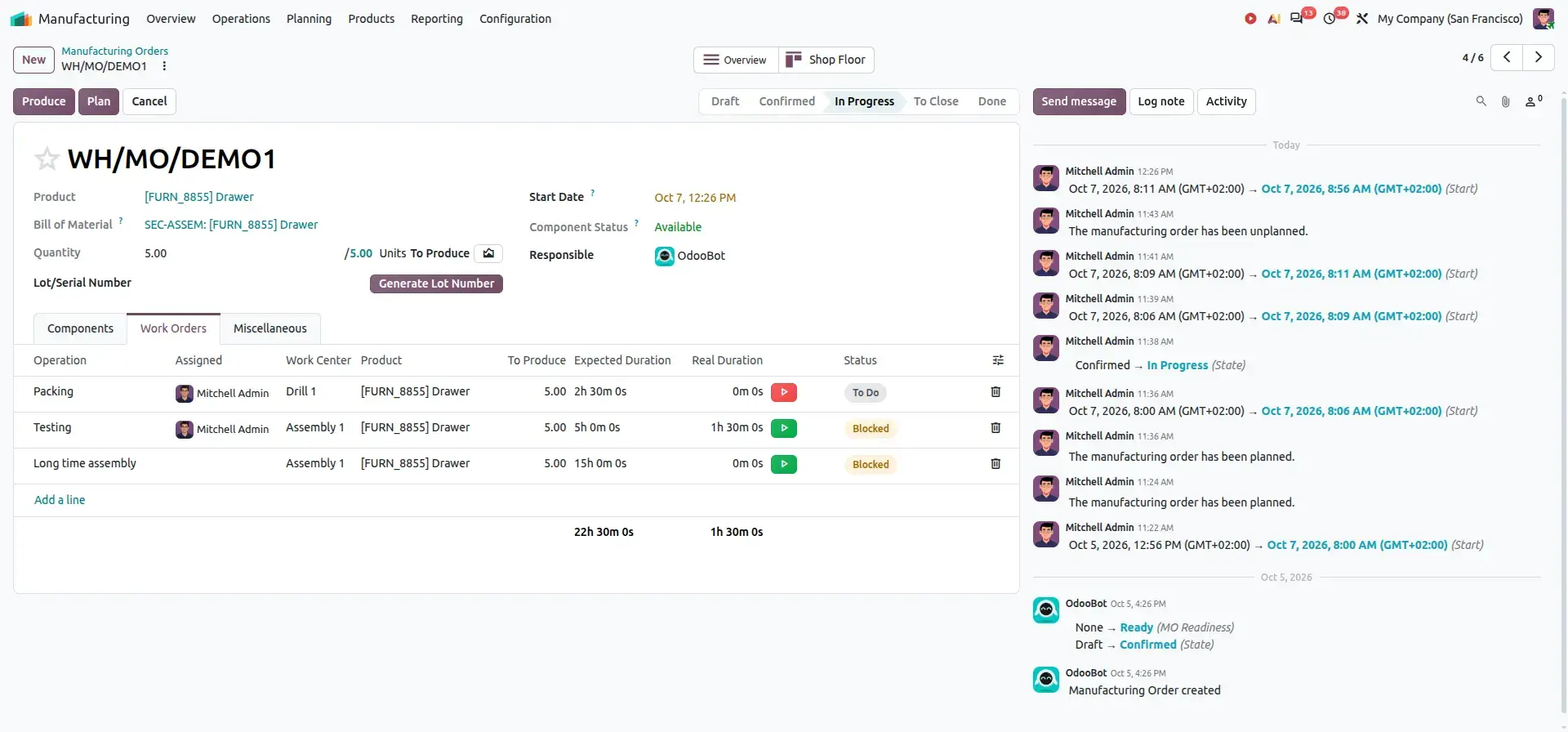
For Example, suppose the Assembly 1 work center is blocked due to scheduled maintenance, but an operator still needs to complete or record progress on a Testing work order. The operator can access the work order from the Shop Floor and update the required quantity or time spent while the work order remains blocked.
A blocked work center does not always mean that every associated work order must immediately stop. This flexibility allows production teams to handle exceptional situations while keeping work-order information accurate.
Business Value
- Avoid unnecessary production interruptions
- Handle exceptional shop-floor situations
- Complete applicable work-order activities
- Improve operational flexibility
- Keep production records accurate
Complete Odoo 20.0 Manufacturing Workflow

Use Case 1: Prioritizing Urgent Manufacturing Orders
Production planners may need to prioritize urgent customer requirements over standard production orders.
A planner can move an urgent Manufacturing Order higher in the list before planning production.
Benefit
Production teams can prioritize urgent requirements and respond more quickly to changing delivery priorities.
Use Case 2: Scheduling Work Orders and Employee Workloads
Manufacturing teams often need to coordinate multiple work centers and employees at the same time.
Planners can use the Gantt and Kanban views to adjust work-order schedules and assign operations to available employees.
Benefit
Production managers can improve workload visibility, identify scheduling conflicts, and use manufacturing resources more effectively.
Use Case 3: Moving Partial Quantities Between Operations
Some manufacturing processes can continue progressively instead of waiting for an entire batch to be completed.
The available quantity can be booked so the next operation can begin while the remaining quantity is still being processed.
Benefit
Manufacturers can reduce waiting time between operations, improve work-center utilization, and maintain a smoother production flow.
Use Case 4: Comparing Different Bills of Materials
Manufacturing or engineering teams may need to compare product configurations or revisions before production.
The comparison view displays the selected Bills of Materials side by side, making differences in components and quantities easier to identify.
Benefit
Teams can review product structures faster and reduce the risk of overlooking component or quantity differences.
Use Case 5: Handling Manufacturing Exceptions
Production orders and work centers do not always follow the original plan. A Manufacturing Order may need to be reprocessed, or an applicable work order may need to continue even when its work center is blocked.
For example:
Or
For applicable blocked work-center situations:
Benefit
Production teams gain greater flexibility when handling corrections, reprocessing requirements, and real-world shop-floor exceptions.
Business Benefits
Manufacturing planners can influence production scheduling by arranging Manufacturing Orders according to business priority.
Booking available quantities allows downstream operations to begin without waiting for the complete production batch.
Side-by-side BoM comparison makes it easier to identify product-structure differences.
The unified Produce button creates a cleaner and more consistent production interface.
Reopening applicable done or cancelled Manufacturing Orders provides additional flexibility when production orders require correction or reprocessing.
Kanban and Gantt views provide production planners with a visual approach to work-order scheduling.
Employee-based planning helps production managers understand workloads and identify potential scheduling conflicts.
Applicable work orders can continue to be processed even when blocked, giving production teams more flexibility when handling real-world manufacturing situations.
Best Practices
The production planner arranges Manufacturing Orders according to business priority.
Odoo plans the Manufacturing Orders as soon as possible according to their sequence.
The manufacturing or engineering team compares applicable Bills of Materials.
The production planner uses Kanban or Gantt to organize operations and employee assignments.
Operators start the first manufacturing operation.
The first operation completes part of the required quantity — for example, 1,000 required and 200 ready — and the operator books it.
The next operation begins processing the 200 available units while the first operation continues with the remaining quantity.
The operator uses the unified Produce action.
If an applicable work order still needs to be processed while its work center is blocked, production can continue according to the configured workflow.
If an applicable Manufacturing Order needs to be reprocessed, it can be set back to In Progress or reset to Draft.
FAQ
Odoo 20 introduces improvements to manufacturing order planning, BoM comparison, MO Kanban, work order planning, subcontracting, production costs, and Shop Floor workflows.
Yes. The Manufacturing Order Kanban view has been redesigned to provide more useful production-planning information, including planned dates, component status, active work centers, deadlines, and remaining time.
Yes. Odoo 20 adds BoM comparison capabilities that allow users to compare Bills of Materials based on product quantities.
Yes. Odoo 20 provides a Gantt view for work order planning with drag-and-drop functionality, color coding, and employee-based planning.
Yes. Odoo 20 allows ongoing manufacturing orders to be split so that the remaining quantity can be manufactured later.
Yes. Odoo 20 provides additional subcontracting information, including component status and MO overview information, and improves subcontracting reception valuation.
Odoo 20 Manufacturing: New Features & Improvements