How OWL Services Work in Odoo Frontend Architecture
1. Introduction
When Odoo migrated its frontend architecture from legacy JavaScript widgets to the OWL (Odoo Web Library) framework, it wasn't just a technology switch — it was a philosophical shift in how complex ERP frontend applications should be built. And if you've worked on a large-scale Odoo module, you already know the problem: frontend logic grows fast, and without a clean architecture, it turns into a tangled mess of duplicated code, scattered API calls, and fragile component-to-component communication.
OWL Services emerged as the answer to this. They represent OWL's approach to clean, modular frontend architecture — giving developers a structured way to share logic, centralize business functionality, and keep components focused on what they should actually do: handle the UI.
Think of a large Odoo implementation — sales dashboards, POS terminals, inventory screens, and CRM pipelines — all running simultaneously in a single-page application. Each view needs ORM access. Several need notification toasts. Some manage dialog flows. Without services, every component would implement this logic on its own. With services, all of that shared logic lives in one place, and components simply request what they need.
This article covers OWL services architecture deeply — how they work internally, how to build custom services, how the architecture evolved from OWL 1 to OWL 2, and what you need to know to build scalable, maintainable Odoo frontend applications.
2. What Are OWL Services?
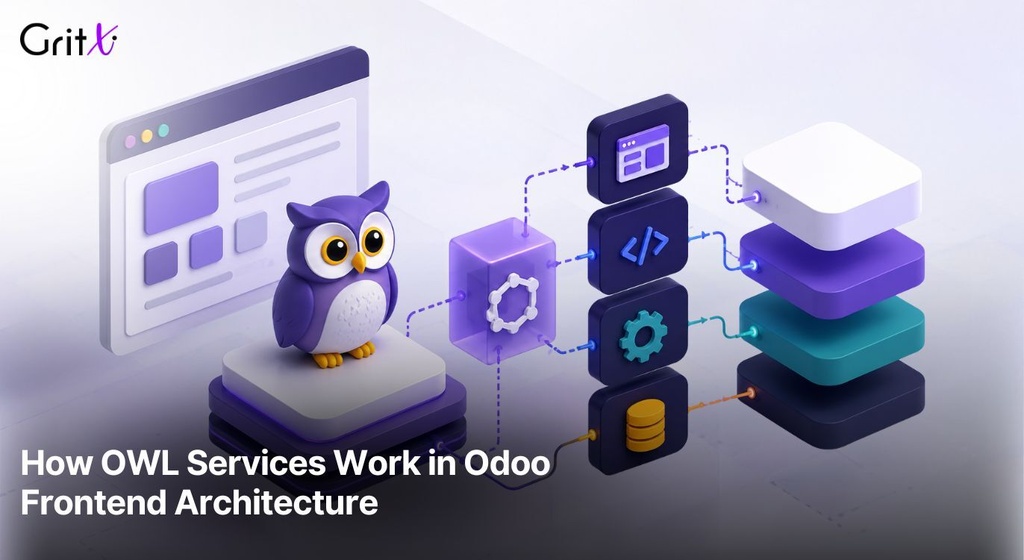
In OWL's own words, a service is 'a long-lived piece of code that provides a feature.' But let's translate that into something practical: a service is a singleton module that your components can tap into for shared functionality. It lives for the lifetime of your application, gets initialized once at startup, and is accessible to every component that needs it.
Think of OWL Services like city utility departments. Your home (component) doesn't generate its own electricity, run its own water pipes, or manage its own waste. It connects to shared utilities. Services work the same way — they're shared infrastructure your components consume on demand.
What makes a service distinct from a regular utility function or helper class:
- Services are registered in a global registry and initialized by the OWL runtime.
- Services can declare dependencies on other services — OWL injects them automatically.
- Services are available through the application environment (env.services) across the entire component tree.
- Services handle side effects cleanly — API calls, ORM interactions, notification triggers — so components stay clean.
- Services are singletons per OWL application environment — one instance, shared everywhere.
Services aren't just about convenience. They're the foundation of dependency injection (DI) in OWL. Instead of components directly calling fetch(), importing RPC utilities, or managing their own notification queues, they declare a dependency on a service and receive a fully initialized instance. This decoupling is what makes large Odoo applications testable, maintainable, and scalable.
3. Why Should You Use OWL Services?
Before services, Odoo frontend code had a familiar but painful pattern. Need to make an RPC call in three different widgets? Write the logic three times — or hope someone remembered to write a shared utility. Need to show a notification? Import the notification manager and figure out its API each time. Need to share state between two sibling components? Good luck with that. Services solve these problems structurally. Here's why they matter in real projects:
Eliminate Duplicate Logic
In a typical Odoo sales module, you might have five different components that need to fetch partner records from the backend. Without services, each component manages its own ORM call. With an ORM service, you write the query logic once and reuse it everywhere.
Centralize API and ORM Access
All your backend communication — RPC calls, ORM reads, writes, searches — can be handled through services. When your API endpoint changes, you fix it in one place instead of hunting through twenty component files.
Simplify State Sharing
Services are singletons. State stored in a service (like current user info, active filters, or cached data) is automatically shared across all components using that service. No prop drilling, no global variable abuse.
Cleaner, More Focused Components
When components don't carry business logic, they become much simpler. A component should render UI and respond to user interactions. The heavy lifting — fetching data, sending requests, triggering effects — belongs in services.
Dramatically Easier Testing
Because services are injected rather than imported directly, you can swap real services for mocks in tests. Want to test a component without hitting the backend? Register a fake ORM service that returns static data. Your component doesn't know the difference.
Real-World Scenarios
Here's where services become indispensable in practical Odoo development:
- Notification handling: Show toast messages from any component without managing the notification queue directly.
- ORM requests: Fetch, create, update, and delete records through a unified interface.
- User session: Access current user data, timezone, language settings from any component.
- Dialog management: Open confirmation dialogs or form dialogs without managing their lifecycle manually.
- POS communication: Handle hardware interactions and order state through a dedicated POS service.
- Global event handling: Subscribe to and publish events across disconnected components.
4. Internal Workflow of OWL Services
Understanding how services work internally makes you a much better OWL developer. Let's walk through the full lifecycle — from registration at module load time to how a component eventually gets data back from a service call.
4.1 Service Registration
Services are registered in the global OWL registry at module load time — before the application even starts. The registry is a simple key-value store maintained under the 'services' category. When your JavaScript module is executed, it calls:
registry.category('services').add('myService', myServiceDefinition);This just adds a definition to the registry. Nothing executes yet. The service definition is a plain JavaScript object with at minimum a start() method, and optionally a dependencies array.
4.2 Dependency Resolution and Startup
When the Odoo web client boots, OWL iterates the services registry. For each service, it looks at the dependencies array and resolves those services first. This is a topological sort — services with no dependencies start first, and services that depend on others wait until their dependencies are ready.
Once dependencies are resolved, OWL calls start(env, deps) where:
- env is the OWL application environment — a shared object containing utilities like translations, the event bus, and service references.
- deps is an object containing the already-initialized service instances for each declared dependency.
If start() returns a Promise, OWL awaits it before marking the service as ready. The resolved value (or the synchronous return value) becomes the service instance stored in env.services.
4.3 Environment Injection
Once all services are started, they live in env.services. Components access them through the useService() hook in their setup() function. The hook retrieves the live service instance from env.services and returns it to the component.
4.4 Component–Service–Backend Communication Flow
Here's the typical data flow in an OWL application:
Notice how the component never talks to the backend directly. It talks to a service, and the service handles backend communication. This clean separation makes the flow predictable and testable at every layer.
4.5 Async Handling
Most service operations are asynchronous. OWL marks services with an async flag when their API is async-heavy. When a component gets destroyed before a pending Promise resolves, OWL safely drops the result — preventing updates to unmounted components and avoiding dangerous side effects. This is handled transparently; you don't need to manage it manually.
5. Architecture Overview
The following tables illustrate how the service architecture evolved from legacy Odoo JavaScript to modern OWL 2.
| Layer | Legacy Odoo JS | OWL 1 (Odoo 15–17) | OWL 2 (Odoo 18+) |
|---|---|---|---|
| State Management | Global objects, session | Component state + env | Services + reactive state |
| API Calls | ajax.jsonRpc() directly | useService('rpc') | import { rpc } from module |
| Shared Logic | Mixins / prototypes | Shared services (partial) | Full service architecture |
| Dependency Injection | None (manual imports) | useService() hook | useService() + ES6 imports |
| Lifecycle | Widget destroy() | onWillUnmount hooks | Hooks + service lifetime |
| Testability | Very difficult | Moderate (env mocking) | High (service mocking) |
| Registry | Python + JS registries | OWL registry (partial) | Unified OWL registry |
The evolution is clear: each generation pushed more logic into services and made dependency management more explicit. OWL 2 completed this journey by moving even core services like rpc out of the hook-only pattern and into proper ES6 module imports, making the architecture both more explicit and more tree-shakeable.
Service Registry Flow
| Step | Description |
|---|---|
| Module Load | Service definitions are registered via registry.category('services').add() |
| App Boot | OWL iterates registry, resolves dependency order (topological sort) |
| start(env, deps) | Each service's start() is called with env and resolved dependencies |
| Instance Storage | Return value stored in env.services[name] |
| Component Access | useService('name') retrieves live instance from env.services |
| Async Handling | Promises awaited; pending calls dropped on component destroy |
6. OWL Built-in Services
OWL ships with a rich set of built-in services covering the most common frontend needs. Here's a practical breakdown of the ones you'll use most often.
6.1 orm
The ORM service is your primary interface for interacting with Odoo's database through the frontend. It wraps common record operations — search, read, create, write, unlink — behind a clean async API.
import { useService } from '@web/core/utils/hooks';

setup() {
  this.orm = useService('orm');
  onWillStart(async () => {
    this.partners = await this.orm.searchRead(
      'res.partner',
      [['is_company', '=', true]],
      ['name', 'email', 'phone'],
      { limit: 20 }
    );
  });
}
Use case: Loading data in dashboards, filtering records for dropdowns, saving form fields without a full form view.
6.2 rpc
The rpc service handles direct RPC calls to custom Odoo controllers or Python routes. In OWL 1, you used useService('rpc'). In OWL 2 (Odoo 18+), this became a direct import:
// OWL 1 pattern
this.rpc = useService('rpc');
const result = await this.rpc('/my/custom/route', { key: value });

// OWL 2 pattern (Odoo 18+)
import { rpc } from '@web/core/network/rpc';
const result = await rpc('/my/custom/route', { key: value });
6.3 notification
Display toast messages to the user — success, warning, danger, or info. This is one of the most commonly used services in day-to-day Odoo development.
this.notification = useService('notification');

// Simple success toast
this.notification.add('Record saved successfully!', { type: 'success' });

// Sticky warning notification
this.notification.add('Connection lost', {
  type: 'warning',
  sticky: true,
});
Use case: Post-save confirmations in sales orders, error feedback after failed API calls, status updates in POS workflows.
6.4 dialog
The dialog service lets you open modal dialogs programmatically — confirmation dialogs, form dialogs, custom OWL components as modals.
this.dialog = useService('dialog');

this.dialog.add(ConfirmationDialog, {
  title: 'Delete Record',
  body: 'Are you sure you want to delete this record?',
  confirm: async () => {
    await this.orm.unlink('sale.order', [this.orderId]);
    this.notification.add('Order deleted', { type: 'info' });
  },
  cancel: () => {},
});
6.5 action
The action service is how you programmatically trigger Odoo actions — opening views, running server actions, navigating to forms.
this.action = useService('action');

// Open a form view for a specific record
await this.action.doAction({
  type: 'ir.actions.act_window',
  res_model: 'sale.order',
  views: [[false, 'form']],
  res_id: orderId,
});
6.6 user
The user service provides access to the current user's session data — ID, name, groups, language, timezone, and the user context used in ORM calls.
this.user = useService('user');
console.log(this.user.name);       // 'Administrator'
console.log(this.user.lang);       // 'en_US'
console.log(this.user.context);    // { lang, tz, uid }
const isSalesManager = await this.user.hasGroup('sales_team.group_sale_manager');
6.7 router
The router service manages the browser URL and navigation — reading URL parameters, pushing state changes, handling back/forward navigation.
6.8 effect
The effect service triggers UI effects like the Rainbow Man animation on successful actions.
this.effect = useService('effect');
this.effect.add({ type: 'rainbow_man', message: 'Quotation confirmed!' });
6.9 ui
The ui service handles application-level UI state — blocking the interface during loading, managing active element tracking, and blocking/unblocking user interactions.
6.10 bus
The bus service provides Odoo's global event bus for cross-component and cross-service communication. Components and services can publish and subscribe to named events without direct references to each other.
this.busService = useService('bus_service');
this.busService.subscribe('MAIL_NOTIFICATION', (message) => {
  this.handleIncomingMessage(message);
});
Built-in Services Summary
| Service | Purpose | Common Use Case |
|---|---|---|
orm | Database record operations | Fetch, create, update records |
rpc | Custom route calls | Controller endpoints, reports |
notification | Toast messages | Save confirmations, errors |
dialog | Modal dialogs | Delete confirmations, forms |
action | Odoo action triggers | Open views, server actions |
user | Session & user data | Permissions, context |
router | URL management | Navigation, breadcrumbs |
effect | UI animations | Success celebrations |
ui | UI blocking/state | Loading screens |
bus | Global event bus | Cross-module communication |
7. Creating Custom OWL Services
Built-in services cover common needs, but real projects always require custom services. Here's how to build them properly.
7.1 Service Definition
A service definition is a plain JavaScript object with an optional dependencies array and a required start() method. The start() function receives the env and resolved dependencies, then returns the service's public API.
// services/customer_service.js
import { registry } from '@web/core/registry';

const customerService = {
  dependencies: ['orm', 'notification'],

  async start(env, { orm, notification }) {
    // Internal state
    const cache = new Map();

    // Service methods
    async function getCustomer(partnerId) {
      if (cache.has(partnerId)) {
        return cache.get(partnerId);
      }
      try {
        const [partner] = await orm.read(
          'res.partner',
          [partnerId],
          ['name', 'email', 'phone', 'city']
        );
        cache.set(partnerId, partner);
        return partner;
      } catch (err) {
        notification.add('Failed to load customer', { type: 'danger' });
        throw err;
      }
    }

    async function searchCustomers(domain, limit = 10) {
      return orm.searchRead('res.partner', domain,
        ['name', 'email'], { limit });
    }

    function clearCache() {
      cache.clear();
    }

    // Return the public API
    return { getCustomer, searchCustomers, clearCache };
  }
};

registry.category('services').add('customerService', customerService);
7.2 Consuming the Custom Service in a Component
import { Component, onWillStart, useState } from '@odoo/owl';
import { useService } from '@web/core/utils/hooks';

export class CustomerCard extends Component {
  static template = 'my_module.CustomerCard';

  setup() {
    this.customerService = useService('customerService');
    this.state = useState({ customer: null, loading: true });

    onWillStart(async () => {
      this.state.customer = await this.customerService.getCustomer(
        this.props.partnerId
      );
      this.state.loading = false;
    });
  }
}
7.3 Service with Shared State
Services are ideal for managing shared application state. Here's a cart service pattern for a POS-style module:
const cartService = {
  dependencies: ['notification'],

  start(env, { notification }) {
    const items = [];
    const listeners = new Set();

    function notify() {
      listeners.forEach(fn => fn([...items]));
    }

    return {
      addItem(product) {
        const existing = items.find(i => i.id === product.id);
        if (existing) {
          existing.qty++;
        } else {
          items.push({ ...product, qty: 1 });
        }
        notify();
        notification.add(`${product.name} added to cart`, { type: 'info' });
      },
      removeItem(productId) {
        const idx = items.findIndex(i => i.id === productId);
        if (idx !== -1) items.splice(idx, 1);
        notify();
      },
      getItems: () => [...items],
      subscribe: (fn) => { listeners.add(fn); return () => listeners.delete(fn); },
      getTotal: () => items.reduce((sum, i) => sum + i.price * i.qty, 0),
    };
  }
};

registry.category('services').add('cartService', cartService);
8. OWL 1 vs OWL 2 Service Architecture
The evolution from OWL 1 to OWL 2 wasn't just a version bump — it represented a maturation of how frontend architecture should be organized in a large ERP context.
8.1 How Legacy Odoo JS Handled Shared Logic
Before OWL, Odoo's JavaScript used a widget system built on Backbone-like patterns. Shared logic was handled through:
- Global session objects (odoo.session_info, odoo.web.session)
- Prototype-based mixins that were manually composed into widget classes
- Direct calls to ajax.jsonRpc() or rpc() helper functions imported ad hoc
- Event-based communication through a global event bus with loosely typed event names
This worked for simpler applications, but it didn't scale. Mixins created deep inheritance chains that were impossible to reason about. Global state scattered across session objects made testing a nightmare. There was no concept of dependency injection — you either imported a utility directly or found a reference through the global scope.
8.2 OWL 1 Improvements
OWL 1 introduced a proper service architecture, but it was still finding its footing:
- Services were registered and consumed via useService() — clean DI for the first time
- Components had a proper lifecycle (setup, onMounted, onWillUnmount)
- The OWL environment (env) became the primary way to share context
- The registry pattern centralized service registration
But OWL 1 also had rough edges. Some core services were still tightly coupled to their implementation. The rpc service, for example, was consumed via useService('rpc') inside components, which mixed concern — a component accessing the network layer directly through a service hook.
8.3 OWL 2 Architecture Improvements
OWL 2 (Odoo 18+) made several architectural improvements that reflect a more mature understanding of frontend engineering:
- Core services like rpc became importable ES modules — cleaner and more tree-shakeable
- The useService hook became reserved for true singleton services requiring OWL lifecycle integration
- Async patterns became more predictable — pending calls are safely discarded on component destroy
- Service testing and mocking became first-class: HOOT's testing utilities make it easy to stub services
- The separation between application environment (env) and service instances became cleaner
Detailed Comparison
| Aspect | Legacy Odoo JS | OWL 1 (Odoo 15-17) | OWL 2 (Odoo 18+) |
|---|---|---|---|
| RPC calls | ajax.jsonRpc() directly | useService('rpc') | import { rpc } from '@web/core/network/rpc' |
| ORM access | Manual RPC params | useService('orm') | useService('orm') (unchanged) |
| Shared state | Global session objects | Service state + env | Service state + reactive refs |
| DI mechanism | None (manual imports) | useService() hook | useService() + ES6 imports |
| Notifications | Custom event bus calls | useService('notification') | useService('notification') (unchanged) |
| Testing | Near impossible | Env mocking | Service mocking + HOOT |
| Error handling | Manual try/catch everywhere | Service-level handling | Service + global bus events |
9. Testing and Mocking OWL Services
One of the biggest benefits of the service architecture is testability. Because services are injected rather than imported directly, you can replace them with mock implementations in tests without changing component code.
9.1 Registering a Mock Service
// In your test file
const fakeOrmService = {
  dependencies: [],
  start() {
    return {
      searchRead: async (model, domain, fields) => {
        // Return static test data
        return [
          { id: 1, name: 'Acme Corp', email: 'info@acme.com' },
          { id: 2, name: 'Global Tech', email: 'hello@globaltech.com' },
        ];
      },
      read: async (model, ids, fields) => [{ id: ids[0], name: 'Test Partner' }],
    };
  }
};

// Override the real orm service for this test
registry.category('services').add('orm', fakeOrmService, { force: true });
9.2 Mounting with a Mock Environment
const mockEnv = {
  _t: (s) => s,
  services: {
    rpc: async (route, params) => ({ success: true, data: [] }),
    notification: { add: (msg, options) => console.log('NOTIF:', msg) },
    user: { name: 'Test User', context: { lang: 'en_US', tz: 'UTC', uid: 1 } },
  },
};

mount(MyComponent, { env: mockEnv });
Odoo's official HOOT testing framework takes this further with utility functions for setting up test environments, mocking network requests, and simulating user interactions in a controlled rendering context.
10. Performance Considerations
Services don't have a direct performance cost — they're singletons and live for the app's lifetime. But architectural decisions around services do have real performance implications.
Startup Cost
All registered services are started when the OWL app boots. If a service's start() function does heavy work — large data fetches, long polling setup, complex initialization — it delays the entire application from becoming interactive. Keep service startup lightweight. Defer heavy work until the service method is first called, not at startup.
Async Safety
OWL automatically handles the case where a component is destroyed while a service Promise is still pending. The result is discarded safely. You don't need to implement cancellation logic manually — but you should avoid keeping references to destroyed component state inside service callbacks.
Lazy vs Eager Execution
Service registration is eager (all services are registered at module load), but execution can be lazy. Design services so that expensive operations only happen on first use:
start(env, { orm }) {
  let cachedConfig = null;

  async function getConfig() {
    if (!cachedConfig) {
      cachedConfig = await orm.searchRead('ir.config_parameter', [], ['key', 'value']);
    }
    return cachedConfig;
  }

  return { getConfig };
}
Memory Management
Services live for the lifetime of the application. If a service holds references to large data sets, those are never garbage collected. Design services with this in mind — use caches with size limits, clear stale data periodically, and avoid storing full record sets in service state when only IDs are needed.
11. Best Practices for OWL Services
After working with OWL services across multiple enterprise Odoo projects, here are the practices that consistently produce maintainable, scalable frontend architectures.
Keep Services Focused
A service should do one thing well. Don't create a 'UtilityService' that handles notifications, ORM calls, dialog management, and cart state. Split these into dedicated services. Focused services are easier to understand, test, and replace.
Separate UI Logic from Business Logic
Services should handle business logic and data access. Components should handle rendering and user interaction. When you find yourself doing DOM manipulation or managing CSS classes inside a service, you've crossed the line.
Handle Async Errors at the Service Level
Services are the right place to handle and surface async errors — not components. A component calling this.customerService.getCustomer() shouldn't need to know what happens when the ORM call fails. The service handles it, shows a notification, and either returns null or re-throws depending on the use case.
Use Dependency Injection — Don't Import Directly
If you need service A inside service B, declare it as a dependency. Don't import a registry directly and call .get() inside start(). Explicit dependencies make the service graph visible and testable.
Avoid Circular Dependencies
Service A depending on service B which depends on service A creates a circular dependency that OWL cannot resolve. Keep your service dependency graph acyclic. If you're running into circular dependencies, it usually means two services are too tightly coupled and should share a third, common service.
Don't Overload the Application Environment
The env object is shared across the entire component tree. Adding too much to env (or to services) creates a monolithic global state that's hard to reason about. Keep services modular and env additions minimal.
Structure Services for Enterprise Scale
In large projects, organize services by domain:
// Good service organization for a large project
registry.category('services').add('sale.customerService', customerService);
registry.category('services').add('sale.orderService', orderService);
registry.category('services').add('inventory.warehouseService', warehouseService);
registry.category('services').add('pos.sessionService', posSessionService);
12. Common Mistakes to Avoid
Putting Too Much Logic in Components
This is the most common mistake. A component that makes direct ORM calls, manages its own notification queue, handles error states manually, and tracks application state is doing too much. When you start copying the same async logic into a second component, that's your signal to extract it into a service.
Misusing Global Variables for State
Before you have services, the temptation is to use module-level variables for shared state. This breaks OWL's reactivity model and makes testing impossible. If you need shared state, put it in a service and return reactive references.
Overloading a Single Service
The opposite problem — one service that knows everything. A service that handles user authentication, fetches products, manages the shopping cart, and sends email notifications is a maintenance nightmare. Keep services small and composable.
Incorrect Async Error Handling
A common bug: forgetting to wrap async service calls in try/catch and letting unhandled Promise rejections bubble up to the global error handler. Always handle errors at the service level and provide meaningful feedback to users.
Forgetting Cleanup Logic
Services that set up subscriptions, intervals, or event listeners need to clean those up appropriately. If a service subscribes to bus events on start(), and the bus subscription holds a closure over a large data structure, that's a memory leak that lives for the app's lifetime.
Mixing Legacy Patterns with OWL Services
During migration projects, it's tempting to keep old patterns working alongside new services. Avoid calling this.trigger() (the old widget event system) from inside a service, or accessing odoo.session_info directly from a modern OWL component. Pick a layer and stay consistent within it.
Using useService Outside of setup()
The useService hook must be called inside a component's setup() function — not in event handlers, not in onWillStart callbacks, not in utility functions. This is a hard OWL constraint. Violating it causes hooks to be registered outside the component lifecycle, leading to subtle bugs.
// ❌ WRONG — useService called outside setup
async handleClick() {
  const orm = useService('orm'); // This will error
  await orm.create('sale.order', {});
}

// ✅ CORRECT — useService called in setup, used in handler
setup() {
  this.orm = useService('orm');
}

async handleClick() {
  await this.orm.create('sale.order', {});
}
13. Real-World Examples
13.1 Notification Service in Sales Workflow
A sales module component that saves a quotation and notifies the user:
setup() {
  this.orm = useService('orm');
  this.notification = useService('notification');
  this.action = useService('action');
}

async confirmQuotation() {
  try {
    await this.orm.call('sale.order', 'action_confirm', [[this.props.orderId]]);
    this.notification.add('Quotation confirmed!', { type: 'success' });
    this.effect.add({ type: 'rainbow_man', message: 'Order confirmed!' });
    await this.action.doAction('sale.action_quotations_with_onboarding');
  } catch (err) {
    this.notification.add('Failed to confirm quotation', { type: 'danger' });
  }
}
13.2 ORM Service for Customer Dashboard
Fetching and displaying customer analytics using the ORM service:
setup() {
  this.orm = useService('orm');
  this.state = useState({
    topCustomers: [],
    totalRevenue: 0,
    loading: true,
  });

  onWillStart(async () => {
    const orders = await this.orm.searchRead(
      'sale.order',
      [['state', '=', 'sale']],
      ['partner_id', 'amount_total'],
      { limit: 100, order: 'amount_total desc' }
    );

    this.state.topCustomers = orders.slice(0, 10);
    this.state.totalRevenue = orders.reduce((sum, o) => sum + o.amount_total, 0);
    this.state.loading = false;
  });
}
13.3 Dialog Service for Delete Confirmation
async deleteRecord(recordId) {
  return new Promise((resolve) => {
    this.dialog.add(ConfirmationDialog, {
      title: 'Delete Product',
      body: 'This action cannot be undone. Continue?',
      confirm: async () => {
        await this.orm.unlink('product.template', [recordId]);
        this.notification.add('Product deleted', { type: 'info' });
        resolve(true);
      },
      cancel: () => resolve(false),
    });
  });
}
14. Conclusion
OWL Services aren't just a convenience feature — they're the structural foundation of a scalable Odoo frontend. When you understand how services work internally, how the registry initializes and injects them, and how components consume them through a clean dependency injection model, you write fundamentally better Odoo frontend code.
The evolution from legacy Odoo JavaScript to OWL 1 to OWL 2 tells a clear story: each generation made the architecture more explicit, more modular, and more testable. Legacy Odoo had global objects and prototype mixins. OWL 1 introduced proper service injection. OWL 2 completed the journey by making core services proper ES6 modules and hardening the async story.
For developers working on large Odoo implementations, the key takeaway is this: keep your components thin and your services focused. A component that knows about rendering and user interaction is easy to understand and maintain. A component that also manages ORM calls, notification queues, and shared state is a liability.
Build services that are modular, testable, and focused on a single domain. Use the dependency injection system properly — declare your dependencies explicitly and let OWL handle the wiring. Handle async errors at the service layer where they belong. And as you migrate from older Odoo versions, treat the service migration as an opportunity to clean up the architecture rather than just port the old code.
The best Odoo frontend code is the code that's easiest to change six months later. Services done right, make that change not only possible — but straightforward.