How Odoo's patch() Function Works Under the Hood
1. What is patch()?
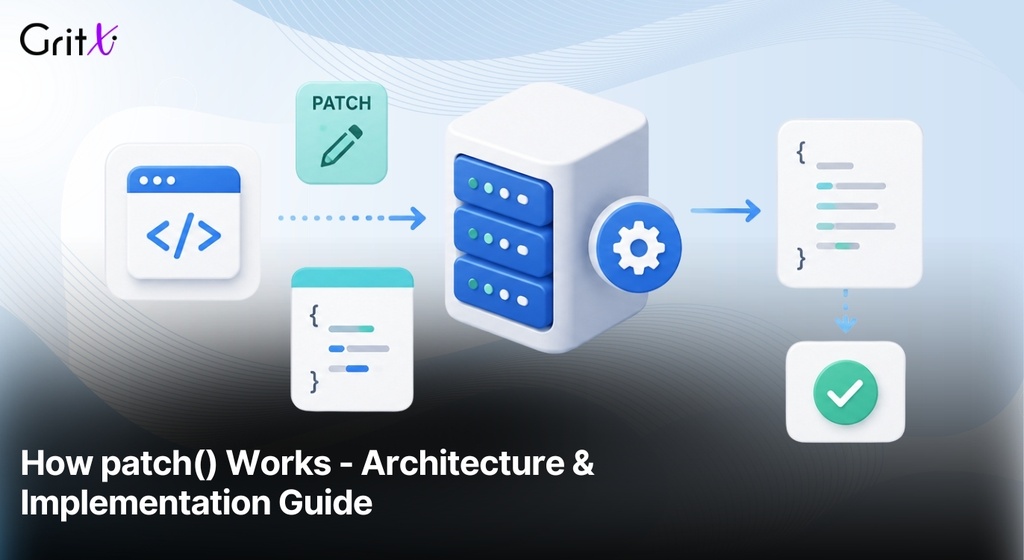
The patch() utility (located at @web/core/utils/patch) is Odoo's mechanism for modifying existing classes and objects at runtime without changing their original source code. It is the backbone of Odoo's extensibility model, allowing enterprise and custom modules to add or override behavior in community components.
Before patch(), Odoo used a legacy include() system tied to its custom Class mechanism. With the move to native ES6 classes and the OWL framework, patch() was introduced as a modern, standards-compliant replacement that supports the native super keyword.
2. Why Use patch()?
patch() solves a critical problem in modular software: how to let one module safely extend the behavior of another module's class without creating tight coupling or requiring source modification.
| Approach | When to Use |
|---|---|
| patch() | Modify existing behavior in a class you don't own (core, community) |
| Registry | Add a new pluggable item (view, field, service) to a list |
| JS Inheritance | Create a new variant of a class for your own use |
| Hook (useX) | Share stateful logic across multiple components |
| Service | Provide cross-component logic via the environment |
Rule of Thumb
Use patch() as a last resort. Prefer registries, hooks, and services. Patch only when you must modify behavior in an existing class that has no declared extension point.
3. Internal Mechanics of patch()
3.1 The Prototype Chain Model
JavaScript class instances resolve method calls by walking up the prototype chain until a matching method is found. patch() works by extending this chain dynamically each patch becomes part of the method resolution order.
Conceptually, after two patches are applied, method resolution flows like this:
Each patch layer in the chain is a bridge: it holds the extension's methods and ensures is a transparent bridge object. It holds the method descriptors from the previous layer, ensuring super resolves correctly to the previous implementation. This resolution is performed entirely by the JavaScript engine's native prototype lookup it is standard JS behaviour, not Odoo-specific logic.
Key Concept
patch() creates a prototype chain layer between the original object and its extensions, ensuring that the native JavaScript super keyword resolves to the previous implementation whether that is the original class or an earlier patch.
3.2 Internal Metadata Tracking
Odoo internally tracks patch state using private data structures (an implementation detail). This allows it to manage the prototype chain correctly as multiple patches accumulate, and to support the unpatch function. The exact internal structure is not part of the public API and should not be relied upon.
Clarification
Two important nuances: patch() extends method resolution it does not replace methods. The original implementation remains reachable via super. super is resolved entirely by the JavaScript engine's native prototype chain lookup. It is standard JavaScript behaviour, not an Odoo-specific mechanism.
3.3 Simplified Implementation
The core logic of patch() stripped of error handling — looks like this:
Important
The return value of patch() is an unpatch function. In unit tests, always call this function in teardown to prevent patches from leaking between tests.
4. How to Use patch()
4.1 Basic Syntax
import { patch } from '@web/core/utils/patch';
import { MyComponent } from '@some_module/path/my_component';

patch(MyComponent.prototype, {
    myMethod() {
        // Your custom logic BEFORE the original
        super.myMethod();  // Call the original (or previous patch)
        // Your custom logic AFTER the original
    }
});
4.2 Patching setup() in OWL Components
The setup() method is the OWL lifecycle entry point. Patching it is the standard way to add new hooks, state, or services to an existing component.
import { Spreadsheet } from '@odoo/o-spreadsheet';
import { patch } from '@web/core/utils/patch';
import { useSpreadsheetCommandPalette } from './command_palette_hook';

patch(Spreadsheet.prototype, {
    setup() {
        super.setup();  // ALWAYS call this first
        // Now add your own logic
        useSpreadsheetCommandPalette();
    },
});
Warning
Always call super.setup() unless you deliberately want to suppress ALL base logic. Forgetting super.setup() is the single most common cause of patch-related bugs in Odoo development.
4.3 Adding State with useState in a Patch
You can call useState() inside a patched setup(). OWL's reactivity engine tracks the state proxy on the component instance regardless of which method initialized it.
import { useState } from '@odoo/owl';

patch(MyComponent.prototype, {
    setup() {
        super.setup();
        this.myState = useState({ isOpen: false, count: 0 });
    },
    togglePanel() {
        this.myState.isOpen = !this.myState.isOpen;
    }
});
5. Patch Lifecycle & Execution Order
5.1 When Patches Are Applied
Patches are applied during Phase III of the Odoo frontend initialization lifecycle — after module-level code executes and registries are populated, but before the OWL component tree is mounted.
| Phase | Stage | What Happens | Patch Relevance |
|---|---|---|---|
| I | JS Load | Browser loads web.assets_backend bundle | — |
| II | Registry Init | Modules register views, fields, services | — |
| III | Patch Application | patch() calls execute and extend prototypes | Patches must be applied before first instantiation of the target |
| IV | Service Bootstrap | makeEnv() and startServices() run | Patches to eagerly-used services should be done before this phase |
| V | OWL Mount | WebClient mounts, setup() lifecycles begin | Patches now active for all instances |
| VI | Runtime Loop | User interactions trigger re-renders | Patched methods execute normally |
5.2 Execution Order Between Multiple Patches
When multiple modules patch the same method, the execution order is determined by the module dependency graph — not by alphabetical order or any other implicit rule.
- Declared dependency order is the only reliable guarantee. If Module B declares Module A in its __manifest__.py depends list, Module A's patch is applied first.
- For unrelated modules with no declared dependency, execution order is not guaranteed and depends on asset bundle composition.
- The last-applied patch is the outermost layer it executes first when the method is called.
- super.method() resolves to the next layer inward via the JavaScript engine's native prototype lookup, ultimately reaching the original.
Example with two patches on the same component:
// Module A patch (applied first, inner layer):

patch(MyComp.prototype, {

    doWork() { console.log('A before'); super.doWork(); console.log('A after'); }

});


// Module B patch (applied second, outer layer):

patch(MyComp.prototype, {

    doWork() { console.log('B before'); super.doWork(); console.log('B after'); }

});


// Output when doWork() is called:

// B before → A before → [Original] → A after → B after
5.3 Execution Order Inside setup()
Code placed before super.setup() runs first (outermost patch wins). Code placed after super.setup() runs last (innermost / original runs first).
patch(MyComp.prototype, {

    setup() {

        // Runs BEFORE original setup

        this.earlyState = useState({ ready: false });

        super.setup();

        // Runs AFTER original setup

        onWillStart(() => this.loadData());

    }

});
6. Real-World Examples from Odoo Core
6.1 Spreadsheet Command Palette
Odoo extends the spreadsheet application by integrating the global command
palette without modifying the original o-spreadsheet library.
Instead, it patches the Spreadsheet component during
setup(), demonstrating the recommended approach for adding
framework-specific functionality to third-party components.
Preserve Third-Party Code
The original @odoo/o-spreadsheet library remains completely untouched, making future upgrades much safer.
Clean Extension
Odoo-specific functionality is added using patch() instead of modifying the original component.
Easier Maintenance
Since the base implementation remains unchanged, updates and long-term maintenance become significantly easier.
import { Spreadsheet } from '@odoo/o-spreadsheet';
import { patch } from '@web/core/utils/patch';
import { useSpreadsheetCommandPalette } from './hooks';

patch(Spreadsheet.prototype, {
    setup() {
        super.setup();
        useSpreadsheetCommandPalette();
    },
});
6.2 Mail Messaging Menu
The Mail module is designed to remain independent of any specific
platform. The web client uses patch() to introduce
browser-specific capabilities, such as desktop notifications,
without modifying the reusable core module.
A generic core module exposes extension points, while environment-specific modules (Web, Desktop, Mobile) enhance its behavior using patches.
6.3 POS Service Patching
The Point of Sale application patches shared services, such as
actionService, to customize navigation and workflow
specifically for the POS interface while still reusing the same
core service implementation.
Most Odoo services are instantiated lazily. Therefore, the patch must simply be loaded before the service is used for the first time, rather than during a particular lifecycle phase.
7. include() vs Modern patch()
8. Do's & Don'ts
Follow these practical guidelines when extending Odoo using
patch(). They help keep your code maintainable,
upgrade-safe, and consistent with Odoo's frontend architecture.
Do
RecommendedDon't
Avoid
Always call super()
Preserve the original implementation and previously applied patches to avoid unexpected behavior.
Never skip super()
Skipping it replaces the original logic entirely and may break other patches.
Patch the prototype
Patch .prototype when extending class instance
methods.
Patch private methods
Internal APIs are implementation details and can change between Odoo versions.
Use unpatch() in tests
Remove patches during teardown to keep test cases isolated.
Over-patch components
If many methods require changes, prefer subclassing or registries instead.
Declare module dependencies
Ensure dependent modules are listed in
__manifest__.py.
Ignore registries
Use field, service, or view registries whenever an official extension point already exists.
9. Debugging Patches
Inspect Prototype
Browser DevTools
Expand __owl__.component inside your browser's DevTools.
Every [[Prototype]] layer represents either a patch or
the original component, allowing you to verify the complete
execution chain.
Expand each prototype level to confirm the order in which patches are applied.
Using Breakpoints
Runtime Debugging
patch(MyComp.prototype, {
    setup() {
        debugger;
        super.setup();
    }
});
Pause execution and step into
super.setup() to inspect which patch or base
implementation executes next.
Use the Call Stack panel to verify the complete execution flow across multiple patches.
Asset Debug Mode
Development Environment
Enable asset debugging to load unminified JavaScript files. This makes every module visible inside the browser's Sources panel, allowing you to set breakpoints directly in your patch files.
?debug=assets
Troubleshooting Guide
| Problem | Likely Cause | Recommended Fix |
|---|---|---|
| Core feature stops working after applying a patch |
Missing super()
|
Call super.method() before or after your custom
logic, depending on the desired execution order.
|
| Only one of multiple patches appears to execute | Patch overwrite |
Verify that every patch in the chain calls
super().
|
| Patch loads successfully but has no visible effect | Wrong patch target |
Patch MyClass.prototype instead of a live
component instance.
|
| Patches execute in an unexpected order | Missing dependency |
Declare the required module inside
__manifest__.py to guarantee loading order.
|
| Tests pass individually but fail when executed together | Patch leakage |
Store the returned unpatch() function and call
it during test teardown.
|
10. Version Evolution
| Feature | Odoo 16 | Odoo 17 / 18 | Odoo 19 |
|---|---|---|---|
| Module System |
odoo.define()Legacy AMD modules |
@odoo-moduleES Module transition |
Native ESM Transpiled & optimized |
| Patching API |
include() + early patch()
|
Modern patch()
|
patch() + Native super
|
| Super Mechanism |
this._super()Custom implementation |
Native JavaScript super
|
Native superFull ESM support |
| Services | Registry-based | Registry-based |
Reactive Proxies Registry-powered |
| OWL Version | OWL 1.0 / 2.0 | OWL 2.0 |
OWL 2.0 Performance improvements |
11. Performance Considerations
Every patch introduces an additional function call in the execution chain. For most business applications, the overhead is negligible. However, performance-sensitive components should be patched carefully.
Deep Patch Chains
Avoid stacking too many patches on the same component.
Long super() chains increase execution time,
especially in methods executed repeatedly.
Rendering
Avoid expensive logic inside
render().
Rendering happens frequently, so heavy computations
directly affect UI responsiveness.
Reactivity
Prevent unnecessary
useState() updates inside shared
components such as the NavBar to reduce
unnecessary application-wide re-renders.
Performance Tip
For List and Kanban views, prefer
registry extensions over patching row renderers.
Registry-based widgets execute only where needed, reducing unnecessary
rendering and improving overall UI responsiveness, especially when
working with large datasets.
Quick Reference
Everything you should remember about patch() at a glance.
Import Path
@web/core/utils/patch
Target
Patch
MyClass.prototype,
never an instance.
Multiple Patches
Last applied patch executes first through
super().
setup()
Always call
super.setup().
Debug
Enable
?debug=assets
for readable JS files.
Unpatch
Call the returned function during test teardown.
Frequently Asked Questions
Common questions developers ask about patch() in Odoo.
What is patch() in Odoo?
patch() is Odoo's core utility located at
@web/core/utils/patch. It lets you extend or
modify existing classes and objects at runtime without
changing their original source code, making it the
foundation of Odoo's frontend extensibility.
How is patch() different from include()?
include() belonged to Odoo's legacy class
system and relied on this._super().
Modern patch() works with native ES6 classes
and uses JavaScript's native
super keyword, making it cleaner,
faster, and easier to debug.
When should I use patch() instead of a Registry?
Registries should always be your first choice for
adding views, field widgets, or services.
Use patch() only when no official extension
point exists.
How does super work with patch()?
super is resolved entirely by JavaScript's
native prototype chain. Each call to
patch() creates another prototype layer,
allowing super to automatically call the
previous implementation, whether it belongs to the original
class or another patch.