
Merge Reports
This module helps you to merge reports.
Merge Reports
Merge related Odoo reports into a single professional PDF document. Simplify document management, improve organization, and reduce manual processing with one-click report generation.
App Overview

Introduction
The Merge Reports module is a powerful productivity tool that allows Odoo users to consolidate two related business reports into one unified PDF document. Whether you need to attach technical specifications to a Sales Order or packaging slips to a Delivery Note, this module allows for Model-Wise Configuration, ensuring your documents are always organized and professional.

Purpose
Handling multiple PDF files manually is time-consuming and prone to error. By merging reports directly inside Odoo, businesses can simplify printing workflows, improve document sharing with vendors/customers, and ensure that related operational data is always delivered in a single, cohesive file.
Business Use Cases

Sales Documentation
Combine a standard Quotation with additional terms or product spec sheets in one PDF.

Purchase Logistics
Merge Purchase Orders with specific procurement instructions or vendor legal terms.

Delivery Operations
Generate warehouse pick tickets and delivery notes together to streamline outbound logistics.
Key Features
Merge Two Reports
Combine a Main and Secondary report into a single, professional PDF document.
Same Model Validation
Ensures both reports belong to the same Odoo model for accurate and reliable merging.
Model-Wise Configuration
Configure separate and unique merge report setups for different business models.
Single PDF Output
Generates one unified combined report document directly from the system print menu.
Better Organization
Keep related reports together in a single file for cleaner document management across departments.
Auto Combination
Automatically merges selected reports directly during the printing process with zero extra work.
Faster Handling
Speeds up operational reporting tasks by reducing separate report downloads and printing.
Controlled Selection
Prevents incorrect or invalid report combinations through built-in model-wise validation.
Configuration & Workflow
Easy Backend Configuration
Navigate to Settings → Technical → Reports. Here, you can easily define the "Main Report" and select the related module report you wish to integrate for the automated merging process.
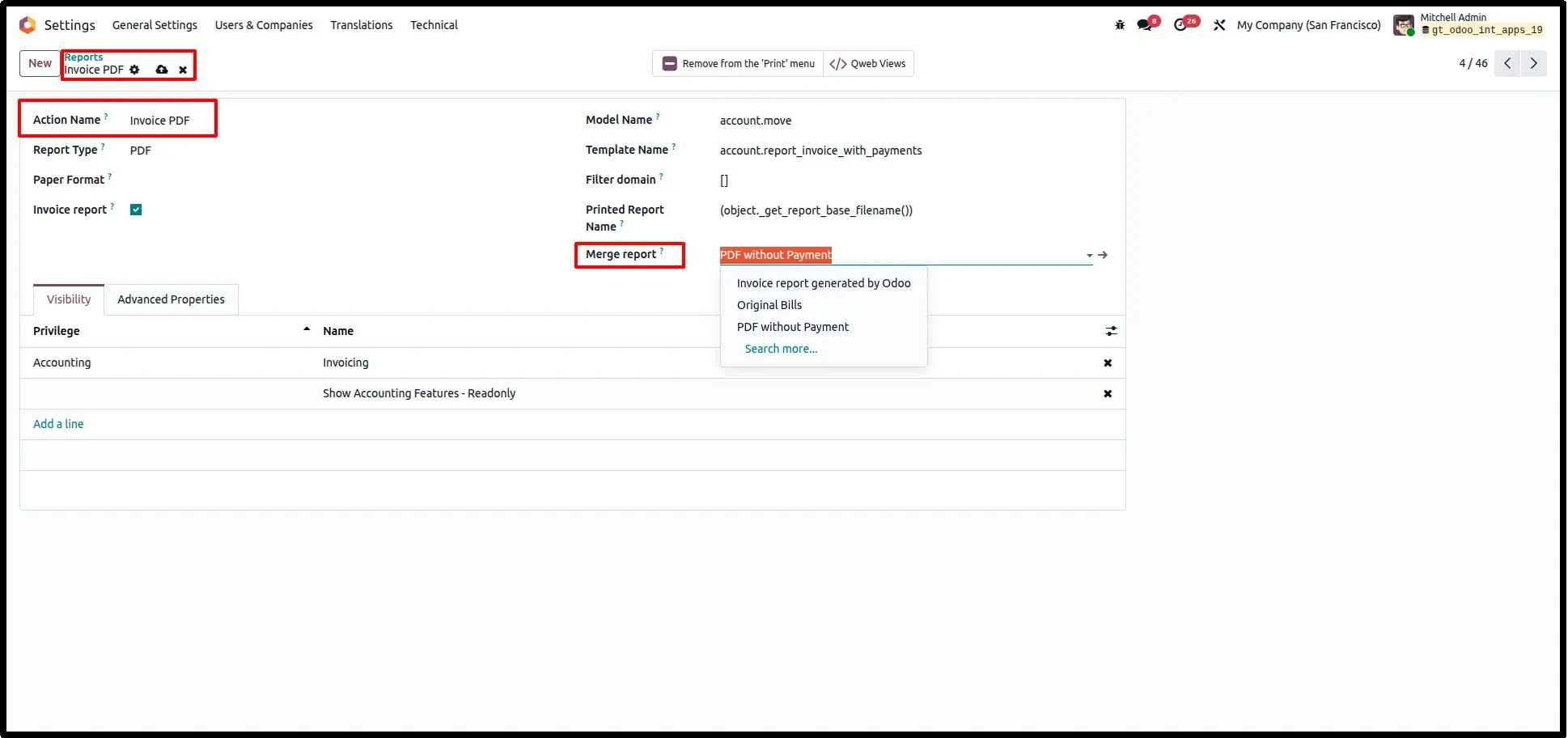
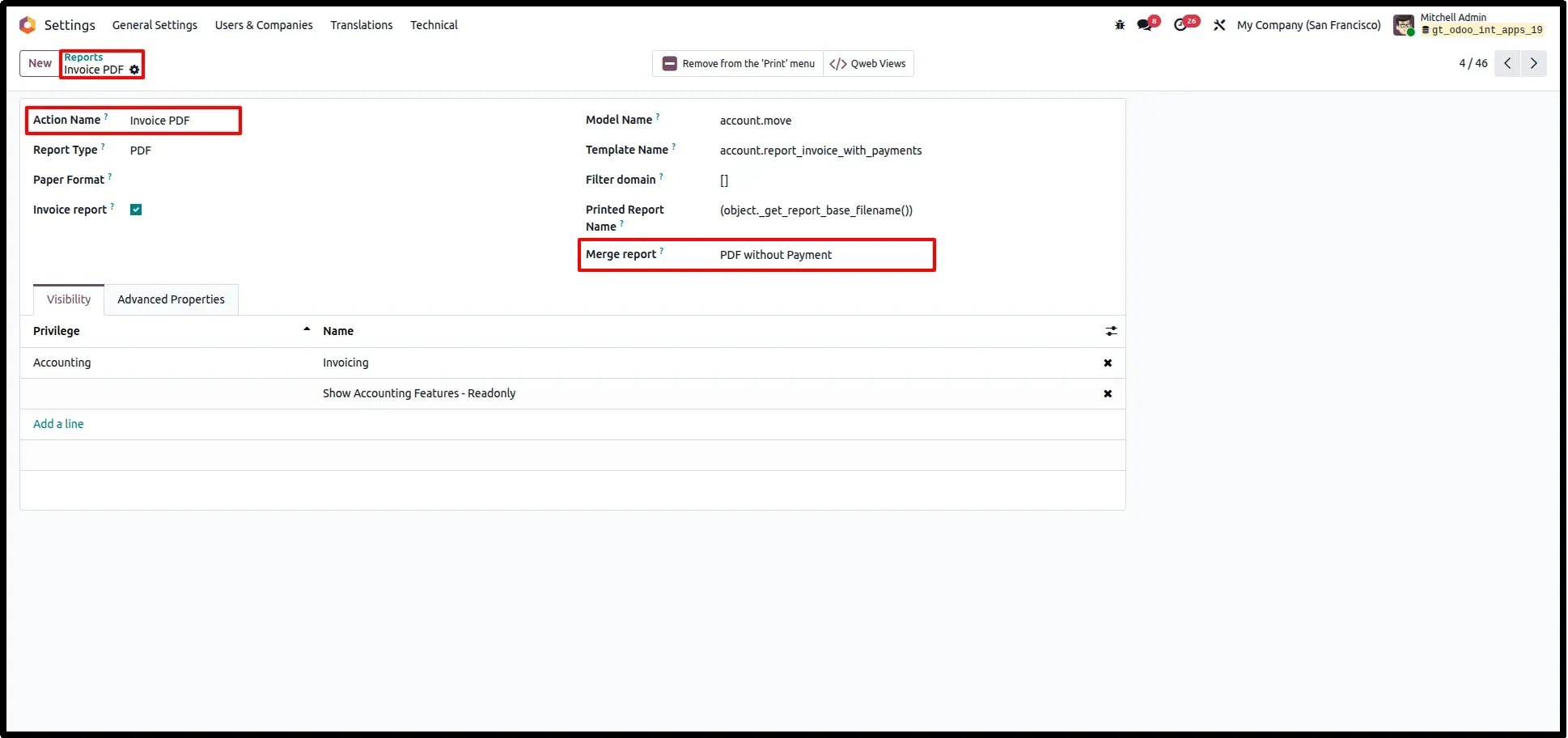
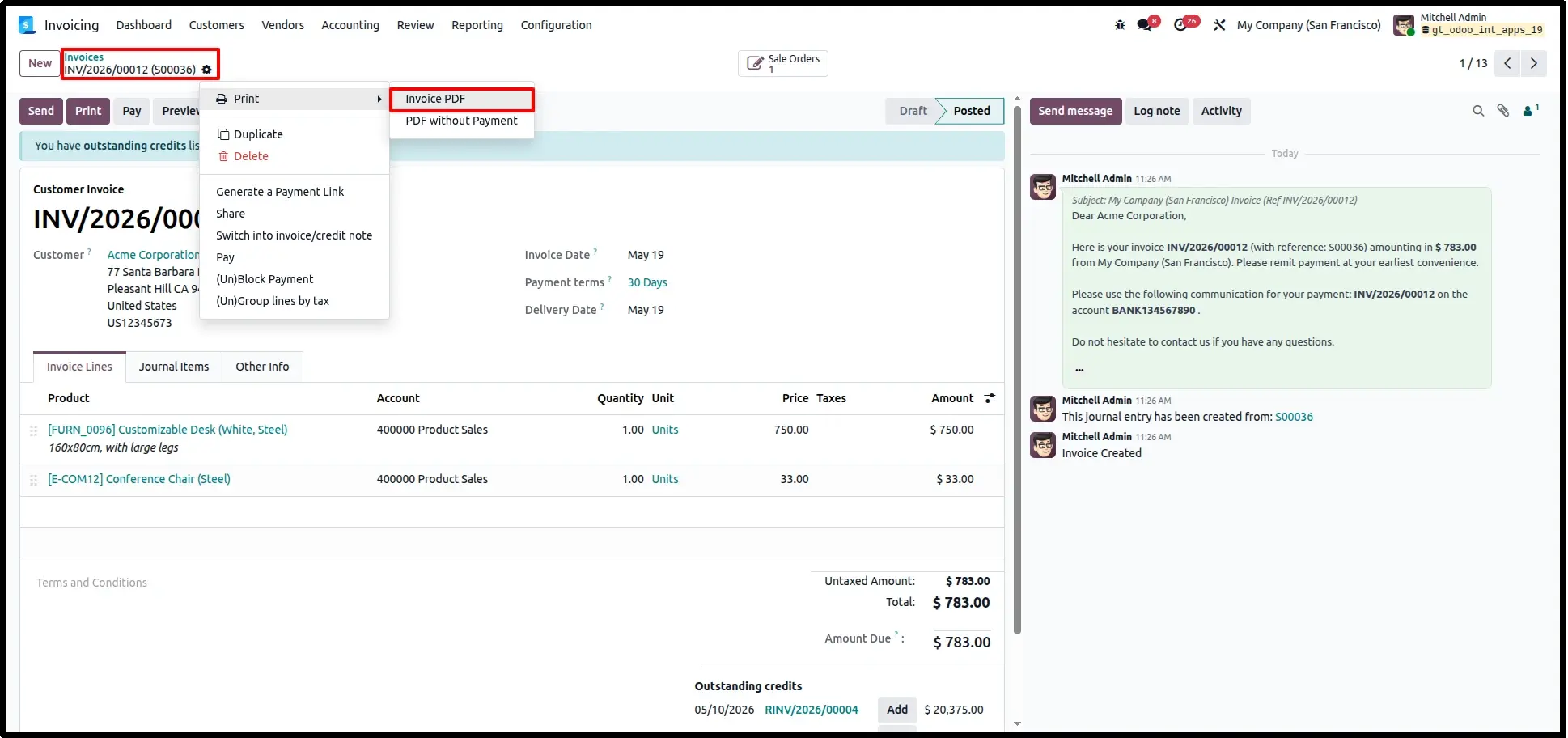
Easy Record Selection for Merged Reports
Generate merged reports directly from individual records. The selected report action automatically combines related documents into a single PDF.
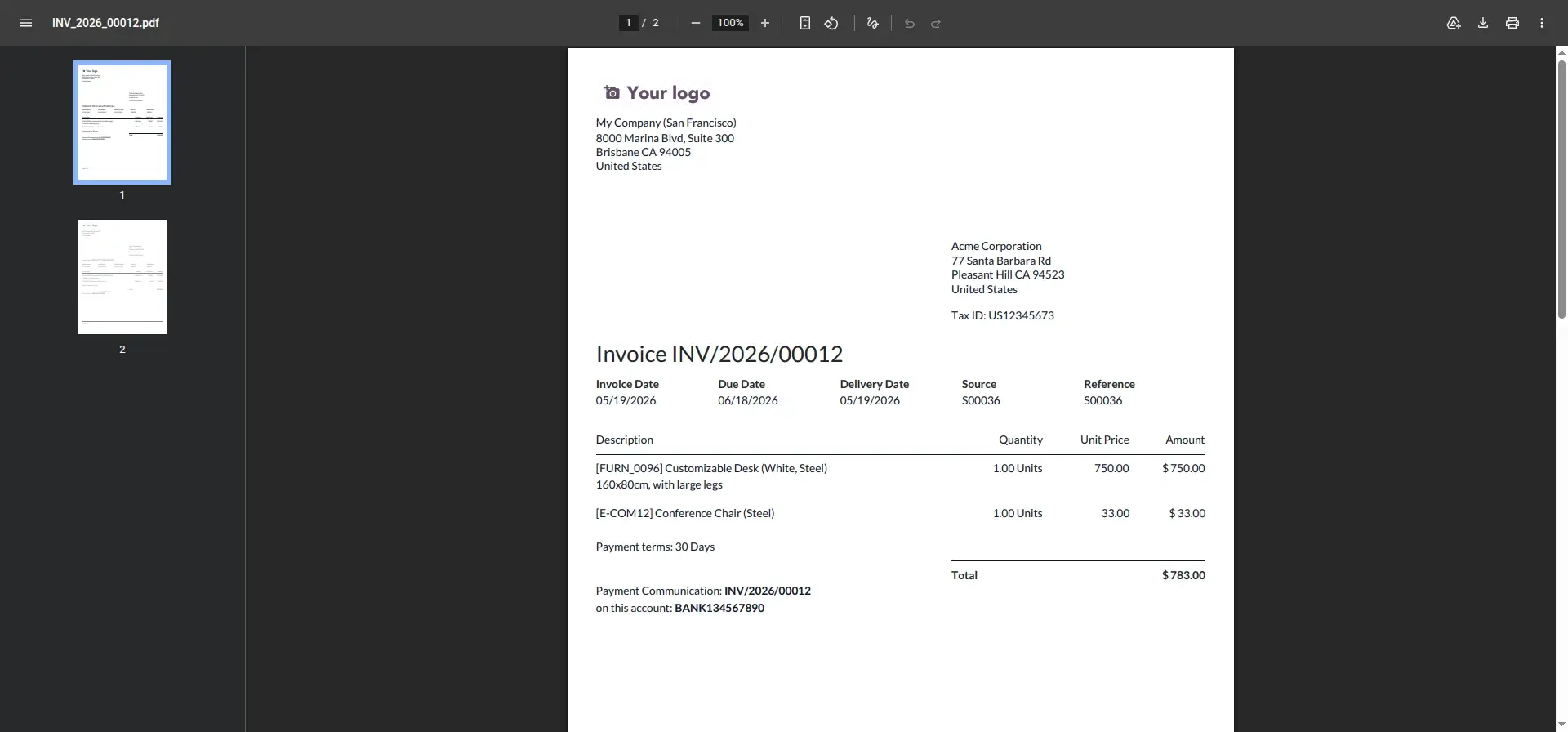
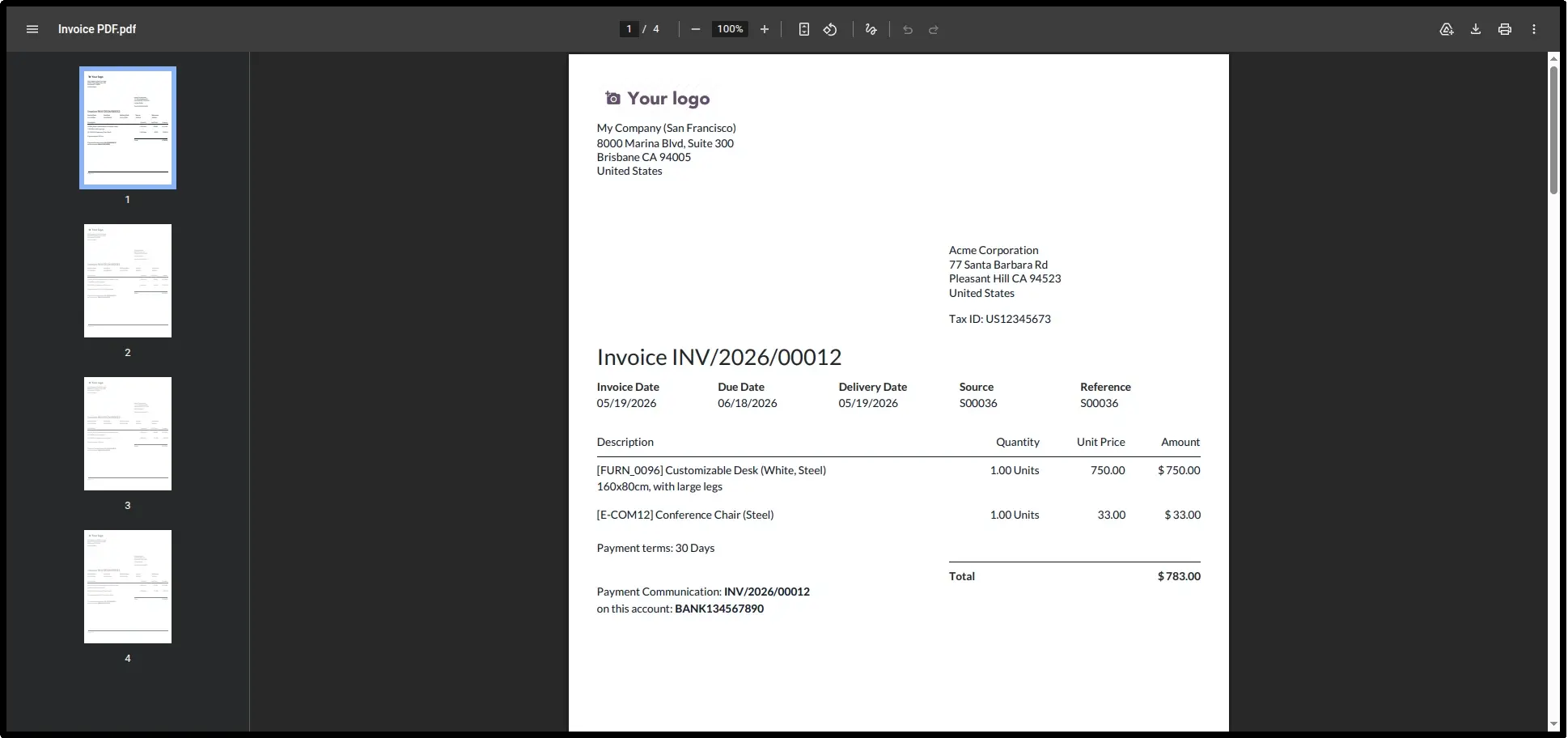
Now You Can See the Downloaded Merge Report PDF Files
Experience seamless document generation. For example, you can create a single combined PDF by merging an "Invoice PDF" with a "PDF without Payment" instantly.
Bulk Merged Reports Generation
Efficiency at scale use the multi-select feature in list views to generate merged reports for multiple records simultaneously with a single action.
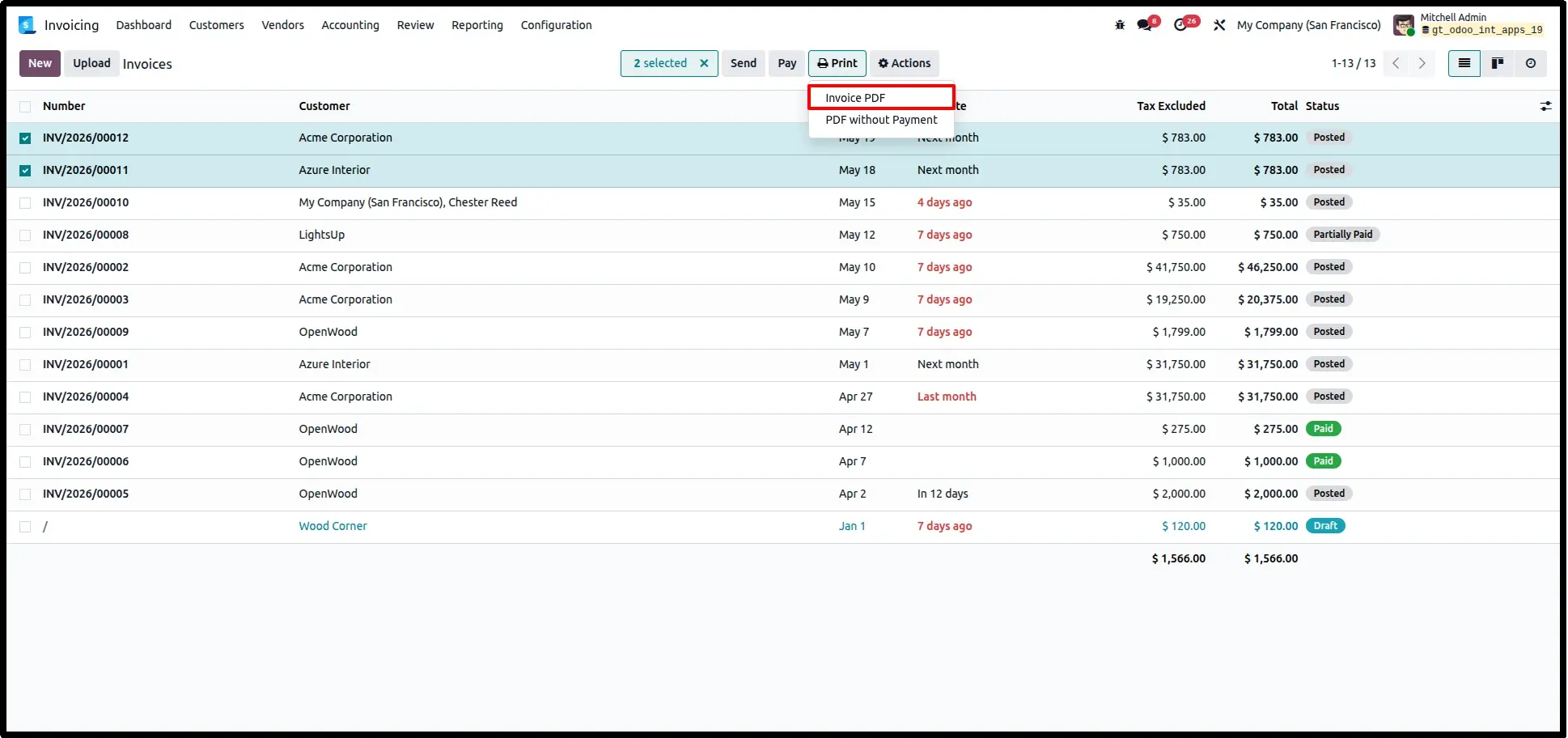
Downloaded Merged PDF Reports
Instantly access and download professionally merged PDF reports containing all related documents in a single file for easy sharing and record management.
Frequently Asked Questions
Technical Details
Dependencies
• No Dependencies Required
License
OPL-1
Need Assistance?
Email Support
contact@gritxi-tech.comAny Questions?
Have questions about this app?
Fill out the form below and our team will get back to you with more information.
Customer Reviews
Share your experience with this module.
Write a Review
Latest Reviews
No reviews yet. Be the first to share your thoughts!