
Web Chatter Position & Resize
Customize the Odoo chatter with flexible position change and resize options, allowing better UI control, improved screen utilization, and enhanced user experience with adjustable chatter layout and smart interface management.
Web Chatter Position & Resize
Resize and reposition the chatter dynamically to match your workflow across any screen size.
App Overview

Introduction
The Web Chatter Position & Resize module enhances the standard Odoo interface by providing flexible chatter positioning and dynamic resize capabilities. By default, Odoo’s chatter is fixed, which can be restrictive on wide screens or when working with data heavy forms. This module empowers users to adjust their workspace layout instantly, ensuring messages and form data coexist in a way that maximizes productivity.

Purpose
The primary purpose is to eliminate visual clutter and scrolling fatigue. For departments like Customer Support or CRM, having the chatter side by side with form data is critical. This module provides a fluid handle to resize the chatter width and one click toggles to switch layouts, providing a truly tailored multitasking experience for backend users.
Business Benefits
Better Workspace
Optimize screen utilization and reduce visual clutter by adjusting the form view according to your personal layout preference.
Improved Visibility
Manage discussions and activities more effectively with a wider chatter area, making activity tracking faster and more intuitive.

Increased Productivity
Reduce scrolling effort and enable better multitasking by viewing records and chatter communication side-by-side.
Targeted Businesses

Customer Support
Sided layouts allow agents to handle tickets while reading full customer history at a glance.

CRM & Sales
Sales reps update opportunities while monitoring internal notes without constant back-and-forth scrolling.

Procurement
Track vendor communication alongside PO lines with precision by adjusting the chatter width.

ERP Consultants
Technical and consulting teams gain better visibility on project tasks and exhaustive communication logs.
Key Features

Resizable Panel
Dynamically resize the Odoo chatter panel horizontally using a smooth interactive drag handle.

Workspace Control
Increase the working area for forms and data-heavy screens for a cleaner interface.
Smooth Interaction
Lightweight frontend behavior ensures responsive interaction without server-side lag.
Native Integration
Extends Odoo’s standard web client seamlessly without modifying core business logic.

No Config Needed
The module works immediately after installation with all features discoverable instantly.
Configuration & Workflow
User Preference Settings
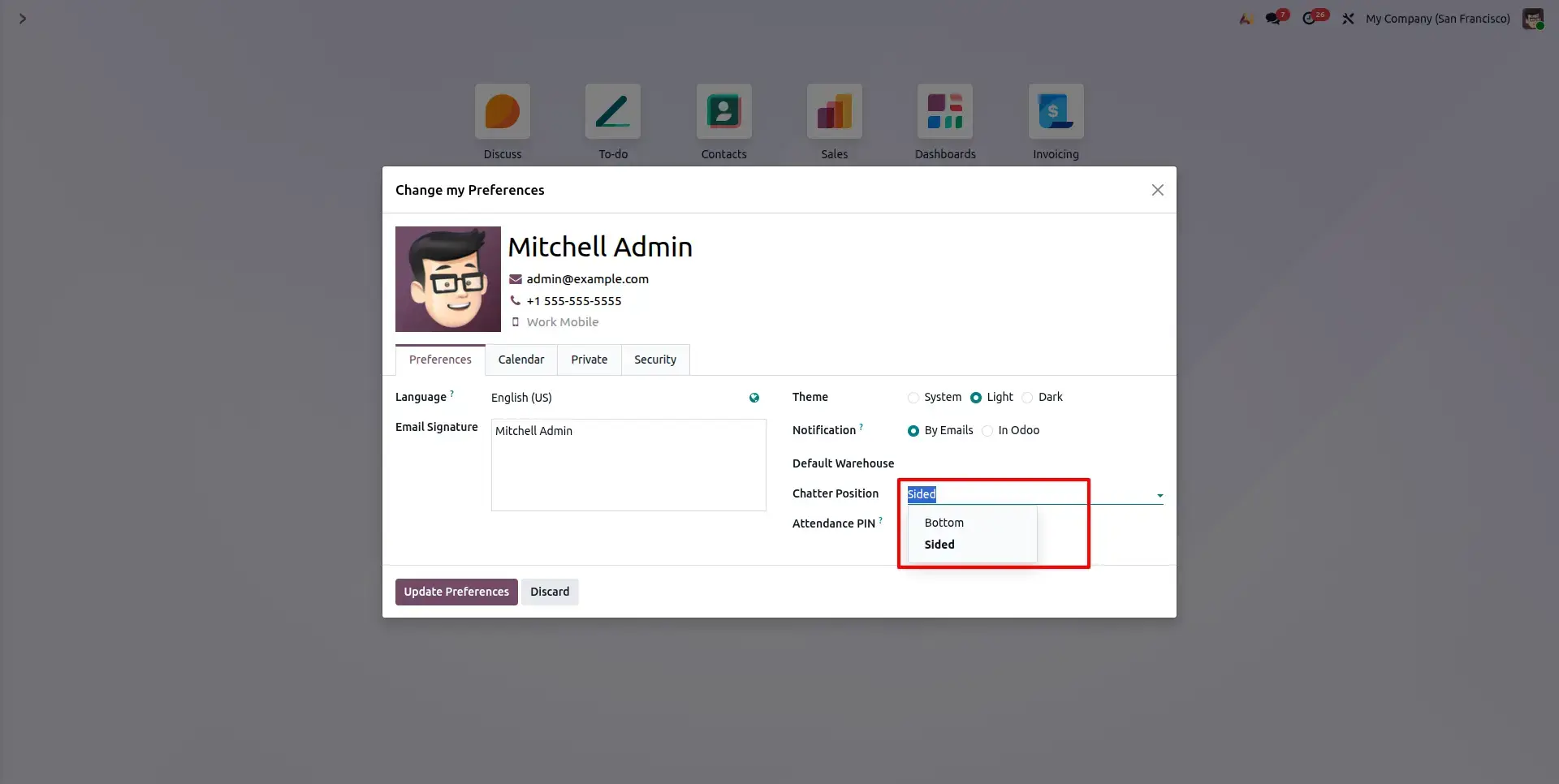
Open your User Preferences to find the new Chatter Position field. Select between Bottom or Sided (Default) from the dropdown the changes apply instantly across all Odoo form views.
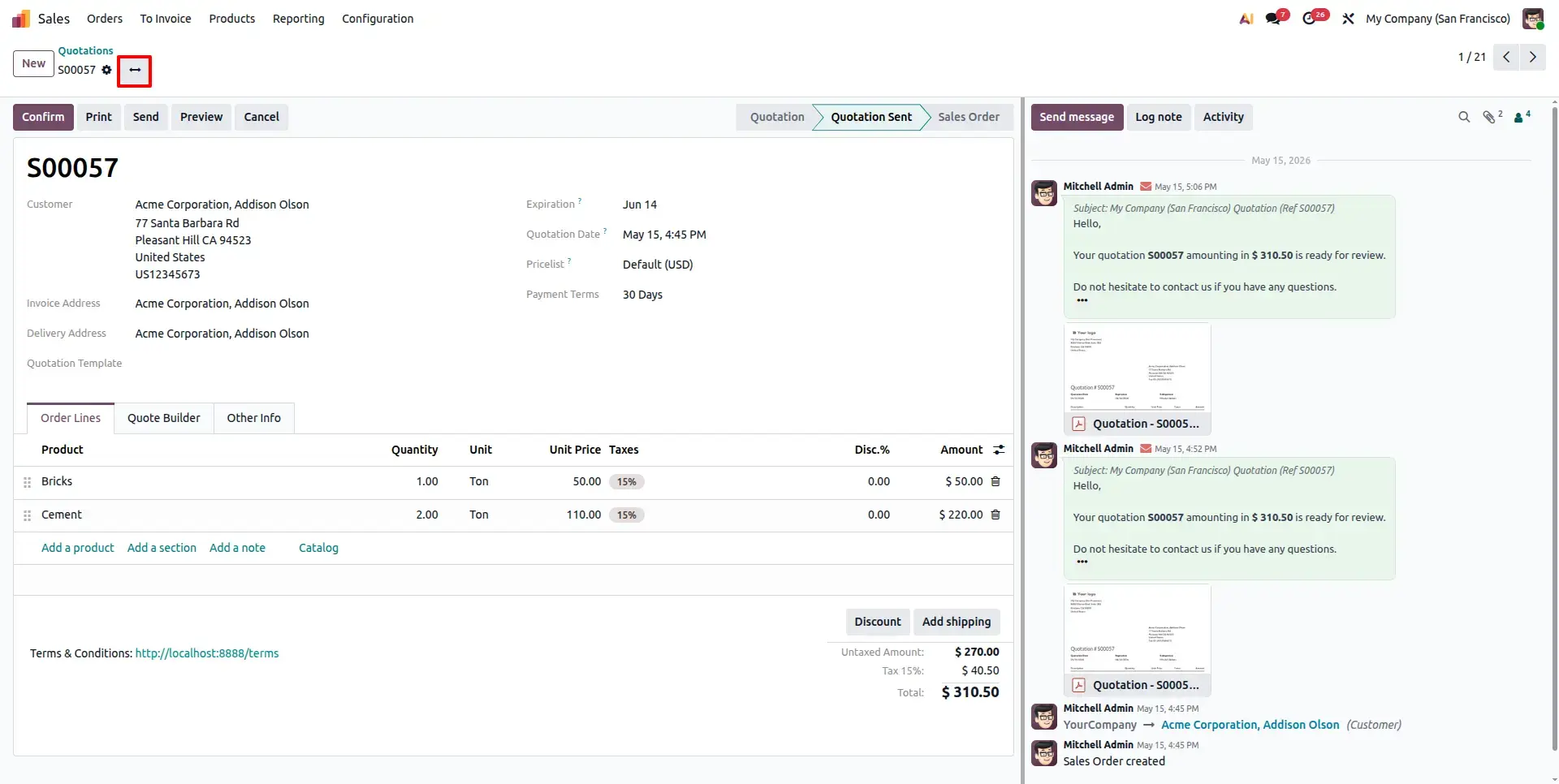
Form & Chatter Side by Side
The Sided layout keeps the full chatter history, attachments, and status changes visible on the right while you work on the form. Use the Change Icon in the header to toggle this layout instantly.
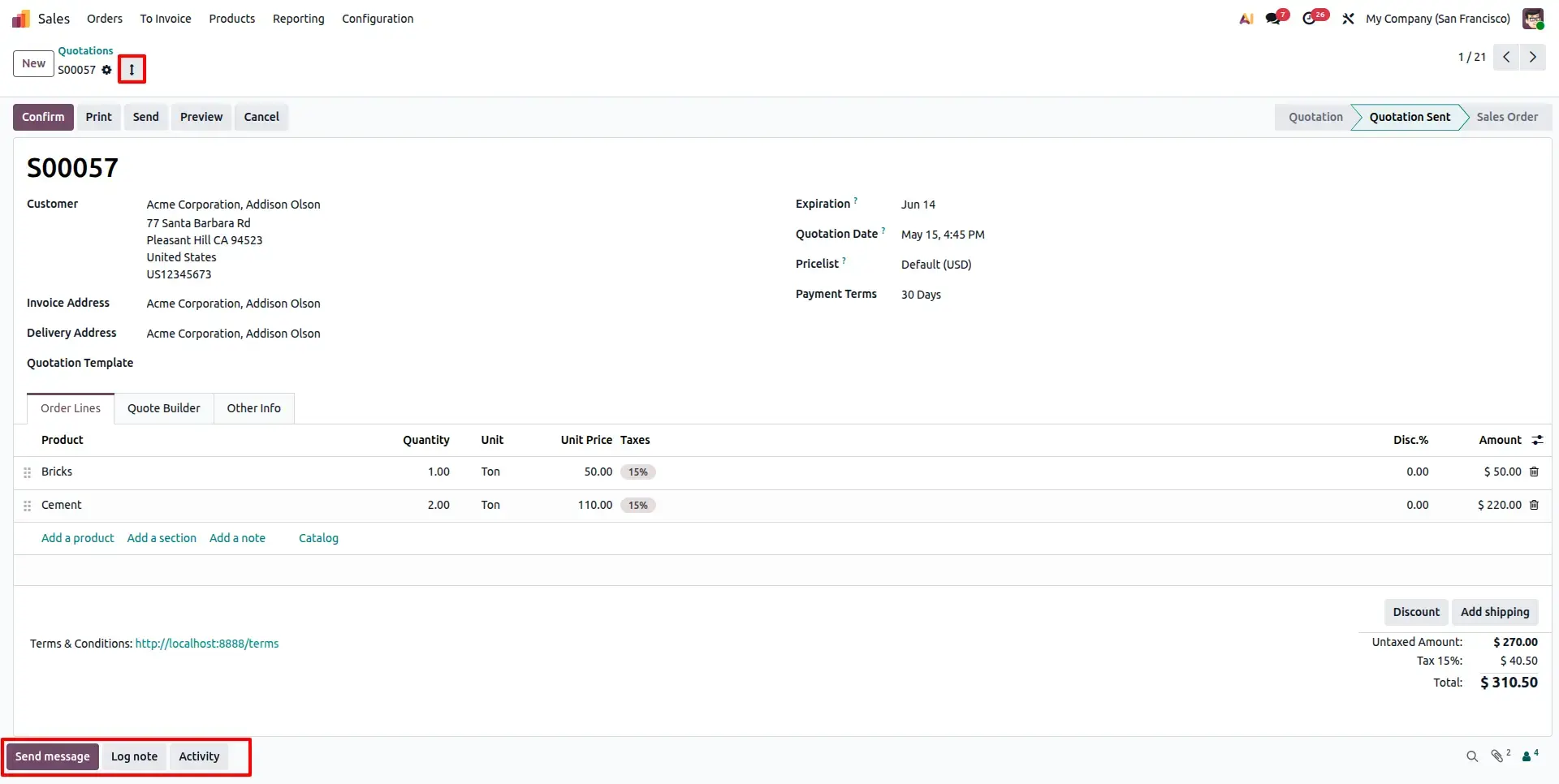
Expandable Bottom Layout
When Bottom is selected, the chatter sits below the form. A dedicated Expand View button in the header allows you to collapse the chatter to focus fully on form content width.
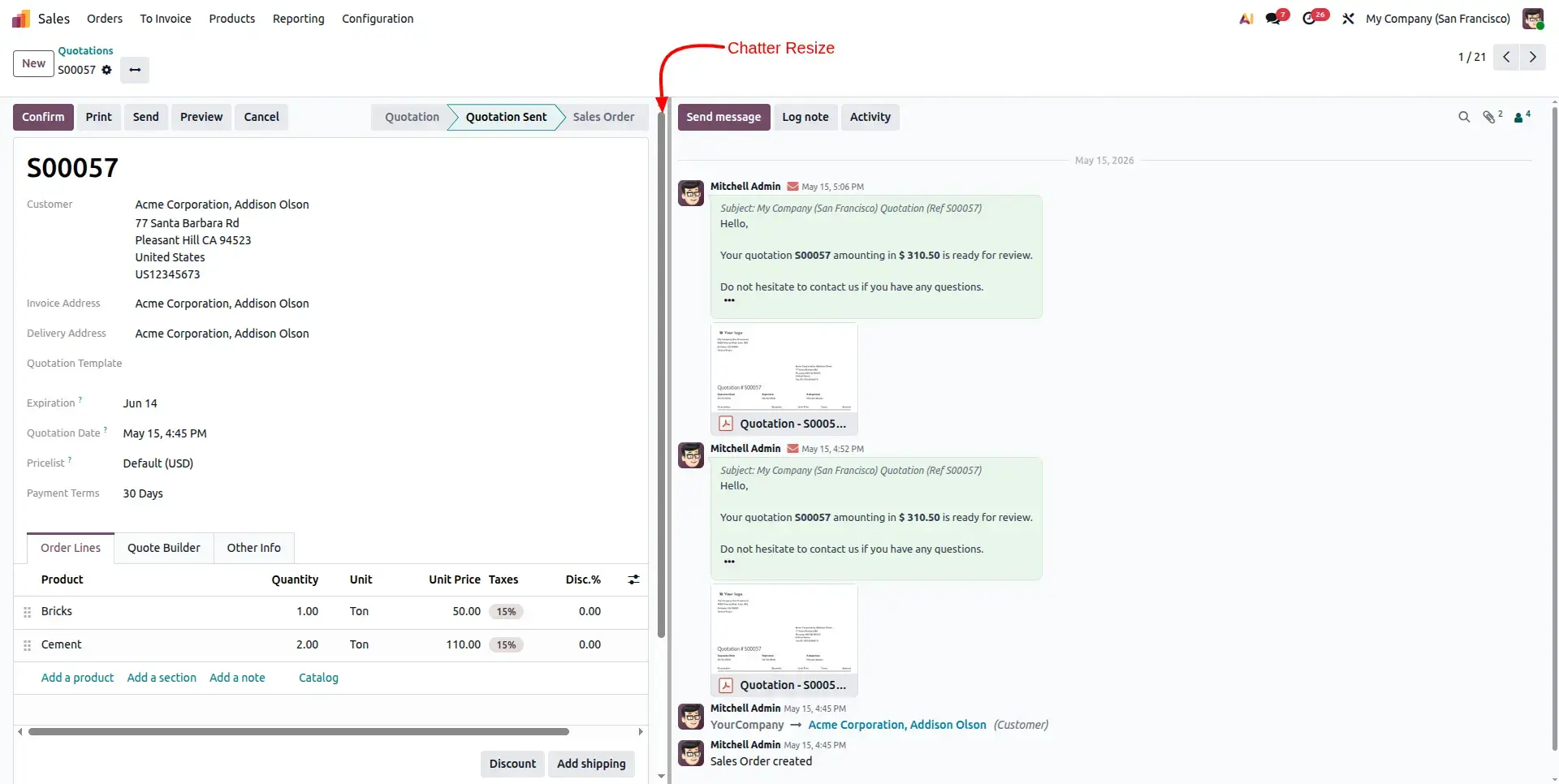
Dynamic Resize Handle
In Sided mode, a resize handle appears at the edge of the chatter panel. Simply drag it left or right to adjust the width dynamically without any page reloads or loss of focus.
Frequently Asked Questions
Technical Details
Dependencies
Discuss (mail)
License
OPL-1
Need Assistance?
Email Support
contact@gritxi-tech.comAny Questions?
Have questions about this app?
Fill out the form below and our team will get back to you with more information.
Customer Reviews
Share your experience with this module.
Write a Review
Latest Reviews
No reviews yet. Be the first to share your thoughts!