
User Multi Company Signature
Automatically apply the correct company specific email signature based on the active company or document, ensuring consistent branding across multiple companies.
User Multi Company Signature
Manage multiple signatures across different companies in Odoo with flexible multi-company signature management, allowing users to assign, switch, and control company wise signatures for accurate branding, document authentication, and seamless sign workflow efficiency.
App Overview

Introduction
In standard Odoo, every user has a single email signature that remains
unchanged even after switching between multiple companies. This often
results in emails being sent with incorrect company branding, contact
details, logos, and legal information, creating confusion and an
unprofessional communication experience.
The User Multi Company Signature module solves this
challenge by allowing users to maintain separate email signatures for
every company they belong to. Whenever users change their active
company or send an email from a document belonging to a specific
company, the module automatically applies the correct signature,
ensuring consistent branding and accurate company identity in every
outgoing email.

Purpose
The purpose of this module is to provide accurate company-specific email signatures in multi-company environments. It eliminates manual signature updates, prevents incorrect company branding, and ensures every email automatically reflects the appropriate company identity. By maintaining separate signatures for each company, businesses can deliver professional communication, improve brand consistency, and simplify email management for users working across multiple companies.
Targeted Business Types
Multi Company Enterprises
Manage company-specific email signatures automatically for employees working across multiple companies from a single Odoo database.
International Organizations
Maintain accurate regional branding and contact information for global subsidiaries operating under different legal entities.
Customer Support Teams
Ensure every customer email contains the correct company identity, helping maintain trust and professional communication.
Consulting & Professional Services
Consultants working for multiple companies can send emails with the appropriate company branding automatically, eliminating manual signature updates.
Corporate Groups & Holding Companies
Centralize email signature management while preserving the unique branding and identity of every subsidiary or business unit.
Key Features
Per Company Signature Storage
Store separate email signatures for every company, allowing users to maintain unique branding and contact information for each organization.
Automatic Company Switching
Automatically updates the user's email signature whenever the active company is changed in Odoo.
Smart Email Composer
Detects the company from the selected document and automatically inserts the correct email signature.
Duplicate Signature Prevention
Prevents multiple signatures for the same company by enforcing one signature per user-company combination.
Company Access Validation
Ensures signatures can only be created for companies the user is authorized to access.
User Profile Integration
Manage all company-specific signatures directly from the Multi Company Signatures tab in the user profile.
Fully Automatic Workflow
Users never need to manually choose signatures. Everything is applied automatically based on the active company.
Rich HTML Signature Editor
Create professional signatures using Odoo's built-in HTML editor with logos, images, links, and formatting.
Configuration & Workflow
Company Specific Signature Configuration
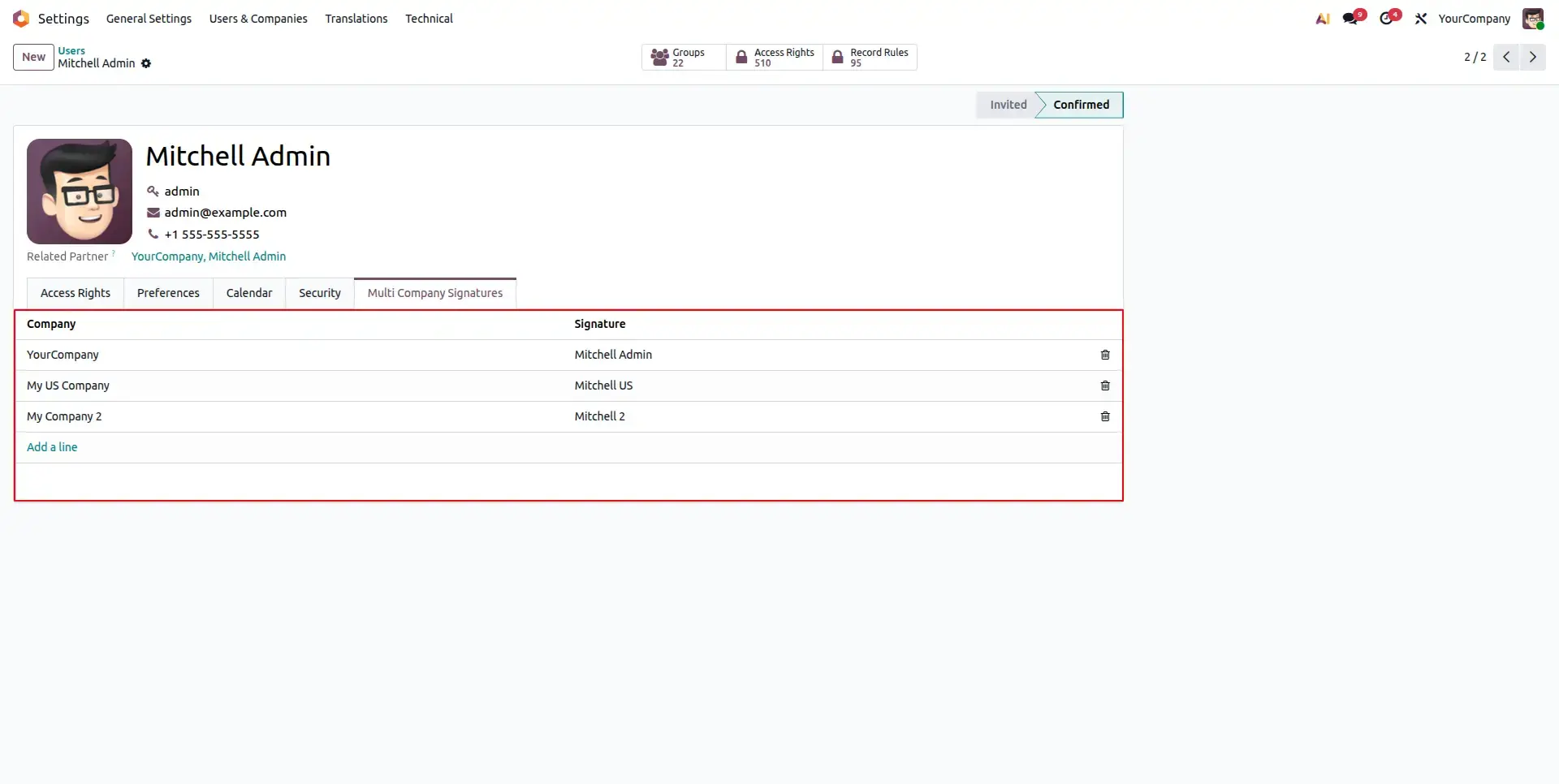
Configure separate email signatures for each company directly from the user's profile. Every signature is linked to both the user and the selected company, allowing users working across multiple companies to maintain unique branding and contact details for each organization.
Automatic Signature Switching
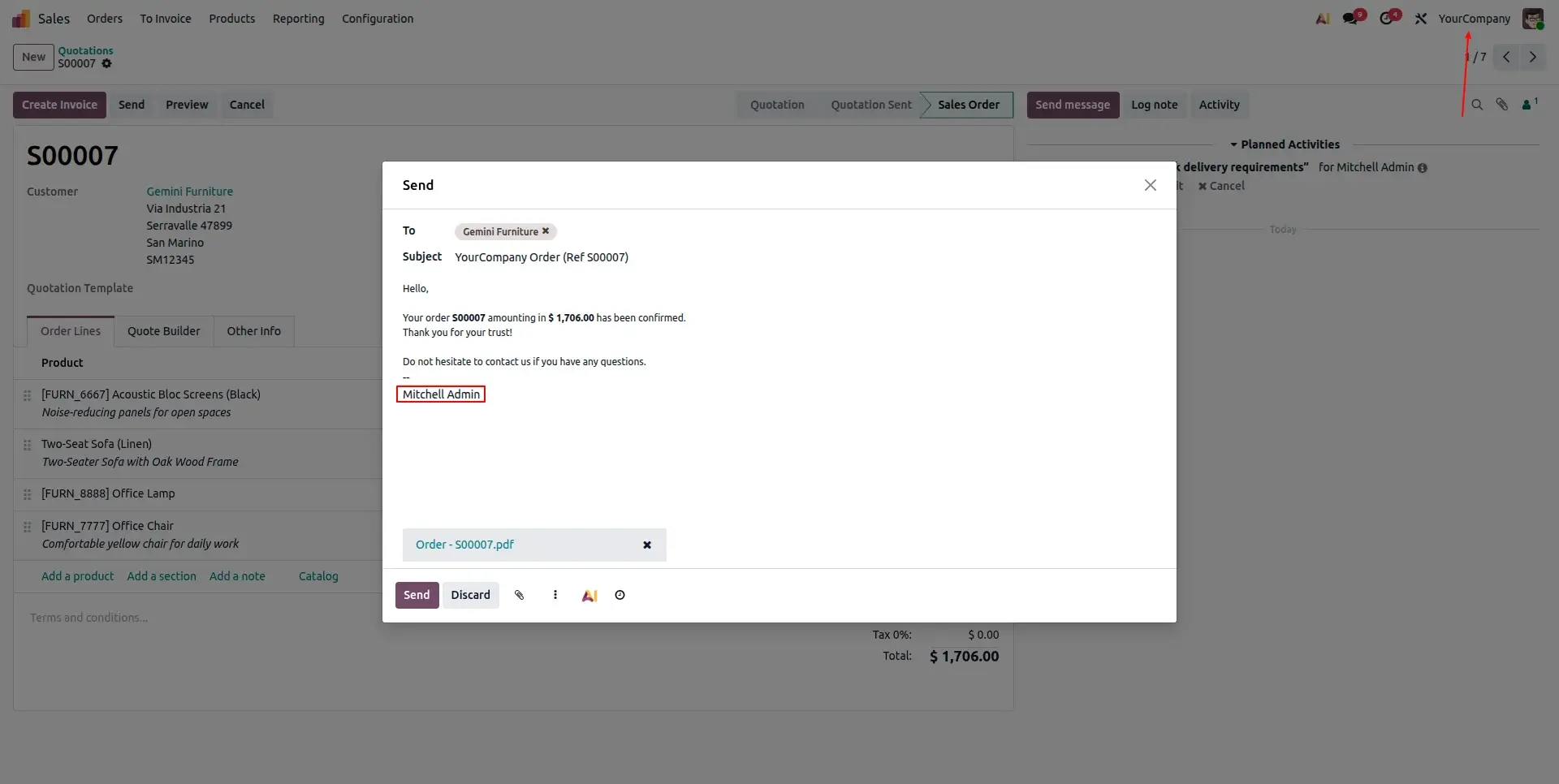
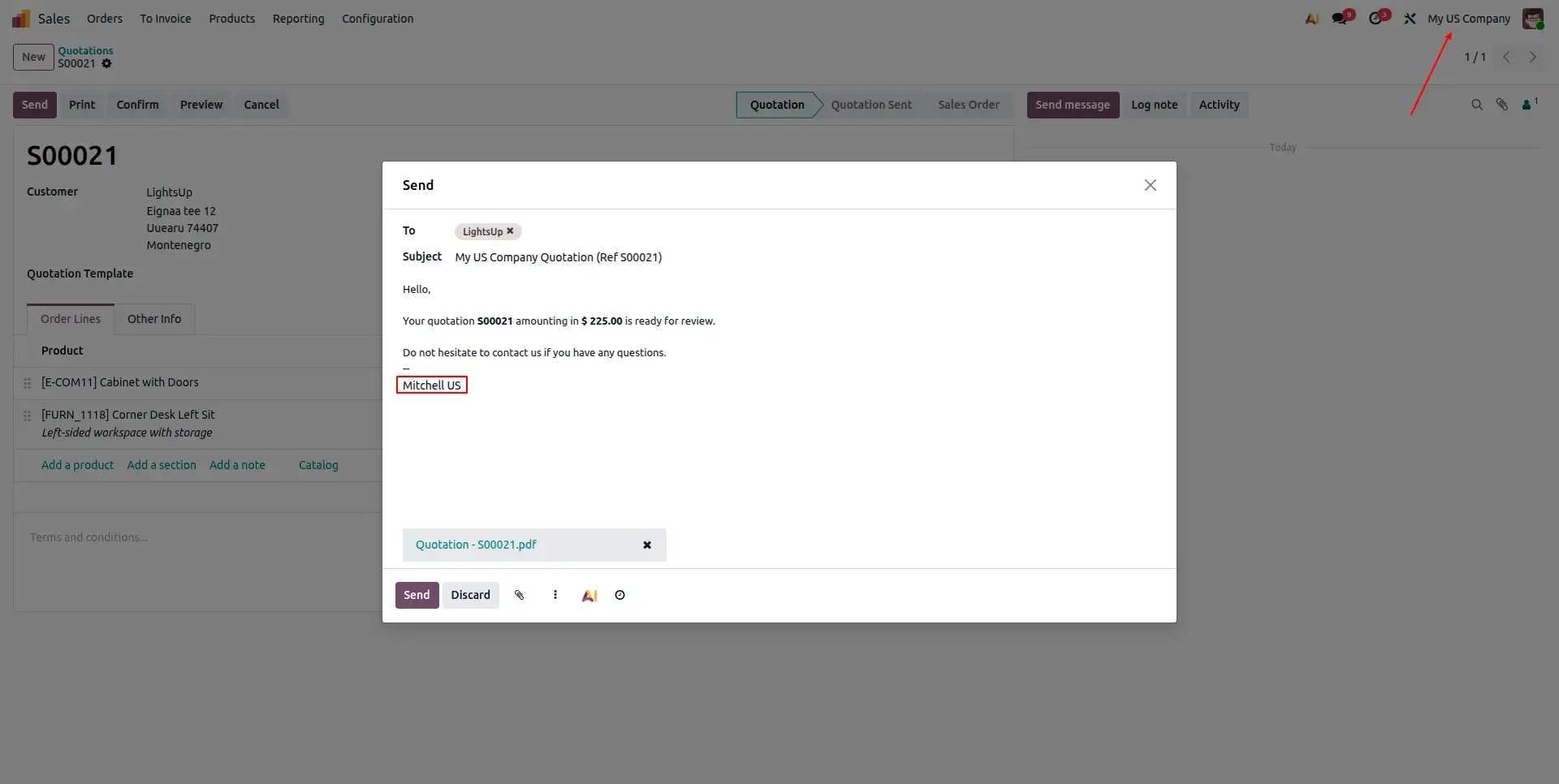
Whenever a user changes the active company using Odoo's company switcher, the module automatically loads the corresponding signature. This ensures every outgoing email always displays the correct company branding without requiring any manual updates.
Smart Email Composer Integration
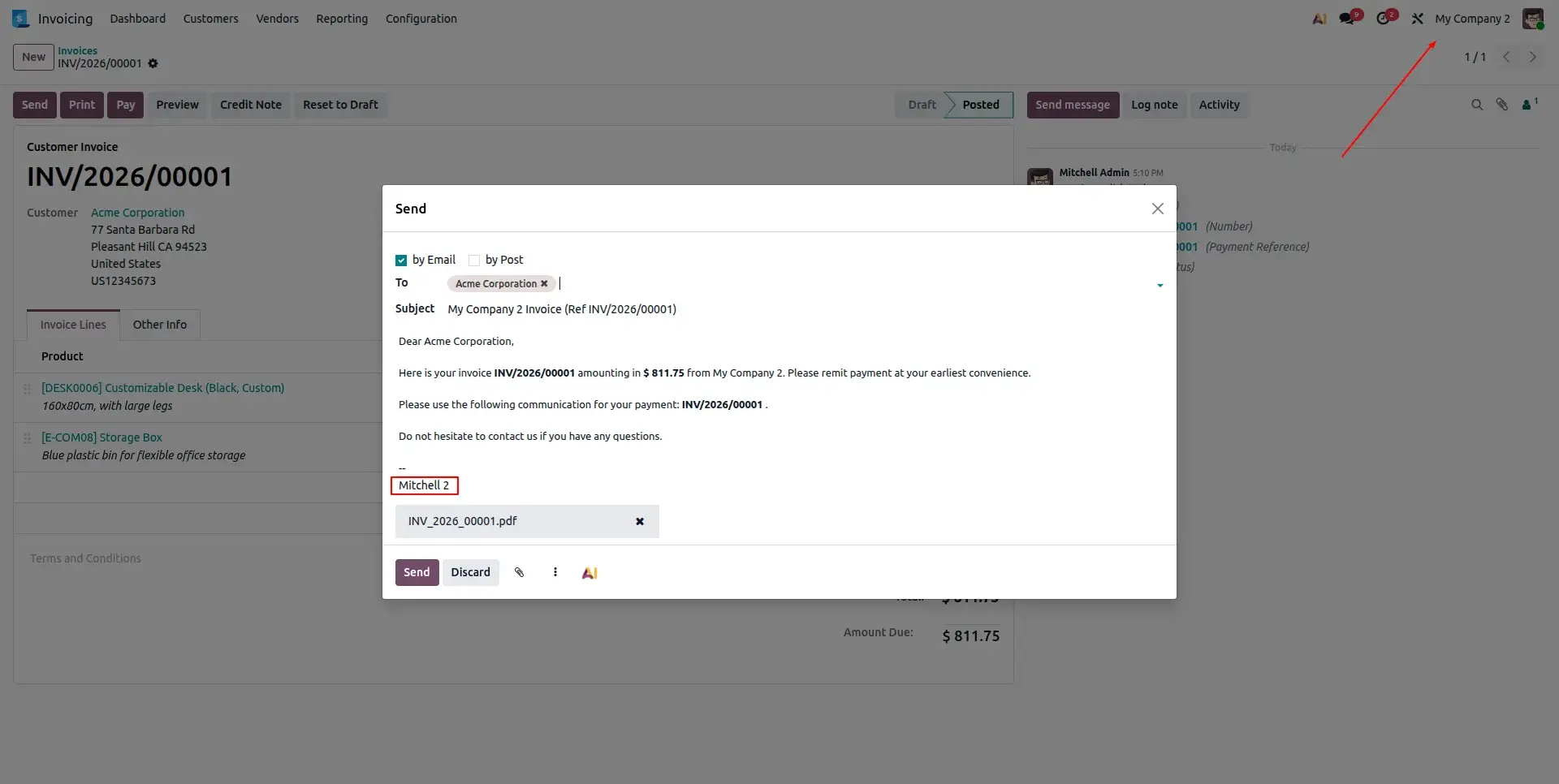
When sending an email from any business document such as a Sales Order, Invoice, Purchase Order, or other company-specific record, the module automatically detects the document's company and inserts the appropriate company signature before the email is sent.
Frequently Asked Questions
Technical Details
Dependencies
• Base (base)
• Discuss (mail)
License
OPL-1
Need Assistance?
Email Support
contact@gritxi-tech.comAny Questions?
Have questions about this app?
Fill out the form below and our team will get back to you with more information.
Customer Reviews
Share your experience with this module.
Write a Review
Latest Reviews
No reviews yet. Be the first to share your thoughts!