
Team Timesheet
This Module Manage team timesheets access and approval workflow.
Team Timesheet
Empower your managers with a consolidated, real-time view of team productivity. Monitor workloads, track billable hours, and optimize resource allocation in one unified interface.
App Overview

Introduction
Team Timesheet is a powerful Odoo module developed to give managers and team leads a consolidated, real-time view of their entire team's logged work hours. In standard Odoo, timesheet visibility is often limited to an individual employee's own entries, making it difficult for project managers to assess workload distribution or ensure accountability.
This app bridges that gap by surfacing all team members' timesheet records in a single, unified interface organized by project, task, and employee without requiring any complex configuration. Whether you manage a small agile squad or a large cross functional department, Team Timesheet streamlines monitoring and reporting.

Purpose
In standard Odoo, timesheet visibility is often restricted, limiting employees to viewing only their own work logs and preventing managers from having a centralized oversight. This fragmentation makes it difficult for team leads to assess overall workload distribution, measure project health, or identify resource bottlenecks without manually compiling multiple individual reports.
Team Timesheet bridges this gap by providing a unified, real time interface specifically designed for managers and team leads. By surfacing all team members' records organized by project, task, and individual the module empowers leaders to make data driven decisions on resource allocation and project profitability. It ensures full accountability across the team while maintaining privacy for individual contributors through flexible, role based access controls.
Key Features
Team-Wide Visibility
View all entries logged by every team member in one consolidated list, eliminating the need to switch records.
Project & Task Filtering
Filter and sort by project or task to quickly assess how hours are distributed across active work items.
Employee Breakdown
Drill down into individual time contributions to evaluate performance and workload balance effectively.
Seamless Odoo Integration
Integrates natively with Odoo's Project, Employees, and Discuss modules with zero disruption.
Manager-Focused Interface
Intuitive view tailored specifically for team leads and managers for optimal oversight and reporting.
Multi-Version Support
Fully supported across Odoo 17.0, 18.0, and 19.0, ensuring long-term usability.
Configuration Steps
Configure Manager Permissions
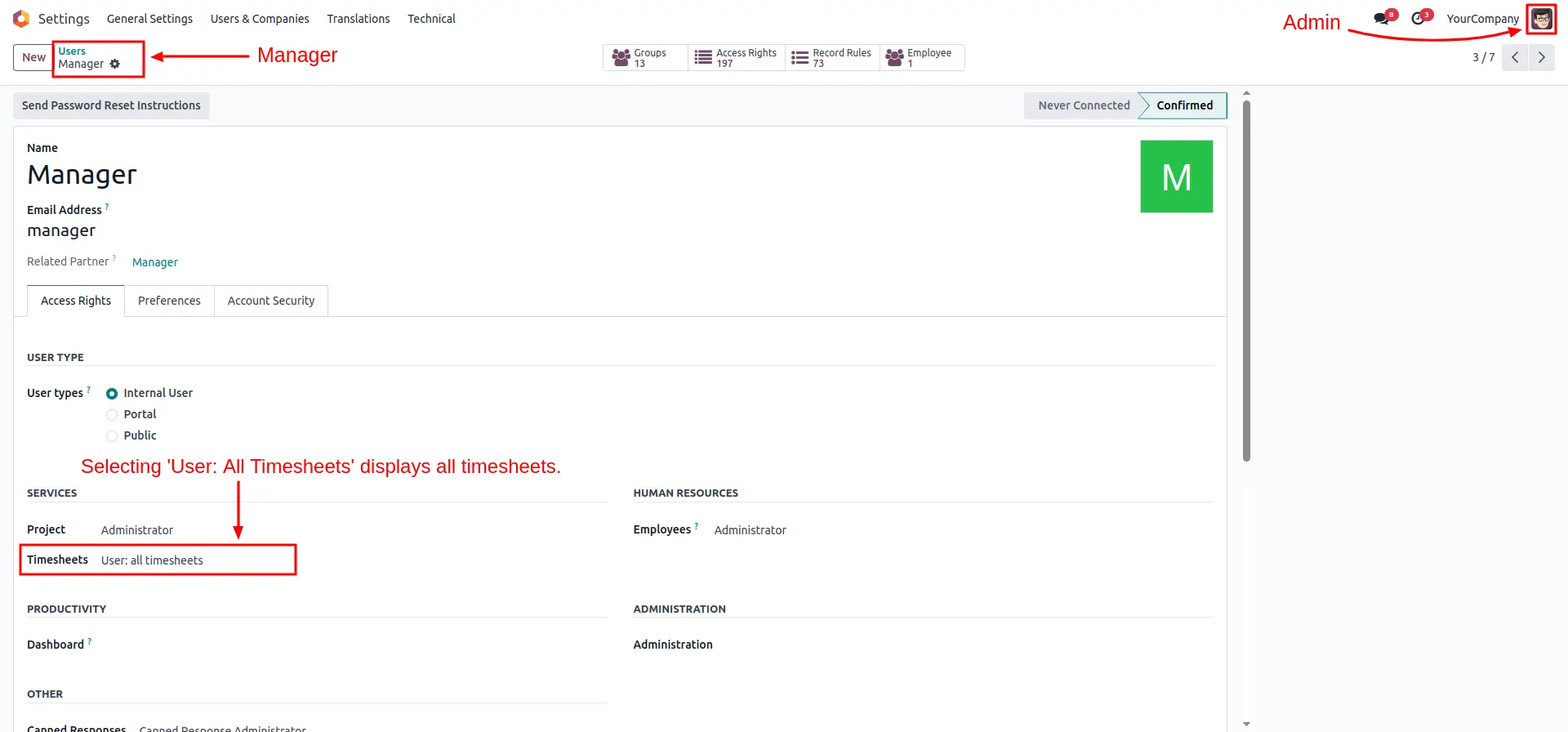
Navigate to the Manager's user profile in Settings. Set the Timesheets access right to "User: All Timesheets". This allows the manager to oversee all timesheet records across the organization.
Configure Team Leader A Access
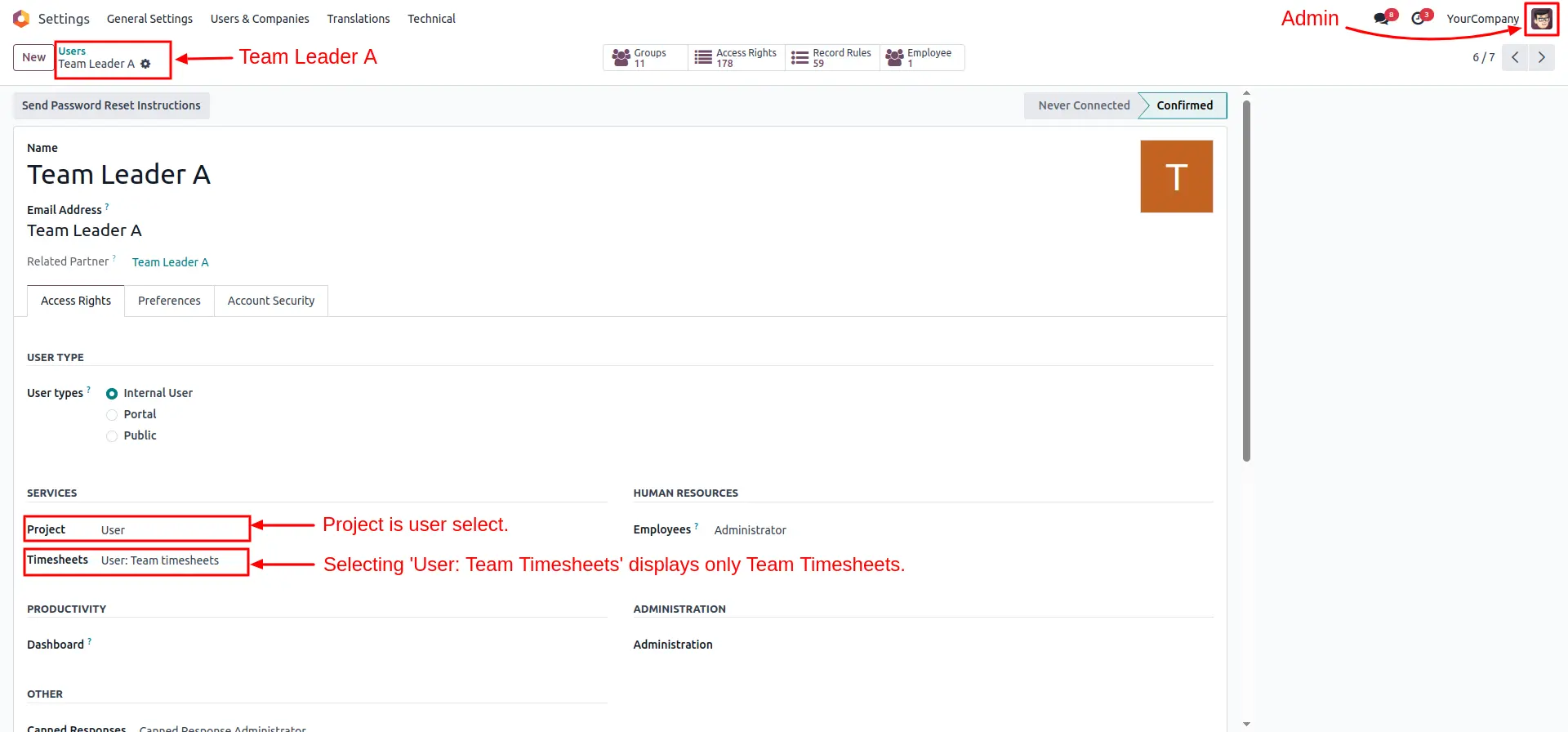
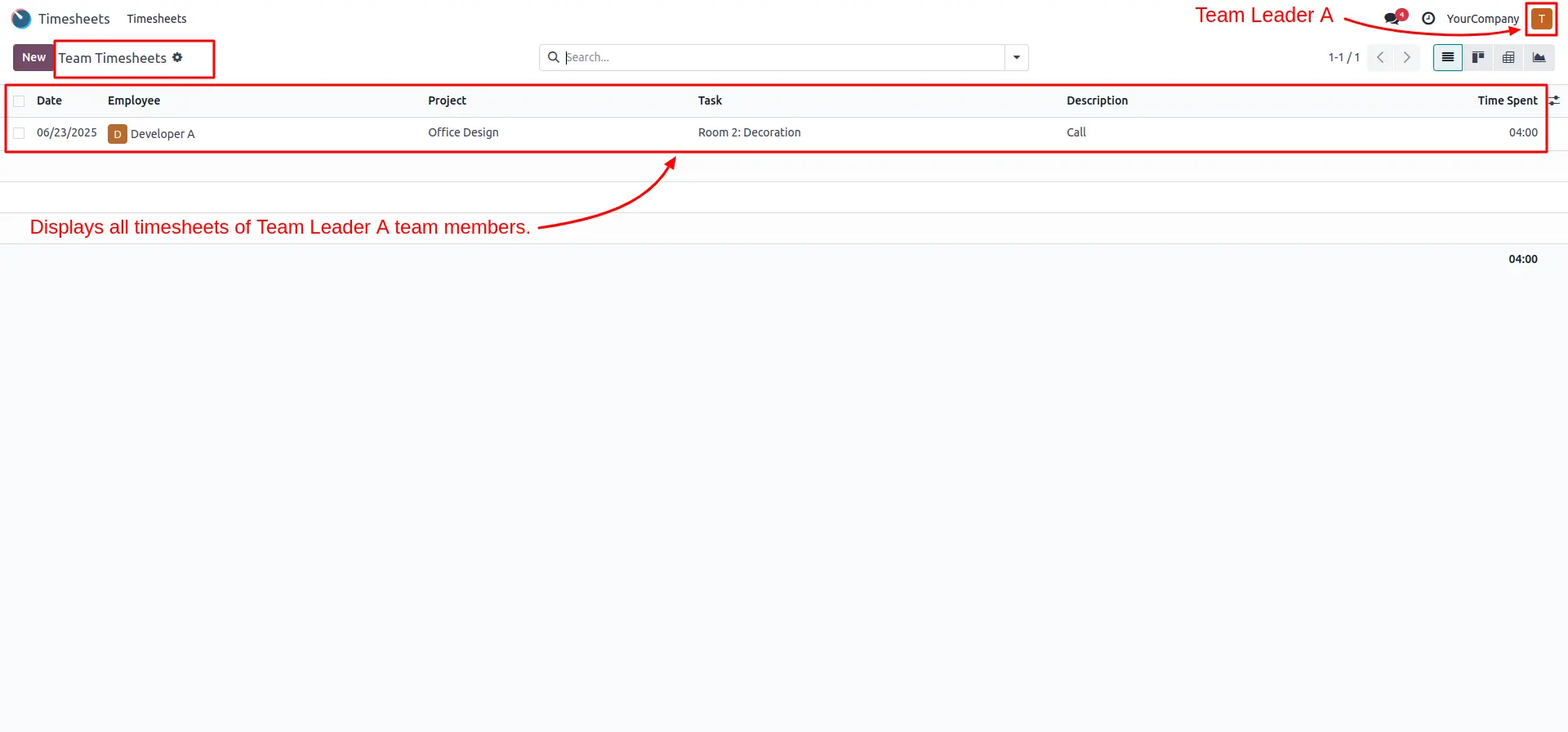
Open the profile for Team Leader A. In the Timesheets section, select "User: Team Timesheets". This limits their visibility specifically to their assigned team members.
Restrict Developer Access
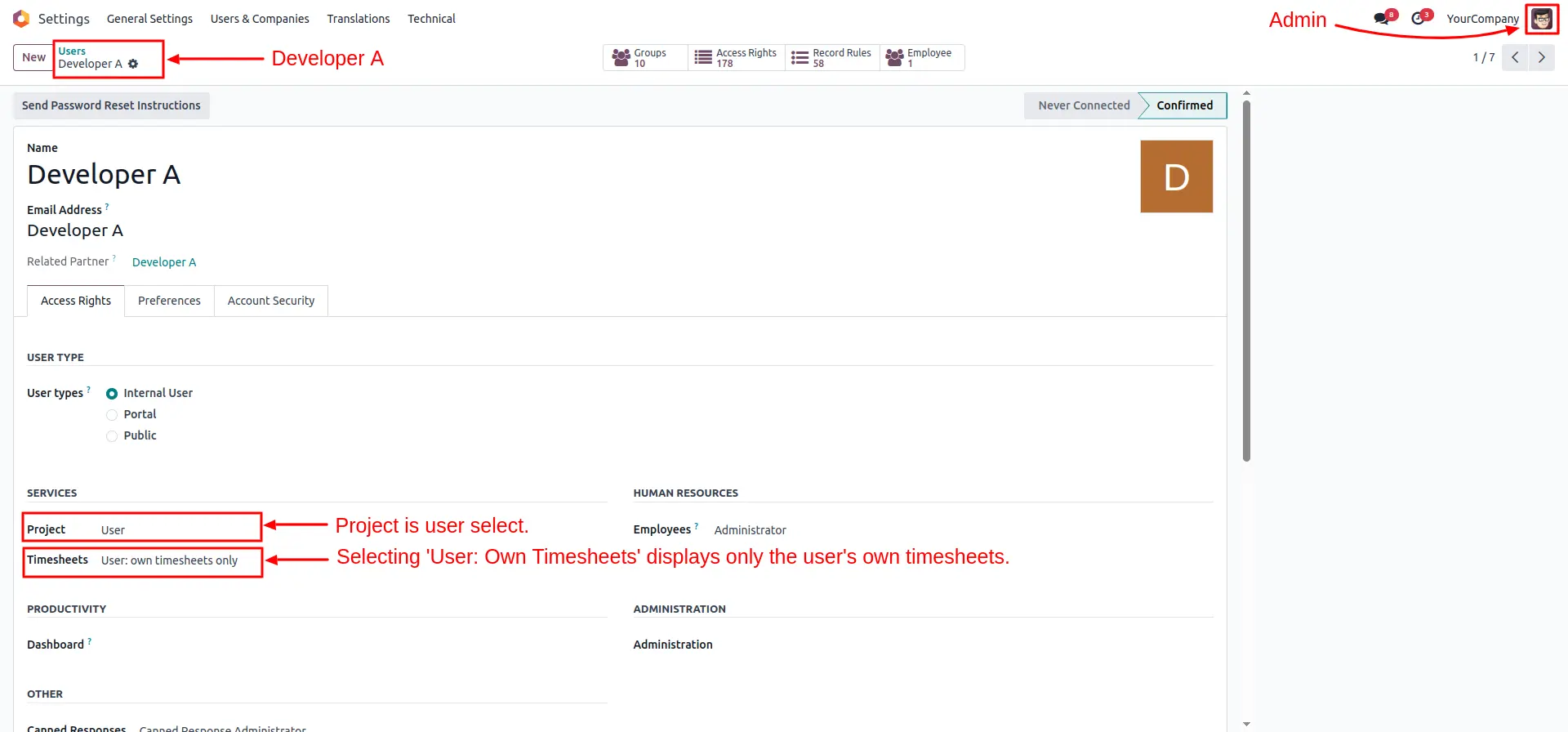
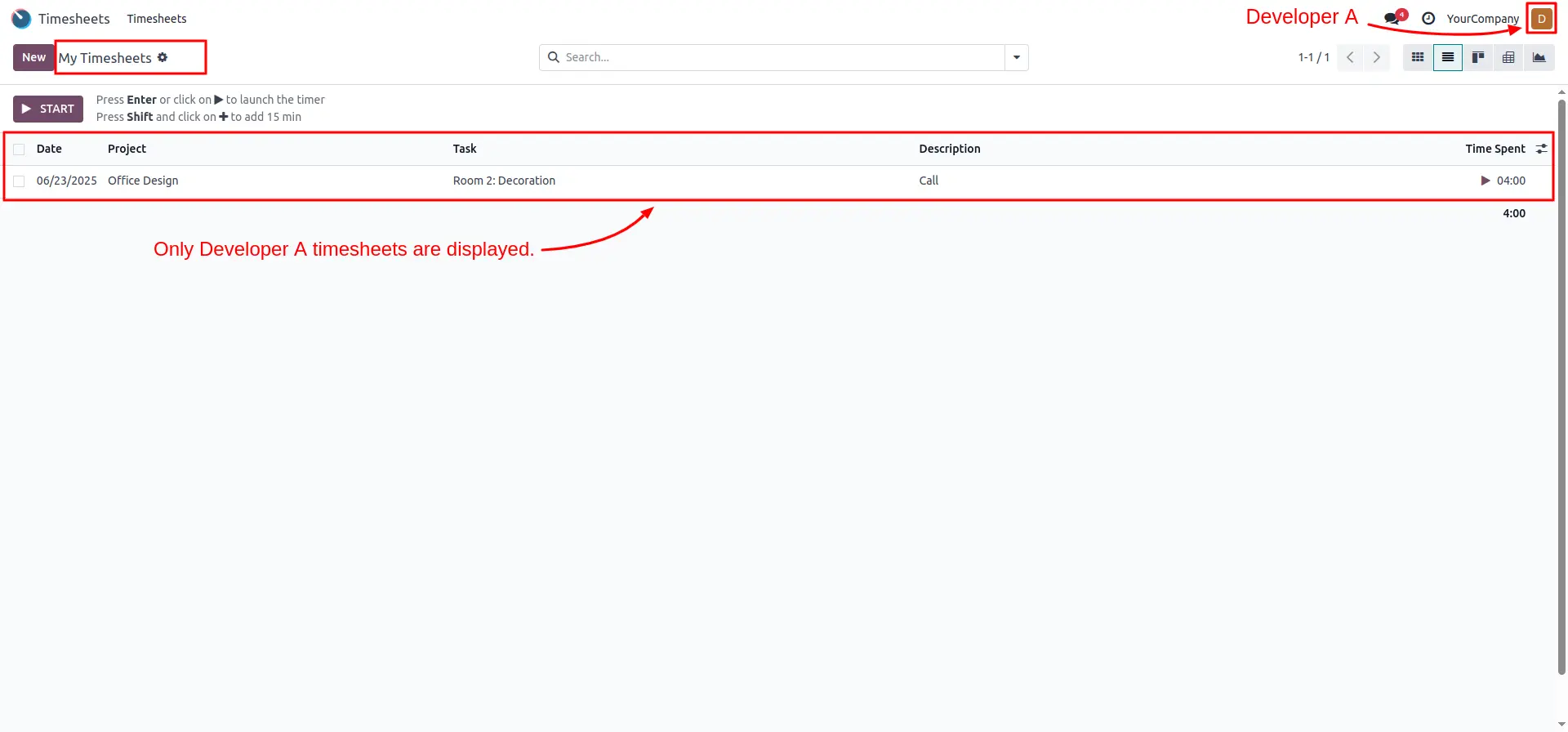
For standard employees like Developer A, set the Timesheets access to "User: Own Timesheets only" to ensure privacy and data security within the team.
Verify Manager Unified View
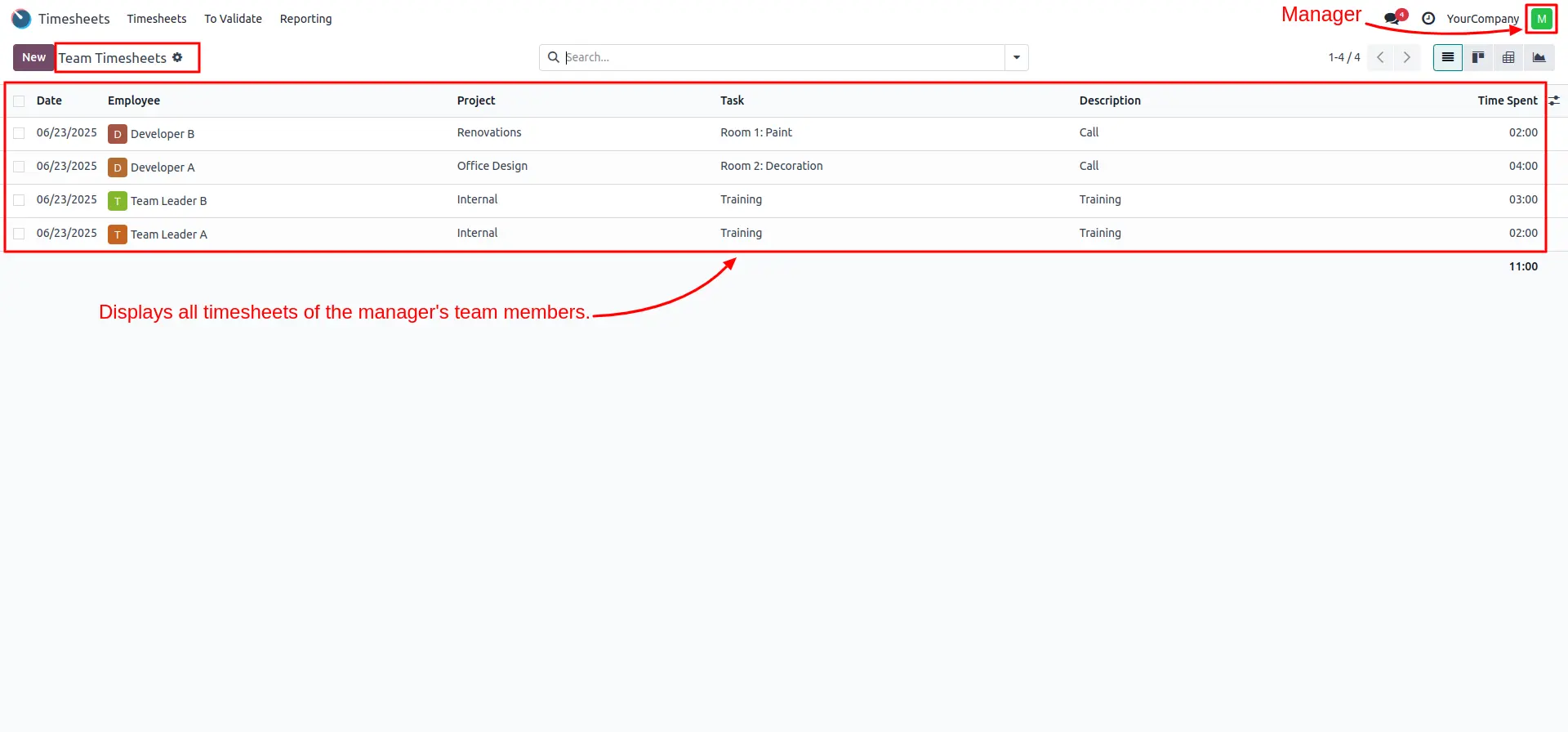
When logged in as a Manager, the Team Timesheets view will display all entries from every team member (Developer A, Developer B, Team Leader A, etc.) in a consolidated list.
Verify Team Leader A View
Team Leader A will see a filtered view under "Team Timesheets" that includes only the timesheet entries of their specific reporting team (e.g., Developer A).
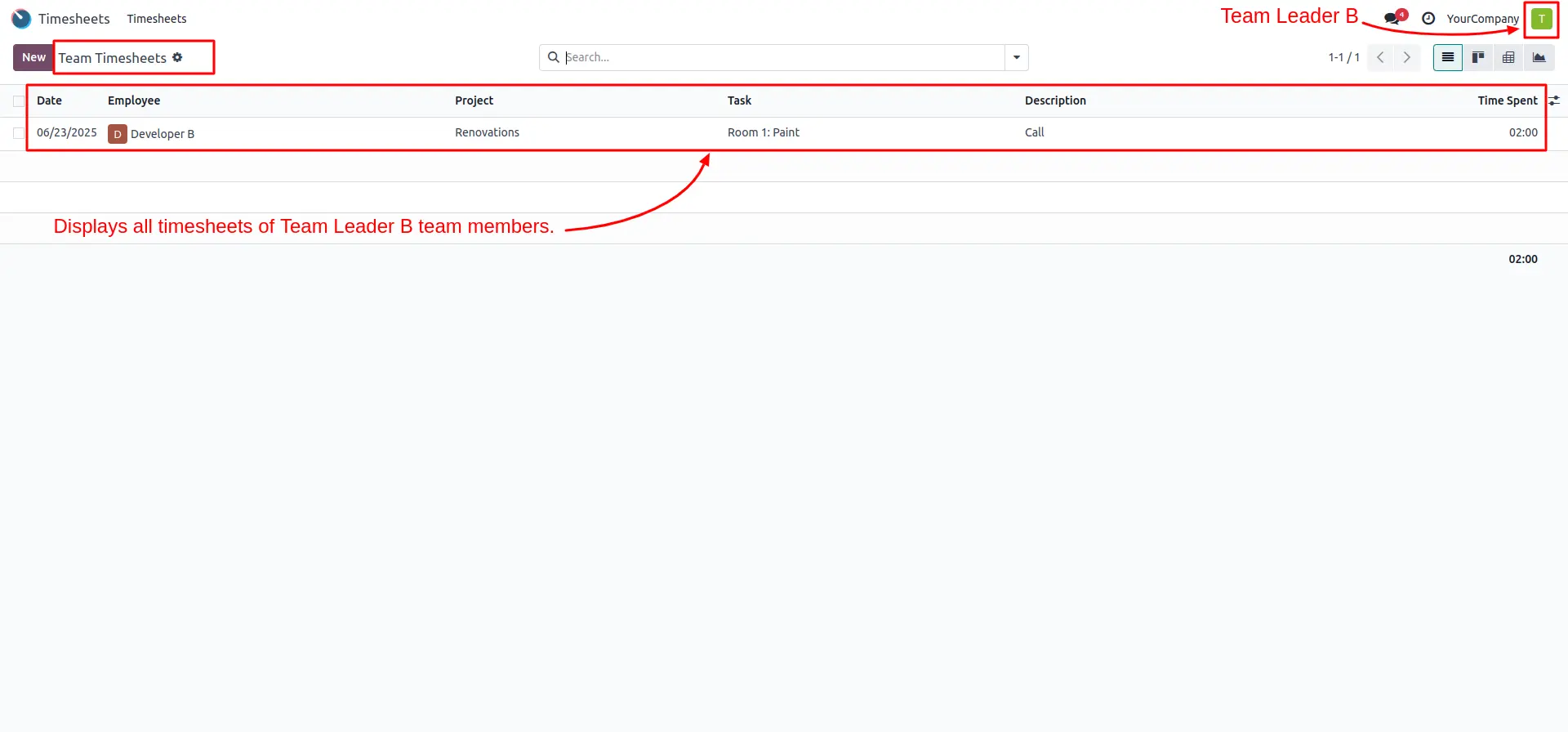
Verify Team Leader B Overly
Similarly, Team Leader B can monitor their own squad (e.g., Developer B), ensuring that team oversight is correctly partitioned across different leaders.
Confirm Employee Private View
The employee view (e.g., Developer A) remains focused. They see the "My Timesheets" menu, ensuring they only interact with and view their own personal work records.
Frequently Asked Questions
Technical Details
Dependencies
• Project (project)
• Discuss (mail)
• Employees (hr)
License
OPL-1
Need Assistance?
Email Support
contact@gritxi-tech.comAny Questions?
Have questions about this app?
Fill out the form below and our team will get back to you with more information.
Customer Reviews
Share your experience with this module.
Write a Review
Latest Reviews
No reviews yet. Be the first to share your thoughts!