
Surcharge In Purchase and Vendor Bill
Apply a surcharge to purchase order and vendor bill lines, automatically updating totals.
Surcharge In Purchase and Vendor Bill
Apply percentage-based surcharges directly to Purchase Order and Vendor Bill lines. Automate your financial adjustments with seamless data transfer and real-time total calculations.
App Overview

Introduction
The Surcharge In Purchase and Vendor Bill module allows businesses to apply surcharge percentages directly on Purchase Order (PO) and Vendor Bill lines. By introducing a native surcharge field, it eliminates the need for manual calculations or separate product lines, ensuring accurate billing adjustments throughout your procurement workflow. Surcharge values flow seamlessly from the initial order to the final bill, maintaining perfect financial synchronization.

Purpose
In procurement, businesses often encounter unexpected vendor surcharges for logistics, raw materials, or handling fees. Standard Odoo does not provide a native way to apply percentage-based surcharges to purchase lines, forcing teams to use manual workarounds.
This module simplifies everything by integrating surcharge management into the standard Odoo purchase cycle. Its primary purpose is to provide **100% pricing transparency** by automatically recalculating taxes and totals as soon as a surcharge is added. This ensures that every stakeholder—from purchasing agents to accountants—works with consistent, surcharge-inclusive financial data.

Targeted Businesses

Wholesale
Easily apply logistics, handling, or operational surcharges on bulk purchase orders.

Manufacturing
Add production, special packaging, or raw material cost surcharges to incoming supply lines.
Logistics
Automate various transportation or fuel surcharge percentages based on vendor-specific billing.
Key Features

Line-Level Surcharge
Apply surcharge percentages directly on individual Purchase Order and Vendor Bill lines for maximum control.

Automatic Totaling
Subtotals, taxes, and totals automatically recalculate the moment a surcharge value is entered.
Seamless Invoice Flow
Confirm your PO and create a Vendor Bill—all surcharge data transfers instantly without manual re-entry.
User Access Control
Global configuration support allows you to enable surcharge access via security groups and settings.
Strategic Reports
Both PO and Vendor Bill PDF reports are updated to include a transparent, dedicated surcharge column.
Configuration Steps
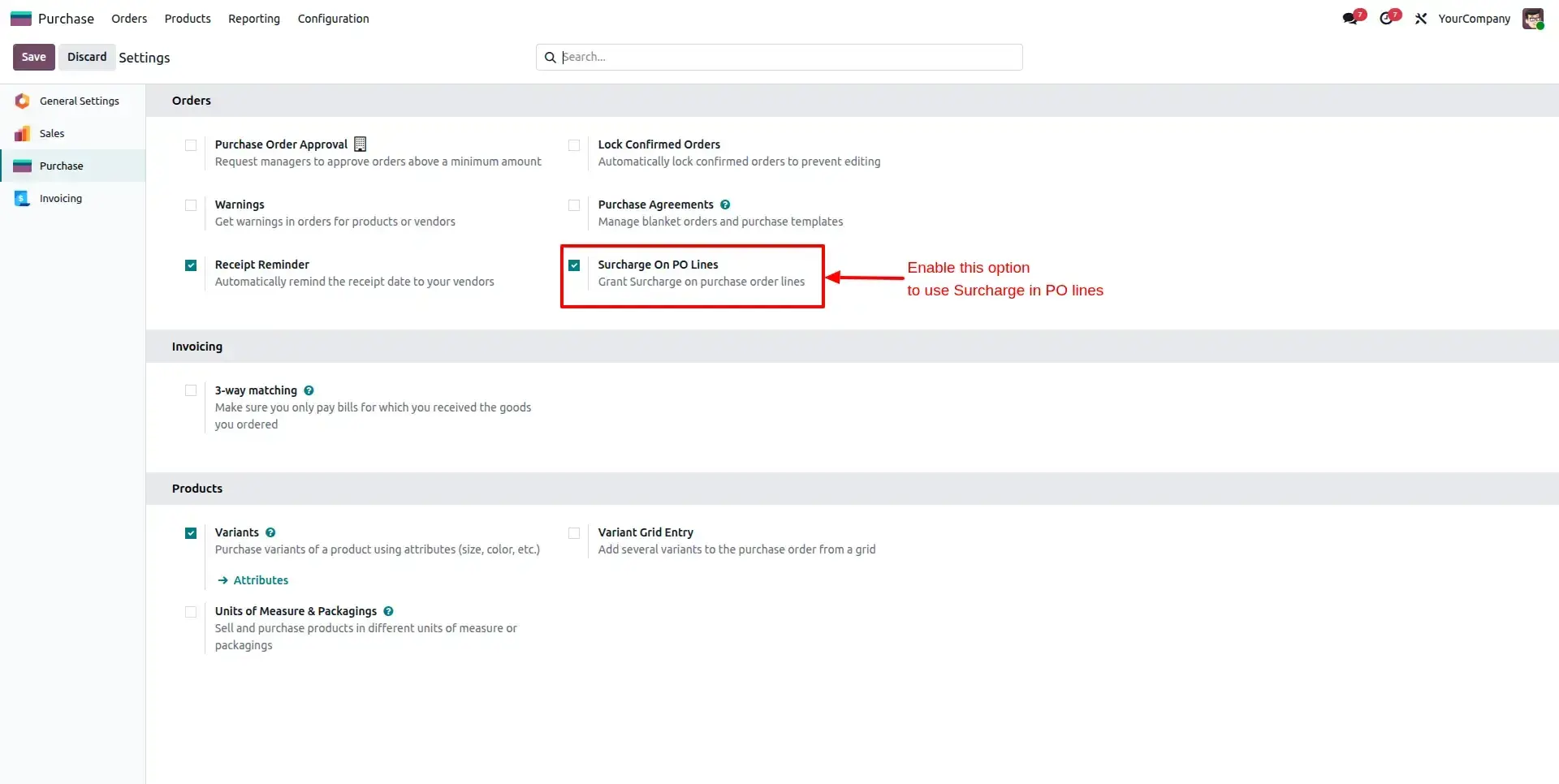
Enable PO Surcharge
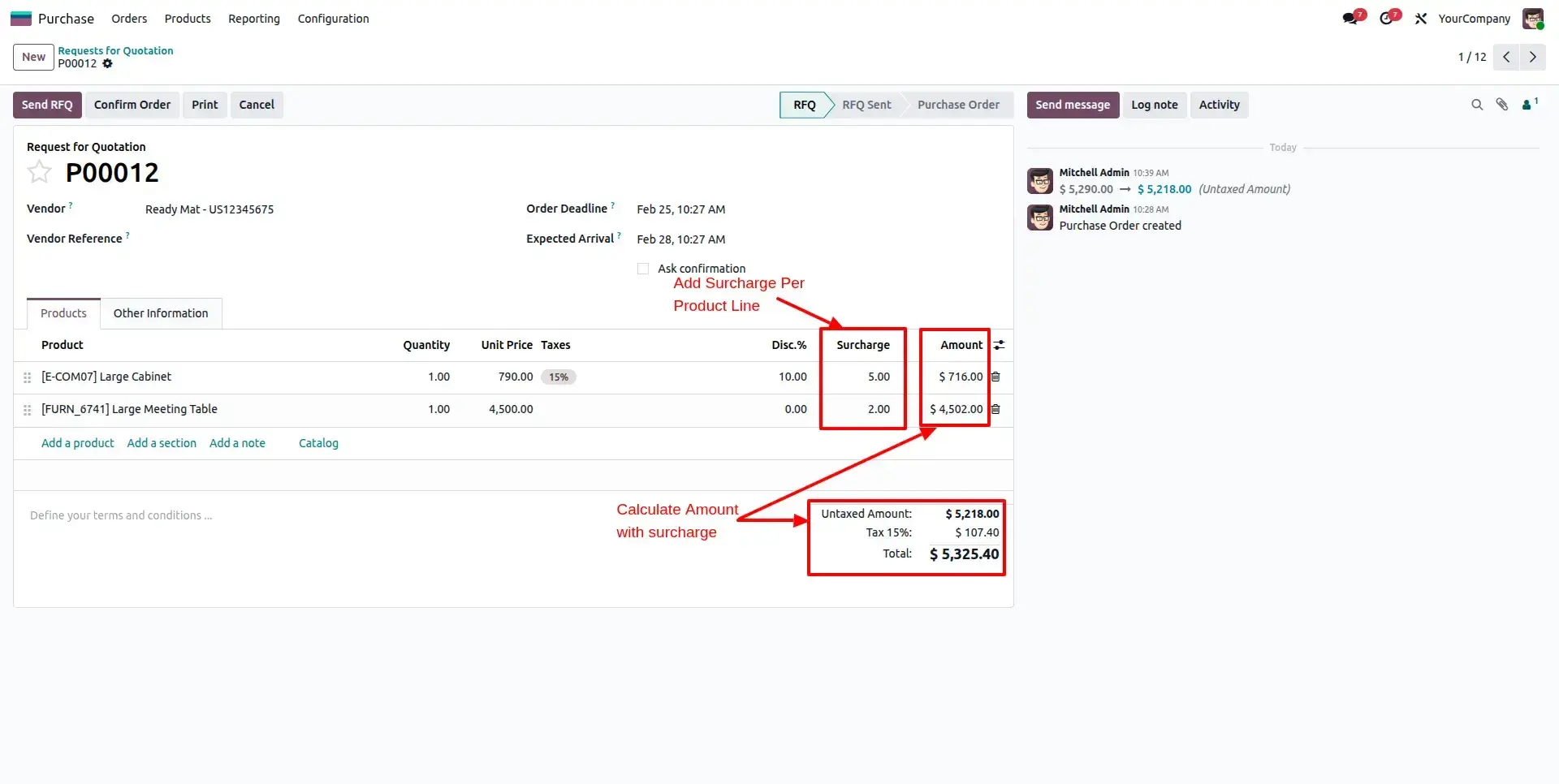
Navigate to Purchase > Configuration > Settings. Enable the "Surcharge in PO lines" checkbox to activate the feature on all purchase forms.
Manage PO Line Surcharge
Open a Purchase Order. Locate the new Surcharge column and enter your desired percentage. Subtotals and tax amounts will recalculate instantly.
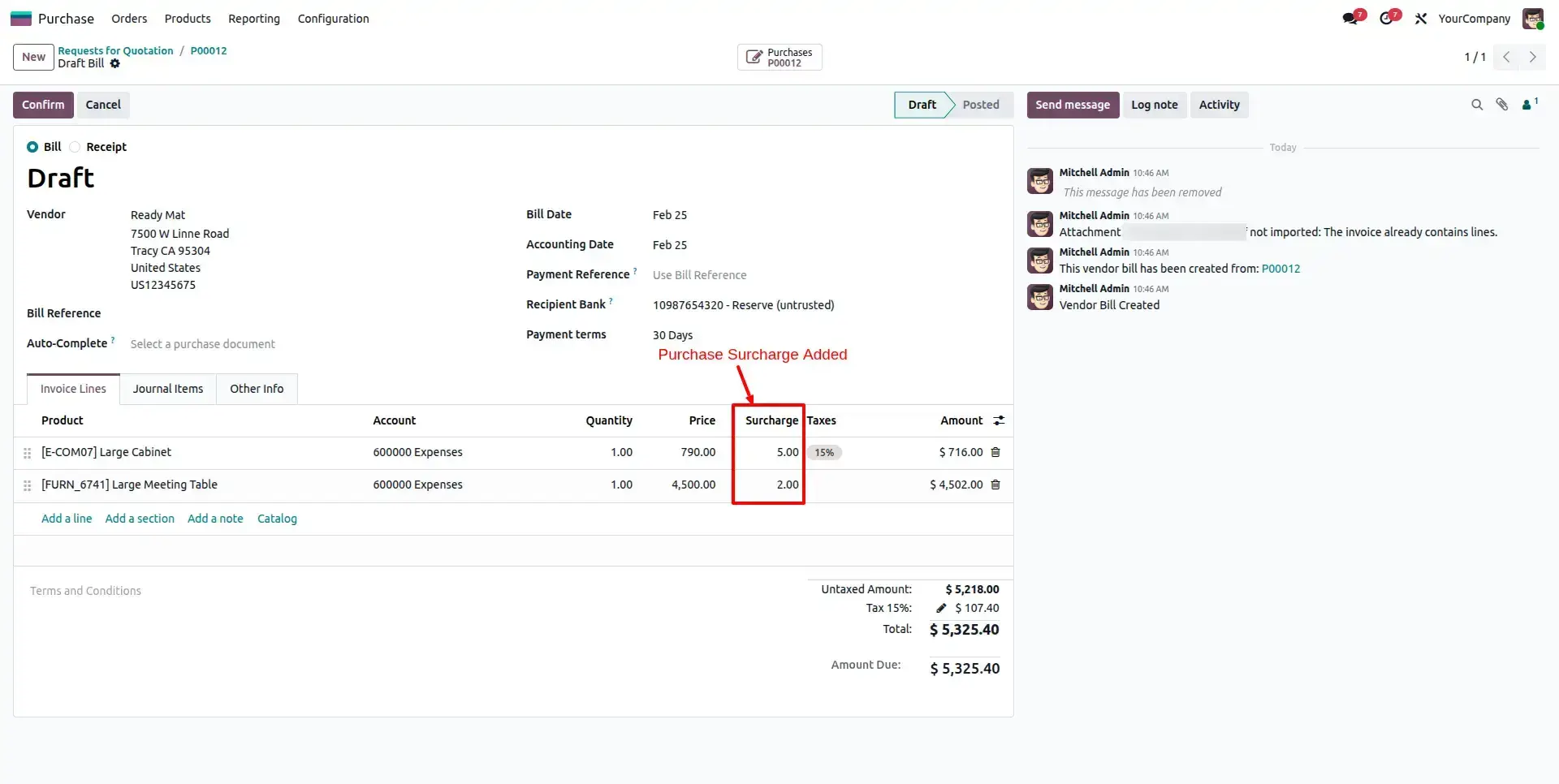
Auto-Pass to Vendor Bill
Confirm the PO and click "Create Bill". All surcharge values are automatically synced to the Vendor Bill lines for perfect accounting accuracy.
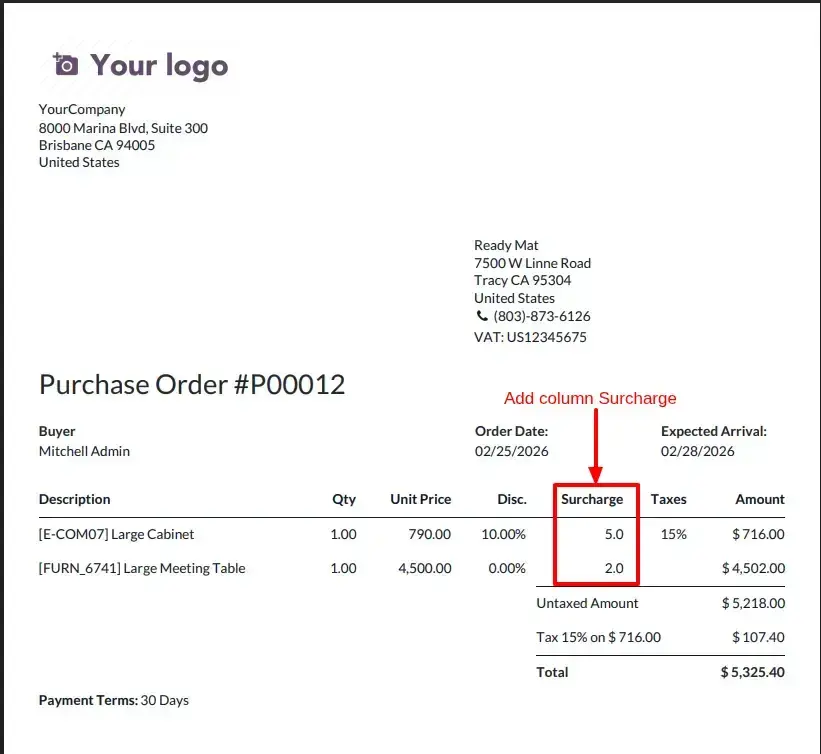
Generate PO Reports
Generate the Purchase Order PDF. The Surcharge is clearly displayed as a dedicated column for vendor transparency.
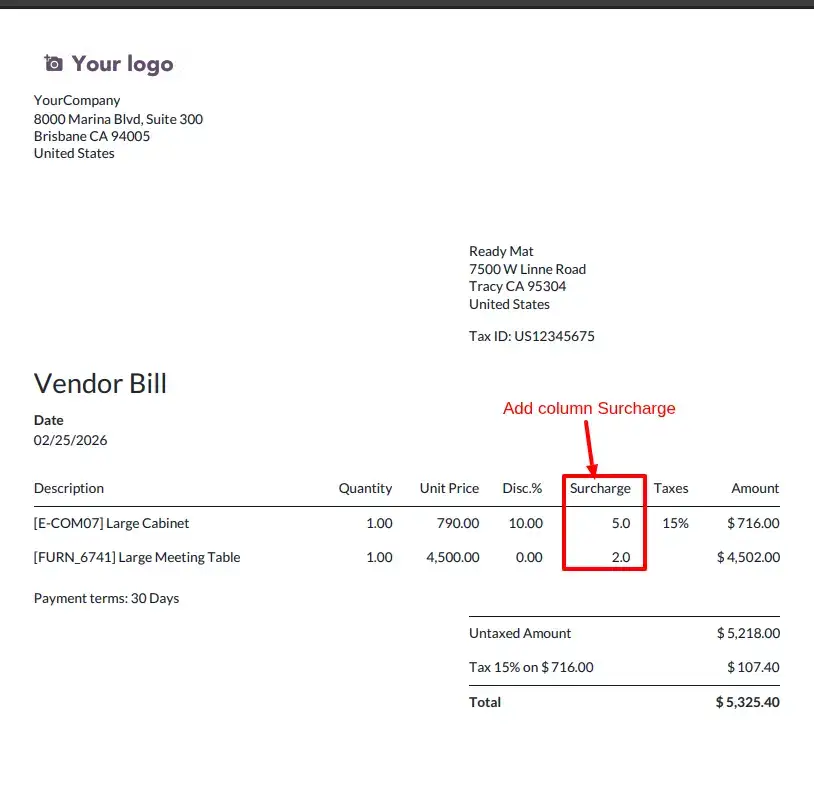
Final Vendor Bill Report
The final Vendor Bill PDF maintains full billing transparency, showing how surcharges were applied to achieve the billable total.
Frequently Asked Questions
Technical Details
Dependencies
• Invoicing (account)
• Purchase (purchase)
• Discuss (mail)
License
OPL-1
Need Assistance?
Email Support
contact@gritxi-tech.comAny Questions?
Have questions about this app?
Fill out the form below and our team will get back to you with more information.
Customer Reviews
Share your experience with this module.
Write a Review
Latest Reviews
No reviews yet. Be the first to share your thoughts!