
Sales Delivery Status
Show Delivery order Status on Sales Orders
Sales Delivery Status
Instantly track delivery progress (Not, Partial, or Full) directly from your Sales list view, eliminating manual audits and maximizing fulfillment efficiency.
App Overview

Introduction
Tracking delivery progress in Odoo typically requires opening each Sales Order individually to check linked stock picking records. For high-volume teams, this is slow and repetitive. The Sales Delivery Status module solves this by adding a dedicated Delivery Status column directly to the Sales Orders list view. Without opening a single record, your team can instantly see whether each order is Not Delivered, Partially Delivered, or Fully Delivered updated in real time as deliveries are validated. Assess fulfillment progress at a glance without opening a single record.

Purpose
Maximize team productivity by eliminating unnecessary clicks. Whether it's a partial shipment or a fully validated delivery, the status recomputes automatically in real-time. This ensures that your logistics and sales teams are always aligned on order fulfillment stages without manual report generation.
Key Features
At-a-Glance Progress
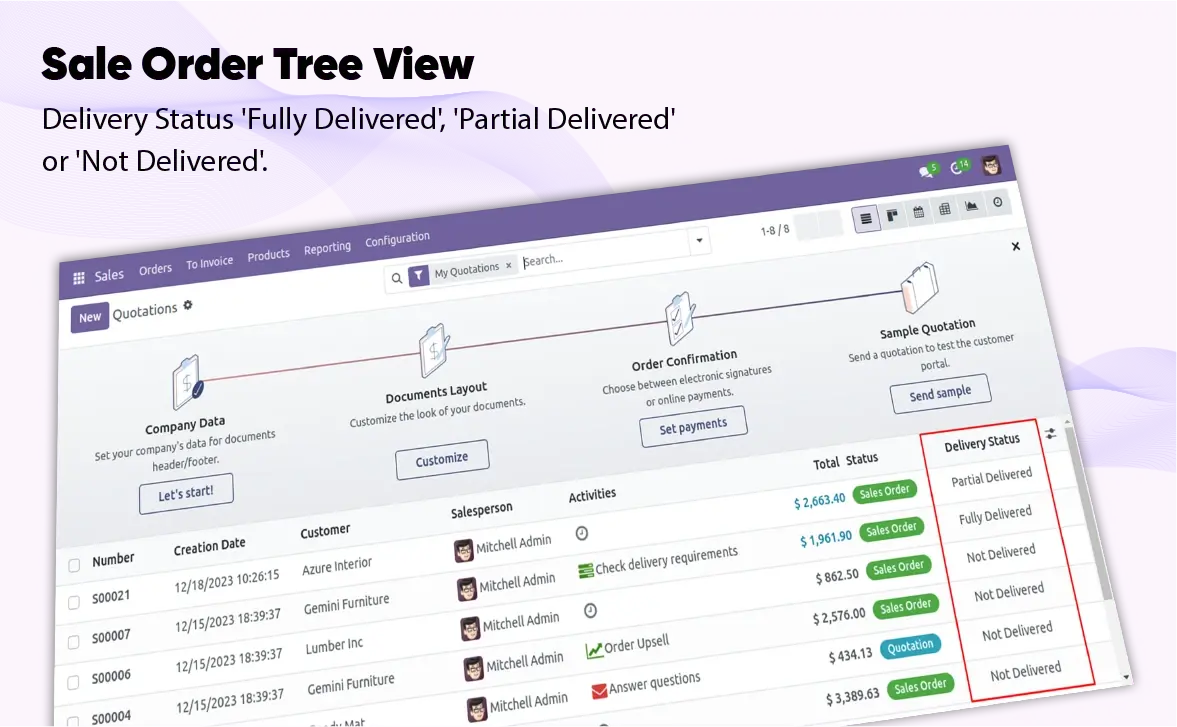
A Delivery Status column appears on both Quotations and Sales Orders list views for instant assessment.
Automatic Recomputation
Status recomputes instantly whenever a delivery is validated, return processed, or line quantity changed.
User-Controlled Column
Optionally show or hide the column using Odoo's native selector for a personalized workspace.
Universal Multi-View Support
Injected into both Quotation and Sales Order trees to maintain visibility wherever your team works.
Zero Storage Overhead
Calculated on the fly with no new database columns, requiring no migration during install or upgrade.
No Workflow Impact
Adds purely read-only functionality without modifying existing methods, workflows, or buttons.
Configuration & Workflow
Fulfillment Quantity Logic
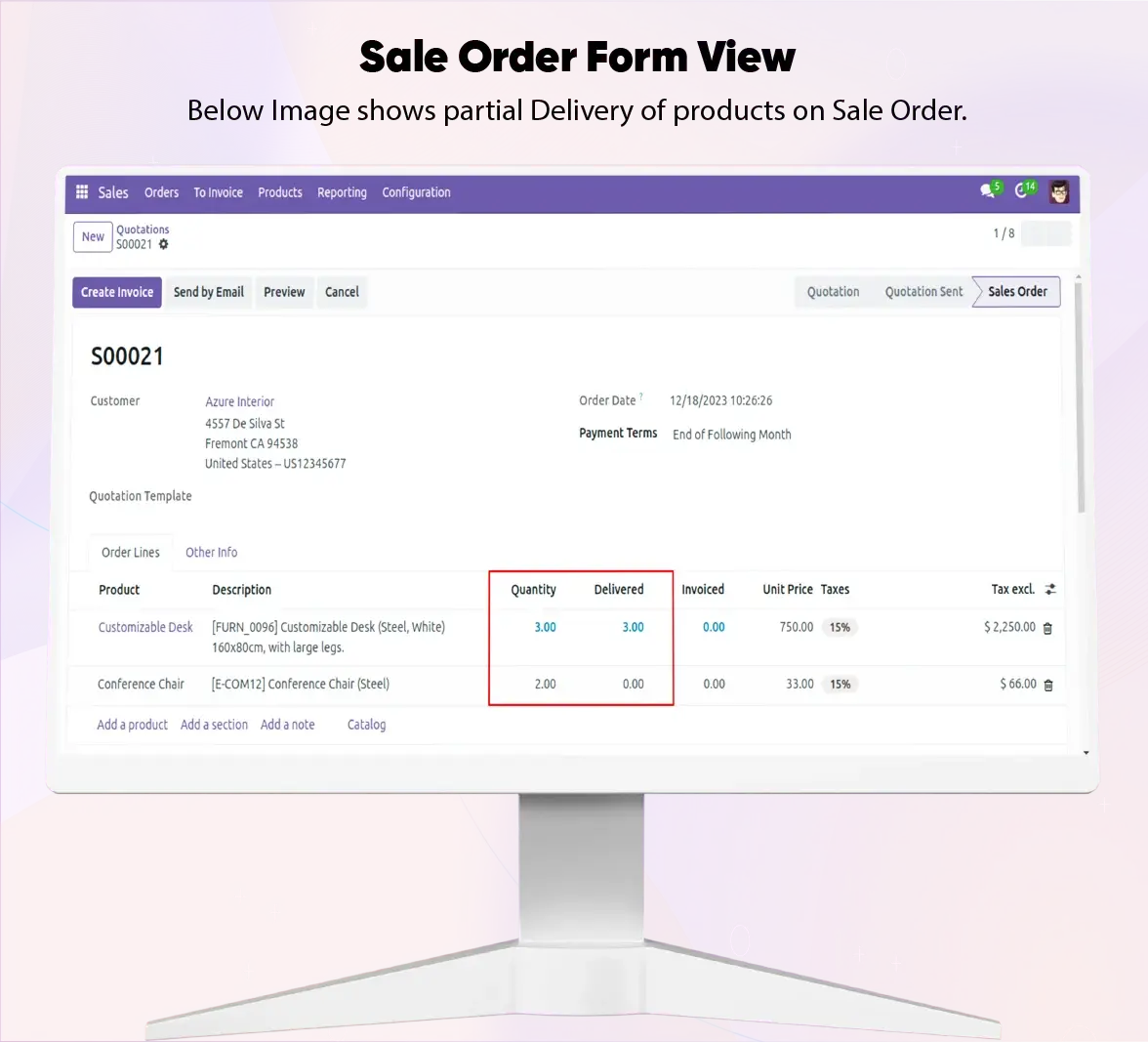
The system automatically compares the Quantity Ordered vs Quantity Delivered on every line item. This logic handles standard shipments, partial deliveries, and even backorders seamlessly.
Instant Status Feedback
View the calculated overall status instantly: "Not Delivered" for zero progress, "Partial Delivered" when some lines are confirmed, and "Fully Delivered" once the entire order is fulfilled.
Frequently Asked Questions
Technical Details
Dependencies
• Sales (sale_management)
• Discuss (mail)
• Invoicing (account)
• Inventory (stock)
License
OPL-1
Need Assistance?
Email Support
contact@gritxi-tech.comAny Questions?
Have questions about this app?
Fill out the form below and our team will get back to you with more information.
Customer Reviews
Share your experience with this module.
Write a Review
Latest Reviews
No reviews yet. Be the first to share your thoughts!