
Restrict Contacts by Salesperson
Restrict Contacts by Salesperson | Automatically limit partner visibility based on user roles and salesperson ownership
Restrict Contacts by Salesperson
Secure customer data by restricting contact visibility based on the assigned salesperson. Users with Own Documents Only access can view only their assigned contacts, while managers and administrators retain complete visibility across the entire partner database.
App Overview

Introduction
In a multi-salesperson Odoo environment, every user can normally browse the complete Contacts database and select any partner from Many2one fields throughout the system. This creates unnecessary visibility, increases the risk of accidental modifications, and may expose customer information that belongs to other sales representatives.
Restrict Contacts by Salesperson solves this challenge by applying secure server-side record rules on res.partner. Users assigned to Sales: Own Documents Only can view only the contacts where they are the assigned salesperson, while Sales Managers and Administrators continue to have unrestricted access to all partner records.
Since the security is enforced at Odoo's ORM level, the restriction automatically applies across Contacts, Sales, CRM, Accounting, Purchases, Invoicing, and every custom module that references res.partner. No additional configuration is required after installation.

Purpose
The purpose of this module is to protect customer information by
enforcing salesperson-based visibility across the entire Odoo
system.
It helps organizations maintain customer privacy, prevent
cross-salesperson data exposure, simplify contact selection, and
extend Odoo's existing Own Documents Only security
model from Sales Orders to every partner record in the database.
With lightweight XML-based record rules and no custom Python or
JavaScript code, the module provides a secure, reliable, and
maintenance-friendly solution for businesses that require strict
customer ownership and controlled data access.
Targeted Business Types
Sales Organizations
Prevent sales representatives from accessing customers that belong to other team members while keeping customer ownership clearly separated.
CRM Teams
Ensure every salesperson only works with leads and contacts assigned to them while managers continue monitoring all customer relationships.
Financial & Professional Services
Protect confidential client information and enforce strict customer ownership policies across accounting, consulting, legal, and financial organizations.
Multi Branch Businesses
Reduce customer data leakage between different branches or regional sales teams while maintaining centralized managerial visibility.
Key Features
Salesperson Based Contact Visibility
Users with Own Documents Only access can view only contacts assigned to them as the Salesperson.
Manager & Administrator Access
Sales Managers and Administrators retain unrestricted access to every partner record across the system.
Works Across All Apps
Automatically applies to Contacts, Sales, CRM, Accounting, Purchase, Invoicing, and custom modules using res.partner.
Server Side Security
Security is enforced through Odoo ORM record rules and cannot be bypassed from the browser or client-side tools.
Zero Configuration
Install the module, assign the appropriate Sales access groups, and restrictions become active automatically.
Lightweight Implementation
Built using simple XML record rules without custom Python, JavaScript, database migrations, or additional views.
Prevents Cross Salesperson Data Leakage
Prevents users from viewing or modifying contacts assigned to other salespeople, ensuring customer privacy and secure ownership.
Configuration & Workflow
Salesperson Based Partner Visibility
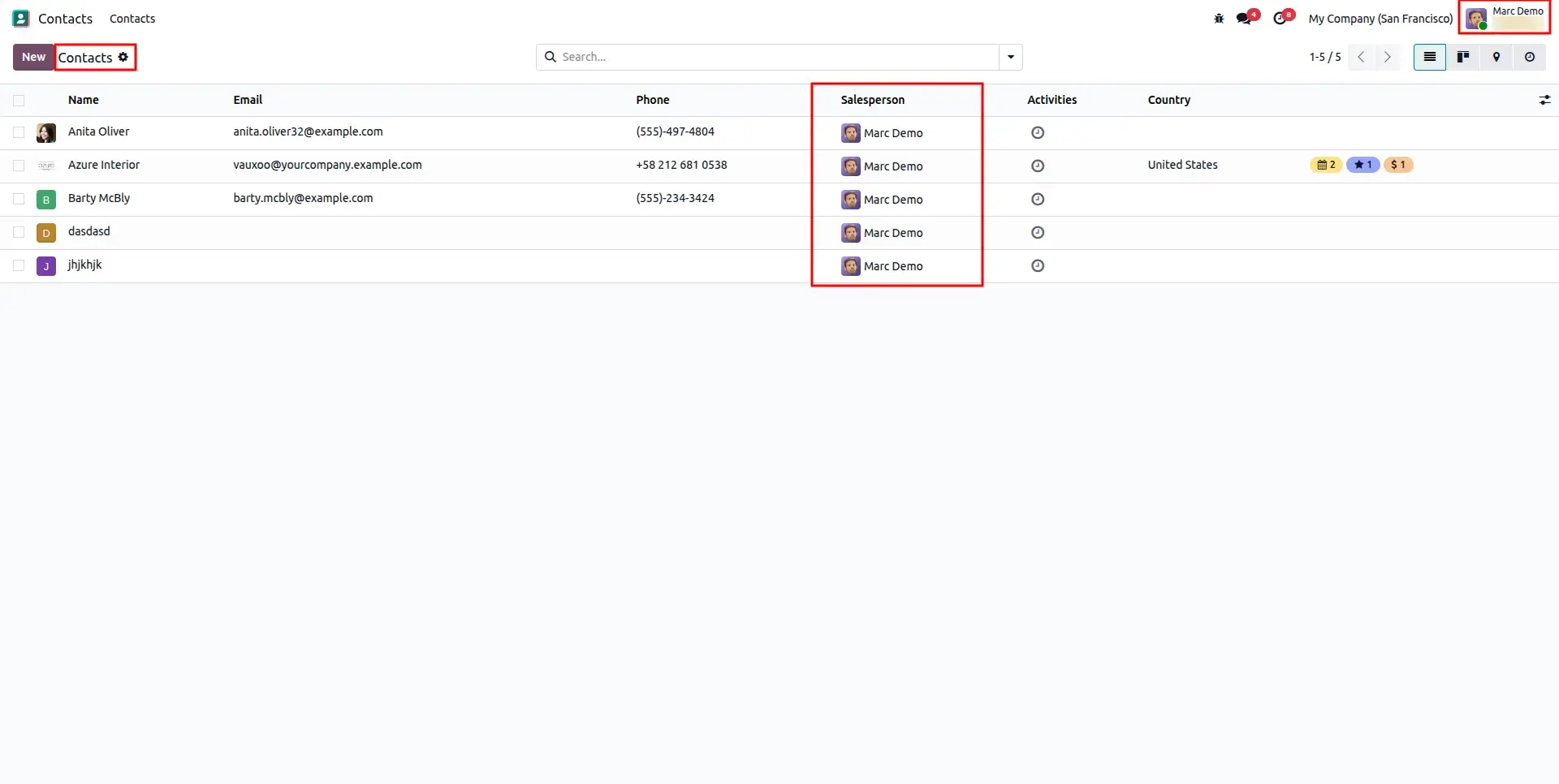
Assign users the Sales: Own Documents Only permission to automatically restrict contact visibility. Users can only access partner records where they are assigned as the salesperson, ensuring secure ownership of customer information.
Global Field Level Restrictions
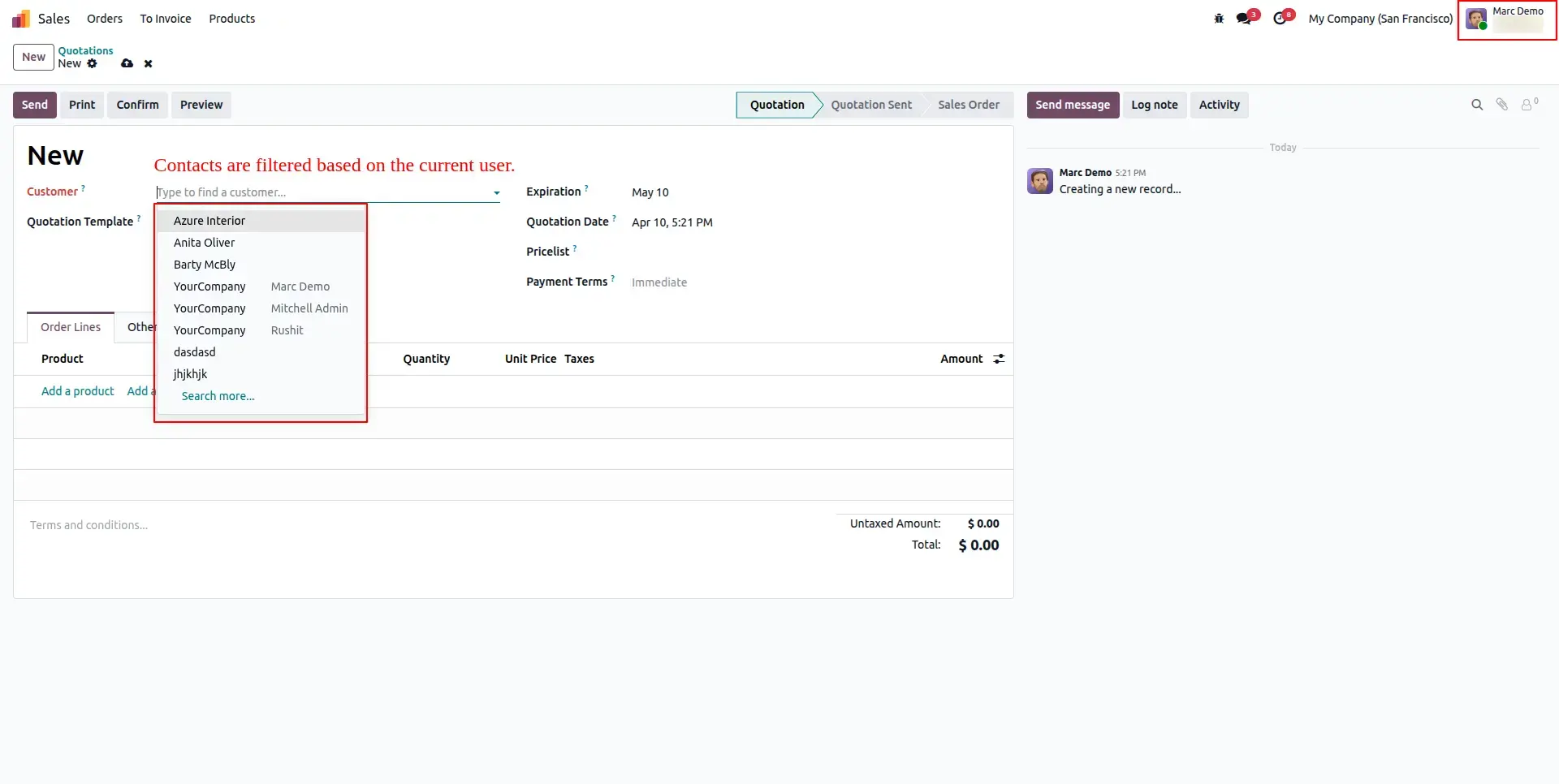
The security rules apply across the entire Odoo system. Whether users work in CRM, Sales, Accounting, Purchases, or any custom application, partner selection fields automatically display only the contacts assigned to the current salesperson.
Managerial Overview & Control
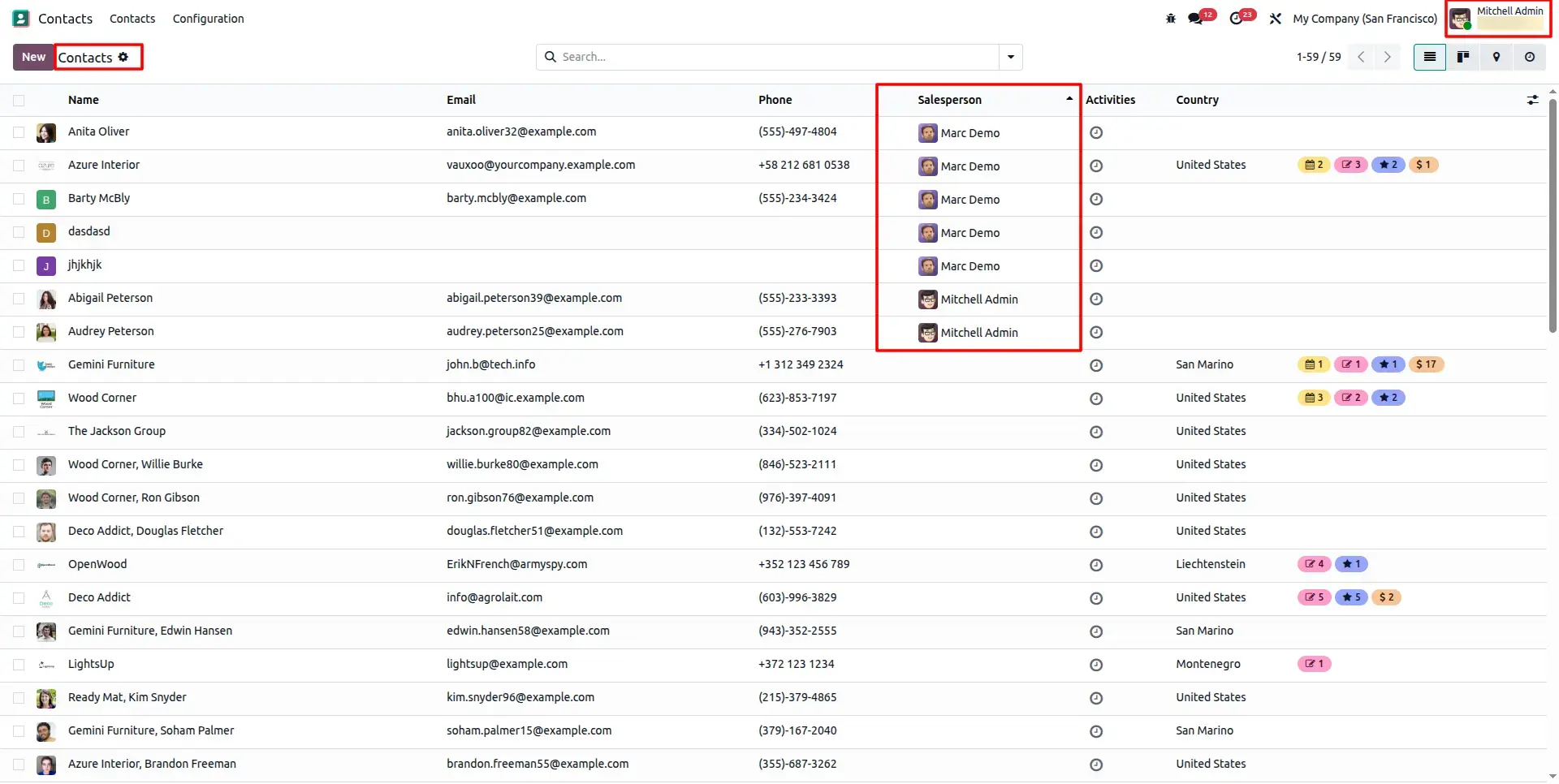
Users with All Documents access or Administrator privileges continue to view every partner record in the system. This enables managers to supervise teams, monitor customer relationships, and manage company-wide operations without restrictions.
Visibility of Partners for Managers
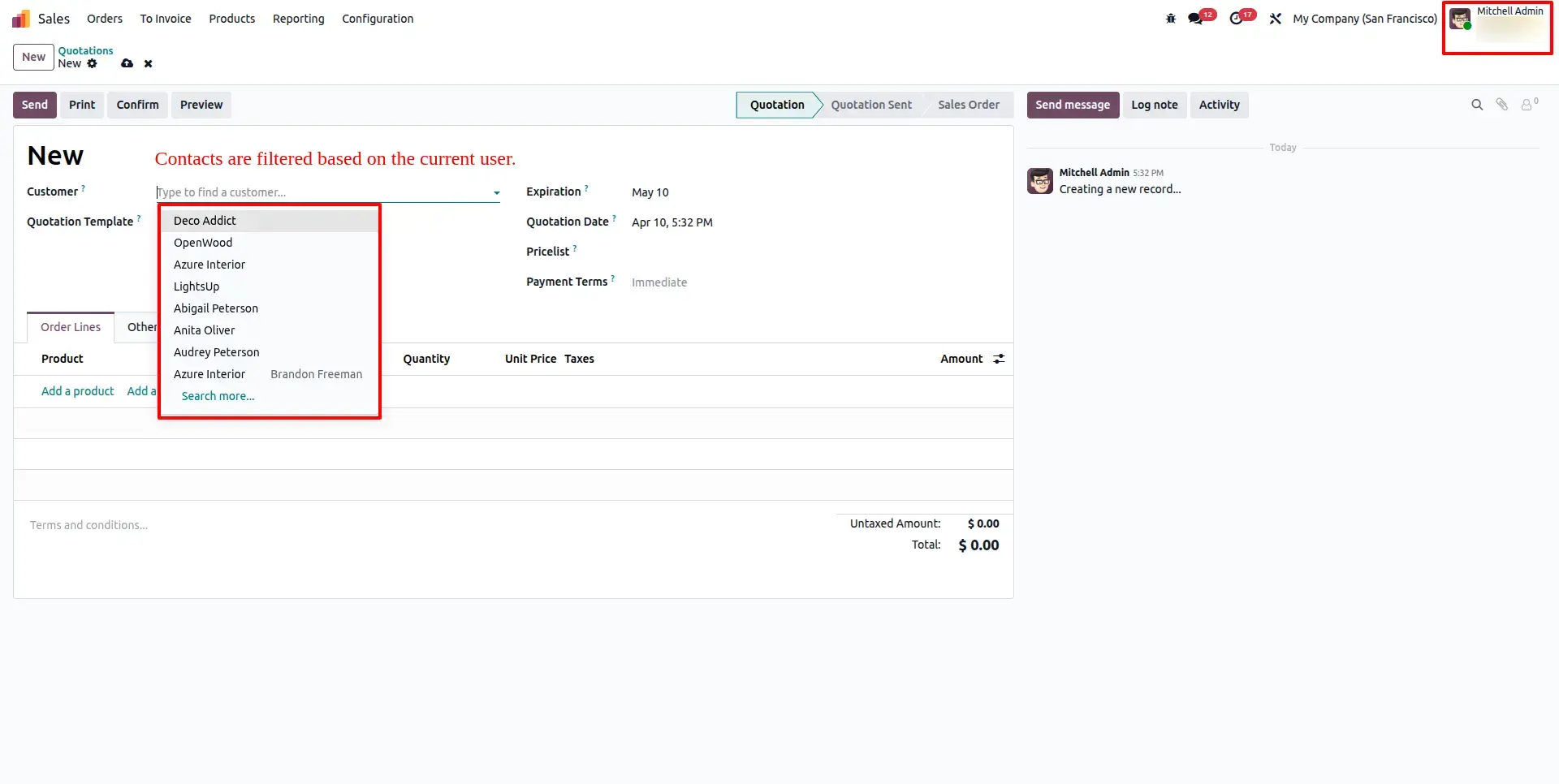
Managers and Administrators can freely search, select, and manage any partner across the organization, while standard sales representatives remain restricted to their own assigned contacts. This ensures complete business oversight without compromising data security.
Frequently Asked Questions
Technical Details
Dependencies
• Contacts (contacts)
• Sales Teams (sales_team)
License
OPL-1
Need Assistance?
Email Support
contact@gritxi-tech.comAny Questions?
Have questions about this app?
Fill out the form below and our team will get back to you with more information.
Customer Reviews
Share your experience with this module.
Write a Review
Latest Reviews
No reviews yet. Be the first to share your thoughts!