
Purchase Team
Purchase Team
Purchase Team
Organize and manage procurement operations with dedicated purchase teams. Bring the power of CRM Sales Team functionality to your Purchase workflows.
App Overview

Introduction
The Purchase Team app helps businesses organize and manage procurement operations using dedicated purchase teams inside Odoo. This module works similarly to the CRM Sales Team functionality, allowing companies to create multiple purchase teams, assign buyers, and manage workflows with departmental precision. Whether you are separating purchasing by branch, category, or department, this app provides the transparency and reporting needed to streamline high-scale procurement.

Purpose
Improve purchase workflow management and track responsibilities.
Organize purchase orders team-wise for better operational control.
Increase accountability in departmental purchasing processes.
Streamline procurement operations across multiple company branches.
Key Features

Centralized Team Hub
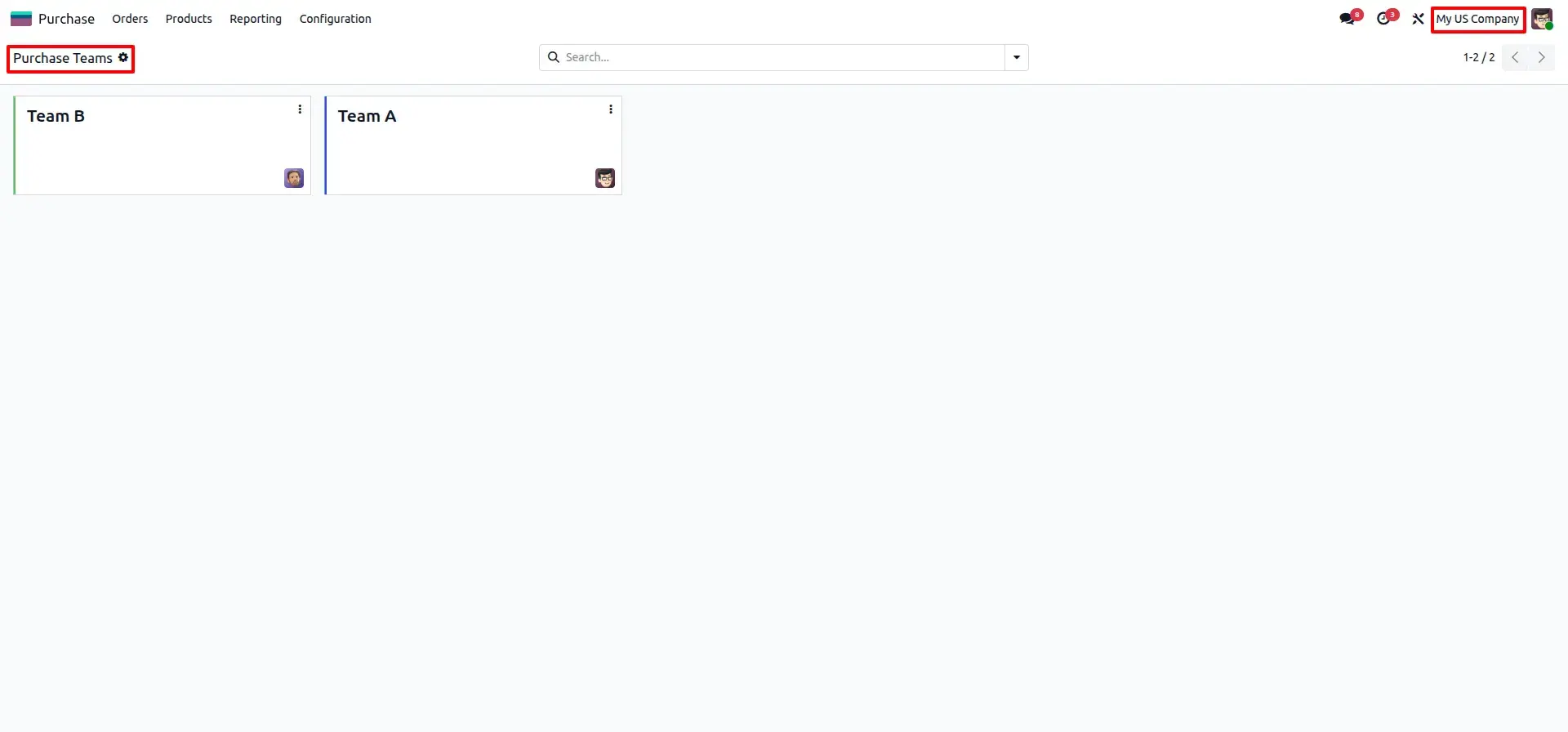
Create and manage multiple purchase teams similar to standard Odoo CRM Sales Teams.

Structured Buyer Assignment
Assign individual buyers to specific teams for clear procurement ownership and workload management.

Team-Based Tracking
Link Purchase Orders directly to a team for instant visibility on who is responsible for each order.
Advanced Analysis
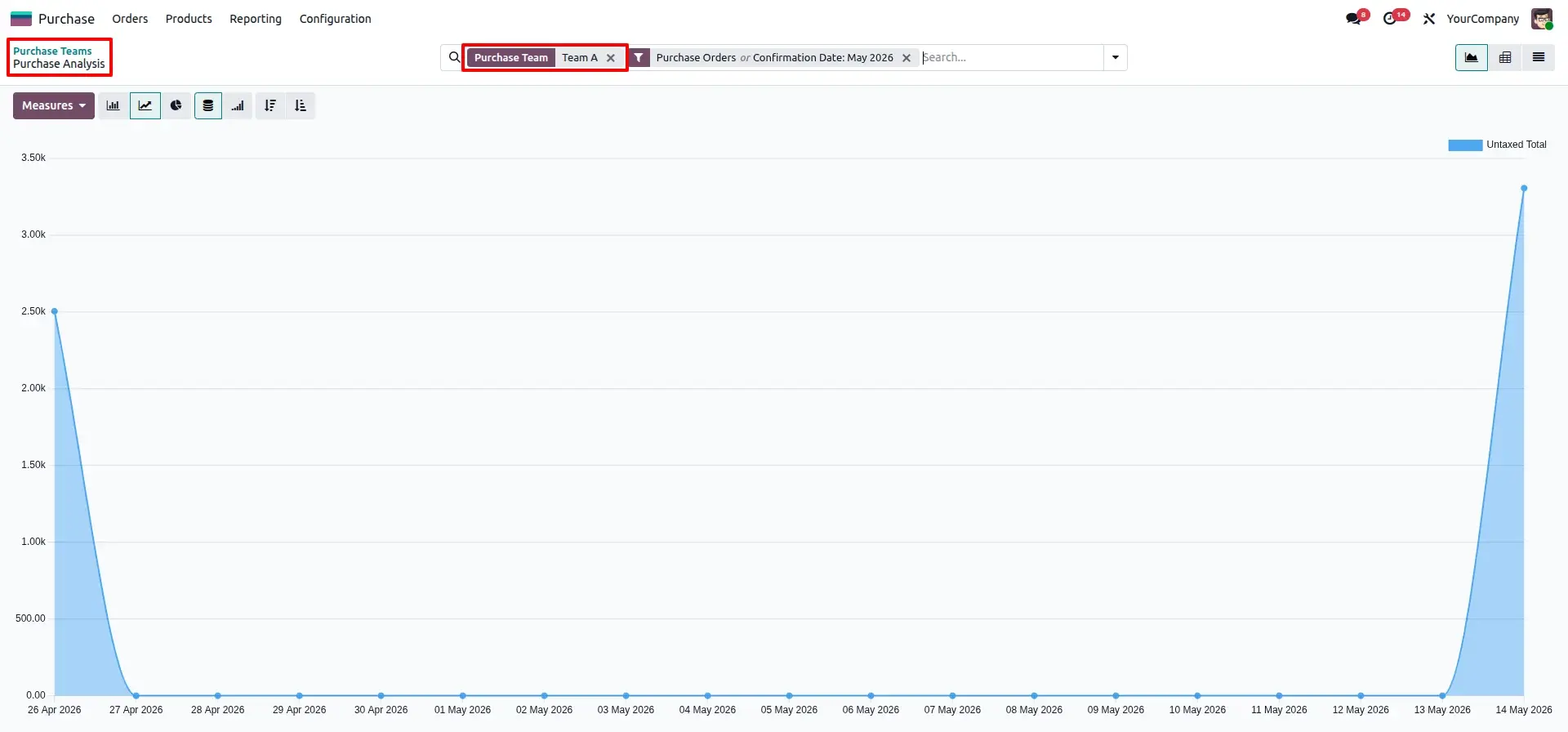
Analyze procurement performance using the "Group By Team" filter in standard Purchase Analysis reports.

Multi-Company Support
Perfect for group companies—manage separate purchase teams across different company entities flawlessly.

Native UI Integration
Fully integrated into standard Odoo views, ensuring zero learning curve for your existing procurement team.
Configuration & Workflow
Enable Global Team Settings
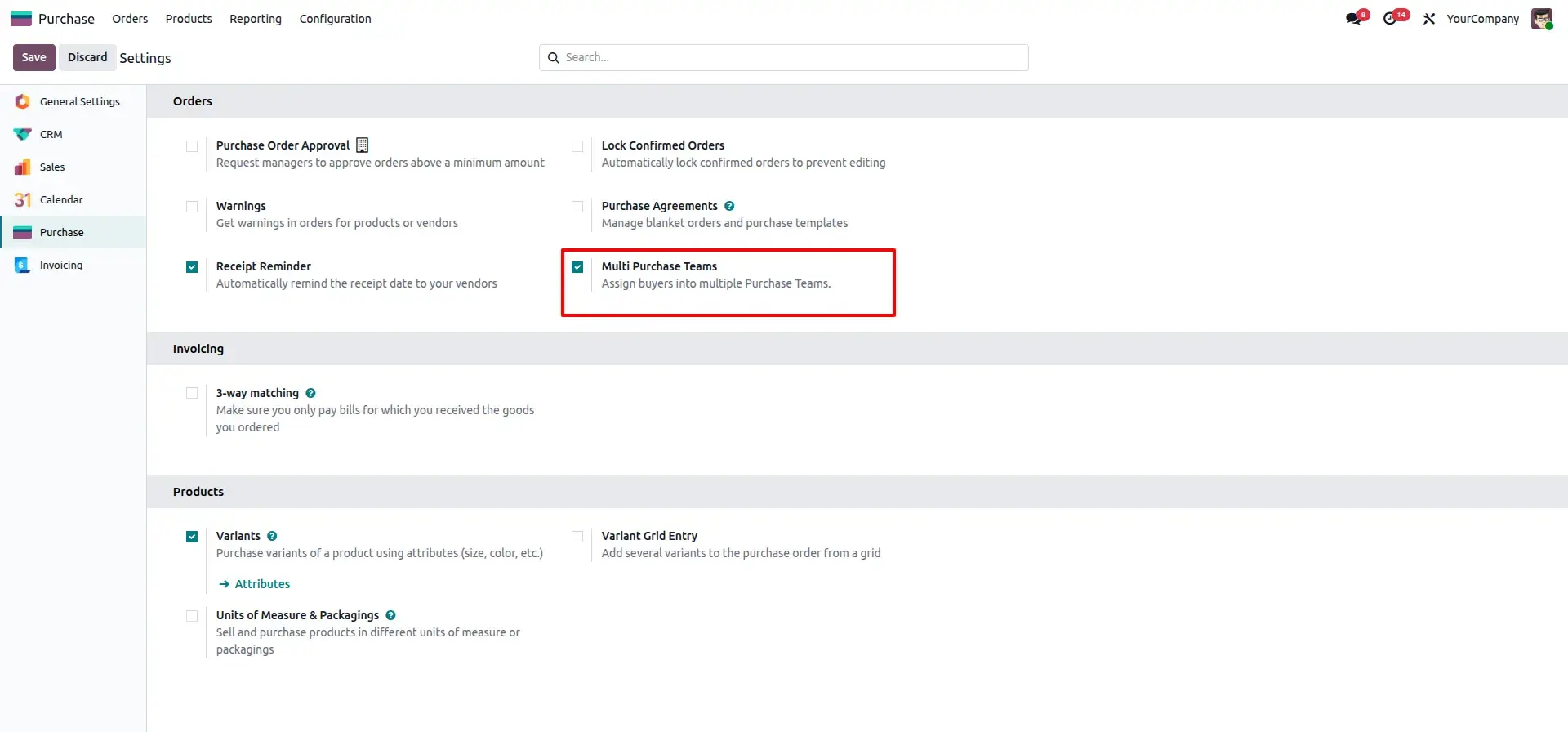
Activate the "Multi Purchase Teams" feature in Purchase settings. Once saved, you can access the team management hub directly from your procurement configuration menu.
Define Teams with Multi-Company Support
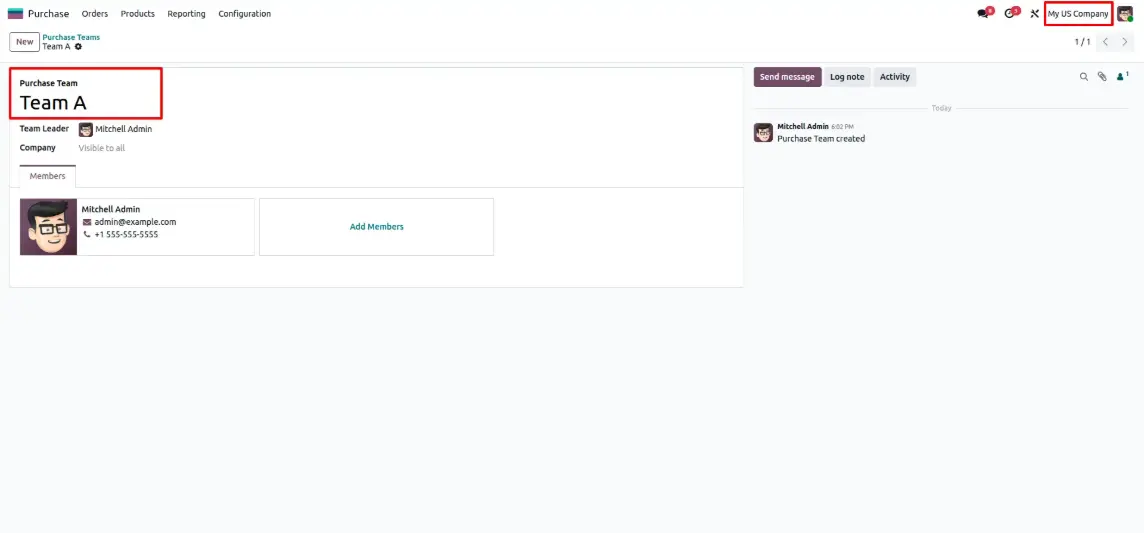
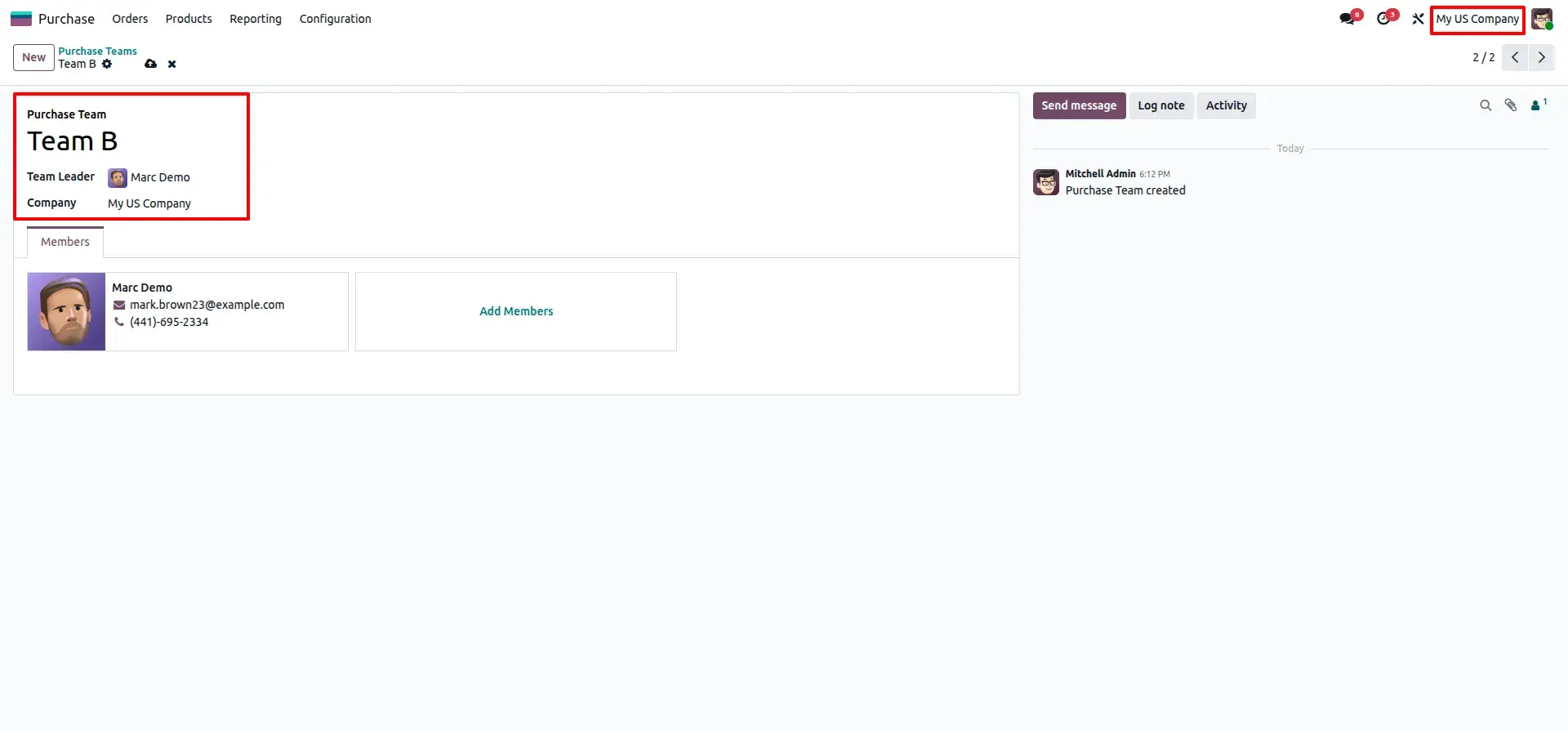
Define procurement teams with leaders and members. Granular visibility controls allow you to share teams globally or restrict them to specific company branches.
Manage via Kanban Dashboard
The Kanban Dashboard provides a live feed of departmental performance. Use the quick-action menu on each card to filter active orders or jump to specific analytics.
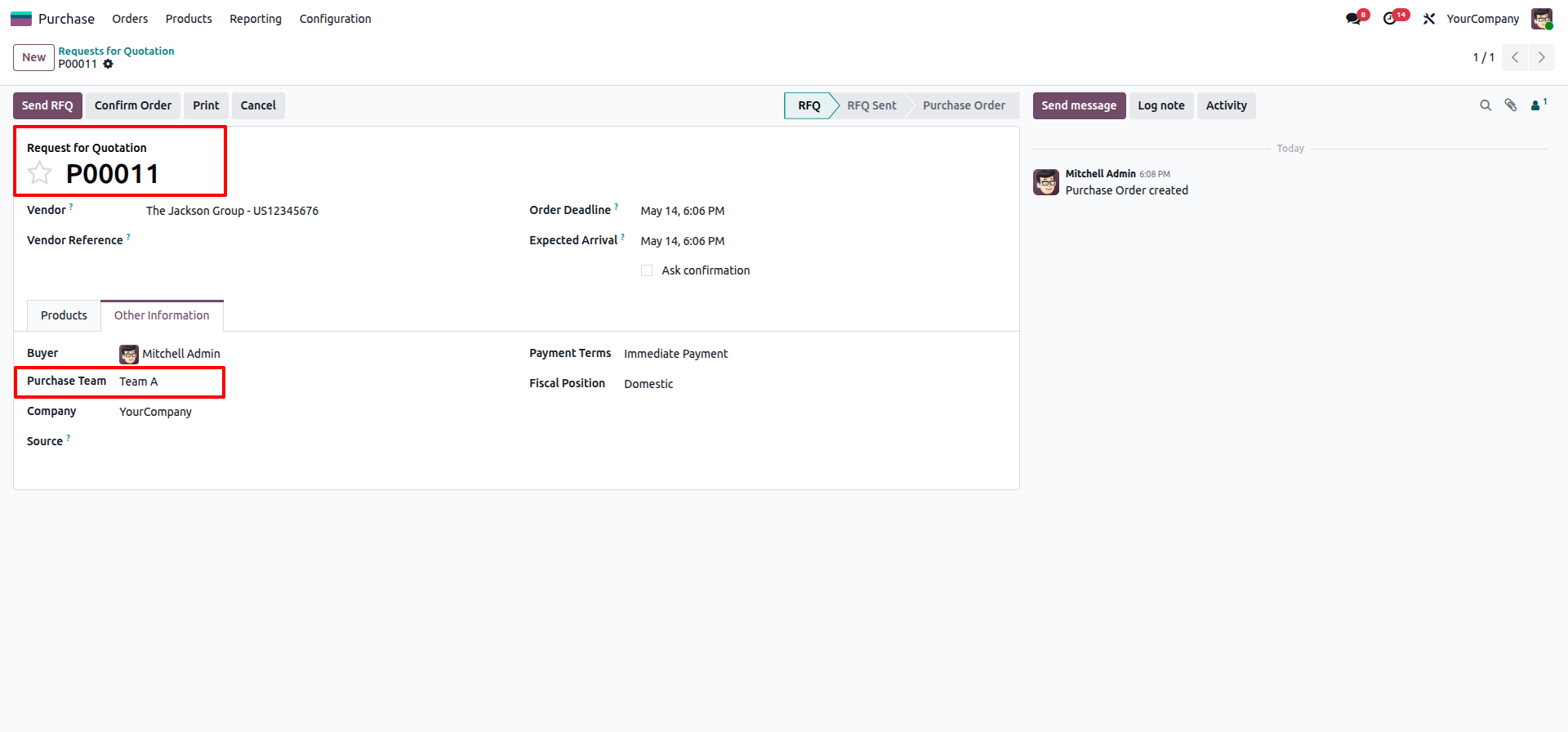
Assign Teams to Purchase Orders
Link RFQs and orders directly to a team and buyer. This association is preserved across all Odoo views, ensuring complete traceability from draft to receipt.
Analyze Procurement Performance
Deep dive into procurement efficiency with custom reporting. Group your analytical dashboard by team to compare spending and activity trends instantly.
Frequently Asked Questions
Technical Details
Dependencies
• Purchase (purchase)
• Invoicing (account)
• Discuss (mail)
License
OPL-1
Need Assistance?
Email Support
contact@gritxi-tech.comAny Questions?
Have questions about this app?
Fill out the form below and our team will get back to you with more information.
Customer Reviews
Share your experience with this module.
Write a Review
Latest Reviews
No reviews yet. Be the first to share your thoughts!