
Purchase Order Template
Standardize procurement workflows, eliminate repetitive data entry, and generate RFQs instantly using reusable purchase configurations.
Purchase Order Template
Simplify and accelerate recurring procurement operations with reusable templates that standardize your purchasing workflow.
App Overview

Introduction
The Purchase Order Template module helps businesses simplify and accelerate recurring procurement operations by allowing users to create reusable purchase order templates inside Odoo. The module enables procurement teams to predefine commonly purchased products, quantities, vendors, and pricing details.
This significantly reduces repetitive manual data entry and standardizes procurement workflows across the organization. By generating RFQs or Purchase Orders instantly from templates, businesses can focus on strategic sourcing rather than administrative overhead.

Purpose
The primary purpose of this module is to eliminate the friction of repetitive purchase order creation. It ensures that standard procurement processes are followed every time, reducing errors and increasing speed.
Whether managing recurring raw material orders, office supplies, or inventory restocks, the module provides a centralized way to handle frequent purchases, improving both team productivity and operational consistency.
Targeted Business Types
Manufacturing
Standardize raw material procurement using predefined templates.
Retail Businesses
Quickly reorder inventory from your regular trusted vendors.
Construction Industry
Manage recurring supplier purchases and material logistics efficiently.
Healthcare
Simplify and automate the procurement of essential medical supplies.
Wholesale Distribution
Automate repetitive bulk purchasing operations for distribution nodes.
Corporate Teams
Reduce RFQ preparation time and ensure procurement consistency across teams.
Key Features
Reusable Templates
Create reusable templates for all recurring purchases.
Faster RFQ Generation
Generate new RFQs instantly using saved templates.
Smart Workflow
Simplifies and automates repetitive purchasing cycles.
Auto Population
Products and lines populate automatically from templates.
Vendor Based Setup
Configure specific templates vendor-wise for efficiency.
Multi Company Support
Full support for complex multi-company environments.
Odoo Integration
Directly integrated with the native Odoo Purchase flow.
Productivity Boost
Dramatically reduces manual data entry work.
Standardization
Ensures consistent purchase processes across teams.
Easy Interface
Simple and user-friendly interface for all users.
Configuration & Workflow
Follow these steps to configure and utilize purchase templates within your Odoo procurement workflow.
Configuration
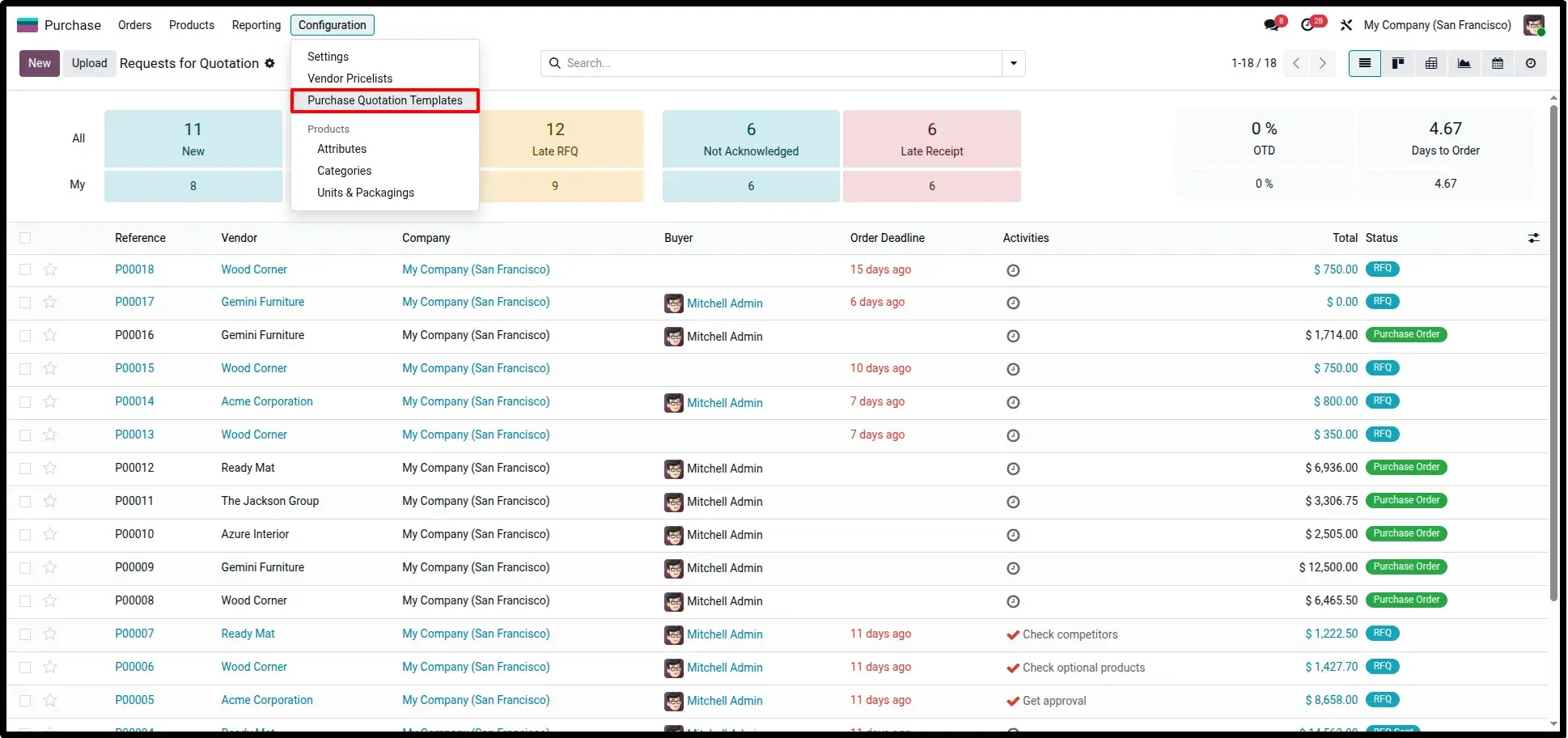
Purchase → Configuration → Purchase Quotation Templates
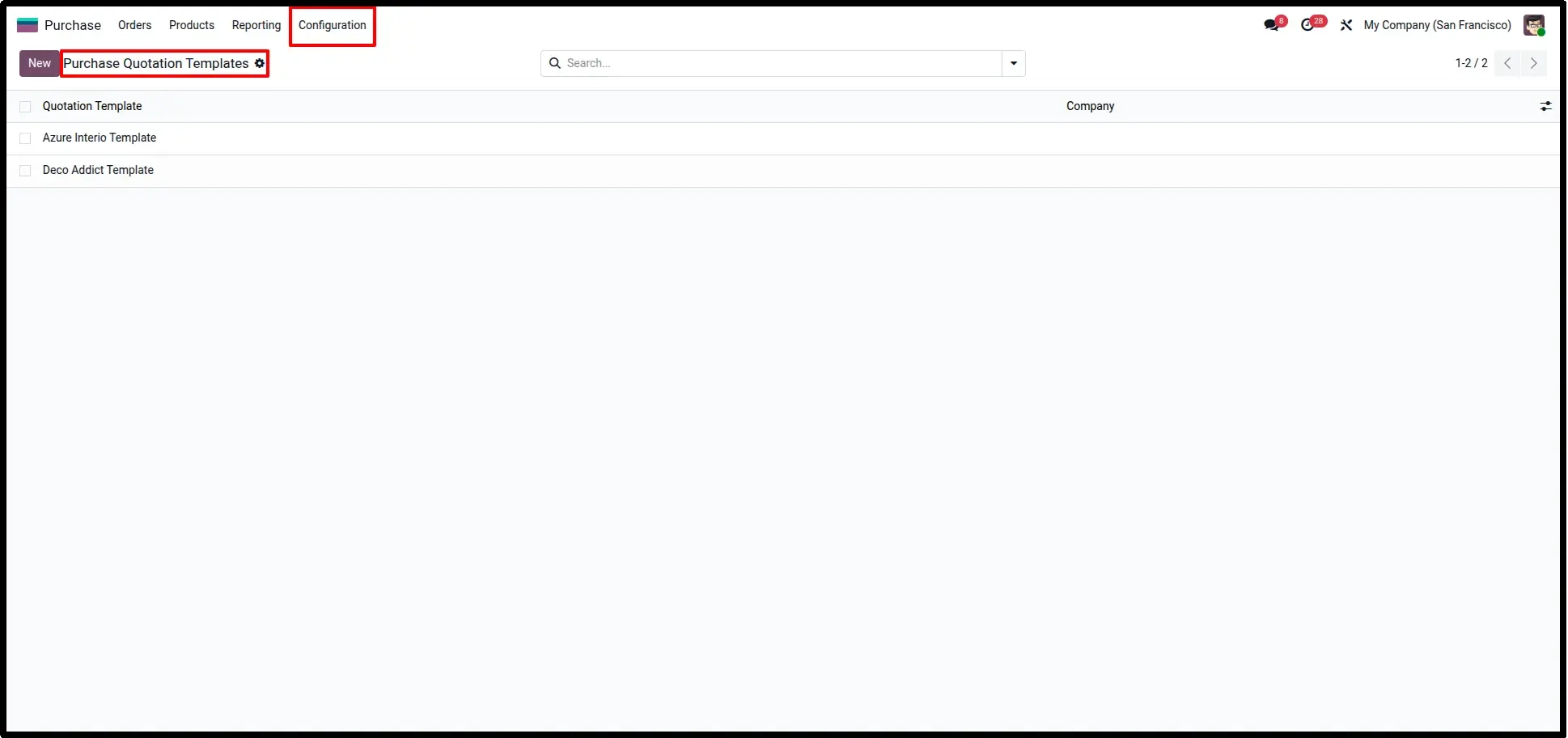
Configure Purchase Template
Navigate to the Purchase menu to create a new Purchase Template. Define the template name and core vendor information to act as a baseline for future orders.
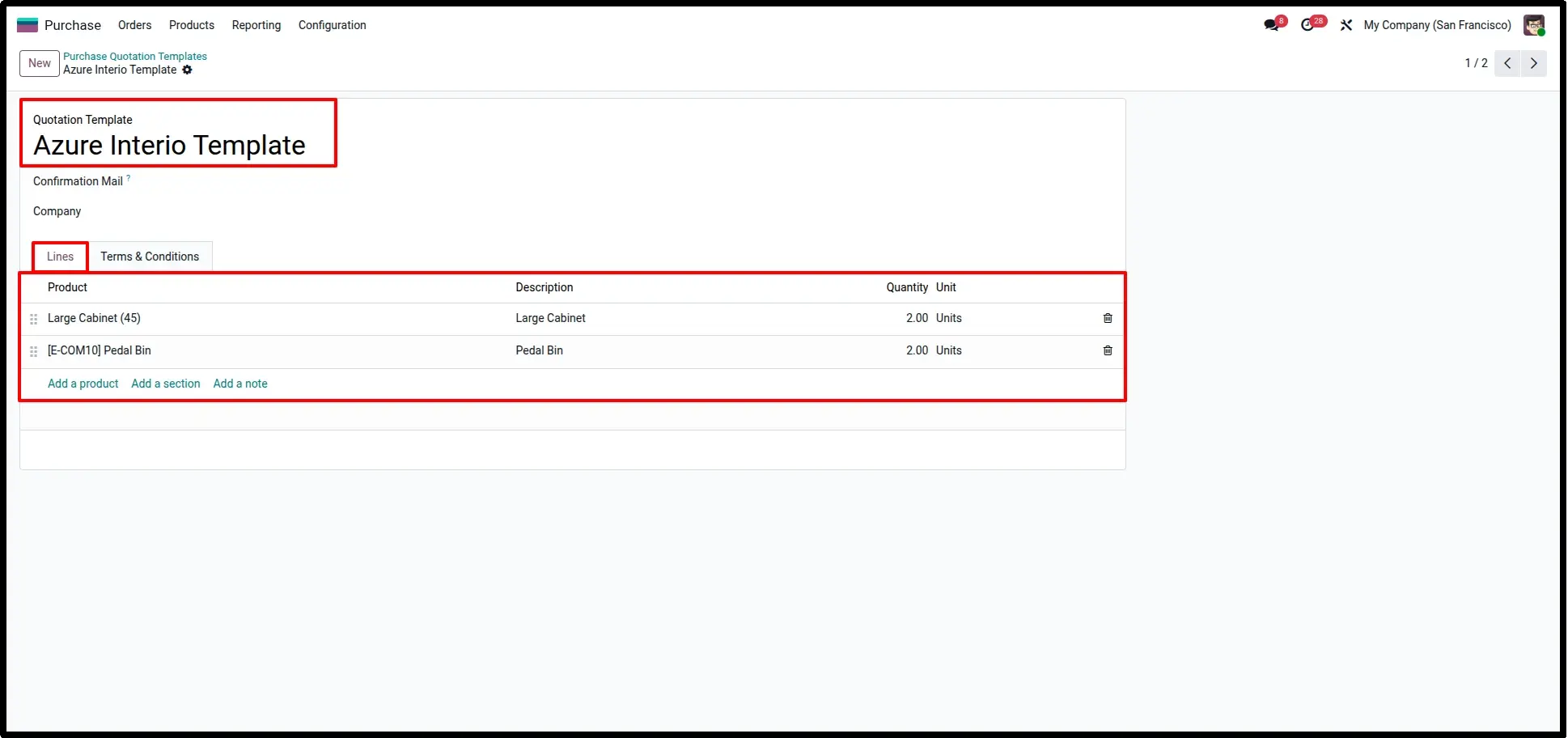
Add Products and Quantities
Inside the template, add the specific products and their standard order quantities. This information will be used to automatically populate RFQ lines whenever the template is applied.
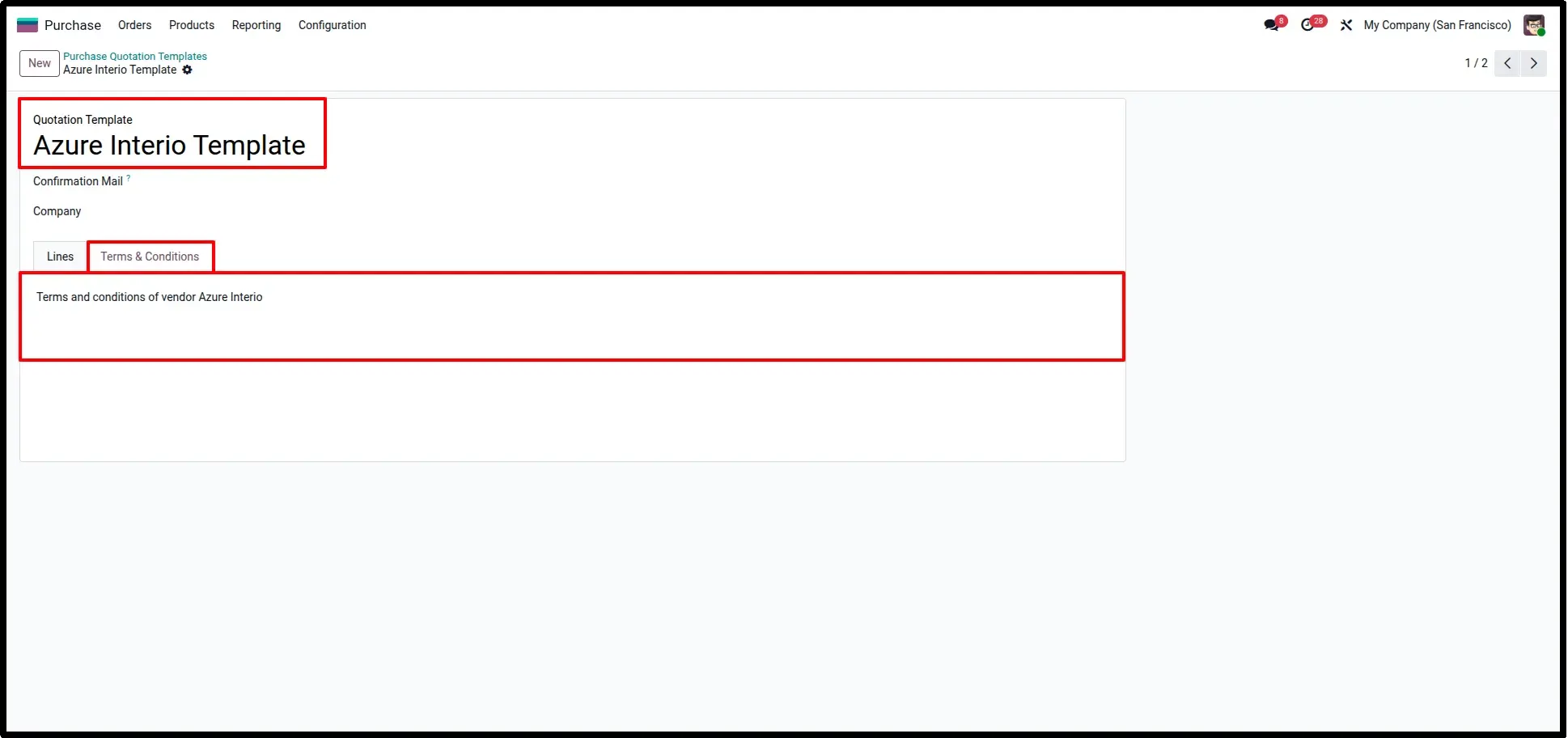
Define Terms and Conditions
Pre-fill the Terms and Conditions section on the template. This ensures that every purchase generated from this template maintains consistent contractual language and vendor agreements.
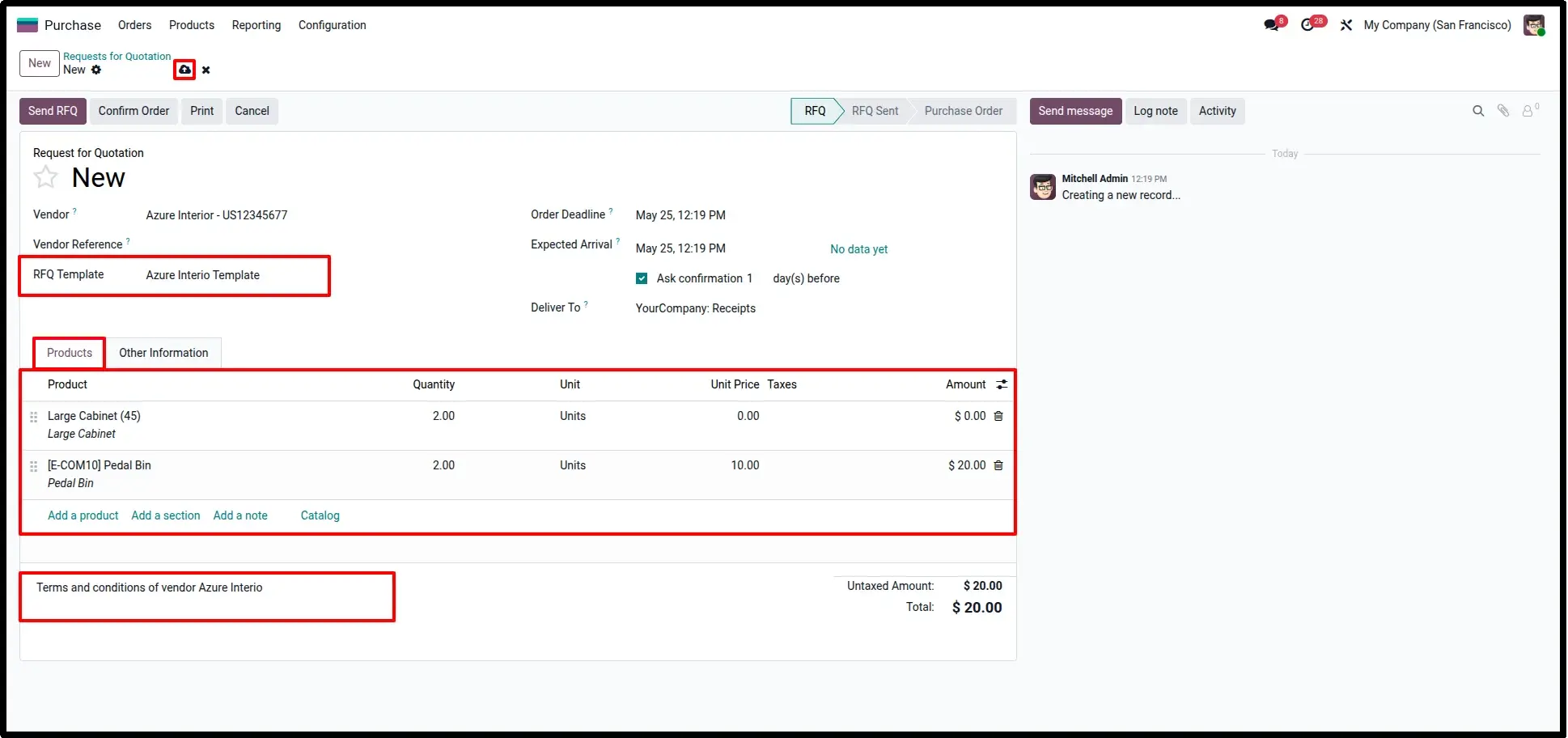
Create RFQs with Templates
When creating a new RFQ, select your saved template. The system will automatically insert products, quantities, and terms directly into the RFQ lines, allowing you to confirm the order in seconds.
Frequently Asked Questions
Technical Details
Dependencies
• Purchase (purchase)
• Invoicing (account)
• Discuss (mail)
License
OPL-1
Need Assistance?
Email Support
contact@gritxi-tech.comAny Questions?
Have questions about this app?
Fill out the form below and our team will get back to you with more information.
Customer Reviews
Share your experience with this module.
Write a Review
Latest Reviews
No reviews yet. Be the first to share your thoughts!