
Product Qrcode Generator
Generate QR Code on product
Product QR Code Generator
Streamline identification and inventory tracking with instant, print-ready PDF labels. Generate, manage, and print high-quality QR codes for your entire product catalog in one click.
App Overview

Introduction
The Product QR Code Generator is a powerful Odoo module designed to automate product identification and inventory management. Integrated natively with Odoo Inventory, this tool allows you to instantly create scannable QR codes for any product, print them as professional PDF labels, and deploy them across retail shelves and manufacturing floors.
By embedding critical data like internal references and barcode IDs into each QR code, your team can perform faster stock checks and eliminate manual data entry errors. It’s a total solution for modernizing your logistics operations without ever leaving the Odoo environment.

Purpose
Traditional product identification relies on manual data entry or basic barcodes that often lack detail, leading to slow inventory audits and high error rates in fast-paced warehouse environments. Tracking stock movements across retail shelves or manufacturing floors becomes a tedious bottleneck when teams must manually cross-reference internal IDs with physical items.
The Product QR Code Generator automates this entire identification chain. By instantly creating data-rich QR codes that embed names, references, and pricing, it turns every item into an interactive data point. This ensures that labels are always professional and print-ready, allowing for high-speed scanning via mobile devices or handheld readers, which significantly boosts operational accuracy and speed.
Key Features
Instant QR Generation
Generate codes directly from the product form with a single click, auto-embedding all essential info.
Bulk Label Printing
Select multiple products and print consolidated labels at once to save time on large inventories.
Print-Ready PDFs
Clean, professional PDF layouts optimized for standard label sheets and thermal printers.
Native Integration
Built directly on Inventory and Discuss modules ensuring zero configuration friction.
Multi-Deployment
Full compatibility with Odoo Online, Odoo.sh, and On-Premise installations.
Version Support
Available and supported for Odoo versions 16.0 through 19.0 for long-term usability.
Configuration Steps
Enable Auto Generation
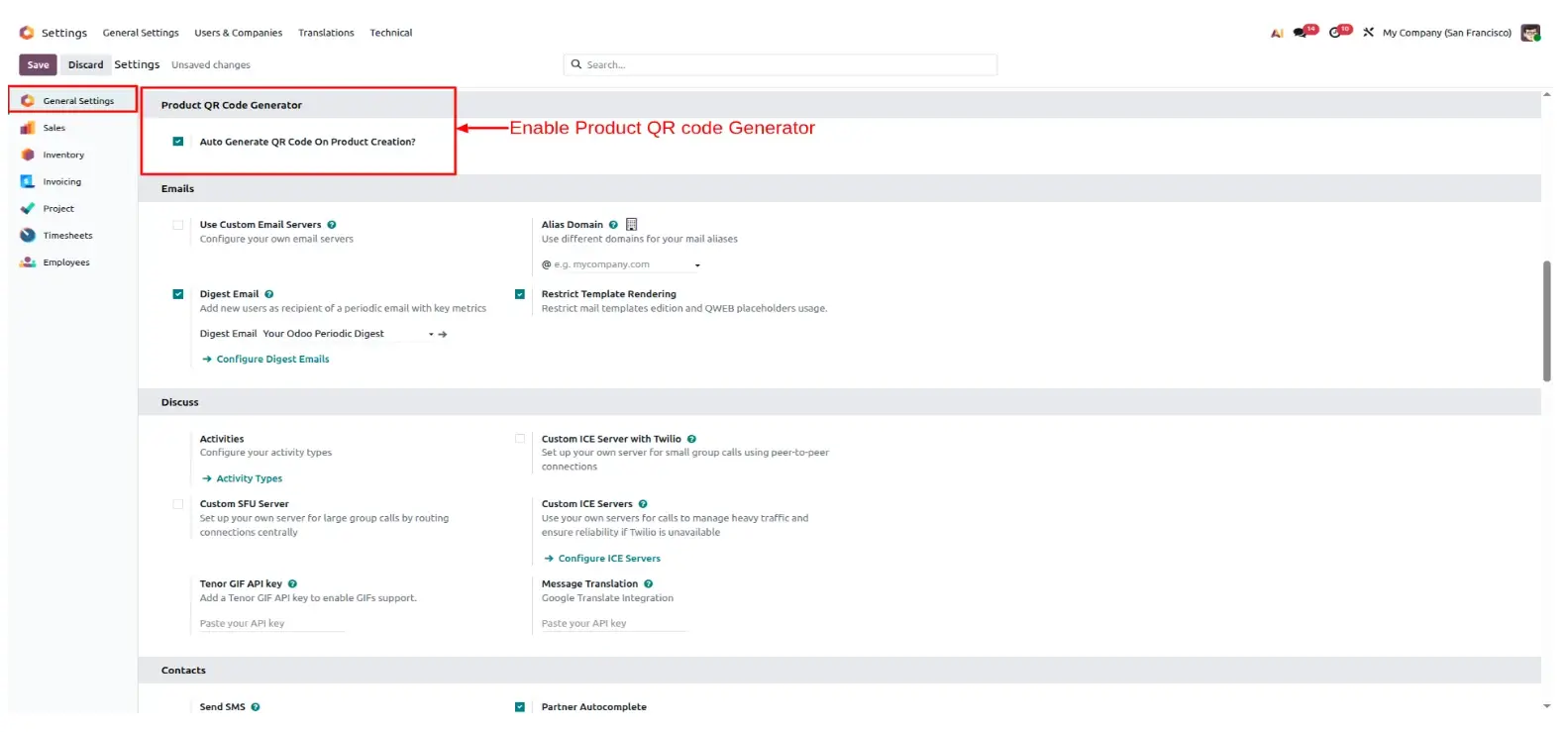
Go to Settings > General Settings. Locate the "Product QR Code Generator" section and enable the toggle for Auto Generate QR Code On Product Creation?
Manual QR Field Creation
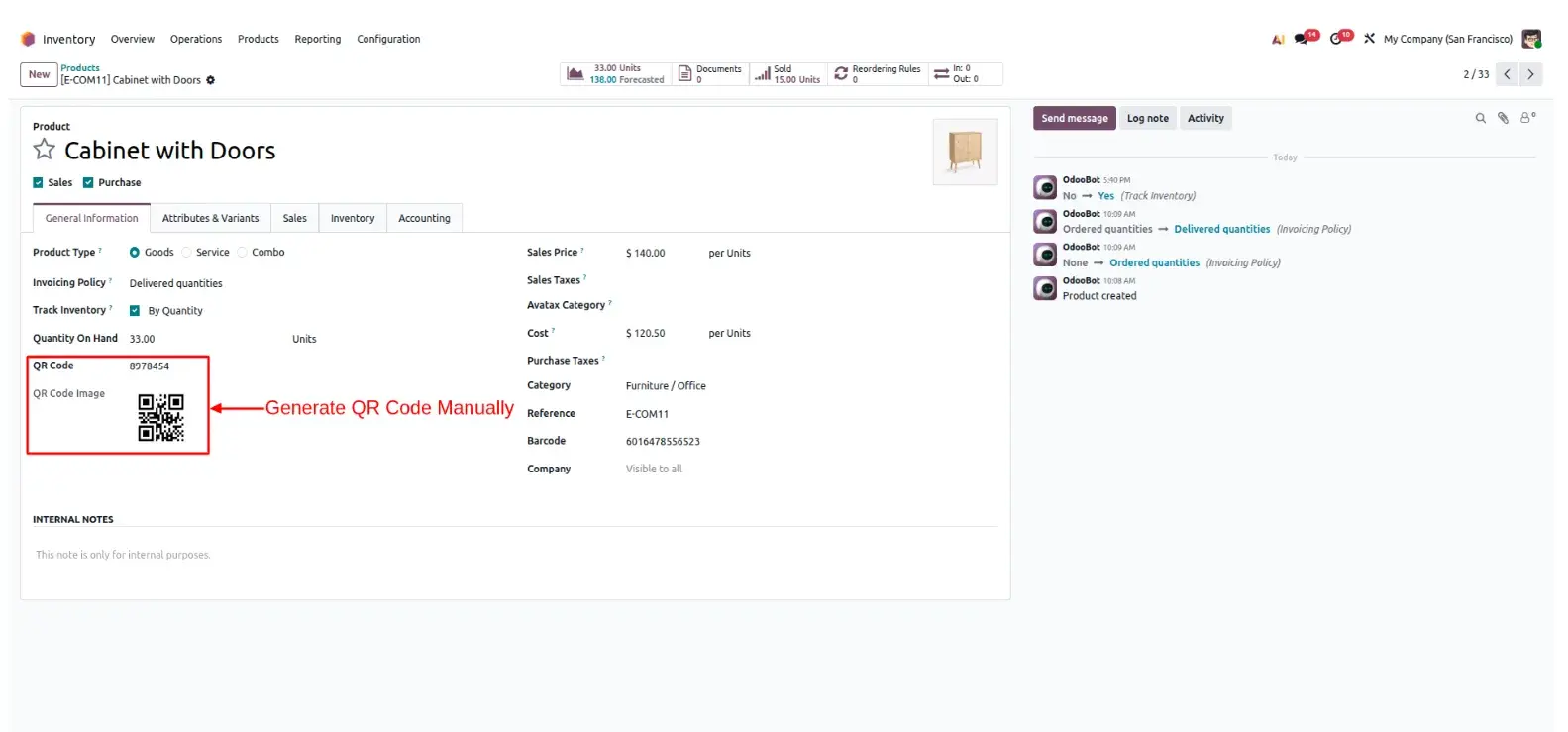
For existing products, open the product form. Locate the QR Code field and enter the unique value to instantly generate the visual QR image (Screenshot 2).
Customize Printing Wizard
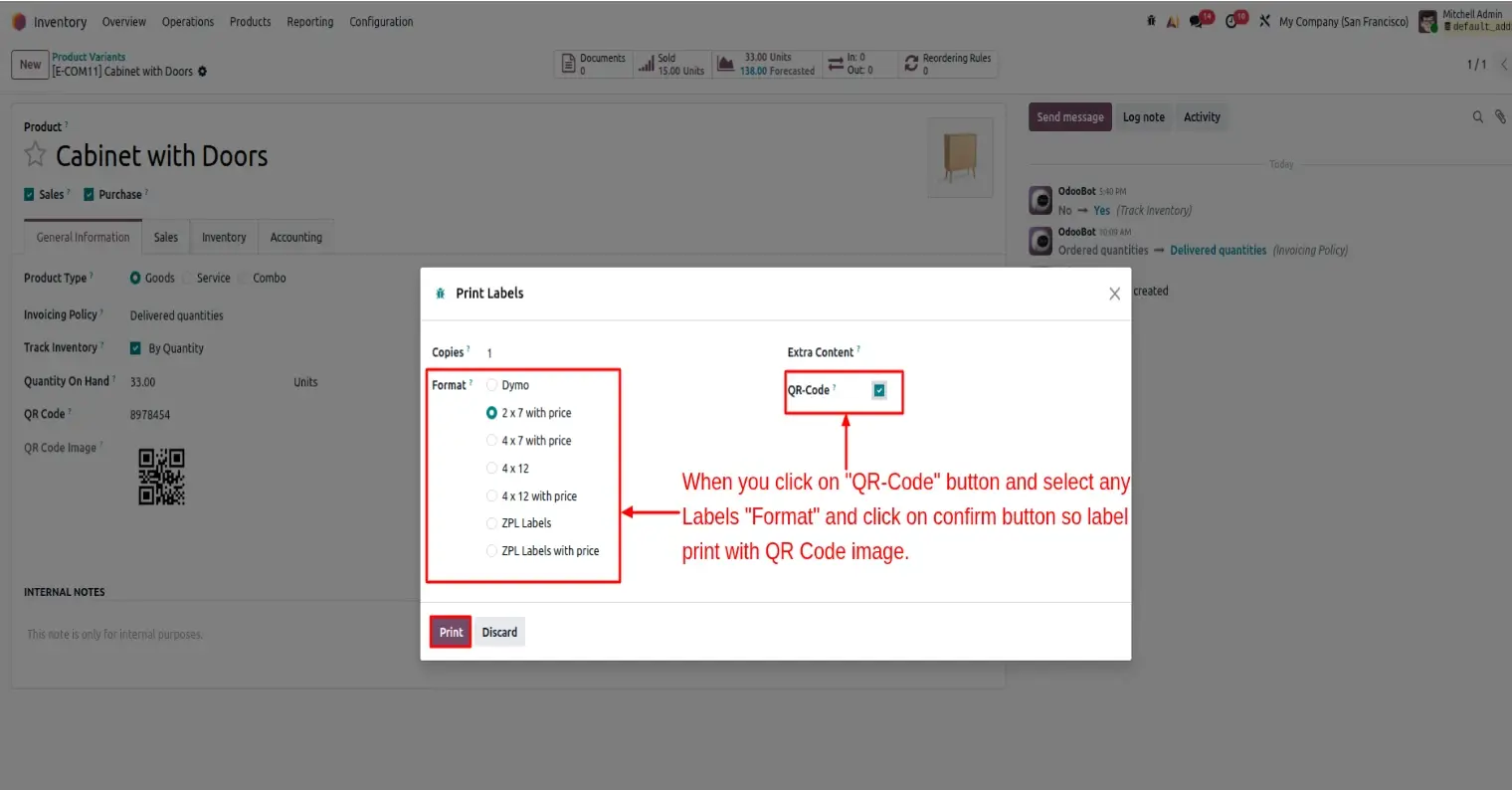
Click the Print Labels button. In the wizard, select your desired layout (e.g., 2x7 with price) and ensure the Extra Content: QR-Code checkbox is selected (Screenshot 3).
Professional PDF Results
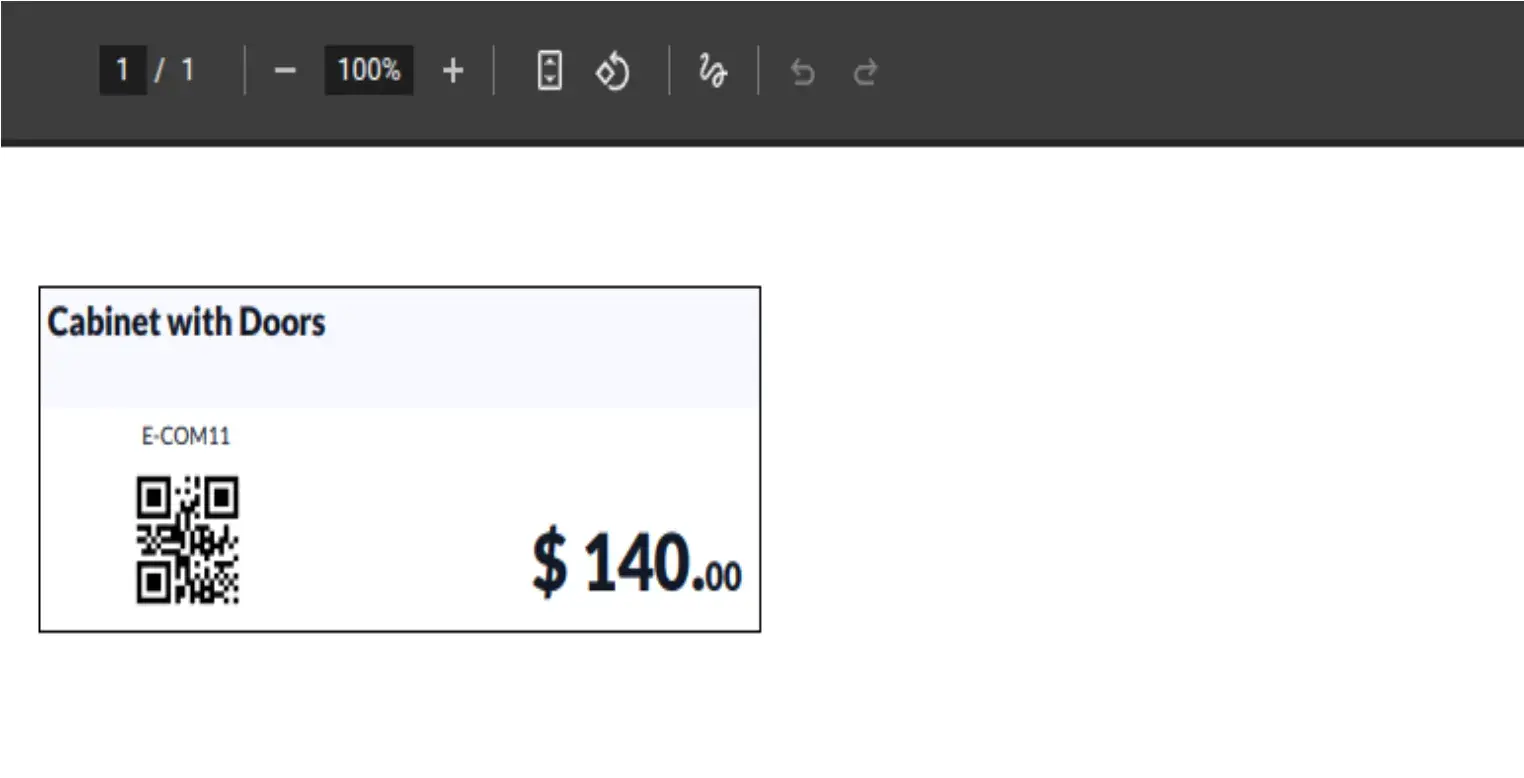
Download the high-quality PDF report. Your QR code is perfectly embedded alongside the product name, reference, and price, ready for any standard label printer (Screenshot 4).
Frequently Asked Questions
Technical Details
Dependencies
• Inventory (stock)
• Discuss (mail)
License
OPL-1
Need Assistance?
Email Support
contact@gritxi-tech.comAny Questions?
Have questions about this app?
Fill out the form below and our team will get back to you with more information.
Customer Reviews
Share your experience with this module.
Write a Review
Latest Reviews
No reviews yet. Be the first to share your thoughts!