
Positions in Lines and Report
Organize data efficiently in Odoo by setting positions in lines and reports, enabling structured sequencing, better line arrangement, and improved report formatting for clear and professional document presentation
Positions in Lines and Report
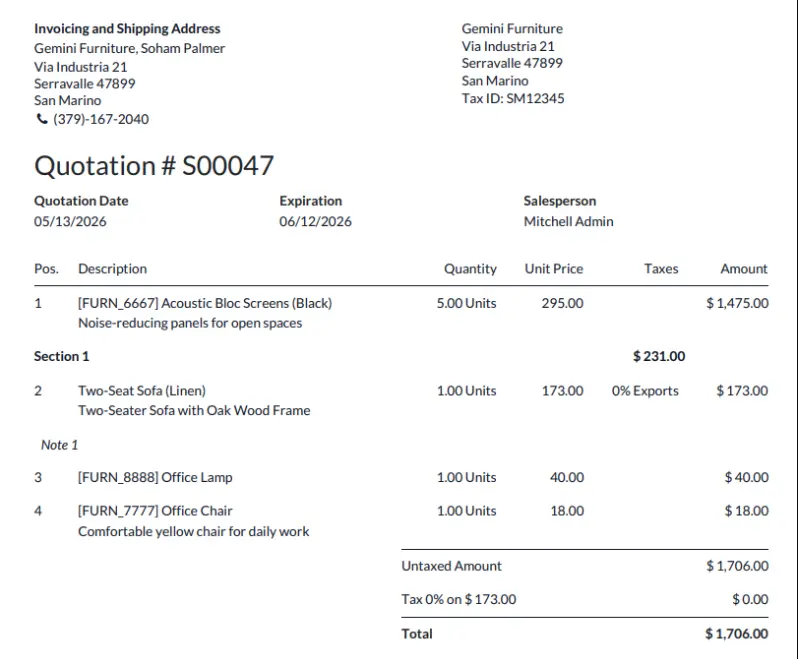
Automatically generate sequential position numbers (Sr. No.) for Sales, Purchase, Invoicing, and Stock documents.
App Overview

Introduction
The Positions in Lines and Report module adds automatic sequential position numbers (Sr. No.) to line items across key Odoo documents: Sales Orders, Purchase Orders, Invoices, Bills, and Stock moves. These position numbers appear seamlessly on both the backend document lines and the official printed/PDF reports.
By default, Odoo lacks line-level numbering. This module bridges that gap with a lightweight, native integration, helping businesses simplify tracking, reduce errors, and provide professional clarity to customers and vendors.

Purpose
The purpose of this app is to enhance document readability and line-item referencing. By providing a clear serial number for every product line, organizations can communicate more effectively regarding specific items during the quotation, procurement, and billing cycles.
Key Features
Auto Numbering
Automatically assigns sequential serial numbers to every line in Sales Orders, Purchase Orders, Customer Invoices, Vendor Bills, and related Inventory documents.
Report Integration
Displays line position numbers automatically on printed reports and PDF documents for quick identification and easy reference.
Cross Document Support
Maintains consistent position numbering across Sales, Purchase, Accounting, and Inventory documents throughout the business workflow.
Zero Effort
Line numbers are generated automatically without requiring manual input, ensuring accurate and error-free document sequencing.
Easy Setup
No complex configuration is required. Install the module and position numbering starts working immediately across supported documents.
Native Workflow
Fully integrated with Odoo's standard Sales, Purchase, Inventory, and Accounting workflows without relying on third-party dependencies.
Configuration Steps
Position Configurations
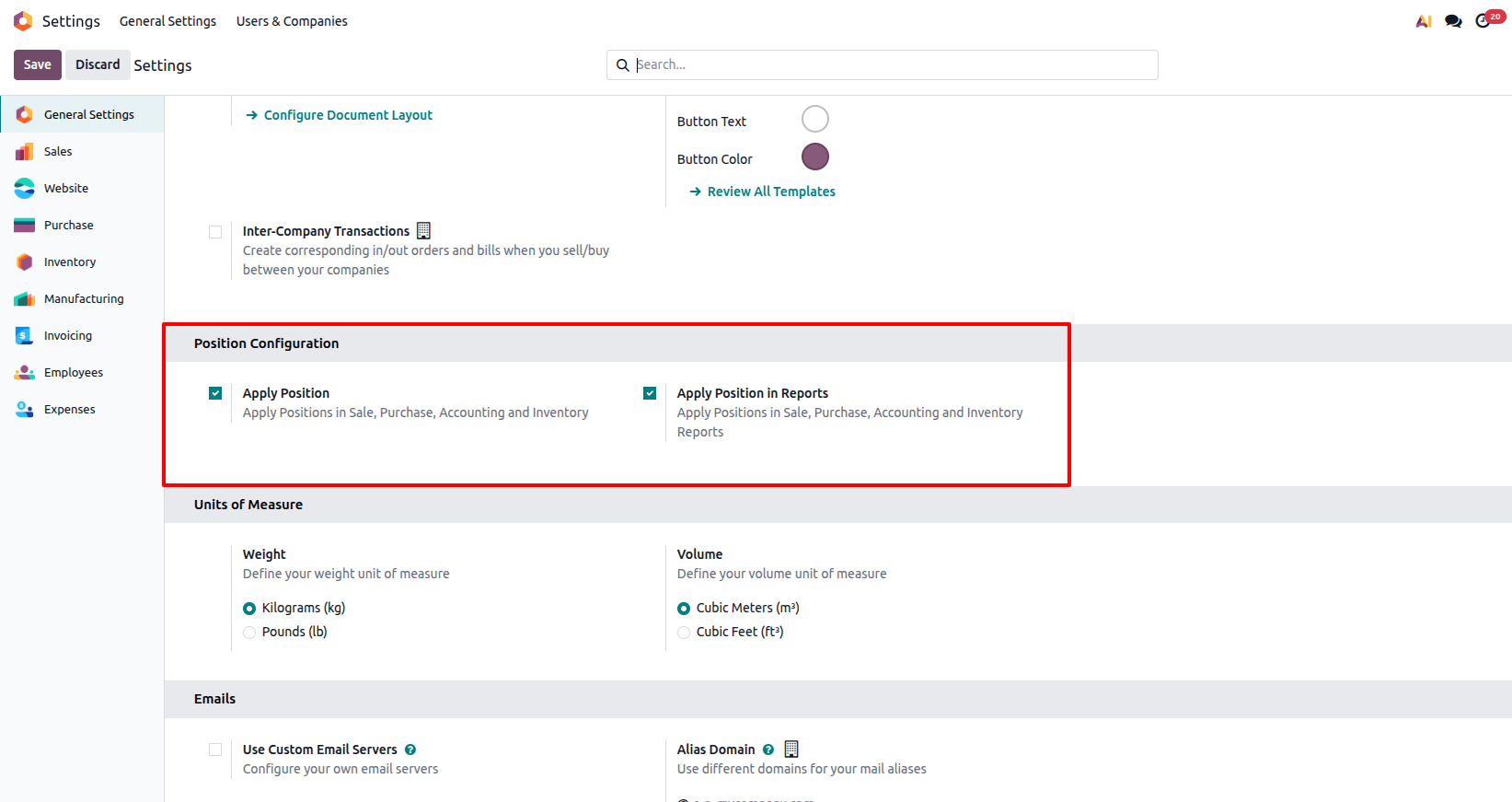
A 'Position Configuration' block is available in General Settings, allowing position numbers to be displayed in lines, reports, or both.
Sale Lines and Report
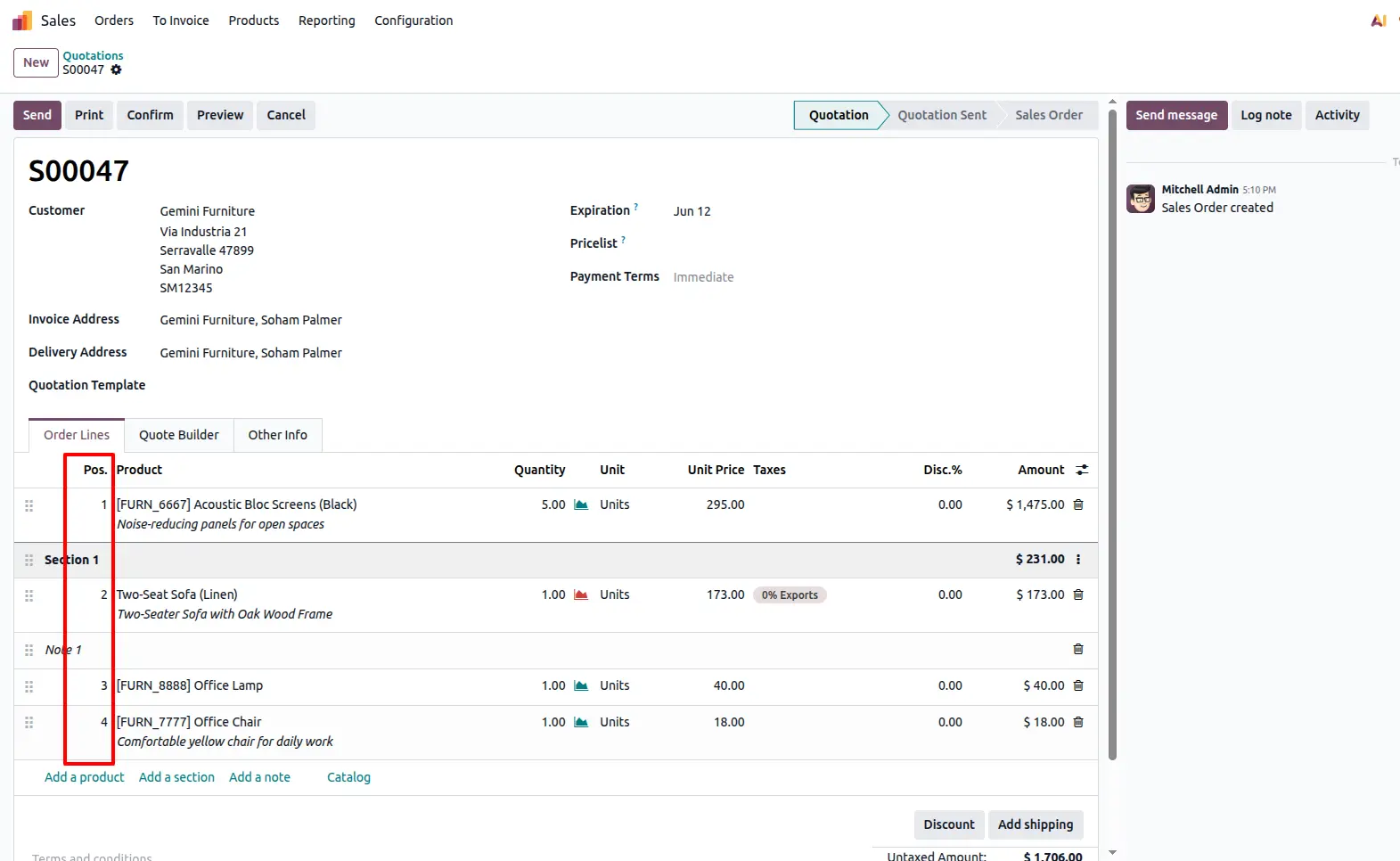
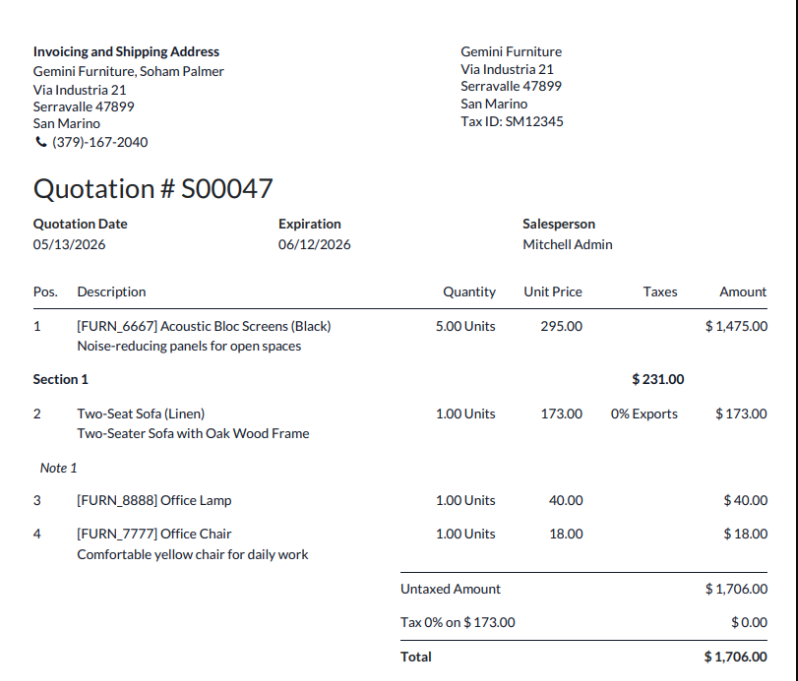
The Position numbers will appear in Sale Order lines and reports based on the options selected in Settings.
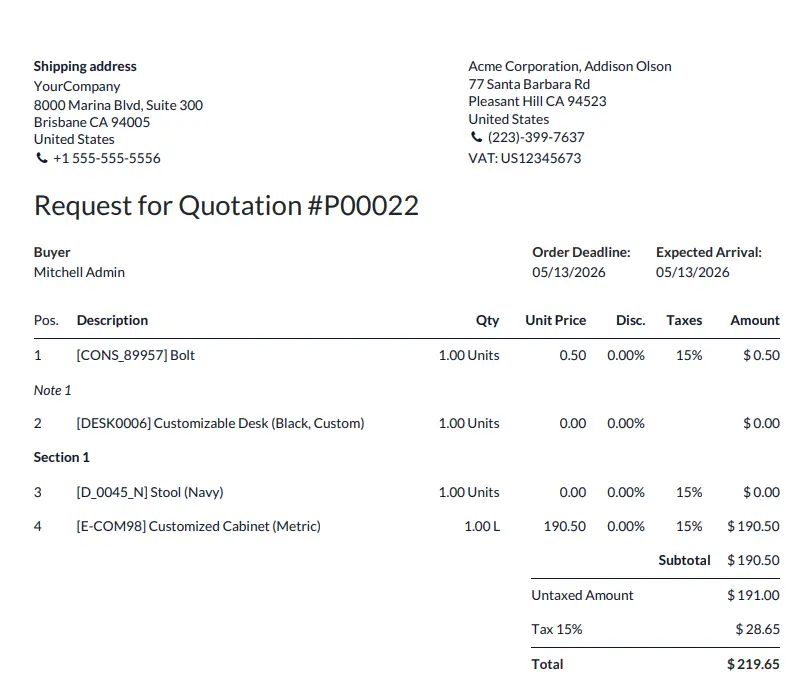
Purchase Lines and Report
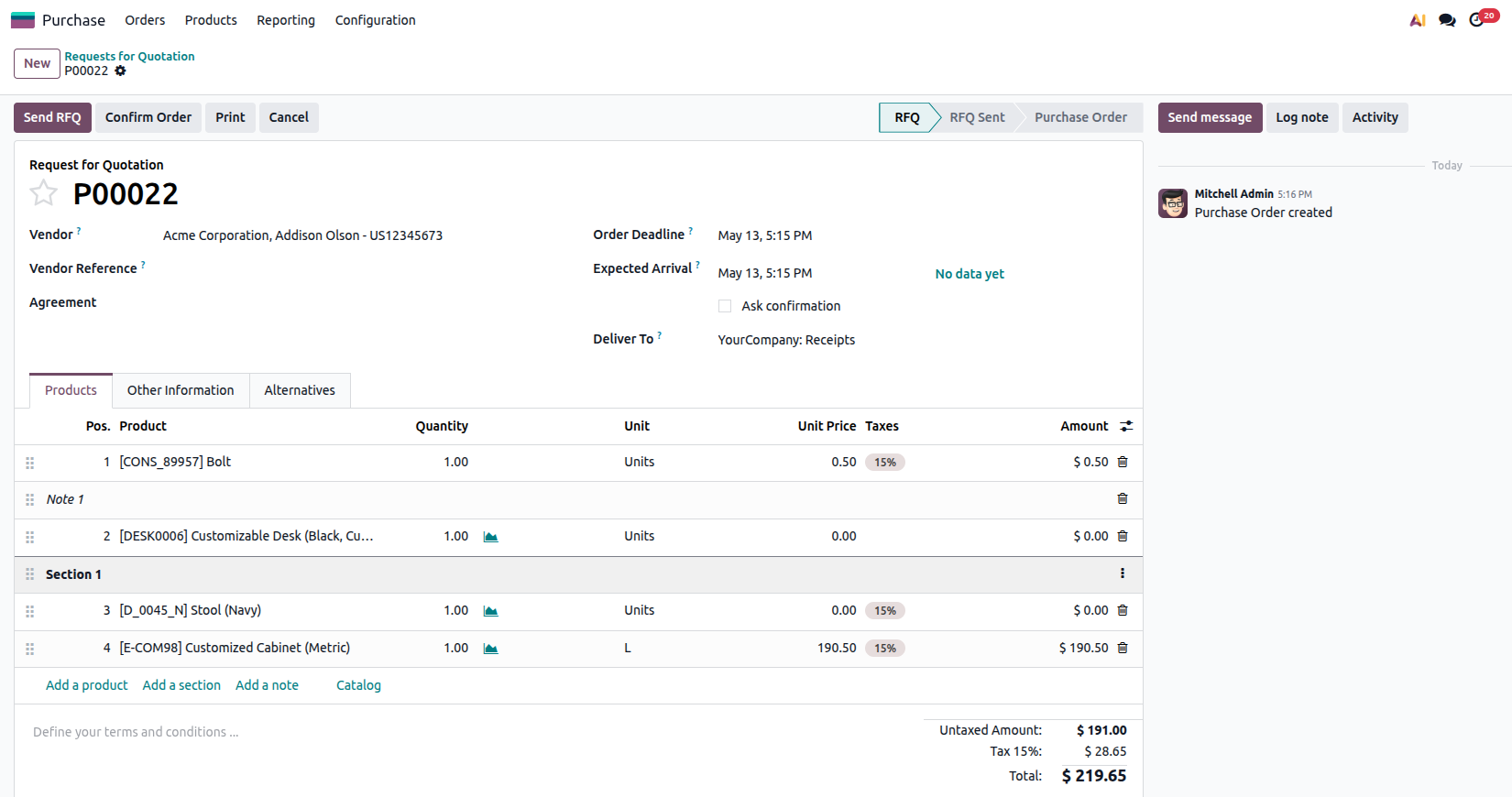
Sequential numbering is automatically shown in Purchase Order lines and/or reports depending on your configuration.
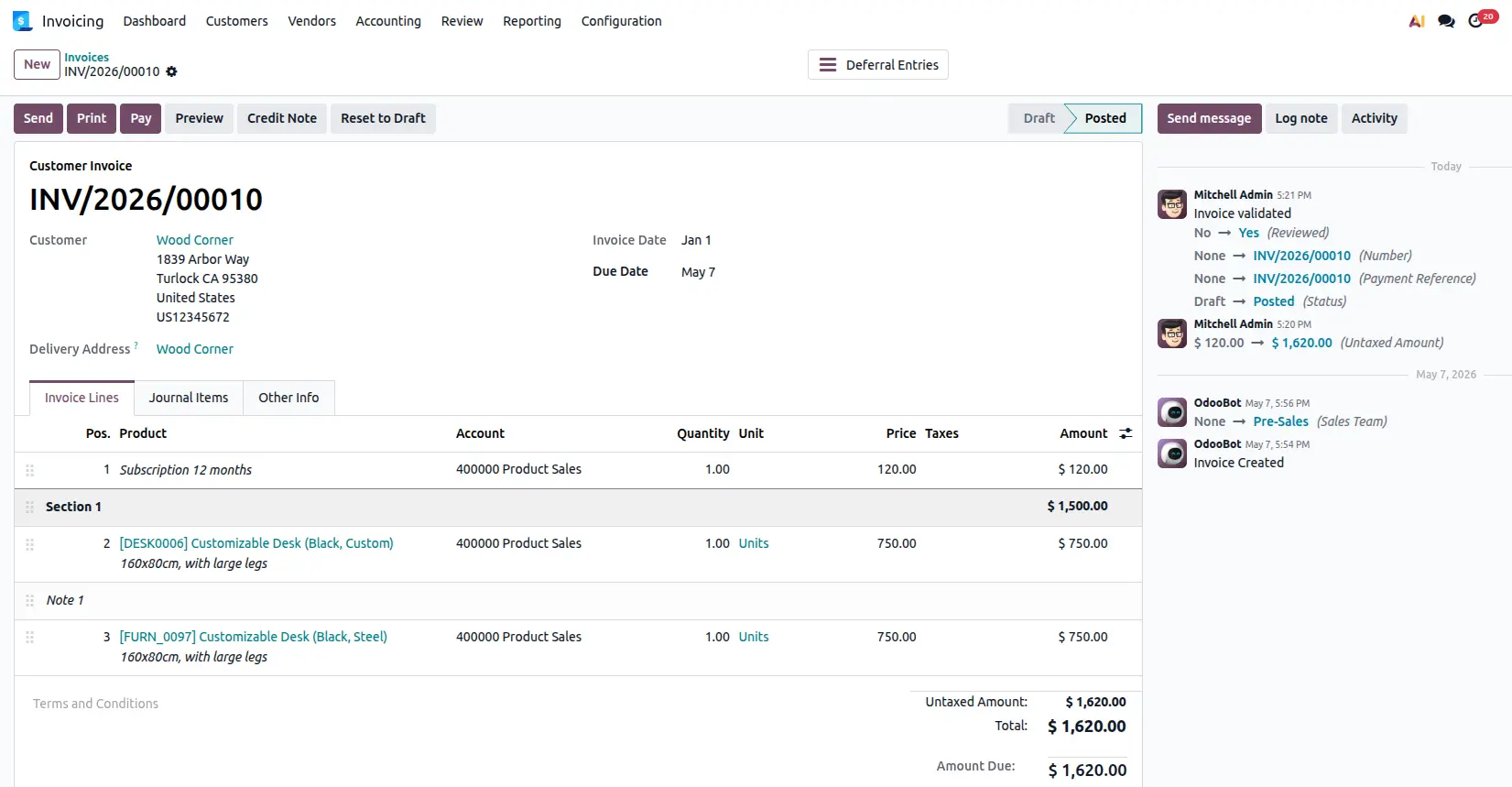
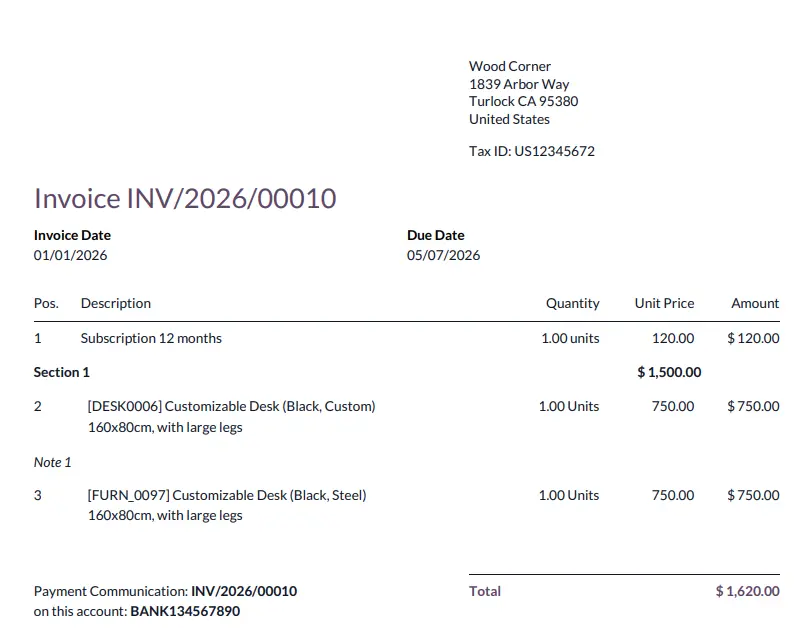
Invoice Lines and Report
Sequential numbering is automatically shown in Invoice lines and/or reports depending on your configuration.
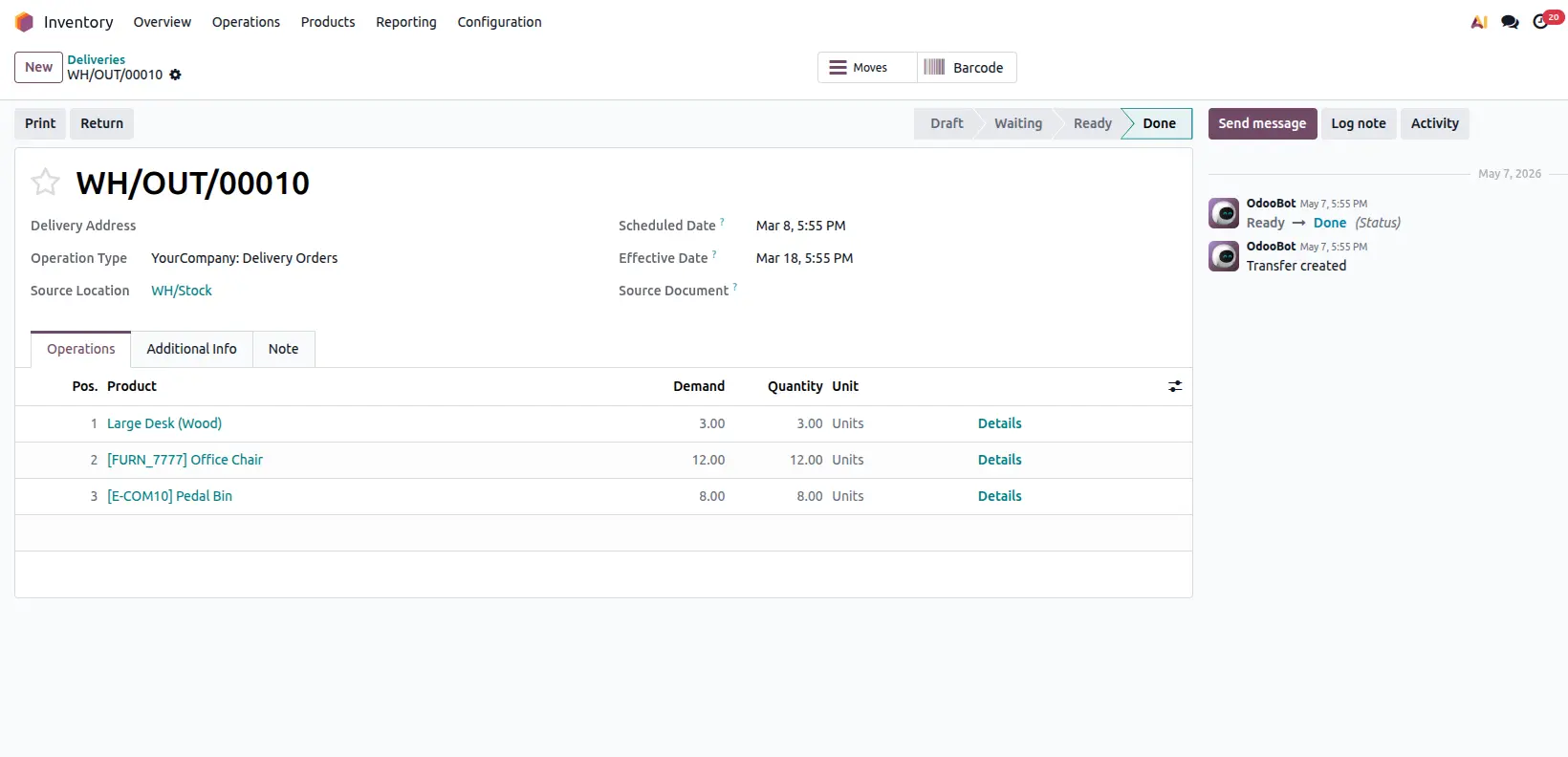
Inventory Lines and Report
Sequential numbering is automatically shown in Inventory lines and/or reports depending on your configuration.
Frequently Asked Questions
Technical Details
Dependencies
• Inventory (stock)
• Invoicing (account)
• Purchase (purchase)
• Discuss (mail)
License
OPL-1
Need Assistance?
Email Support
contact@gritxi-tech.comAny Questions?
Have questions about this app?
Fill out the form below and our team will get back to you with more information.
Customer Reviews
Share your experience with this module.
Write a Review
Latest Reviews
No reviews yet. Be the first to share your thoughts!