
PDF Preview
This App allows to see PDF preview for single or multiple records, providing clear and comprehensive preview
PDF Preview
Preview PDF reports directly inside Odoo before downloading or printing them. Improve report validation, reduce unnecessary downloads, and enhance productivity with an embedded browser preview experience across all Odoo applications.
App Overview

Introduction
The PDF Viewer module enhances the standard Odoo reporting experience by allowing users to preview PDF reports directly inside the browser before downloading or printing them. Instead of automatically downloading reports, users can review documents instantly through an embedded PDF preview window.
This improves report validation, minimizes unnecessary downloads, and enables users to quickly verify formatting, totals, layouts, and report content before sharing or printing documents.
The module integrates seamlessly with Odoo's standard reporting engine and works across Sales, Accounting, Purchase, Inventory, Human Resources, Manufacturing, and all other report-driven business workflows.
Compatible with both Community and Enterprise editions, the module provides a lightweight and user-friendly solution for previewing PDF reports without changing the existing Odoo reporting workflow.

Purpose
The purpose of the PDF Viewer module is to provide a faster and
more efficient way to review PDF reports before they are
downloaded or printed.
It helps users validate report content, verify layouts, reduce
printing mistakes, eliminate unnecessary file downloads, and
improve document accuracy across daily business operations.
By integrating directly with Odoo's reporting engine, the module
enhances productivity while maintaining the standard reporting
workflow, making report verification simple, convenient, and
consistent across every department.
Targeted Business Types
Accounting Firms
Preview invoices, financial statements, tax reports, and accounting documents before printing or sharing them with customers.
Manufacturing Companies
Review production orders, work orders, manufacturing reports, and delivery documents before downloading or printing.
Trading Businesses
Validate quotations, sales orders, invoices, and customer documents before sending them to clients.
HR Departments
Preview employee contracts, certificates, payroll documents, and HR reports before downloading or printing.
Logistics Companies
Instantly verify shipping labels, delivery slips, and logistics documents before they are printed or shared.
Business Use Cases
Billing & Invoice Verification
Context:
An accounting team wants to verify invoice formatting,
tax calculations, and totals before downloading and
sending invoices to customers.
2. Click the Print button.
3. The invoice opens in the PDF Preview window.
4. Review totals, taxes, and formatting.
5. Download or print only after verification.
Sales Order Validation
Context:
Sales executives want to verify quotations, pricing,
branding, and customer information before sending
documents to customers.
2. Open the report using Print.
3. Preview the quotation inside Odoo.
4. Verify pricing, taxes, and company details.
5. Download or print the finalized report.
Purchase Order Validation
Context:
A procurement team reviews purchase orders before sharing
them with vendors to ensure quantities and vendor
information are accurate.
2. Click the Print button.
3. The report opens in the PDF Preview window.
4. Verify vendor details and quantities.
5. Download or print the finalized document.
Key Features
PDF Report Preview
Preview PDF reports directly inside the browser before downloading or printing them.
Improved User Experience
Verify report formatting and business data instantly without repeatedly downloading PDF files.
Seamless Odoo Integration
Integrates with Odoo's standard reporting engine and existing Print actions without changing core workflows.
Quick Report Validation
Instantly review invoices, quotations, delivery slips, purchase orders, and other PDF reports.
Browser Based Preview
Open reports inside an interactive browser preview window for faster and more convenient accessibility.
Reduced Printing Errors
Verify report content before printing to avoid mistakes caused by incorrect data or formatting.
Supports Multiple Modules
Compatible with Sales, Purchase, Inventory, Accounting, HR, Manufacturing, and custom PDF reports.
Lightweight Implementation
No complex configuration or technical setup is required. Install the module and start previewing reports immediately.
Configuration & Workflow
The PDF Viewer module integrates seamlessly with Odoo's reporting engine, allowing users to preview PDF reports directly in the browser before downloading or printing them. Follow the steps below to configure the feature and understand the report preview workflow.
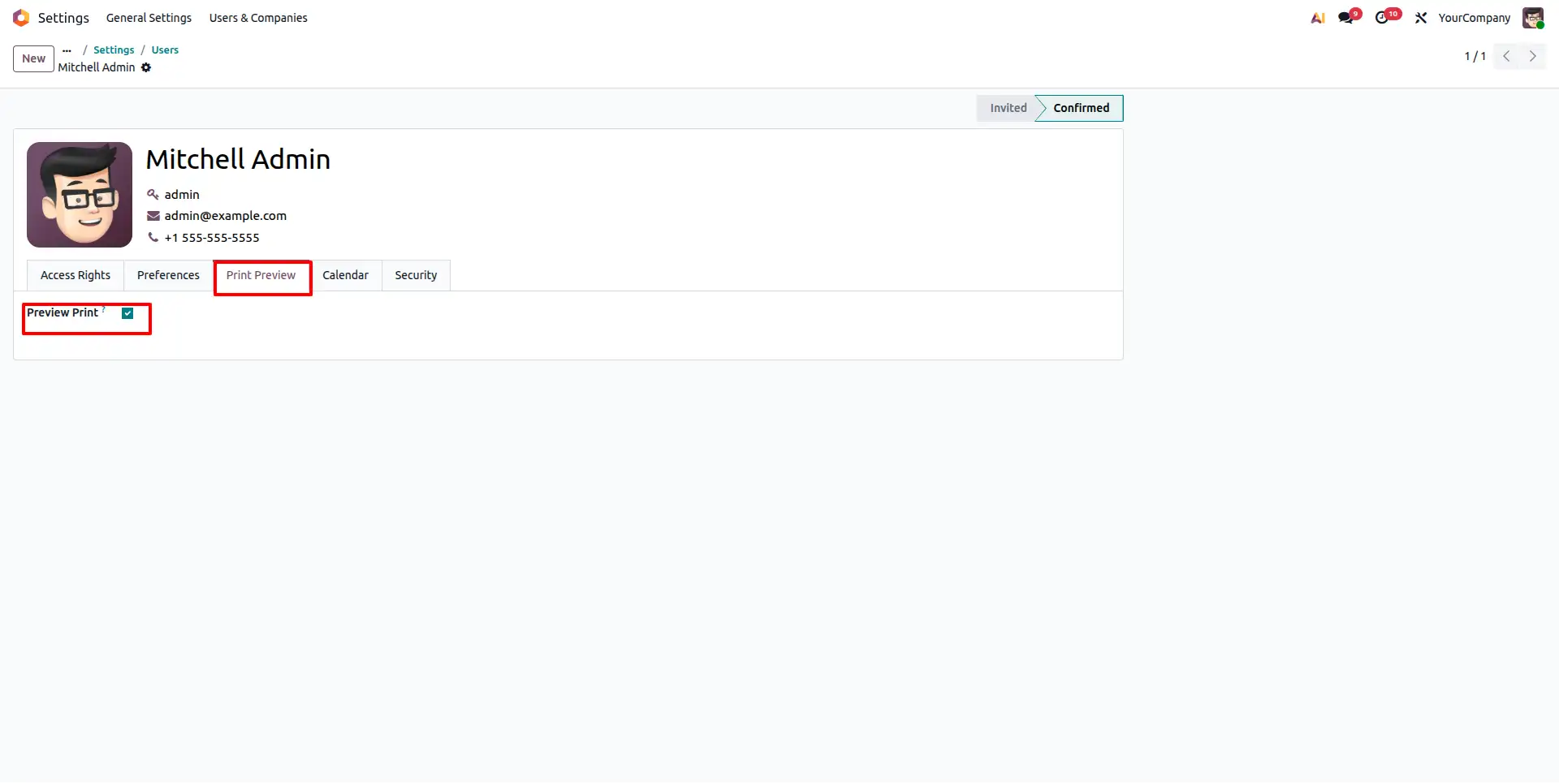
User Preference Configuration
Navigate to the user preferences and enable the PDF Preview option. This setting activates browser-based report preview instead of automatically downloading PDF reports.
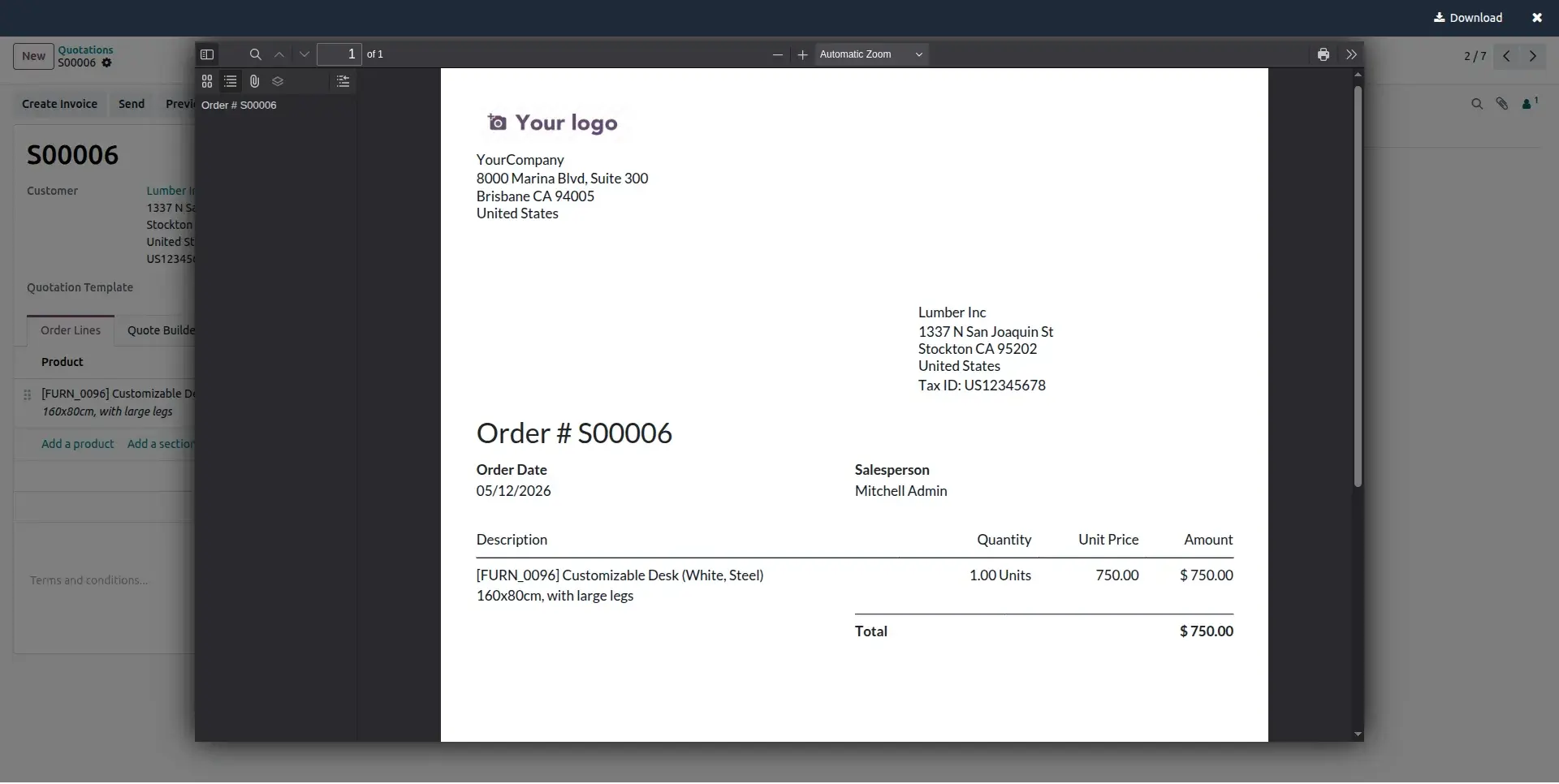
PDF Report Preview Window
When a report is generated, it opens inside an interactive PDF preview dialog instead of downloading automatically, allowing users to review the document instantly.
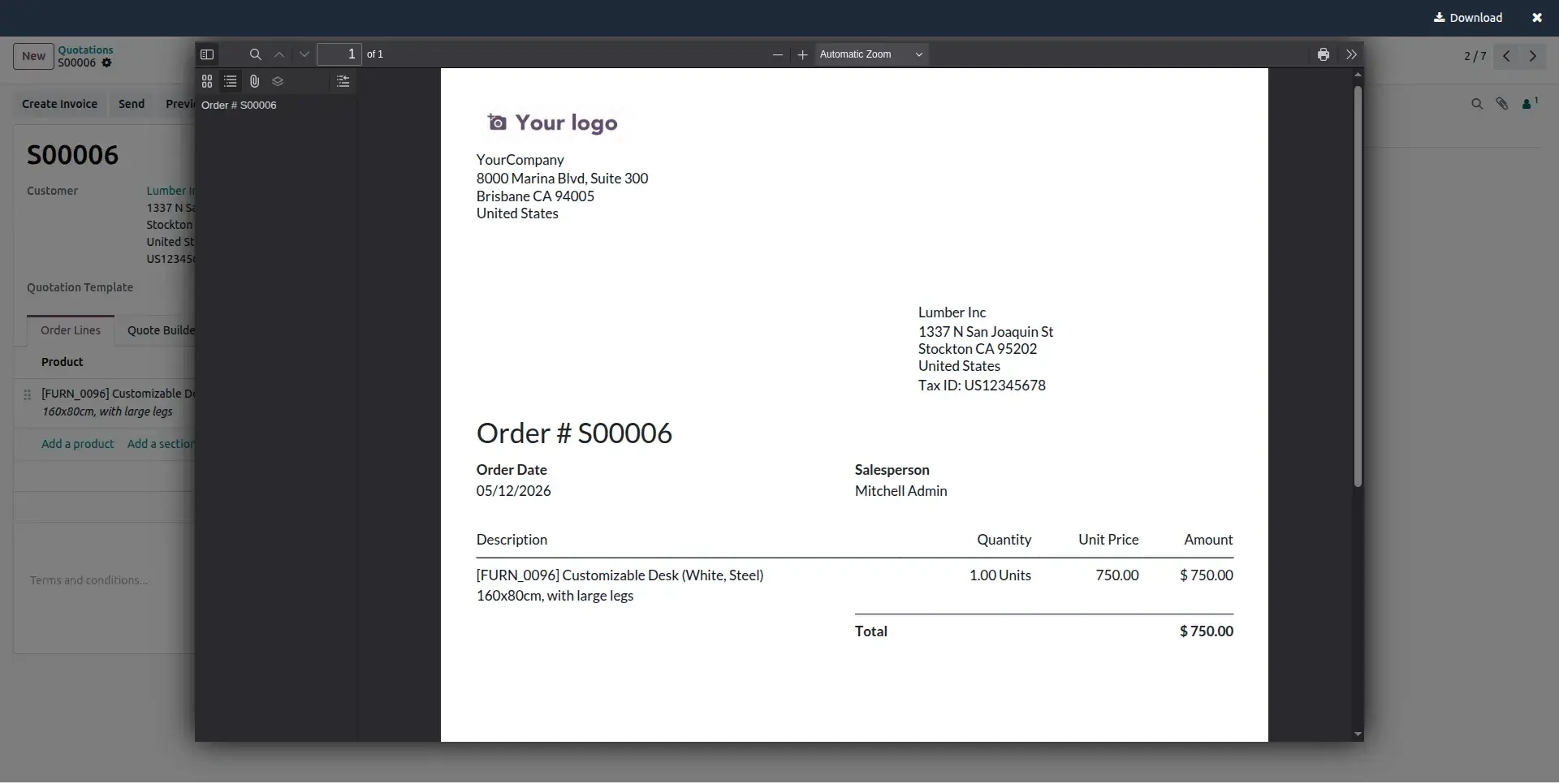
Preview from Sales Order Report
Open a Sales Order and click the Print button. The Sales Order report is displayed directly inside the PDF Viewer, allowing users to verify pricing, customer details, and report formatting before downloading.
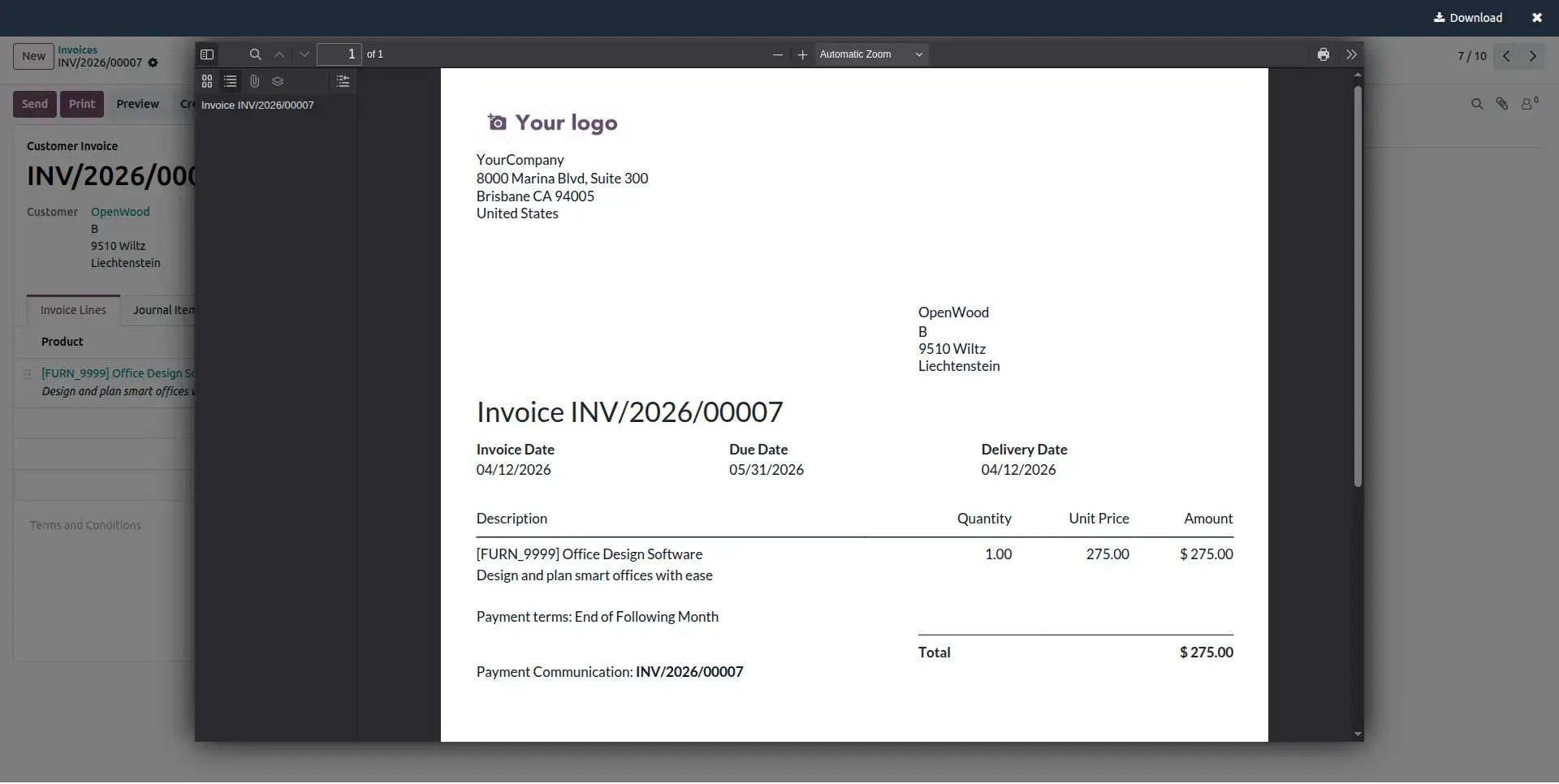
Preview from Invoice Report
Customer invoices can also be previewed directly inside the PDF Viewer, enabling accountants to validate totals, taxes, payment information, and document layout before printing or sharing.
Preview Custom Reports
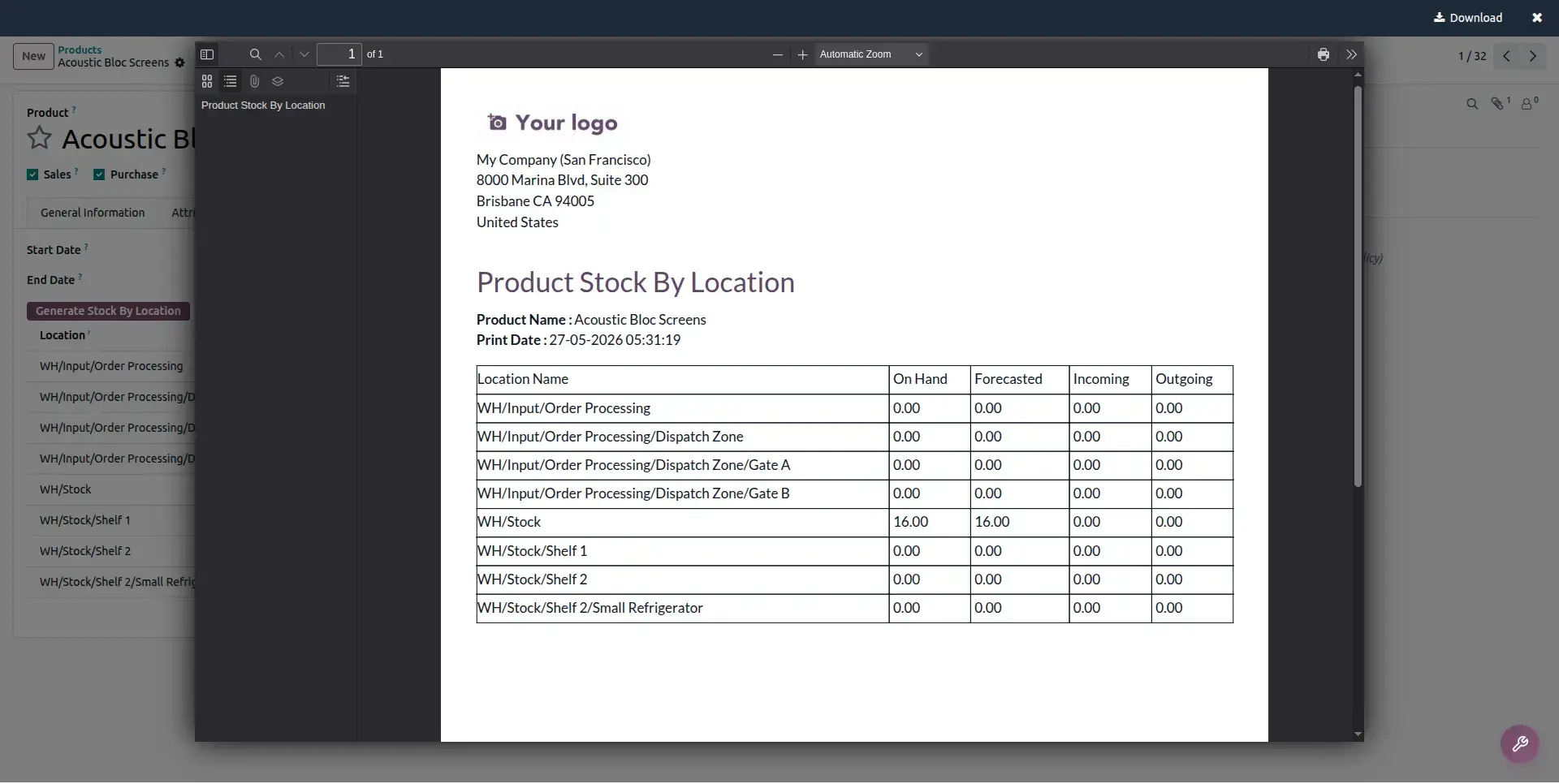
The module also supports wizard generated and custom PDF reports. Users can preview custom documents inside the browser before downloading or printing, ensuring complete compatibility with customized Odoo reporting workflows.
Frequently Asked Questions
Technical Details
Dependencies
• Web (web)
License
OPL-1
Need Assistance?
Email Support
contact@gritxi-tech.comAny Questions?
Have questions about this app?
Fill out the form below and our team will get back to you with more information.
Customer Reviews
Share your experience with this module.
Write a Review
Latest Reviews
No reviews yet. Be the first to share your thoughts!