
Payment Provider: SaferPay
SaferPay payment gateway integration for Odoo.
Payment Provider: Saferpay
Integrate Saferpay with Odoo to securely accept online payments, automate transaction processing, manage refunds, and deliver a seamless checkout experience for customers worldwide.
App Overview

Introduction
The Saferpay Payment Gateway Integration for Odoo enables businesses to accept secure online payments directly through their Odoo eCommerce store using Saferpay, a trusted e-payment solution by Worldline. Designed for seamless integration, this module connects Odoo's sales and eCommerce workflows with the Saferpay payment infrastructure, allowing merchants to offer customers a smooth, reliable, and PCI compliant checkout experience.
The module supports a wide range of national and international payment methods including credit cards, debit cards, and digital wallets all managed through a single, unified interface within Odoo. With automated transaction tracking, real time payment status updates, and built-in refund capabilities, this integration eliminates manual payment handling and significantly reduces the risk of errors, making it an ideal solution for growing online businesses operating on the Odoo platform.

Purpose
The purpose of the Saferpay Payment Gateway Integration is to provide Odoo businesses with a secure, reliable, and fully integrated online payment solution that simplifies payment acceptance across eCommerce and customer portal workflows. By connecting Odoo directly with Saferpay’s trusted payment infrastructure, businesses can offer customers multiple payment options, automate transaction processing, eliminate manual payment reconciliation, and improve operational efficiency. The module ensures real-time payment tracking, streamlined refund management, and accurate financial synchronization, enabling merchants to deliver a professional checkout experience while maintaining complete control over their payment operations from within Odoo.
Business Use Cases
eCommerce Retailers Accepting International Payments
Online retail businesses that sell to customers across multiple countries can use this integration to accept a wide range of international payment methods including credit cards and digital wallets through a single Saferpay interface. Instead of managing multiple payment gateways, the merchant configures Saferpay once in Odoo and immediately gains access to globally recognized payment options, with orders automatically confirmed and financial records updated in real time upon each successful transaction.
B2B Companies Processing Invoice Payments
Businesses operating on a B2B model that send invoices to clients can leverage this module to enable online invoice payments through the Odoo customer portal. Clients receive an invoice link, log in to the portal, select Saferpay as the payment method, and complete the payment securely. The invoice is automatically marked as paid in Odoo, the corresponding journal entry is generated, and the finance team has an accurate, up-to-date record without any manual intervention.
Key Features

Saferpay Payment Provider Setup
Automatically registers Saferpay as a payment provider in Odoo upon module installation, ready to configure with your credentials.

Multiple Payment Methods
Supports credit cards, debit cards, and digital wallets through a single Saferpay interface, giving customers flexible options.
Real-Time Transaction Processing
Instantly validates and processes payments at checkout, updating order statuses automatically upon completion.
Automated Reconciliation
Automatically generates bank journal entries in Odoo for every processed transaction ensuring accurate financial records.

Partial and Full Refunds
Enables administrators to initiate partial and full refunds directly from the Odoo backend using details views.
Saferpay Payment Dashboard
Provides a centralized dashboard within Odoo to monitor, search, and review all Saferpay transactions gracefully.

Test and Live Mode Support
Allows merchants to test the payment workflow in a sandbox environment before going live error-free.

Multi-Currency Support
Processes payments safely in multiple currencies enabling businesses to serve international customers universally.
Configuration & Workflow
The following screens illustrate the complete Saferpay payment workflow from initial configuration through checkout, transaction management, and refund processing.
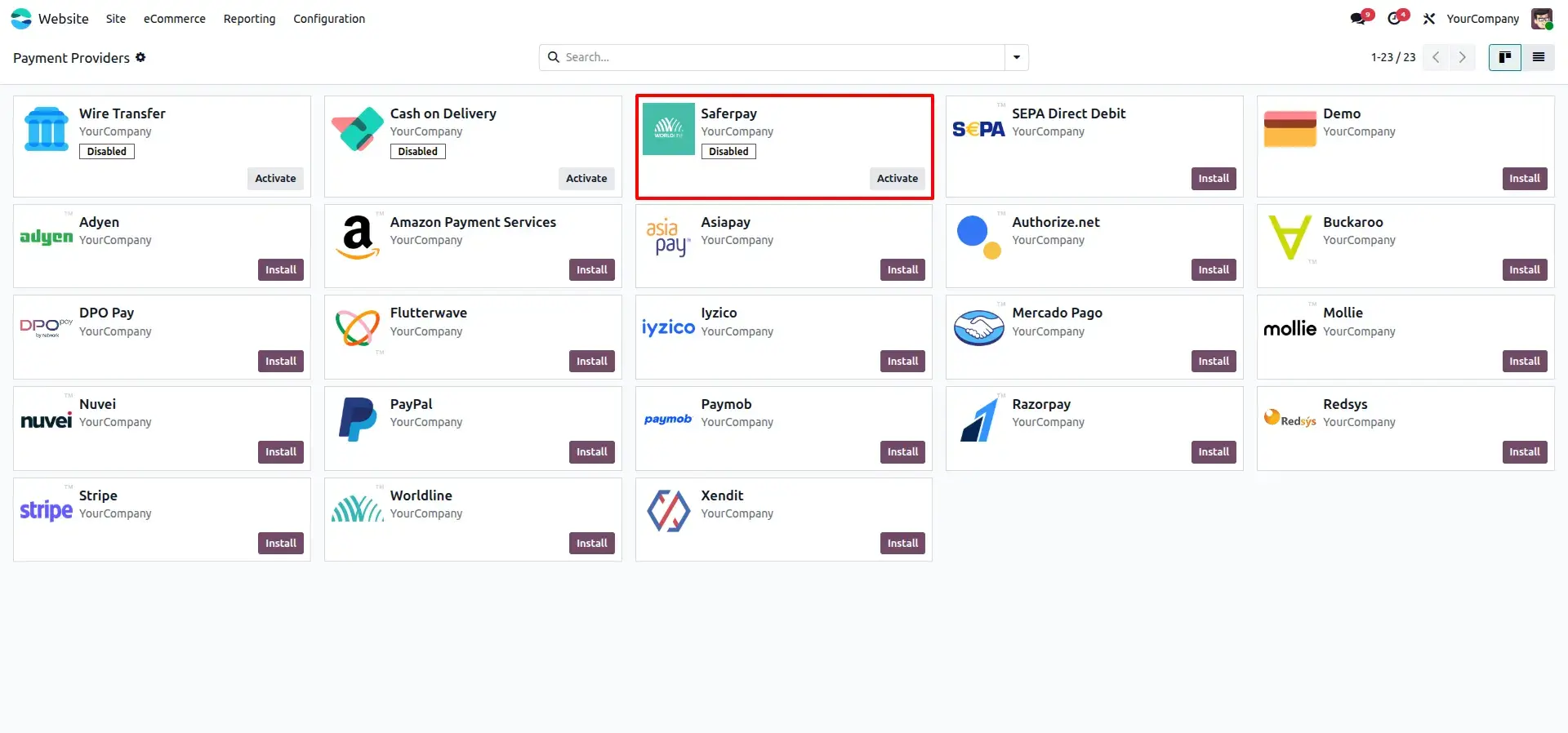
Activate Saferpay Payment Provider
Enable the Saferpay payment provider in Odoo to allow customers to securely pay through the Saferpay gateway.
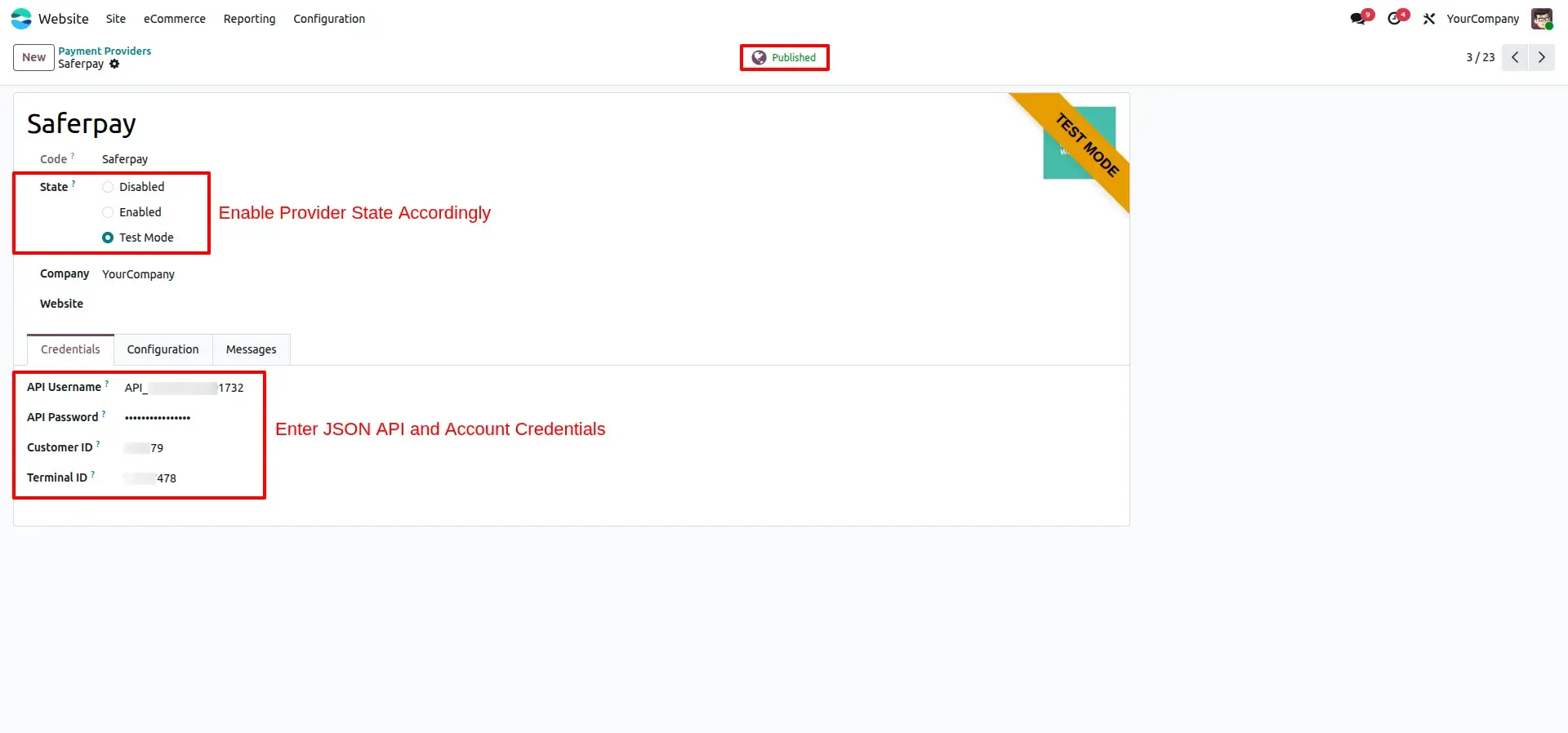
Configure Credentials
Enter the API credentials provided by Saferpay and select the appropriate environment to enable payment processing.
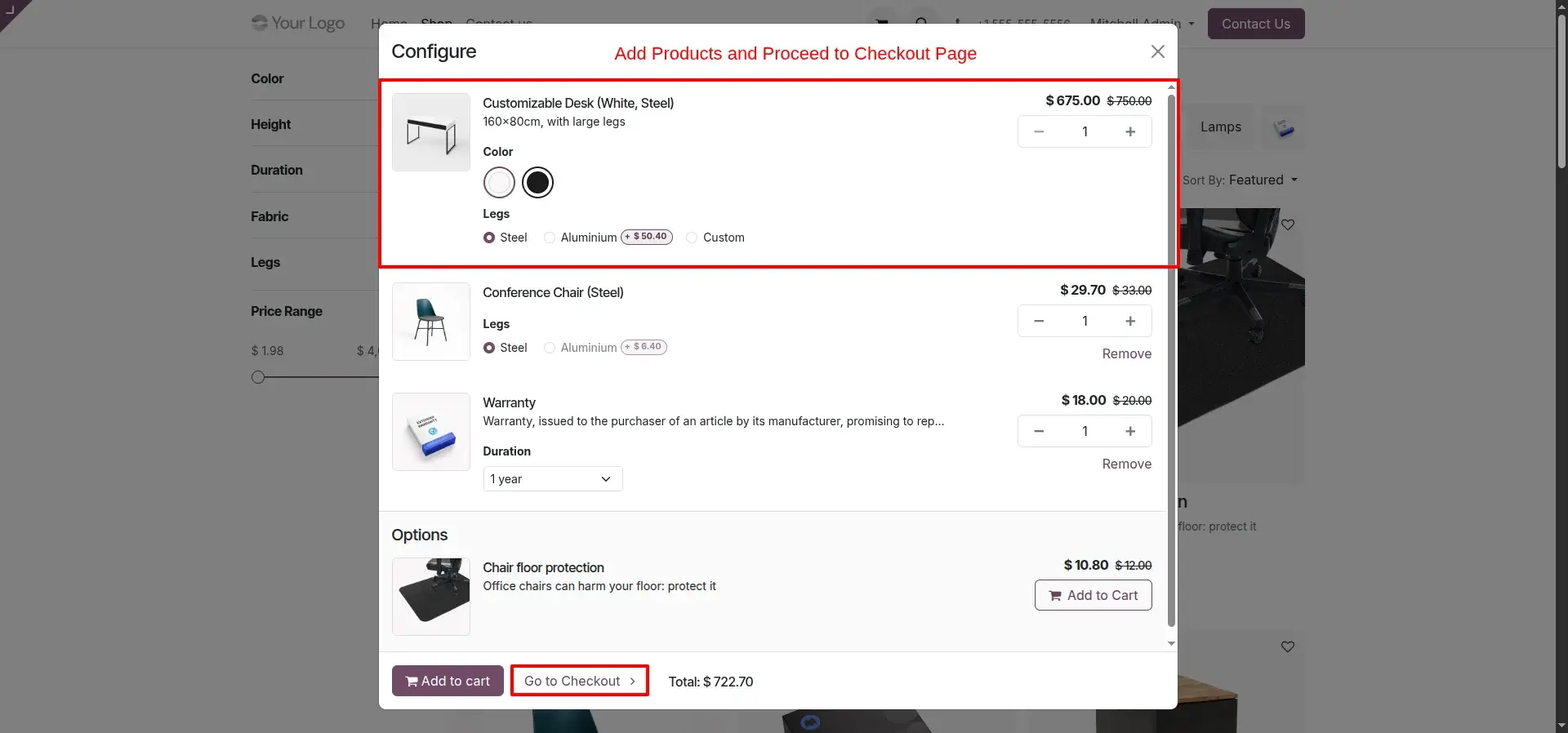
Add Products to Cart
Effortlessly add desired products from the shop to the cart and proceed to checkout.
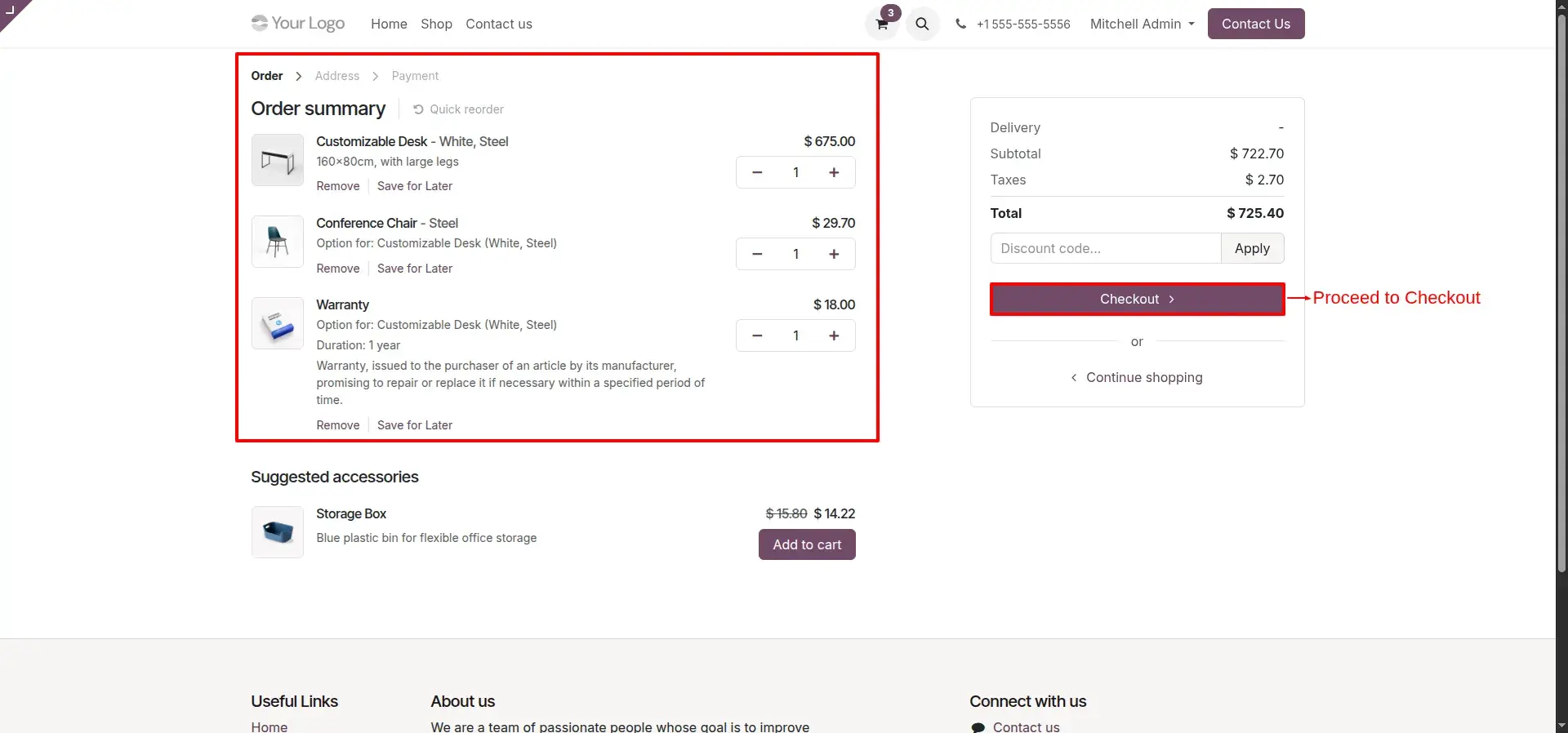
Checkout
Review the selected products and proceed with the checkout process from the shopping cart.
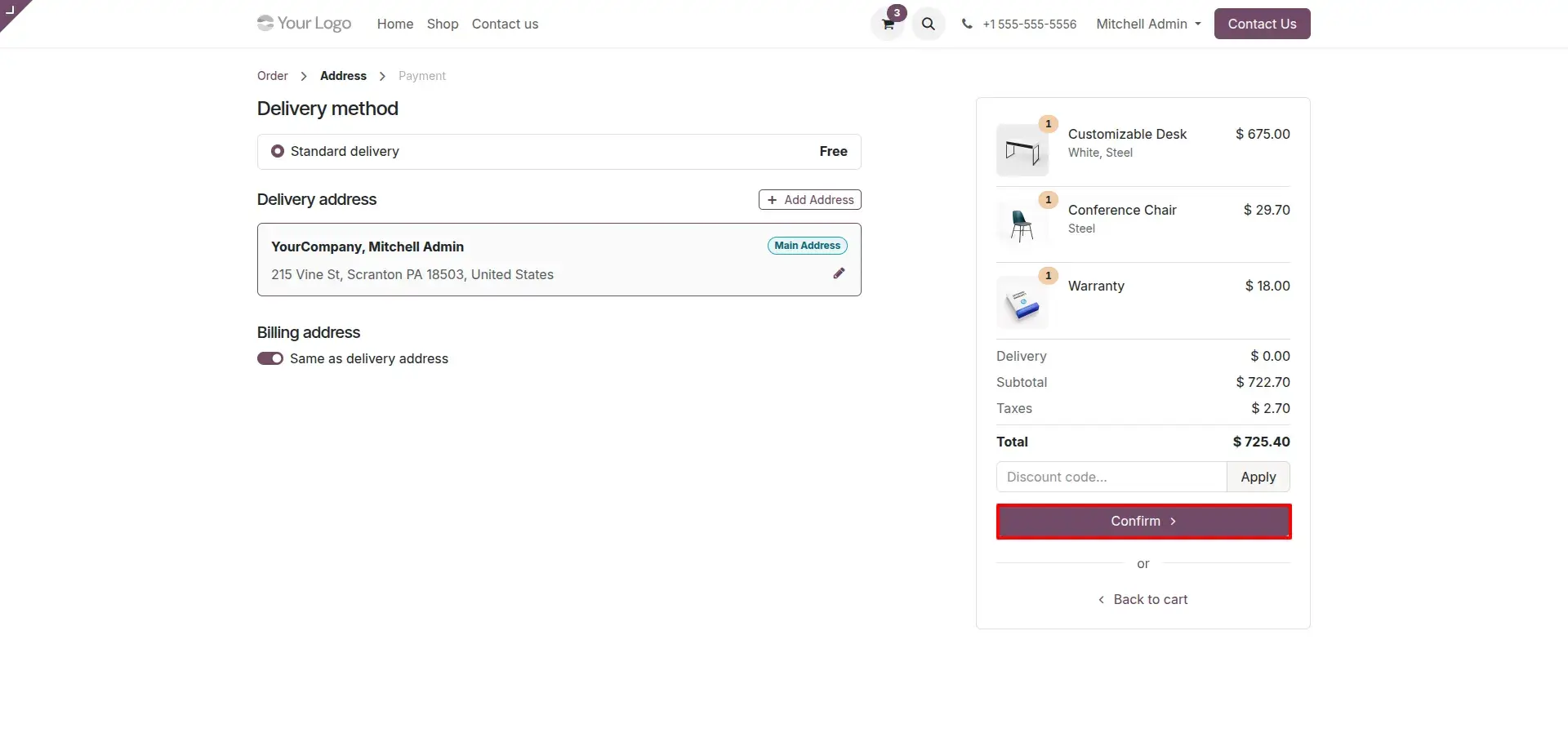
Confirm Shipping Details
Provide and verify shipping and billing information along with the preferred delivery method.
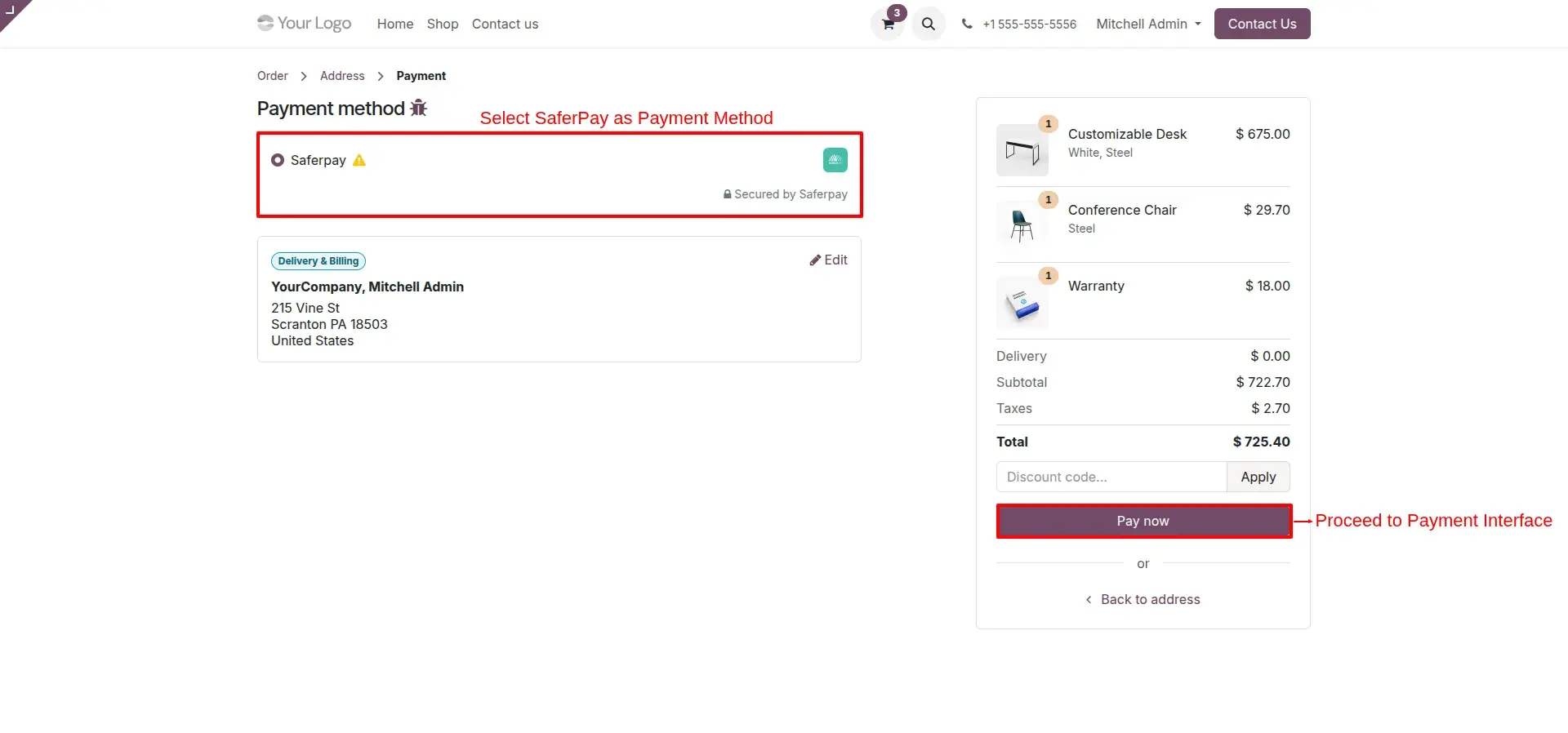
Select Payment Method
Choose Saferpay as the payment option and click "Pay Now" to proceed to the secure payment interface.
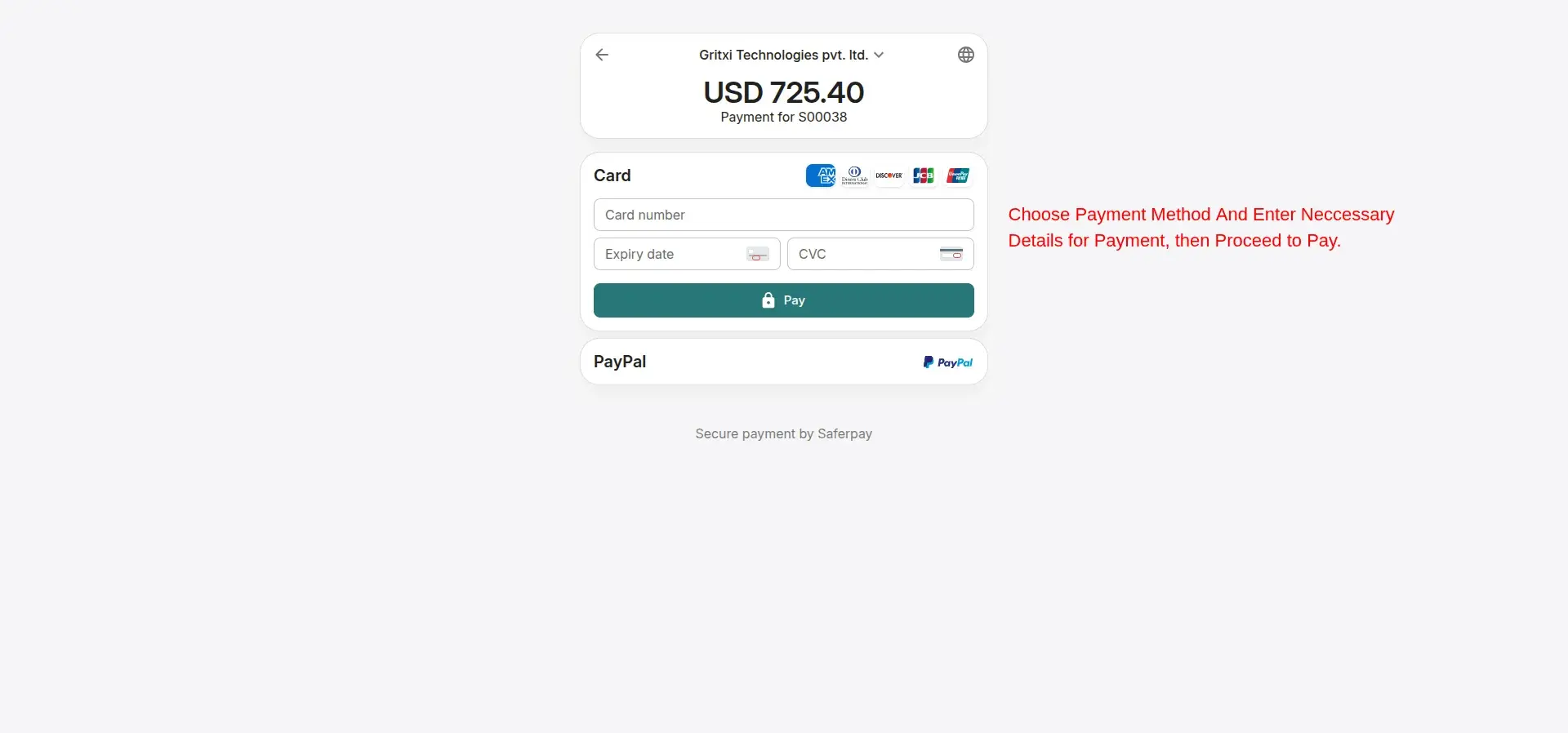
Secure Saferpay Checkout
Customers are redirected to the hosted page where they select a payment method and enter the required details to complete payment.
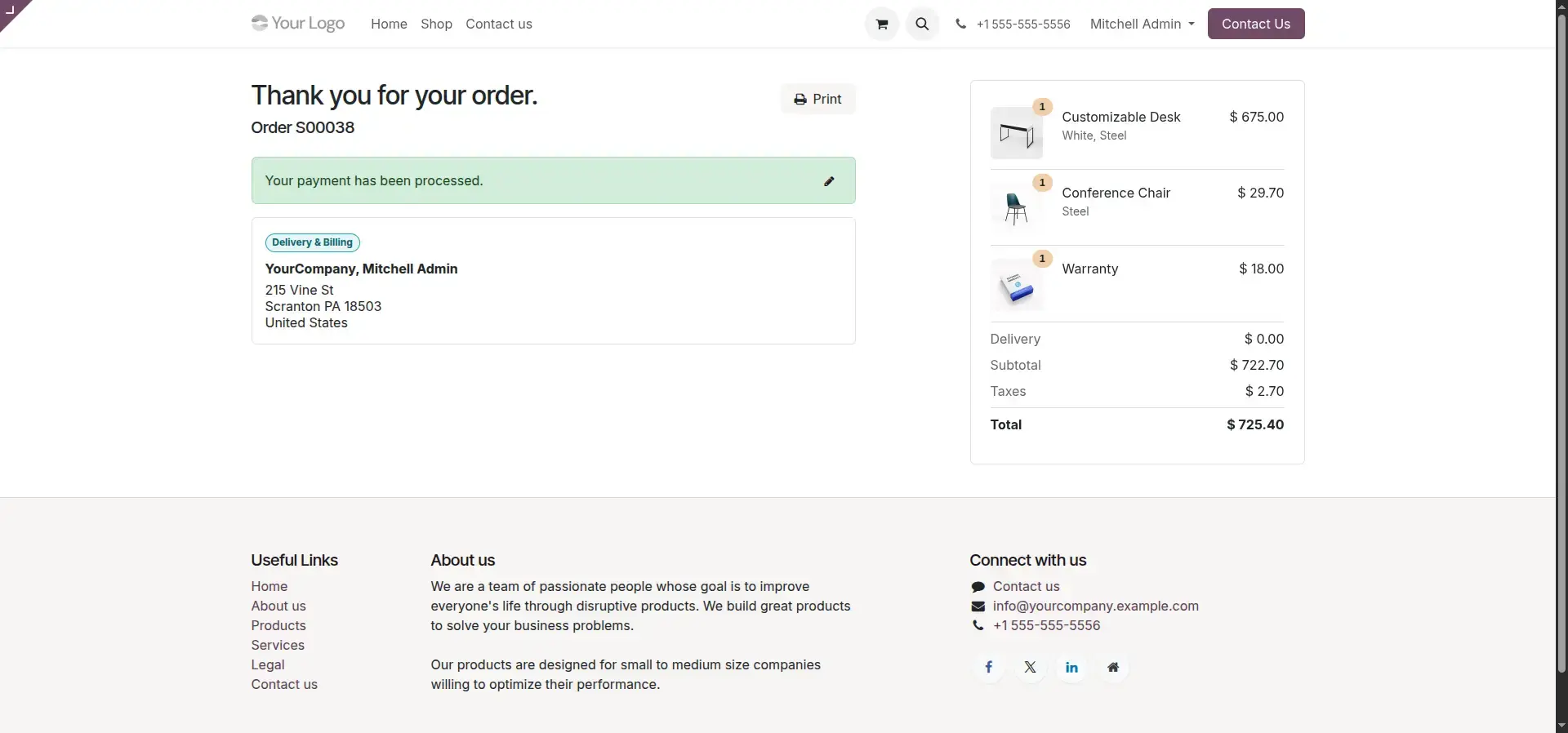
Order Confirmation
After successful payment, the customer is redirected back to the store's order confirmation page.
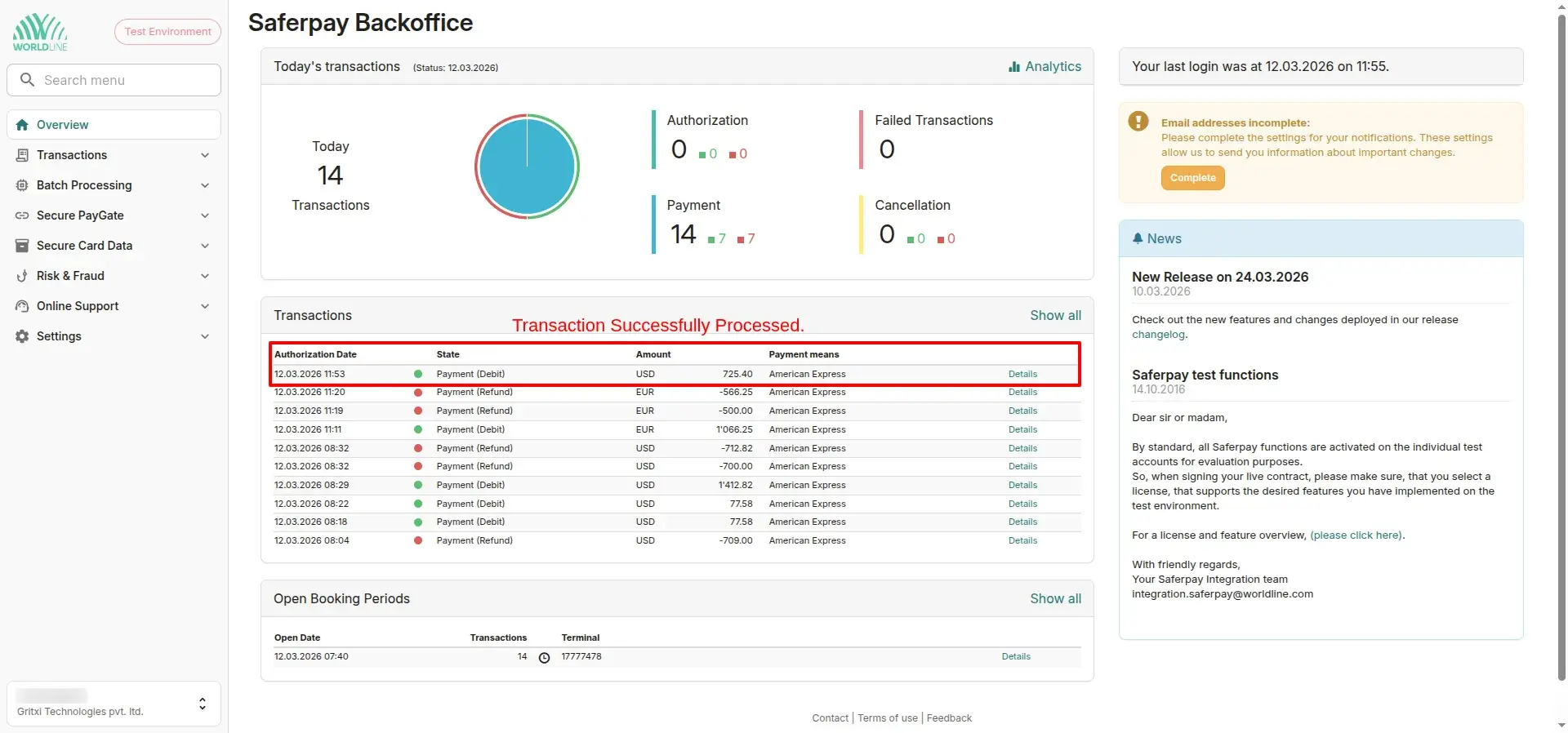
Saferpay Backoffice
Monitor and manage all processed transactions directly within the Saferpay backoffice portal.
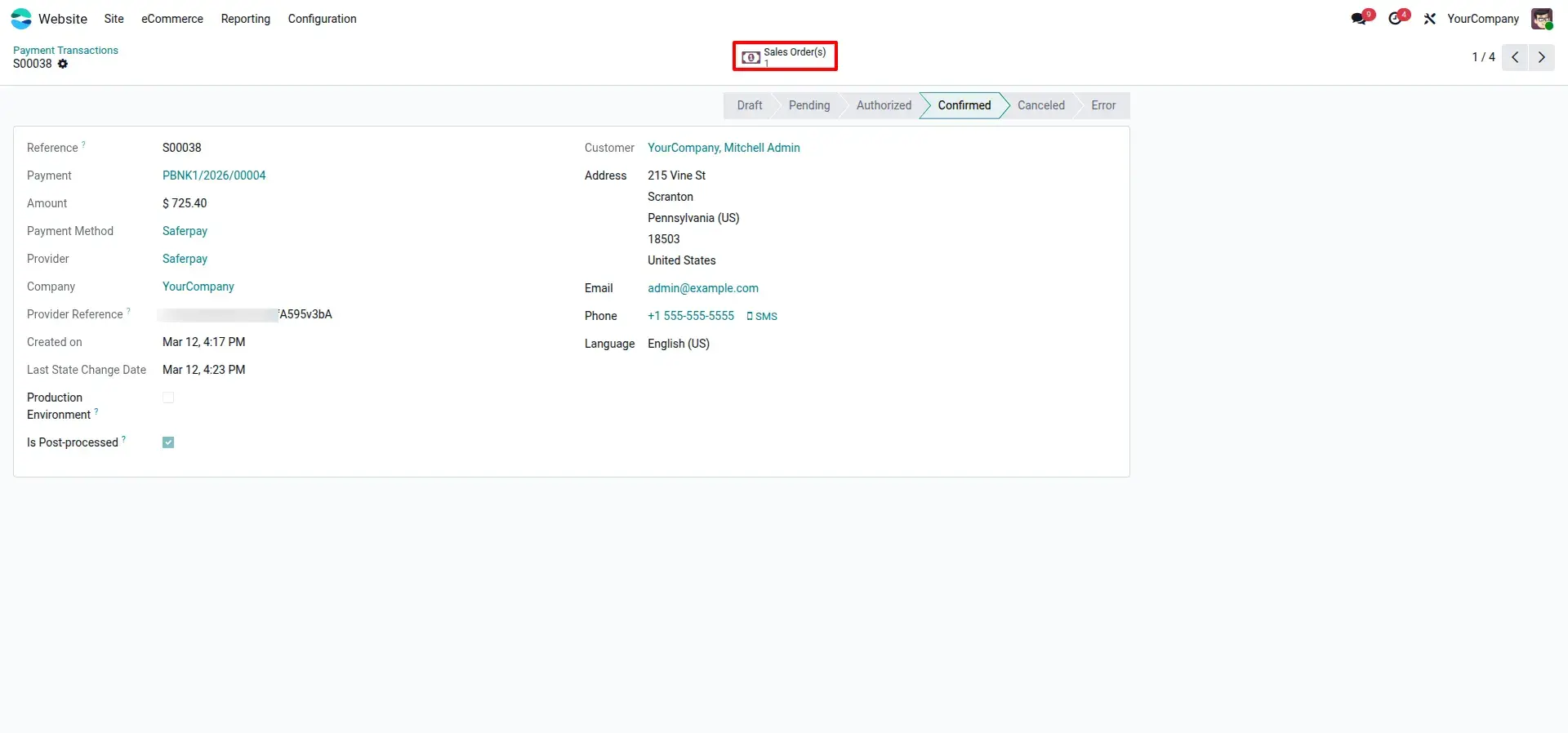
Payment Transaction
Track every Saferpay payment and its real-time status directly within your Odoo record.
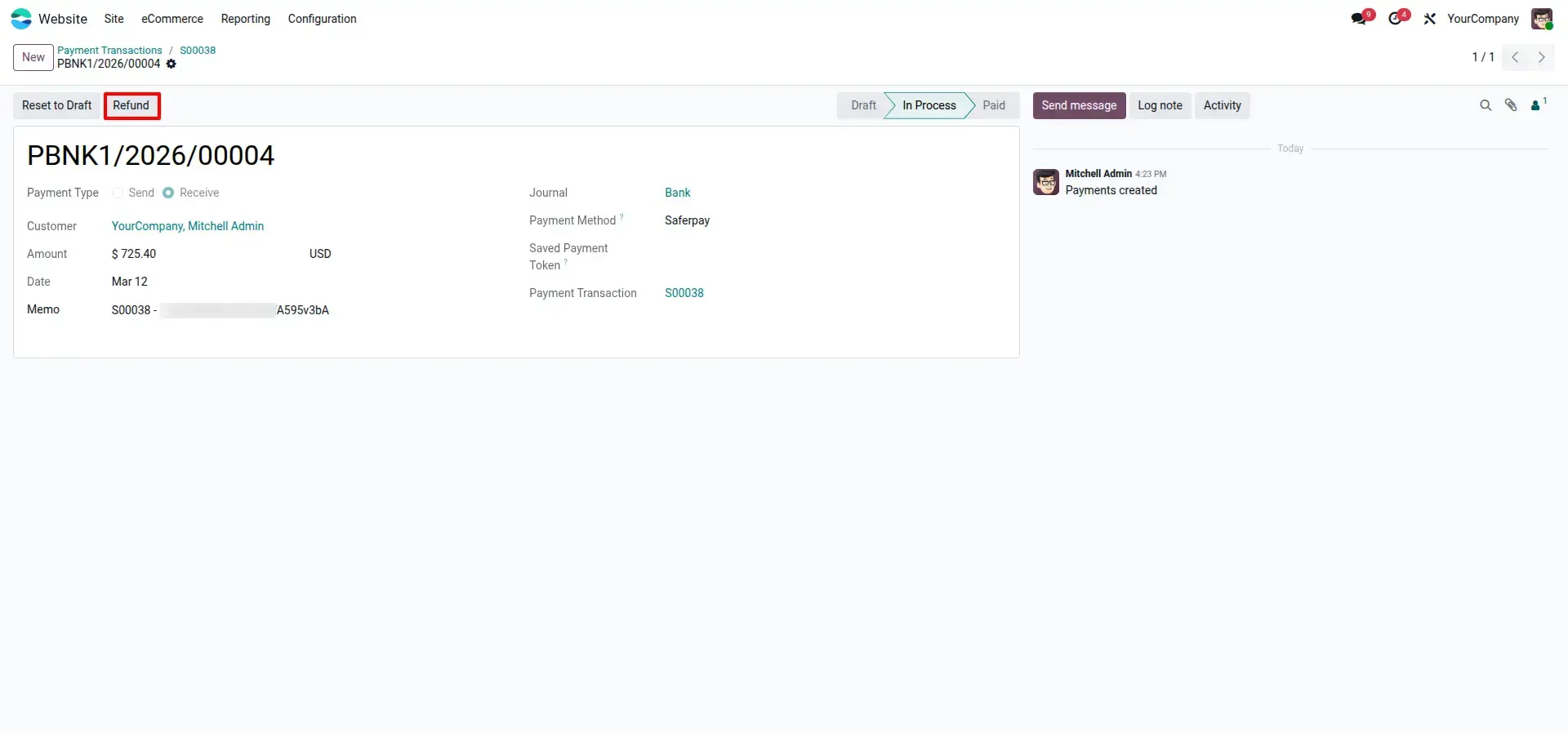
Refund Management
Initiate refunds directly from the payment transaction when processing customer returns.
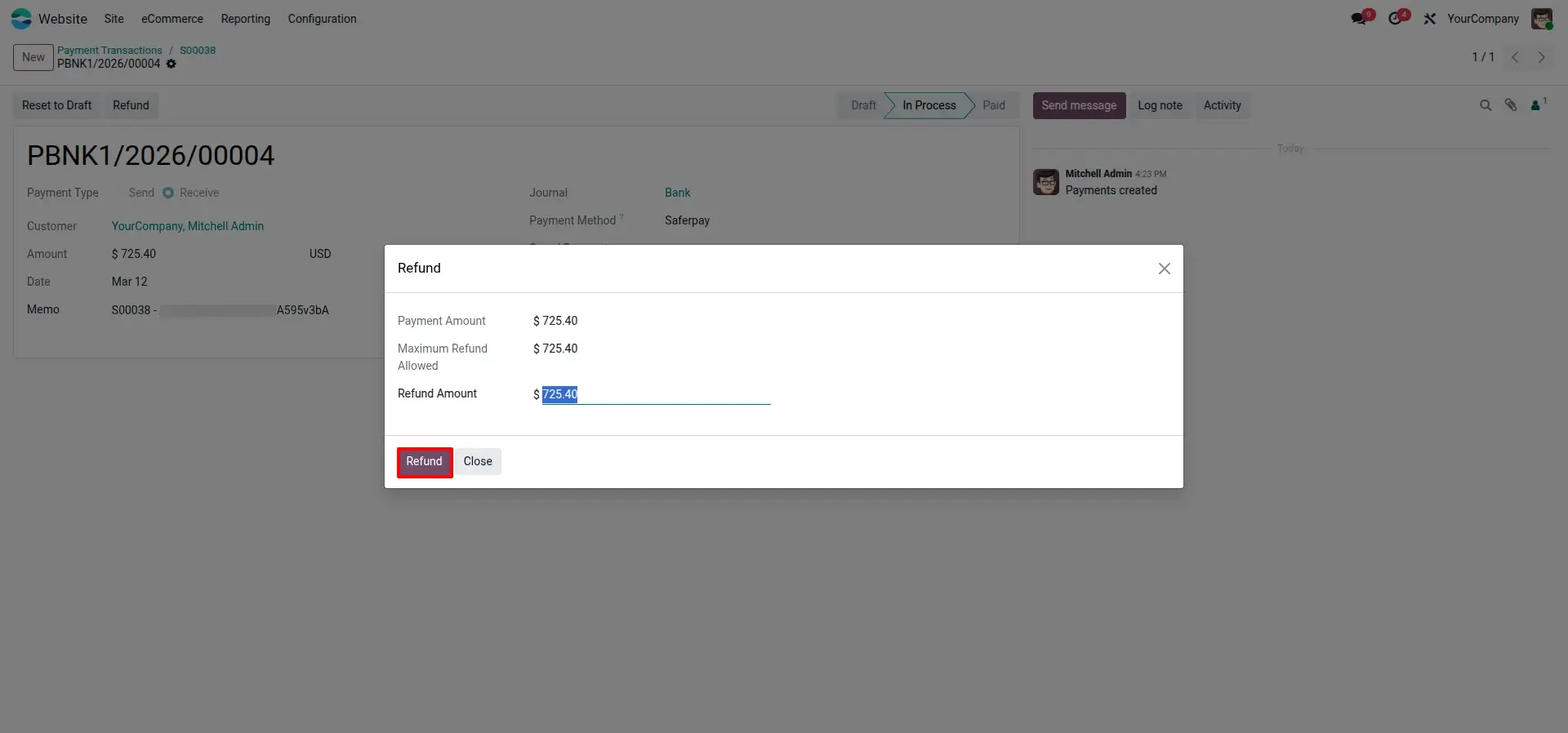
Processing Refunds
Utilize the intuitive refund wizard to specify precise amounts and finalize the return operation.
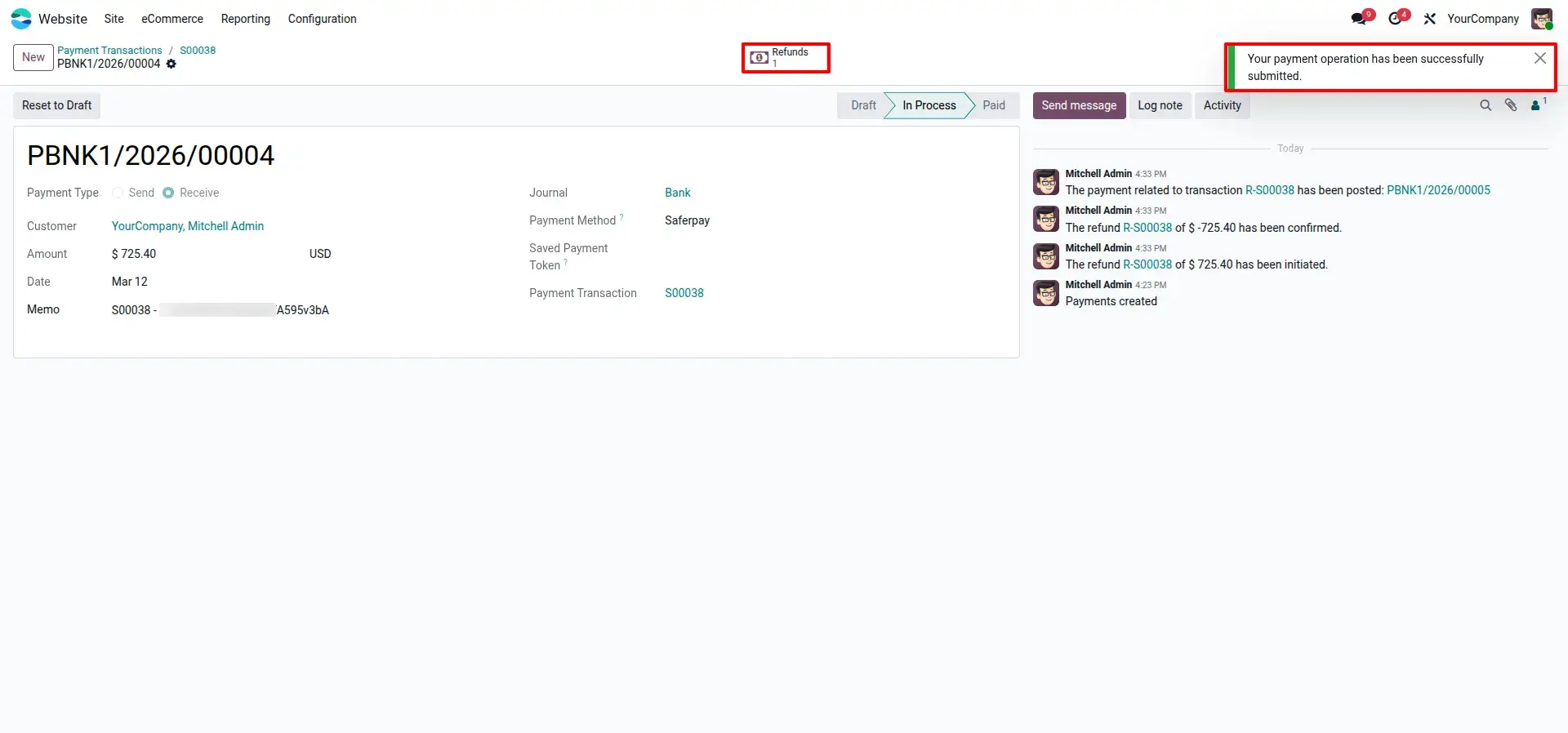
Refund Submission Alert
Receive proactive system alerts confirming that your refund operation was successfully submitted.
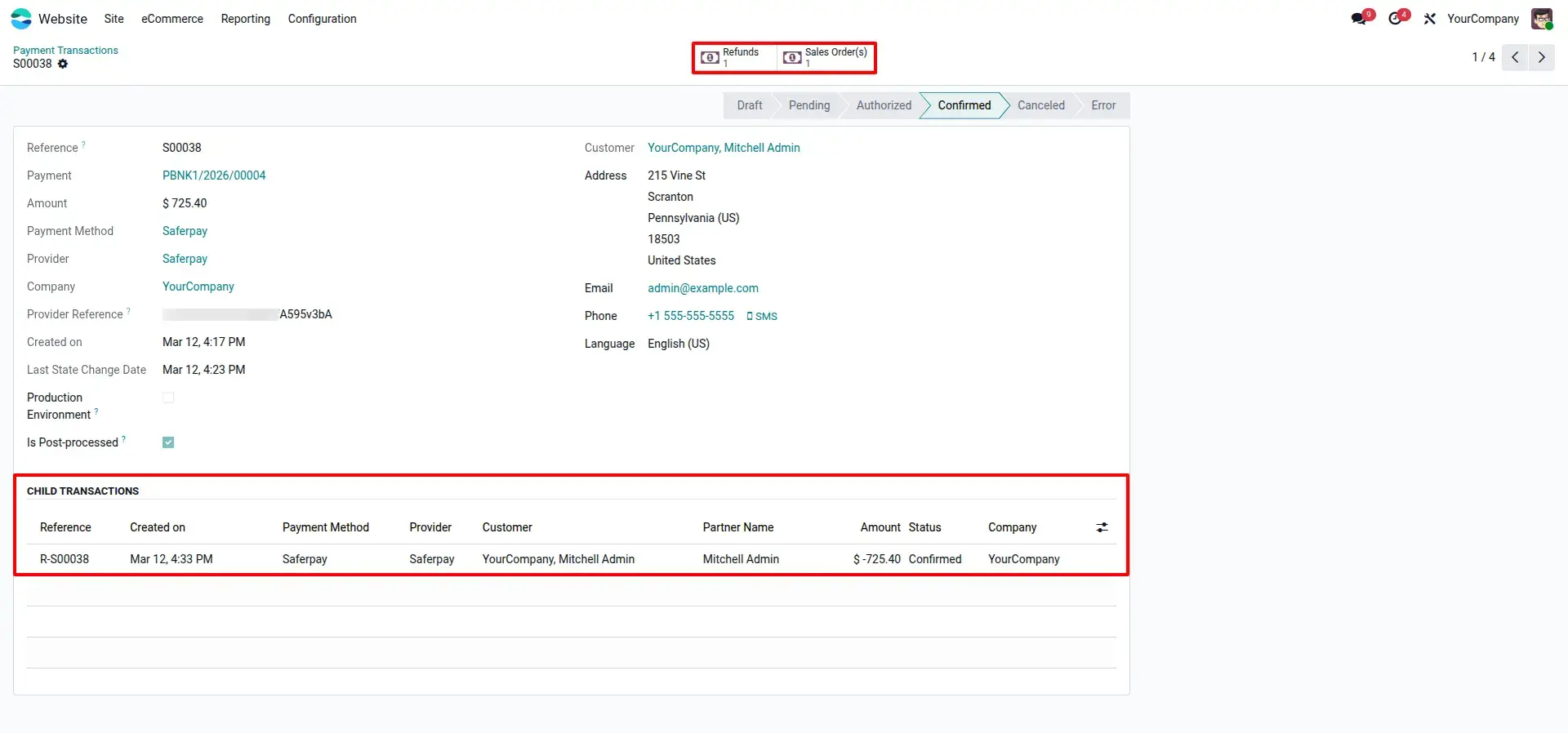
Automated Reconciliation
Maintain perfect financial records with automated linkage between parent transactions and refund lines.
Frequently Asked Questions
Technical Details
Dependencies
• Invoicing (account)
• eCommerce (website_sale)
• Discuss (mail)
• Website (website)
License
OPL-1
Need Assistance?
Email Support
contact@gritxi-tech.comAny Questions?
Have questions about this app?
Fill out the form below and our team will get back to you with more information.
Customer Reviews
Share your experience with this module.
Write a Review
Latest Reviews
No reviews yet. Be the first to share your thoughts!