
Payment Provider: Revolut
Accept secure online payments in Odoo using the Revolut payment gateway.
Payment Provider: Revolut
Connect your Odoo store with Revolut's world-class fintech infrastructure. Accept Revolut Pay, Card, Apple Pay, and Google Pay with a seamless hosted checkout.
App Overview

Introduction
The Revolut Payment Provider for Odoo is a powerful integration that bridges your eCommerce and invoicing workflows with one of the world's leading fintech platforms. It enables merchants to accept payments through a wide range of methods including Credit/Debit cards, Revolut Pay, Apple Pay, and Google Payall within a secure, PCI-compliant redirection flow. The module automates order confirmations, handles real-time webhooks, and simplifies multi-currency accounting.

Purpose
Modern businesses require an international-first payment infrastructure. This module’s purpose is to leverage Revolut’s reputation for efficiency and security, providing Gulf and Global businesses with a frictionless 1-tap checkout experience. By automating financial reconciliation and native refund management, it reduces operational overhead and builds the high-tier trust required for enterprise-level scaling.
Business Use Cases

Online Retail
Drive conversion with Revolut Pay and Apple Pay one-tap checkouts, reducing cart abandonment on mobile devices.

Professional Services
Share secure Revolut payment links via portal invoices, accelerating cash flow and reducing manual follow-ups.

Global eCommerce
Settle transactions in multiple currencies automatically, simplifying cross-border accounting within Odoo.
Key Features

Multiple Methods
Accept cards, Revolut Pay, Apple Pay, and Google Pay immediately after installation.

Secure Hosted Page
Off-load card data handling to Revolut’s secure, encrypted redirection checkout page.

One-Click Webhooks
A dedicated button automates the complex webhook setup between Revolut and Odoo instantly.

Refund Management
Initiate partial or full refunds directly within the Odoo transaction record for clean returns.
Auto-Reconciliation
Automatically link parent transactions with refund entries for error-free financial reporting.
Configuration & Workflow
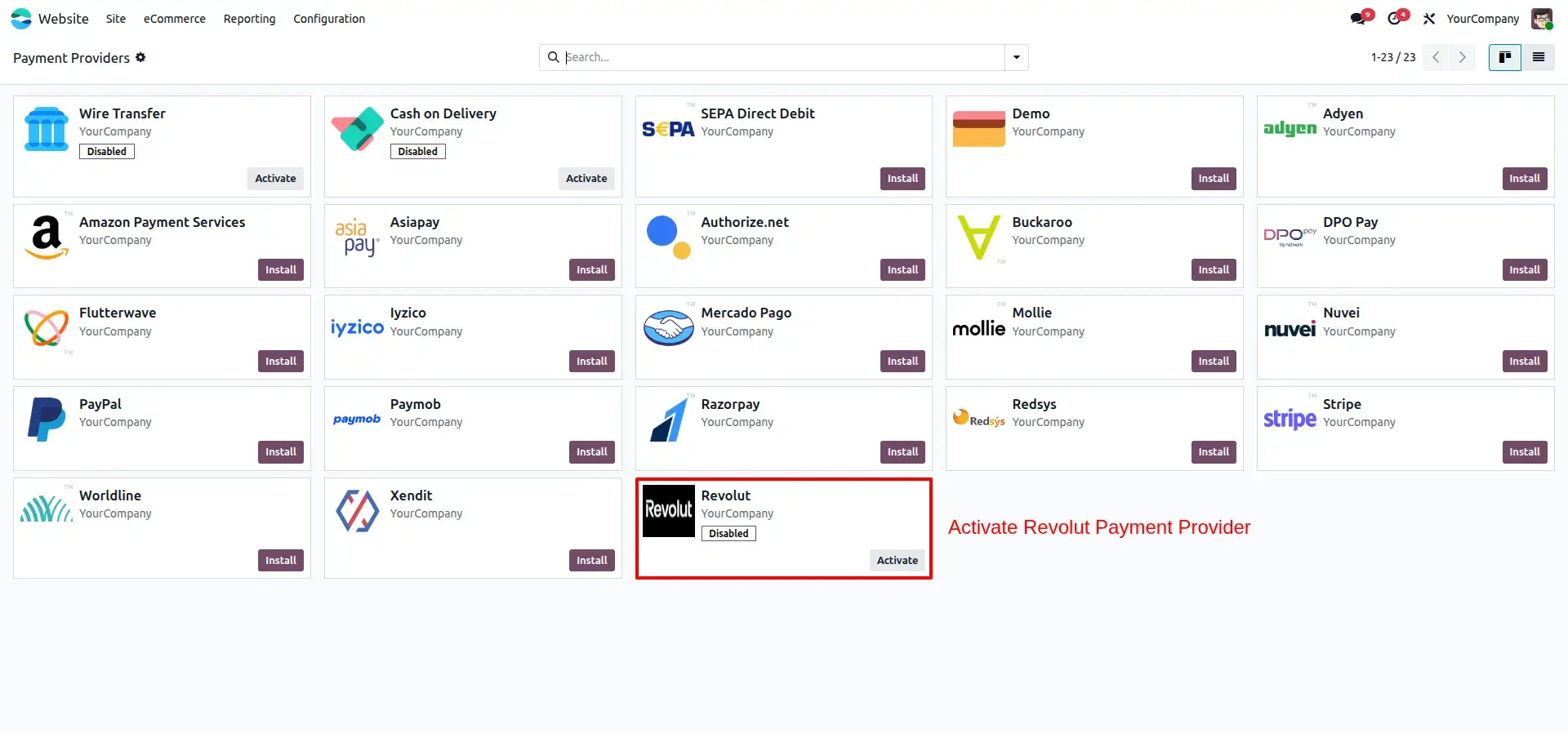
Revolut Provider Activation
Revolut is enabled as an active payment provider within the Odoo backend payment configuration panel.
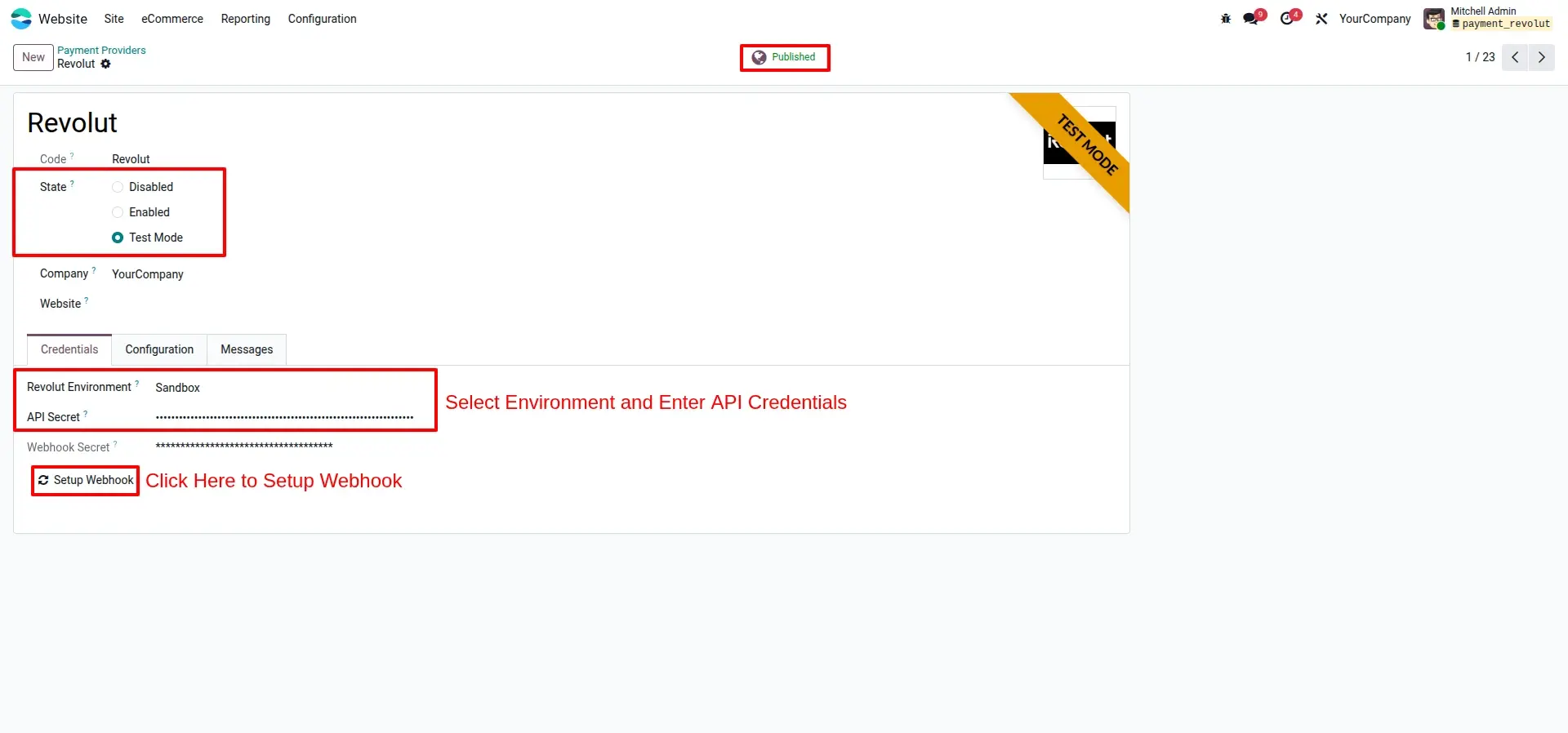
API Credentials & Webhook Setup
The provider settings screen shows environment selection, API credential fields, and the one click webhook setup button.
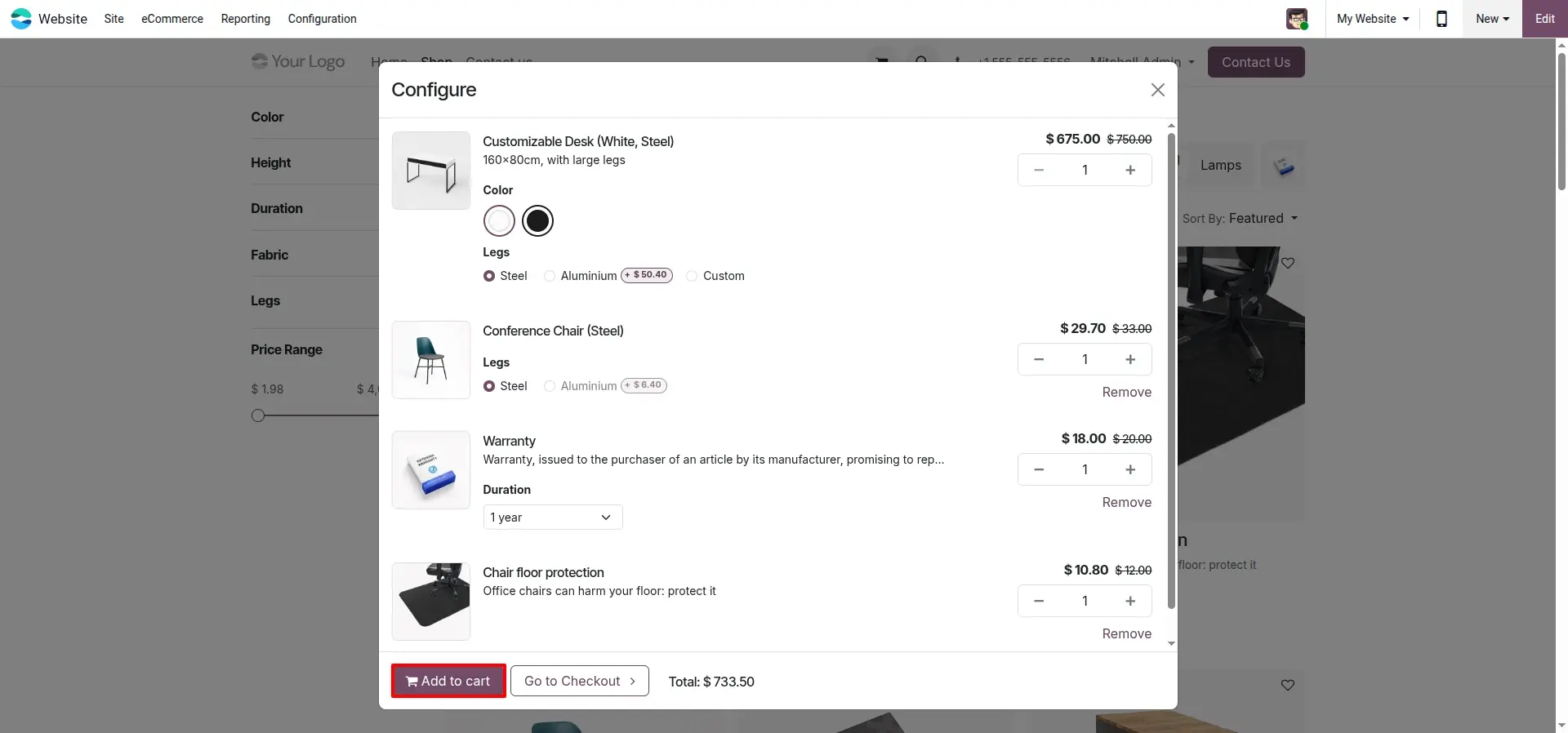
Product Added to Cart
A customer successfully adds a product to the shopping cart from the eCommerce storefront.
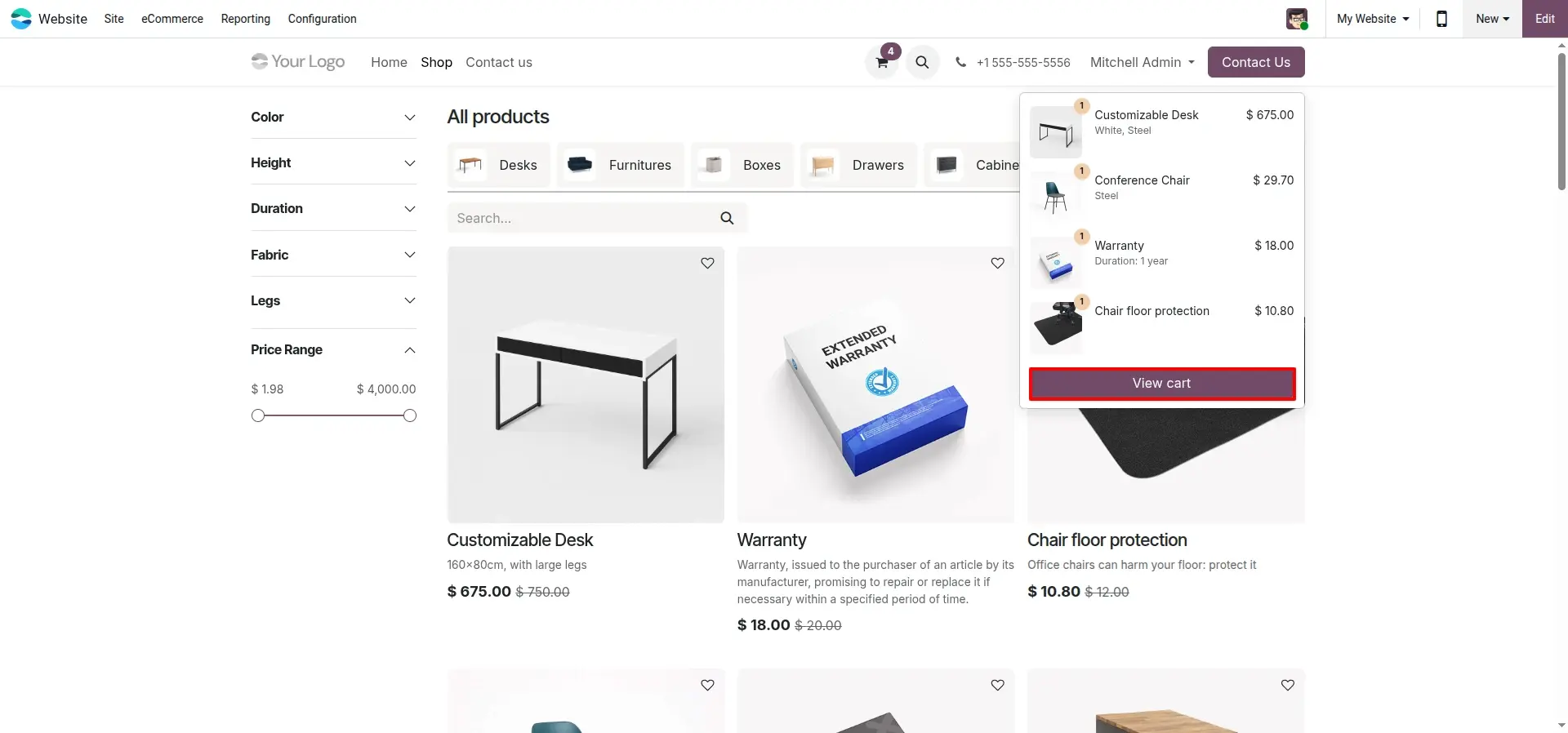
Cart Review Page
The cart overview displays all selected items, quantities, and total amounts before the customer proceeds to checkout.
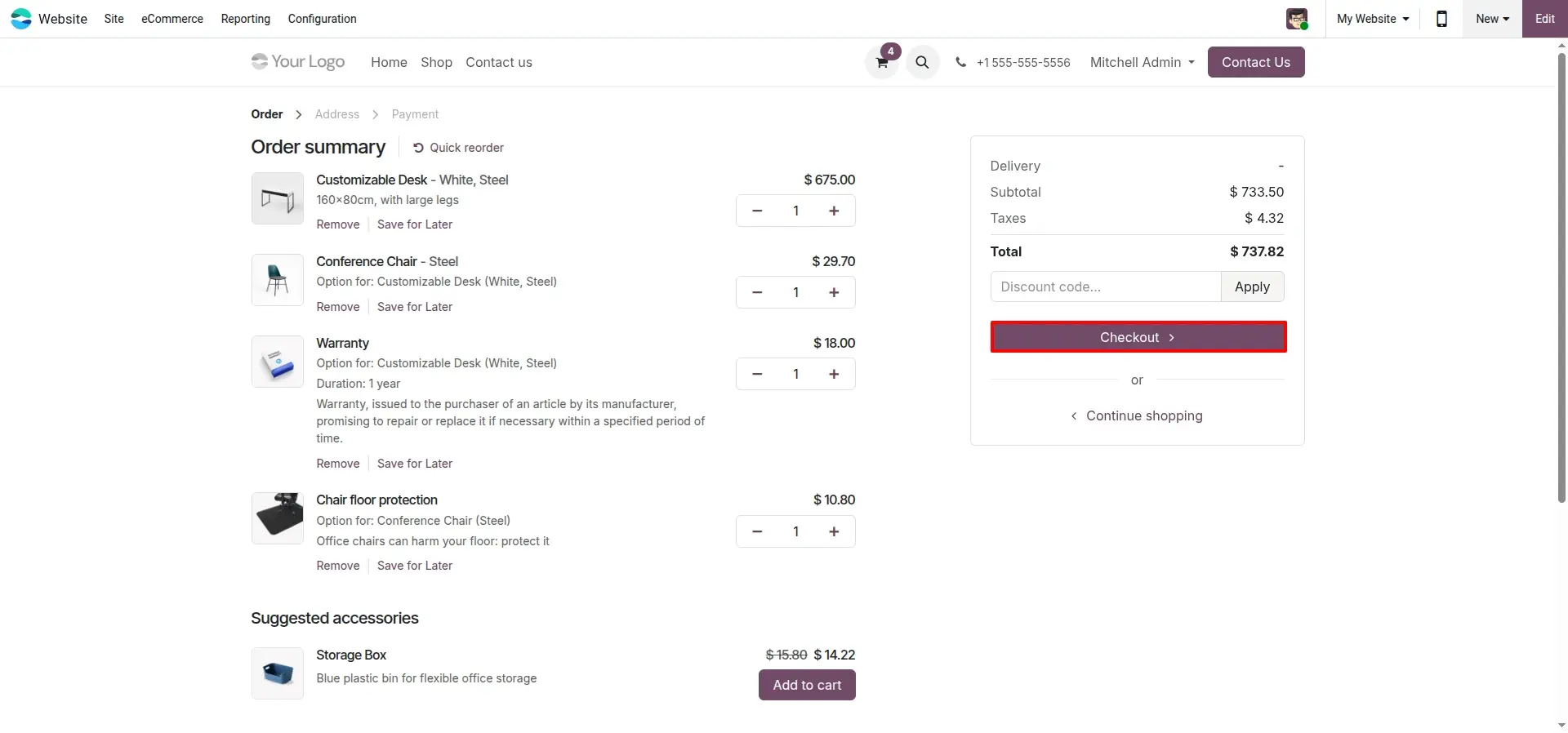
Order Summary & Checkout Initiation
The customer reviews the full order and clicks through to begin the secure checkout process.
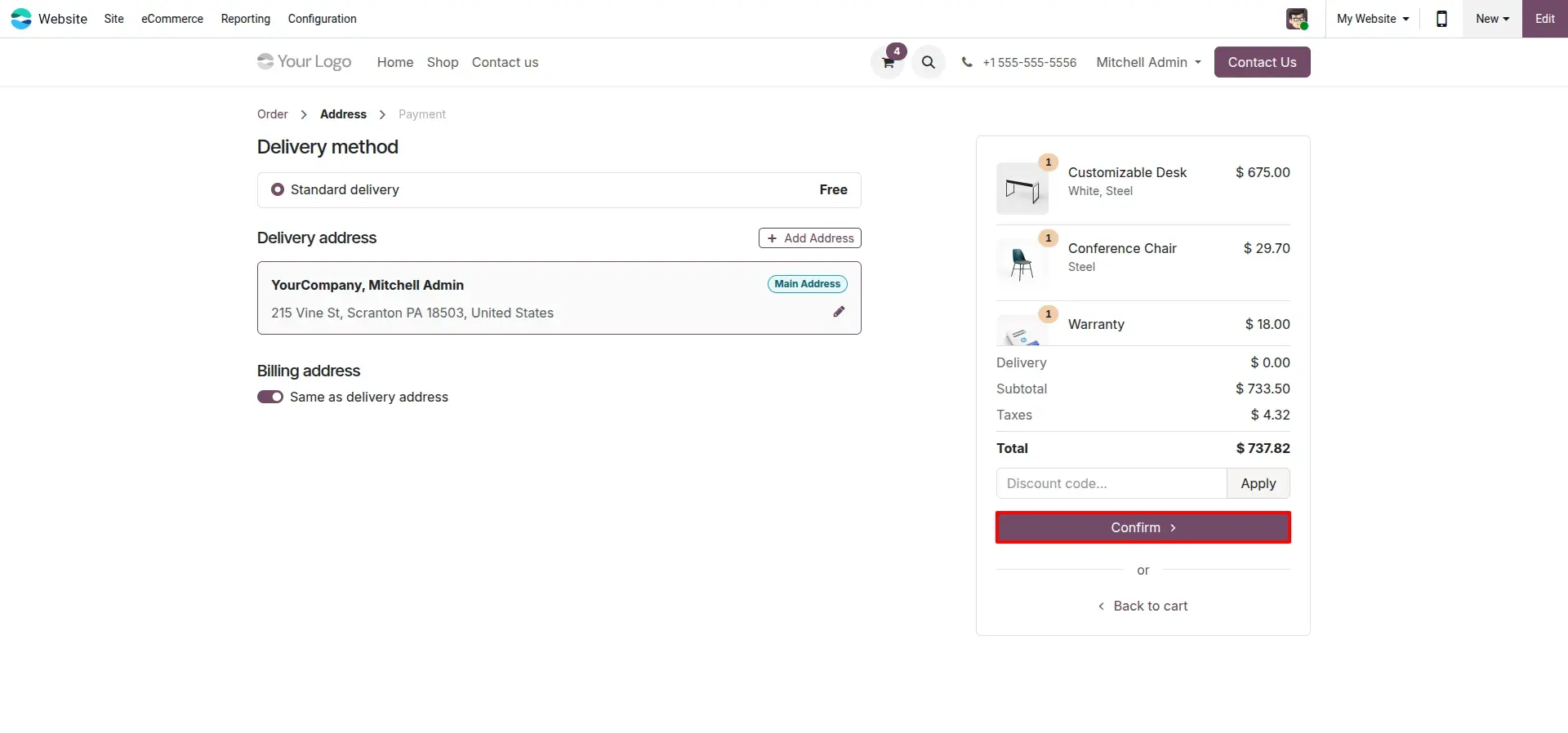
Delivery Address Confirmation
The customer provides shipping and billing details to ensure accurate order fulfillment before payment.
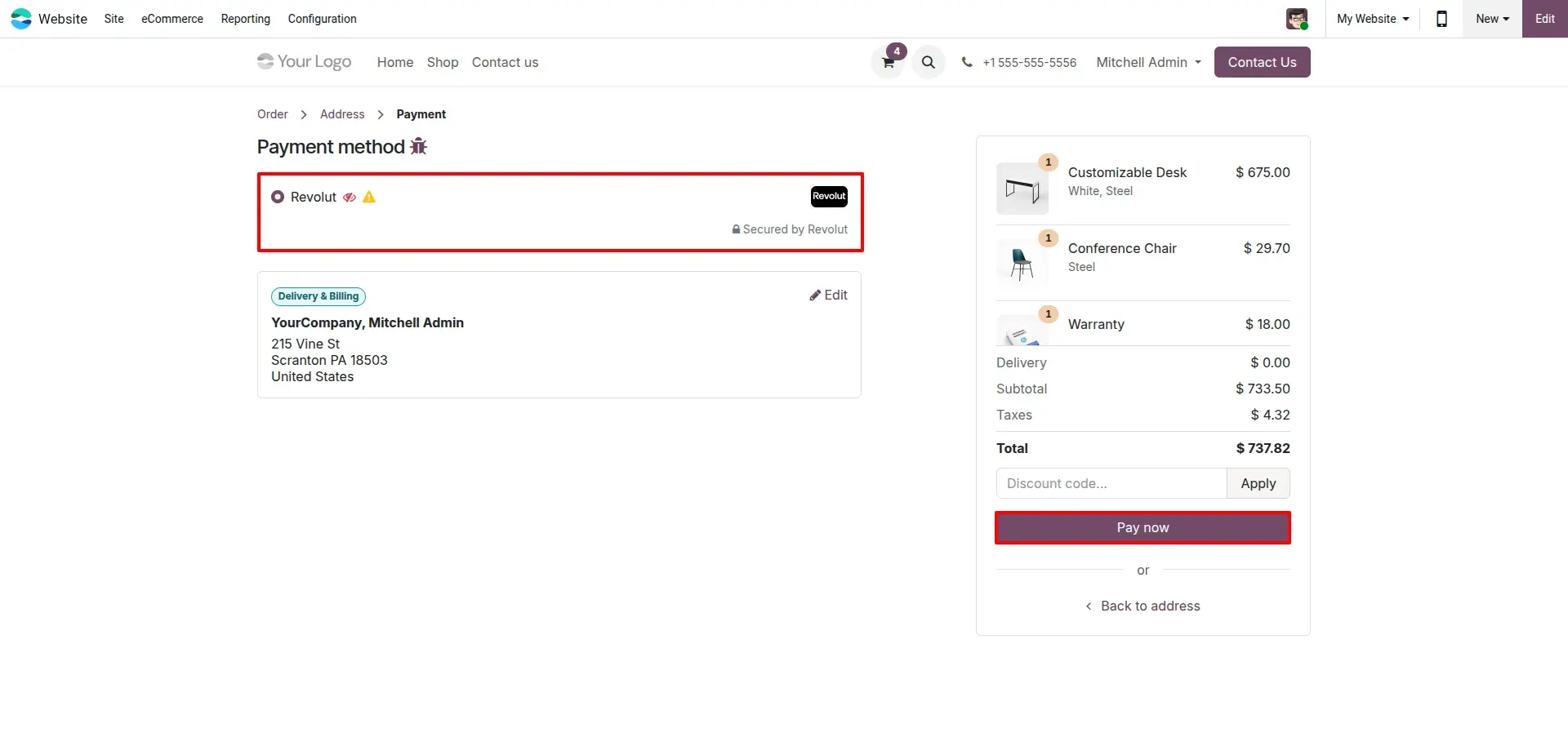
Revolut Selected as Payment Method
At the payment step, the customer selects Revolut and clicks 'Pay Now' to proceed to the secure hosted page.
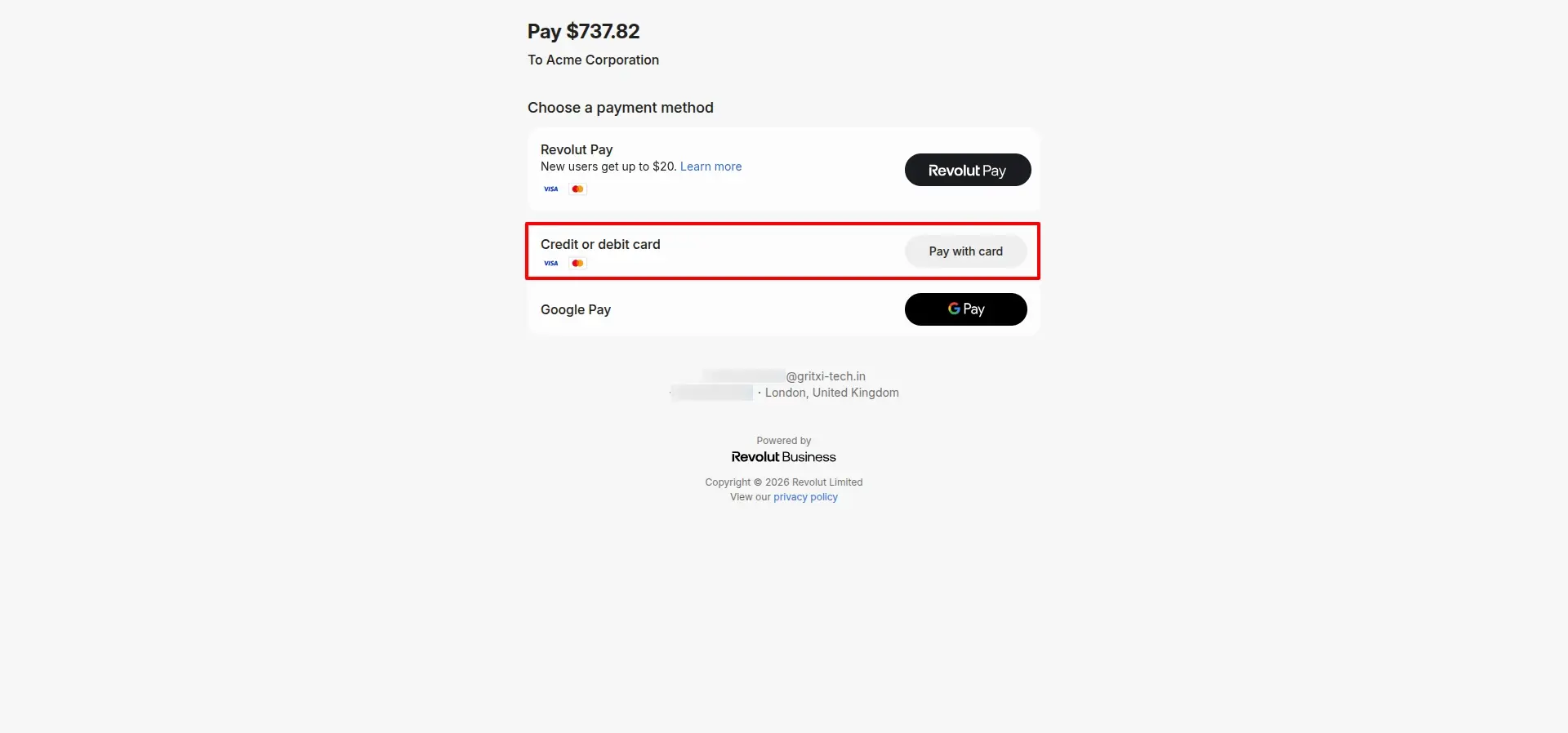
Revolut Hosted Checkout Page
The customer lands on the official Revolut hosted checkout displaying Revolut Pay, card, and Google Pay options.
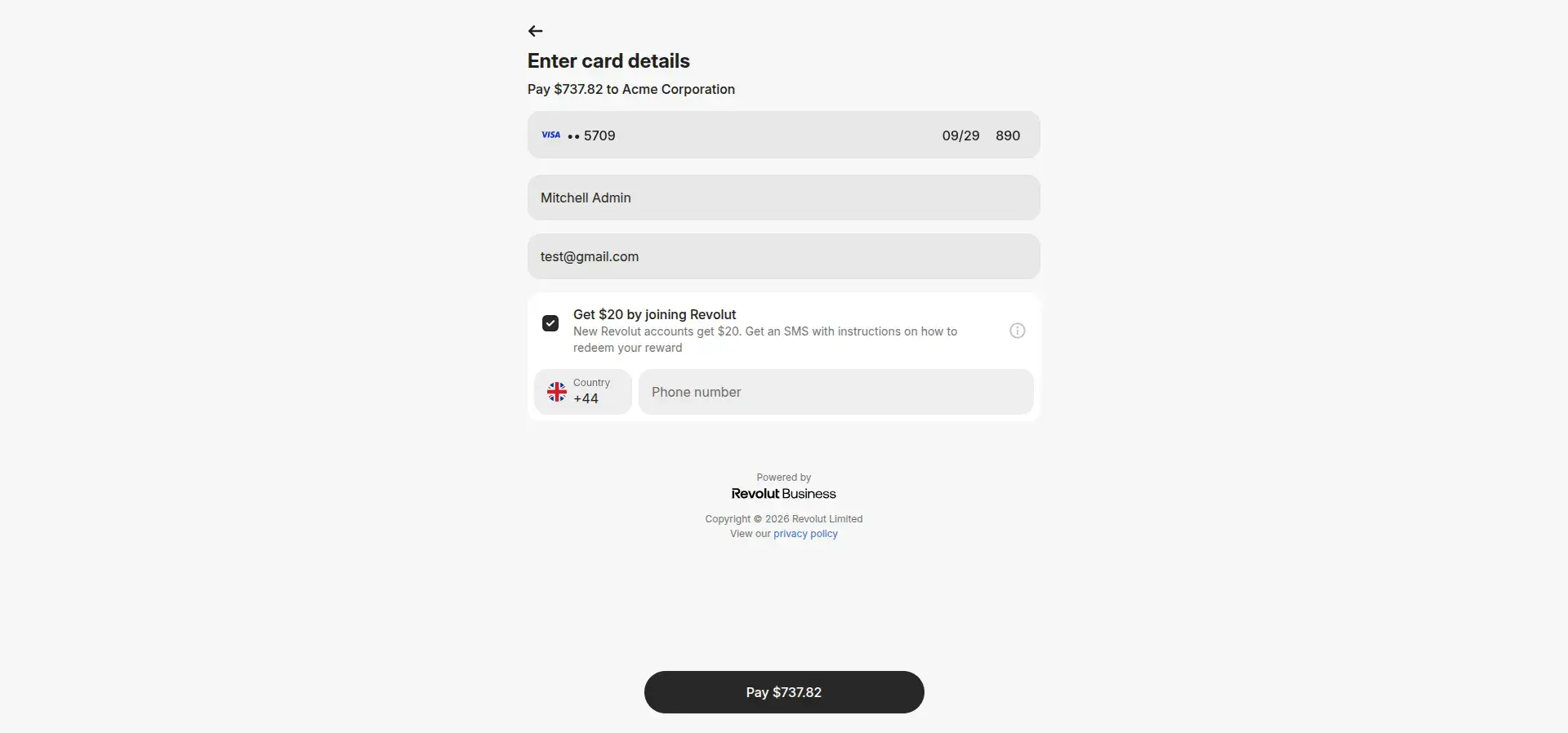
Encrypted Card Details Entry
The customer enters card details securely on Revolut's fully encrypted merchant payment portal.
Payment Success Confirmation
An immediate success message is displayed to the customer upon completion of the payment transaction.

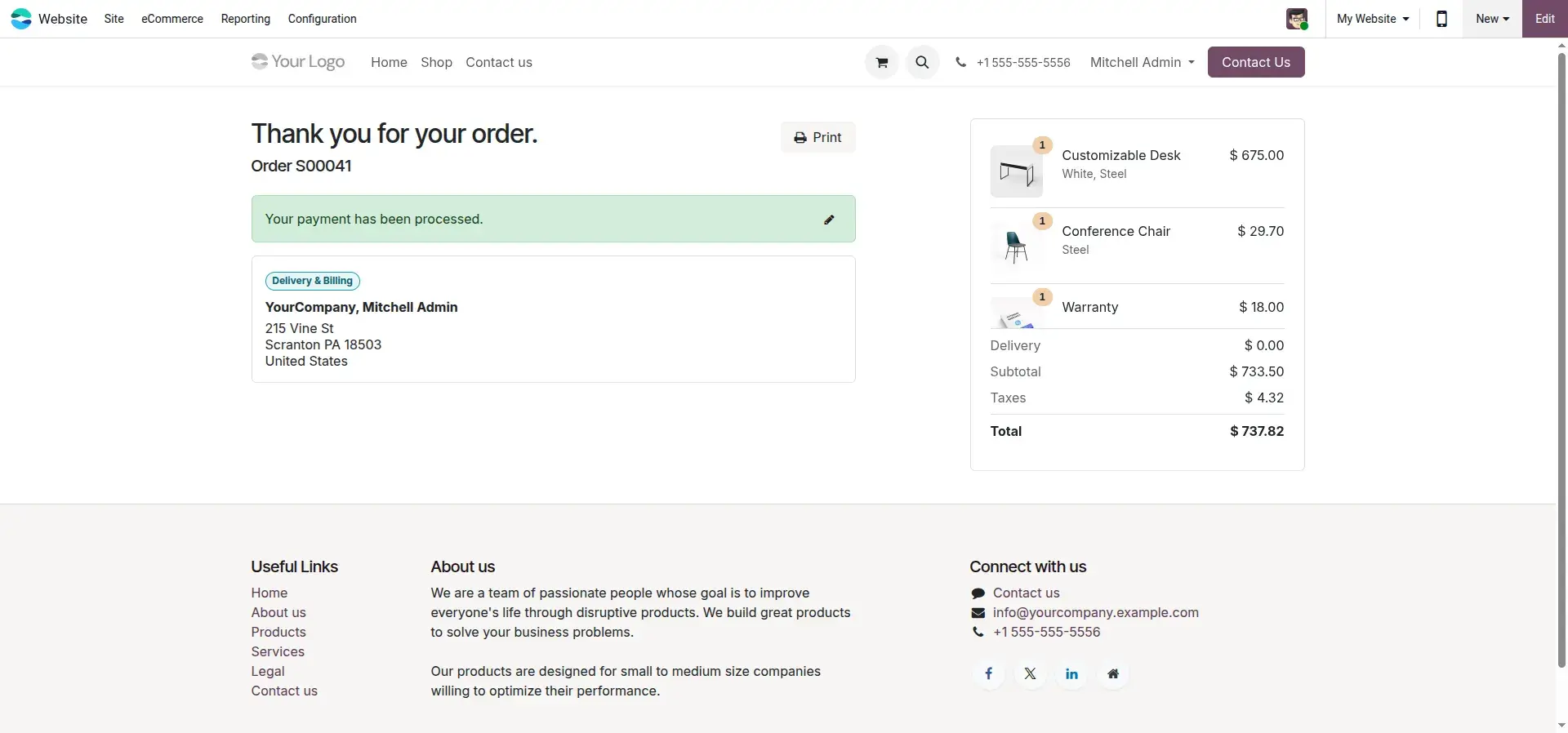
Branded Order Confirmation Page
The customer is returned to the Odoo storefront confirmation page showing complete order and payment details.
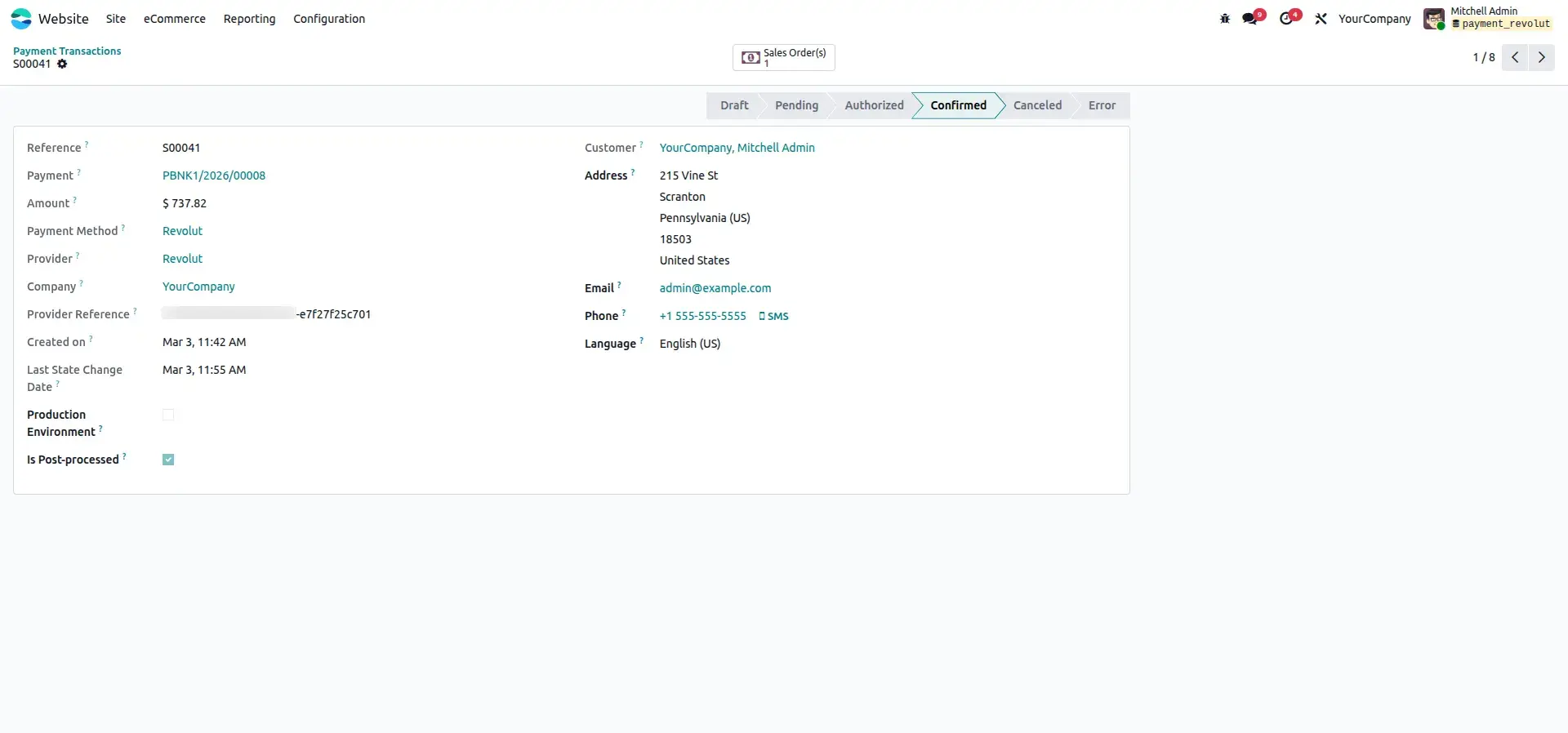
Backend Transaction Dashboard
The Odoo accounting backend displays all Revolut transactions with live status tracking for finance teams.
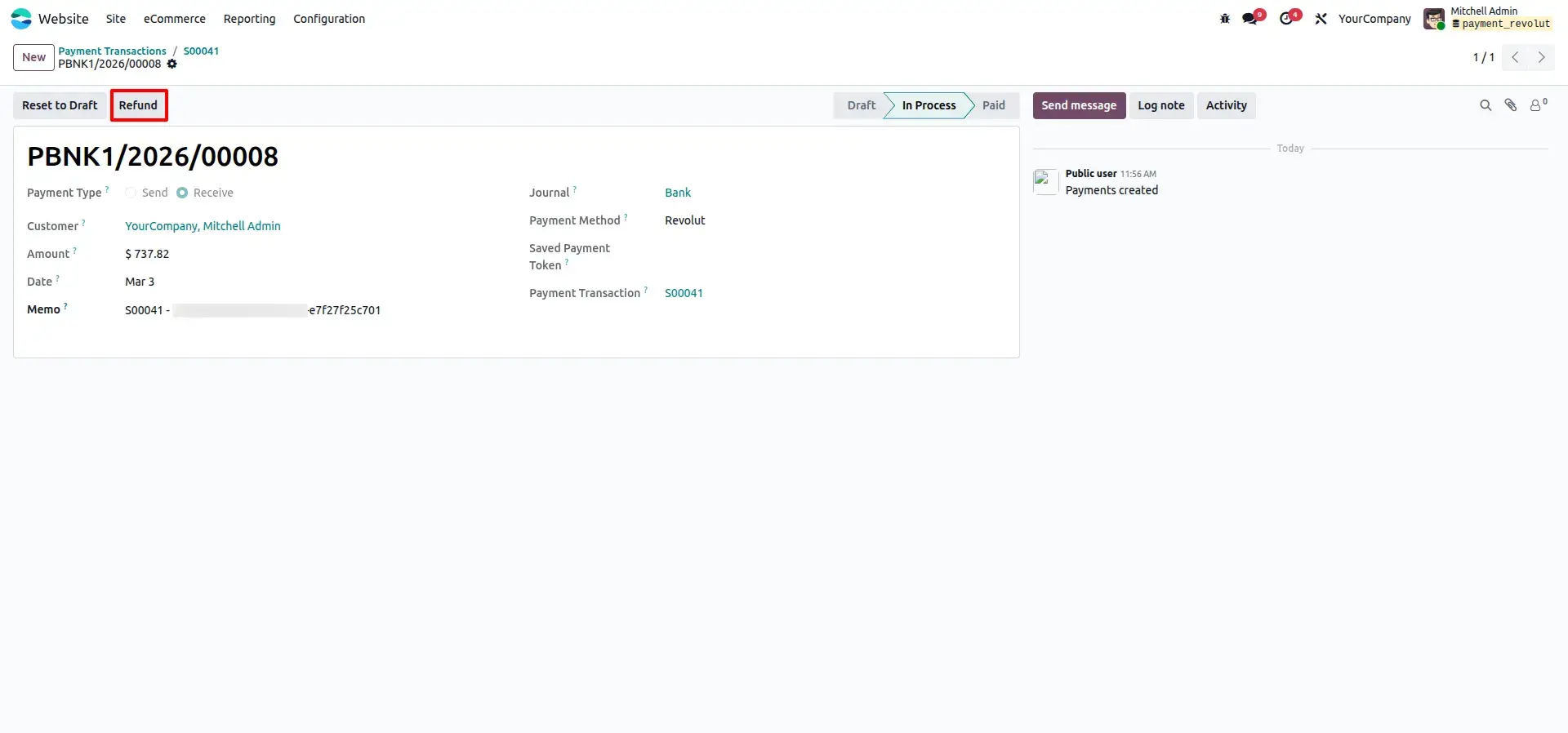
Refund Initiation from Transaction Record
A customer return is initiated directly from the transaction record inside the Odoo backend.
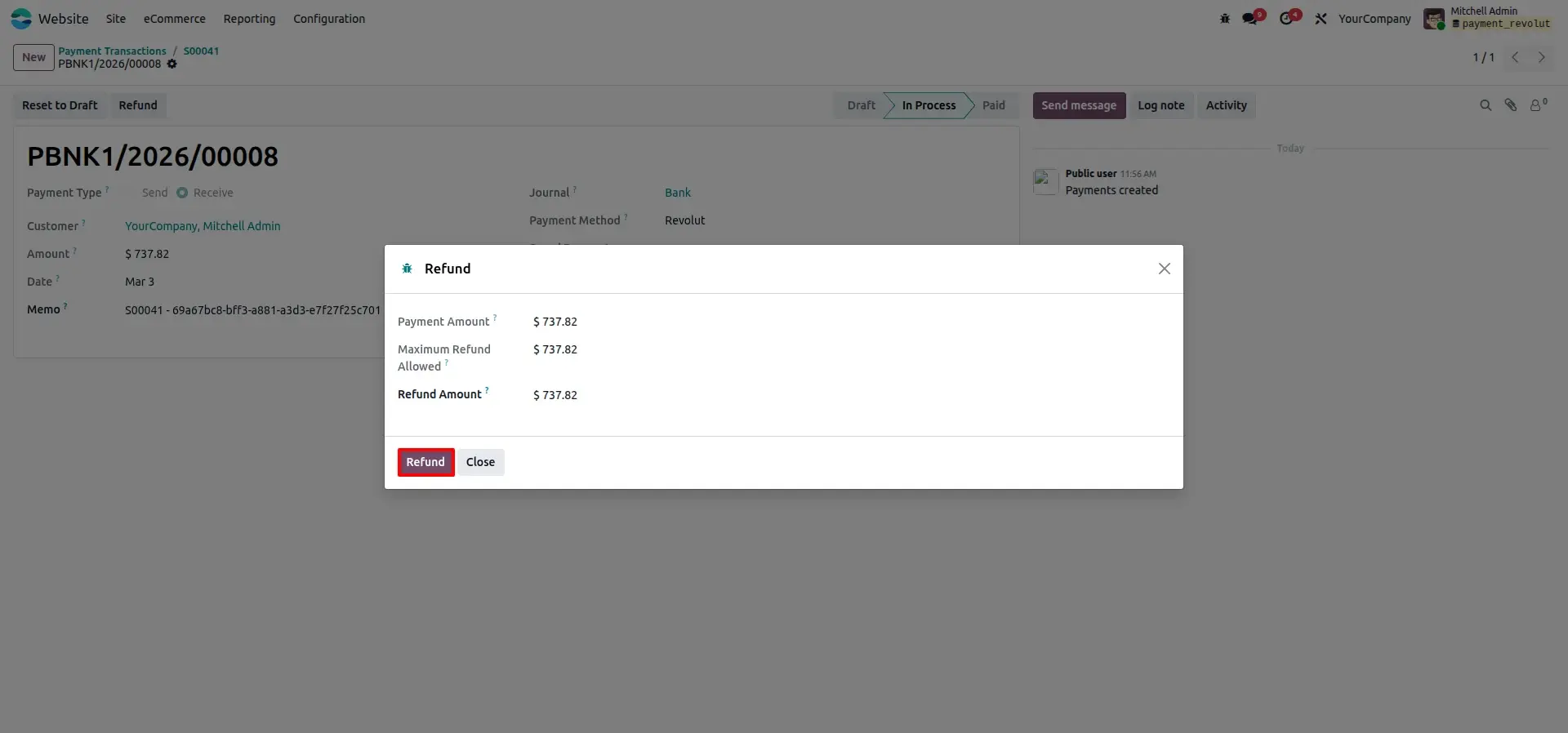
Refund Wizard Partial or Full
The refund wizard allows the user to specify the exact refund amount, supporting both partial and full refund scenarios.
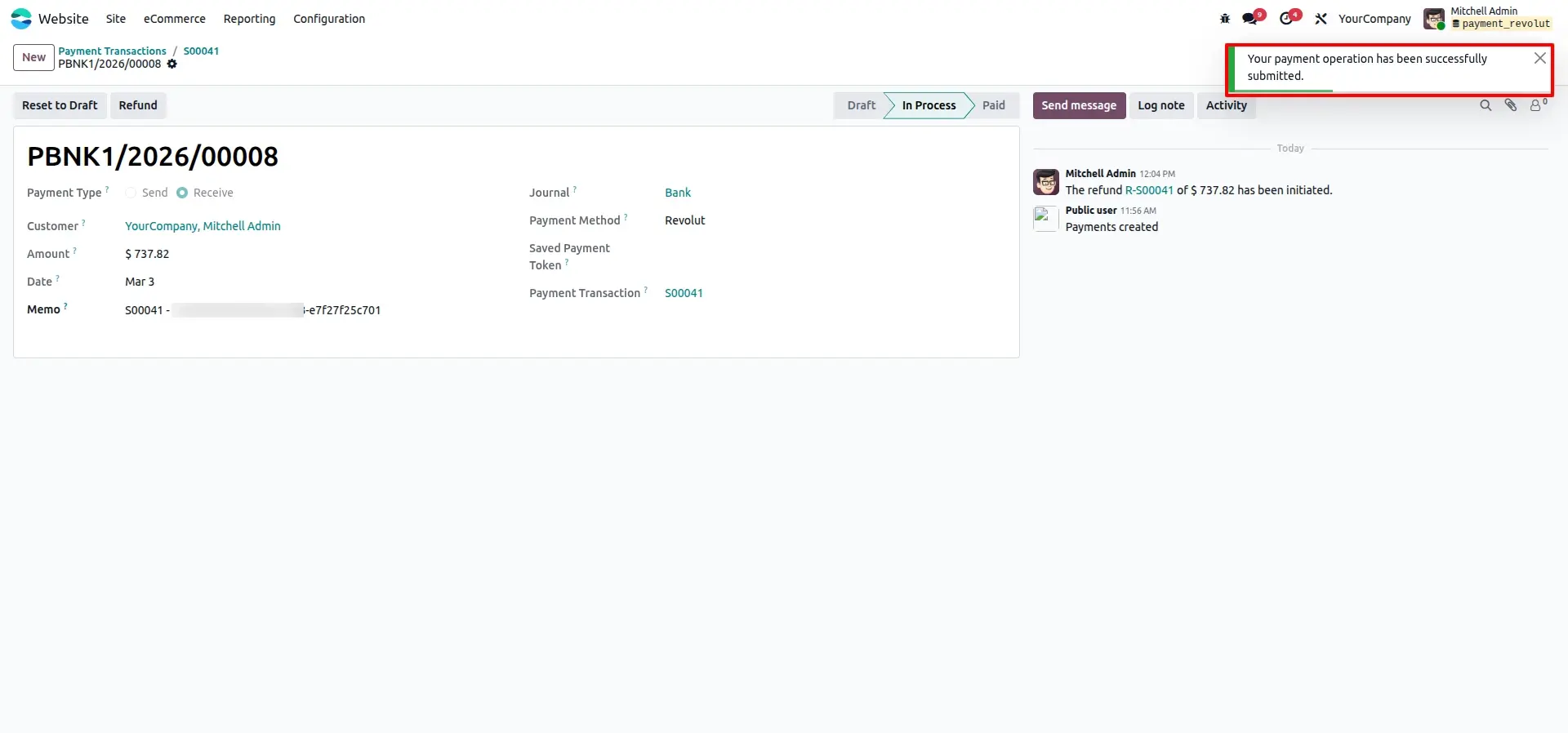
Operation Submission Alert
A system alert confirms that the refund or payment operation has been successfully submitted to Revolut.
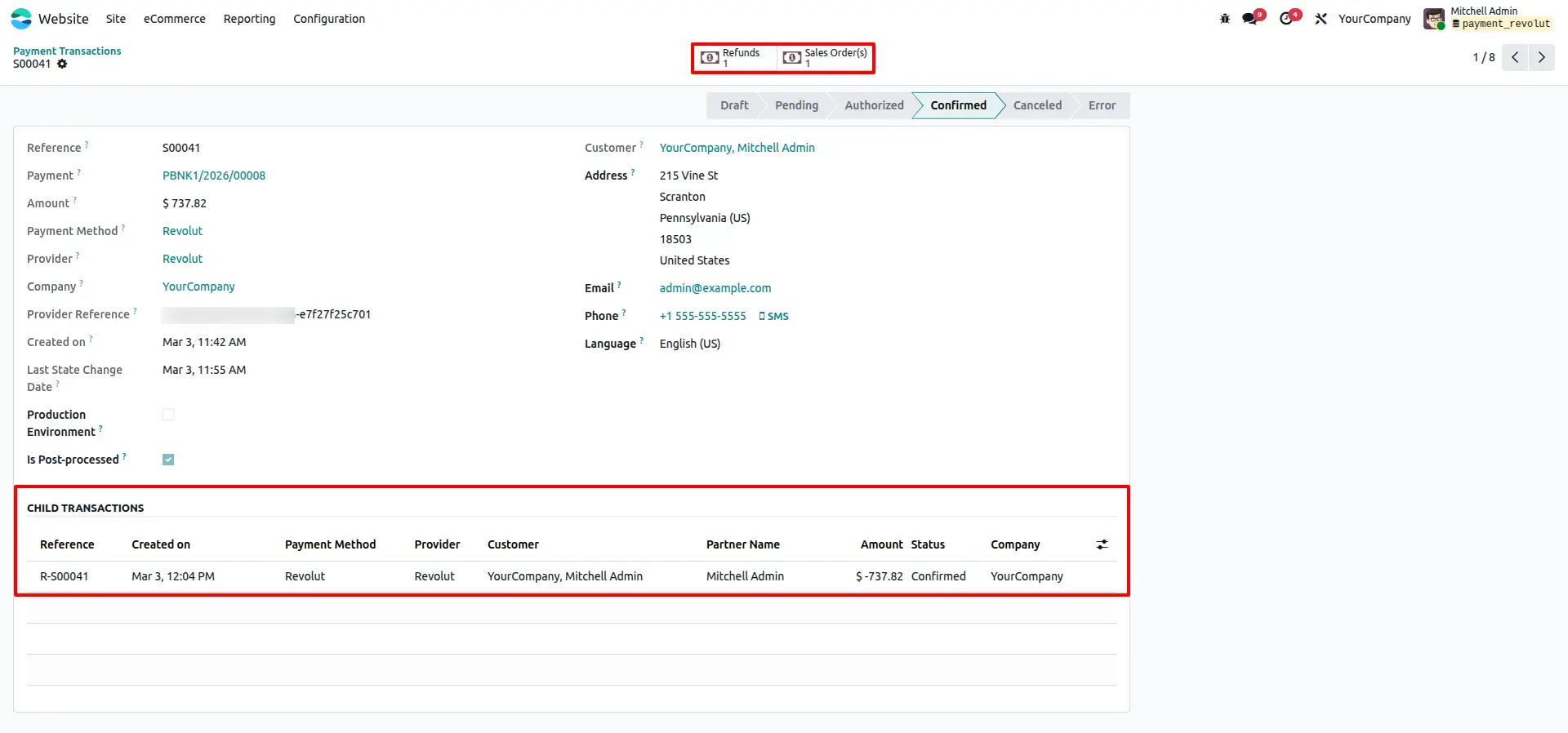
Automated Reconciliation Tracking
The accounting backend automatically links the original payment with the corresponding refund entry for clean reconciliation.
Frequently Asked Questions
Technical Details
Dependencies
• Invoicing (account)
• eCommerce (website_sale)
• Discuss (mail)
• Website (website)
License
OPL-1
Need Assistance?
Email Support
contact@gritxi-tech.comAny Questions?
Have questions about this app?
Fill out the form below and our team will get back to you with more information.
Customer Reviews
Share your experience with this module.
Write a Review
Latest Reviews
No reviews yet. Be the first to share your thoughts!