
Payment Provider: Payrexx
Payrexx payment gateway integration for Odoo.
Payment Provider: Payrexx
The ultimate Swiss payment integration for Odoo. Accept TWINT, Apple Pay, and Google Pay with ease, while enjoying automated order confirmation and seamless accounting reconciliation.
App Overview

Introduction
The Payrexx Payment Provider module integrates Odoo's eCommerce and invoicing platform with Payrexx a trusted Swiss-based payment gateway. It empowers businesses to accept a wide range of local and international methods, including TWINT, Apple Pay, and Google Pay, ensuring a professional checkout experience for every customer.

Purpose
The primary purpose of this module is to deliver a fully automated payment experience. By synchronizing transaction data in real-time, Odoo confirms orders instantly and handles backend accounting entries automatically. This level of automation allows you to focus on fulfillment while the integration eliminates manual reconciliation and heavy financial lifting.
Business Use Cases

Swiss & European eCommerce
Perfect for merchants needing TWINT support the nation's most popular mobile payment method integrated for automated order confirmation.

B2B Odoo Invoicing
Send secure payment links to clients. Once paid via Payrexx, invoices are automatically marked as settled in Odoo, eliminating manual work.

Service Businesses
Collect recurring or one-time payments for memberships and services with instant confirmation and automated accounting entries in a unified environment.
Key Features

Multiple Methods
Accept cards, TWINT, Apple Pay, and Google Pay through one single integration.

Secure Hosted Page
Redirect customers to a PCI-compliant page, keeping sensitive data off your server.

Real-Time Sync
Webhooks instantly push payment status updates to Odoo for immediate follow-up.

Refund Support
Initiate full or partial refunds directly from the Odoo backend without manual efforts.

Auto Confirmation
Successful payments automatically trigger Sales Order confirmation in Odoo.

Backend Monitoring
View live transaction statuses and provider references inside the Odoo system.
Configuration & Workflow
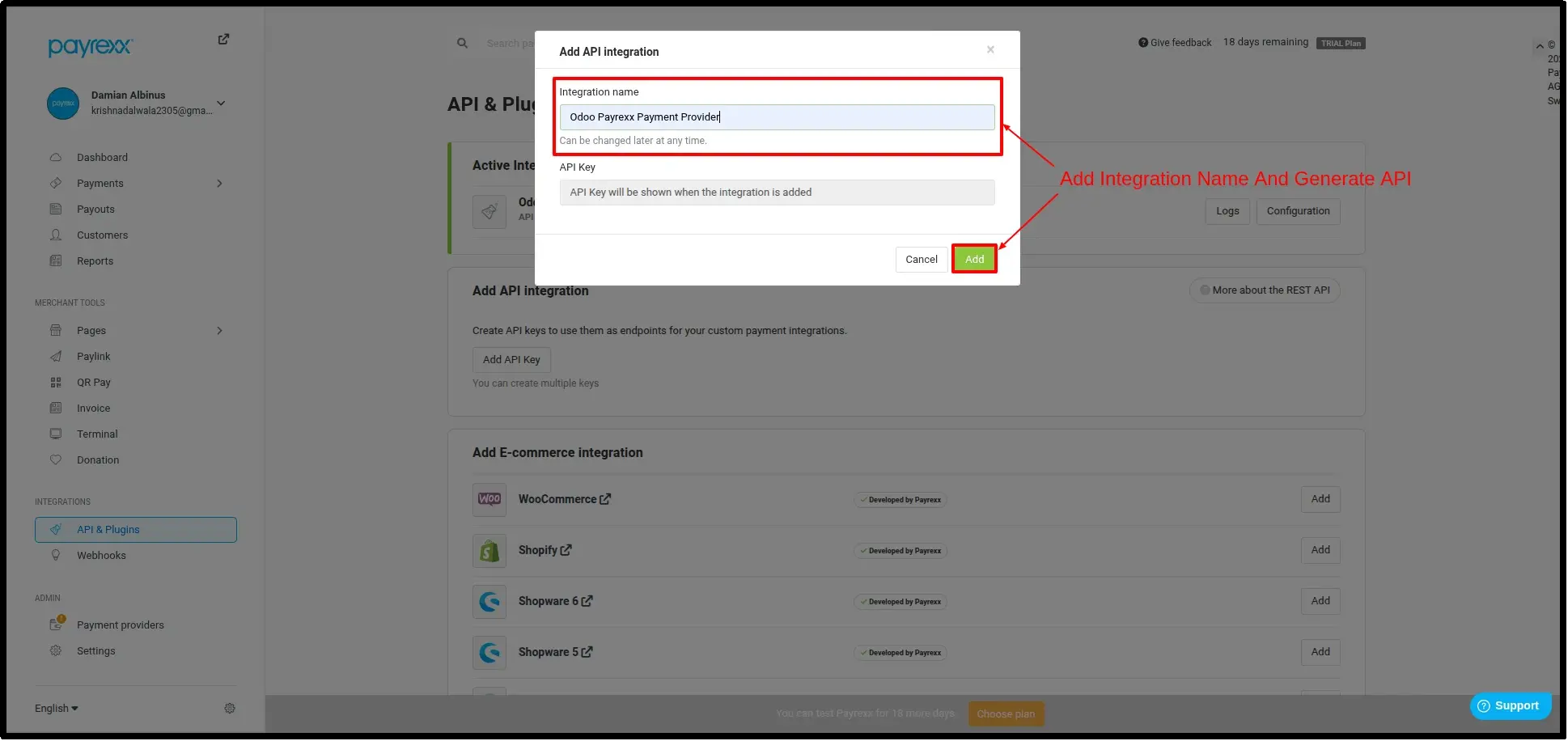
Payrexx API Integration Setup
First, create a new API integration in your Payrexx Dashboard. This allows you to generate the secure credentials required for connecting Odoo to your payment gateway.
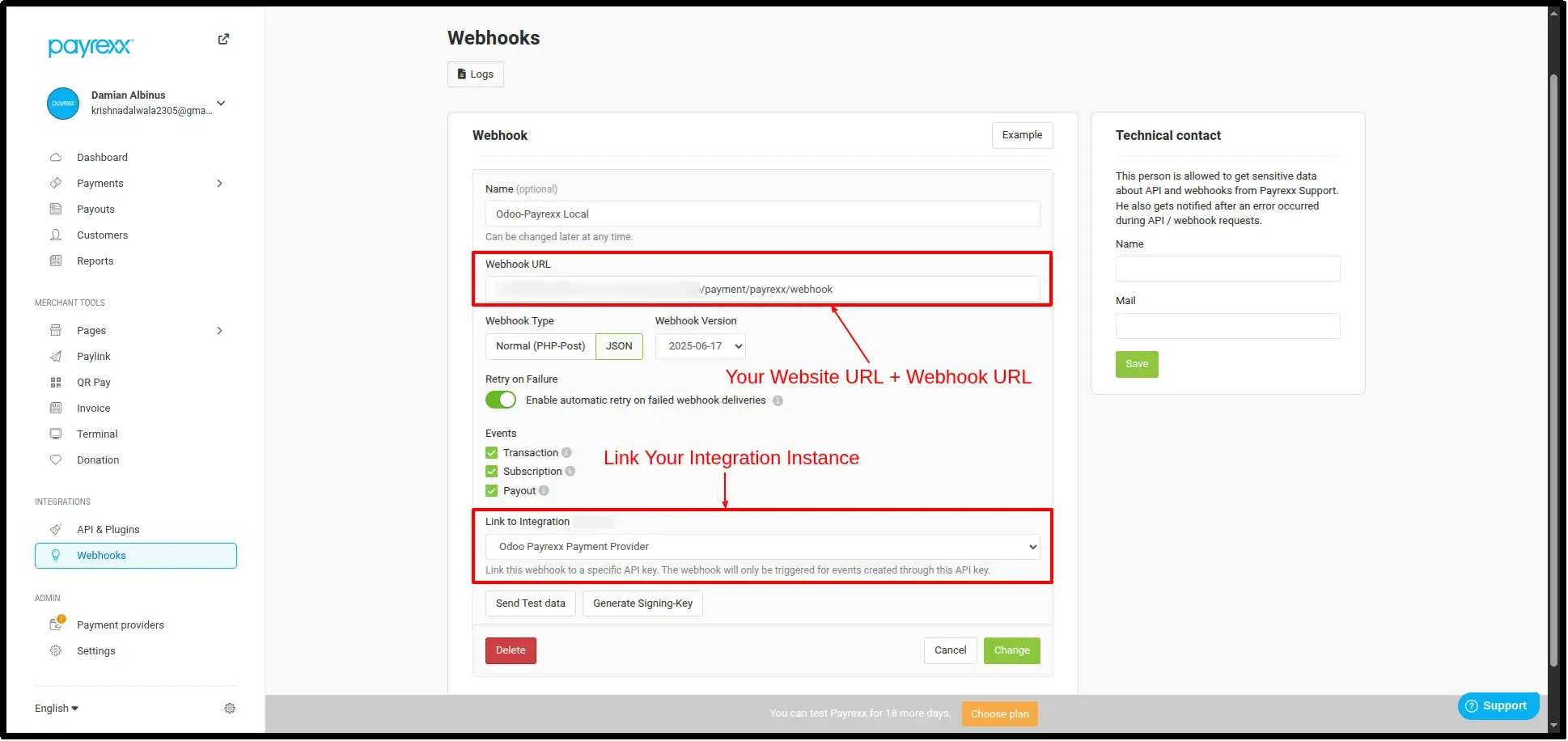
Webhook Configuration
Enable real-time synchronization by adding your Odoo Webhook URL into the Payrexx dashboard. This ensures Odoo is notified instantly of any payment outcome.
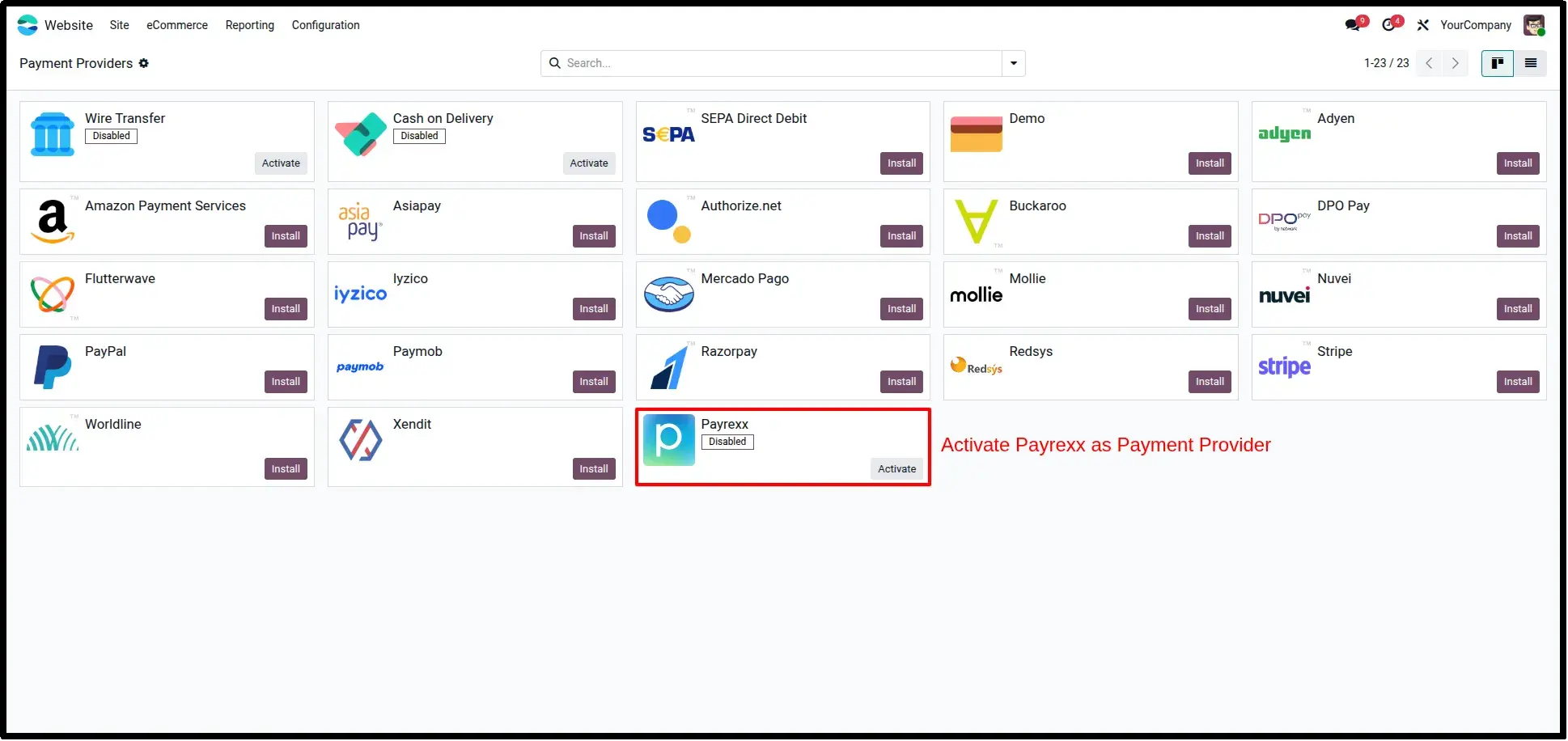
Payrexx Provider in Odoo
In your Odoo backend, navigate to Invoicing/Sales → Configuration → Payment Providers. Locate the Payrexx provider to begin the activation process.
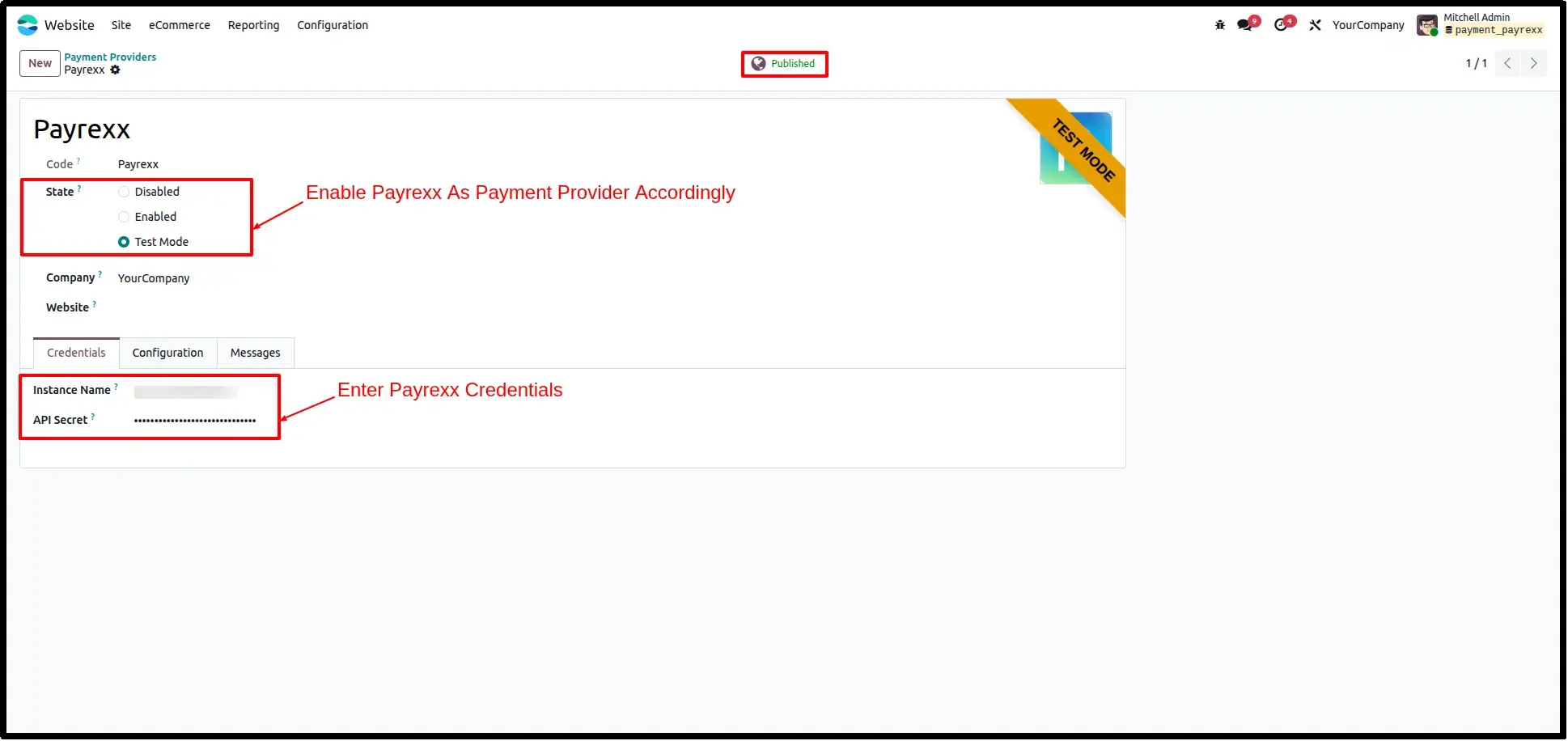
Entering API Credentials
Securely input your Payrexx Instance Name and API Secret into the provider settings form to establish the live link between the two systems.
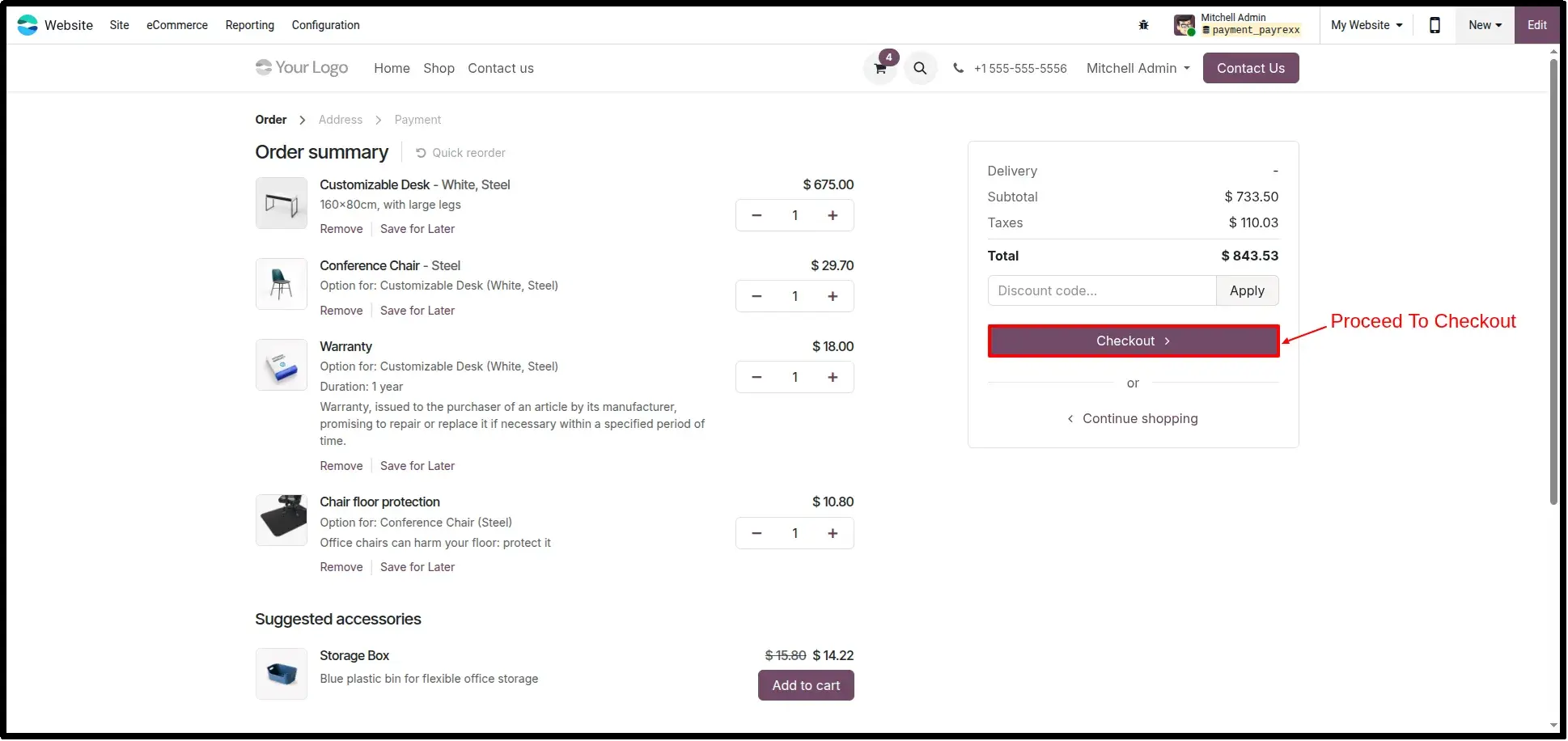
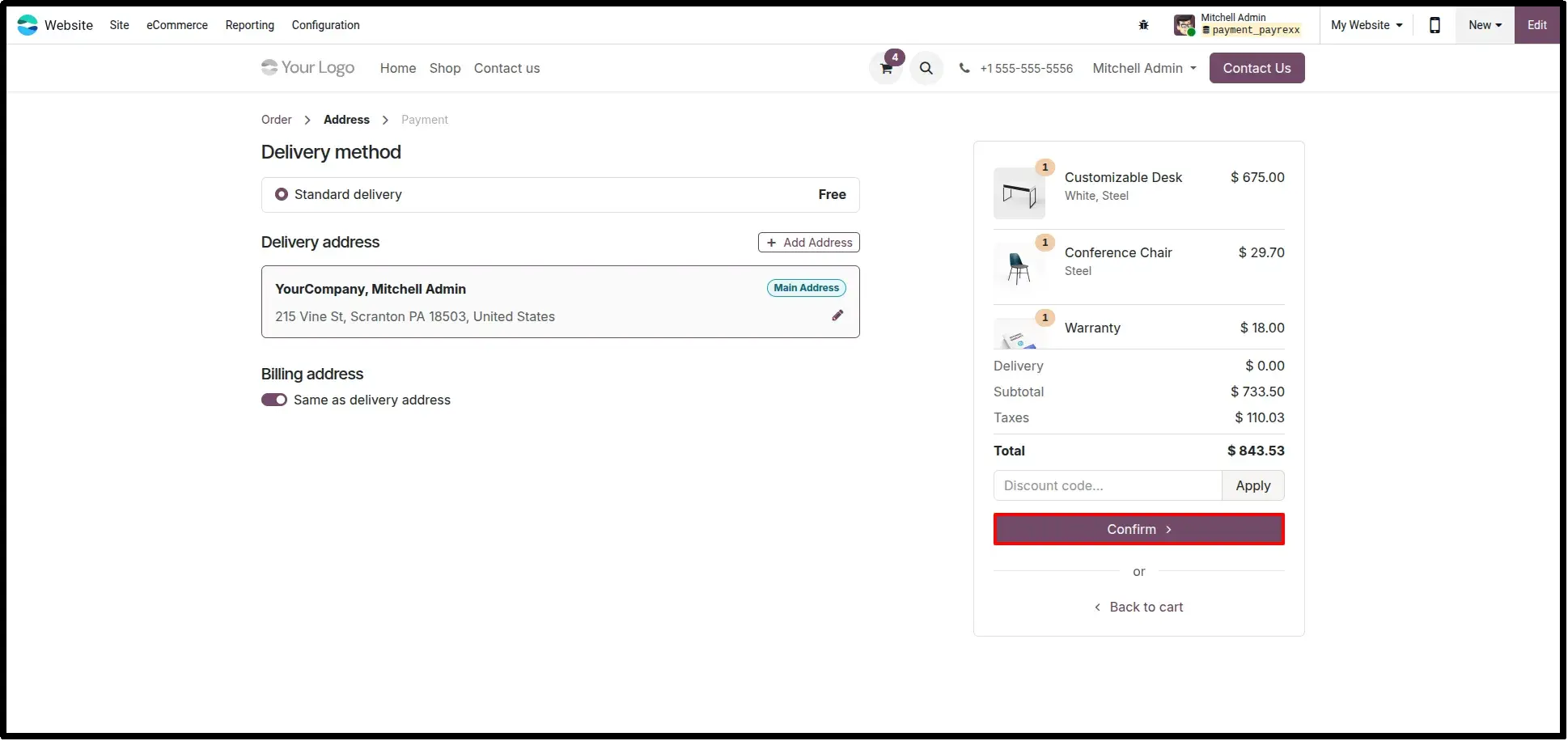
Seamless Customer Checkout
During the Odoo eCommerce checkout, customers can select Payrexx as their preferred payment method, initiating the secure transaction flow.
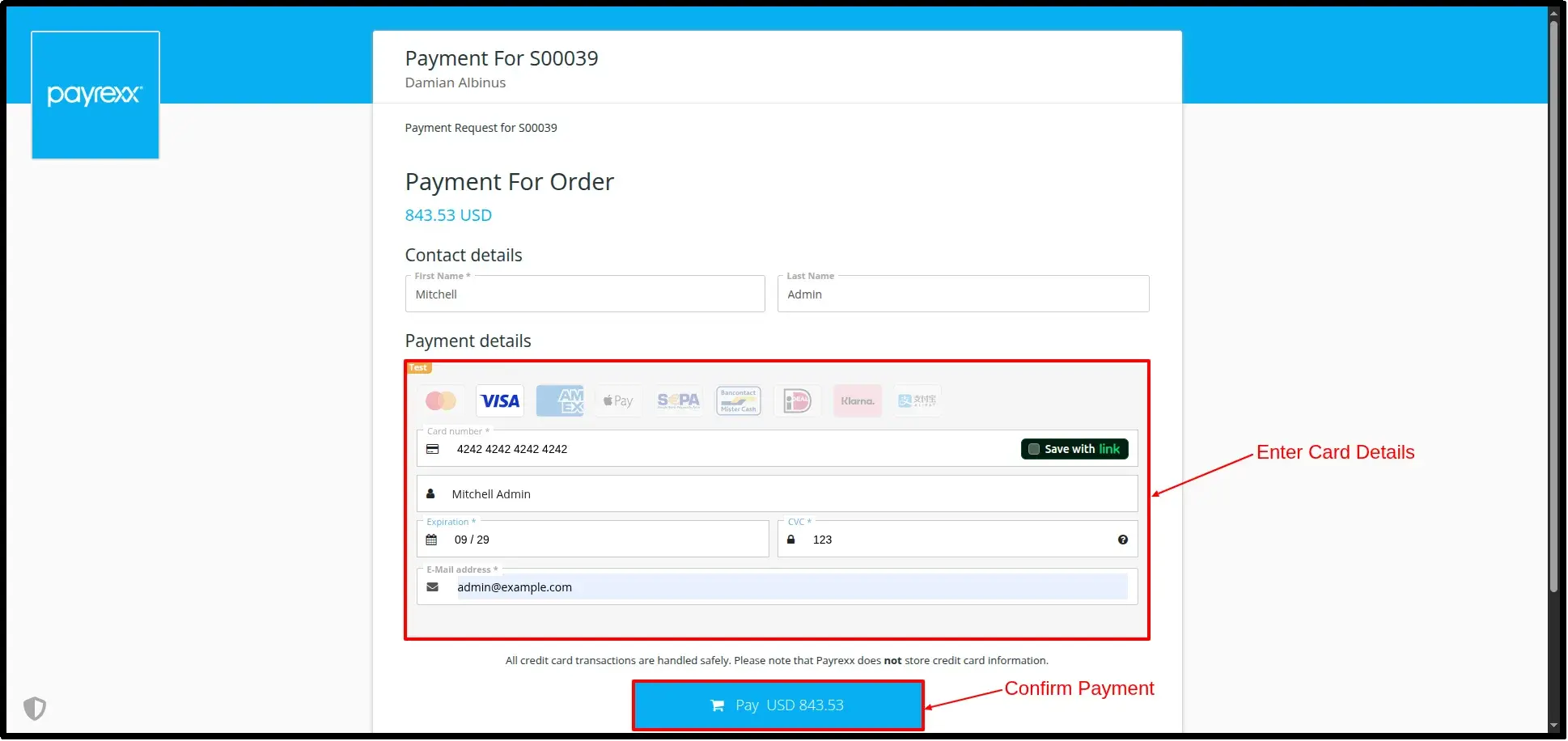
Secure Payment Processing
Customers are redirected to the Payrexx-hosted processing page to complete their payment safely using TWINT, Cards, or digital wallets.
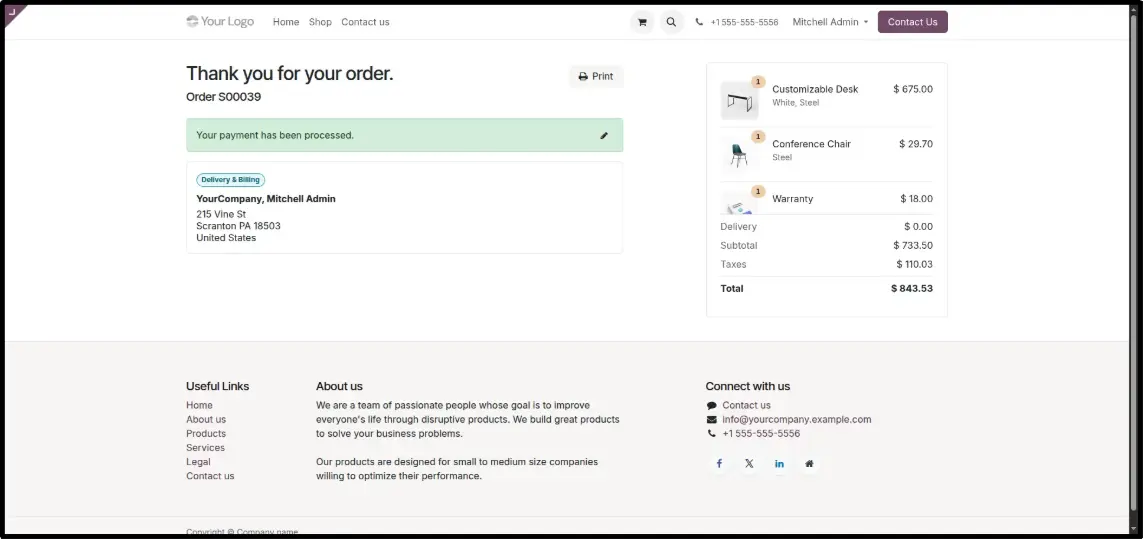
Automatic Order Confirmation
Once payment is successful, customers are redirected back to your website and presented with a clear order confirmation instantly.
Detailed Transaction View
Customers can view their final Odoo confirmation page, complete with their specific order and payment confirmation references.
Backend Transaction Tracking
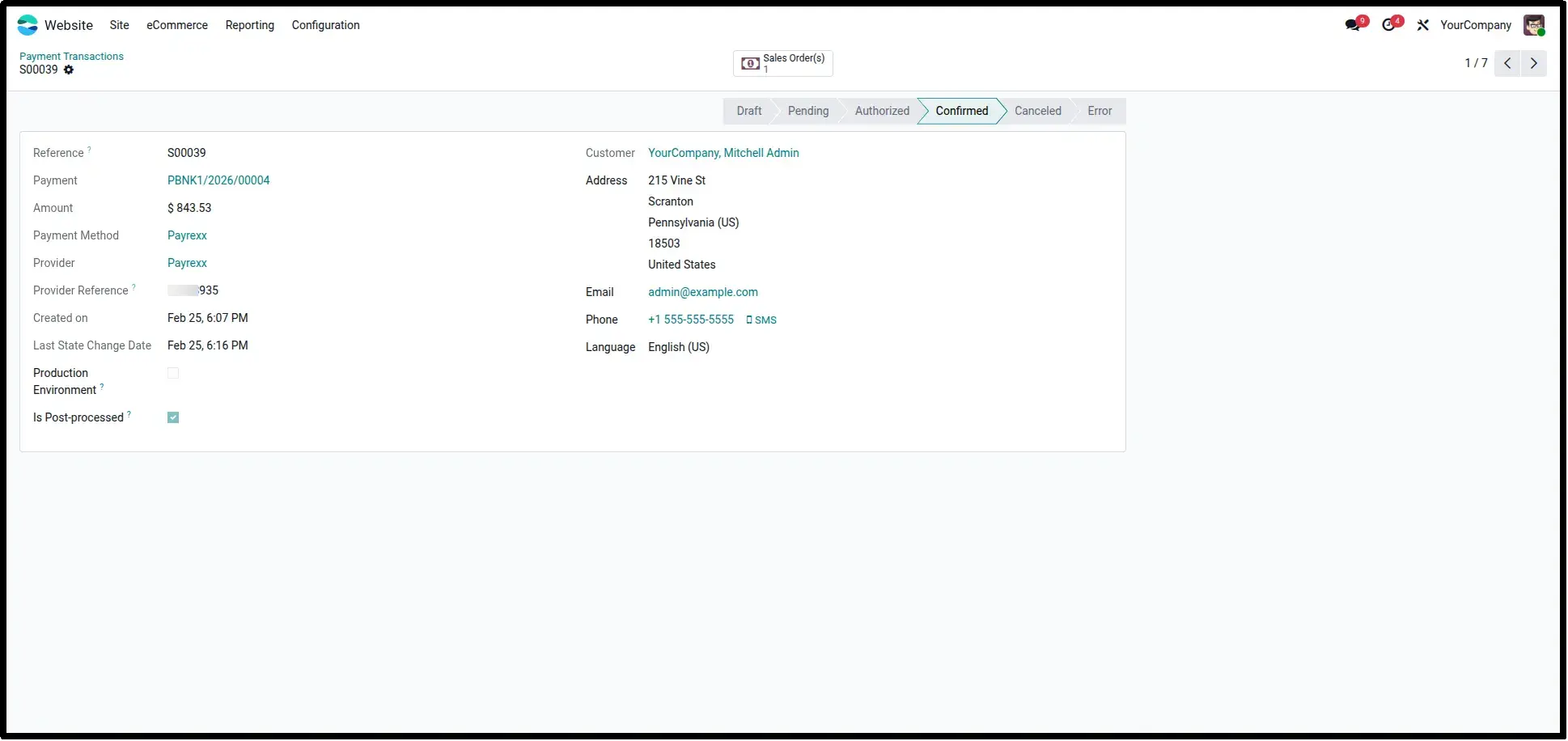
Monitor all Payrexx transactions, their real-time statuses, and original provider references directly from the Odoo Payment Transactions list.
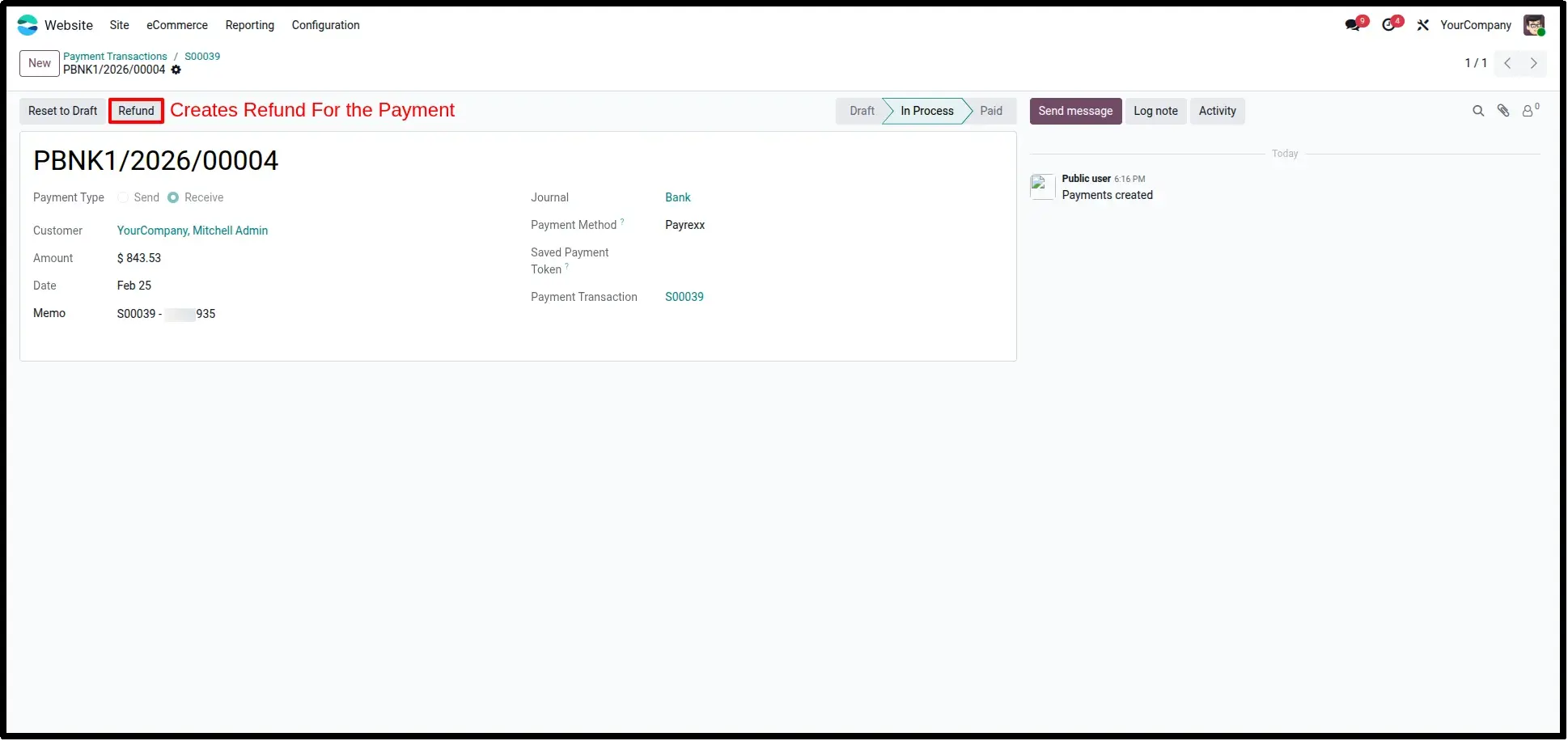
Integrated Refund Processing
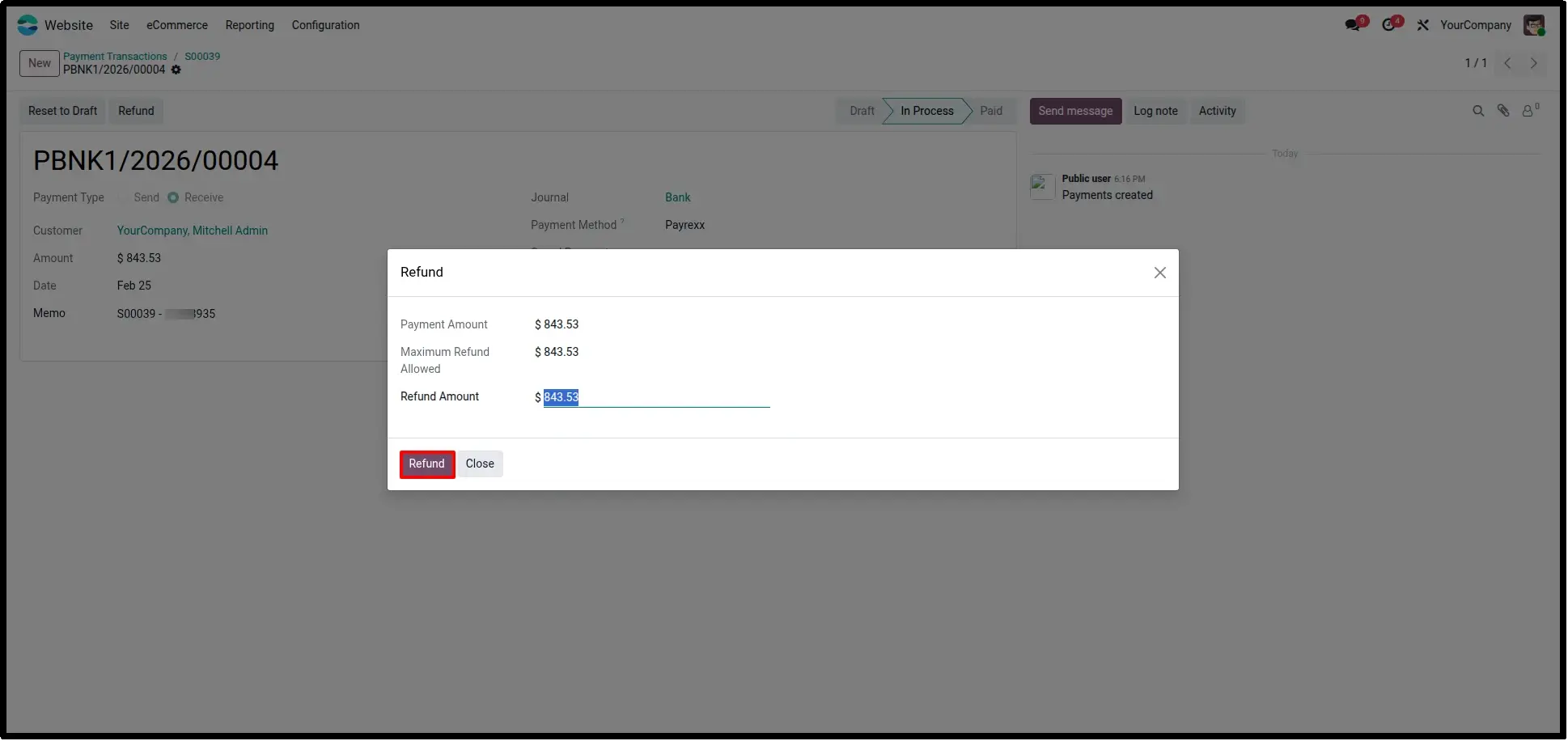
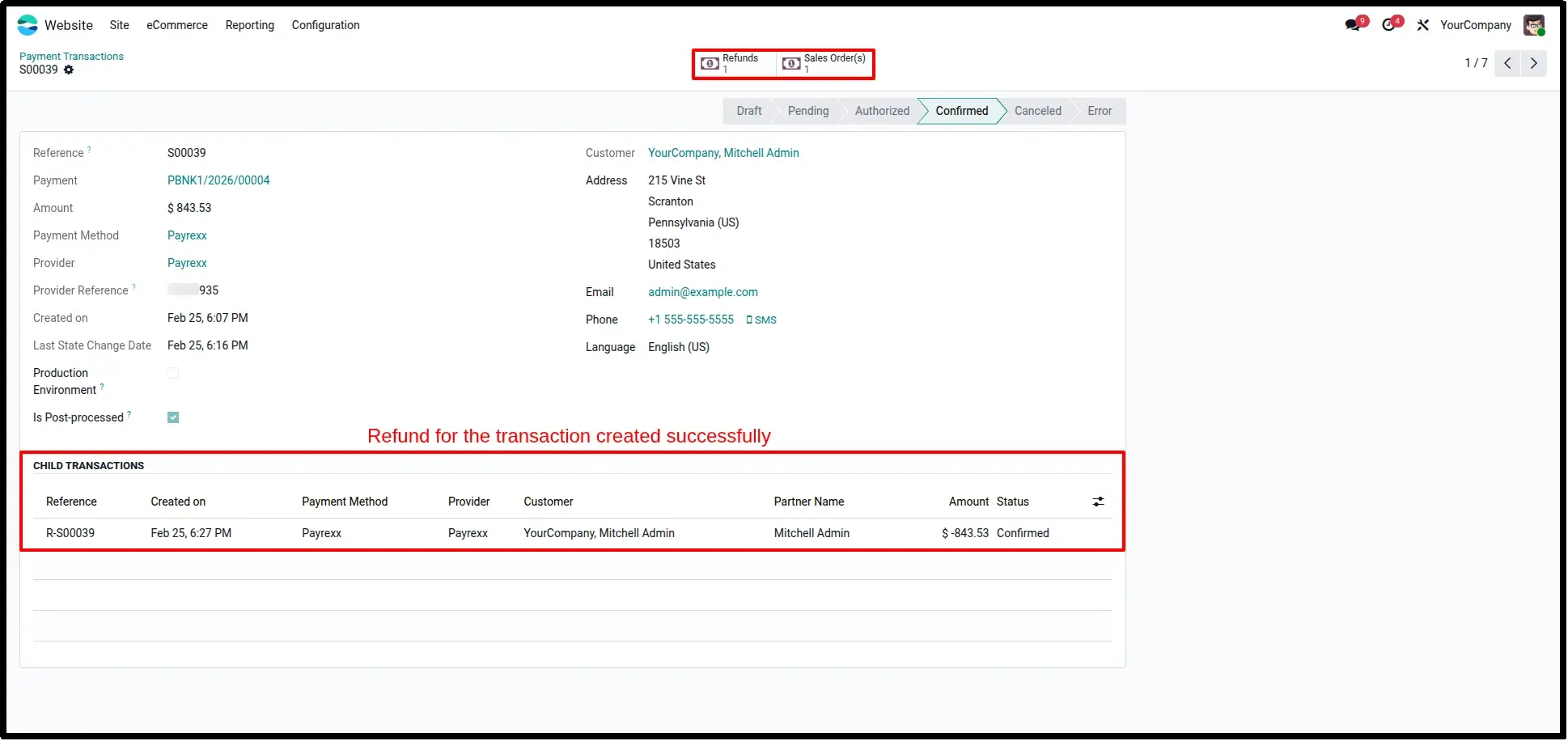
Initiate full or partial refunds directly within Odoo using the built-in wizard. Processed refunds are automatically linked as child transactions for clean auditing.
Frequently Asked Questions
Technical Details
Dependencies
• Invoicing (account)
• eCommerce (website_sale)
• Discuss (mail)
• Website (website)
License
OPL-1
Need Assistance?
Email Support
contact@gritxi-tech.comAny Questions?
Have questions about this app?
Fill out the form below and our team will get back to you with more information.
Customer Reviews
Share your experience with this module.
Write a Review
Latest Reviews
No reviews yet. Be the first to share your thoughts!