
Payment Provider: PayFast
Integrate PayFast payment gateway in Odoo with secure online payment processing, hosted checkout redirection, webhook support, and seamless eCommerce and invoice payment management.
PayFast Payment Provider
The trusted payment gateway for South Africa. Connect your Odoo instance to PayFast for a fast, secure, and familiar checkout experience.
App Overview

Introduction
The PayFast Payment Provider for Odoo is a powerful, easy-to-configure integration that enables South African and global businesses to accept secure online payments directly within Odoo eCommerce and customer portals. From the moment a customer selects PayFast at checkout to the automatic order status updates in Odoo—the entire payment journey is handled seamlessly.
Built specifically for Odoo 18.0 and 19.0, this module connects your Odoo instance to the trusted PayFast platform, supporting both Test (Sandbox) and Production environments for safe validation. Merchants can now provide a local, familiar checkout experience that builds trust and drives conversion.

Purpose
Standard Odoo payment configurations often feel disconnected from local markets, especially in regions like South Africa where customers have high trust in specific providers. Merchants frequently struggle with manual payment reconciliations and high cart abandonment rates due to checkout friction or unfamiliar payment gateways.
The PayFast Payment Provider module bridges this gap by offering a native, secure, and highly recognizable checkout experience. Its primary purpose is to automate the entire lifecycle of a transaction—from the initial redirect to real-time status synchronization in Odoo. By enabling direct portal payments and providing clear cancellation paths, it empowers businesses to recover revenue faster and maintain 100% accurate financial records without manual intervention.

Target Users

Online Retail Stores
Building confidence at checkout for South African shoppers using a trusted local provider, significantly reducing cart abandonment.

Service Agencies
Allow clients to settle professional invoices online in seconds. Shortens the payment cycle and reduces manual back-and-forth.

Subscription Billing
Benefit from real-time sync for project milestones or recurring billing. Keep financial reporting accurate without manual reconciliation.
Key Features
Native Integration
Connects Odoo directly to the PayFast platform without third-party redirects or complex middleware.
Dual Environments
Switch between Test (Sandbox) and Live modes to fully validate the payment flow before going public.

Real-Time Sync
Order and invoice statuses are updated instantly the moment PayFast confirms a successful transaction.

Portal Payments
Registered customers can settle outstanding Odoo invoices directly from their portal in seconds.

Cancellation Care
Abandoned checkouts are redirected to a professional cancellation landing page to maintain your brand experience.
Configuration & Workflow
Effortless Configuration
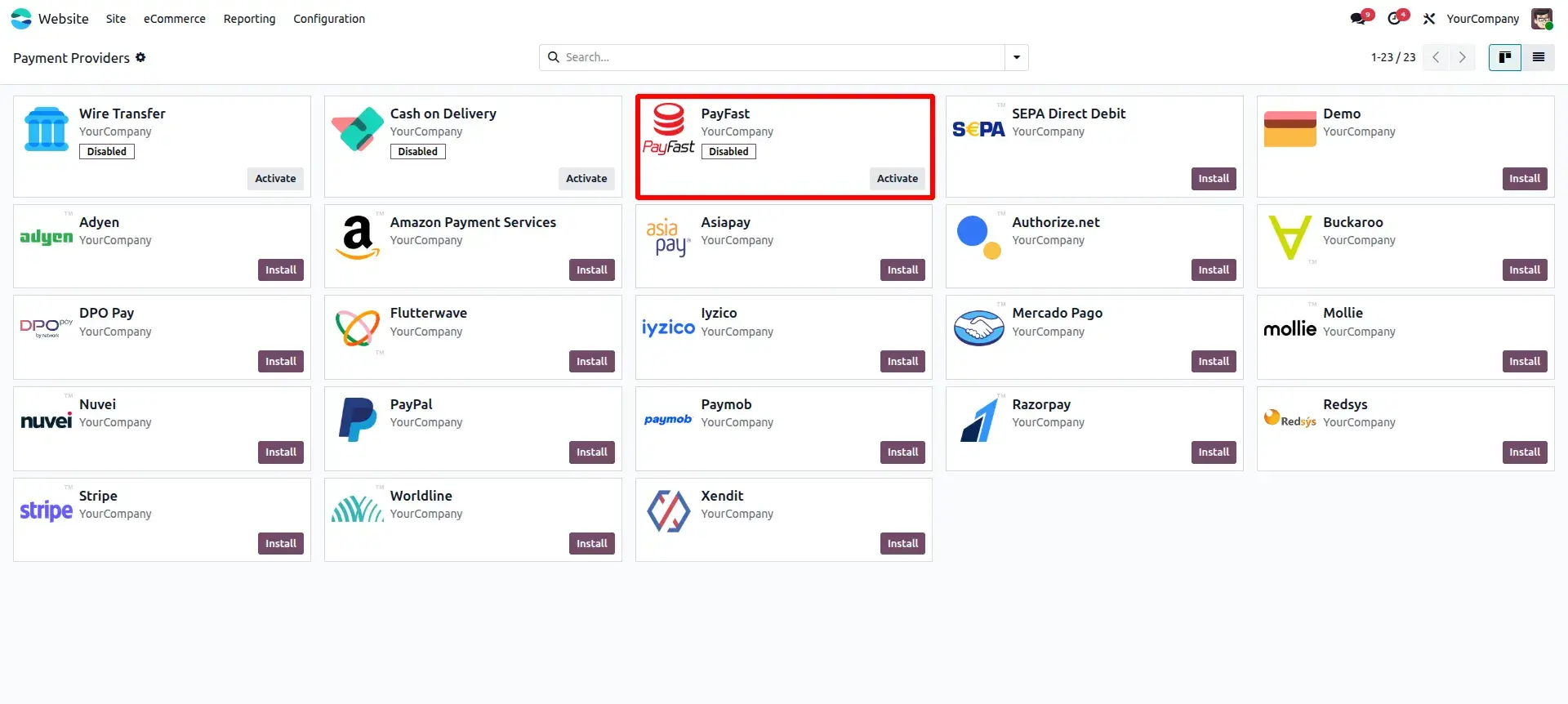
Configure your API credentials and environment mode in minutes. Supports both Test and Production environments.
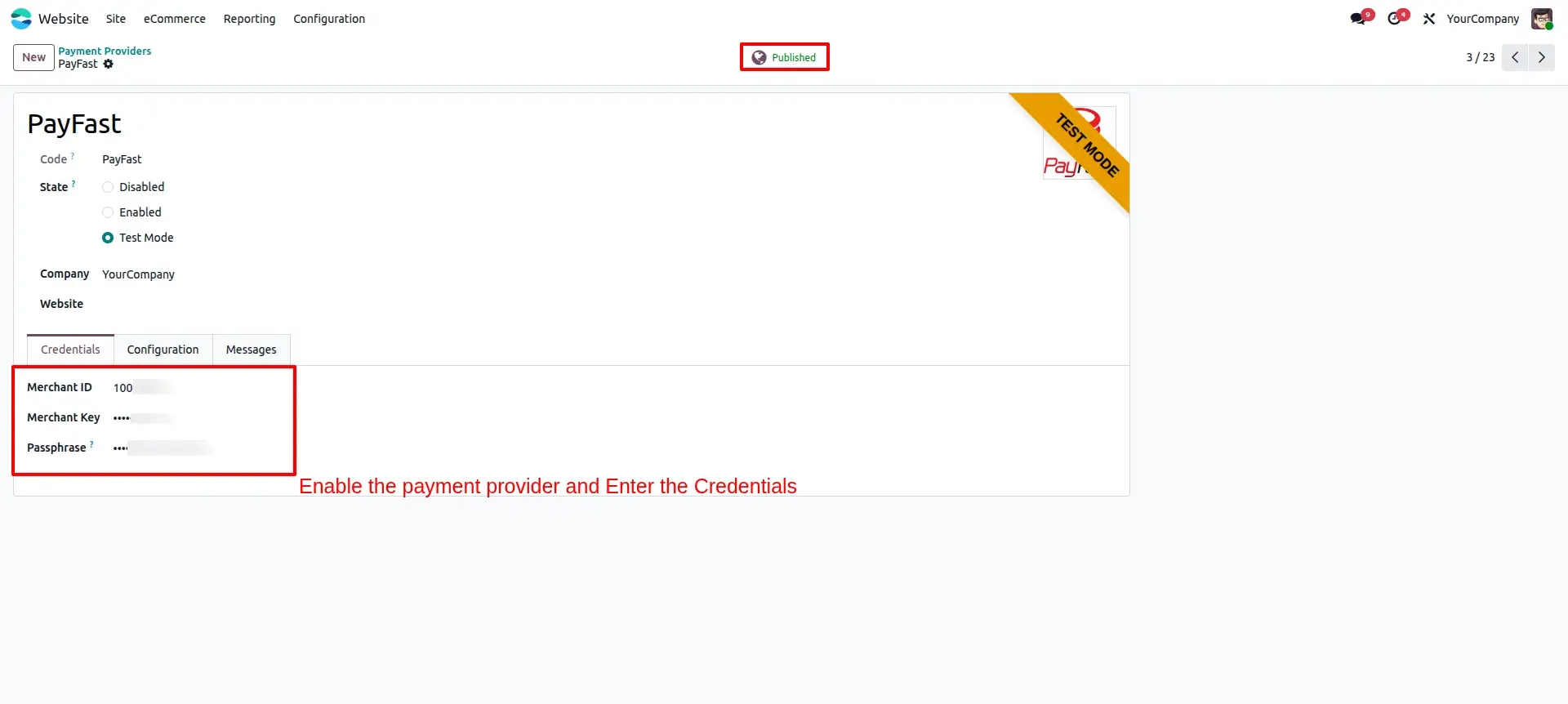
Provide Credentials
Enter the credentials from PayFast, including the Secret Key, and ensure the State is appropriately published.
Seamless Checkout Experience
Provide a seamless checkout experience to your customers with PayFast integrated payment gateway.
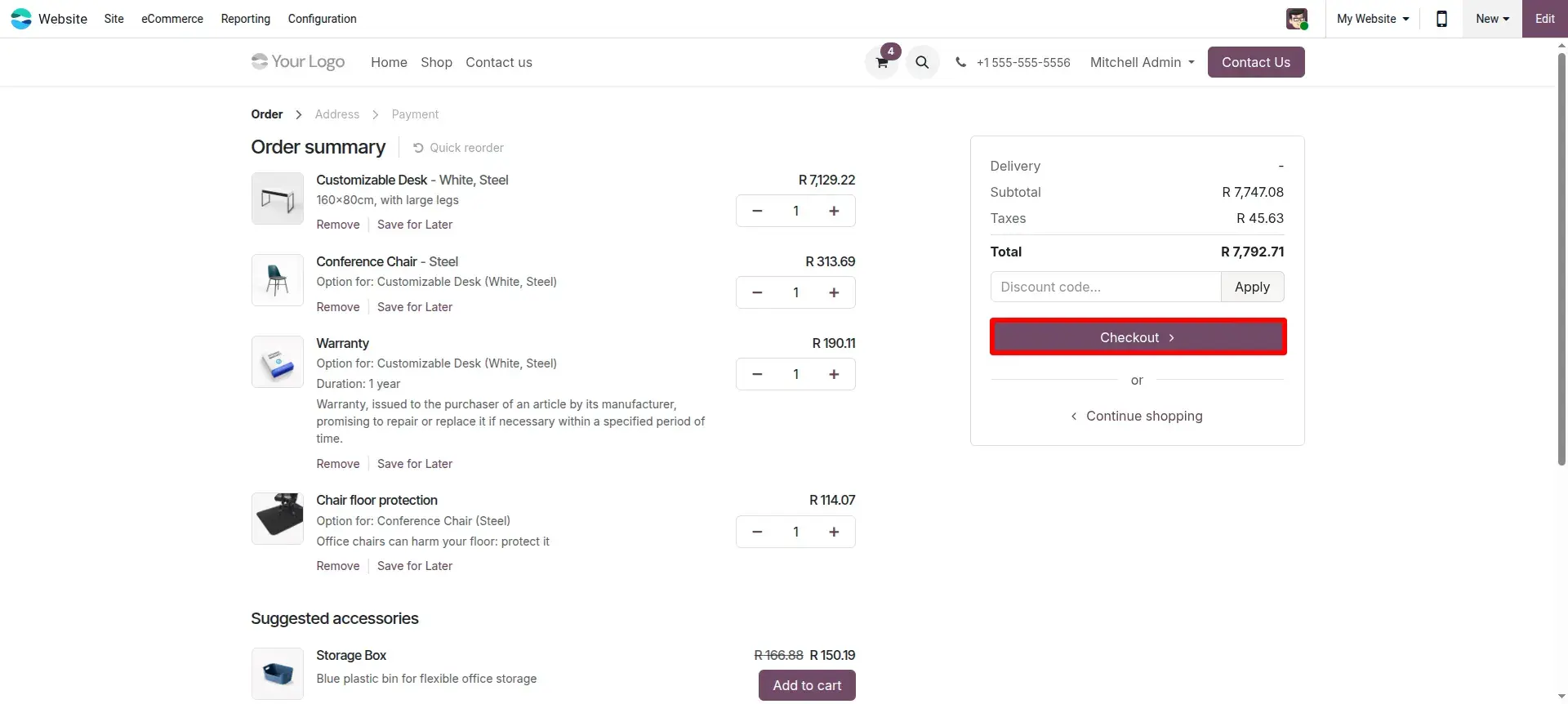
PayFast Payment Flow
On the checkout page, select PayFast as the payment method and click the "Pay now" button.
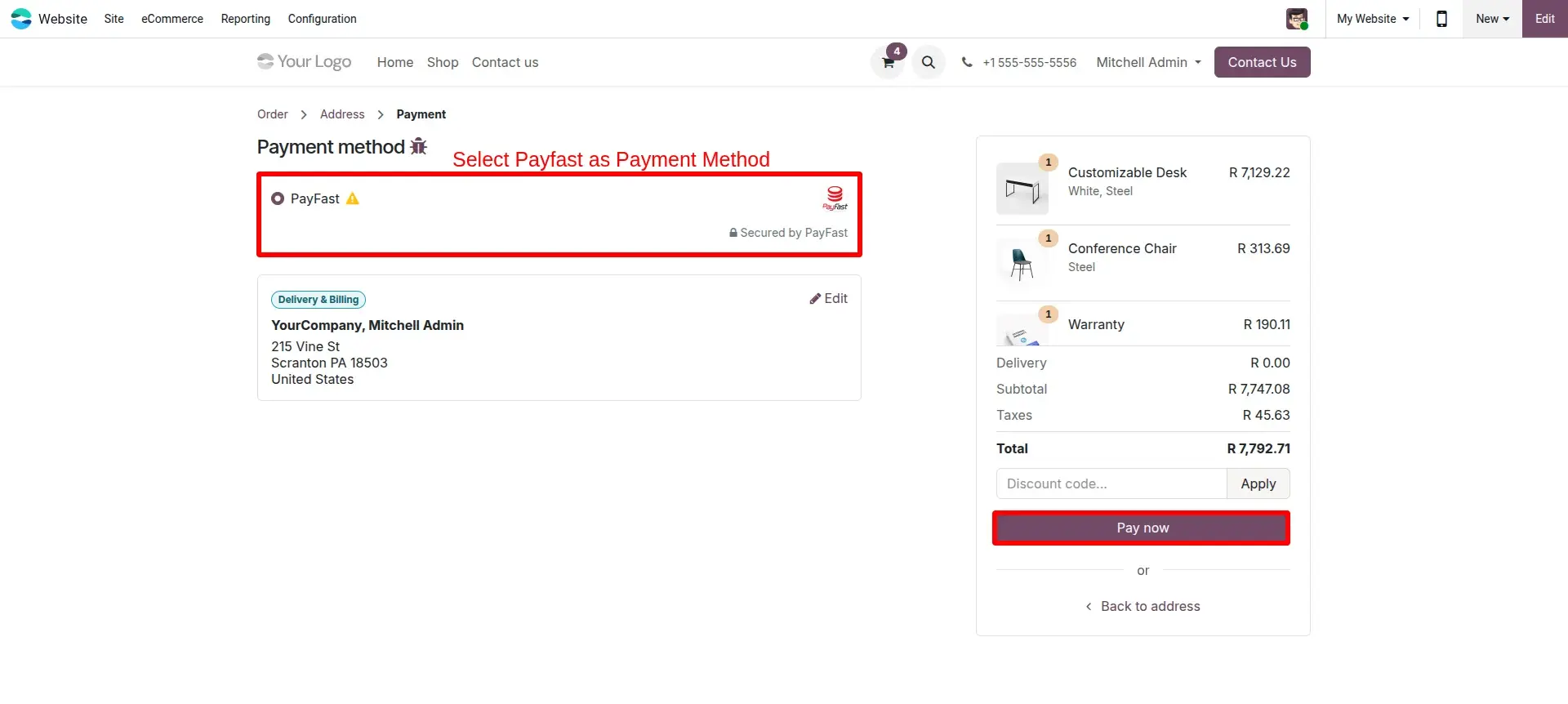
PayFast Checkout Page
At the official PayFast Checkout screen, simply click on the Complete Payment button.
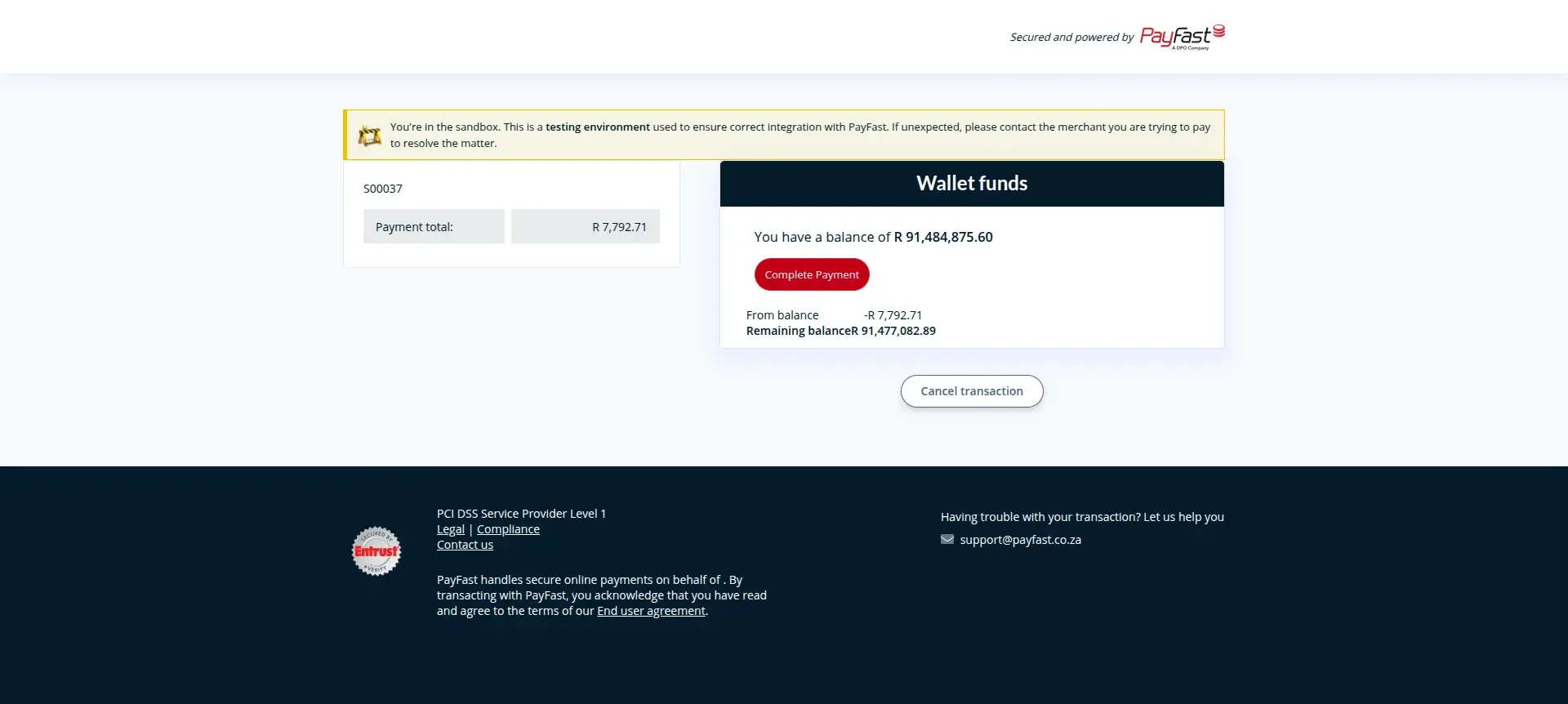
Payment Successful in PayFast
A "Payment successful!" confirmation screen will be displayed once the transaction is securely processed.
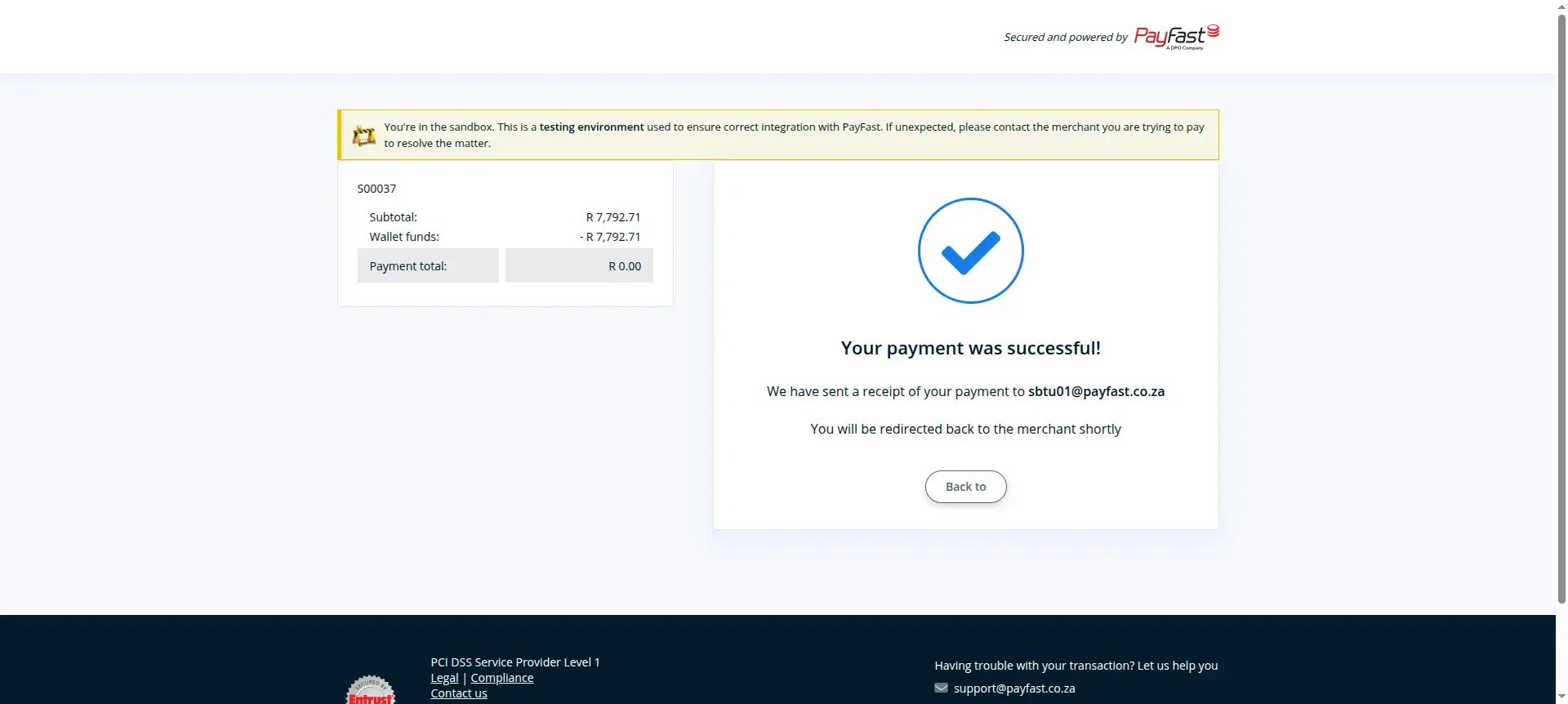
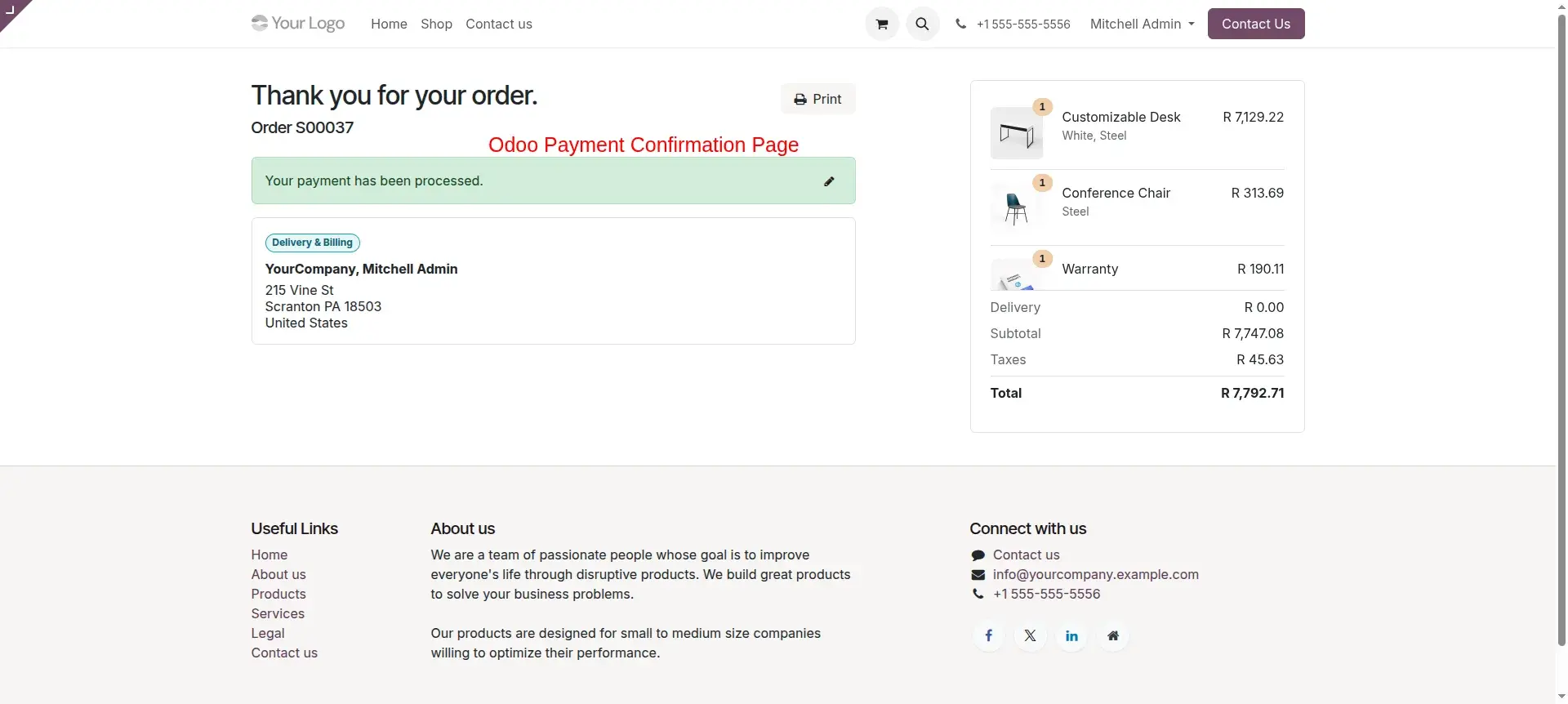
Payment Confirmation in Odoo
After the payment is successful, the customer will be automatically redirected to the confirmation page in Odoo.
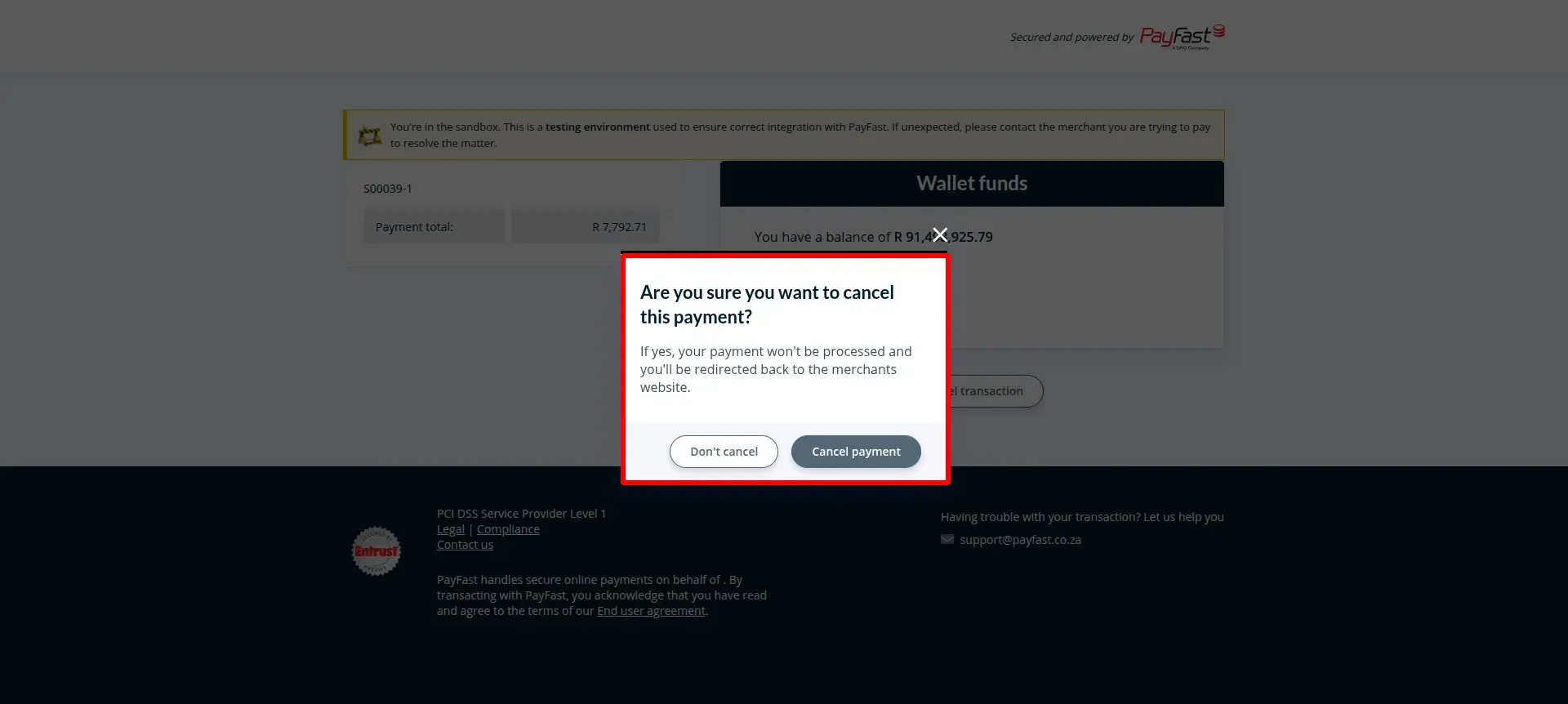
Cancel Payment From Payment Page
In the payment gateway page, click on the Cancel button to safely terminate the payment process.
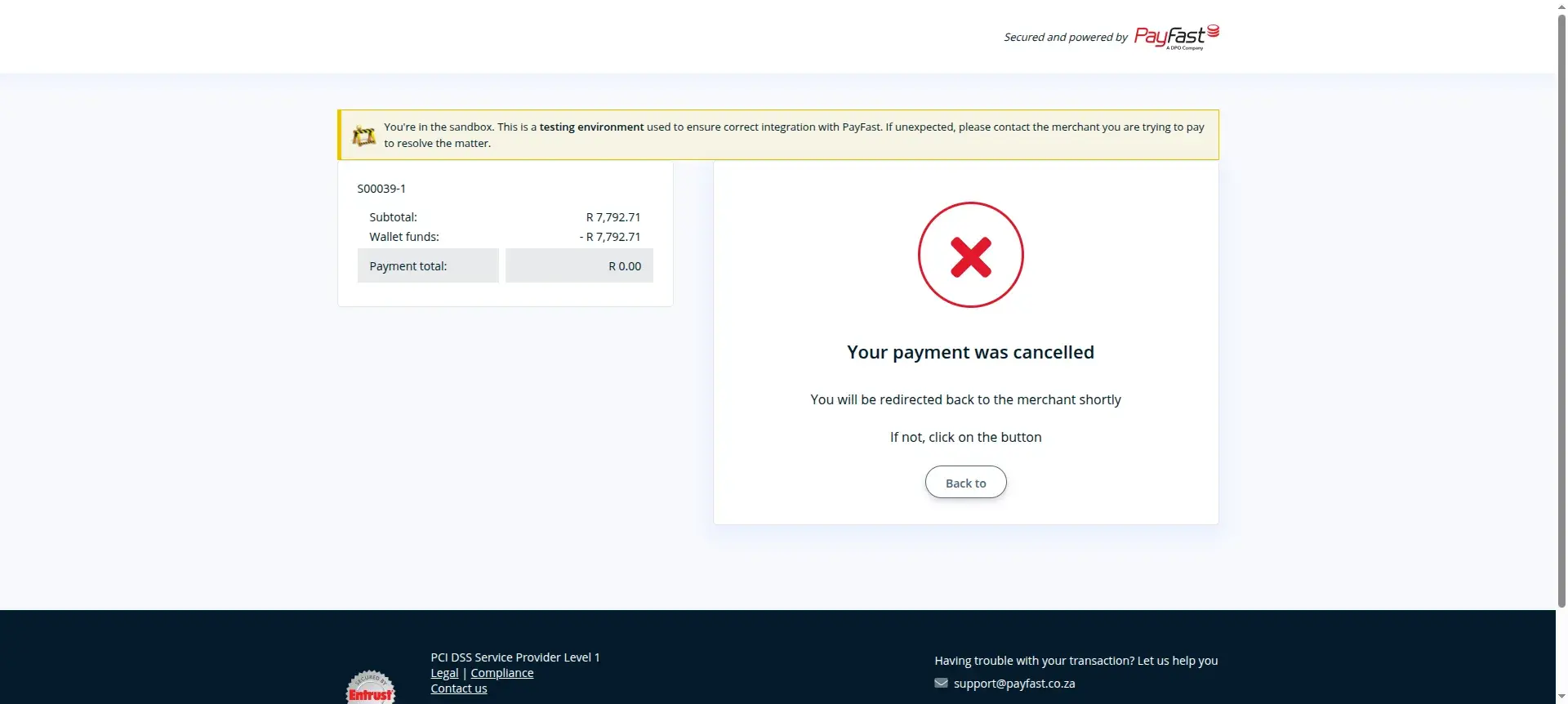
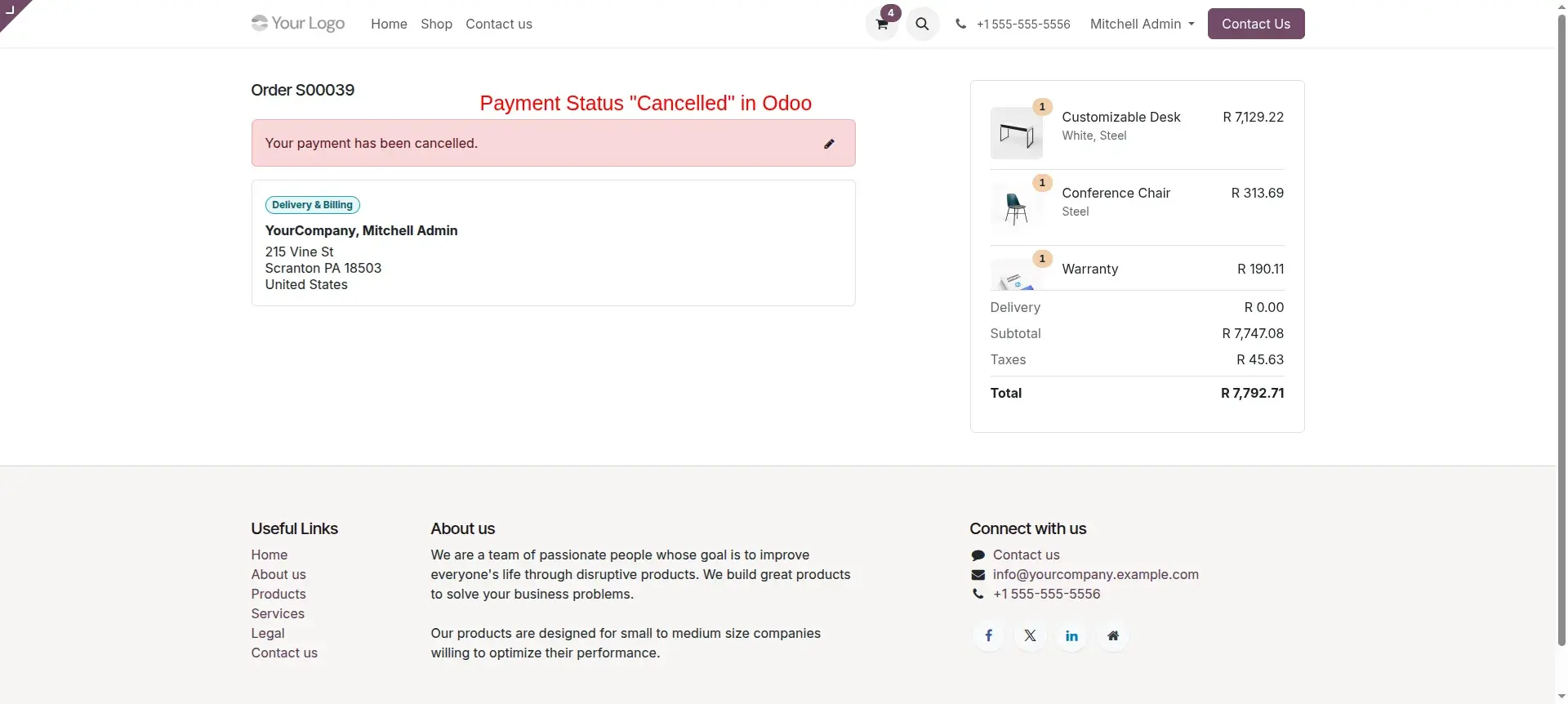
Payment Cancellation Page
After the payment is cancelled, the customer will be redirected to the cancellation page in Odoo with a processed status.
Portal Payment
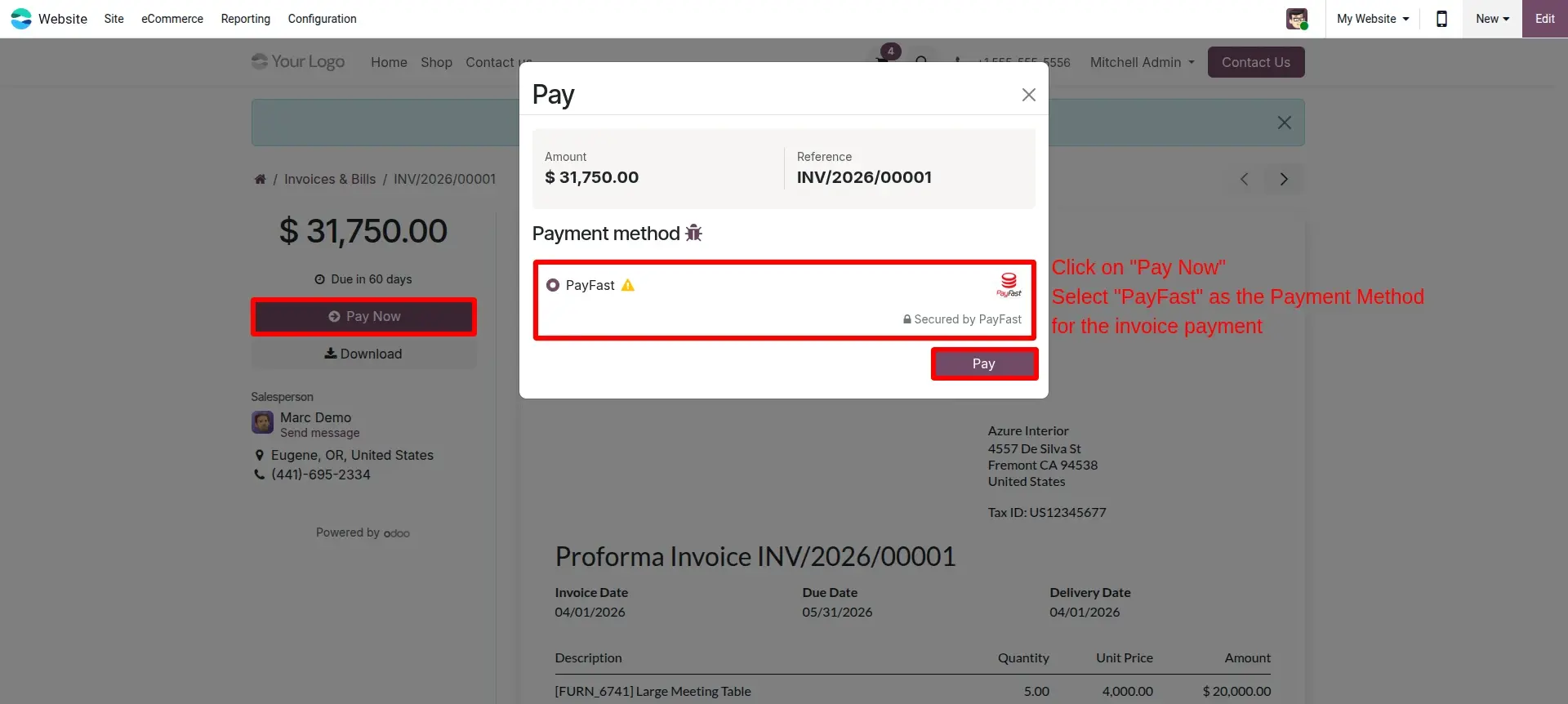
In the portal payment page, click on the **Pay now** button to settle outstanding invoices instantly.
Portal Payment Success
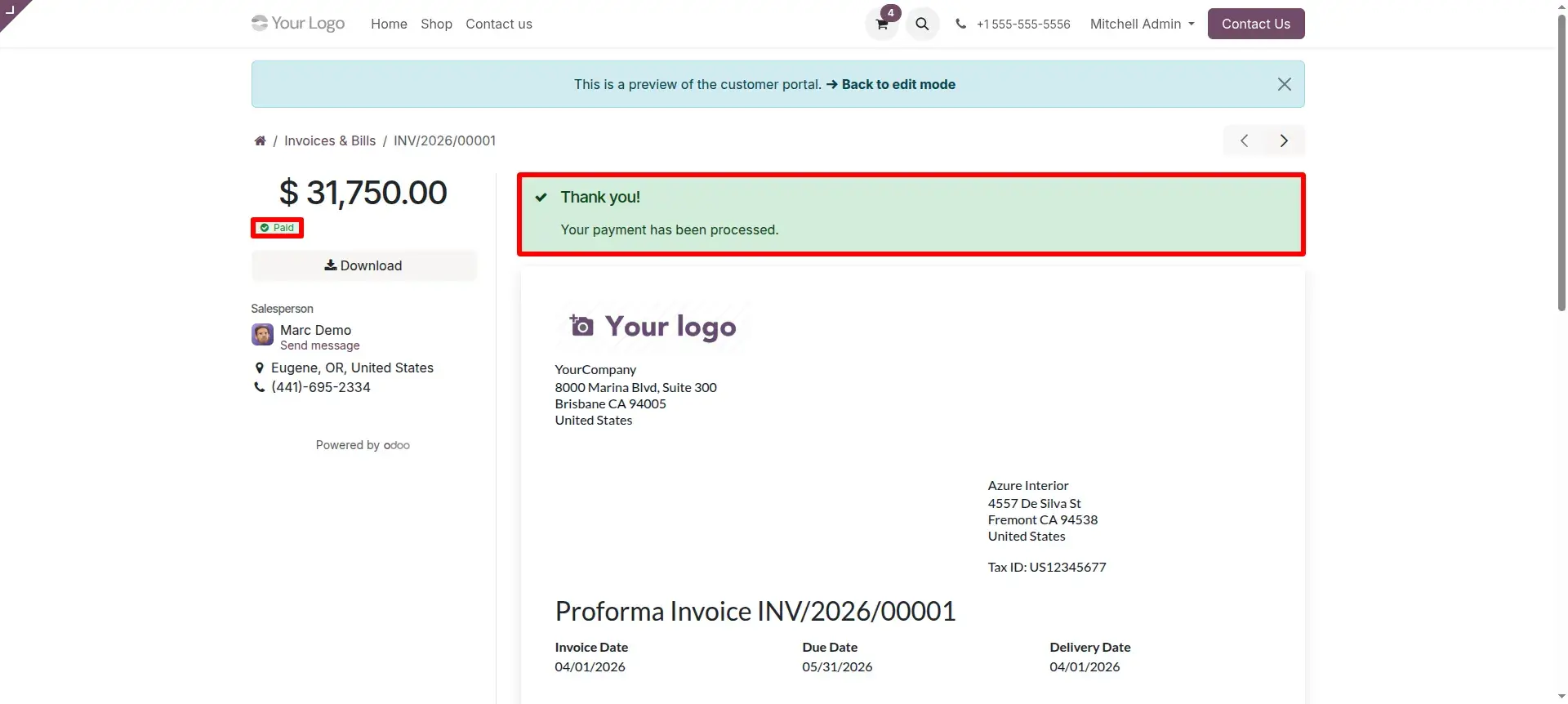
After the payment is successful, the customer will be redirected to the success page within the Odoo customer portal.
Payment Transaction in PayFast Dashboard
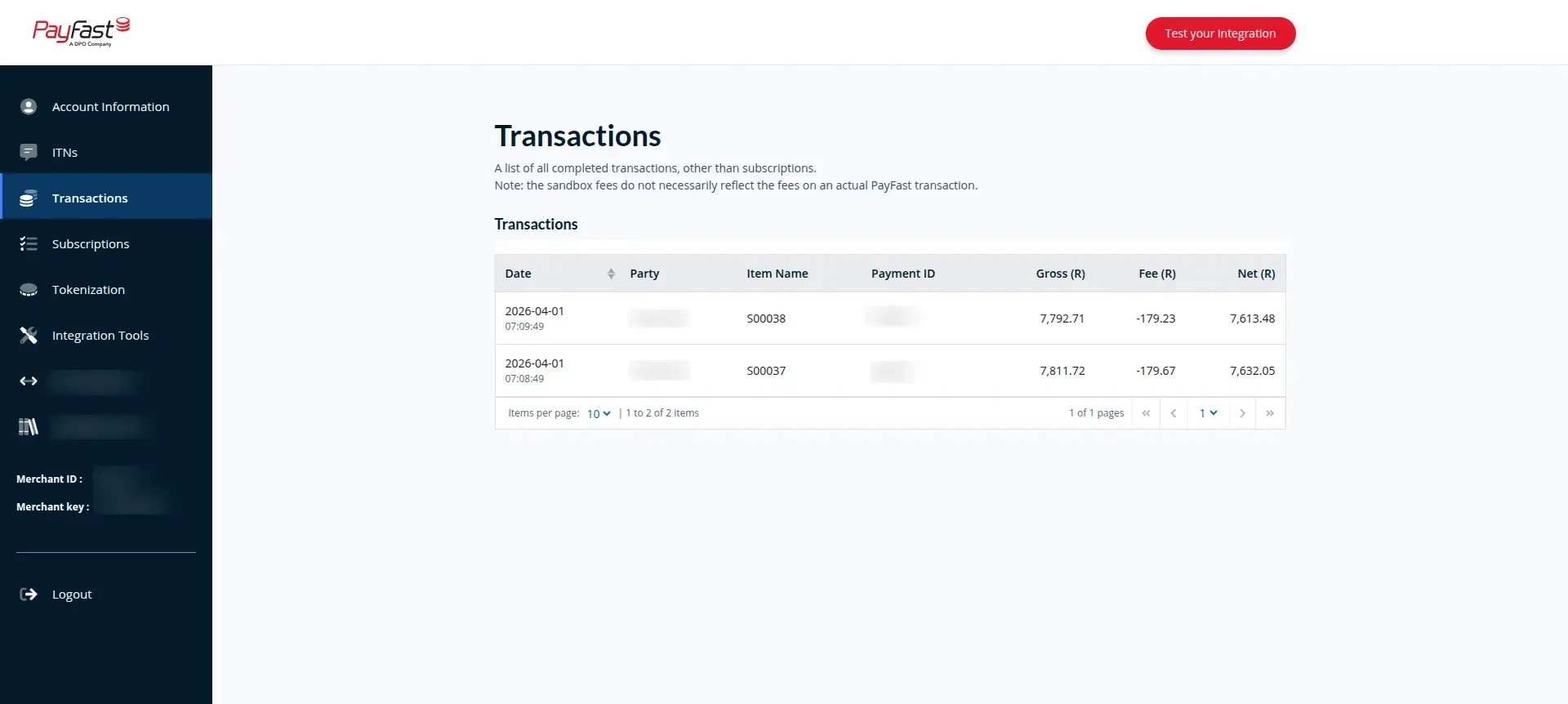
Displays and tracks current payment transactions directly within the dedicated PayFast merchant dashboard.
Frequently Asked Questions
Technical Details
Dependencies
• Invoicing (account)
• eCommerce (website_sale)
• Discuss (mail)
• Website (website)
License
OPL-1
Need Assistance?
Email Support
contact@gritxi-tech.comAny Questions?
Have questions about this app?
Fill out the form below and our team will get back to you with more information.
Customer Reviews
Share your experience with this module.
Write a Review
Latest Reviews
No reviews yet. Be the first to share your thoughts!