
Pagebreak in PDF Reports
Control PDF pagination in Odoo by adding manual page breaks to Sale Orders and Invoices. Create clean, well structured, and professional business documents without modifying standard report templates.
Pagebreak in PDF Reports
Add manual page breaks to Sale Order and Invoice PDF reports, allowing you to create clean, well structured, and professional business documents with complete control over report pagination.
App Overview

Introduction
The Pagebreak in Report of Sale and Invoice
module enhances Odoo's standard PDF reporting by allowing
users to insert manual page breaks directly from Sale Order
and Invoice lines.
Instead of relying on Odoo's automatic report pagination,
users can define exactly where a new page should begin,
making quotations, invoices, and customer-facing documents
significantly cleaner and easier to read.
The module integrates seamlessly with Odoo's native QWeb
reporting engine and works with standard Sales Orders,
Quotations, Customer Invoices, and related reports without
modifying the standard workflow.

Purpose
The purpose of this module is to provide complete control over PDF report pagination for Sales Orders and Invoices. It enables businesses to create structured, professional, and customer-friendly documents by inserting page breaks exactly where required, improving readability, presentation, and overall document quality without requiring custom QWeb report development.
Business Use Cases

Professional Quotations
Create structured quotations by separating products, services, and commercial sections across multiple pages for a clean and professional presentation.

Long Customer Invoices
Improve invoice readability by splitting lengthy billing information into organized pages for easier customer review.

Service Based Companies
Separate project phases, milestones, or service descriptions into individual pages for better document organization.

Manufacturing Businesses
Organize production items, BOM details, and manufacturing sections using page breaks to generate clear customer documents.

Enterprise B2B Documents
Deliver professional proposals, quotations, and contracts with clearly separated commercial sections that improve readability for enterprise customers.
Key Features
Line-Level Page Break Control
Add page breaks directly on Sale Order and Invoice lines to precisely control where a new page begins in printed PDF reports.
Sales Order Support
Apply manual page breaks in Quotations and Sales Orders to create clean, structured, and customer-friendly proposals.
Invoice Support
Control page breaks in Customer Invoices for improved readability and better presentation of lengthy billing documents.
Easy Configuration
Simply enable the page break option on document lines without requiring technical knowledge or report customization.
QWeb Report Integration
Fully integrated with Odoo's native QWeb reporting engine while preserving the standard report structure.
Dynamic Report Rendering
Page breaks are automatically applied during PDF generation without requiring additional user actions.
Better Document Structure
Separate products, services, sections, or commercial content into well-organized pages for professional reports.
No Core Modification
Enhances standard Odoo reports without modifying core files, ensuring easy upgrades and maintenance.
Lightweight Module
Designed for minimal performance impact while providing flexible and reliable page break management in reports.
Configuration & Workflow
Configure Page Break on Sale Order Lines
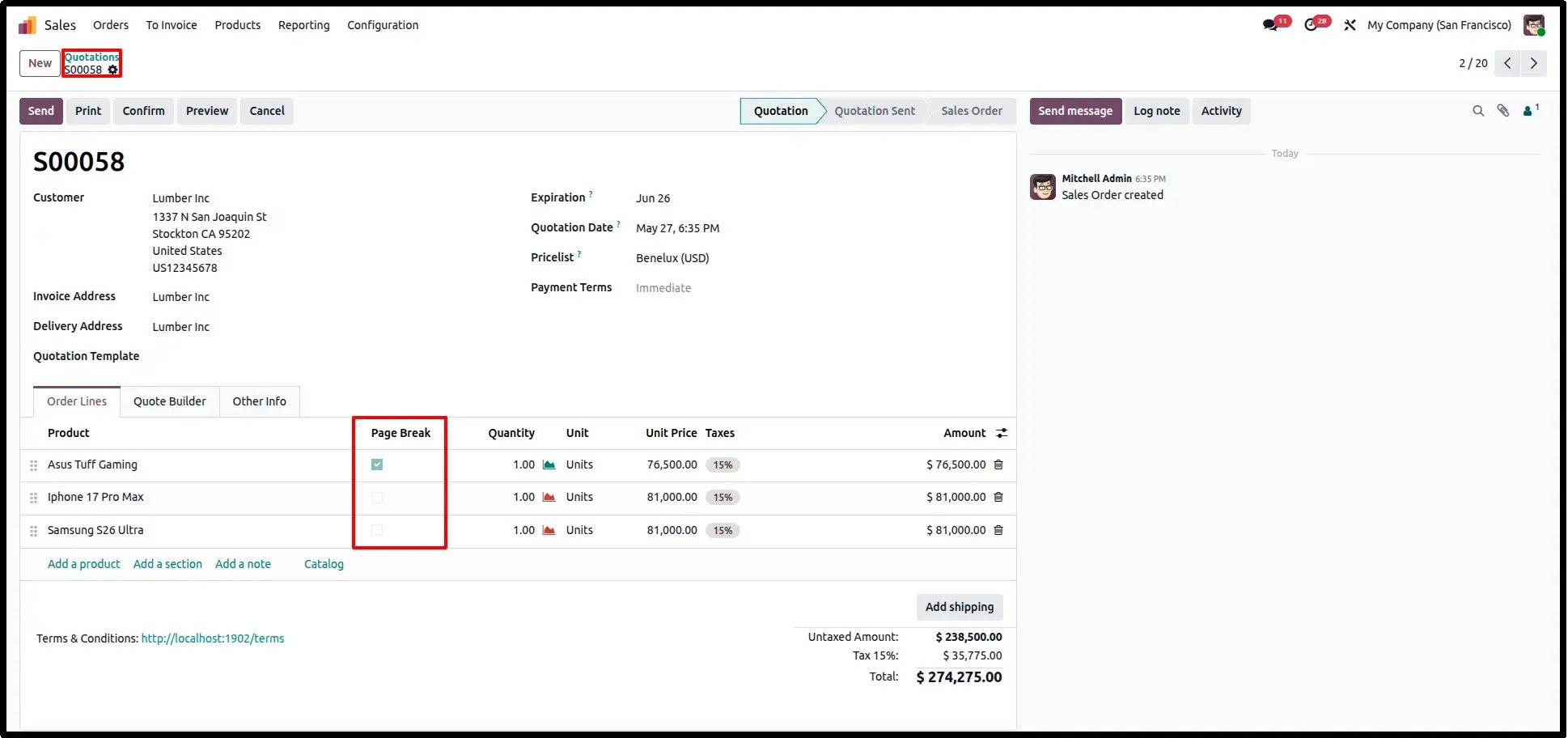
Open a Sales Order or Quotation and enable the Page Break option on the desired order line. This allows users to control exactly where a new page begins in the printed Sales Order PDF without modifying the report template.
Sale Order PDF with Page Break
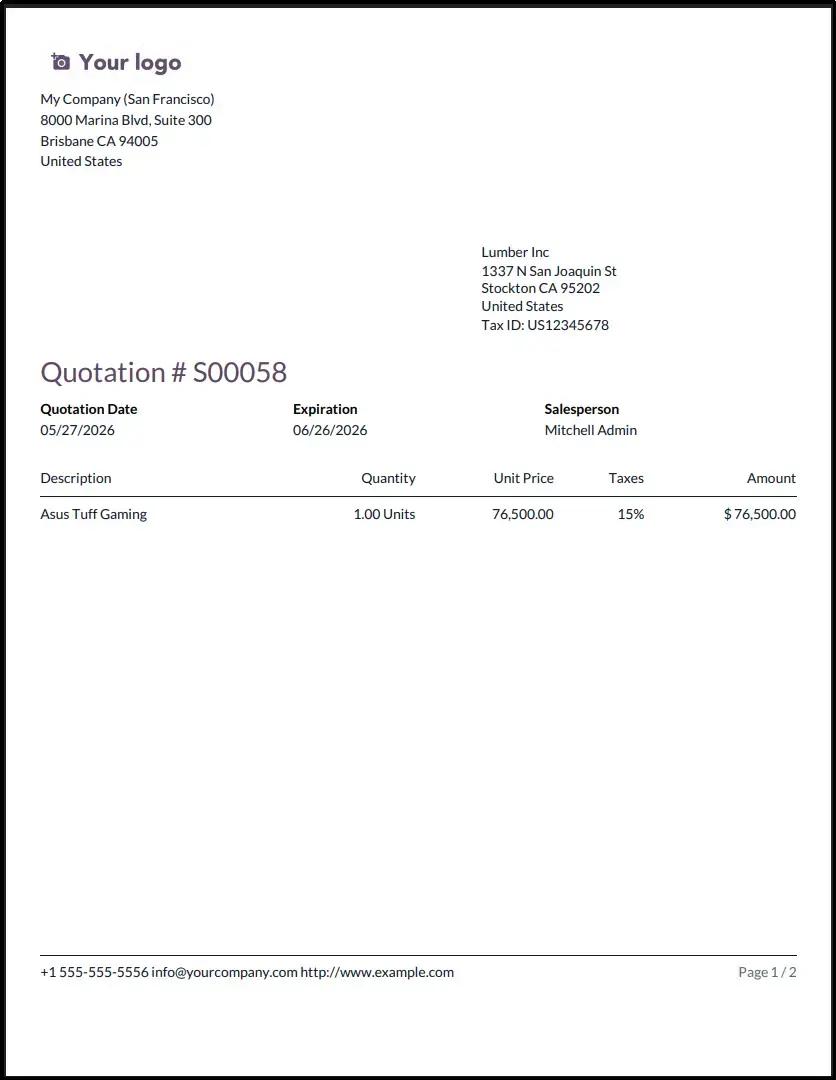
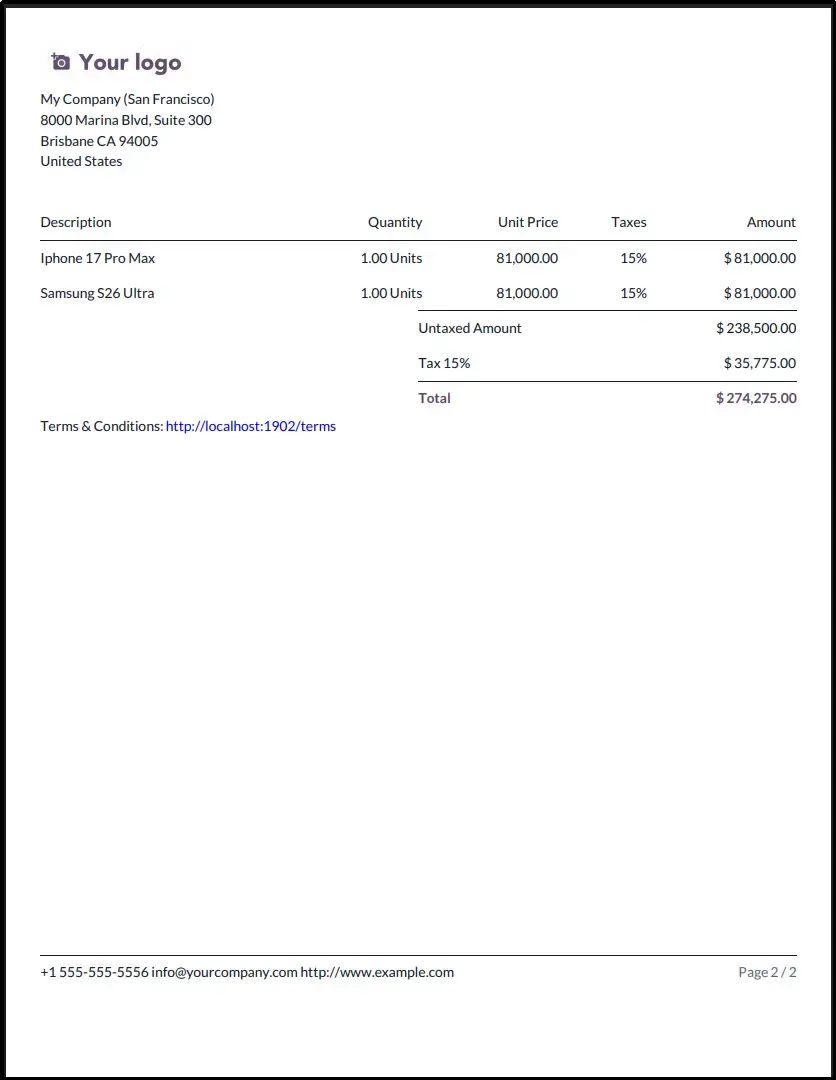
Print or preview the Sales Order PDF to see the configured page break applied automatically. The report is split exactly at the selected line, producing a cleaner, more structured quotation or order document.
Configure Page Break on Invoice Lines
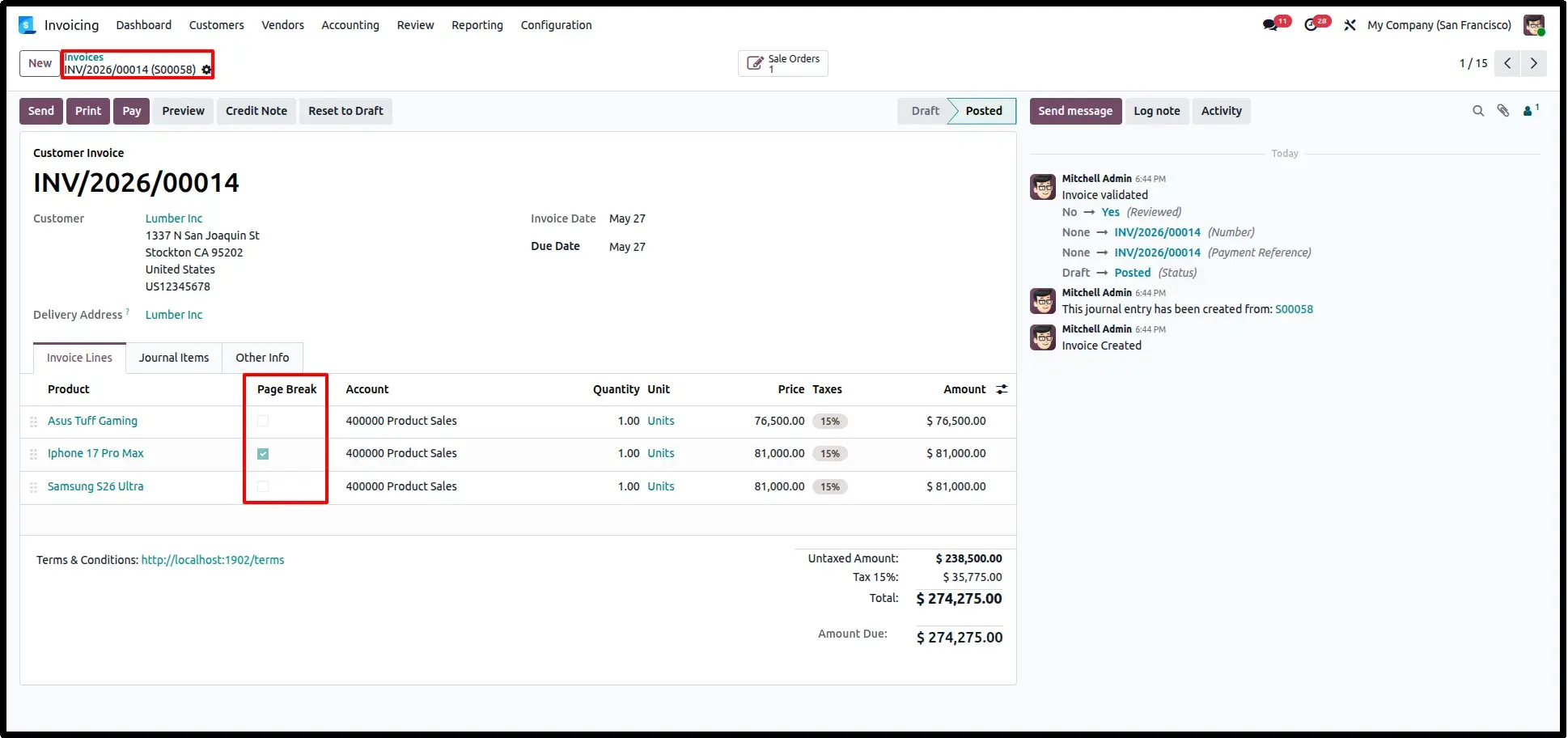
Open a Customer Invoice and enable the Page Break option on the required invoice line. This gives users complete control over document pagination and allows important sections to begin on a fresh page.
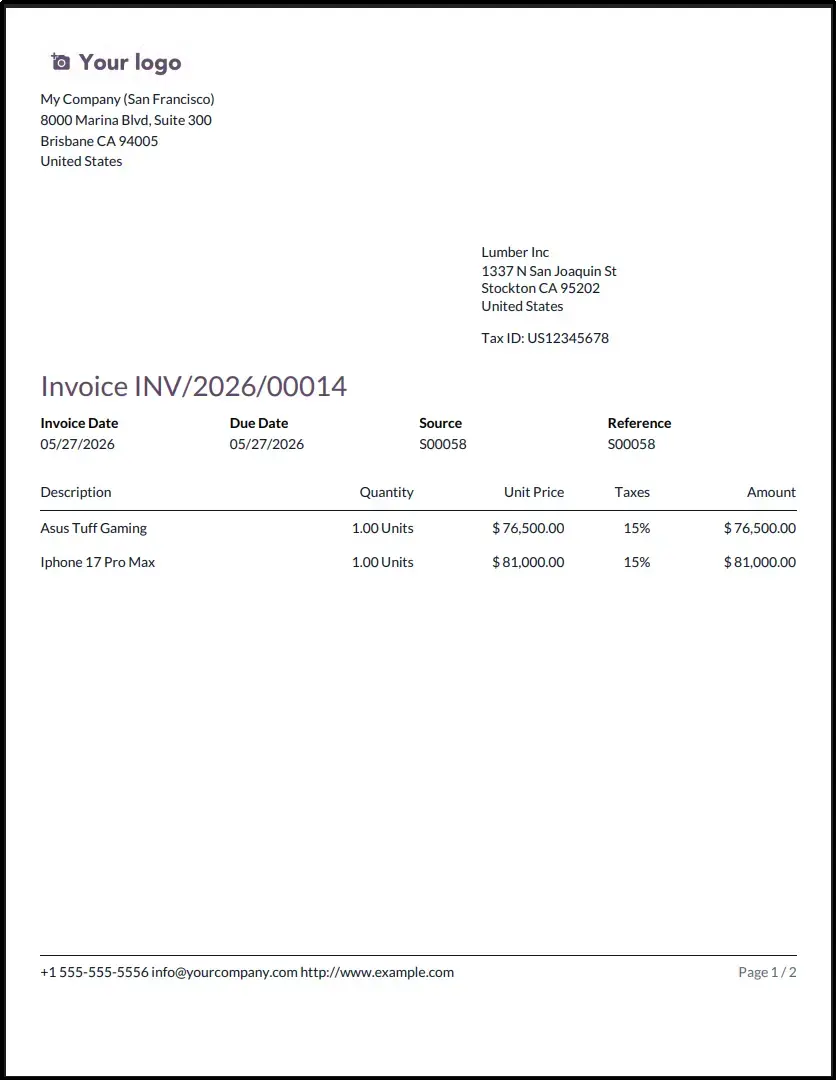
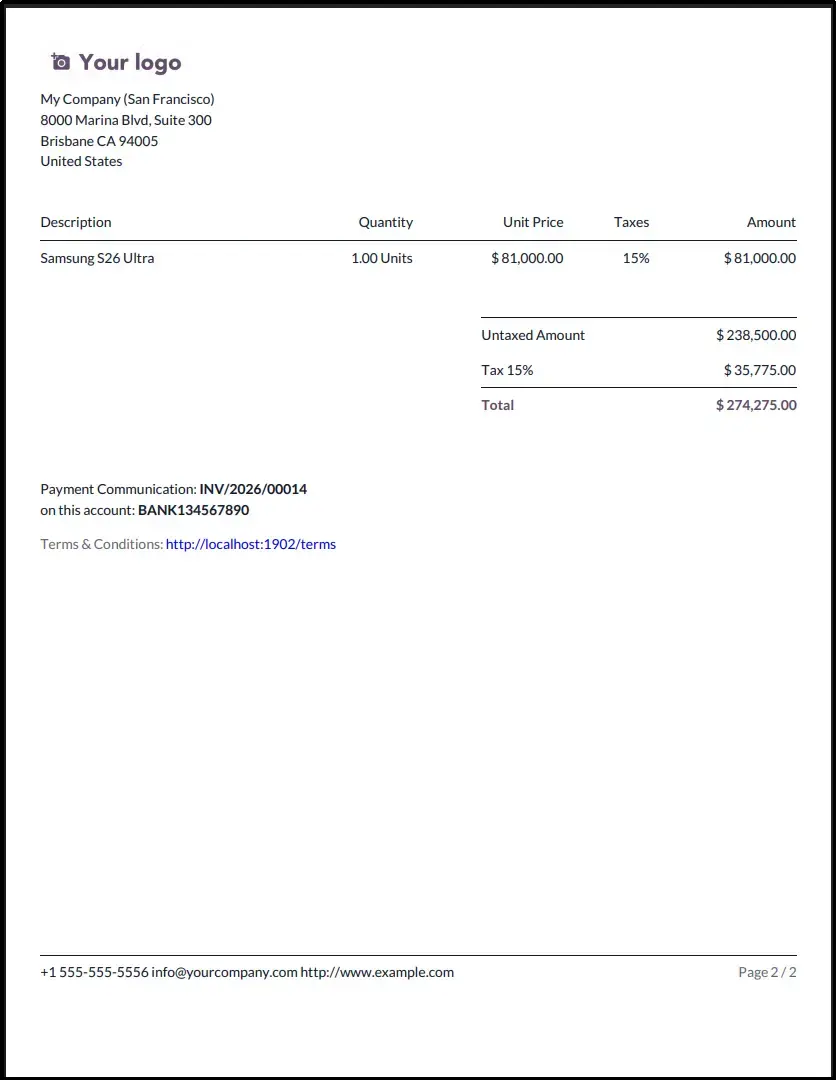
Invoice PDF with Page Break
Generate the Invoice PDF to view the automatic page break in action. The module preserves Odoo's standard report design while improving document readability by separating invoice sections exactly where configured.
Frequently Asked Questions
Technical Details
Dependencies
• Sales (sale_management)
• Accounting (account)
License
OPL-1
Need Assistance?
Email Support
contact@gritxi-tech.comAny Questions?
Have questions about this app?
Fill out the form below and our team will get back to you with more information.
Customer Reviews
Share your experience with this module.
Write a Review
Latest Reviews
No reviews yet. Be the first to share your thoughts!