
Nexi Nets Payment Provider
Integrate Nexi's secure payment gateway with Odoo to enable seamless online payments, hosted checkout, invoice payments, and refund management.
Payment Provider: Nexi
Integrate Nexi’s secure hosted payment infrastructure for seamless eCommerce checkouts and portal invoice payments.
App Overview

Introduction
The Nexi Nets Payment Provider module integrates the Nexi payment gateway with Odoo, allowing businesses to process secure online payments directly through the Odoo platform. It connects Odoo’s native payment system with Nexi’s hosted payment infrastructure, allowing smooth and reliable transactions for eCommerce checkouts, customer portal invoice payments, and subscription-based billing.
The module helps merchants manage payments, track transactions, and process refunds directly from Odoo, eliminating the need to switch between external systems. This results in a faster, more efficient payment workflow, improved operational control, and a seamless payment experience for customers.

Purpose
The purpose of the Nexi Nets Payment Provider app is to automate and secure digital payments in Odoo, reducing manual overhead and minimizing reconciliation errors for merchants worldwide.
Business Case
Online Retail
Accept secure payments directly from Odoo website, improving checkout success rates.
B2B Services
Allow customers to pay invoices directly from the portal, reducing manual follow-ups.
Subscriptions
Collect recurring or manual renewal payments through integrated Odoo efficiency.
Multi-Channel
Manage transactions across eCommerce and portals using a single integrated account.
Finance Support
Automatically track transactions and handle refunds directly inside Odoo Accounting.
European Growth
Provide trusted payment options to customers in Nexi-supported European regions.
Key Features

Dual Environment
Easily switch between Test and Production.

Simple Setup
Configure using only the Nexi Secret Key.

Hosted Checkout
Secure redirection to Nexi's hosted page.

Multiple Methods
Supports Cards and Apple Pay via Nexi Fast.

Auto-Confirmation
Orders marked paid after successful sync.

Full/Partial Refund
Process refunds directly from Odoo backend.

Portal Payments
Customers pay invoices via Odoo portal.

Native Integration
Integrated with Odoo accounting framework.
Configuration & Workflow
Set up your payment gateway in minutes. Simply obtain your API credentials from your Nexi merchant portal and follow the steps below directly within your Odoo environment.
Access Providers
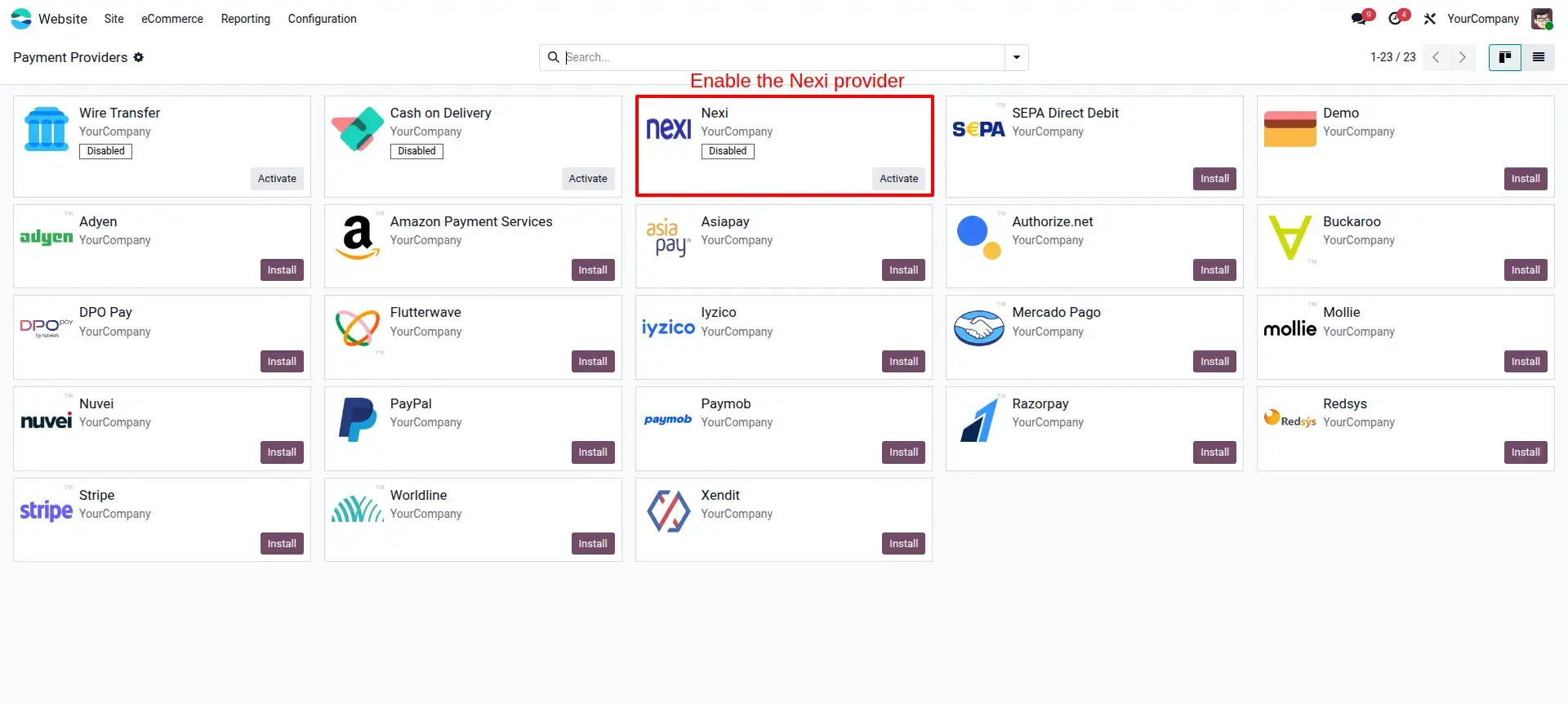
Navigate to Invoicing → Configuration → Payment Providers. Use the visual indicators to locate and select the Nexi Nets provider.
Nexi Credentials
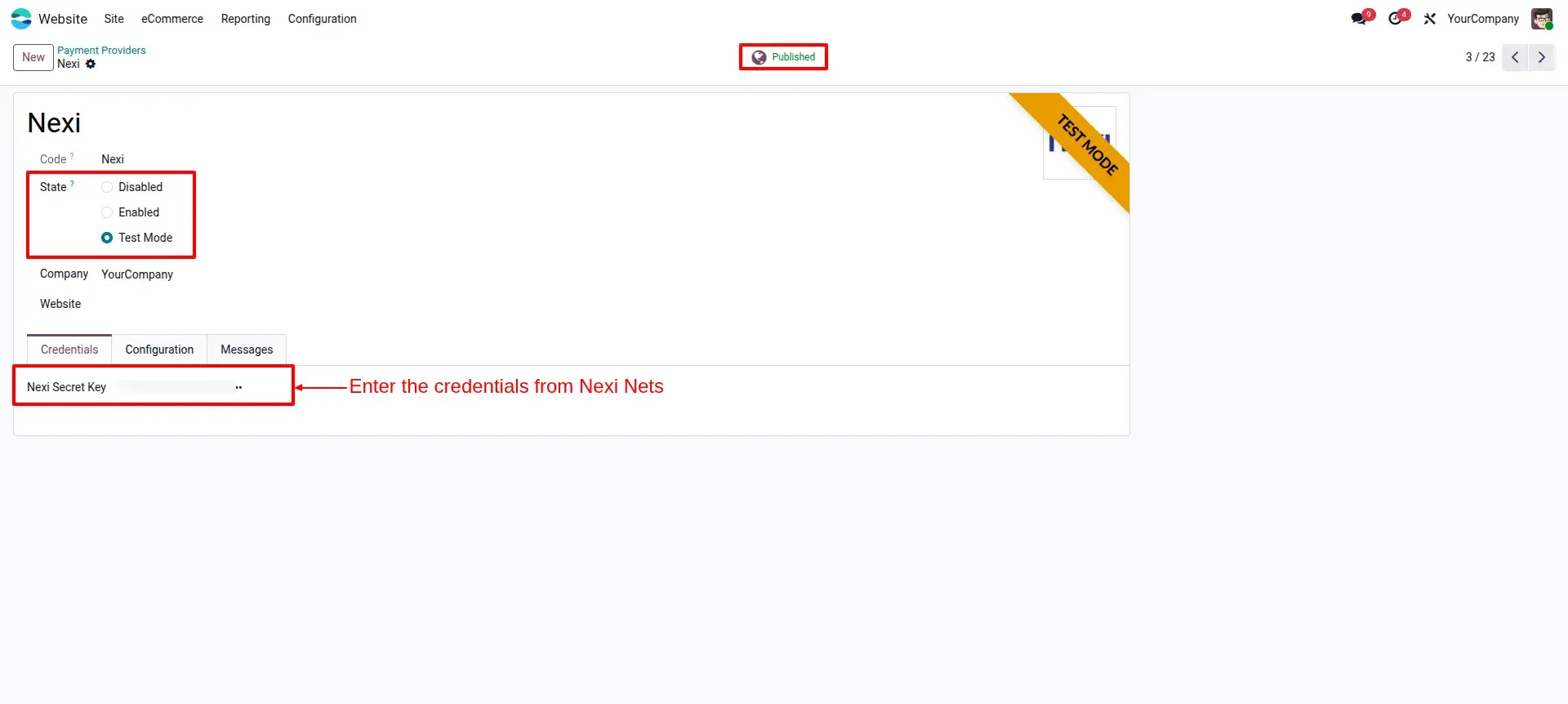
Enter your Nexi Secret Key and set the status to Published to enable the provider for your customers.
Hosted Gateway
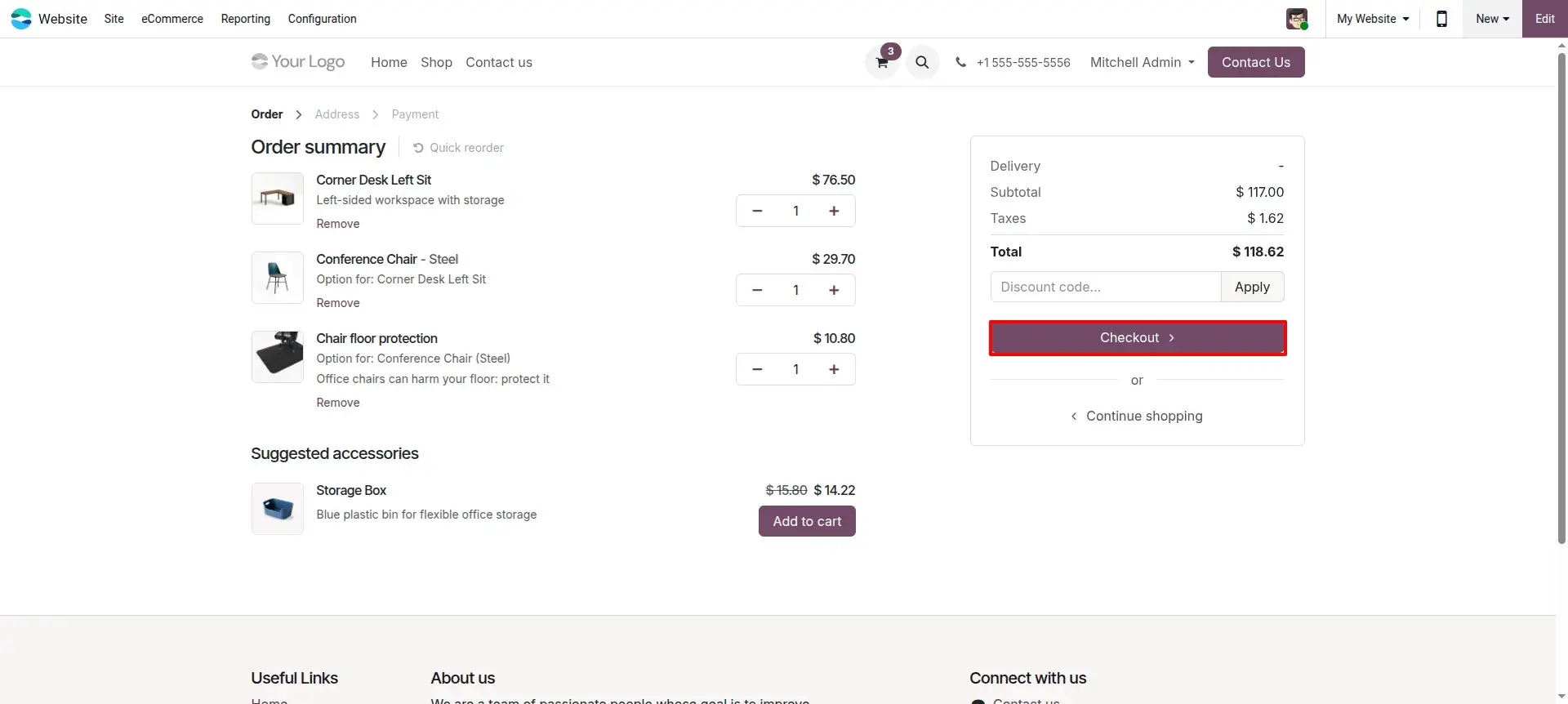
Deliver a smooth and secure checkout experience. Customers are automatically redirected to Nexi's hosted gateway for security.
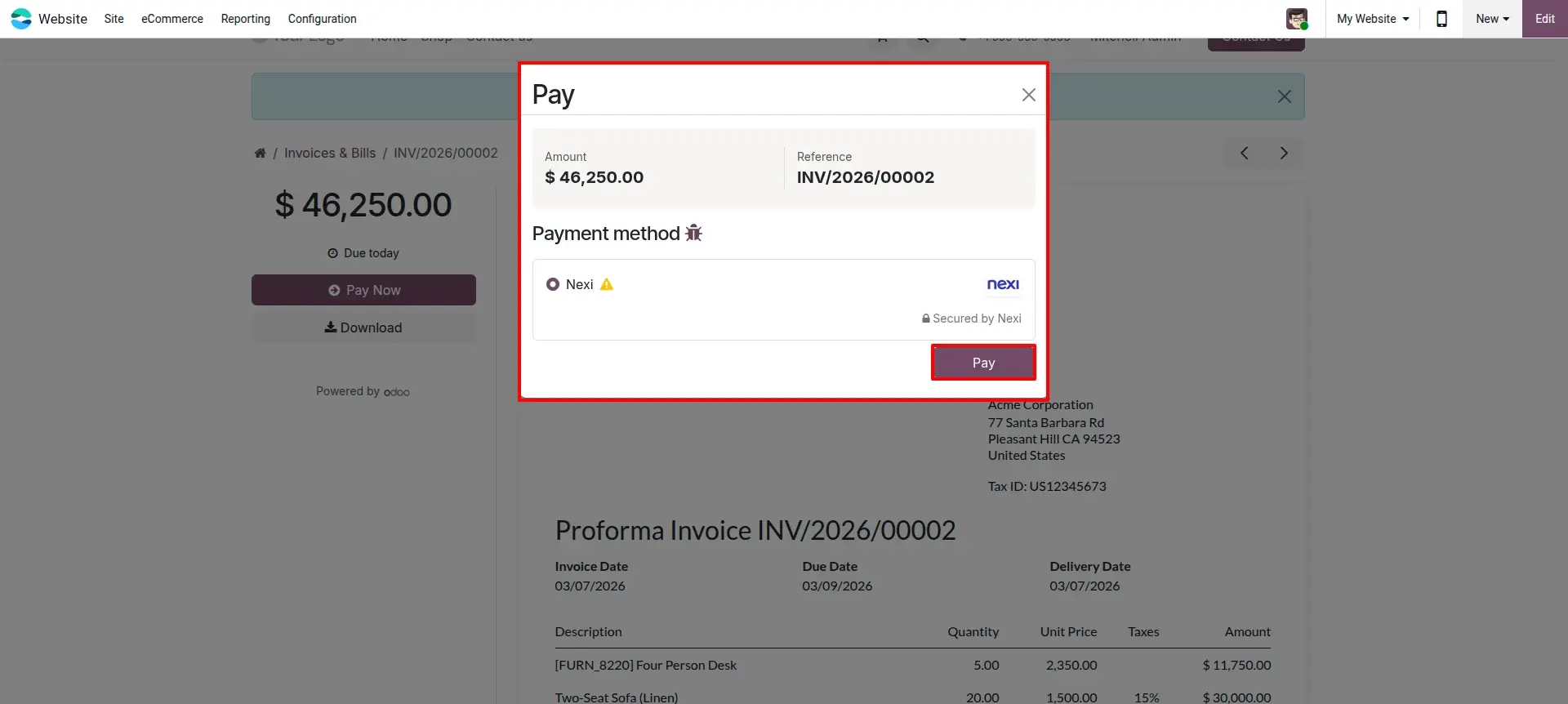
Payment Selection
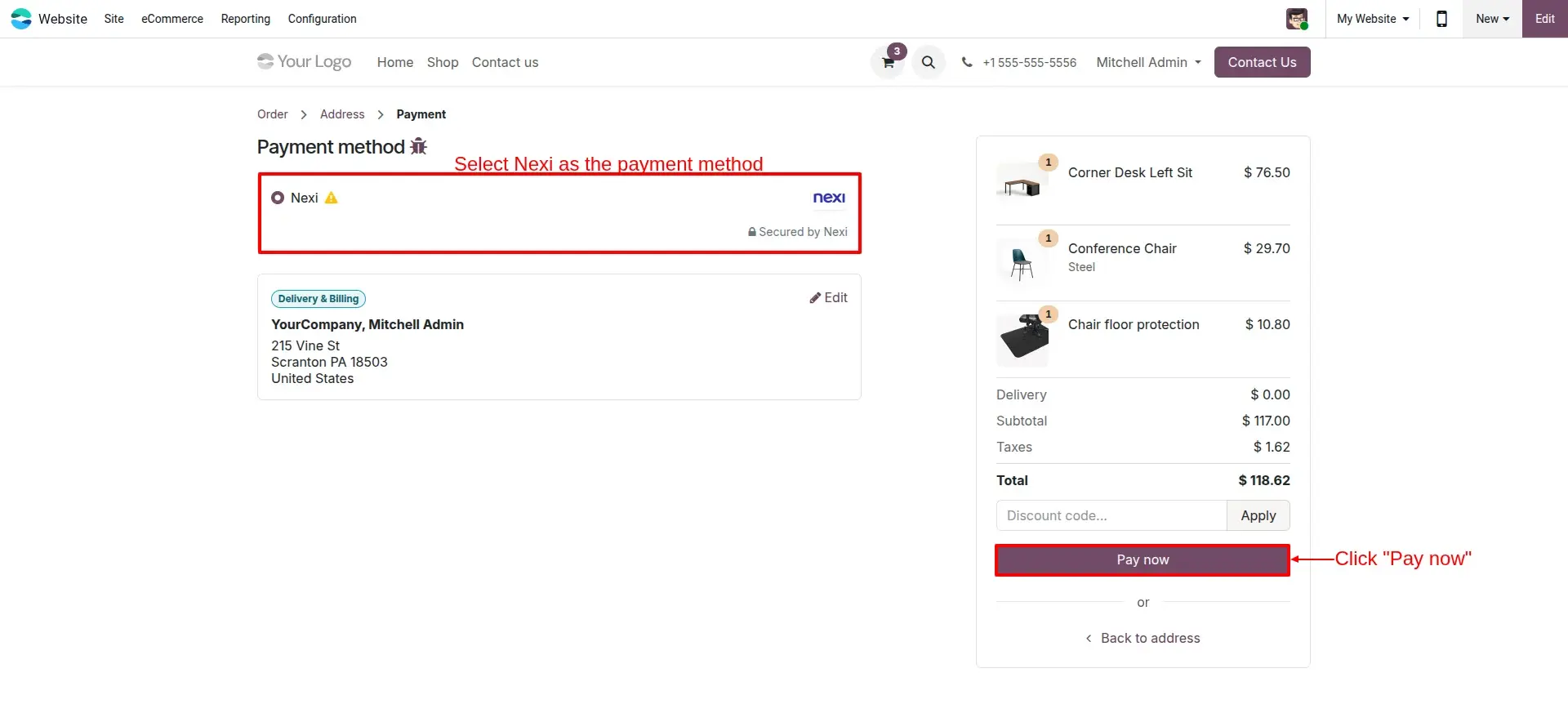
During checkout, your customers can easily select Nexi as the preferred payment option and proceed with "Pay Now".
Nexi Fast Checkout
Provide multiple secure methods including Card Payment and Apple Pay through the specialized Fast Checkout page.
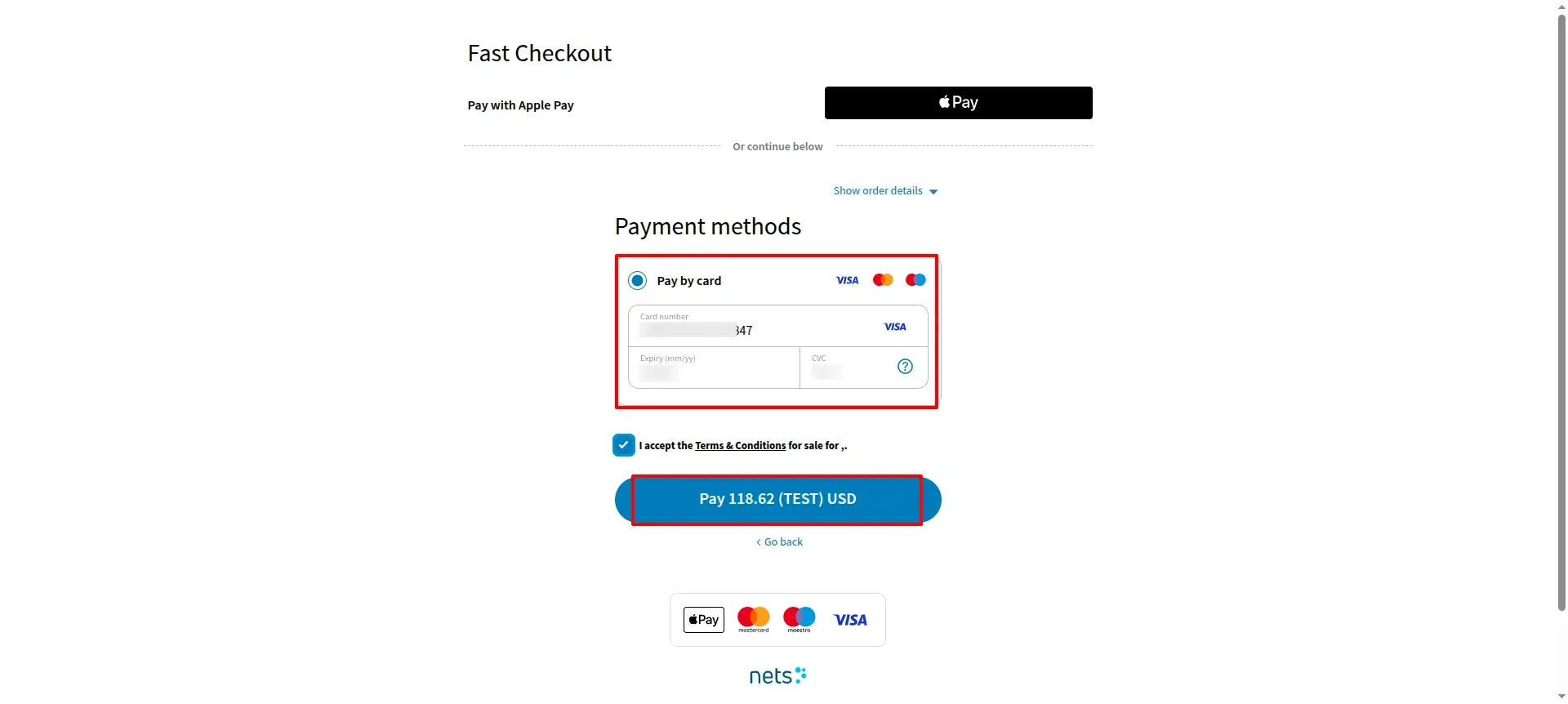
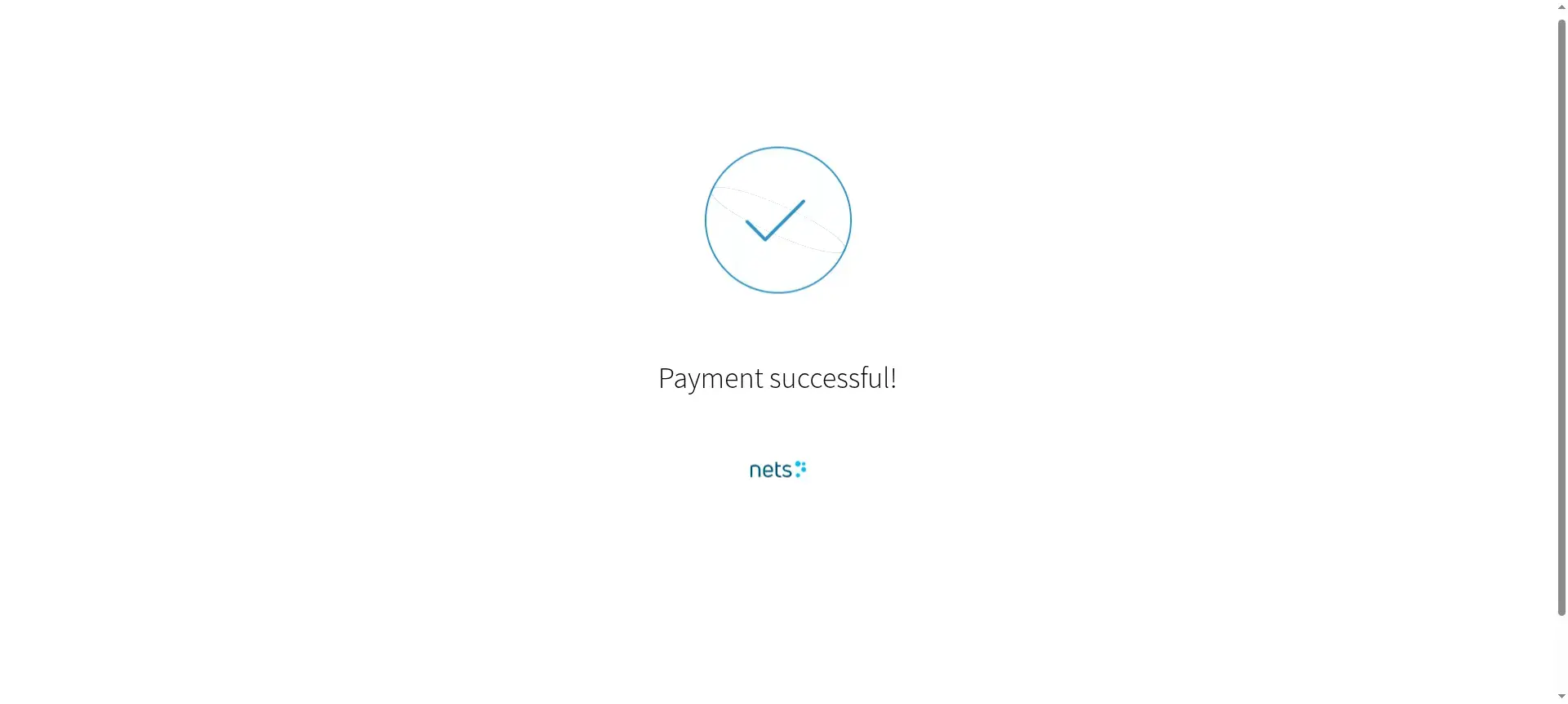
Successful Sync
After the transaction is complete, a clear confirmation message appears instantly on the user's screen.
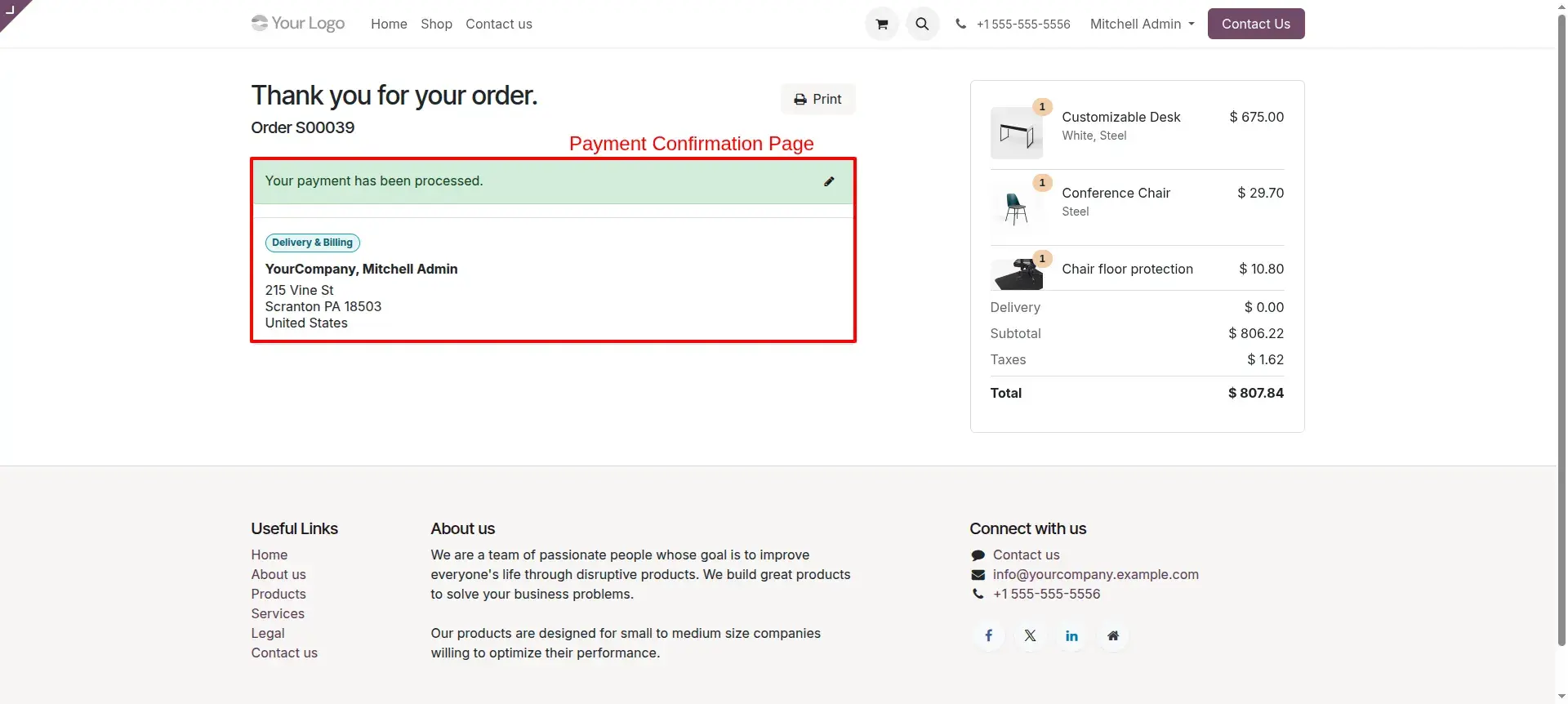
Success Workflow
Once processed, the customer is automatically redirected to Odoo’s success page with the order details clearly displayed.
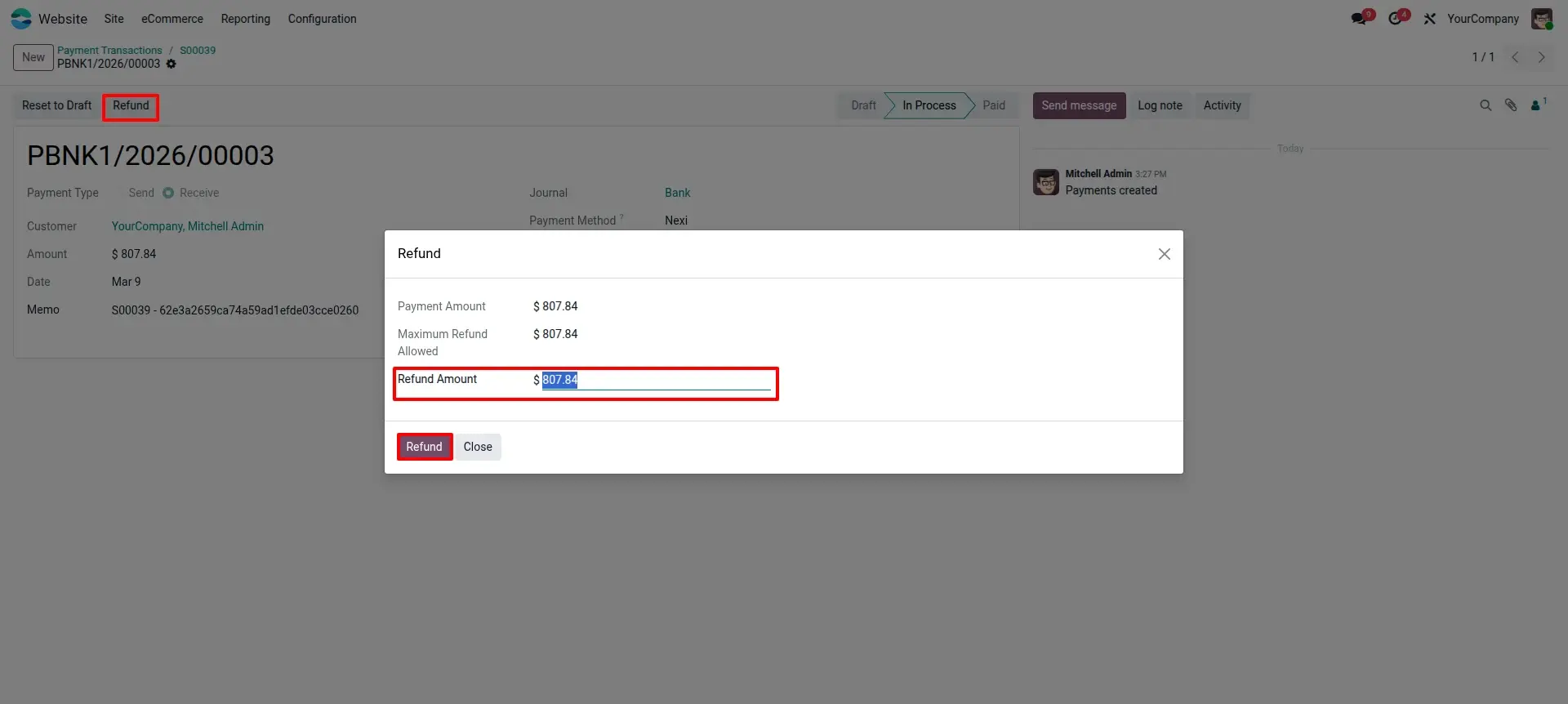
Refund Management
Effortlessly initiate full or partial refunds via the integrated Odoo popup window with one-click confirmation.
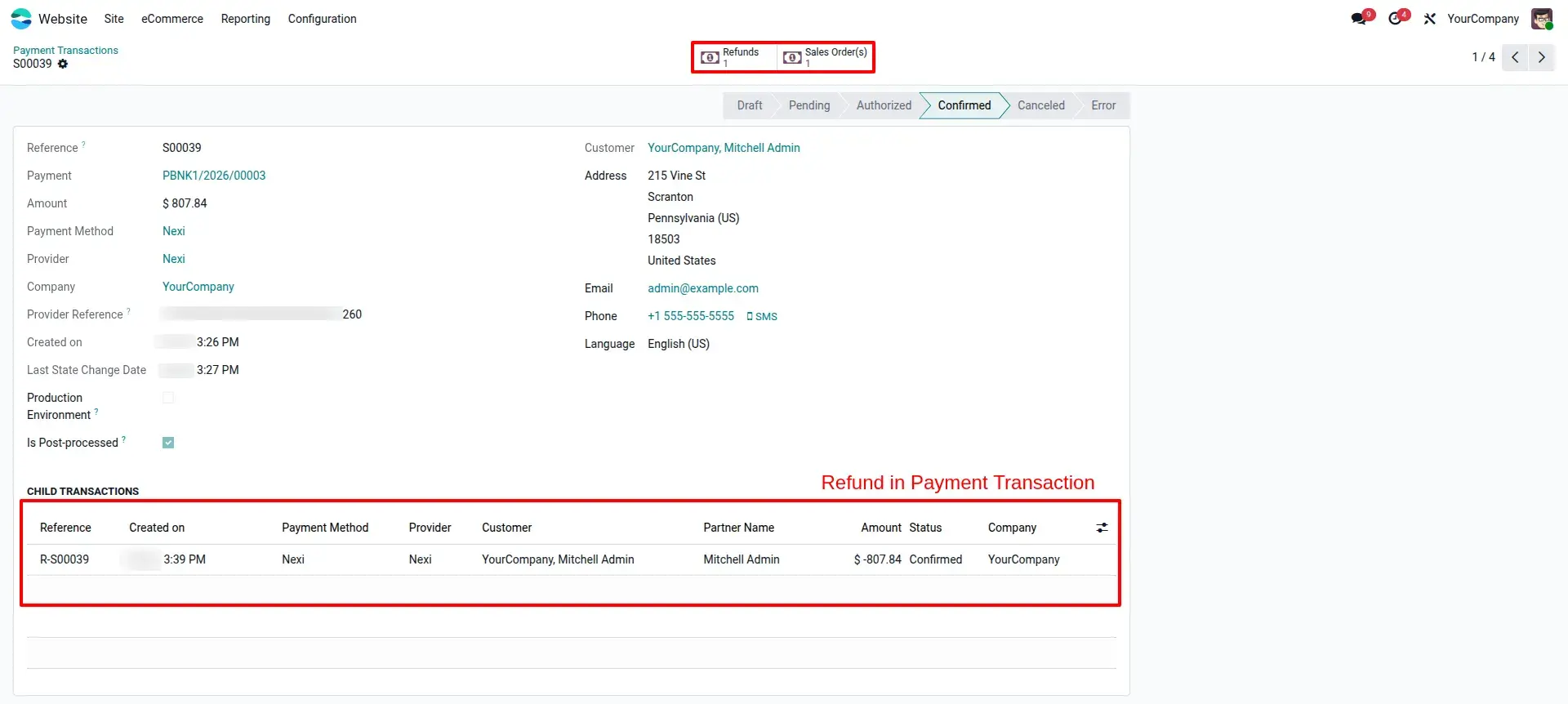
Backend Tracking
View complete refund child-transactions inside the original Odoo Payment Transaction for full auditability.
Portal Integration
Customers can settle their invoices directly through the portal using the trusted Nexi payment method.
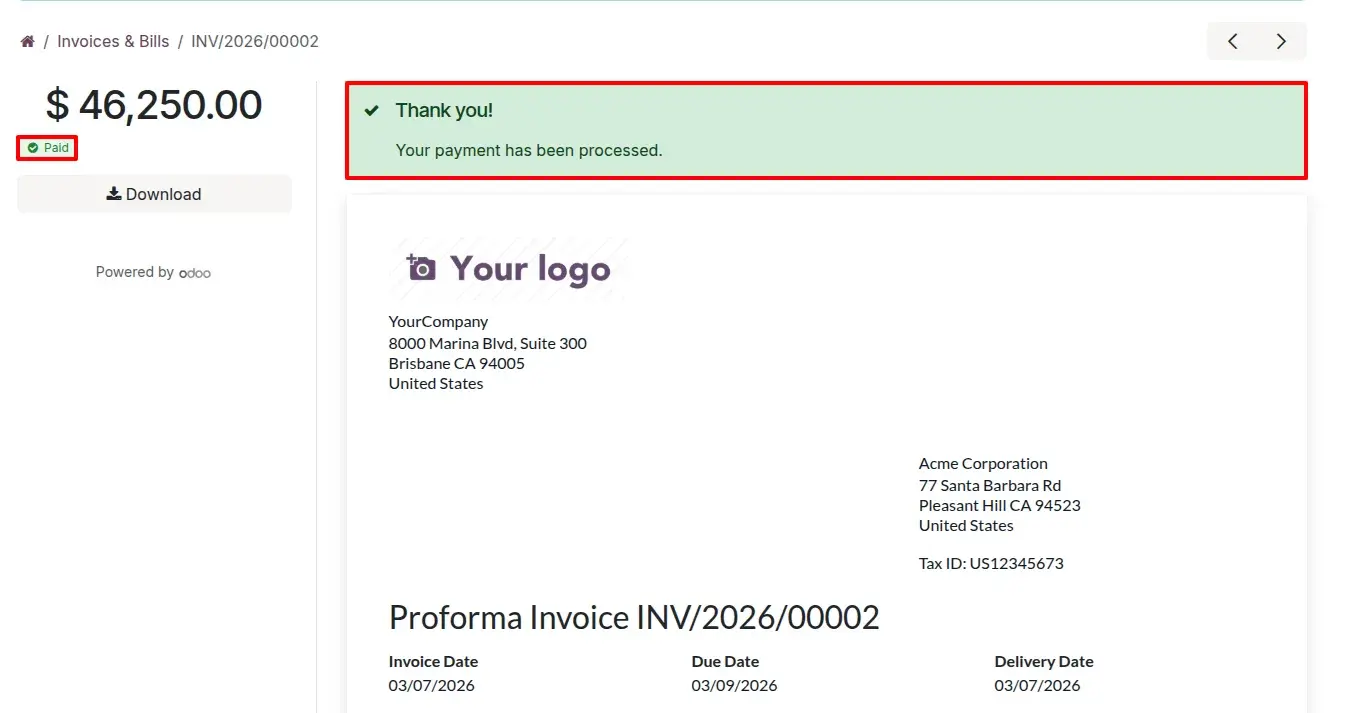
Cloud Confirmation
Once the portal invoice is settled, the status automatically updates to Paid with a professional success banner.
Frequently Asked
Technical Details
Dependencies
• Invoicing (account)
• eCommerce (website_sale)
• Discuss (mail)
• Website (website)
License
OPL-1
Need Assistance?
Email Support
contact@gritxi-tech.comAny Questions?
Have questions about this app?
Fill out the form below and our team will get back to you with more information.
Customer Reviews
Share your experience with this module.
Write a Review
Latest Reviews
No reviews yet. Be the first to share your thoughts!