
Mrp Tags
Enhance production visibility by organizing manufacturing orders with custom tags.
MRP Tags
Organize your shop floor with a flexible, color-coded tagging system. Streamline manufacturing orders with instant visual clarity and high-speed filtering.
App Overview

Introduction
MRP Tags is a specialized Odoo module designed to streamline manufacturing by integrating a flexible tagging system directly into production orders. It empowers teams to organize their workload using custom-named and color-coded labels, allowing for multiple tag assignments to a single order. By bringing visual clarity to the shop floor, it ensures vital context is maintained without complicating your existing manufacturing workflow.

Purpose
In high-volume manufacturing, production orders can easily get lost in a sea of generic numbers. Standard Odoo provides no visual way to differentiate orders by urgency, department, or specific batch types, leading to shop floor confusion.
The MRP Tags module solves this by adding a flexible, color-coded dimension to your workflow. It allows teams to instantly flag orders—such as 'Urgent', 'Export Batch', or 'Needs Inspection'—and retrieve them via high-speed filters. This ensures supervisors can allocate resources effectively and maintain a perfectly organized production pipeline without manual record-searching.
Key Features
Tag Creation & Management
Create unlimited custom tags with unique names and color codes to suit any classification need.
MO Assignment
Directly assign tags to manufacturing orders from the order form with zero workflow friction.
Tag-Based Filtering
List view supports multi-tag filtering, helping teams isolate relevant production batches instantly.
Visual Color Coding
Each tag features an assigned color badge on the order list for a perfect at-a-glance summary.
Advanced Tag Search
The standard search bar is extended to include tags for retrieving grouped sets of orders instantly.

Business Use Cases

Priority Management
Separate orders using 'Urgent' or 'On Hold' tags. Supervisors can instantly filter the list to allocate resources to high-risk tasks.

Product Line Classification
Assign product line tags like 'Line A' or 'Export Batch'. QC teams can review specific associated orders without manual record-combing.

Department Segregation
Tag orders by departments like 'Assembly' or 'Packaging'. Heads of department see only their relevant workload, improving accountability.
Configuration Steps
After installation, the module is ready to use immediately. Follow the steps below to create tags, assign them to Manufacturing Orders, and use them for searching and organizing production records.
Create and Manage Manufacturing Tags
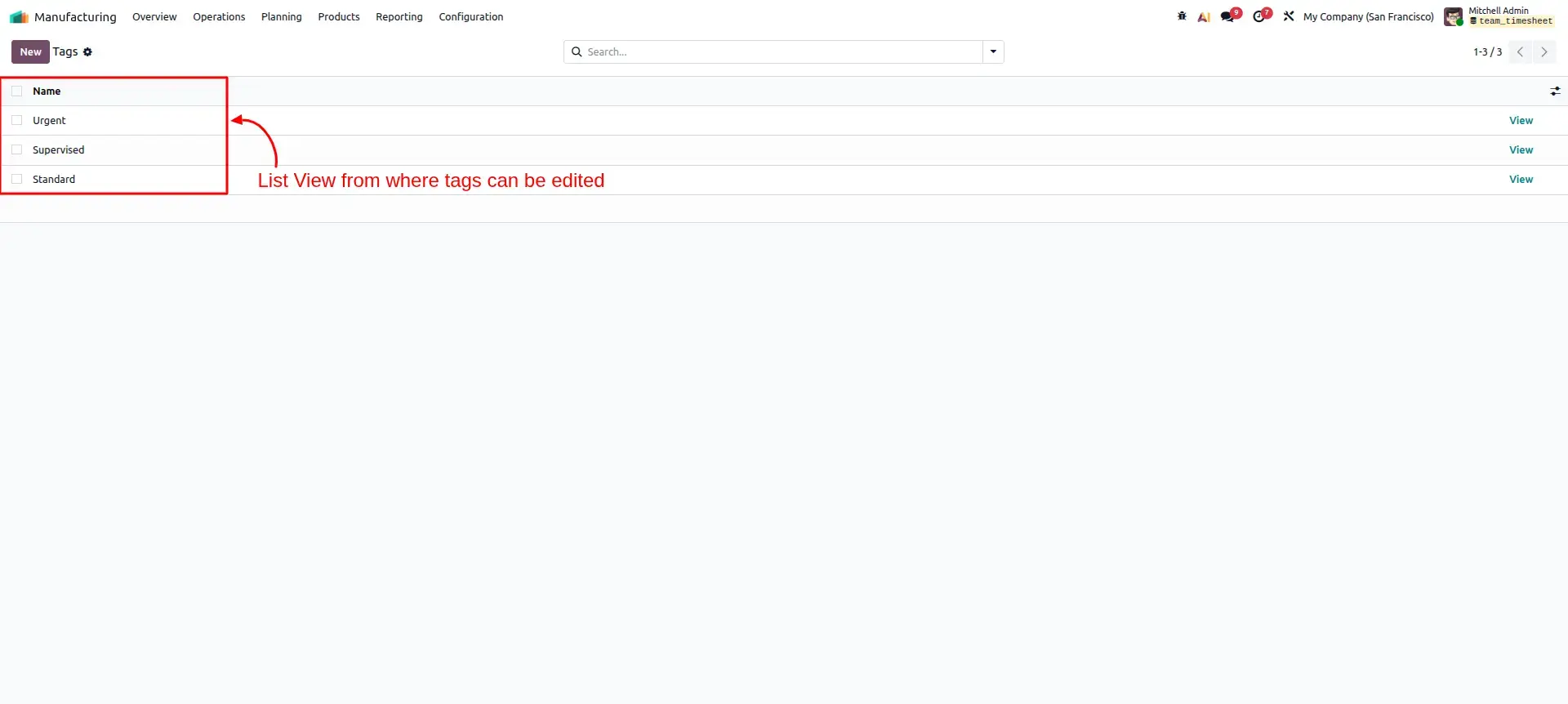
Navigate to Manufacturing → Configuration → Tags. Create new tags, define meaningful names, and assign colors to represent different production categories such as Urgent, Scheduled, Standard, or any custom classification required by your manufacturing process.
Assign Tags to Manufacturing Orders
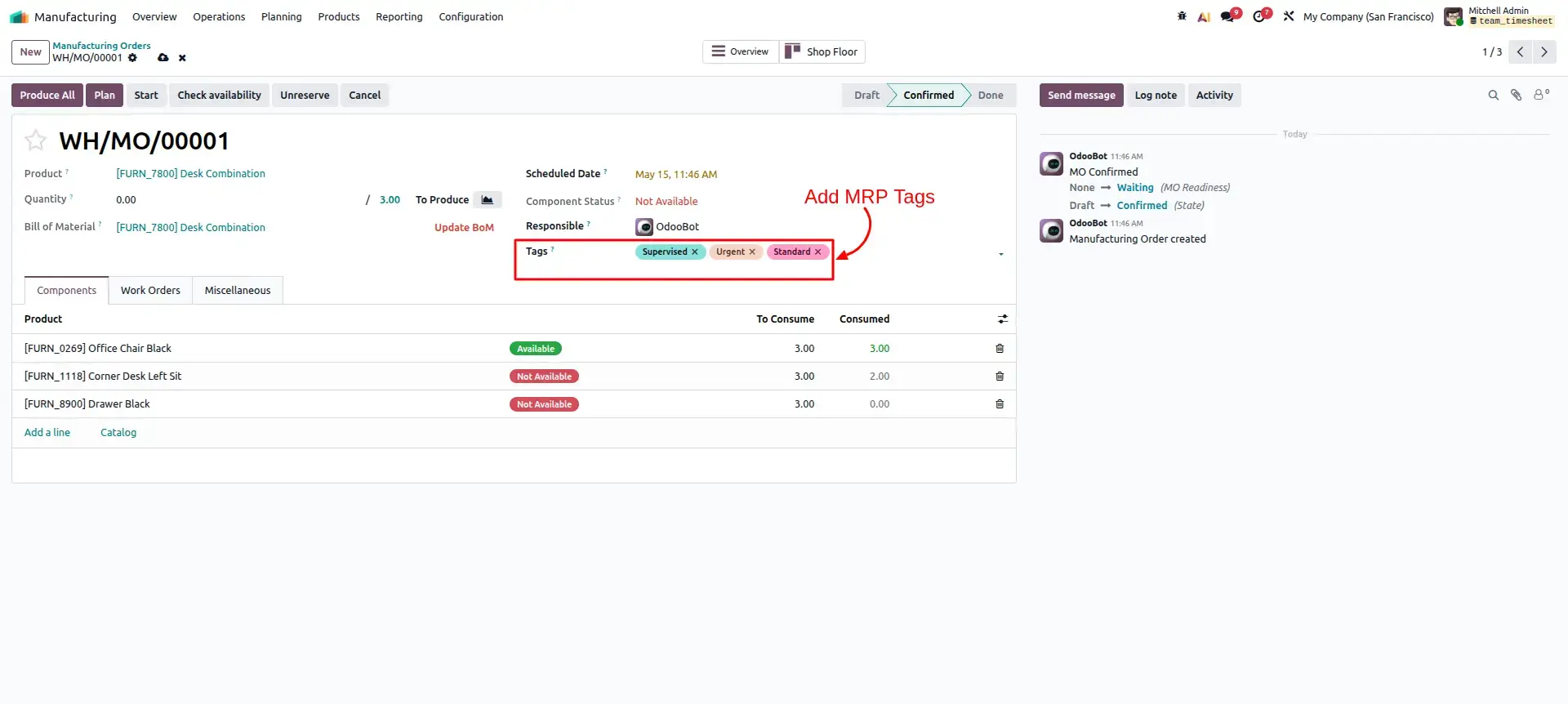
Open any Manufacturing Order and locate the Tags field. Select one or multiple tags to classify the production order based on its priority, workflow stage, product category, or operational requirements. Tags are displayed directly on the Manufacturing Order form for quick reference.
View Tags in Manufacturing Order List
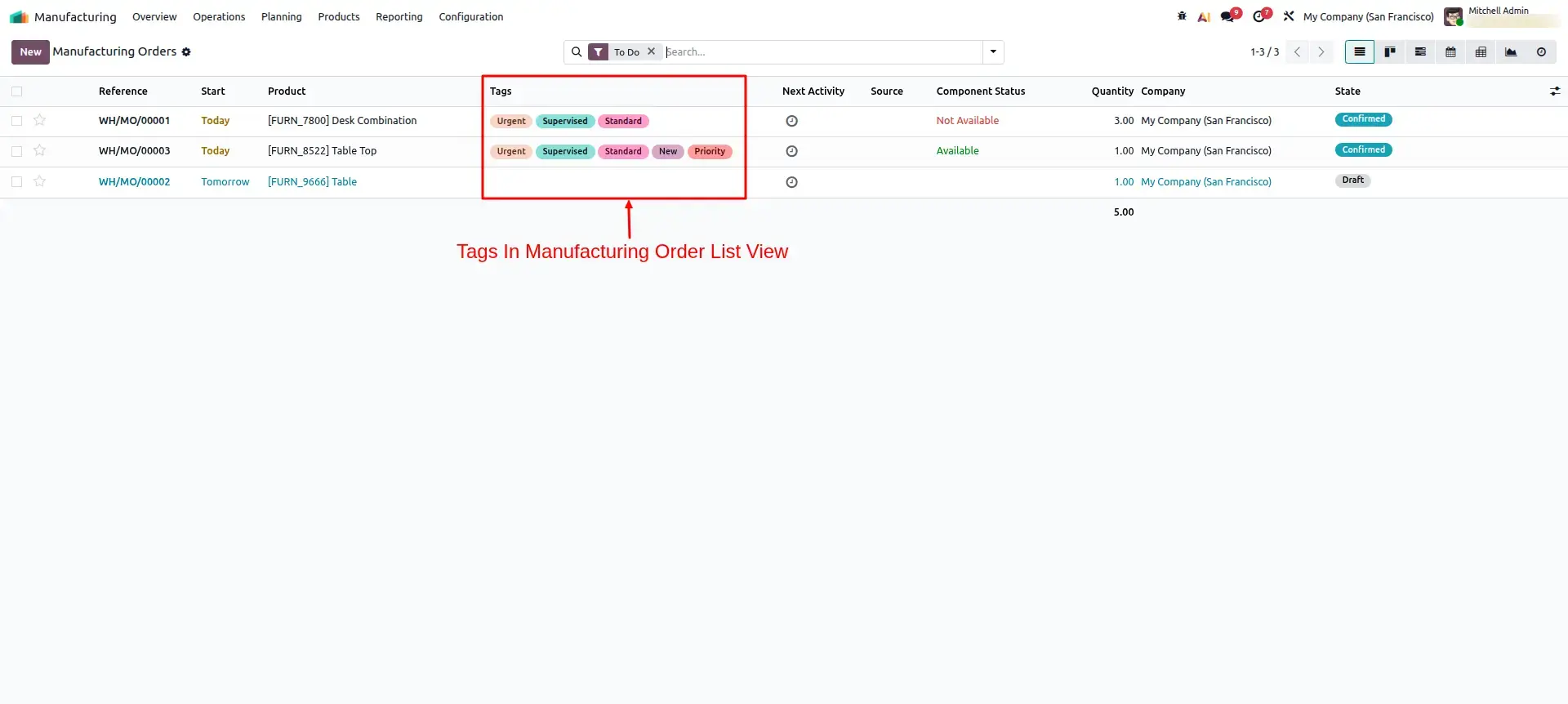
Return to the Manufacturing Orders list view to see all assigned tags displayed in a dedicated Tags column. Color-coded tags provide instant visibility into order classifications, helping production teams quickly identify priorities and organize workloads.
Search and Filter Orders by Tags
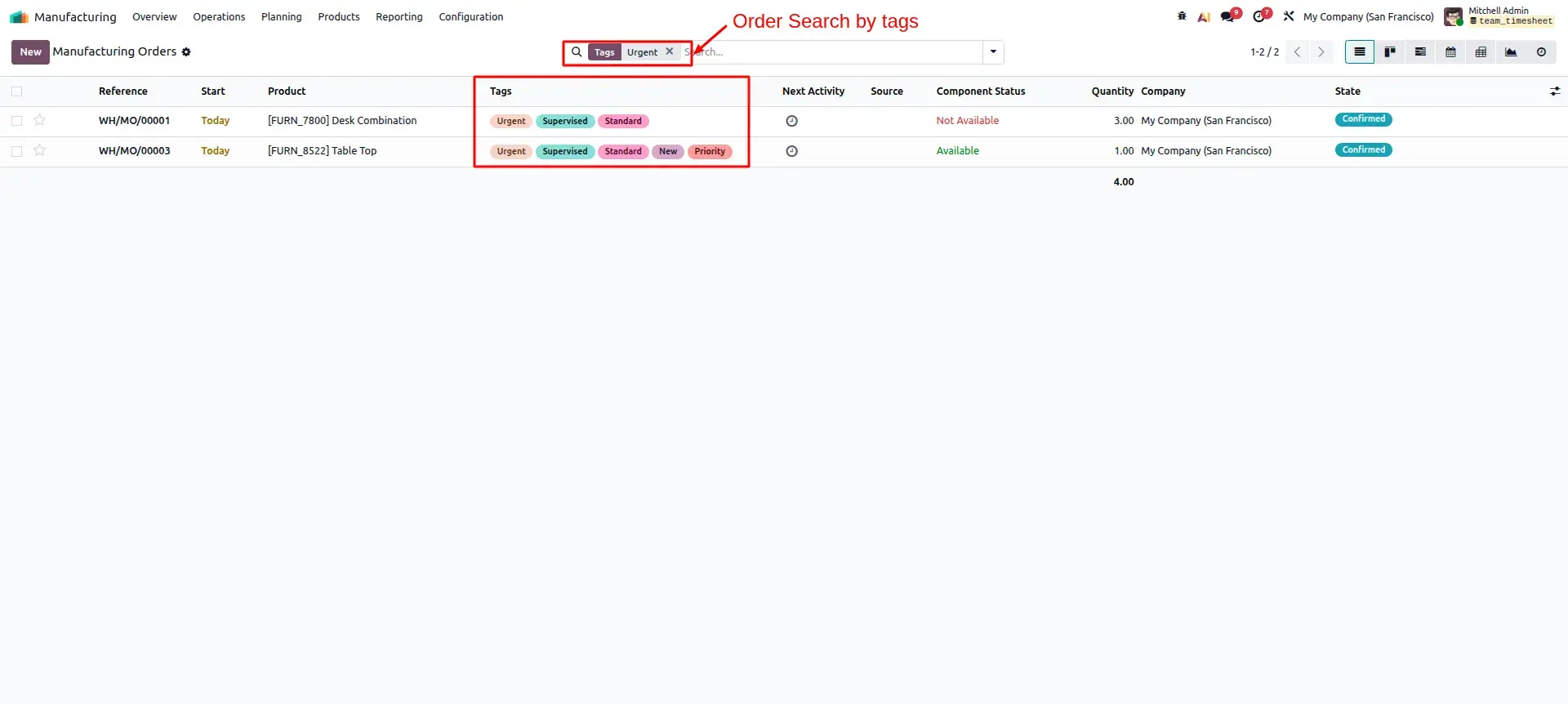
Use the Manufacturing Orders search bar and filters to locate orders based on assigned tags. This allows planners, supervisors, and production managers to quickly find related orders, monitor specific categories, and streamline day-to-day manufacturing operations.
Frequently Asked Questions
Technical Details
Dependencies
• Manufacturing (mrp)
• Inventory (stock)
• Discuss (mail)
License
OPL-1
Need Assistance?
Email Support
contact@gritxi-tech.comAny Questions?
Have questions about this app?
Fill out the form below and our team will get back to you with more information.
Customer Reviews
Share your experience with this module.
Write a Review
Latest Reviews
No reviews yet. Be the first to share your thoughts!