
Invoice Policy Sale Order Line - Goods
Invoice Policy Management for Physical Products (Ordered/Delivered Quantities)
Invoice Policy Sale Order Line - Goods
Bring invoice policy flexibility to your sales orders with line-level billing control, supporting mixed invoicing workflows while preserving Odoo's native sales, delivery, and invoicing processes.
App Overview

Introduction
This custom Odoo module enhances the native sales workflow by allowing users to define the Invoice Policy at the Sale Order Line level specifically for physical goods (Storable and Consumable products).
By default, Odoo sets the invoice policy globally on the Product template. This module provides granular, line-level control, empowering sales teams to negotiate and adjust invoicing rules directly on each quotation or sales order line.

Purpose
The selected policy controls the entire downstream workflow from delivery creation through invoice generation. Whether you are dealing with bulk orders or specific client demands, the system adapts to your manual overrides.
This module is especially beneficial for organizations that manage mixed inventory models or require strict accounting integrity based on actual deliveries versus ordered quantities.
Key Features
Line Level Flexibility
Introduces an Invoice Policy dropdown directly on Sale Order lines, allowing invoice behavior to be managed independently from the product's default configuration.
Dual Invoice Workflows
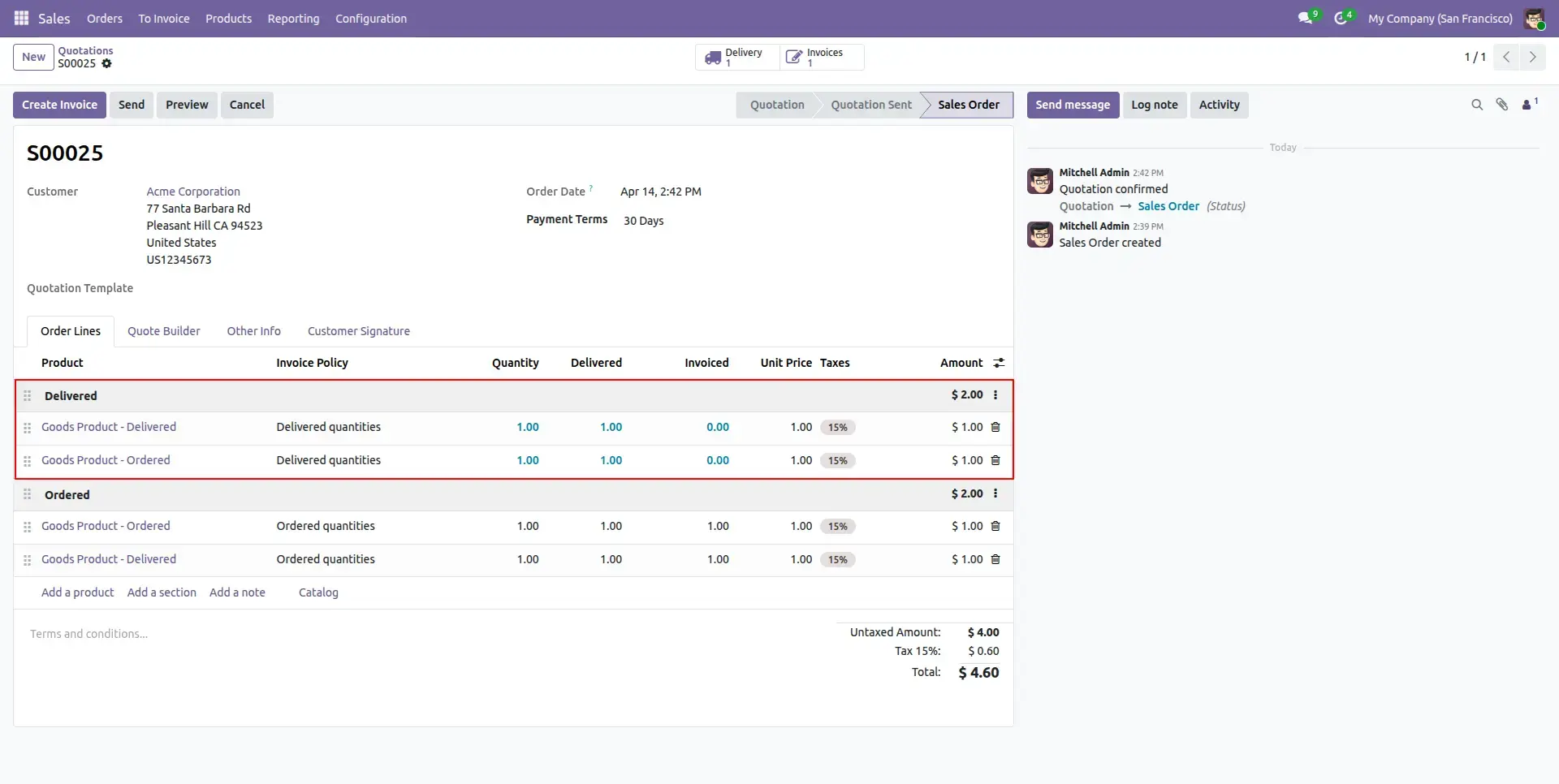
Supports mixed invoicing methods within the same Sales Order, allowing some lines to invoice on Ordered Quantities while others invoice on Delivered Quantities.
Smart Auto Population
Automatically inherits the product's default Invoice Policy when a product is selected, preserving standard Odoo behavior until the user chooses a different policy.
Native Upselling & Status Tracking
Fully integrates with Odoo's native Invoice Status workflow, automatically supporting Upselling Opportunities when delivered quantities exceed ordered quantities.
High Precision Handling
Uses Odoo's native Unit of Measure (UoM) decimal precision rules when comparing ordered, delivered, and invoiced quantities, ensuring accurate calculations without rounding inconsistencies.
Configuration & Workflow
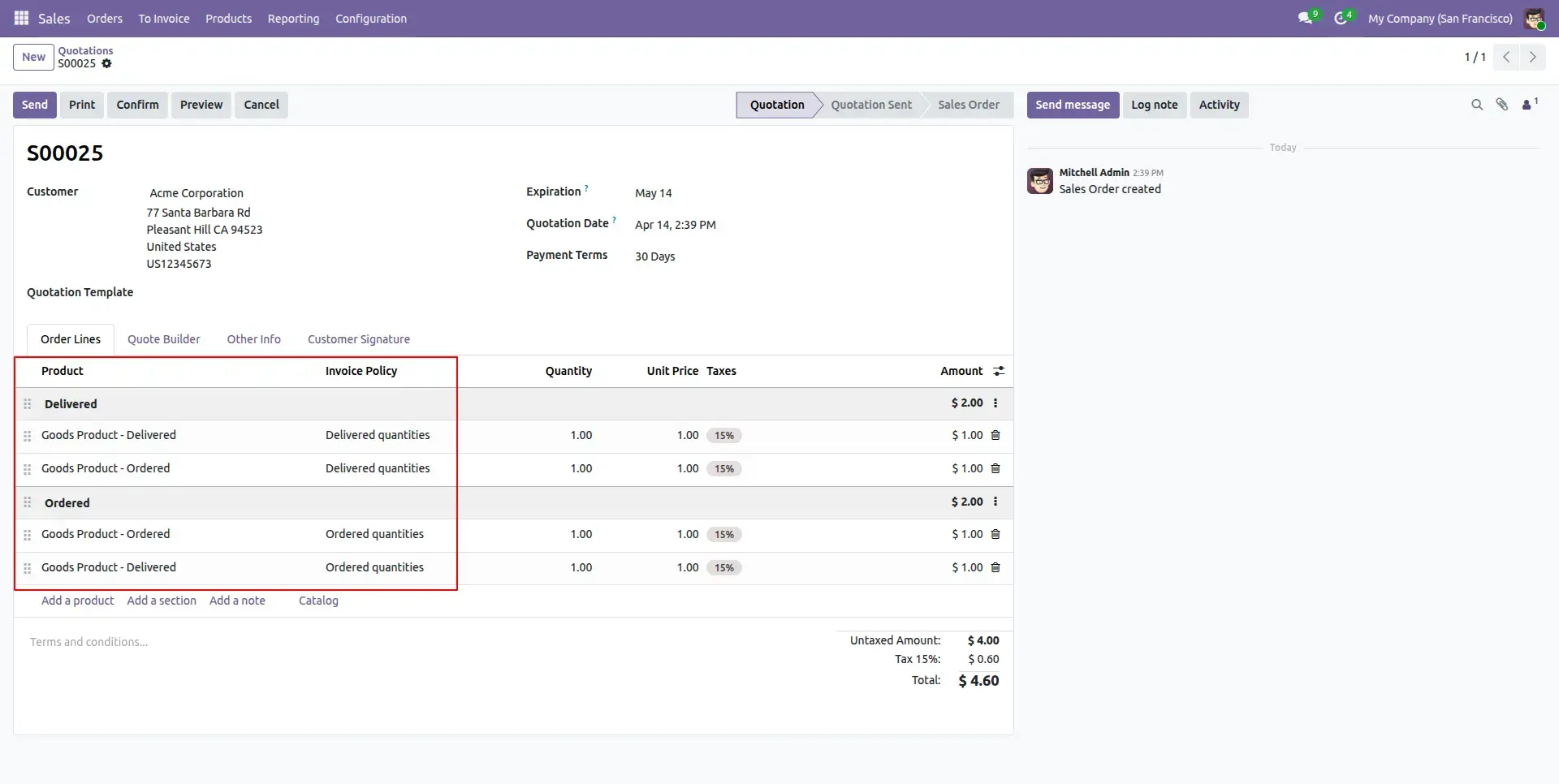
Line Level Invoice Policy
Configure the Invoice Policy individually for each Sale Order line. This provides complete flexibility by allowing different products within the same Sales Order to follow different invoicing methods based on business requirements.
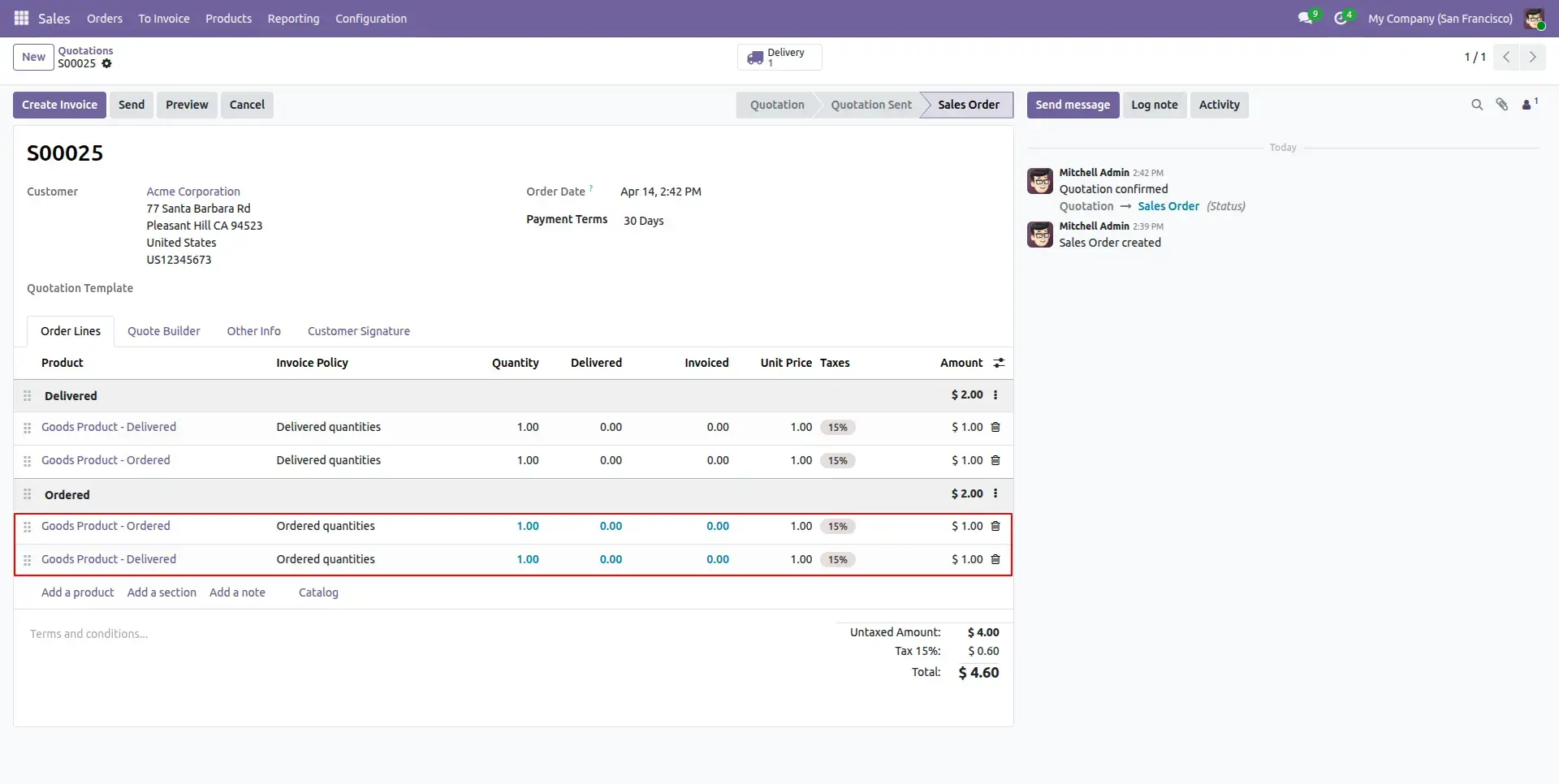
Order Confirmation
After confirming the Sales Order, Odoo automatically evaluates each order line according to its selected Invoice Policy and calculates invoiced and delivered quantities independently.
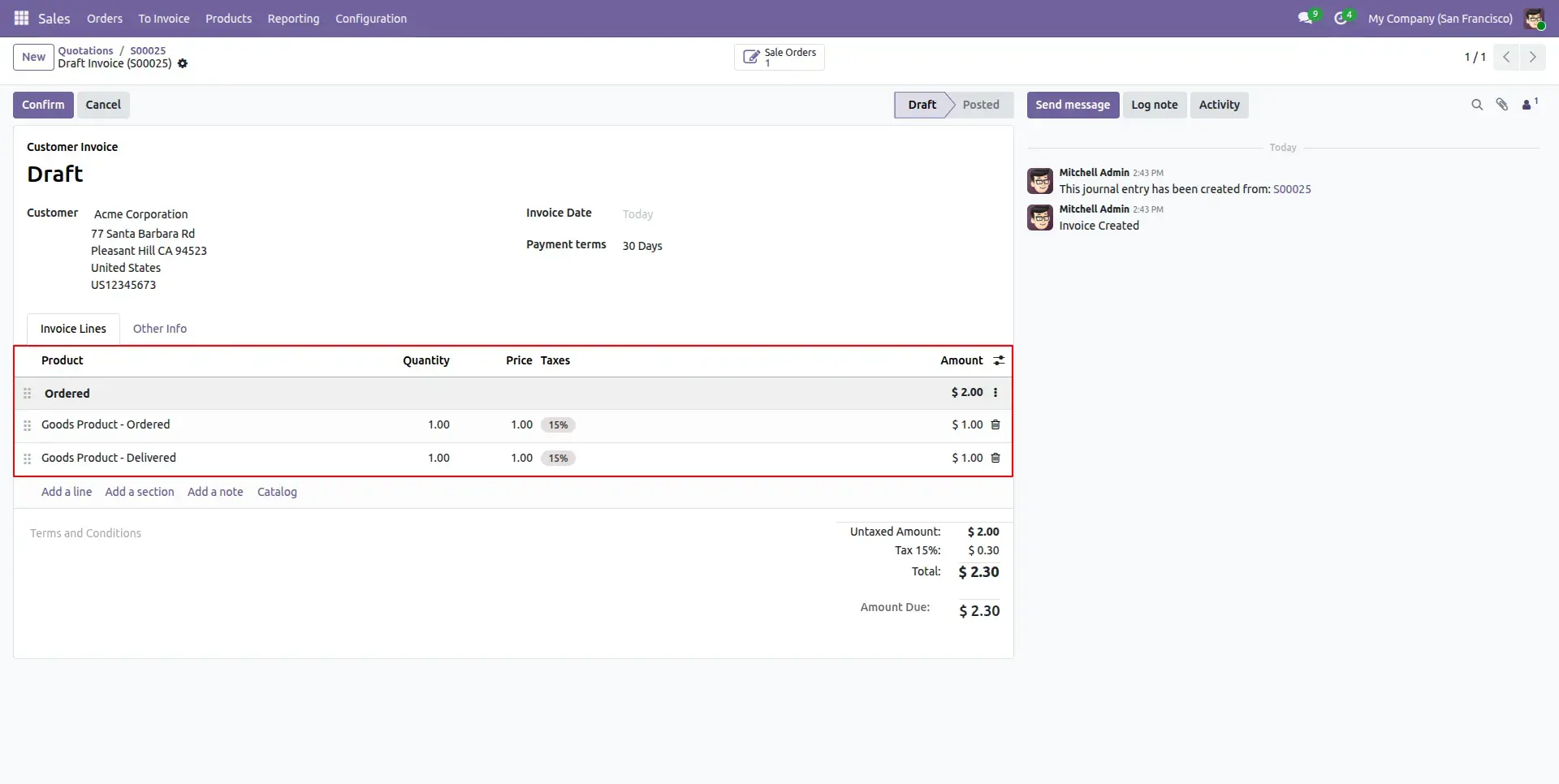
Ordered Quantity Invoicing
Products configured with the Ordered Quantities policy can be invoiced immediately after confirmation, allowing businesses to generate invoices before delivery and accelerate their billing cycle.
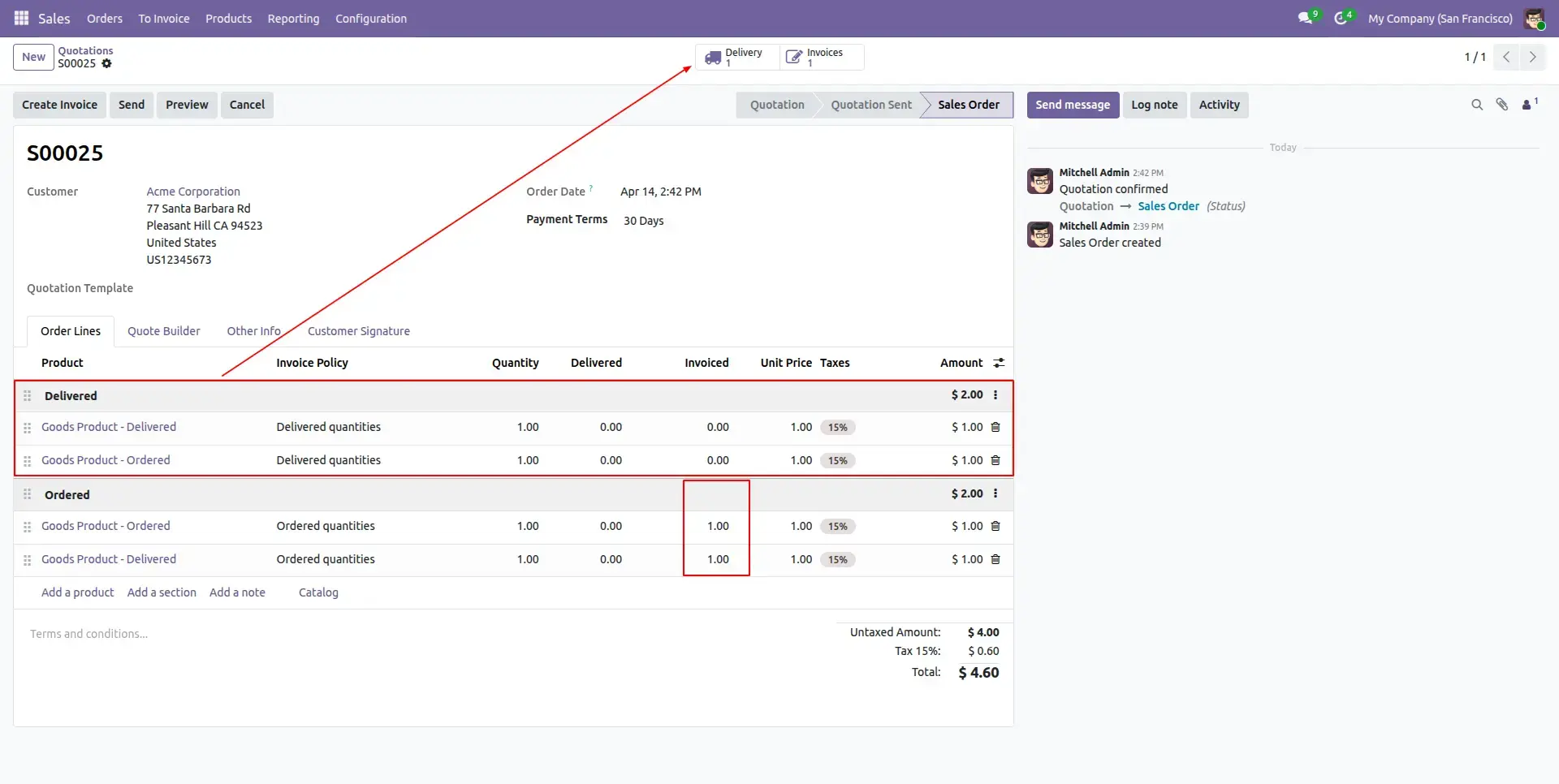
Integrated Tracking
Delivery Orders are automatically created and linked to the Sales Order. Smart buttons provide quick access to related deliveries, ensuring complete visibility of invoicing and fulfillment progress.
Delivery Management
Warehouse operations continue using standard Odoo workflows while delivery quantities are processed accurately according to each product line's selected Invoice Policy.
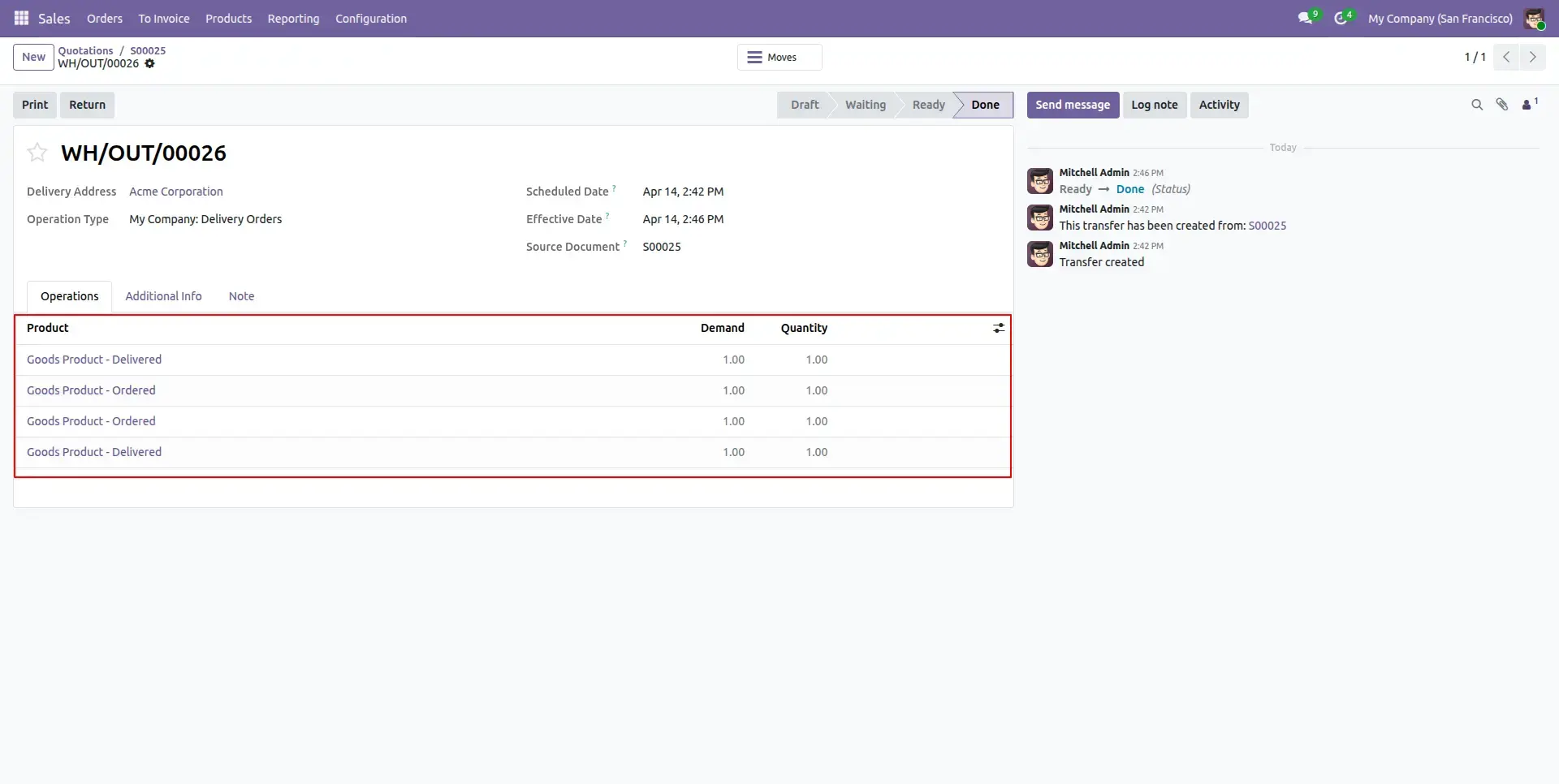
Delivery Progress
Sale Order line quantities are continuously updated based on delivered and invoiced quantities, providing accurate real-time visibility into fulfillment progress while respecting each line's configured Invoice Policy.
Frequently Asked Questions
Technical Details
Dependencies
• Inventory (stock)
• Sales (sale_management)
• Discuss (mail)
• Invoicing (account)
License
OPL-1
Need Assistance?
Email Support
contact@gritxi-tech.comAny Questions?
Have questions about this app?
Fill out the form below and our team will get back to you with more information.
Customer Reviews
Share your experience with this module.
Write a Review
Latest Reviews
No reviews yet. Be the first to share your thoughts!