
Hide Product Margin in Sale Order
Restrict access to product margin details in Sale Orders to improve pricing confidentiality and data security.
Hide Product Margin in Sale Order
Protect sensitive product margin and profitability information by hiding margin details in Sale Orders for selected users. Strengthen pricing confidentiality while maintaining seamless sales operations and standard Odoo workflows.
App Overview

Introduction
The Hide Product Margin in Sale Order module gives businesses complete control over the visibility of product margin and profitability information within Odoo Sales. Instead of exposing sensitive financial data to every sales user, administrators can easily restrict margin visibility for selected users, ensuring confidential pricing information remains accessible only to authorized personnel.
Fully integrated with Odoo's native Sales application, the module hides margin related fields without affecting quotations, sales orders, invoicing, confirmations, or any standard sales workflow. Built with a lightweight architecture, it delivers reliable performance while maintaining full compatibility with Odoo Community and Enterprise editions across versions 16.0 through 19.0.

Purpose
The purpose of this module is to protect confidential product margin and profitability information by allowing administrators to control who can view margin details inside Sale Orders. It helps organizations strengthen pricing confidentiality, simplify the sales interface for operational users, prevent accidental exposure of sensitive financial data, and ensure that only authorized personnel have access to profitability metrics all without modifying Odoo's standard sales workflow or core functionality.
Business Use Cases
Protect Margin Information
Prevent sales representatives from viewing confidential product margins and profitability, ensuring pricing strategies remain accessible only to managers and authorized users.

Secure Customer Presentations
Eliminate accidental exposure of product costs and profit margins during customer meetings, demonstrations, quotation reviews, or screen sharing sessions.

Simplified Sales Interface
Remove unnecessary financial information from Sale Orders, allowing sales teams to focus on customers, products, pricing, and order processing without interface clutter.
Key Features
Margin Visibility Control
Hide product margin and profitability information directly within Sale Orders to protect confidential pricing data.
User Based Access
Restrict margin visibility for selected users while allowing authorized personnel to access profitability information.
Sales Order Support
Works across Quotations, Draft Orders, Confirmed Orders, and Locked Sale Orders.
Native Odoo Integration
Integrates seamlessly with the Sales module without modifying Odoo's core functionality.
Secure Profit Data
Prevent unauthorized users from viewing sensitive cost and profitability information.
Lightweight Solution
Delivers secure margin visibility control with minimal performance impact and no workflow disruption.
Configuration & Workflow
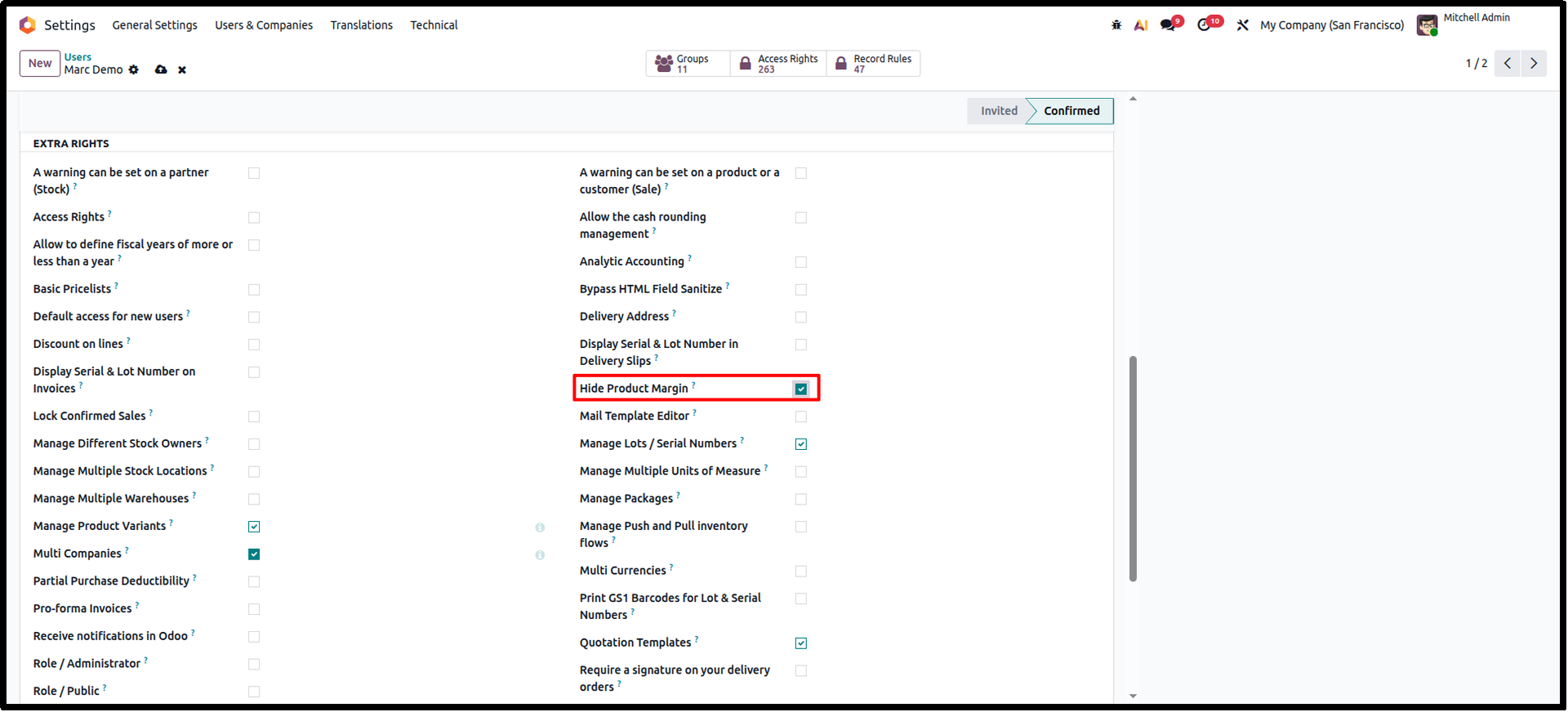
Configure Hide Product Margin Access
Open Settings → Users & Companies → Users and select the required user. Enable the Hide Product Margin access option to prevent the selected user from viewing Cost, Margin, and Margin (%) information while keeping all Sales operations unchanged.
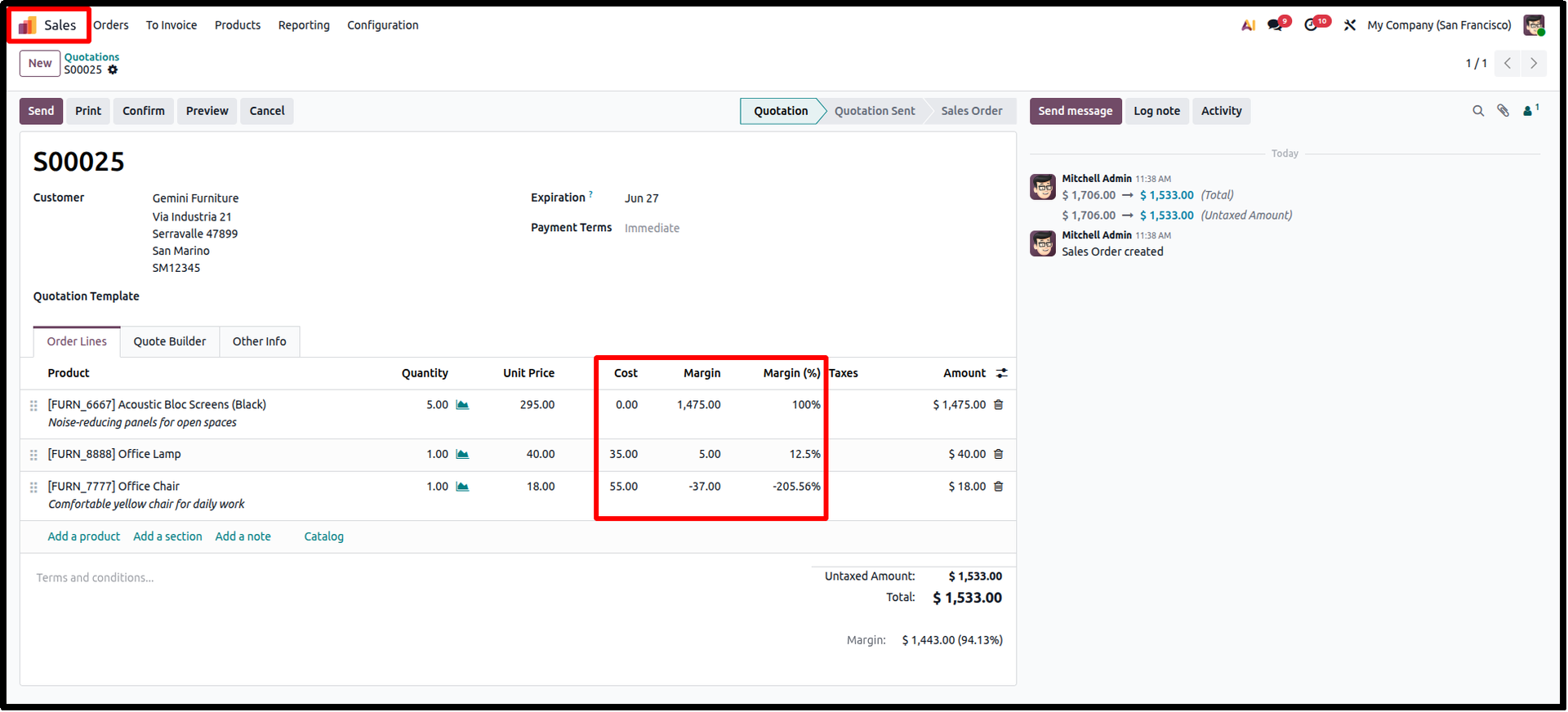
Margin Information Visible
Before applying the restriction, Sale Orders display the Cost, Margin, and Margin (%) columns for authorized users, allowing managers to monitor profitability directly from the quotation or sales order.
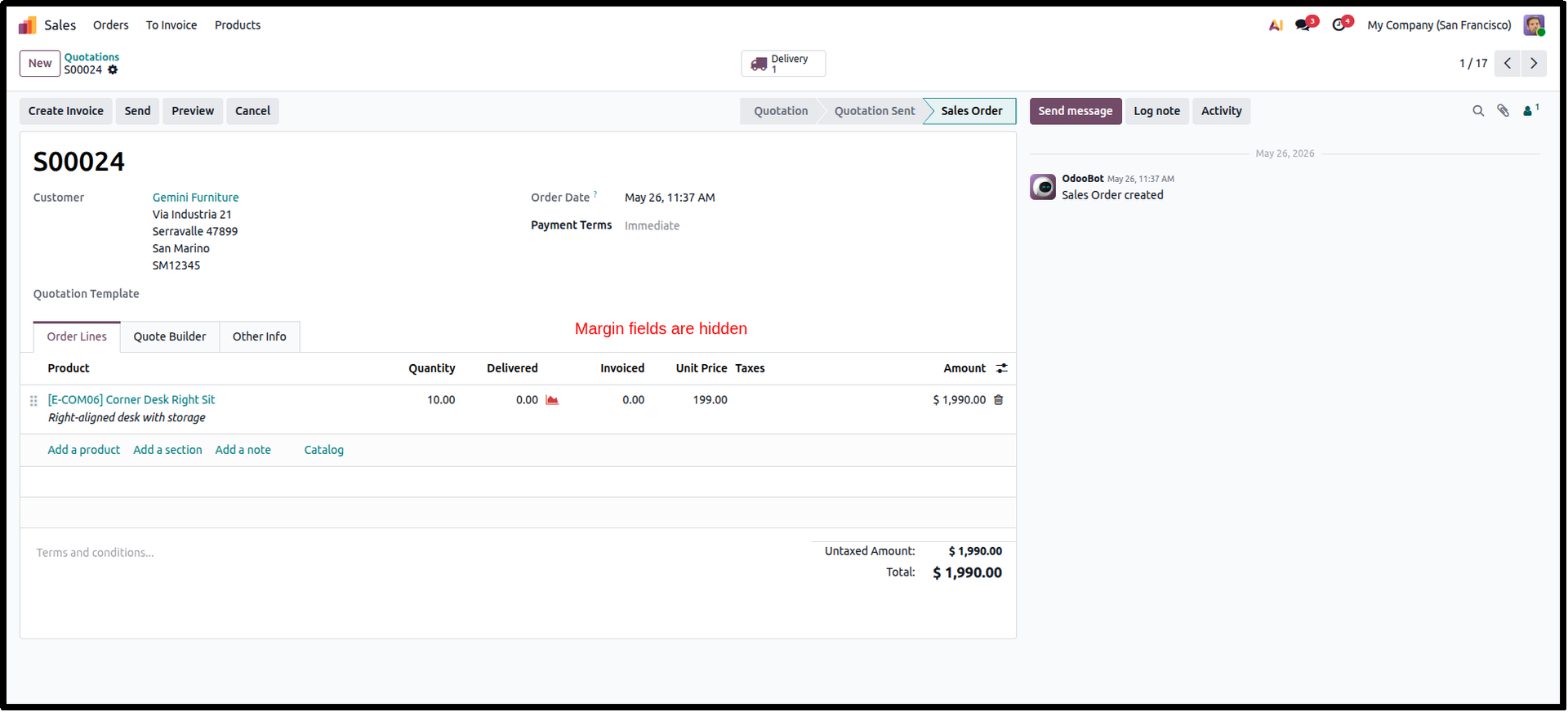
Margin Information Hidden
After enabling the restriction, all margin related columns are automatically hidden for the selected user. Product information, pricing, quotations, confirmations, invoicing, and all standard Sales workflows continue to function normally while protecting confidential profitability data.
Frequently Asked Questions
Technical Details
Dependencies
• Sales (sale_management)
• Margins in Sales Orders (sale_margin)
License
OPL-1
Need Assistance?
Email Support
contact@gritxi-tech.comAny Questions?
Have questions about this app?
Fill out the form below and our team will get back to you with more information.
Customer Reviews
Share your experience with this module.
Write a Review
Latest Reviews
No reviews yet. Be the first to share your thoughts!