
Hide Export
Hide Export option based on user settings
Hide Export
Restrict Export Permissions Globally or Per Model to Secure Your Business Information
App Overview

Introduction
The Hide Export module gives Odoo administrators complete control over data export permissions.
It allows you to hide the Export option either globally across all applications or for
specific models, helping protect sensitive business information from unauthorized data extraction.
With simple user-level configuration, organizations can strengthen data security,
enforce internal policies, and maintain better control over business data without any technical complexity.

Purpose
The primary purpose of this module is to strengthen system data safety and governance. It helps businesses fulfill GDPR and internal compliance requirements by preventing unauthorized customer, financial, or HR data extraction without requiring complex technical setups.
Business Use Cases

Customer Data Protection
Prevent employees from exporting sensitive CRM data and customer contact lists into external files.

Accounting Security
Restrict the export of invoices, journal entries, and financial reports to protect your company's fiscal integrity.

HR Confidentiality
Safeguard employee payroll records and personal information by removing the export option for HR-specific models.

Compliance Management
Meet GDPR and internal auditing standards by strictly controlling who can extract data from your Odoo system.

Enterprise Governance
Apply company-wide data leakage prevention (DLP) policies instantly across all specialized departments.
Key Capabilities
Hide Export Button
Removes the Export option from the standard Odoo UI instantly.
Global User Control
Hide export for all applications using a simple checkbox on the user form.
Model-wise Control
Select specific models to restrict, leaving other workflows unaffected.
DLP Protection
Prevent unauthorized extraction of sensitive business data and reports.
Simple Configuration
Administrators can configure all settings directly from the User form.
Flexible System
Toggle between global OR model-wise control based on your needs.
Universal Workflows
Works across Sales, Purchase, Inventory, and Accounting apps.
No Technical Setup
Fully functional UI-based control with zero coding required.
Configuration & Workflow
Enable Global Hide Export
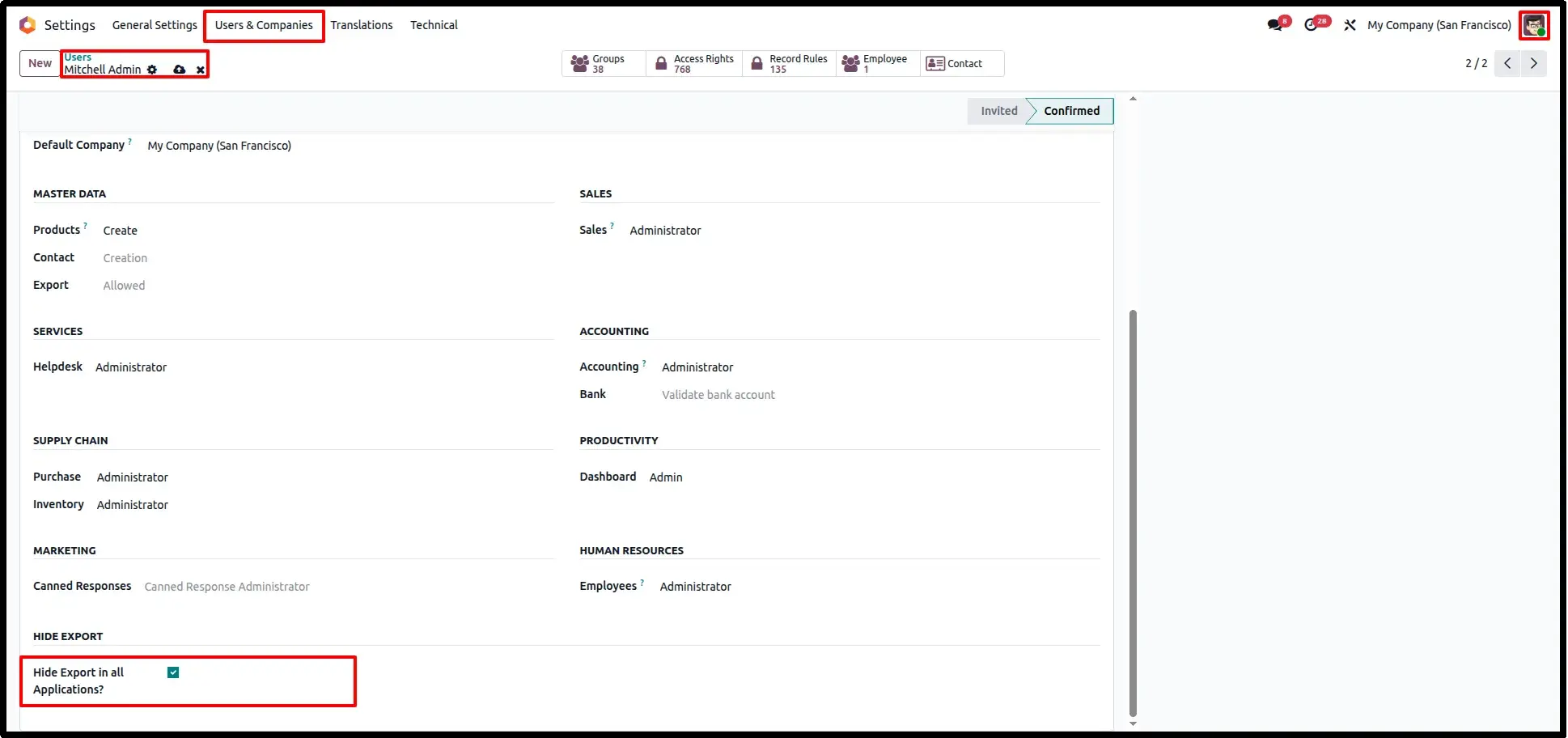
Navigate to Settings → Users & Companies → Users and open the desired user. Enable the "Hide Export in all Applications?" option to completely remove the Export functionality across all Odoo modules for that user. This ensures sensitive business data cannot be exported from any application.
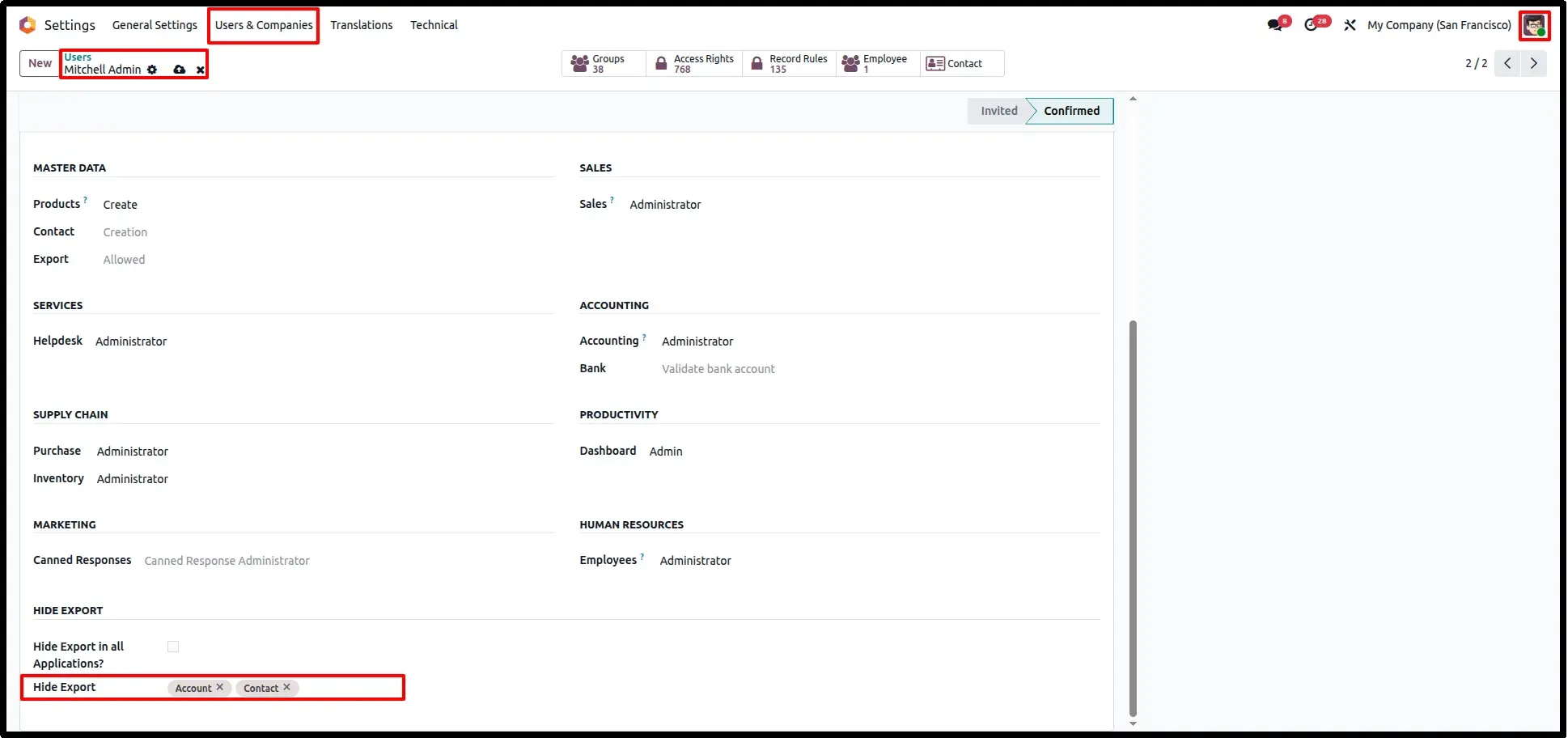
Application Specific Export Control
For more granular control, leave the global option disabled and select specific models in the "Hide Export" field. The Export option will then be hidden only for the selected models, allowing users to continue exporting data from other applications as required.
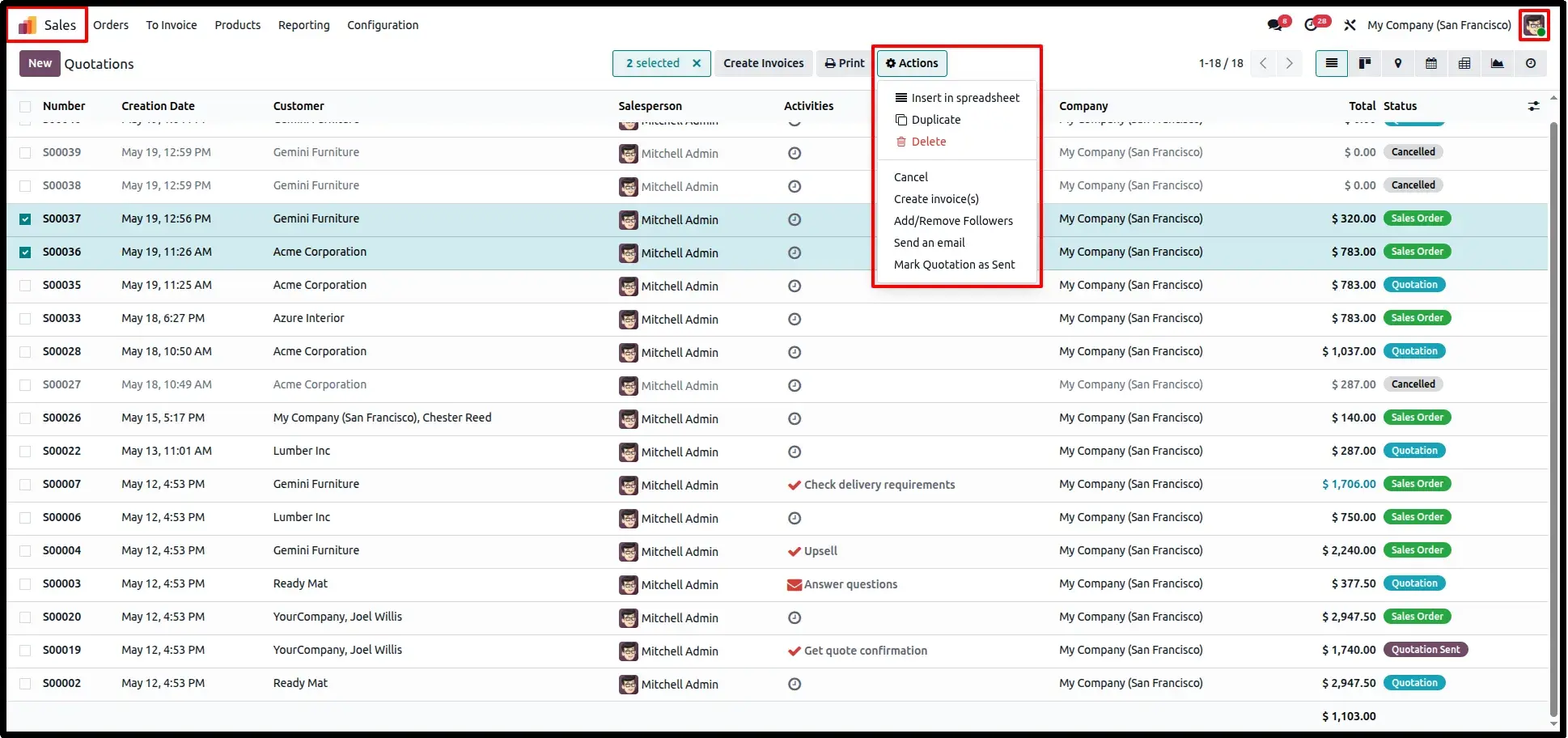
Sales Order List View Protection
Open the Sales application and navigate to Orders → Quotations. Users with export restrictions will no longer see the Export option in the Actions menu, preventing sales quotations, orders, and customer data from being exported.
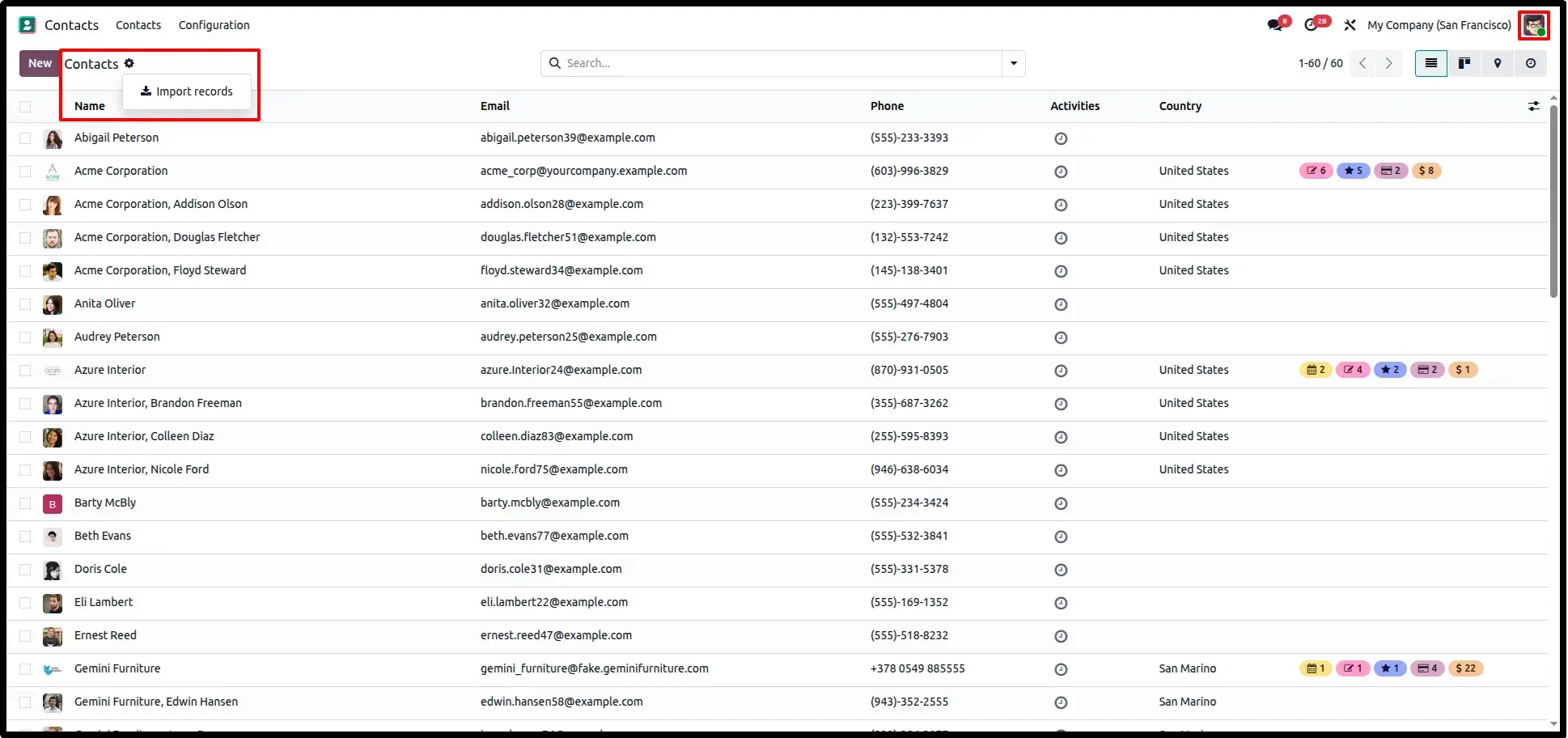
Contact List View Security
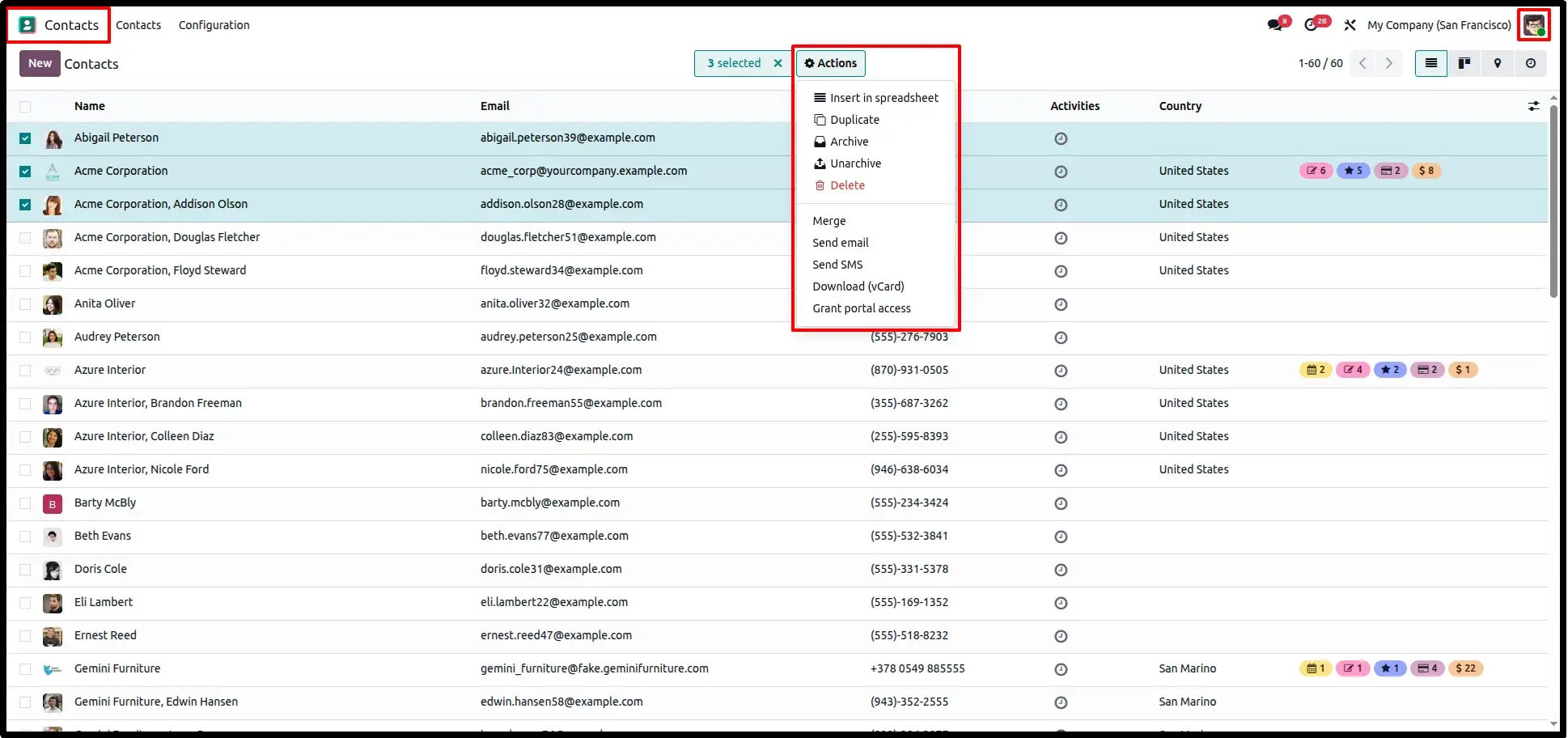
Navigate to the Contacts application. The module automatically removes the Export option from the Actions menu, ensuring that customer, vendor, and partner information remains protected from unauthorized data extraction.
Bulk Record Export Protection
Select multiple records in a restricted application. The Export action is automatically hidden from the bulk Actions menu, preventing mass data exports and providing an additional layer of security for sensitive business information.
Frequently Asked Questions
Technical Details
Dependencies
• Web (web)
License
OPL-1
Need Assistance?
Email Support
contact@gritxi-tech.comAny Questions?
Have questions about this app?
Fill out the form below and our team will get back to you with more information.
Customer Reviews
Share your experience with this module.
Write a Review
Latest Reviews
No reviews yet. Be the first to share your thoughts!