
Hide Delete
Hide delete option based on user settings
Hide Delete
Protect your critical records from accidental loss. Easily restrict the Delete button globally or per-model directly from the user settings without any technical expertise.
App Overview

Introduction
The Hide Delete module gives Odoo administrators complete control over record deletion permissions throughout the system. With flexible Global and Model-wise configuration options, you can easily hide the Delete action for specific users without modifying access rights or creating custom security rules.
Whether you need to protect accounting entries, sales orders, purchase documents, inventory transactions, or other critical business records, this module helps prevent accidental data loss and ensures greater operational security. Its simple user-based configuration allows organizations to enforce data protection policies while maintaining a clean and user-friendly interface across all Odoo applications.

Purpose
The primary goal is to prevent accidental data deletion and protect sensitive business intelligence. This module simplifies enterprise governance by allowing you to apply company-wide deletion policies without modifying complex access groups or writing a single line of code.
Business Use Cases

General Data Protection
Prevent accidental deletion of critical master data records across any Odoo application.

Accounting Security
Restrict the deletion of invoices, journal entries, and payments to maintain strict financial audit trails.

Operations & Logistics
Protect inventory operations, stock moves, and validated delivery orders from unauthorized removal.

Sales Pipeline Safety
Ensure that confirmed Sales Orders and CRM opportunities cannot be deleted, preserving your revenue history.

Enterprise Governance
Applycompany-wide data retention and deletion policies across specialized departments instantly.
Key Features
Hide Delete Button
Removes the standard delete option from the Odoo Action menu instantly.
Global User Control
Target all Odoo applications using a simple checkbox on the user form.
Model-wise Control
Select specific models to restrict, leaving other workflows untouched.
Prevent Accidental Loss
Safeguard critical business records and historical auditing data points.
Simple Configuration
Administrators can configure all settings directly from the User record.
Flexible System
Toggle between global restrictions or surgical model-based controls.
Universal Support
Works seamlessly across Sales, Purchase, Inventory, and Accounting.
No Technical Skill
Fully functional UI-based control for users without Odoo coding experience.
Configuration & Workflow
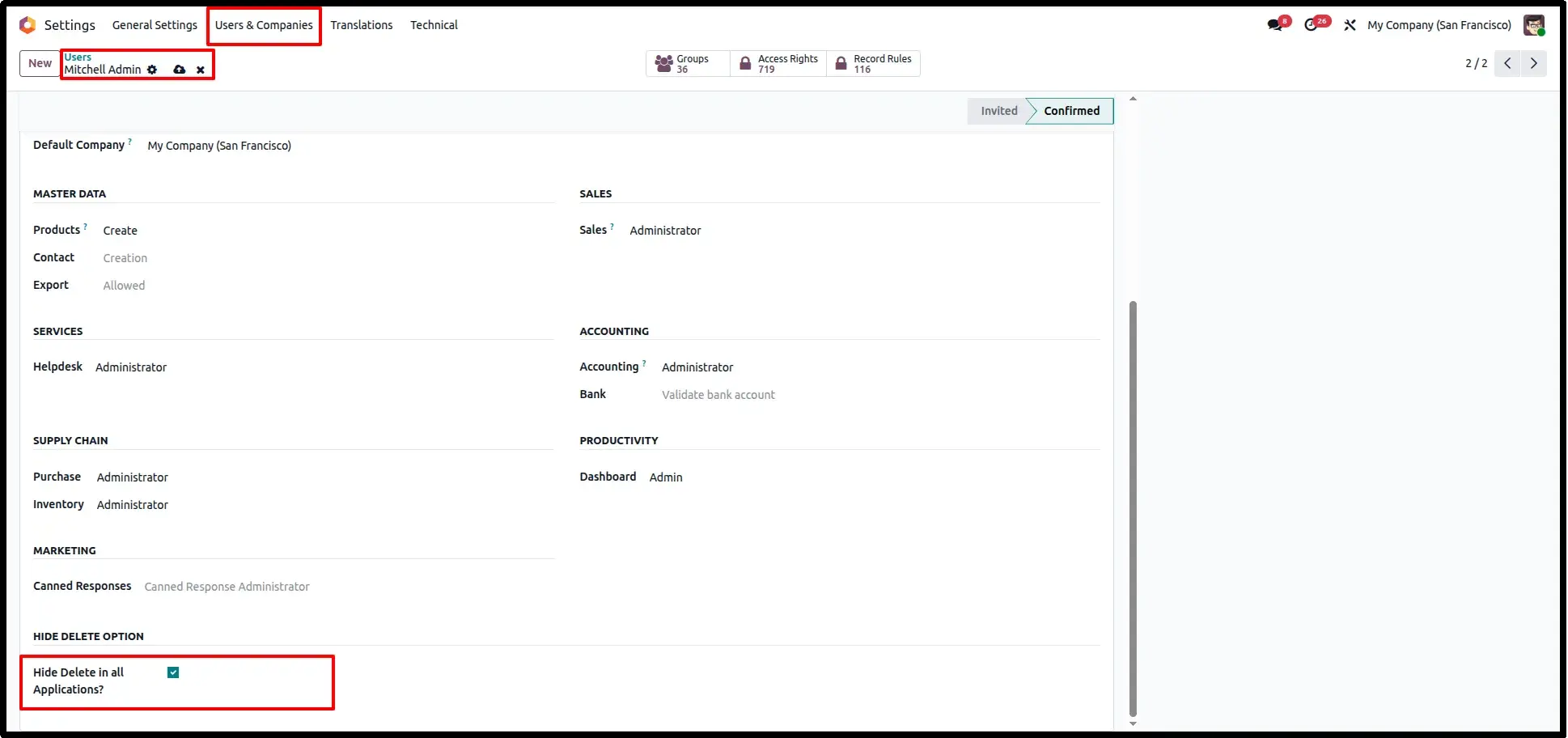
Enable Global Hide Delete
Navigate to Settings → Users & Companies → Users and open the desired user. Enable the "Hide Delete in all Applications?" option to completely hide the delete action across all modules for that user.
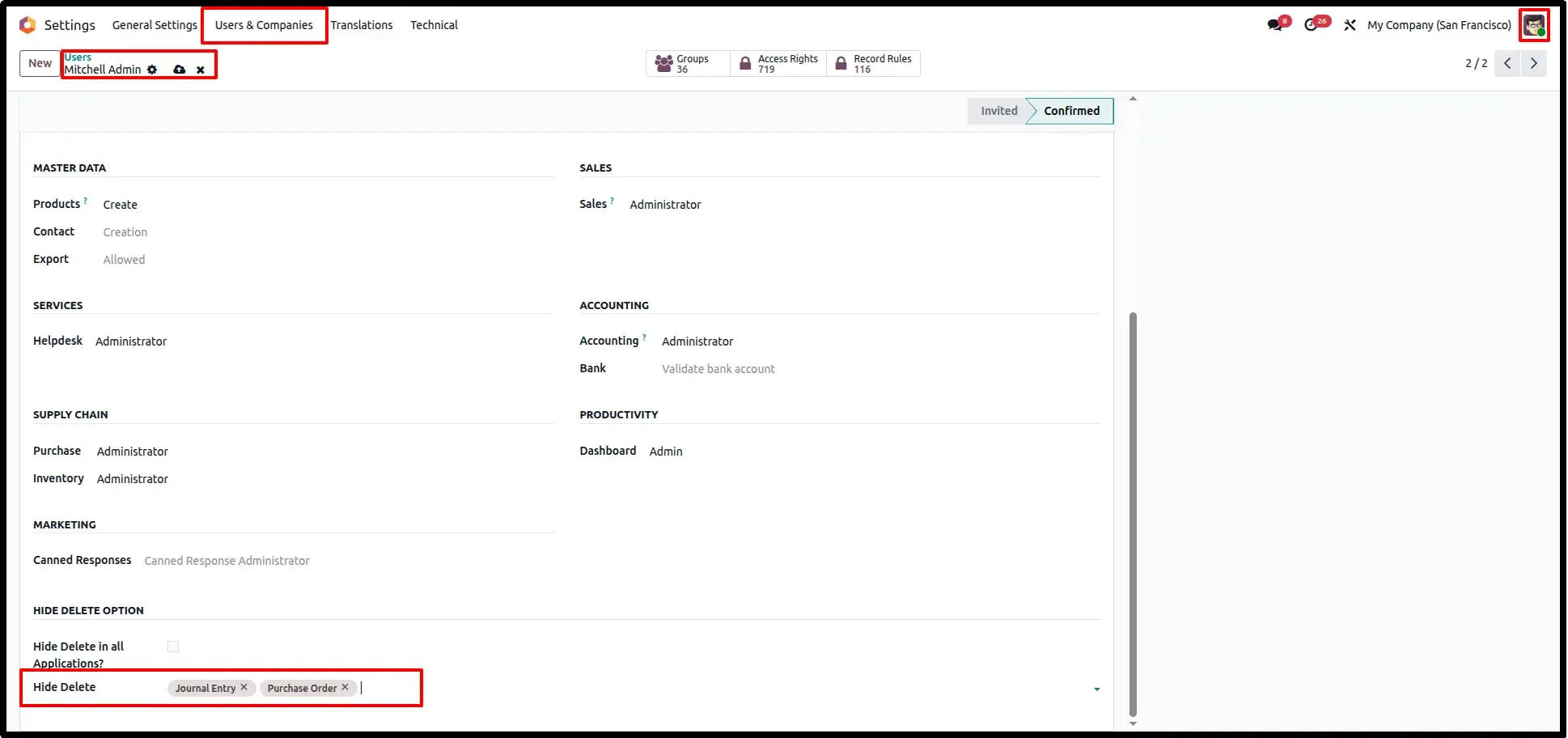
Application-Specific Control
For more granular control, leave the global option disabled and select specific applications in the "Hide Delete" field. The delete option will then be hidden only within the selected modules.
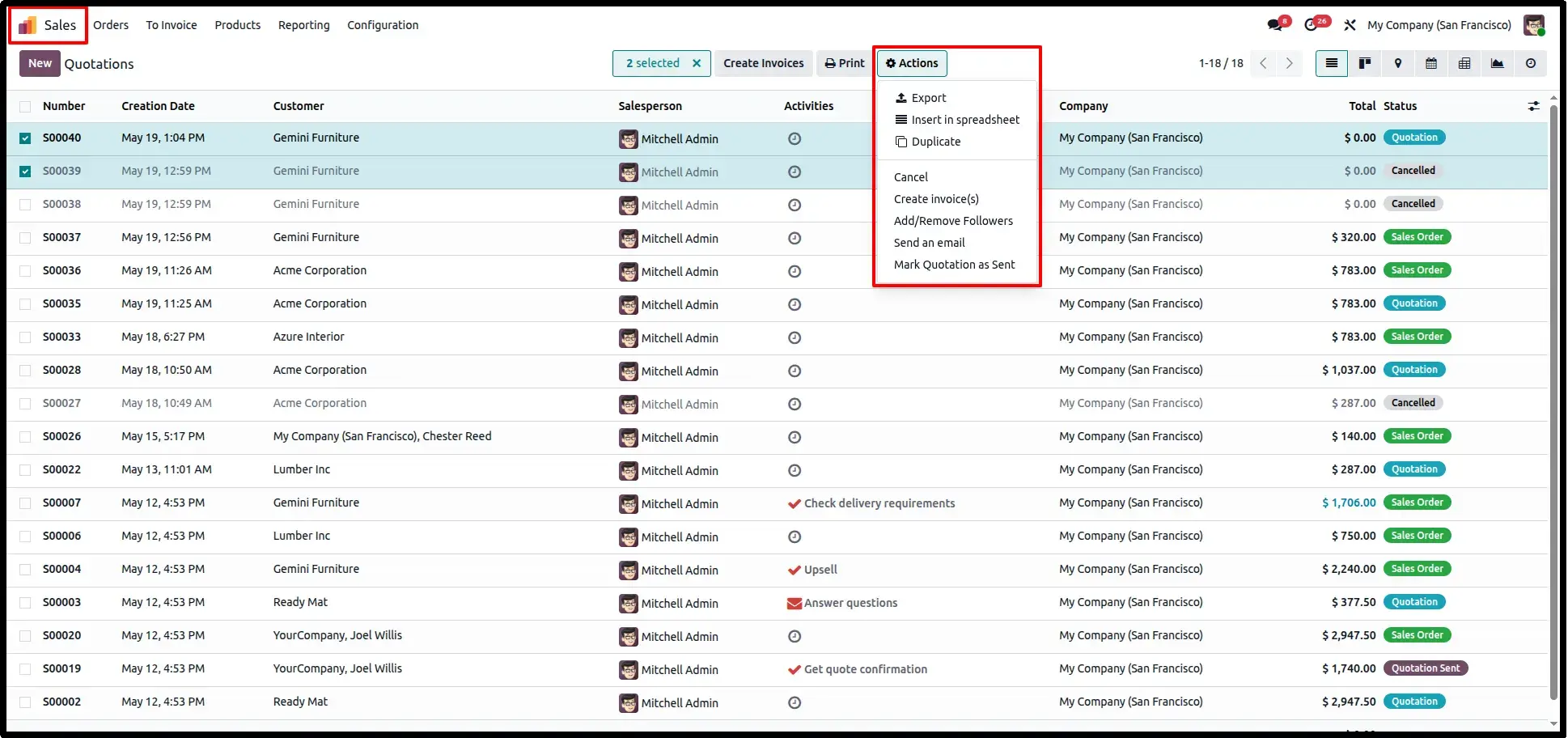
Sales Order List View Protection
Open the Sales application and navigate to Orders → Quotations. Users with restricted permissions will no longer see the "Delete" option in the Actions menu, preventing accidental record removal.
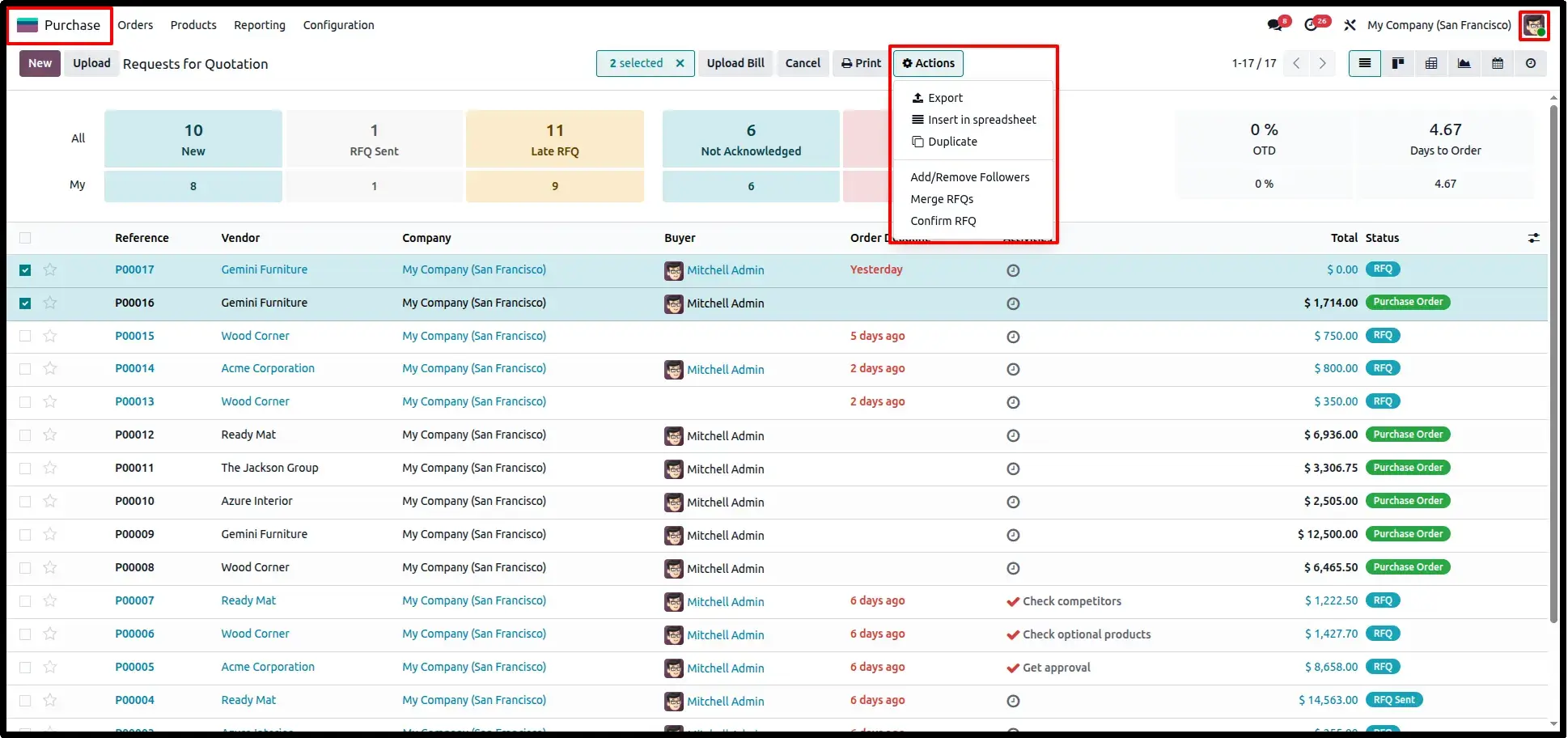
Purchase Order List View Security
In the Purchase app, the delete action is automatically hidden from the Actions menu for selected users, ensuring better control over critical purchasing documents and audit trails.
Form View Record Protection
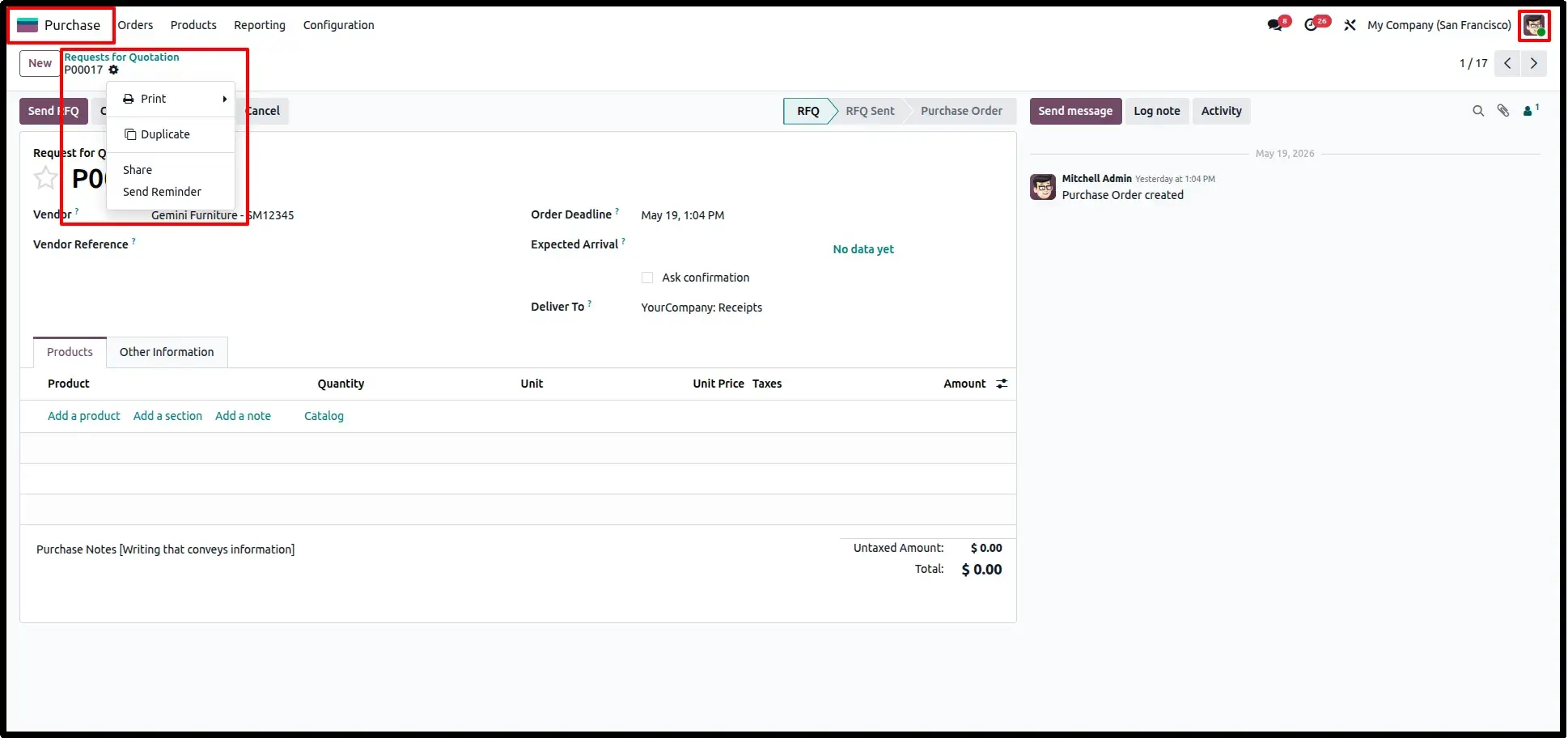
Open any RFQ or Purchase Order form. The "Delete" option is removed from the action menu, preventing users from deleting records directly while maintaining a secure workflow.
Frequently Asked Questions
Technical Details
Dependencies
• Web (web)
License
OPL-1
Need Assistance?
Email Support
contact@gritxi-tech.comAny Questions?
Have questions about this app?
Fill out the form below and our team will get back to you with more information.
Customer Reviews
Share your experience with this module.
Write a Review
Latest Reviews
No reviews yet. Be the first to share your thoughts!