
Hide Action Menu
Enhance Odoo Security by Controlling Action Menu Visibility Per User, Model, or Application.
Hide Action Menu
Take full control of user interface safety by restricting the Action dropdown visibility globally or for specific models.
App Overview

Introduction
The Hide Action Menu module allows Odoo administrators to manage the visibility of the Action menu for specific users across the Odoo backend. By default, the Action menu is visible to anyone with access rights, often leading to unauthorized bulk deletions, exports, or accidental duplications.
This module solves that problem by providing flexible, user-level controls to hide the Action menu either globally or per-model, ensuring a simpler, cleaner, and more secure UI for your operations teams.

Purpose
The purpose of this module is to strengthen operational security and simplify user
interaction within Odoo by controlling the visibility of the Action menu on a per-user basis.
By preventing access to sensitive operations such as Delete, Duplicate, Export, Share,
and bulk actions, the module helps reduce accidental modifications, unauthorized data
handling, and operational risks while maintaining a cleaner and more focused user experience.
With flexible options to hide the Action menu globally across all applications or only
for selected models, organizations can enforce stronger governance policies without
modifying standard Odoo access rights or disrupting existing business workflows.
Business Use Cases
Prevent Unauthorized Operations
Reduce risk by hiding sensitive actions like Duplicate, Delete, Export, and Share from standard users.
Granular User Control
Apply restrictions globally for all apps or selectively for specific models without changing standard access rights.
Stop Accidental Bulk Updates
Disable the Action menu in list views to prevent users from accidentally modifying or deleting massive record sets at once.
Cross App Compatibility
Centralized control that works perfectly across Sales, Purchase, Inventory, CRM, Accounting, HR, and Project.
Targeted Business Type
Financial Services
Protect sensitive financial data from unauthorized exports and sharing.
Large Enterprises
Maintain strict user level data governance across multi-department Odoo installs.
Inventory Teams
Restricting warehouse staff from accidental bulk record operations during logistics.
Key Features
Hide Action Menu
Instantly removes the entire Action dropdown toolbar from Odoo views.
User Level Config
Restrictions are configured per user, allowing different views for admins and staff.
Global Control
One click setting to hide the Action menu across every single Odoo application.
Model Restriction
Hide the menu only for specific sensitive models (e.g., Sales Orders, HR Records).
Action Prevention
Effectively reduces accidental deletions and unauthorized data sharing.
Flexible Logic
Support for "Global Hide" OR "Specific Model" logic for maximum flexibility.
Configuration & Workflow
The following screenshots demonstrate how the Hide Action Menu module controls Action menu visibility for users in both List and Form views.
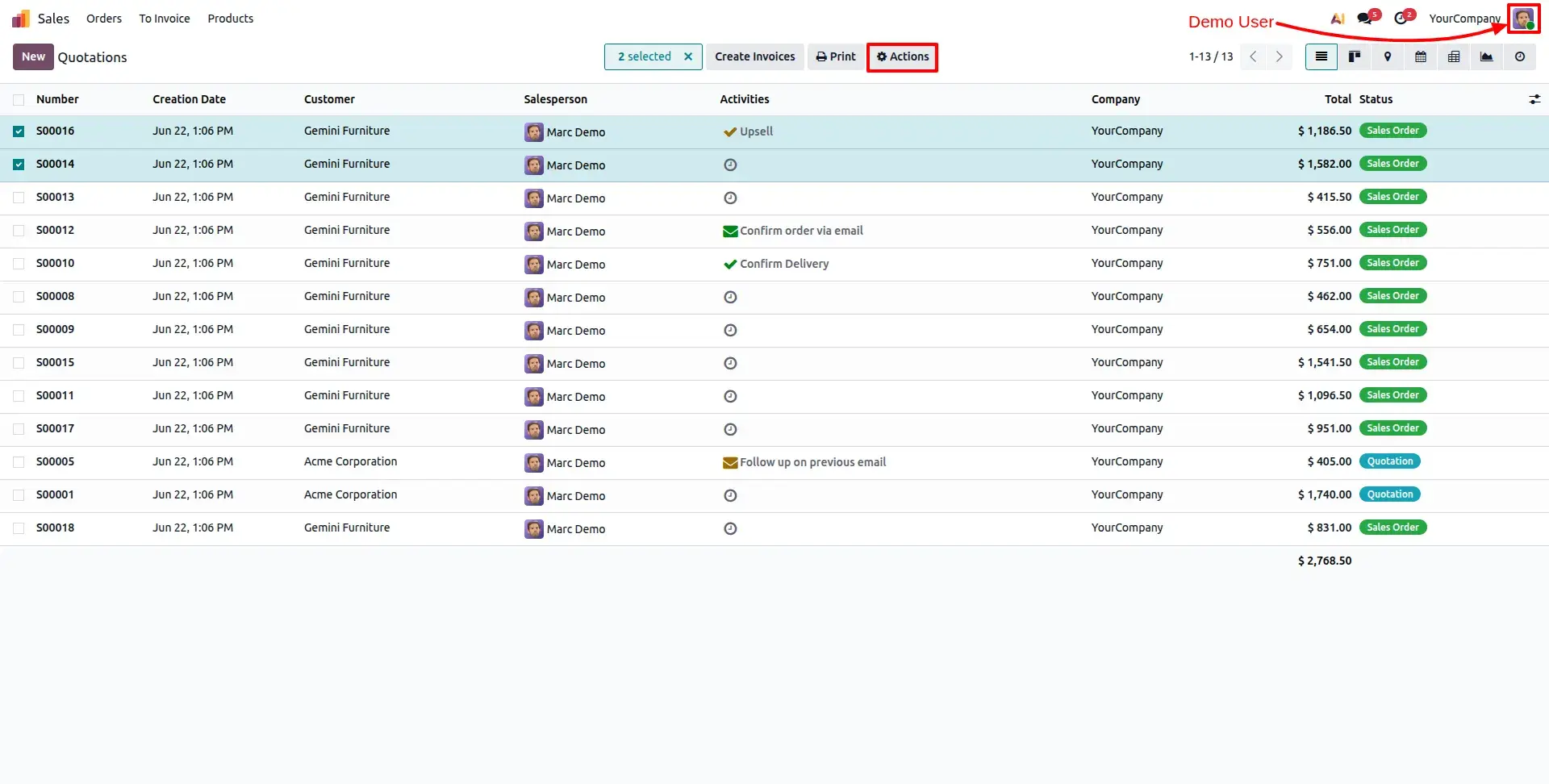
Before Restriction List View
Before applying restrictions, the Action menu is available in the List View. Users can select multiple records and perform standard bulk operations using the Action menu.
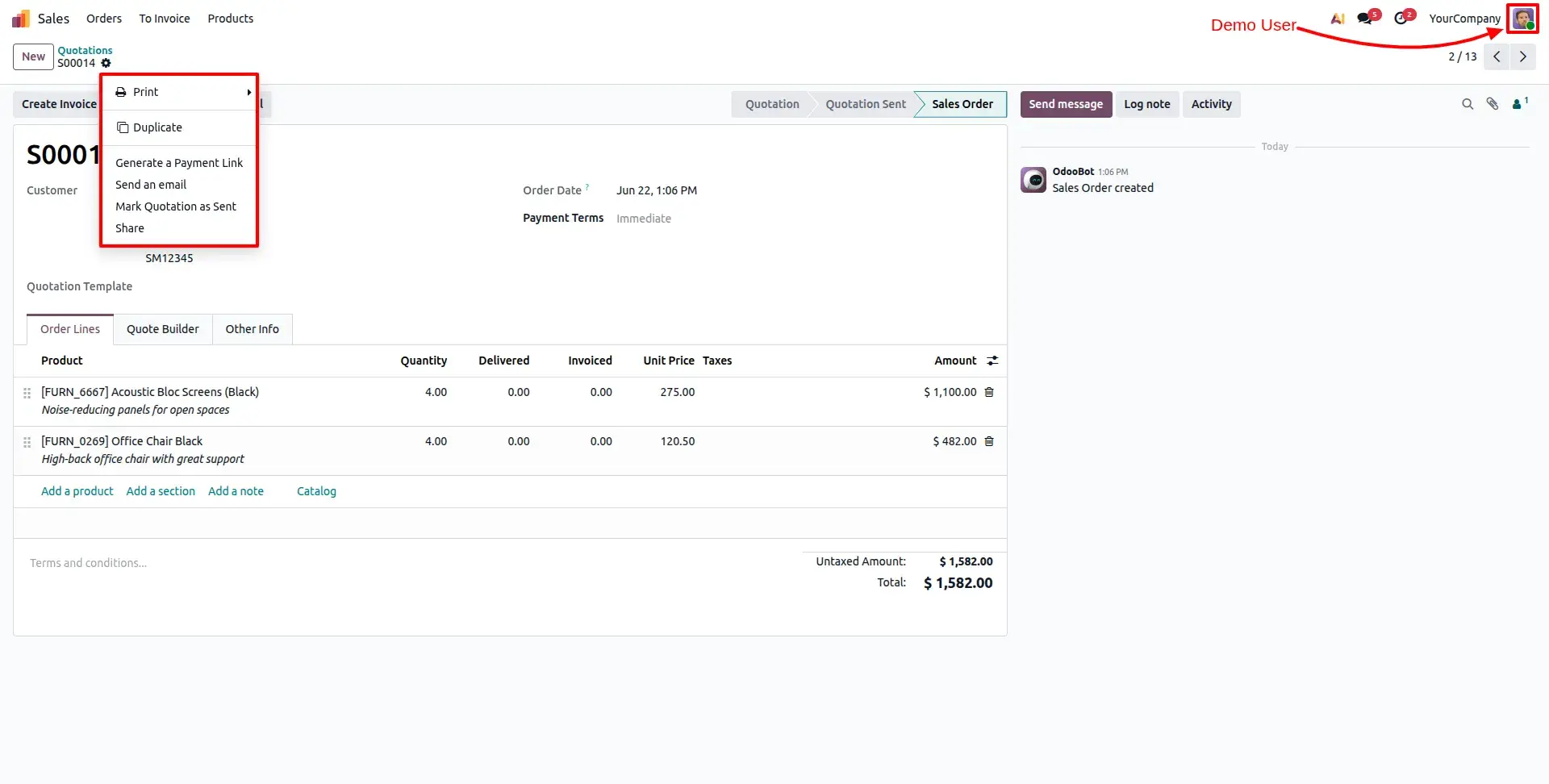
Before Restriction Form View
In the Form View, users can access the Action menu and perform operations such as Duplicate, Share, Archive, Export, and other available actions.
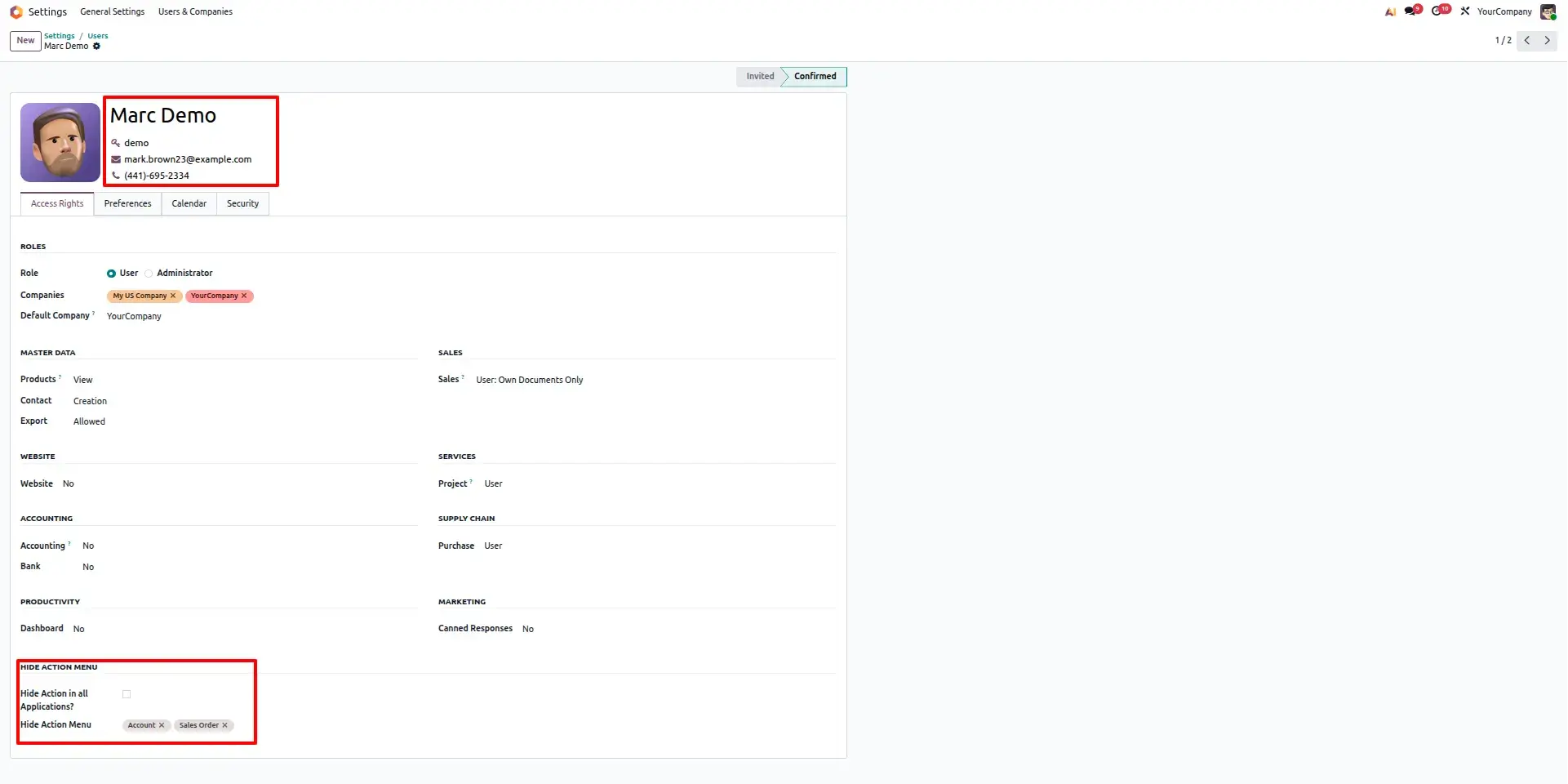
User Configuration with Selected Models
Administrators can configure specific models in the user's settings. The Action menu will be hidden only for the selected applications while remaining visible elsewhere.
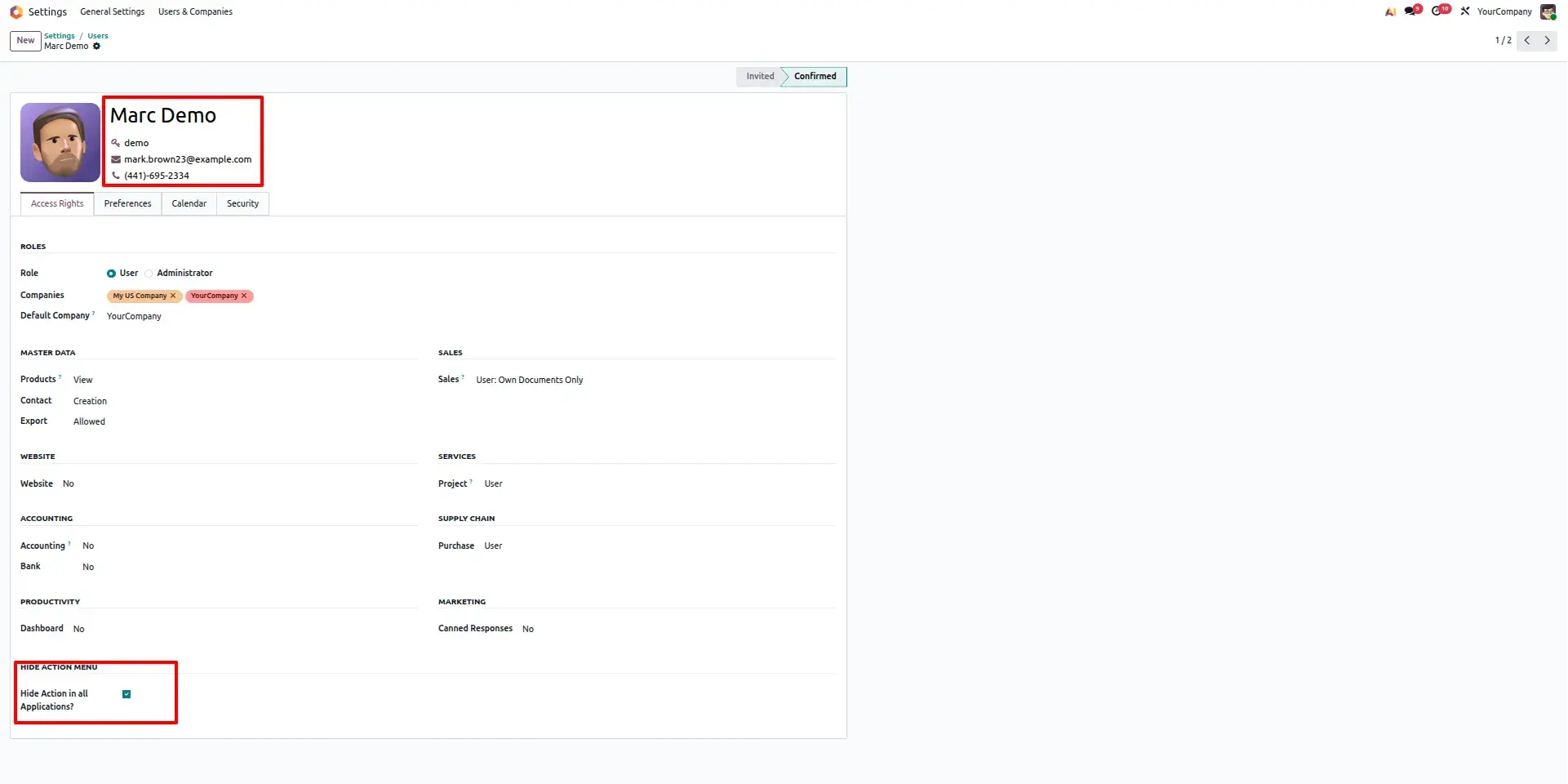
User Configuration for All Applications
Enable the Hide Action in all Applications option to remove the Action menu from every application for the selected user without configuring individual models.
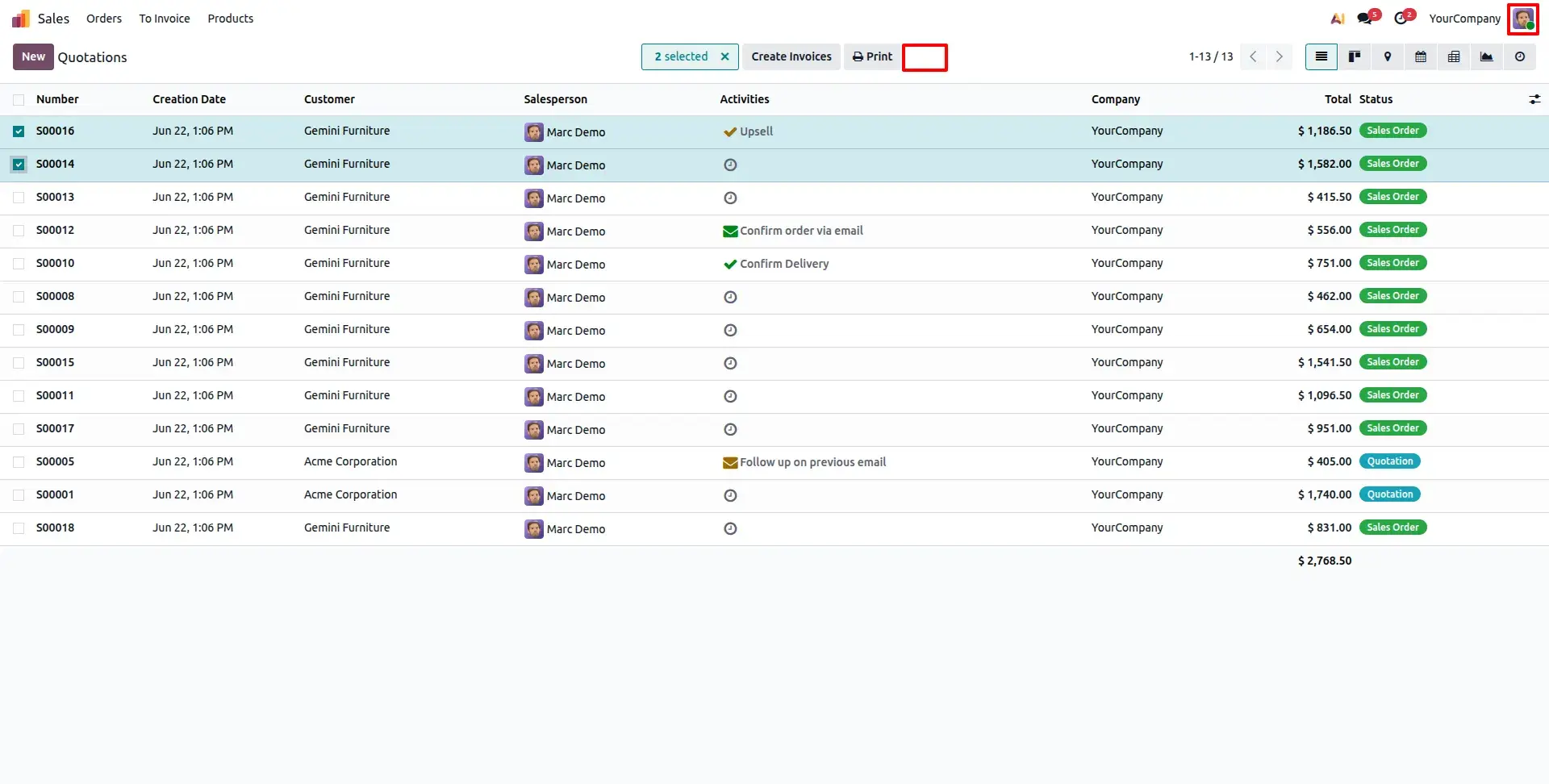
After Restriction List View
After restrictions are applied, the Action menu disappears from the List View. Users can no longer access bulk operations through the Action menu.
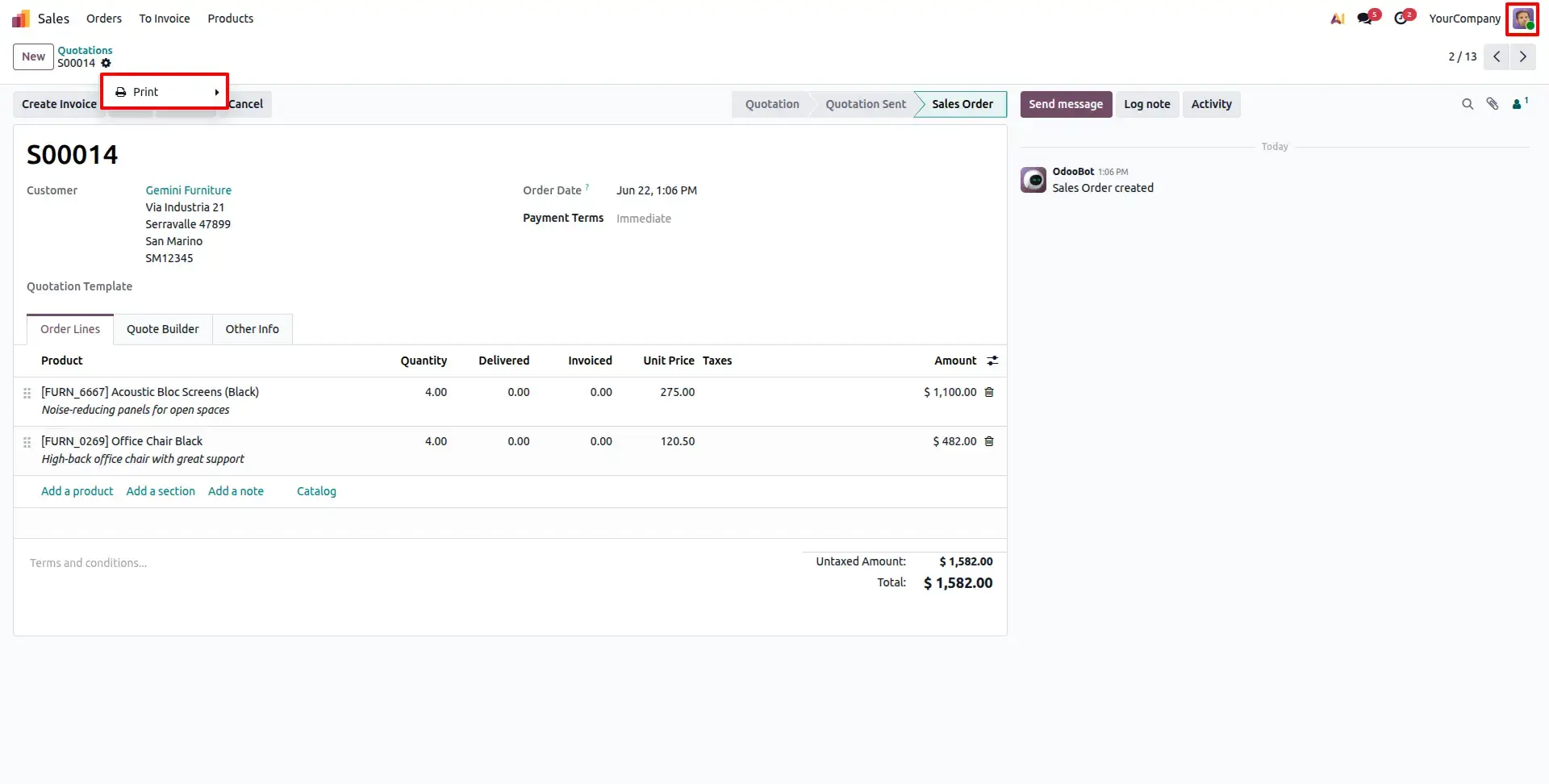
After Restriction Form View
The Action menu is hidden from the Form View as well. Only the Print menu remains available, allowing users to print documents while preventing access to operational actions.
Frequently Asked Questions
Technical Details
Dependencies
• Web (web)
License
OPL-1
Need Assistance?
Email Support
contact@gritxi-tech.comAny Questions?
Have questions about this app?
Fill out the form below and our team will get back to you with more information.
Customer Reviews
Share your experience with this module.
Write a Review
Latest Reviews
No reviews yet. Be the first to share your thoughts!