
Helpdesk Ticket Sale
Convert Helpdesk Tickets into Sales Quotations effortlessly, eliminating redundant workflows while improving collaboration between Support and Sales teams.
Helpdesk Ticket Sale
Create Sales Quotations directly from Helpdesk Tickets, streamline your after sales workflow, and eliminate unnecessary CRM steps for faster customer service.
App Overview

Introduction
The Helpdesk Ticket Sale module extends the standard
Helpdesk workflow in Odoo by allowing users to create
Sales Quotations and Sale Orders
directly from Helpdesk Tickets. The module streamlines after-sales
operations by eliminating the need to create intermediate
CRM Leads or CRM Opportunities
before generating quotations.
Instead of following the traditional workflow of
Helpdesk Ticket → CRM Lead → CRM Opportunity → Sales
Quotation → Sale Order, the module simplifies the entire
process into
Helpdesk Ticket → Sales Quotation → Sale Order.
This significantly reduces operational overhead, improves response
time, and enables support teams to manage after-sales quotations
efficiently without depending on CRM workflows.
Traditional Workflow
Helpdesk Ticket
↓
CRM Lead
↓
CRM Opportunity
↓
Sales Quotation
↓
Sale Order
Optimized Workflow
Helpdesk Ticket
↓
Sales Quotation
↓
Sale Order

Purpose
The purpose of the Helpdesk Ticket Sale app is to create Sales Quotations directly from Helpdesk Tickets through configurable Helpdesk Team settings within Odoo, simplifying the after-sales process while maintaining a seamless integration between the Helpdesk and Sales applications.
Simplify after-sales quotation workflows.
Reduce dependency on CRM for support-based sales operations.
Create Sales Quotations directly from Helpdesk Tickets.
Improve collaboration between Support and Sales teams.
Eliminate duplicate data entry and unnecessary lifecycle stages.
Maintain complete traceability between Helpdesk and Sales documents.
Accelerate customer response and service quotation generation.
Business Use Cases

Technical Support Billing
Easily transition from a technical resolution to a billable quotation for consulting or service hours.

Spare Parts Requests
Convert a ticket inquiry for replacement parts into a formal quotation without involving the sales team.

Repair & Maintenance
Ideal for preparing quotations for repair jobs, AMC renewals, or routine maintenance activities.
Key Features
Helpdesk to Sales Integration
Create Sales Quotations directly from Helpdesk Tickets without leaving the support workflow.
CRM Lifecycle Reduction
Eliminate unnecessary CRM Lead and Opportunity creation during the after-sales quotation process.
Product & Service Management
Add products and services directly inside Helpdesk Tickets before generating quotations.
Ticket & Sales Order Linkage
Automatically connect quotations and confirmed Sales Orders with their originating Helpdesk Tickets.
Team-Based Configuration
Enable or disable quotation creation individually for each Helpdesk Team through configuration settings.
Smart Buttons Integration
Access all related quotations and Sales Orders instantly using smart buttons on the Helpdesk Ticket.
Native Odoo Workflow
Fully integrated with the standard Odoo Helpdesk and Sales applications without modifying core workflows.
Configuration & Workflow
Configure Helpdesk Team
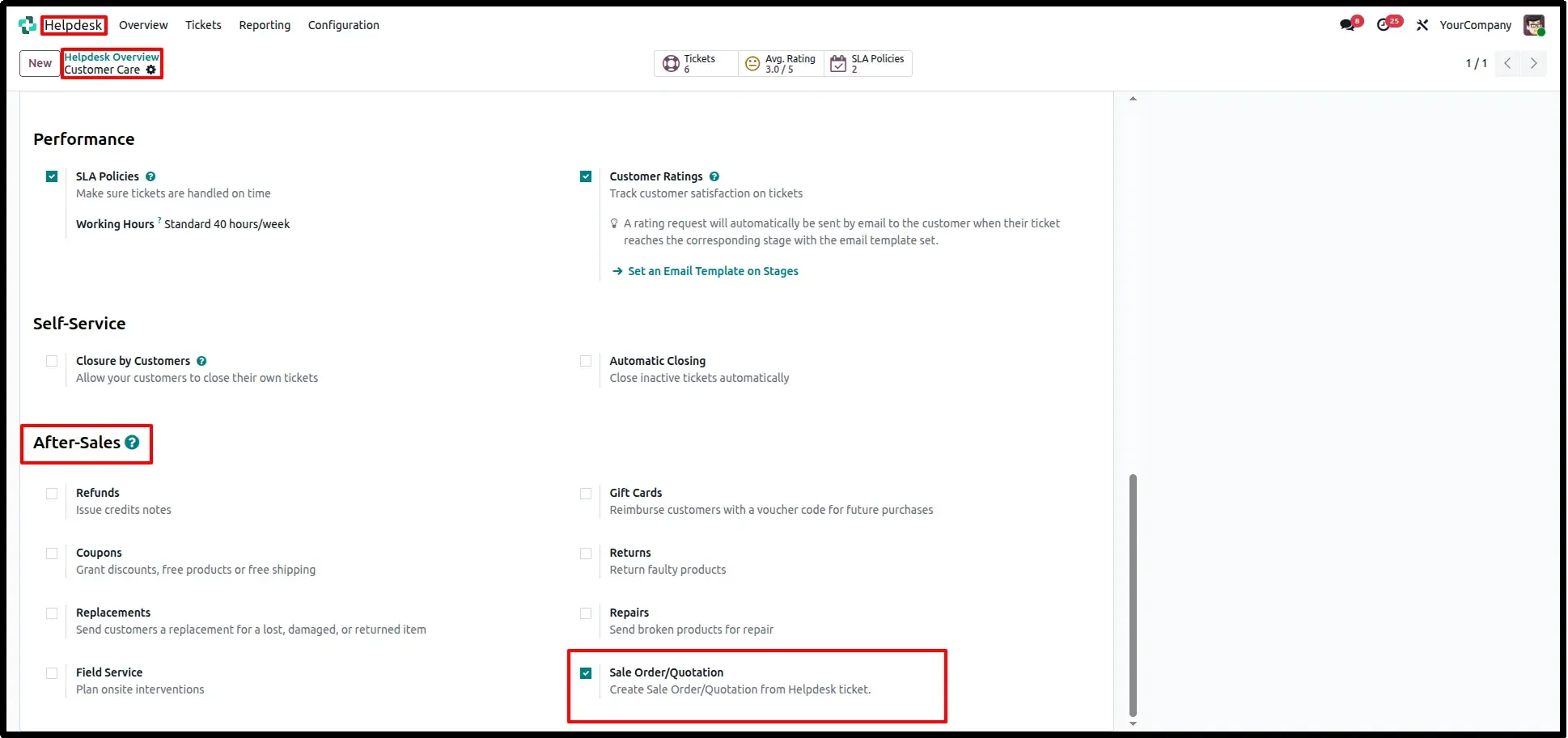
Navigate to Helpdesk → Configuration → Teams and enable the Sales Quotation option for the required Helpdesk Team. Once enabled, users can generate Sales Quotations directly from Helpdesk Tickets belonging to that team.
Create Sales Quotation from Helpdesk Ticket
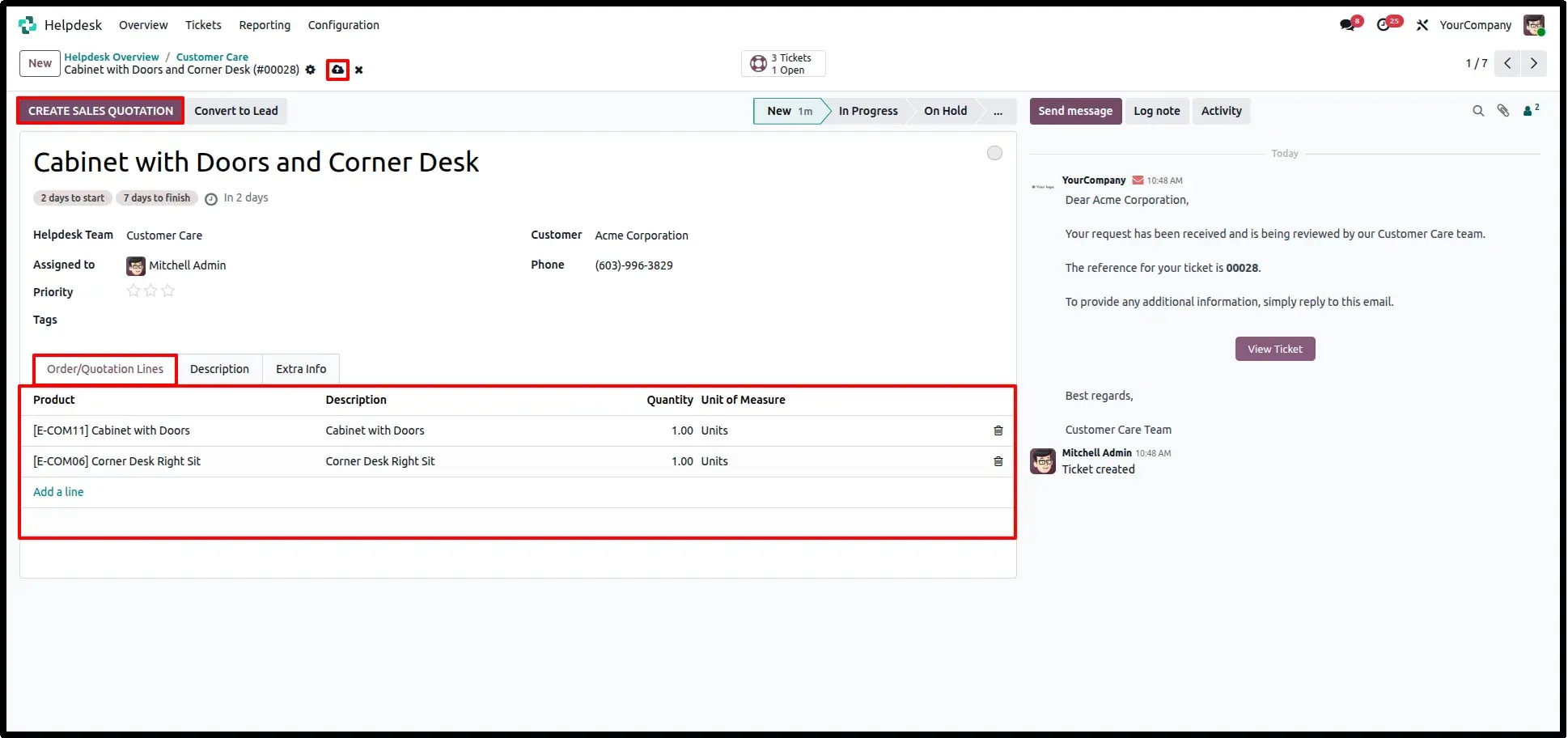
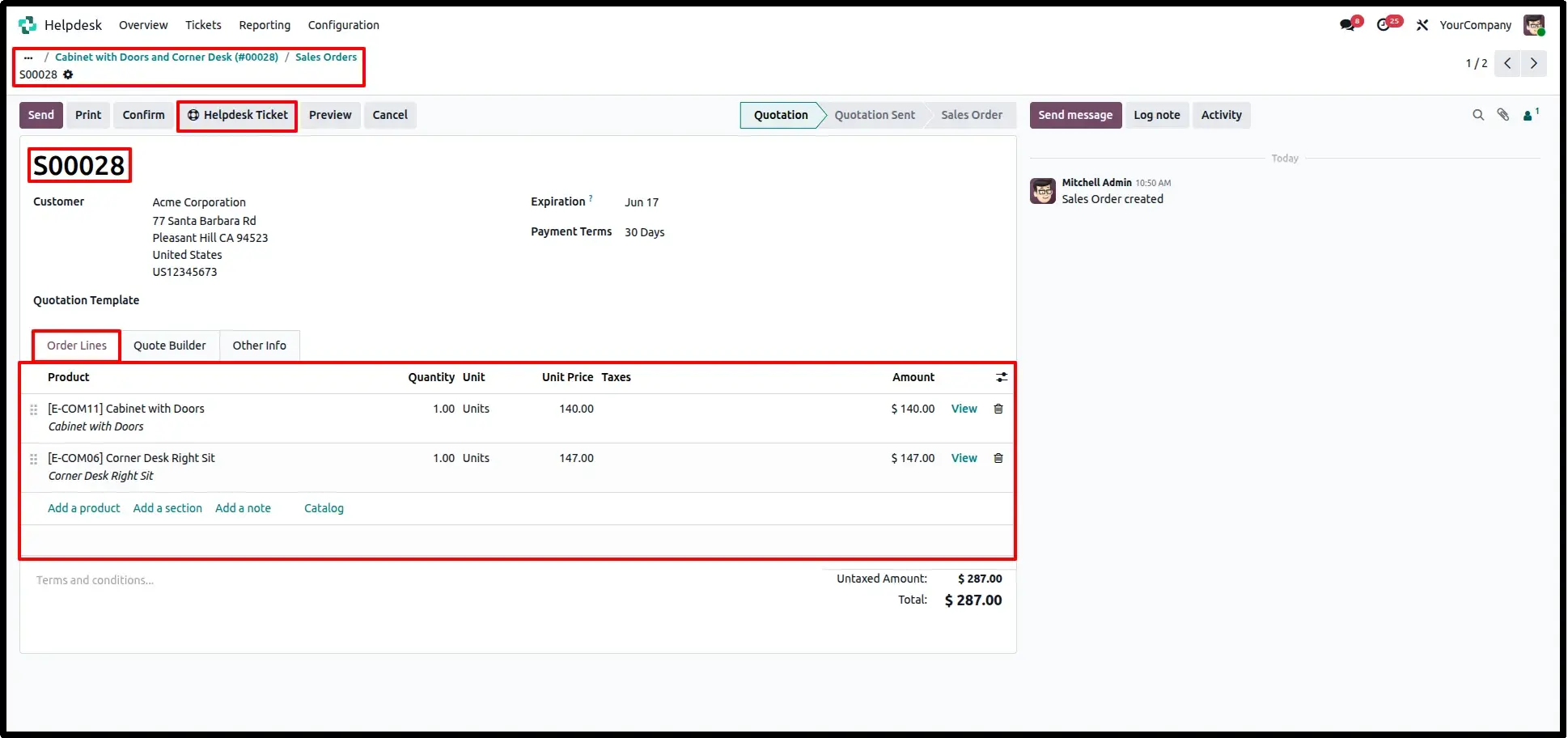
Open a Helpdesk Ticket, add the required products or services, and click Create Sales Quotation. The module automatically creates a quotation for the selected customer with all requested order lines.
Quotation Linked with Helpdesk Ticket
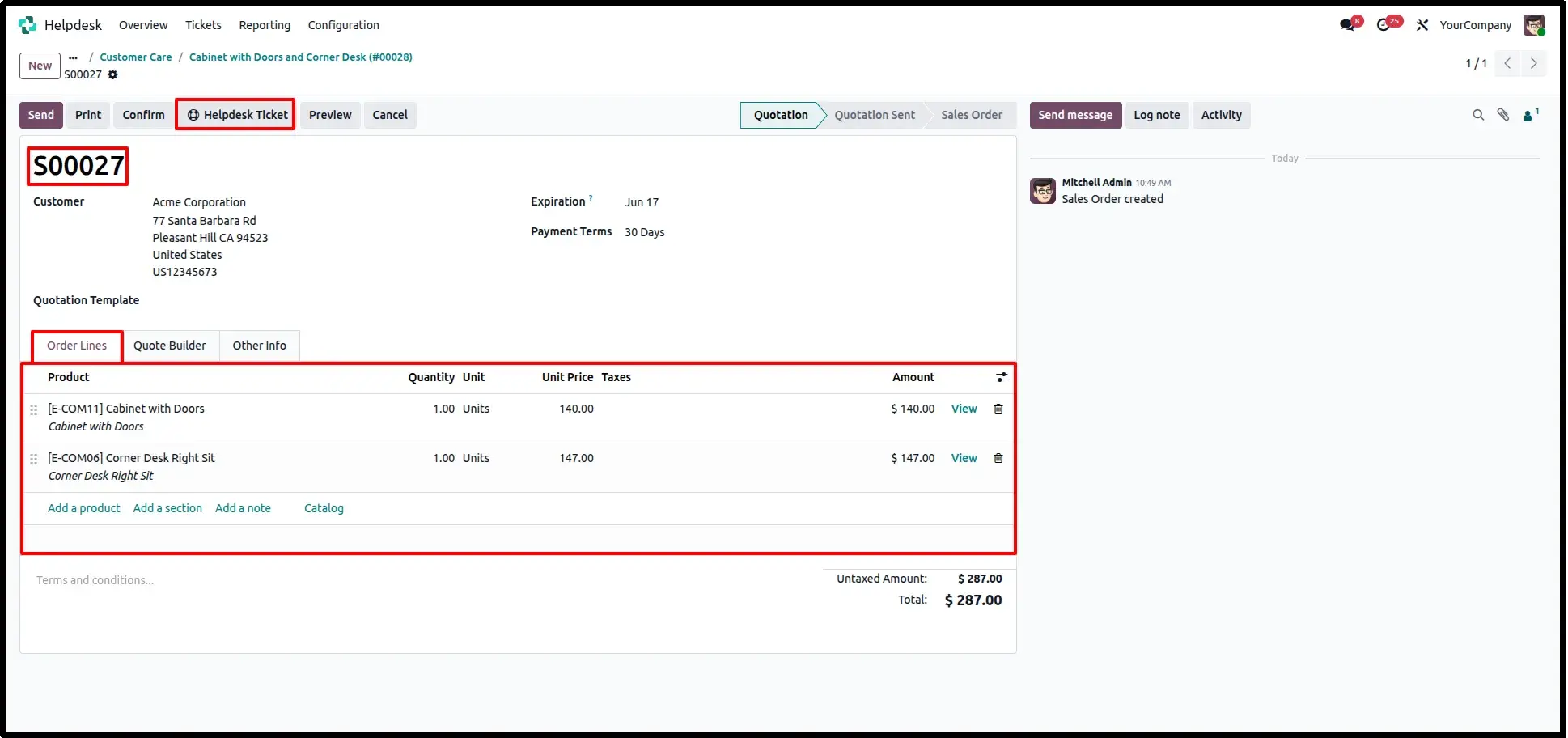
After creating the quotation, it is automatically linked to the Helpdesk Ticket. The Create Sales Quotation button disappears to prevent multiple active quotations for the same ticket. If a new quotation is required, simply cancel the existing quotation and create another with updated products or quantities.
View Linked Quotations
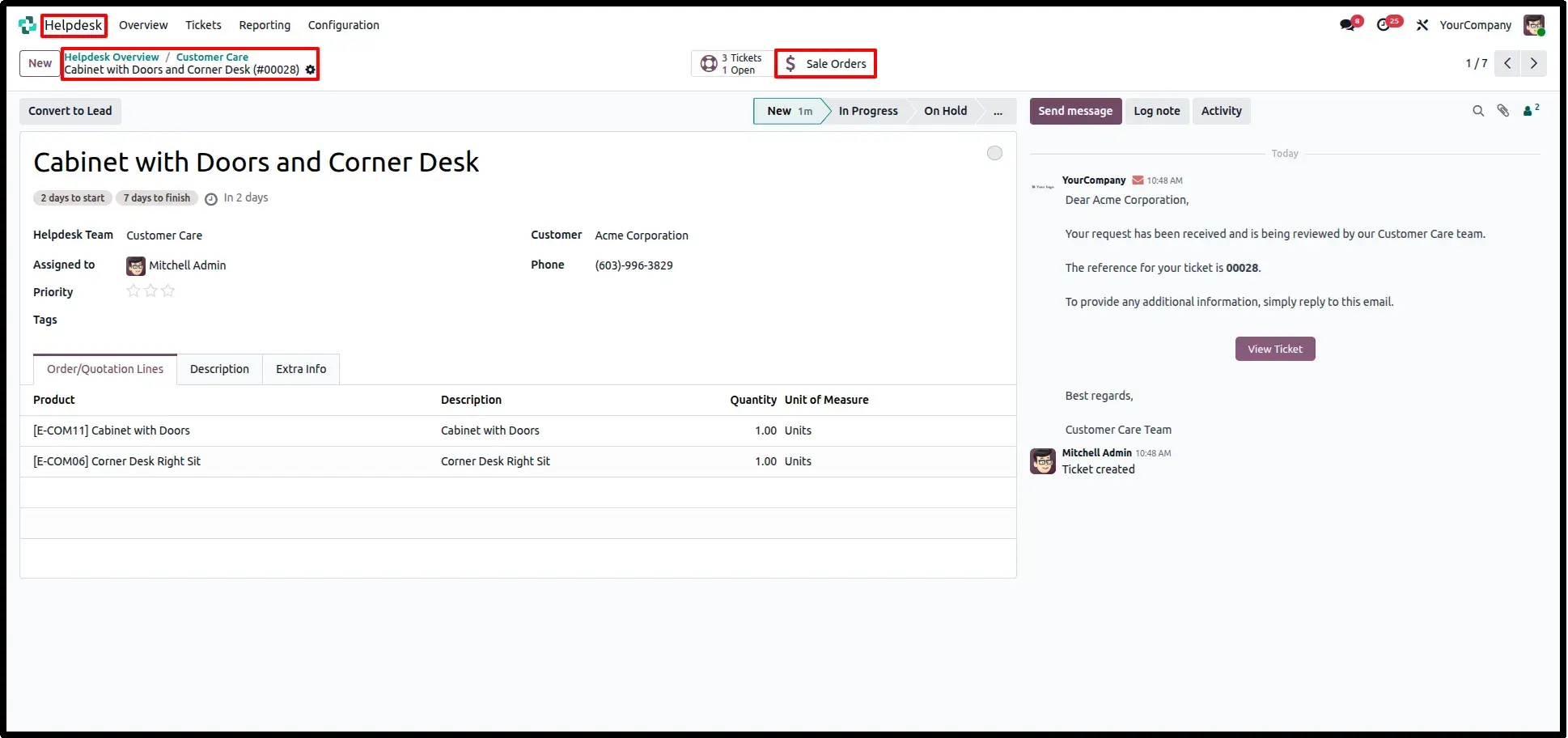
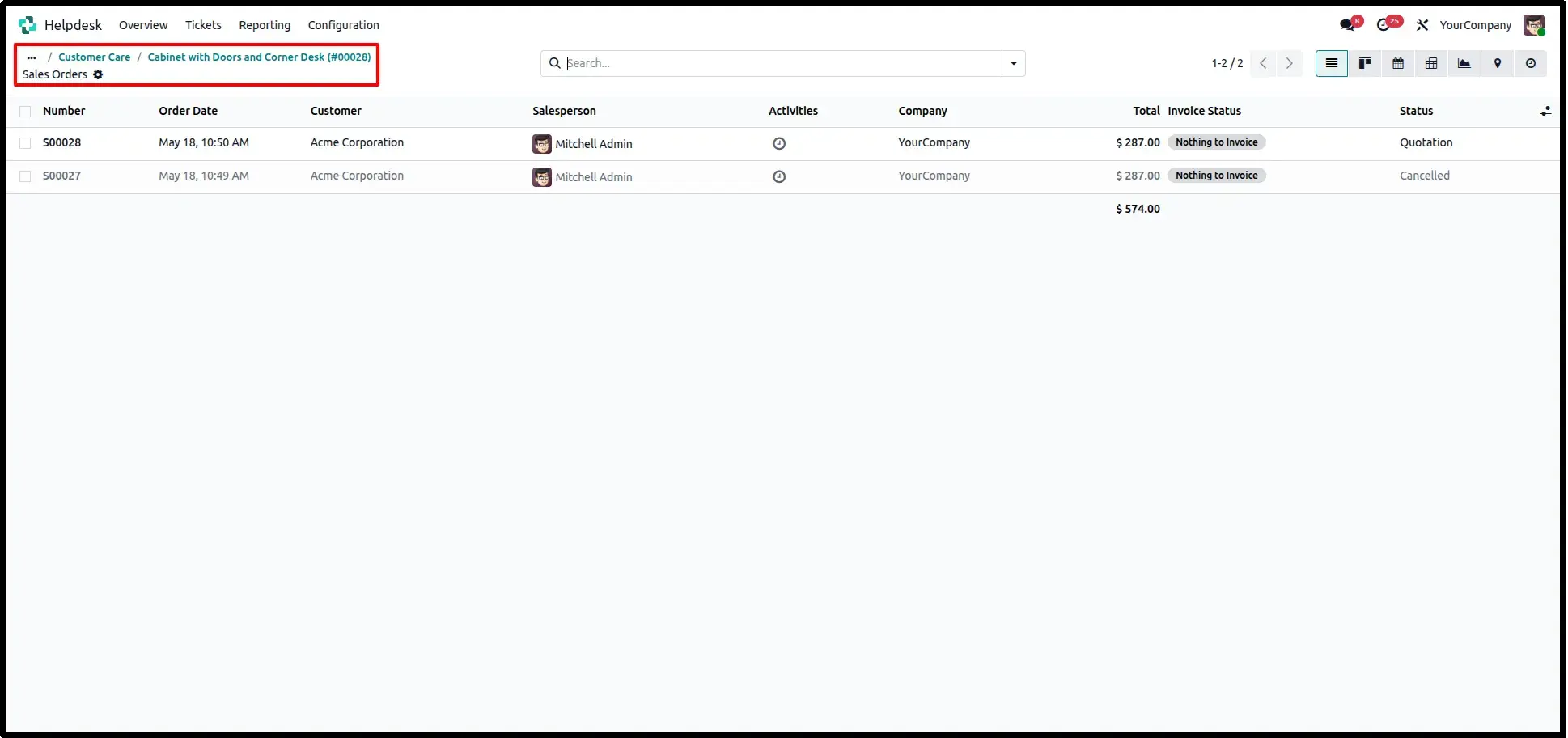
All quotations generated from the Helpdesk Ticket remain linked with the ticket, allowing users to review requested products, quotation status, and related Sales Orders directly from the Helpdesk record using the available smart buttons.
Frequently Asked Questions
Technical Details
Dependencies
• Helpdesk (helpdesk)
• Sales (sale_management)
• Discuss (mail)
• Invoicing (account)
License
OPL-1
Need Assistance?
Email Support
contact@gritxi-tech.comAny Questions?
Have questions about this app?
Fill out the form below and our team will get back to you with more information.
Customer Reviews
Share your experience with this module.
Write a Review
Latest Reviews
No reviews yet. Be the first to share your thoughts!