
Early Payment Multiple Discount
Configure multiple tiers of early payment discounts on payment terms and invoices
Early Payment Multiple Discount
Break free from Odoo's single-discount limit. Implement unlimited tiered early payment incentives with automated logic and country-smart tax handling.
App Overview

Introduction
Odoo’s native Payment Terms support only a single early payment discount tier. This means businesses are forced to choose one fixed percentage and one deadline, leaving no room for graduated incentive structures.
The Early Payment Multiple Discount module removes this limitation entirely. It extends Payment Terms to support an unlimited number of tiered discount rules—each with its own deadline, percentage, and tax reduction—enabling sophisticated early payment incentive programmes directly in Odoo.

Purpose
When managing receivables, a one-size-fits-all discount rarely motivates every customer. Manual evaluation of multi-tier discounts is error-prone and consumes valuable administrative time during payment registration and bank reconciliation.
This module streamlines the workflow by automatically selecting the best applicable discount tier based on the actual payment date. It synchronizes perfectly with the payment register and bank widget, ensuring the correct reward is applied without manual intervention, while correctly handling complex multi-currency exchange differences.
Key Features
Unlimited Discount Tiers
Add as many discount lines as needed. Each line has its own Discount Days, %, and Tax Reduction method.
Smart Tier Selection
Automatically calculates elapsed days and selects the most beneficial tier at the moment of payment registration.
3 Tax Reduction Modes
Independently control tax discounts: On Early Payment (included), Never (excluded), or Always (mixed).
Country-Aware Defaults
Tax modes are auto-set based on country (BE → mixed, NL → excluded, others → included).
Live Configuration Preview
The Payment Term form updates its example preview in real time as tiers are modified.
Register Payment Integration
Passes payment dates into the register wizard and bank widget for precise tier evaluation.
Multi-Currency Support
Handles discount balances and exchange difference entries automatically in multi-currency environments.
Configuration Steps
Set up unlimited early payment discount tiers in 5 simple steps to automate your collection incentives.
Enable Multi-Tier Rules
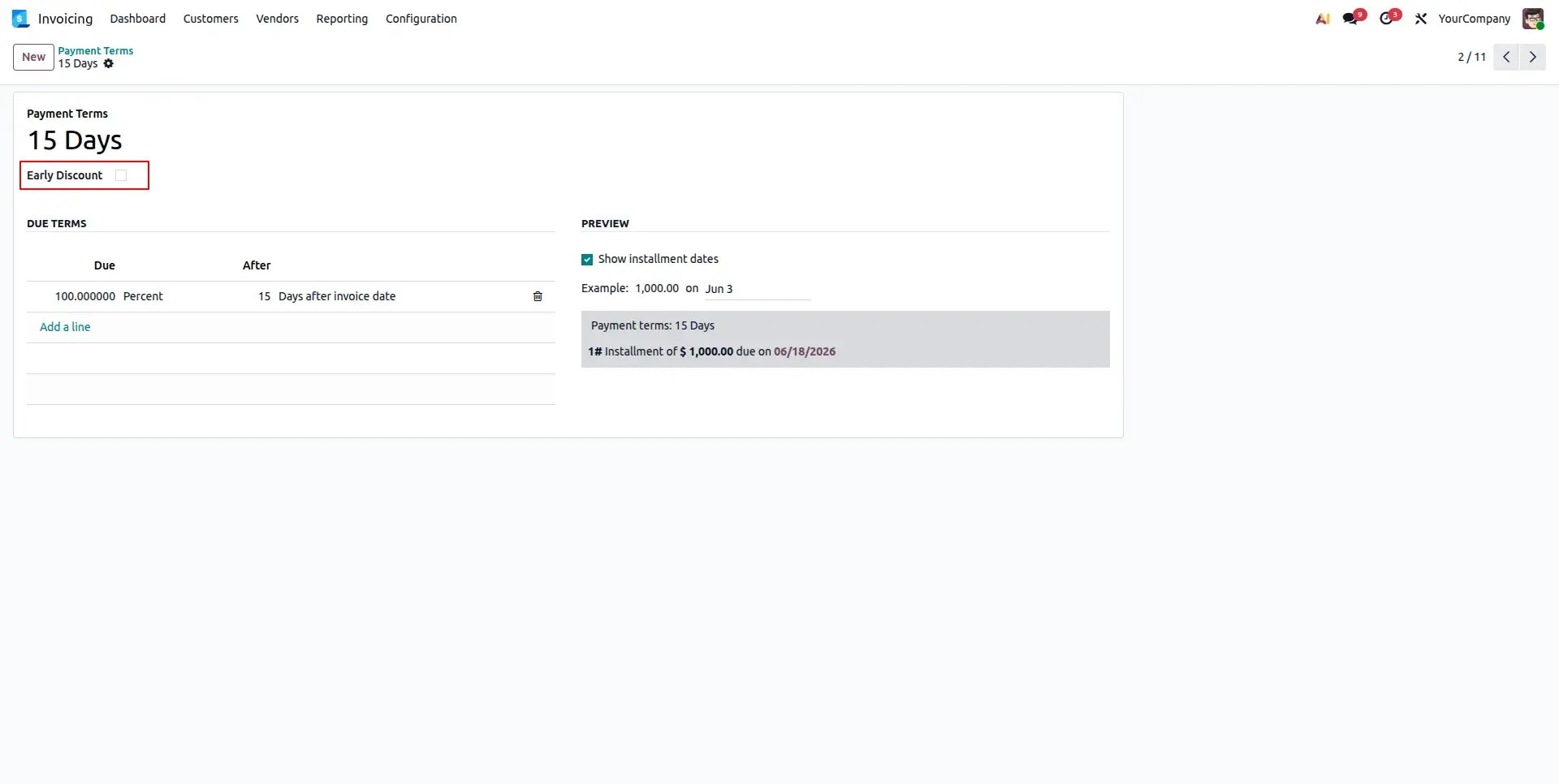
Navigate to Accounting > Configuration > Payment Terms. Create or open a term and toggle the "Early Discount" switch to reveal the advanced rules configuration board.
Configure Discount Tiers
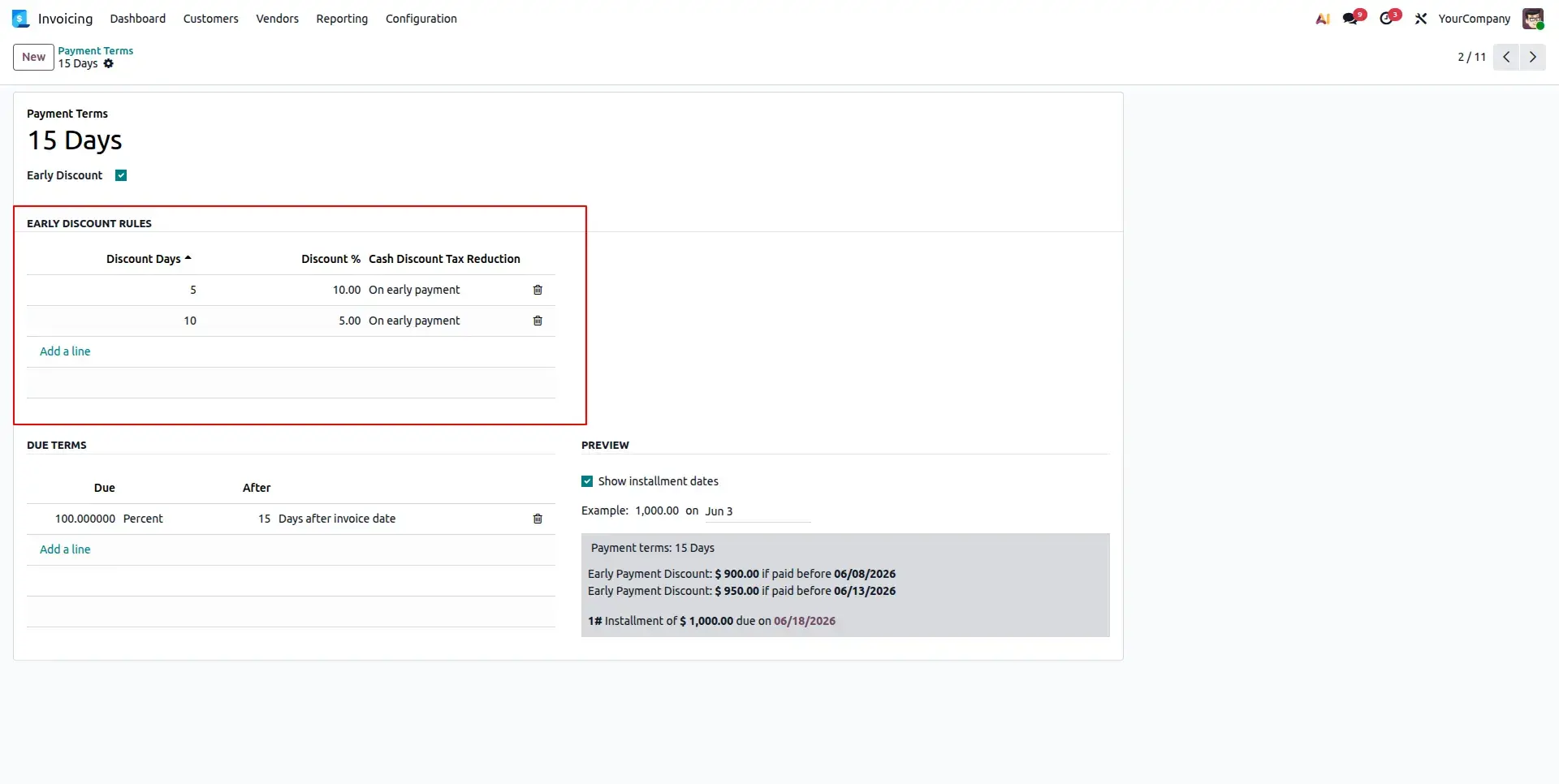
Add multiple lines to the Early Discount Rules table. Specify the deadline in days, the discount percentage, and choose the tax reduction method (e.g., On early payment).
Real-Time Preview
As you add tiers, the Preview section at the bottom of the form updates instantly. It visually confirms the discount amounts and deadlines that will be applied to your invoices.
Link to Customer Invoices
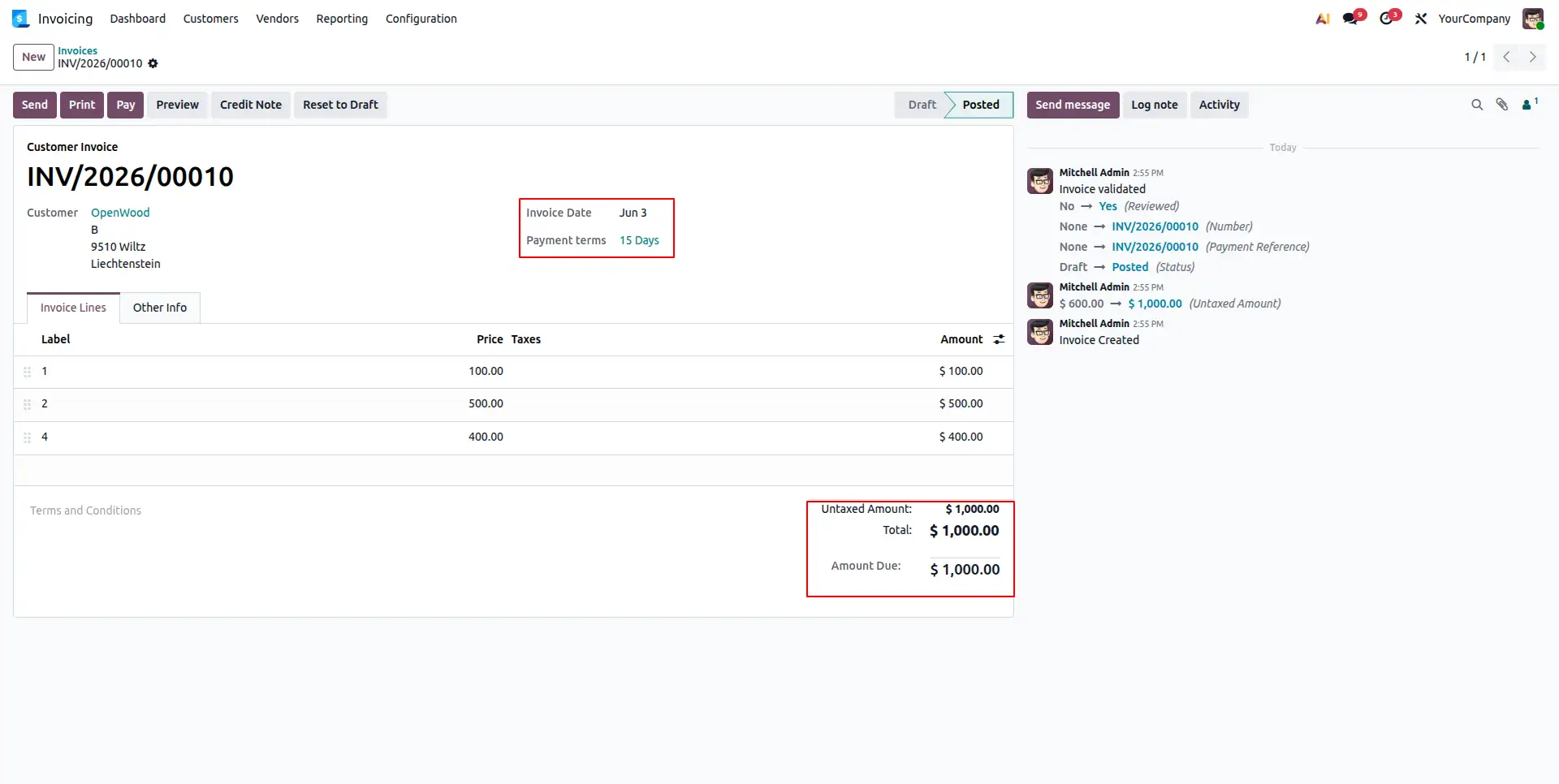
Save the Payment Term and assign it to your customer invoices. Odoo's engine will now monitor this invoice for any early payment activity based on your custom rules.
Register & Reconcile
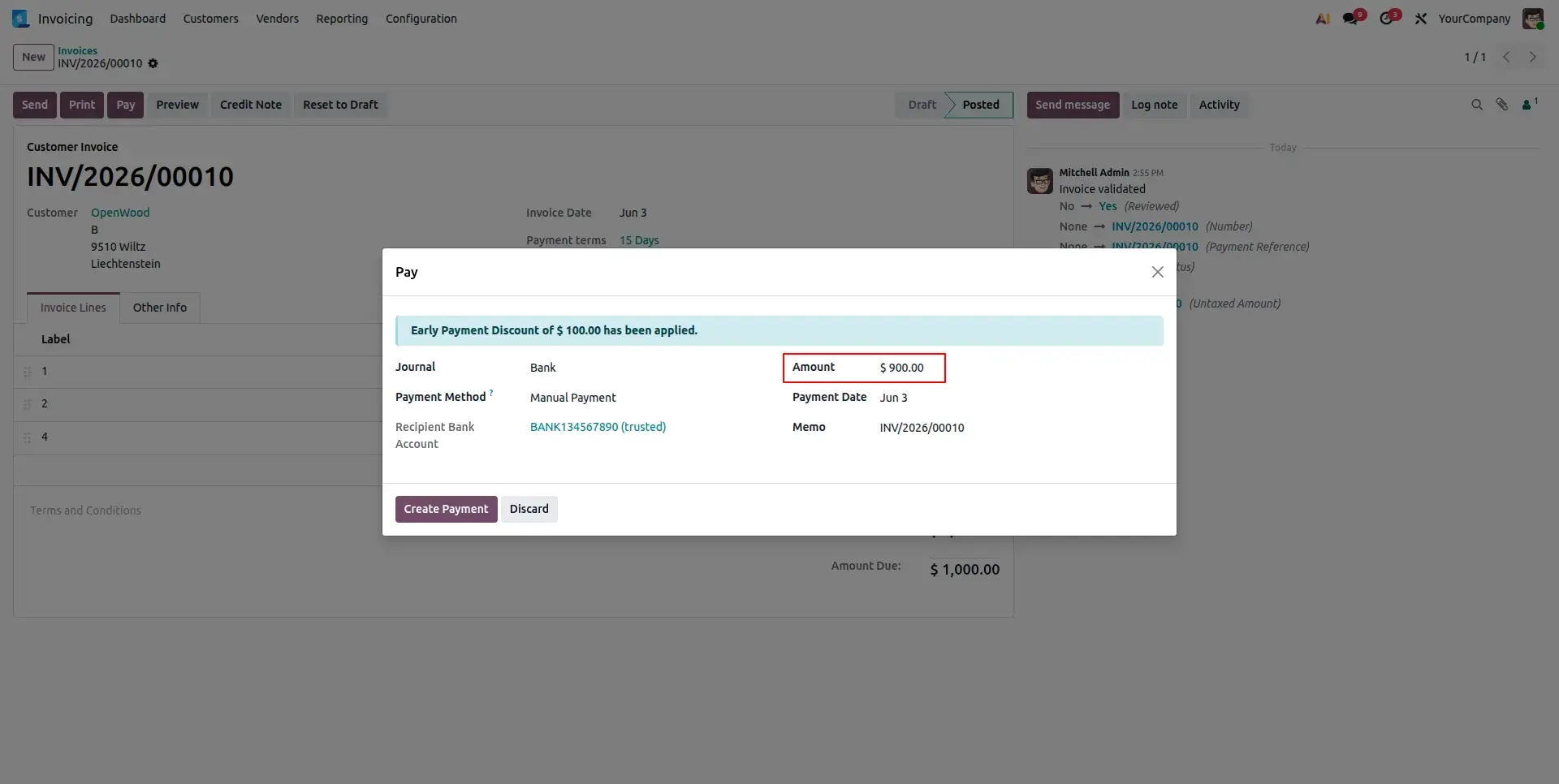
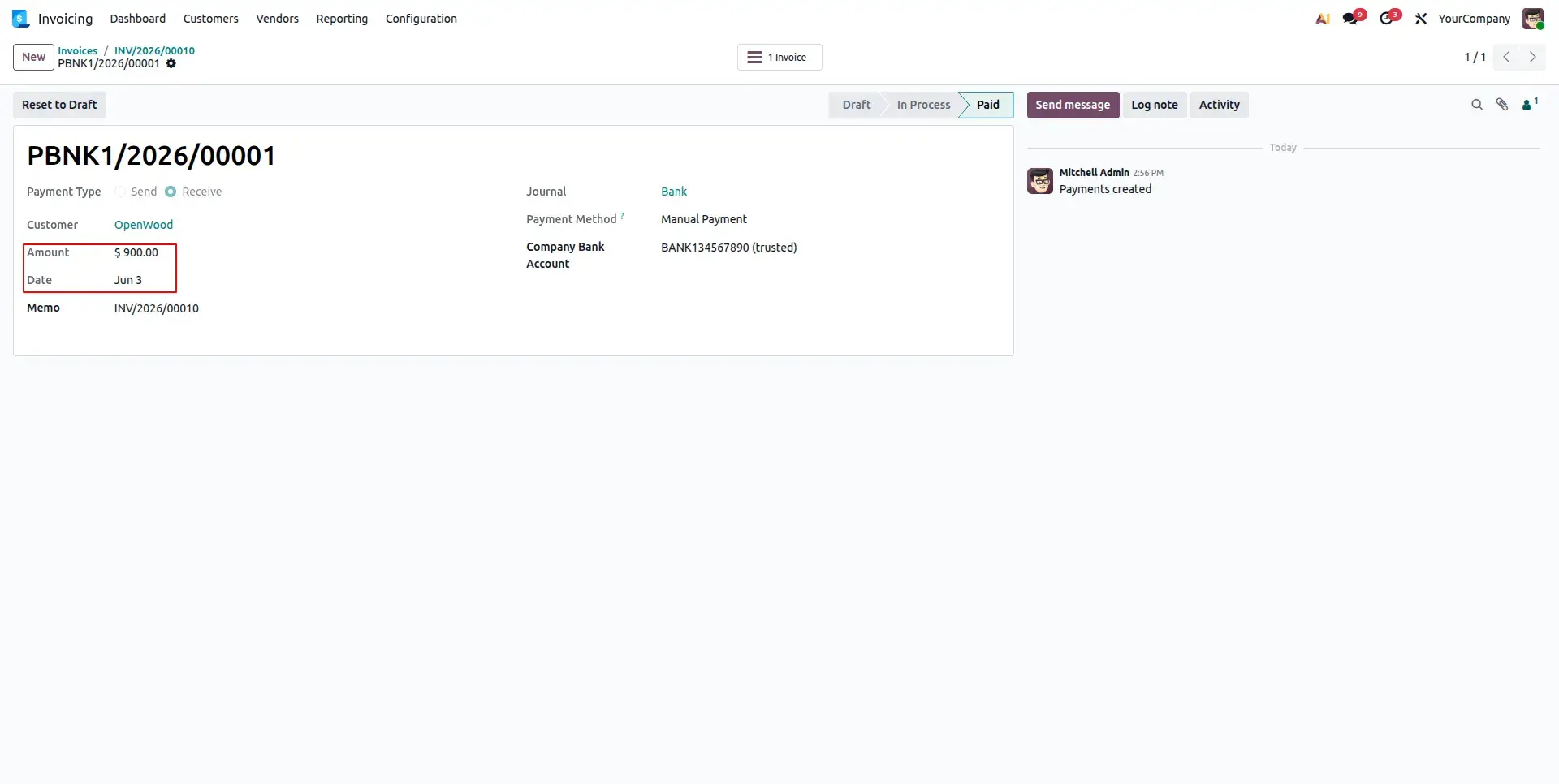
When registering payment, the system automatically detects the current applicable discount tier. It records the discounted net amount and completes reconciliation in one step.
Frequently Asked Questions
Technical Details
Dependencies
• Invoicing (account)
• Discuss (mail)
License
OPL-1
Need Assistance?
Email Support
contact@gritxi-tech.comAny Questions?
Have questions about this app?
Fill out the form below and our team will get back to you with more information.
Customer Reviews
Share your experience with this module.
Write a Review
Latest Reviews
No reviews yet. Be the first to share your thoughts!