
Default Stage in Project
Create structured project Kanban boards instantly by linking predefined stages to all newly created projects.
Default Stage in Project
Automatically assign predefined task stages to every new project, ensuring consistent workflows, faster project setup, and a standardized Kanban experience across your organization.
App Overview

Introduction
In standard Odoo, every new project starts with a blank Kanban board, forcing teams to manually add stages or assign global ones multiple times. For organizations using standard workflows (e.g., To Do, In Progress, Done), this repetitive setup is a waste of resources.
The Default Stage in Project module solves this with a single checkbox. Any stage marked as a "Default Stage" is automatically linked to every new project at the moment of creation. The result is a consistent, ready-to-use workspace every single time.

Purpose
The purpose of this module is to streamline project initialization and enforce process consistency across your entire organization. By automating the stage-linking process, teams can focus on task execution immediately after project creation, ensuring that no project is left without a properly structured workflow.
Key Features
One Click Designation
Simply check a box on the stage form to mark it as a default for all future projects.
Instant Assignment
Stages are pre-populated the moment a project is created before the user even opens it.
Enhanced Views
The "Default" column is injected into both Form and List views for easy bulk management.
Unlimited Defaults
Mark as many stages as you need. Whether it's one or ten, they will all be linked automatically.
Non-Destructive
Only applies to new projects. Your existing boards and data remain completely untouched.
Minimal Footprint
Lightweight implementation with no new models or complex database migrations.
Configuration & Workflow
Standardize your project workflows in just two simple steps.
Stage Configuration
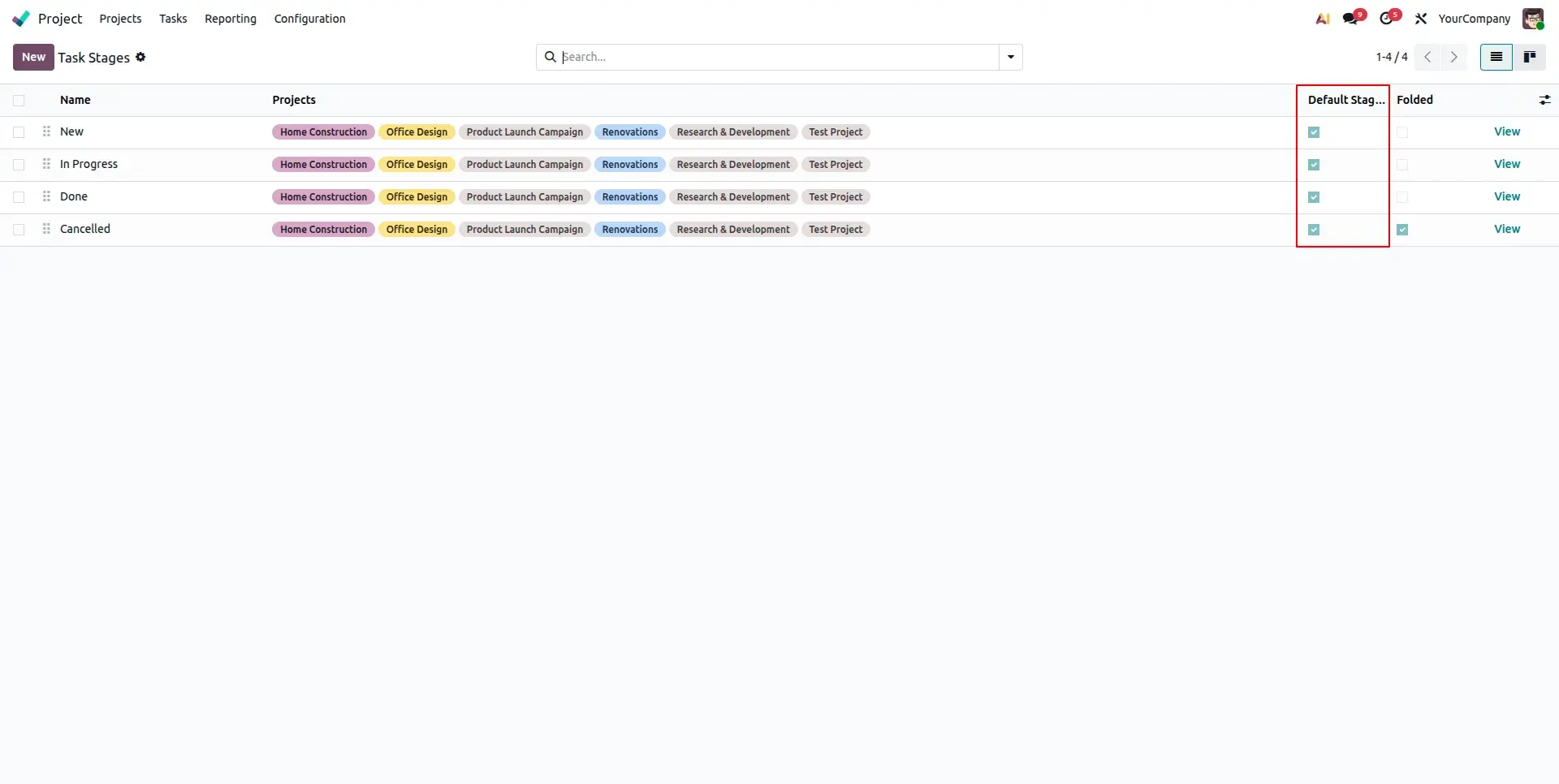
Go to Task Stage configuration and check the "Default Stage for New Projects" box. This marks the stage to be automatically included in all future project Kanban boards.
Instant Project Setup
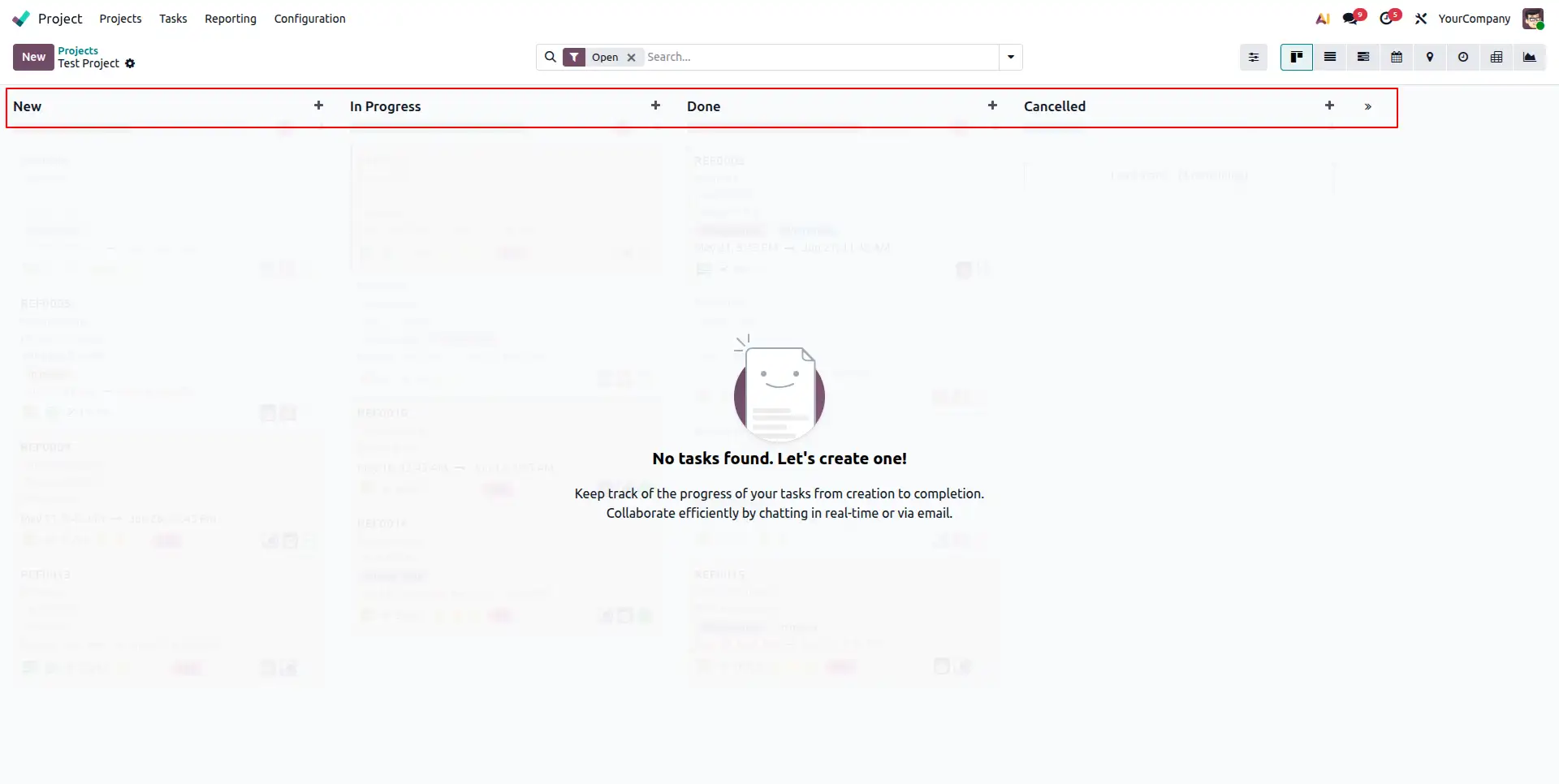
The moment a new project is created, all flagged stages are instantly generated and linked. Your team can start adding tasks to a structured board immediately.
Frequently Asked Questions
Technical Details
Dependencies
• Project (project)
• Discuss (mail)
License
OPL-1
Need Assistance?
Email Support
contact@gritxi-tech.comAny Questions?
Have questions about this app?
Fill out the form below and our team will get back to you with more information.
Customer Reviews
Share your experience with this module.
Write a Review
Latest Reviews
No reviews yet. Be the first to share your thoughts!