
Default Notes
Set default notes in Purchase Order, Sale Order
Default Notes
Automatically add standardized notes, terms, and policies to Sales and Purchase Orders for consistent, professional business communication.
App Overview

Introduction
The Default Notes module is designed for businesses that demand consistency and speed. It allows you to define standardized text such as delivery instructions, return policies, or vendor terms and have Odoo automatically inject them into documents the second they are created. No more repetitive typing or forgotten terms.

Purpose
Standardizing communication across Sales and Purchase departments reduces errors and speeds up the entire documentation lifecycle. By removing the dependency on user memory, you ensure that enterprise compliance and professional policies are maintained in every single transaction.
Business Use Cases

Sales Standardization
Ensure all quotations include consistent company terms and legal policies automatically.

Purchase Workflow Control
Automatically include carrier-specific instructions or warehouse policies in vendor orders.

Operational Compliance
Maintain enterprise communication standards across all departments with zero manual overhead.
Key Features
Default Sales Notes
Automatically populates predefined notes in every new Sales Order created in the system.
Default Purchase Notes
Instantly adds standardized procurement terms and instructions to all Purchase Orders.
Centralized Control
Manage and update all internal and external document notes from a single configuration menu.
Auto Injection
Terms and policies are automatically inserted during document creation without user intervention.
Zero Repetition
Eliminates the need for repetitive manual typing of standard terms, conditions, and instructions.
Flexible Setup
Configure separate and unique default notes for your Sales and Purchase workflows independently.
Standardized Comms
Ensures consistent and professional messaging across all enterprise-level documents.
Faster Processing
Speeds up document creation by automating the population of essential terms and policies.
Configuration & Workflow
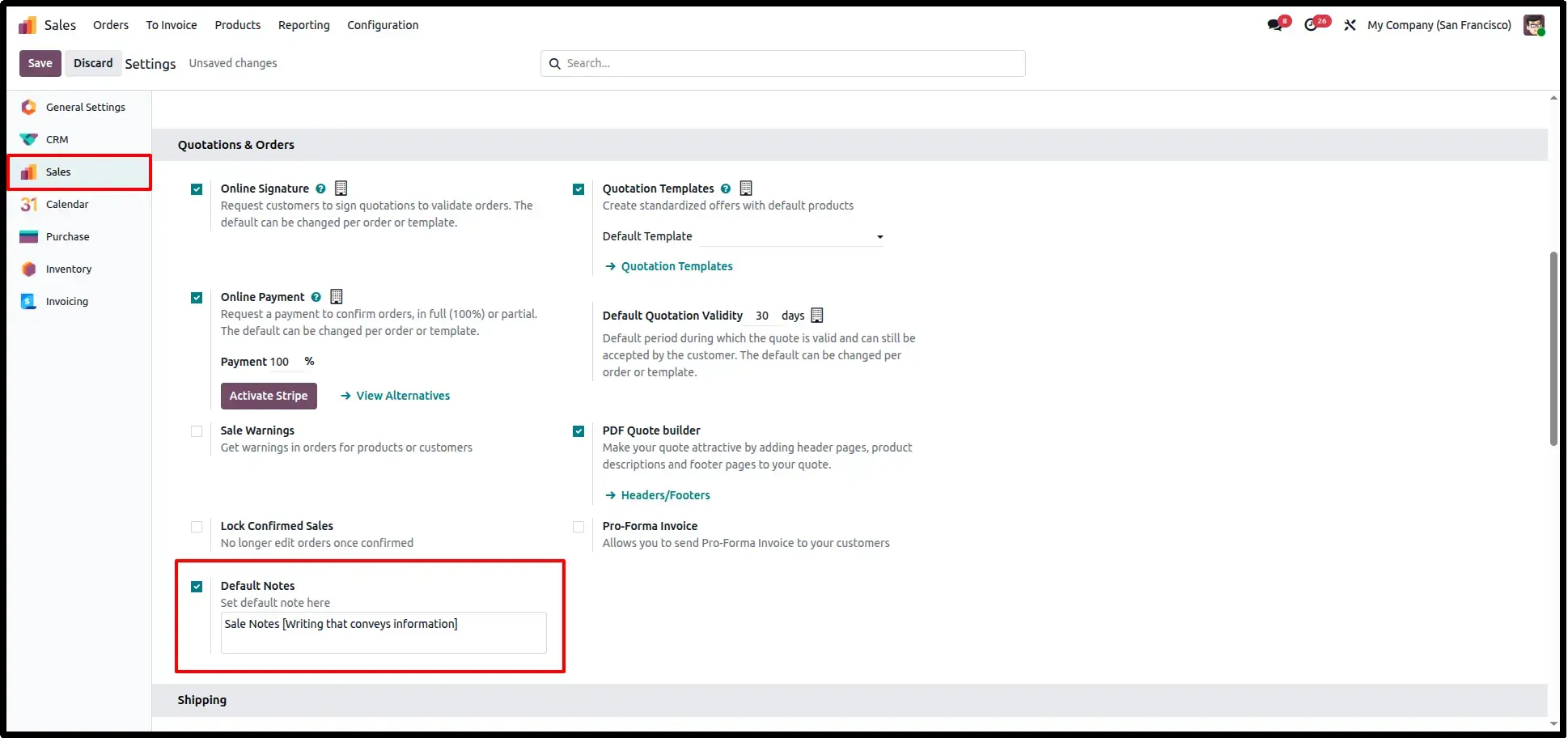
Sales Settings
Customize your default terms in Sales Settings under the 'Quotation & Orders' section. You can even translate these notes to maintain professional communication in the customer's specific language.
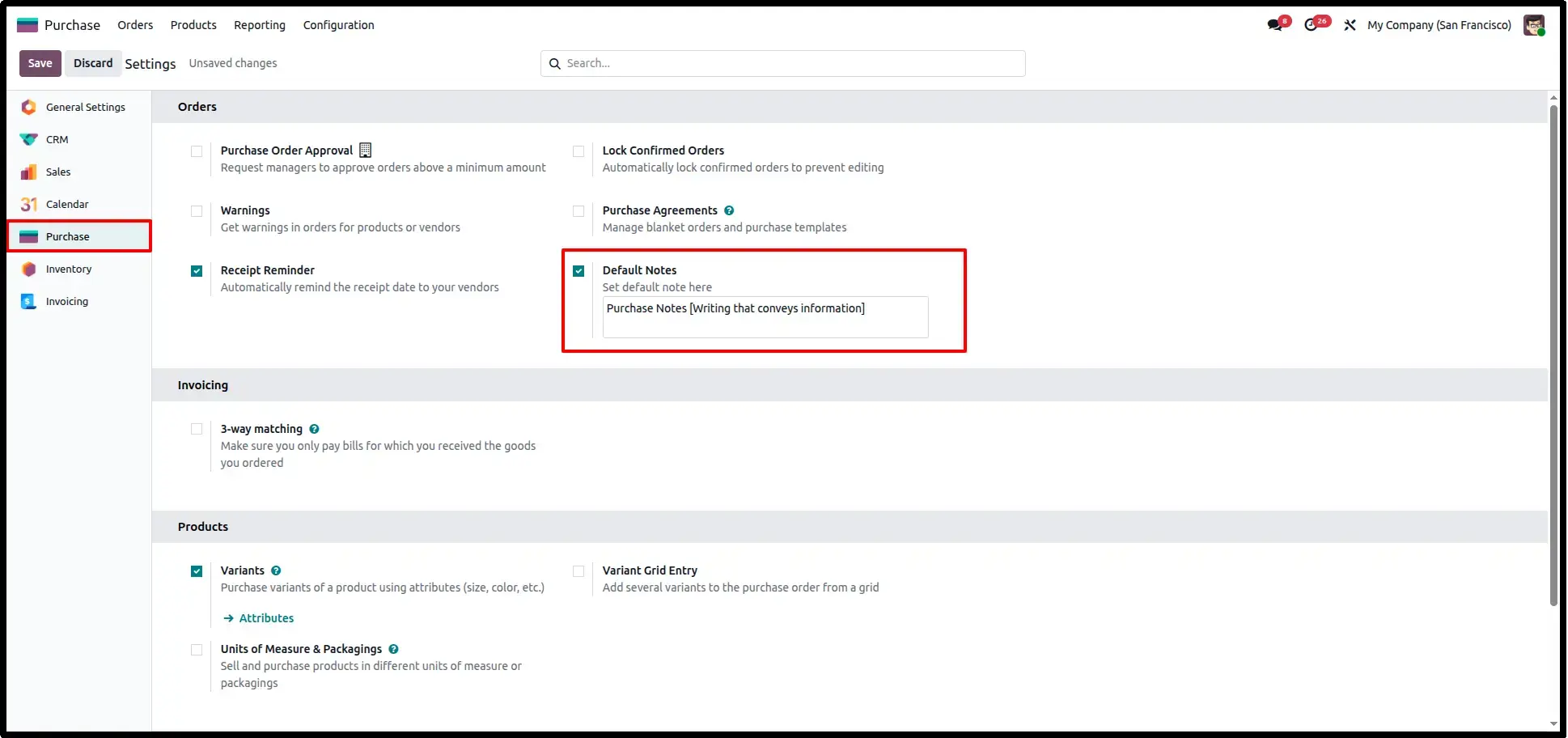
Purchase Settings
Manage and translate default terms in Purchase Settings. This ensures that vendor-specific instructions or warehouse policies are siempre clearly communicated in the correct language.
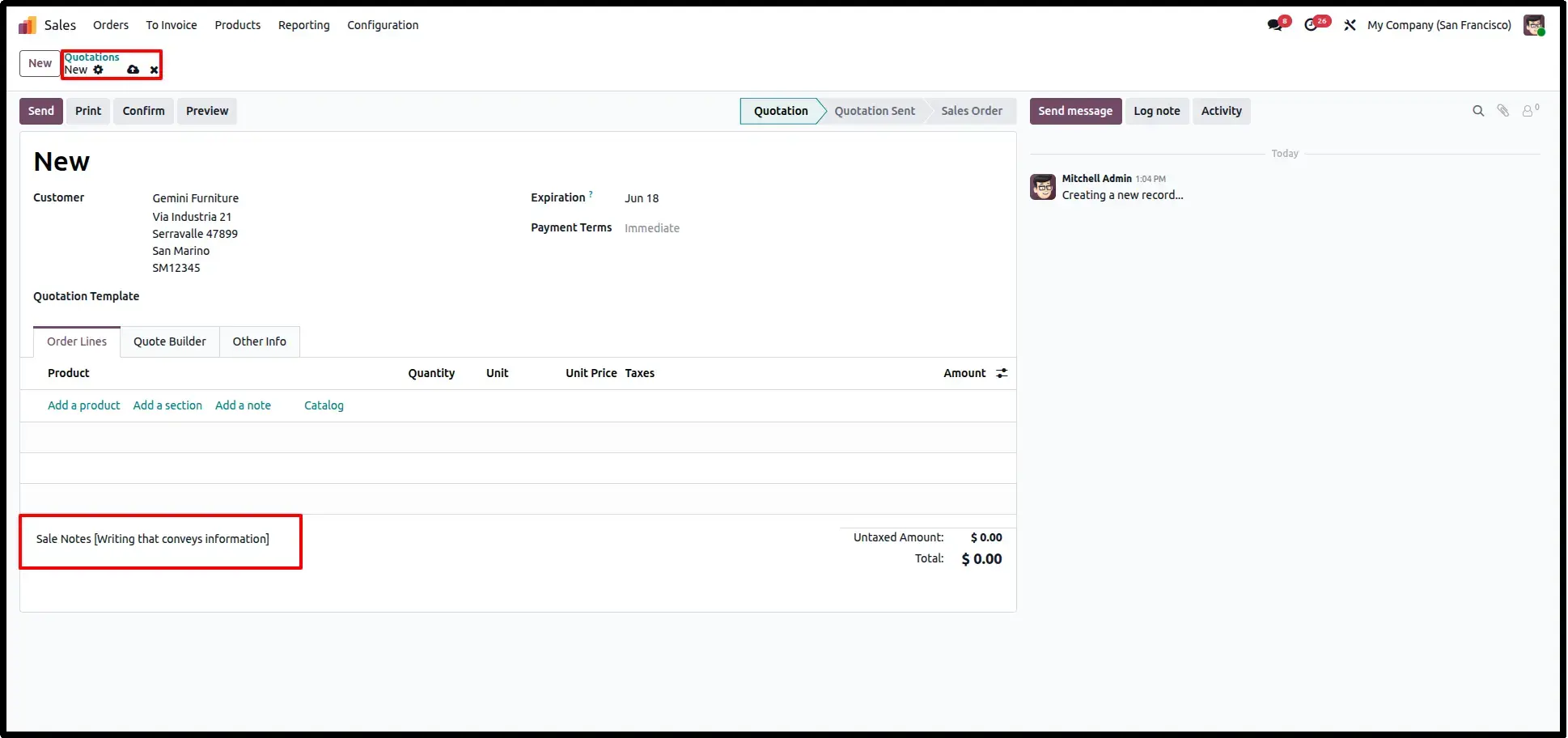
Default Note in Sale Order
Whenever you create a new Sales Order, the system instantly populates the 'Note' field with your predefined default text, saving your team time and reducing manual entry errors.
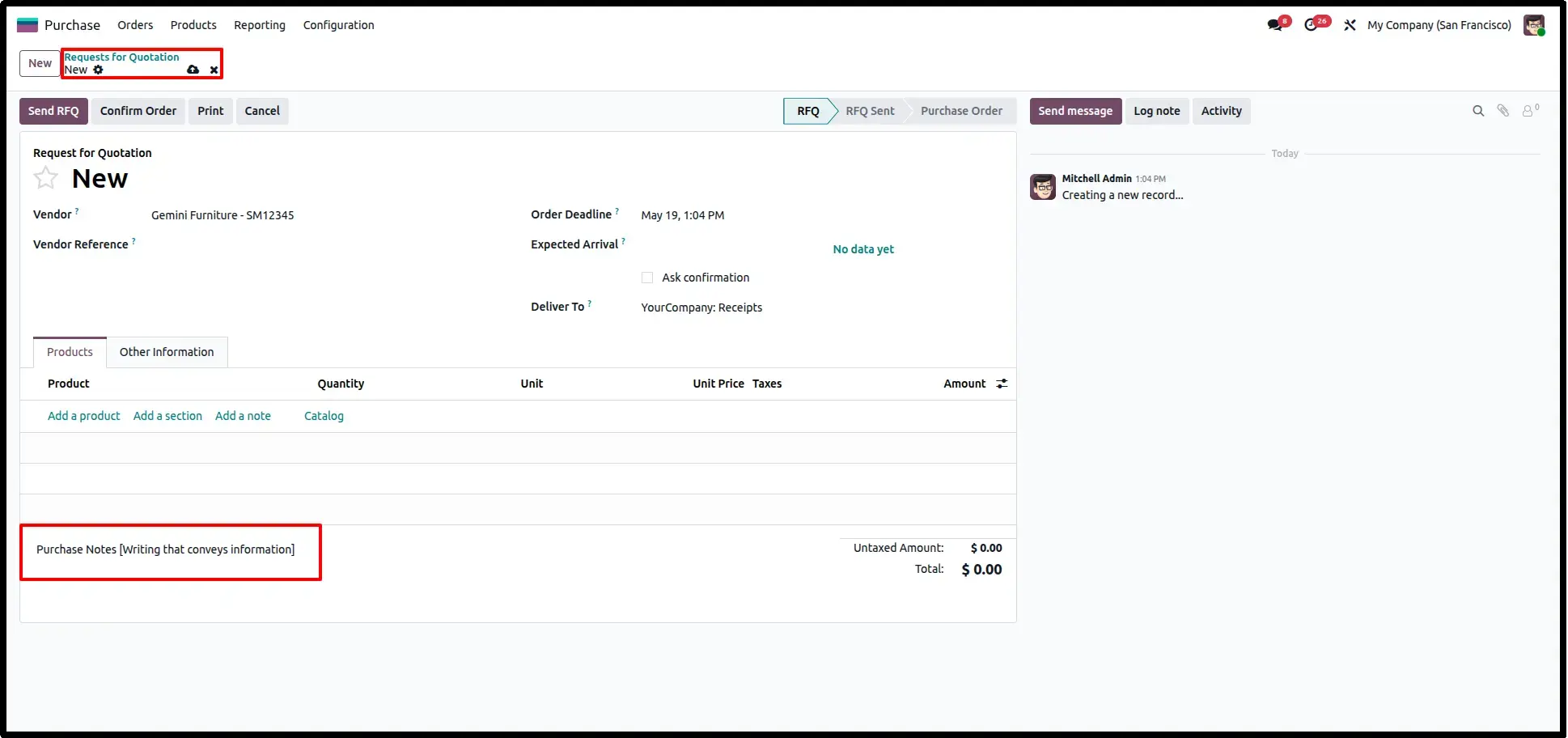
Default Note in Purchase Order
Similarly, for every new Purchase Order, the configured Procurement notes are auto-set in the note field, ensuring that every vendor communication follows company policy.
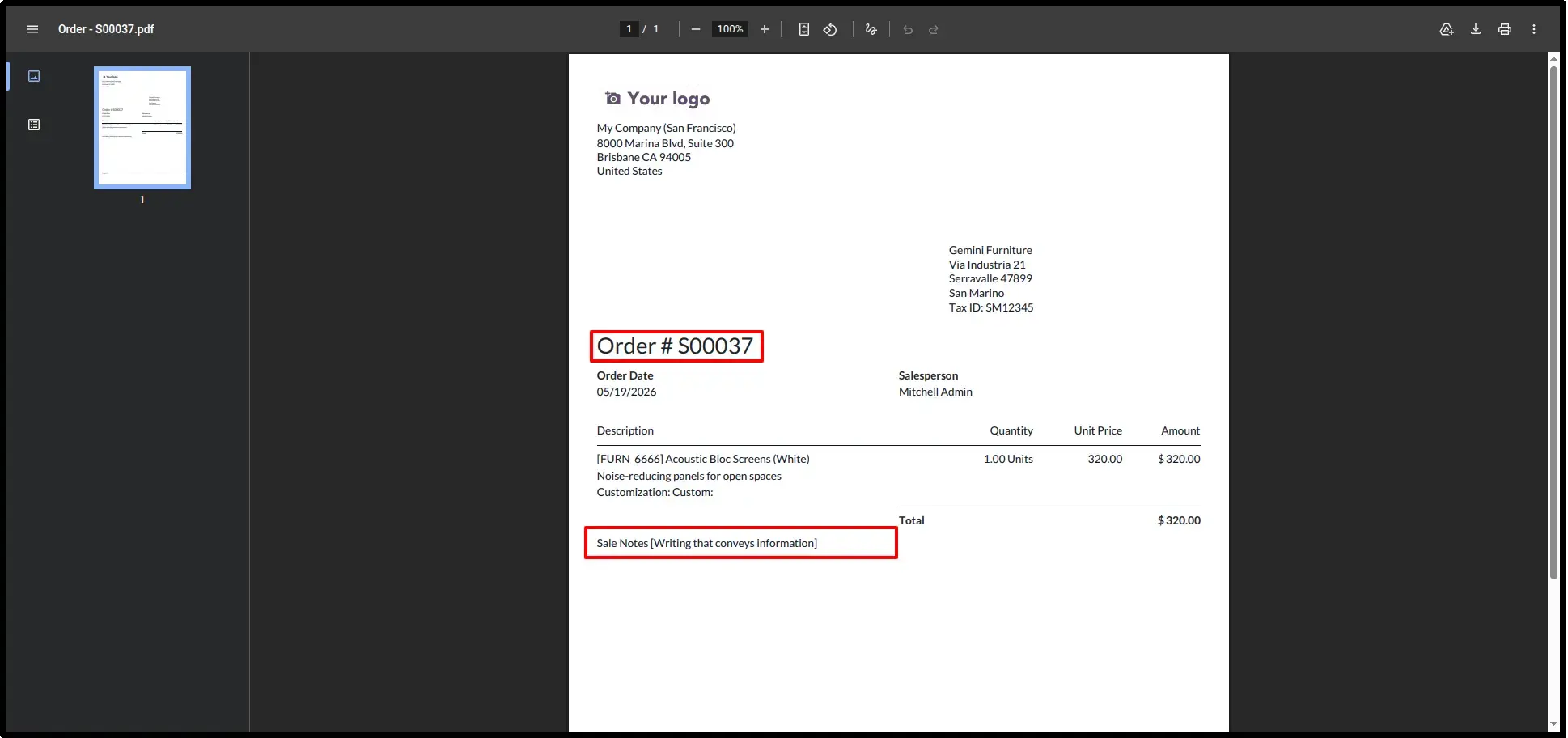
Sale Report Visibility
The default notes are not just for the backend they are fully integrated into your PDF Reports, ensuring that customers always see your terms and conditions on the printed quotation.
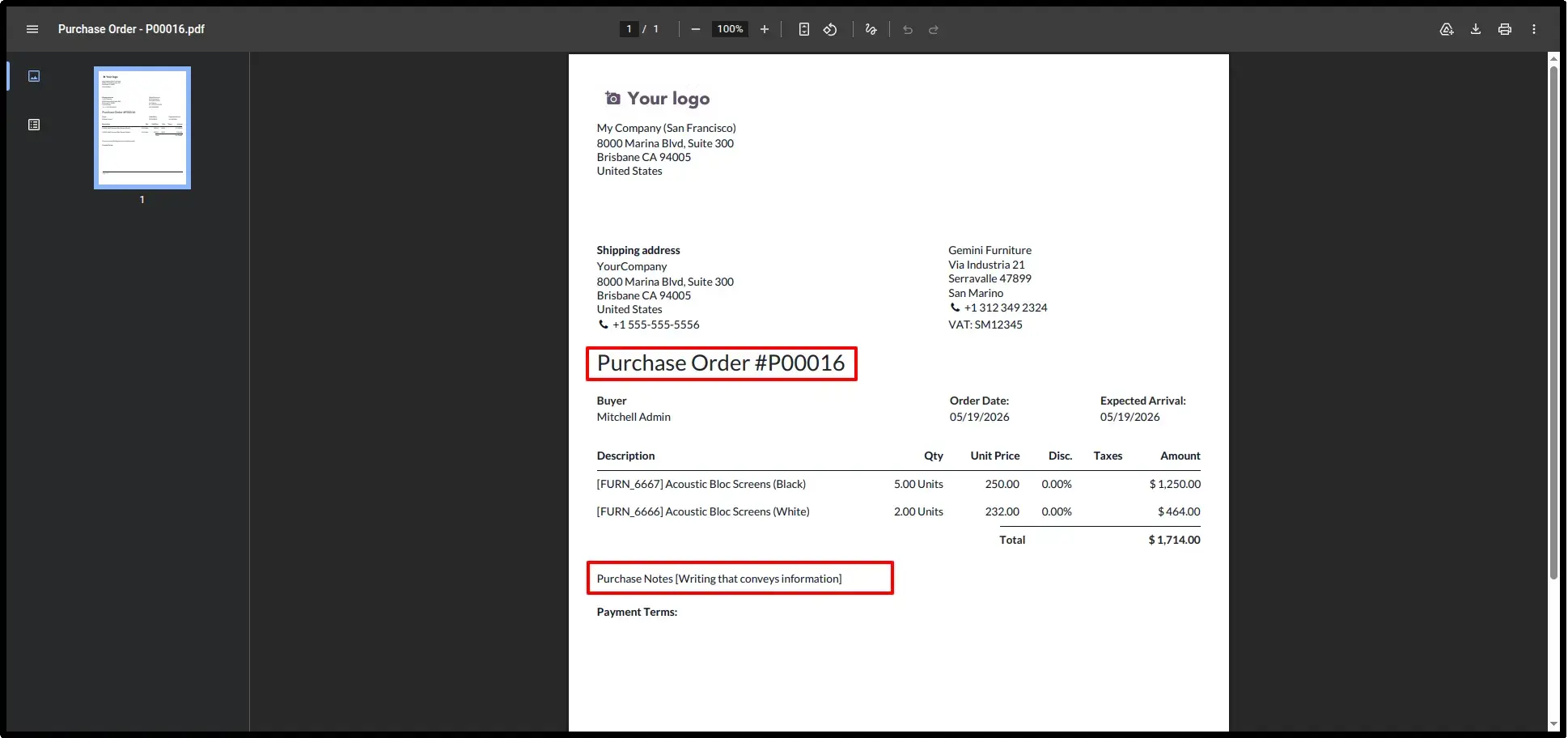
Purchase Report Visibility
Every Purchase Order PDF will also reflect the default procurement notes, maintaining professional and clear communication with your vendors on every document.
Frequently Asked Questions
Technical Details
Dependencies
• Purchase (purchase)
• Sales (sale_management)
• Invoicing (account)
• Discuss (mail)
License
OPL-1
Need Assistance?
Email Support
contact@gritxi-tech.comAny Questions?
Have questions about this app?
Fill out the form below and our team will get back to you with more information.
Customer Reviews
Share your experience with this module.
Write a Review
Latest Reviews
No reviews yet. Be the first to share your thoughts!