
Default Mail Templates
Set deafult email template for sale, purchase, invoice and inventory
Default Mail Templates
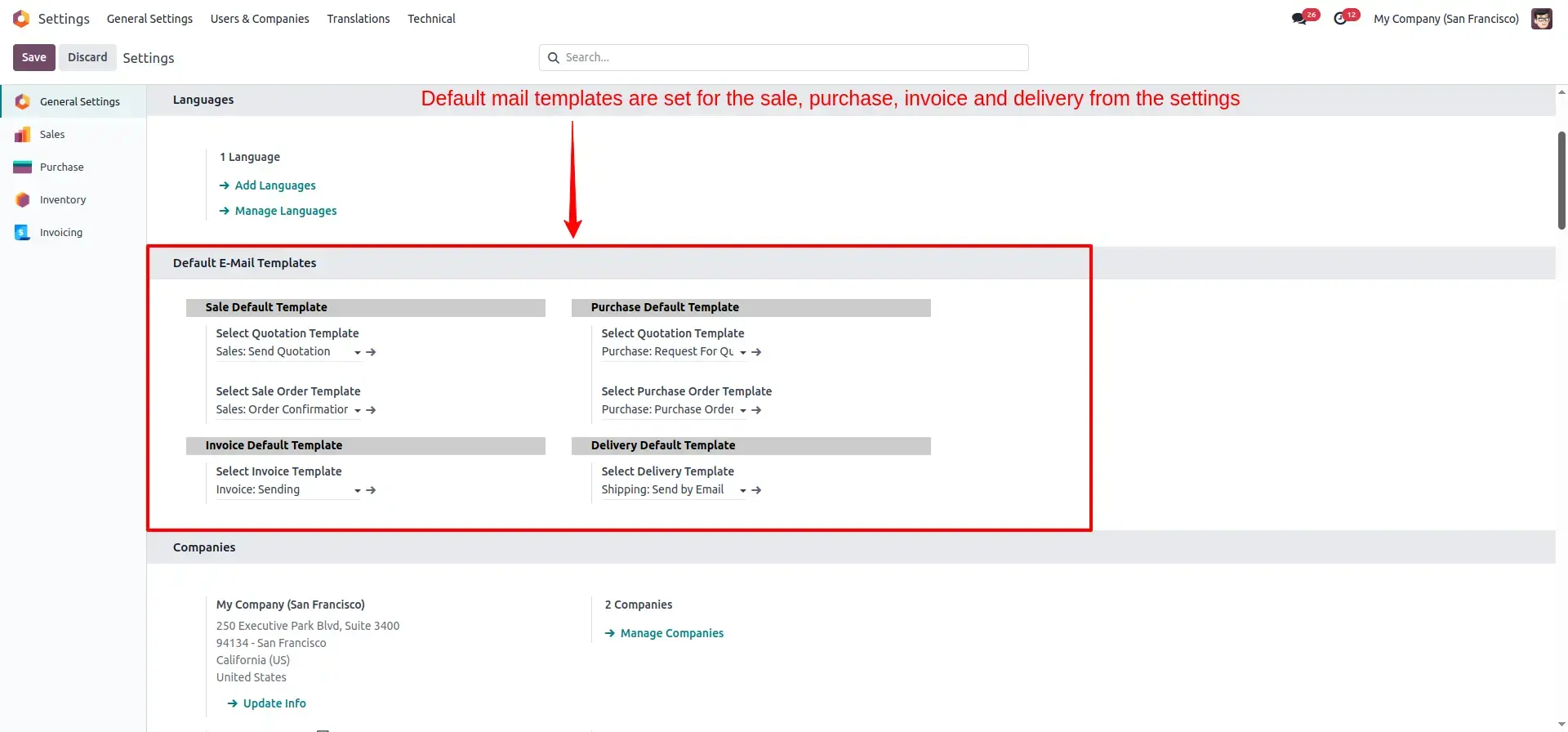
Automatically pre-select the perfect email template for Quotations, Orders, Invoices, and Deliveries based on their current state.
App Overview

Introduction
The Default Mail Templates module automatically selects the appropriate email template when sending Sales Quotations, Sales Orders, Purchase Quotations, Purchase Orders, Delivery Orders, and Customer Invoices. Instead of manually searching and selecting templates every time a document is sent, users can rely on predefined company-specific templates that are automatically loaded based on the document type and business workflow. This automation ensures professional communication, consistent branding, reduced manual effort, and improved user productivity across Sales, Purchase, Inventory, and Accounting operations.

Purpose
Administrators can configure dedicated email templates directly from the settings menu, allowing every outgoing email to follow company standards and branding guidelines automatically. The module is fully compatible with multi-company environments, enabling each company to maintain its own default email templates while benefiting from automated and standardized communication workflows. By eliminating repetitive template selection, reducing user errors, and ensuring consistent customer and vendor communication, the module helps organizations save time and maintain a professional image across all business documents.
Key Features
6 Default Templates
Assign separate defaults for Sale, Purchase, Invoice, and Delivery documents.
Central Settings
Grouped under General Settings for easy management of all template selectors.
Per Company Setup
Multi-company support allows each company to define its own unique defaults.
State Aware Logic
Automatically picks between Quotation and Order templates based on record state.
Graceful Fallback
If no template is configured, the system reverts to Odoo standard behavior.
Minimal Footprint
Optimized code patches only necessary models to ensure system performance.
Invoice Wizard Patch
Fully compatible with the new Odoo 17+ Invoice Send & Print wizard.
Configuration & Workflow
Configure Default Email Templates
Configure dedicated email templates for Sales, Purchases, Deliveries, and Invoices directly from the settings menu. Once configured, the system automatically applies the appropriate template whenever a document is sent, ensuring consistent communication across your business.
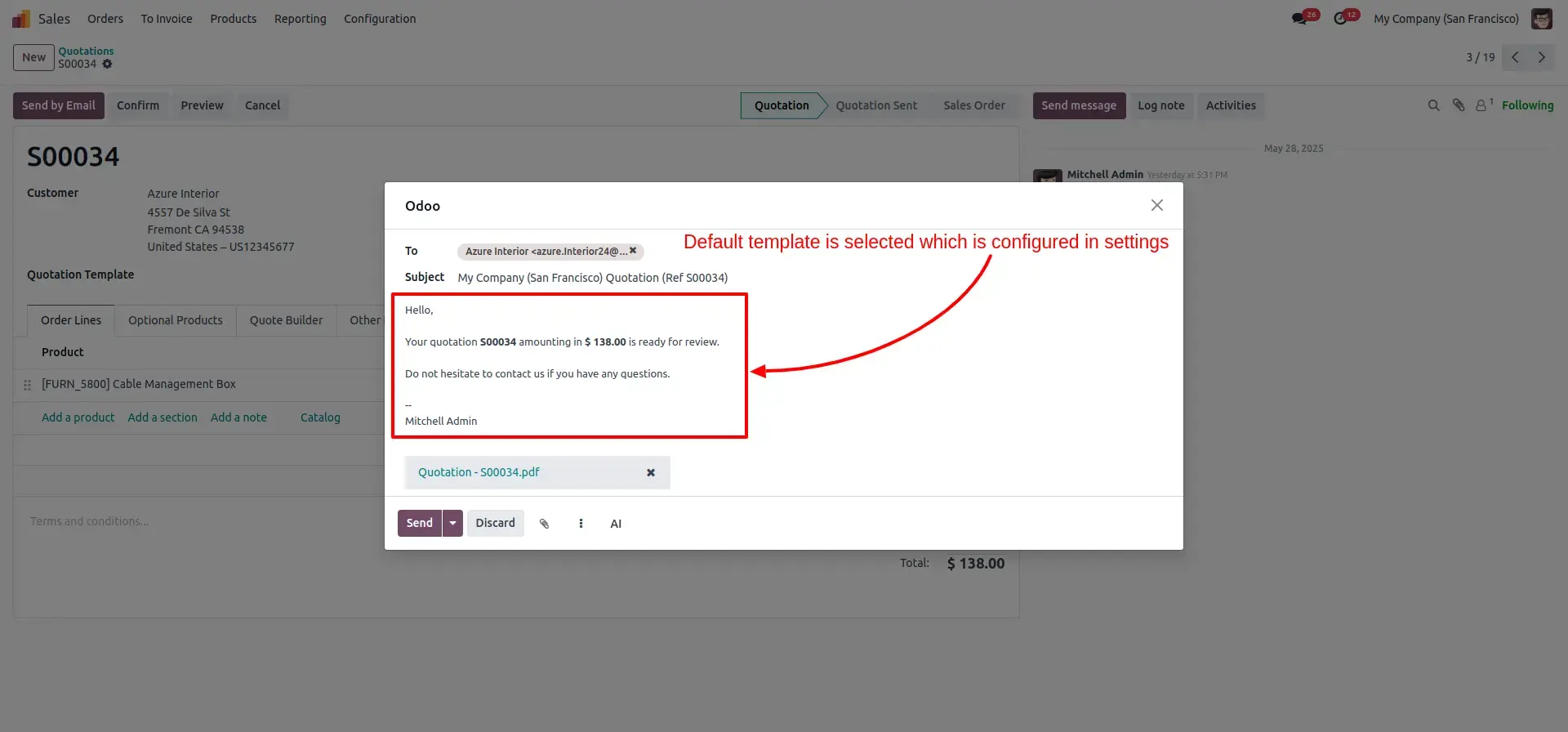
Default Mail Template for Sale Quotation
When sending a sales quotation, the system automatically selects the configured quotation email template. This saves time, eliminates manual template selection, and ensures customers receive a consistent and professional quotation email.
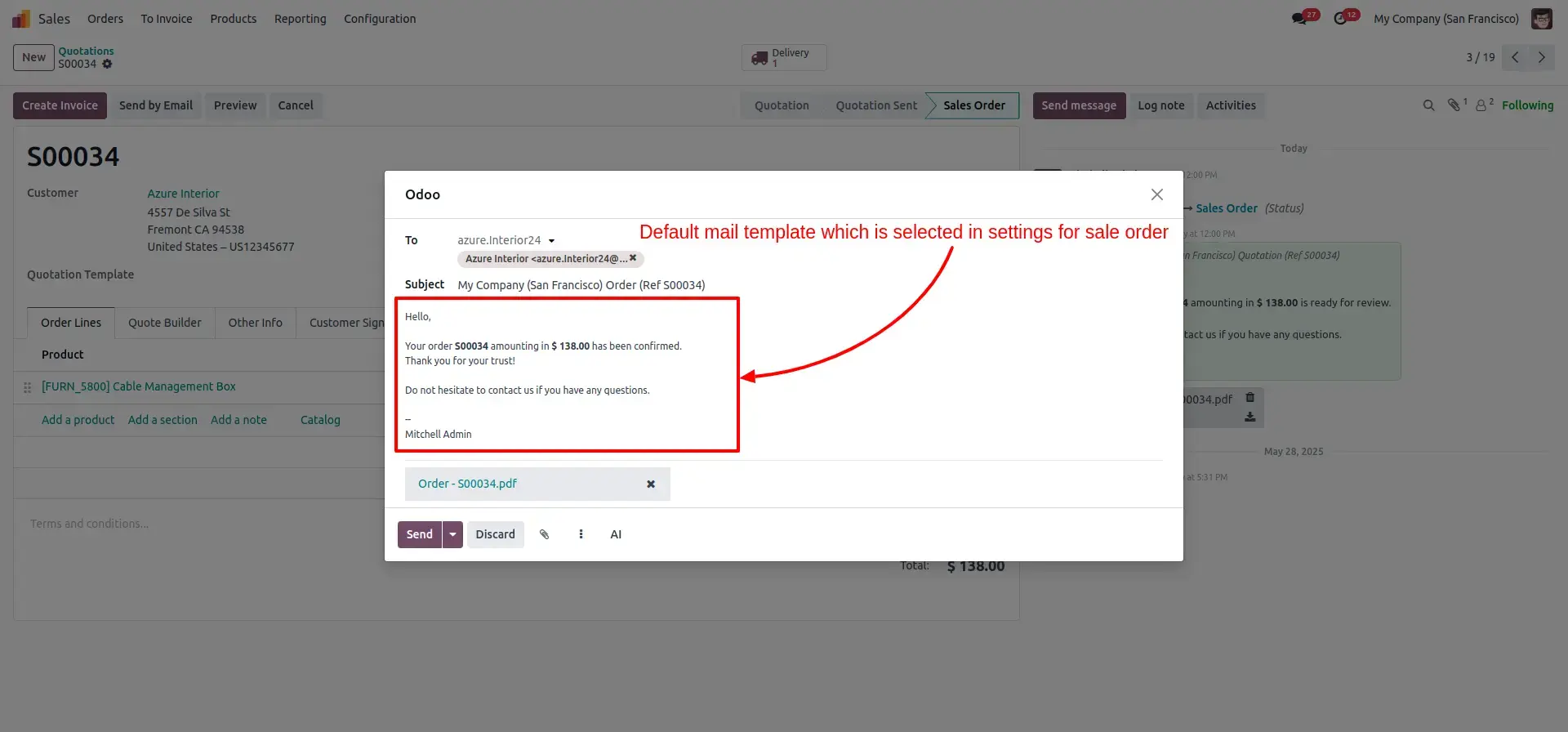
Default Mail Template for Sale Order
Automatically loads the predefined sales order email template when confirming and sending sales orders. This helps maintain standardized communication and improves operational efficiency.
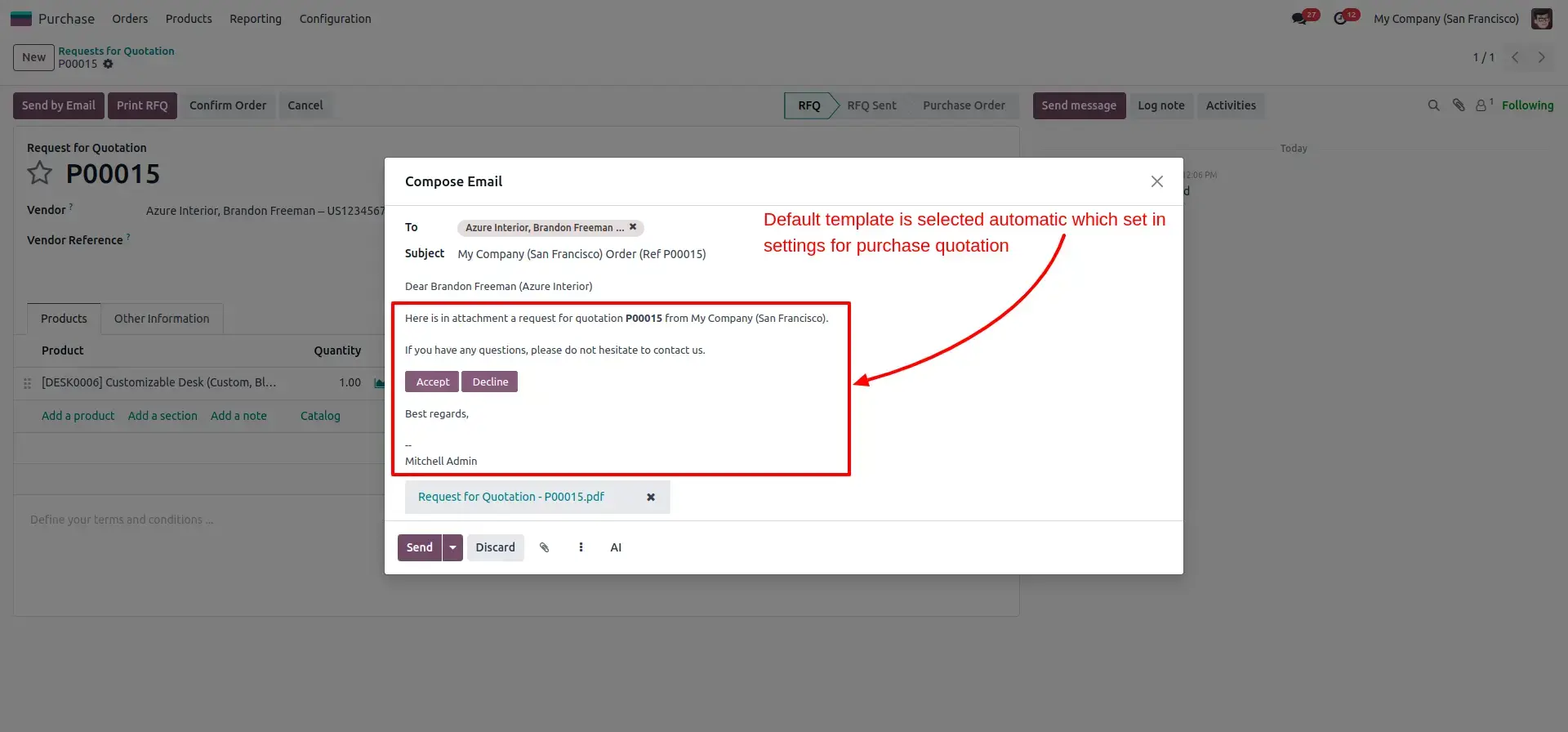
Default Mail Template for Purchase Quotation
Automatically selected mail template when sending purchase quotation, which is configured in settings.
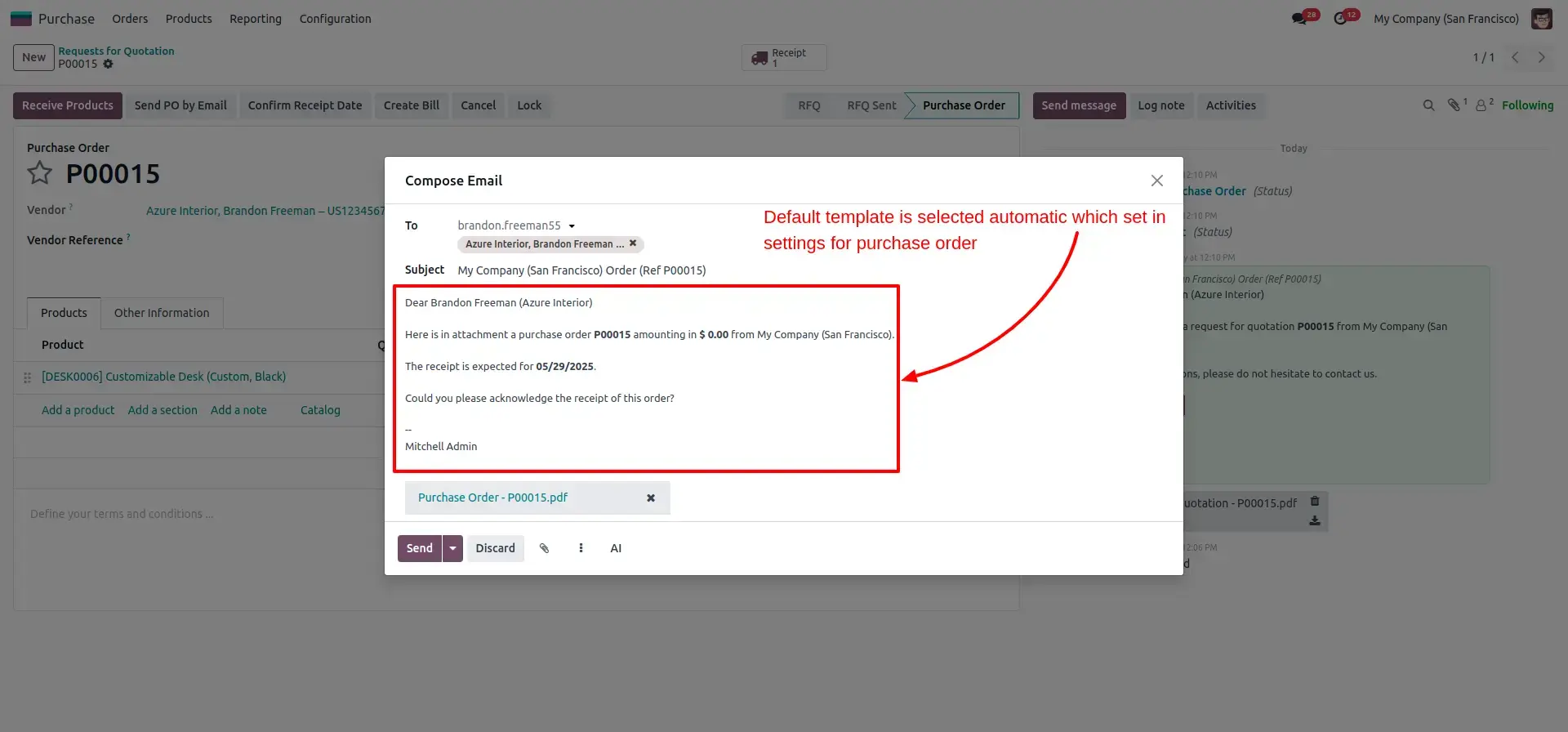
Default Mail Template for Purchase Order
When a purchase order is sent, the system automatically applies the designated purchase order email template. This reduces manual effort and guarantees professional communication with suppliers.
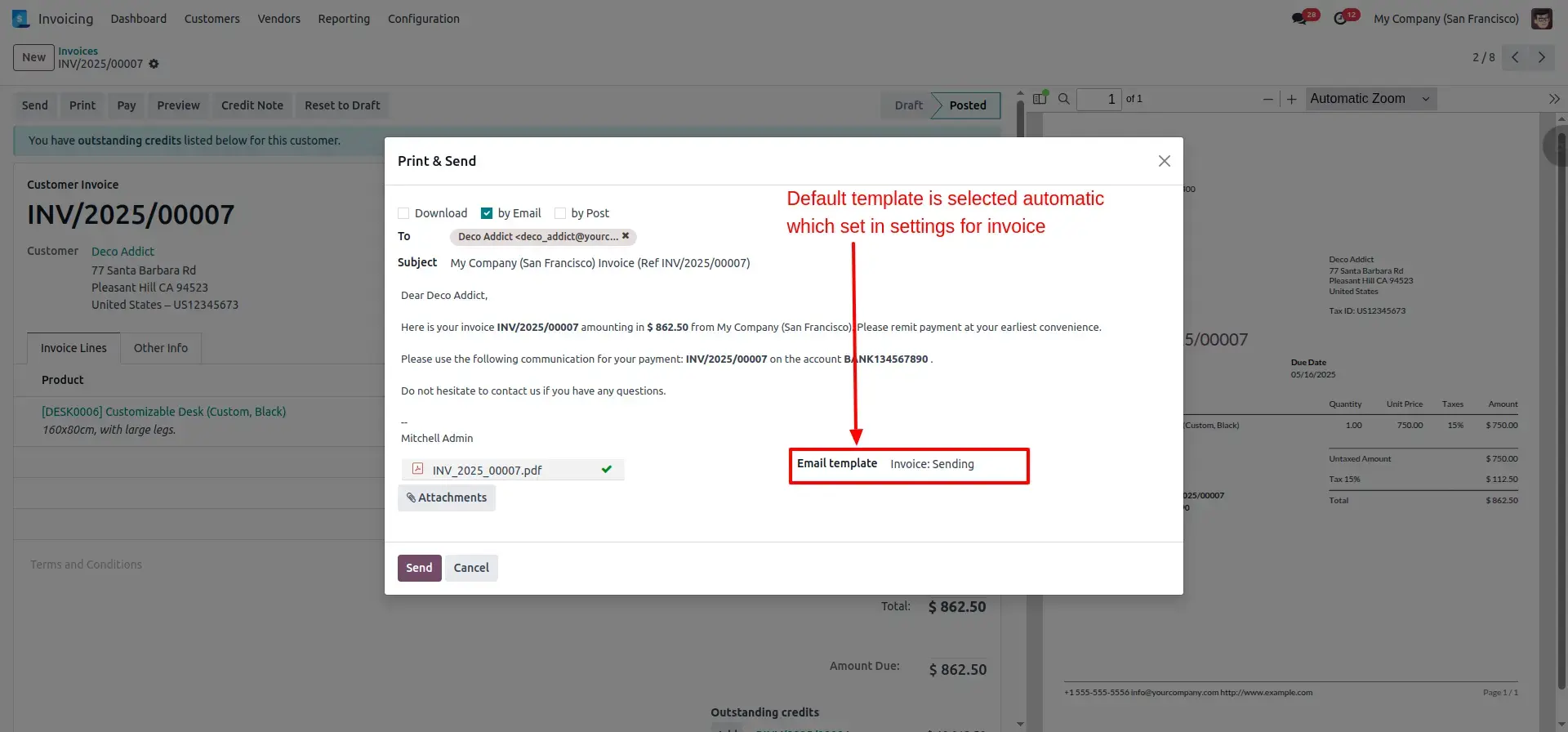
Default Mail Template for Invoice
Automatically applies the predefined invoice email template when sending customer invoices. This ensures every invoice email follows the same format and branding while reducing repetitive manual actions.
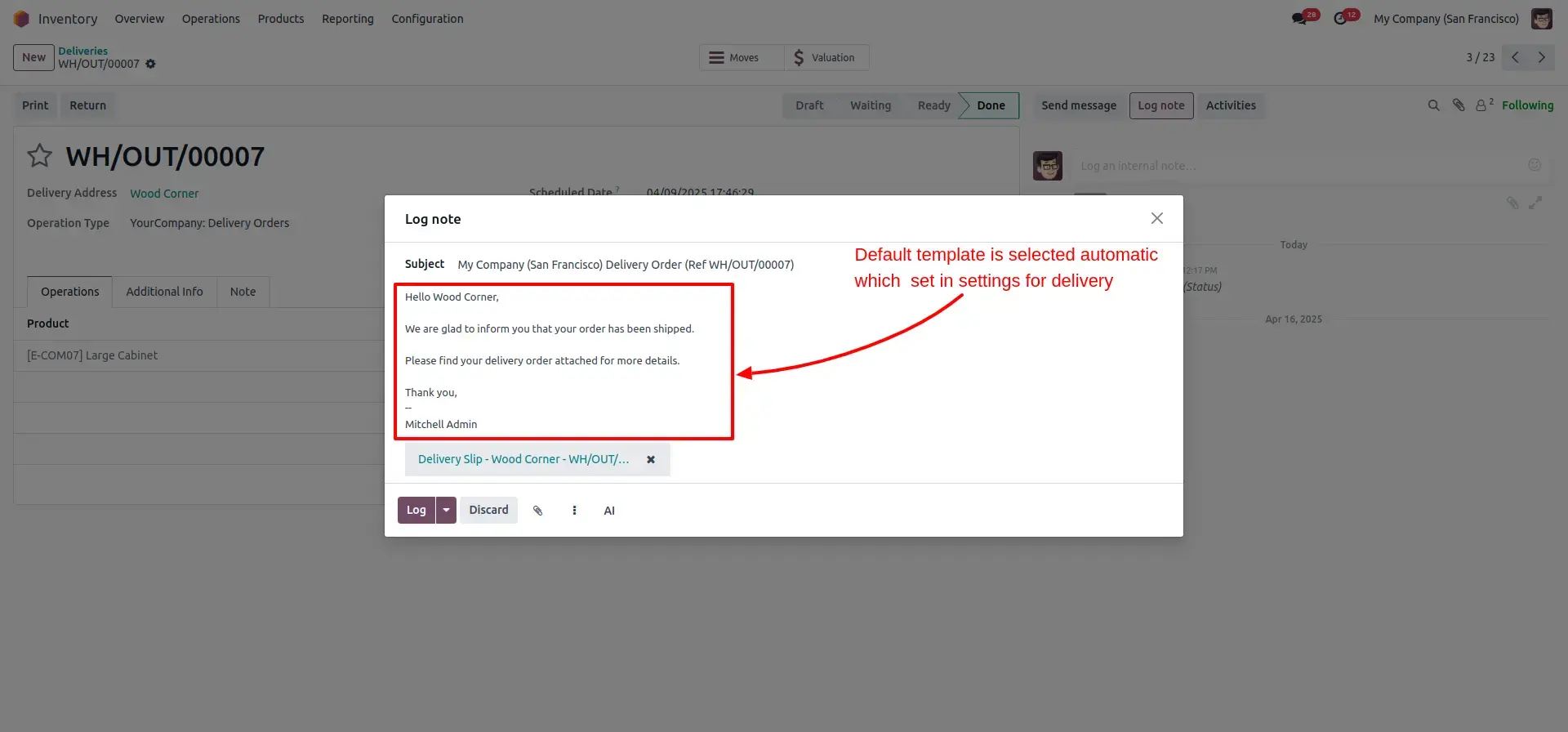
Default Mail Template for Delivery Order
The configured Delivery Order Email Template is automatically selected when sending delivery documents to customers. Once configured in company settings, users no longer need to manually choose a template each time a delivery order is shared. This ensures consistent communication, saves time, reduces manual effort, and guarantees that delivery emails follow the company's standard format and branding.
Frequently Asked Questions
Technical Details
Dependencies
• Discuss (mail)
• Inventory (stock)
• Invoicing (account)
• Purchase (purchase)
License
OPL-1
Need Assistance?
Email Support
contact@gritxi-tech.comAny Questions?
Have questions about this app?
Fill out the form below and our team will get back to you with more information.
Customer Reviews
Share your experience with this module.
Write a Review
Latest Reviews
No reviews yet. Be the first to share your thoughts!