
Default Address
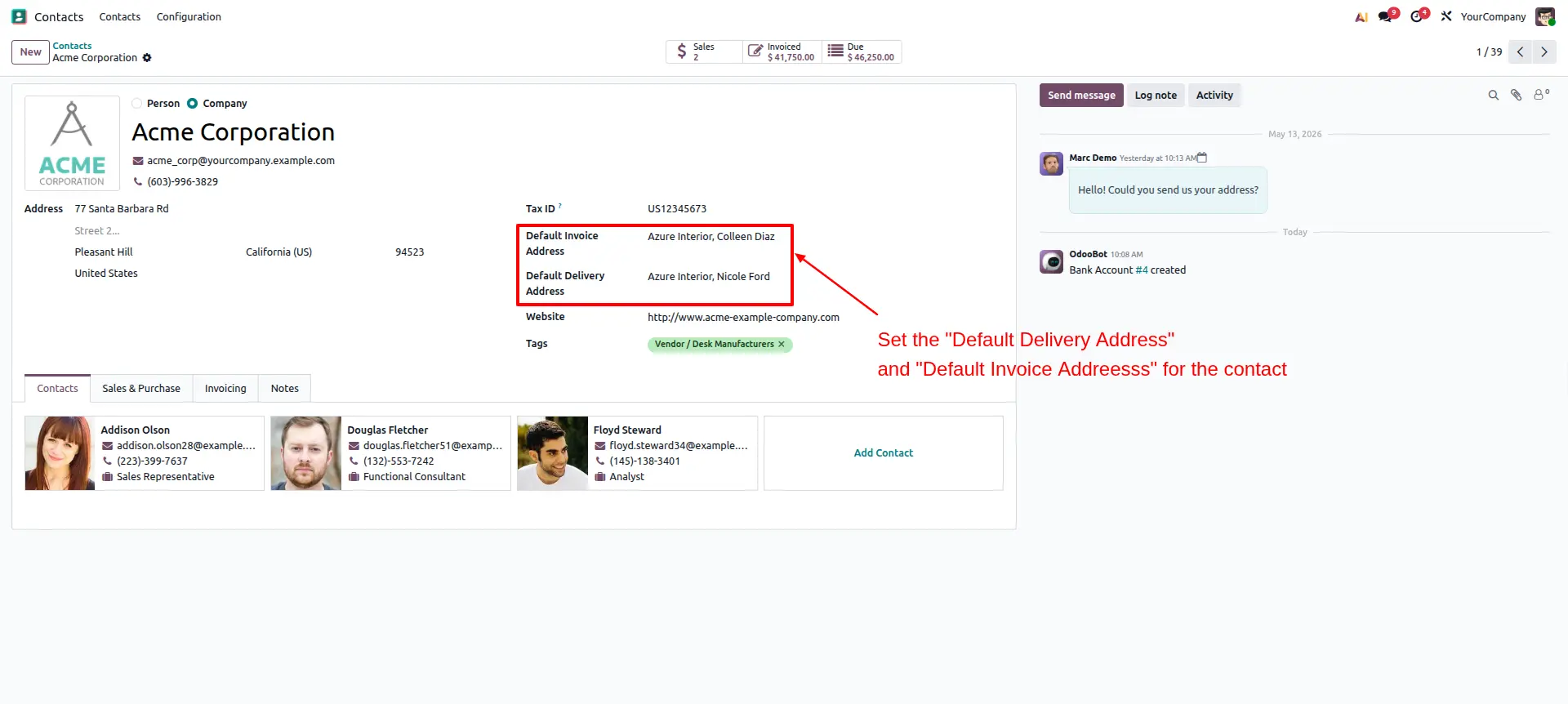
The contact form view allows users to set the default invoice and delivery addresses for a partner.
Default Address
Automatically assign a predefined default address to customers and instantly populate billing and delivery addresses on Sales Orders and Invoices.
App Overview

Introduction
Managing customer addresses within Odoo Sales and Invoicing workflows can become time-consuming when businesses process a large number of transactions daily. Users often need to manually select or verify billing and delivery addresses every time a sales order or invoice is created.
The Default Address module streamlines this process by automatically assigning a predefined default address to customer records. Whenever a customer is selected, the correct address is instantly populated, reducing repetitive data entry, improving billing accuracy, minimizing errors, and accelerating order processing.
This solution is particularly valuable for businesses managing multiple customer locations, branch offices, warehouses, or separate billing and shipping addresses. The module integrates seamlessly with Odoo's standard workflow without disrupting existing operations.

Purpose
The purpose of this module is to simplify customer address management by automatically applying the most commonly used address during transaction creation. This helps organizations improve operational efficiency, reduce manual mistakes, and ensure consistency across sales and invoicing documents.
Key Features
Default Address Assignment
Mark a contact address as default and automatically populate it when a customer is selected.
Multi Address Support
Manage customers with multiple branches, warehouses, and billing locations while selecting one preferred default address.
Sales Order Integration
Automatically populate delivery and invoice addresses when creating new Sales Orders.
Invoice Integration
Customer invoices automatically inherit the predefined default address for faster processing.
Faster Data Entry
Eliminate repetitive address selection and speed up order and invoice creation.
Native Odoo Workflow
Works seamlessly within standard Odoo Sales and Invoicing processes without disrupting existing operations.
Configuration Steps
Contact Form View
Open a customer or partner record from the Contacts module. The Contact Form View provides dedicated fields for selecting default invoice and delivery addresses. These addresses will be automatically applied when creating transactions for the selected customer.
Sale Order Form View
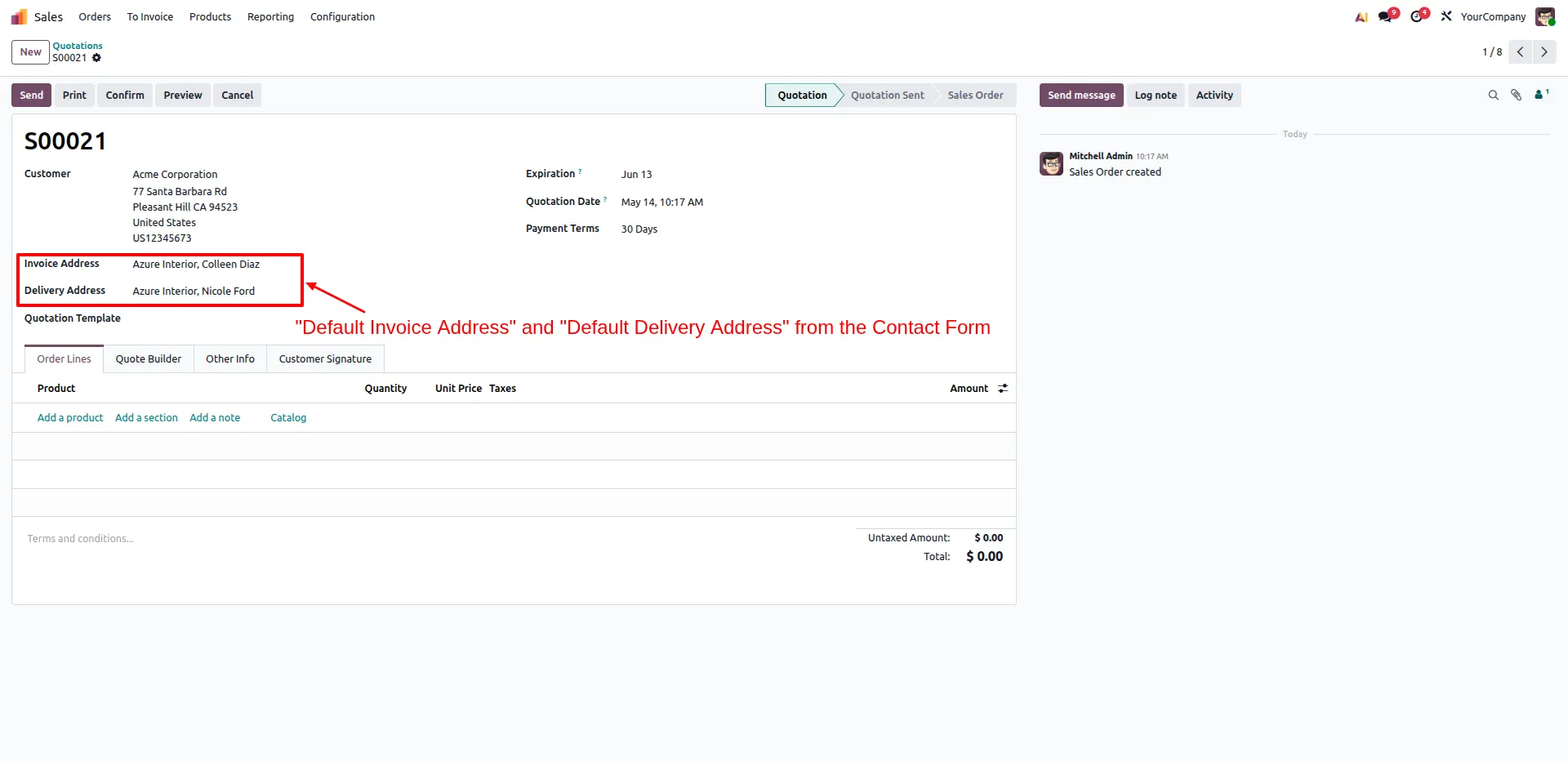
When a customer is selected on a Sale Order, the module automatically applies the configured default invoice and delivery addresses. This eliminates manual address selection, speeds up order creation, and ensures address consistency across sales transactions.
Frequently Asked Questions
Technical Details
Dependencies
• Sales (sale_management)
• Discuss (mail)
• Invoicing (account)
License
OPL-1
Need Assistance?
Email Support
contact@gritxi-tech.comAny Questions?
Have questions about this app?
Fill out the form below and our team will get back to you with more information.
Customer Reviews
Share your experience with this module.
Write a Review
Latest Reviews
No reviews yet. Be the first to share your thoughts!