
Contacts Kanban
Open Contact in new page instead of popup when click on Contact Kanban.
Contacts Kanban
Open Contacts directly in a full page form from the Kanban view while improving navigation with breadcrumbs and automatically inheriting parent address information when creating child contacts.
App Overview

Introduction
The Contacts Kanban module enhances the
standard Odoo Contacts experience by replacing the default
popup behavior with a full-page contact form whenever a
contact card is clicked in the Kanban view. Instead of
working inside a limited dialog window, users can navigate
through contacts using Odoo's standard breadcrumb system,
making day to day contact management faster and more
intuitive.
In addition, the module simplifies child contact creation by
automatically inheriting address information from the parent
contact. When creating contacts from the
Contacts & Addresses section, fields such
as street, city, ZIP code, country, language, and
responsible user are pre filled automatically, reducing
repetitive data entry and improving consistency.

Purpose
The purpose of this module is to provide a more efficient contact management workflow by opening contacts in a full page form view instead of dialog popups while improving navigation, simplifying child contact creation, reducing repetitive data entry, and maintaining accurate address information through automatic inheritance from parent contacts.
Business Use Cases
Faster Contact Navigation
Open contact records directly in a full-page form with breadcrumb navigation, making it easier to browse, edit, and return to the Contacts Kanban view.

Simplified Child Contact Creation
Automatically inherit address details from the parent contact when creating child contacts, reducing manual data entry and improving consistency.
Improved Contact Management
Help sales teams, customer support, and administrators manage contacts more efficiently with a cleaner, uninterrupted workflow throughout the Contacts module.
Key Features
Full-Page Contact Opening
Open contact records directly in a full-page form view instead of the standard popup dialog.
Breadcrumb Navigation
Navigate back to the Contacts Kanban view effortlessly using Odoo's standard breadcrumb navigation.
Parent Address Inheritance
Automatically inherit address details when creating child contacts from the parent contact form.
Configuration & Workflow
Contact View
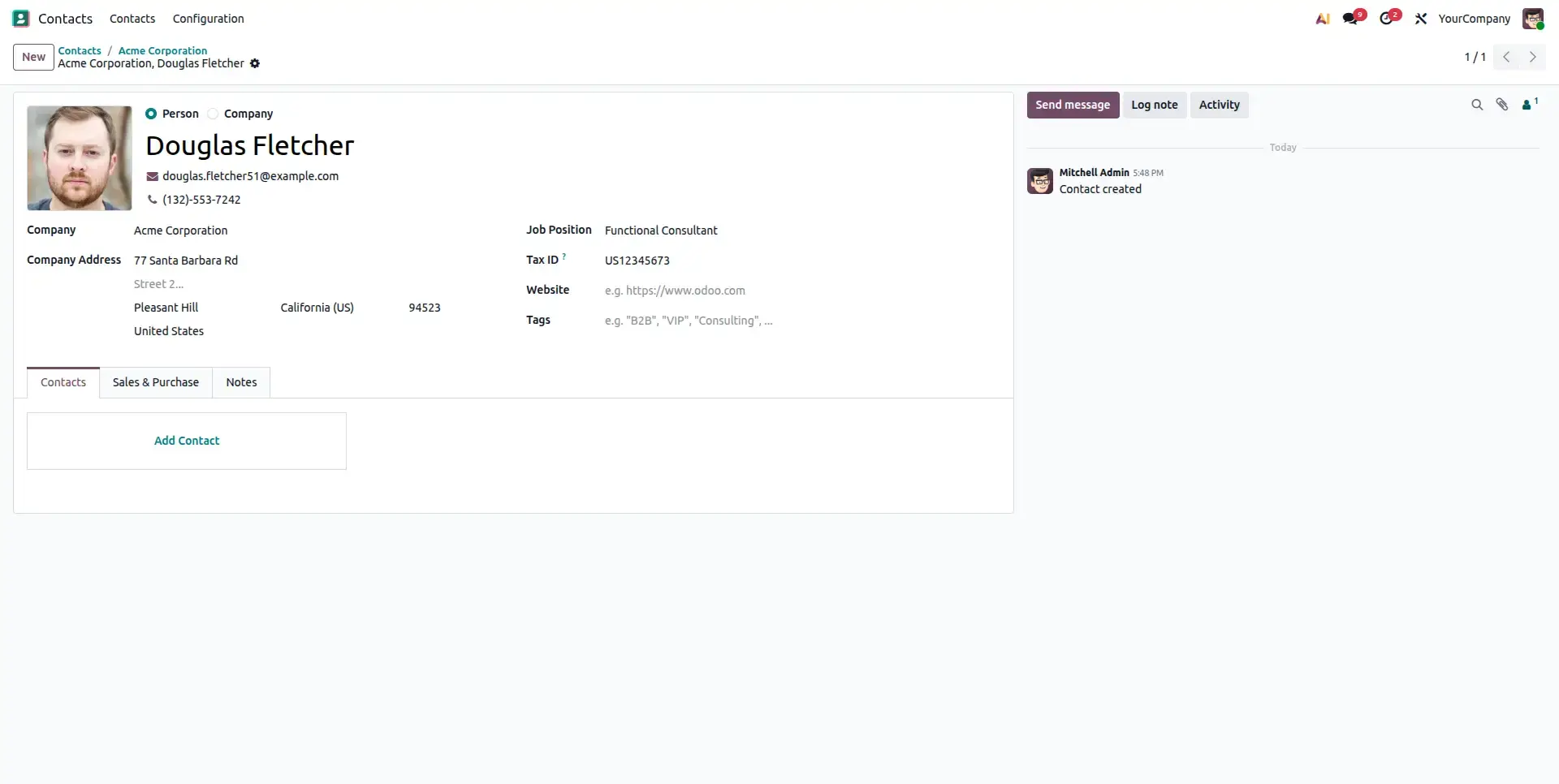
The Contact form view opens directly (not as popup) when clicking on a child partner's kanban record.
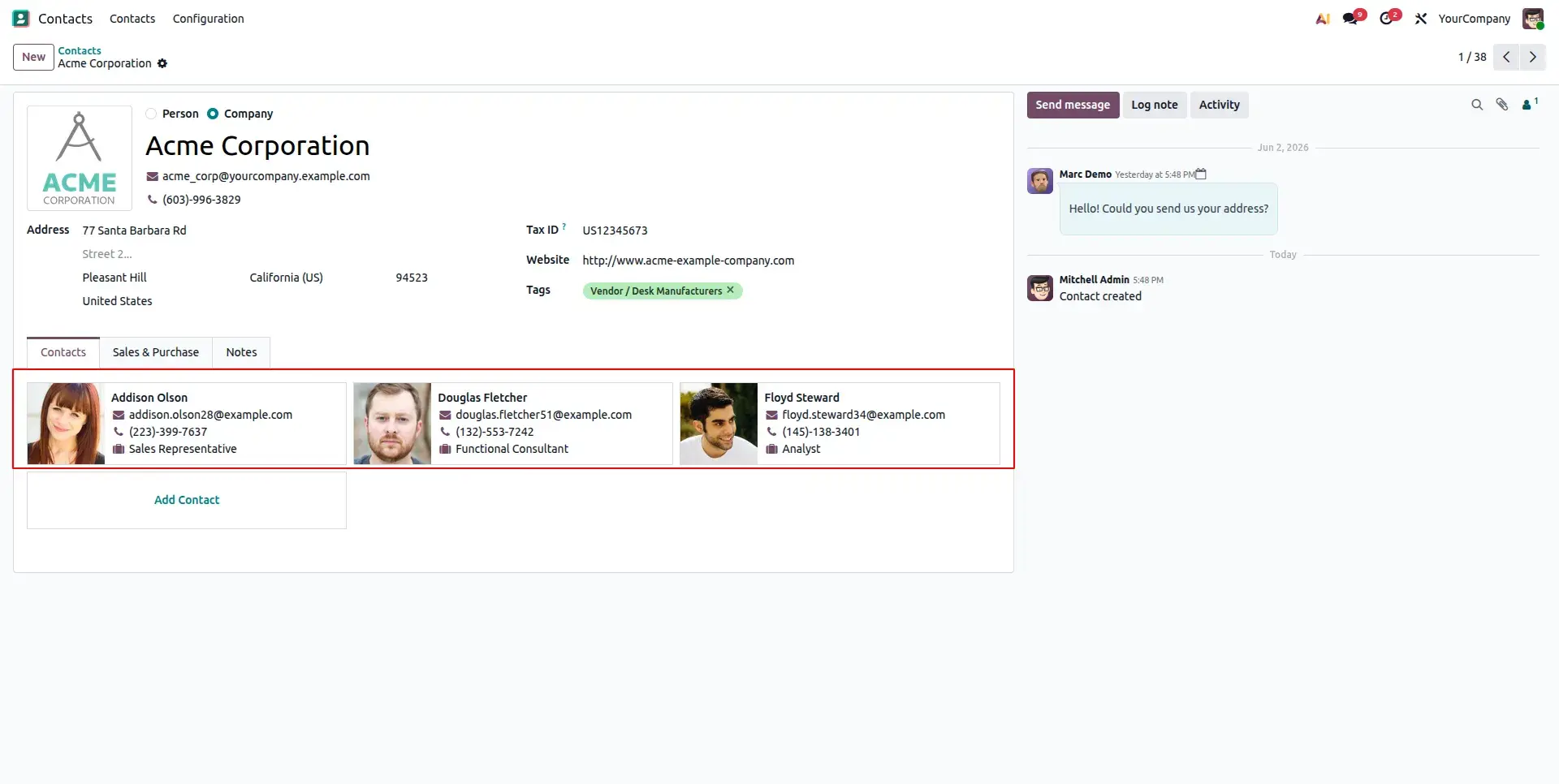
Child Contact Form View.
Now, When you click on a child partner's kanban record, the corresponding contact form view opens.
Frequently Asked Questions
Technical Details
Dependencies
• Contacts (contacts)
License
OPL-1
Need Assistance?
Email Support
contact@gritxi-tech.comAny Questions?
Have questions about this app?
Fill out the form below and our team will get back to you with more information.
Customer Reviews
Share your experience with this module.
Write a Review
Latest Reviews
No reviews yet. Be the first to share your thoughts!