
Cancel Journal Entry
Allows users to bulk cancel, reset to draft, or delete multiple journal entries and invoices directly from the list view through a simple wizard, streamlining accounting corrections and saving time in Odoo Accounting.
Cancel Journal Entry
Cancel multiple journal entries and invoices directly from the list view with a simple wizard. Improve accounting efficiency, reduce manual work, and manage accounting corrections in bulk while following standard Odoo accounting workflows.
App Overview

Introduction
Cancel Journal Entry is a lightweight accounting utility that enables users to cancel multiple invoices or journal entries directly from the list view in a single workflow. Instead of opening each record individually, users simply select multiple entries, launch the Cancel Entry action, and choose how the selected records should be processed.
The module significantly reduces manual accounting effort, improves productivity, and provides a faster method for handling accounting corrections during daily financial operations.
It is especially useful for organizations that frequently manage large numbers of invoices, posted journal entries, accounting adjustments, audit corrections, or migrated accounting records.

Purpose
The purpose of this module is to simplify accounting correction
processes by allowing users to cancel multiple journal entries,
customer invoices, and vendor bills in a single operation.
Instead of performing repetitive record by record actions,
accounting users can process multiple entries simultaneously,
improving operational efficiency while maintaining secure
accounting workflows.
The module integrates seamlessly with Odoo Accounting, helping
finance teams manage migration cleanup, audit corrections,
invoice adjustments, and day-to-day accounting operations more
efficiently without affecting standard Odoo functionality.
Targeted Business Types
Accounting Firms
Accounting firms frequently handle accounting records for multiple clients. This module allows accountants to cancel multiple journal entries in one operation, making data correction, migration cleanup, and client accounting maintenance significantly faster and more efficient.
Retail & eCommerce
Retailers and online stores often need to reverse invoices because of order cancellations, pricing adjustments, or product returns. Bulk journal entry cancellation helps finance teams correct accounting records quickly while maintaining accurate financial statements.
Manufacturing Companies
Manufacturing organizations regularly update production, inventory, and billing records. This module enables finance teams to efficiently cancel incorrect accounting entries resulting from production adjustments, delivery revisions, or billing corrections.
SMEs & Startups
Small and growing businesses can maintain professional accounting practices by correcting multiple accounting records simultaneously. The module saves time, reduces manual work, and improves productivity as business operations continue to grow.
Business Use Cases
Accounting Migration Cleanup
Context: A company migrates accounting data from another ERP system and several journal entries are imported incorrectly.
- Open the Journal Entries list view.
- Select all incorrect accounting entries.
- Choose Cancel Entry from the Action menu.
- Cancel all selected journal entries in one operation.
Internal Audit Corrections
Context: During an internal audit, multiple accounting entries require reversal and correction.
- Identify incorrect journal entries.
- Select all affected accounting records.
- Execute bulk cancellation using the Action menu.
- Recreate the corrected accounting entries after verification.
Retail Accounting Adjustment
Context: Pricing or tax configuration mistakes create incorrect accounting entries during daily retail operations.
- Locate incorrect accounting entries.
- Select multiple journal entries from the list view.
- Confirm cancellation through the wizard.
- Cancel and recreate corrected accounting entries.
Key Features
Bulk Journal Entry Cancellation
Cancel multiple journal entries directly from the list view using a single action, saving valuable accounting time.
Faster Accounting Operations
Reduce repetitive manual work and perform accounting corrections much faster with bulk processing.
Multi Record Selection
Select multiple accounting entries at once and process them together without opening each record individually.
Secure Accounting Workflow
Uses the standard Odoo accounting permissions and workflows, ensuring secure and controlled operations.
Seamless Odoo Integration
Fully integrated with Odoo Accounting without modifying the standard accounting workflow.
User-Friendly Interface
A simple wizard guides users through the cancellation process, making it easy for finance teams to use.
Improved Productivity
Increase finance team productivity by handling multiple accounting corrections in a single operation.
Centralized Processing
Manage journal entry cleanup, accounting corrections, and cancellation tasks from one centralized location.
Configuration & Workflow
The following workflow demonstrates how users can cancel multiple journal entries or invoices directly from the Odoo list view using the Cancel Journal Entry module.
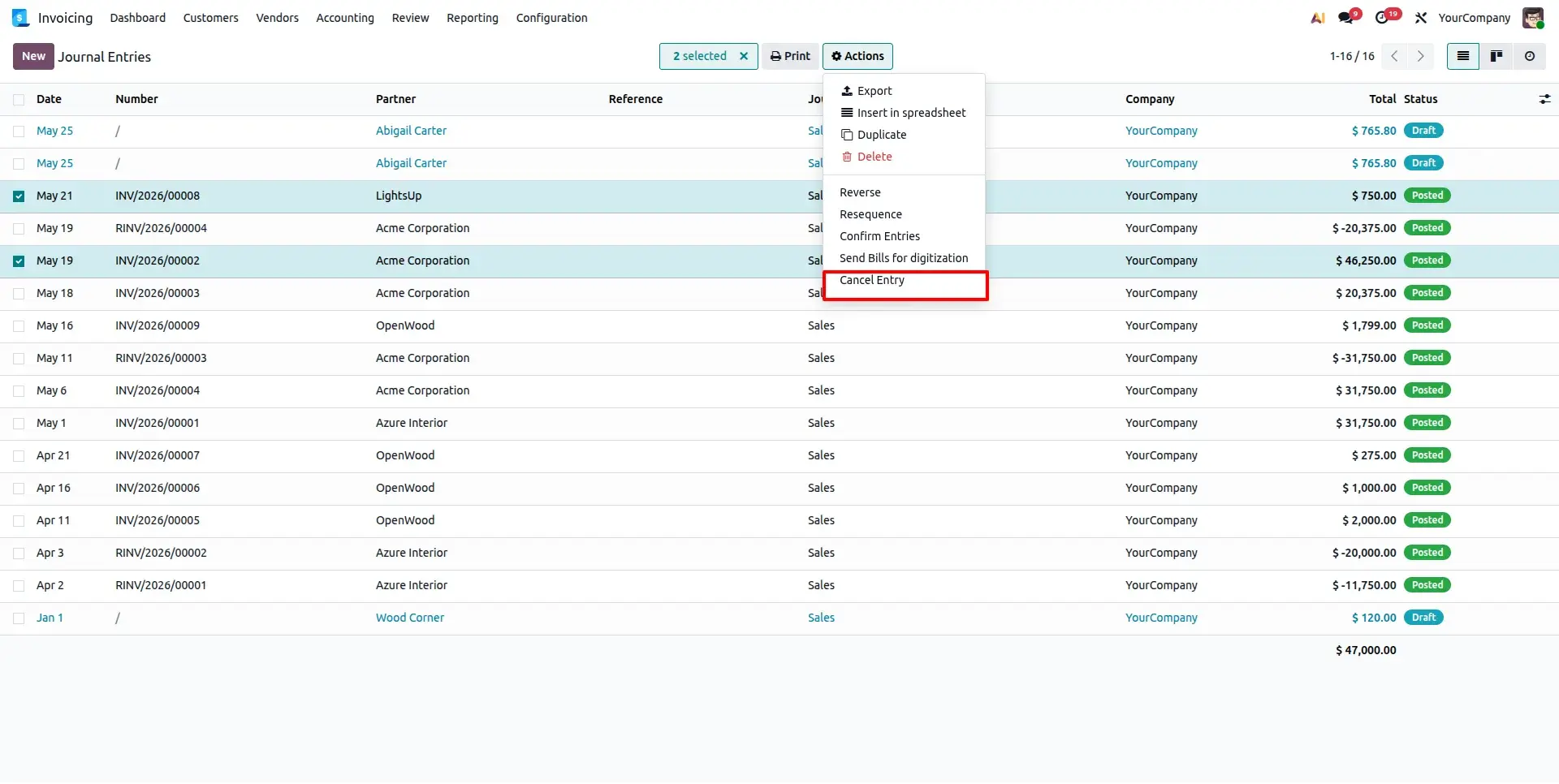
Cancel Entry Action in List View
Open the Invoice or Journal Entries list view, select multiple records, click the Action menu, and choose Cancel Entry. This demonstrates that the module works directly from the standard Odoo list view without opening individual records.
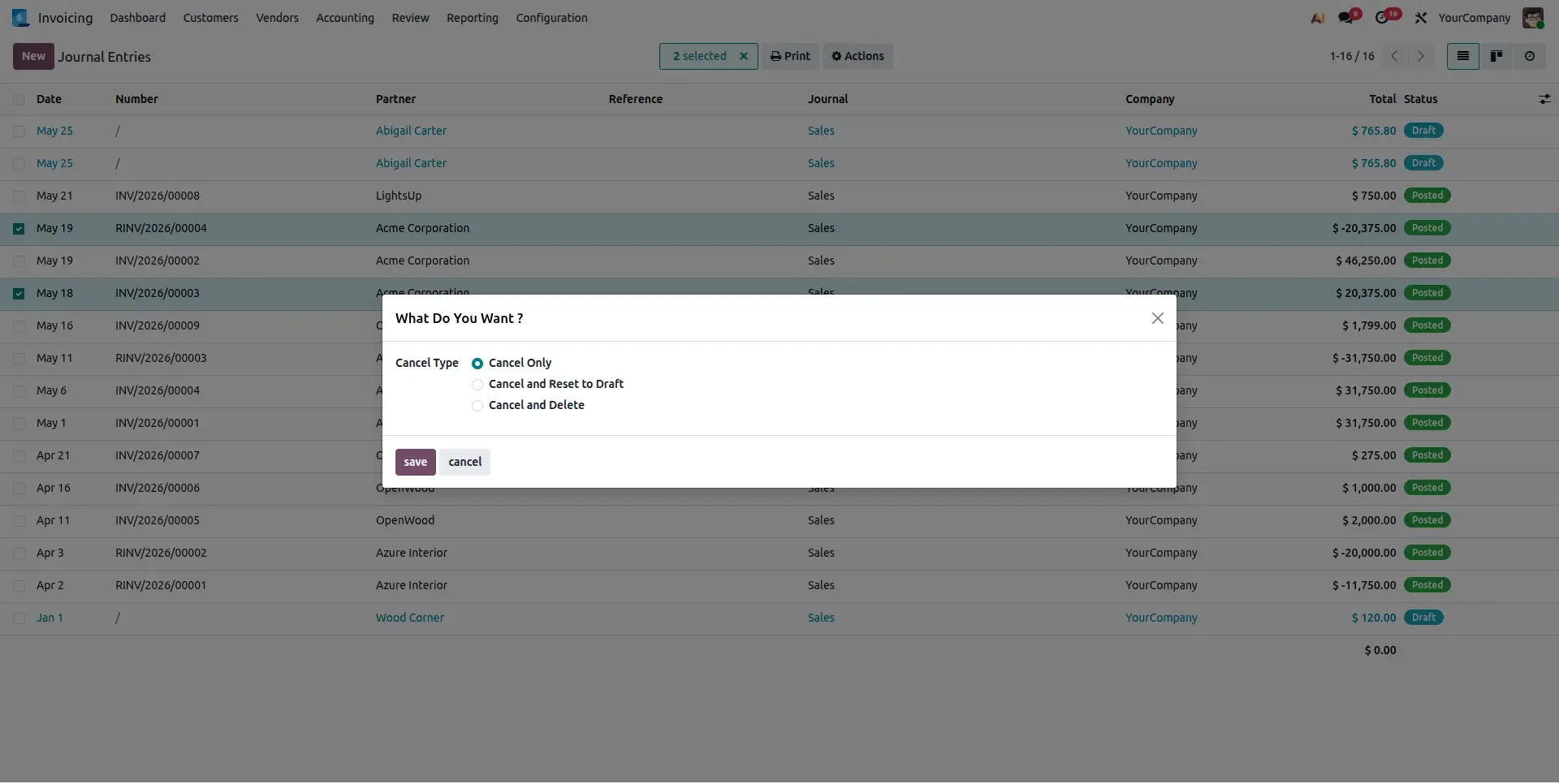
Cancel Entry Wizard
Selecting Cancel Entry opens the "What Do You Want?" wizard. The wizard contains a Cancel Type selection field where users choose how the selected accounting entries should be processed before execution.
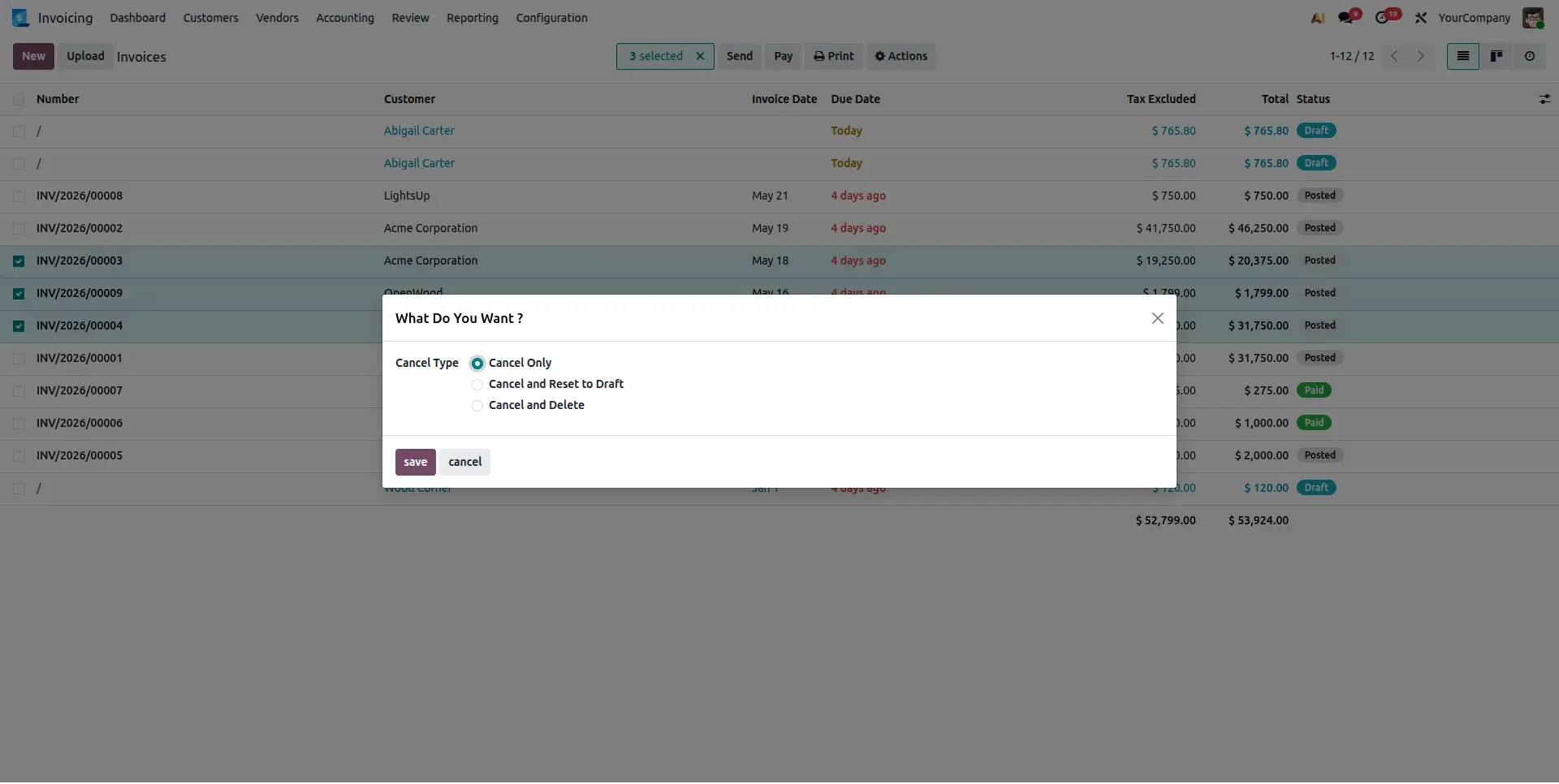
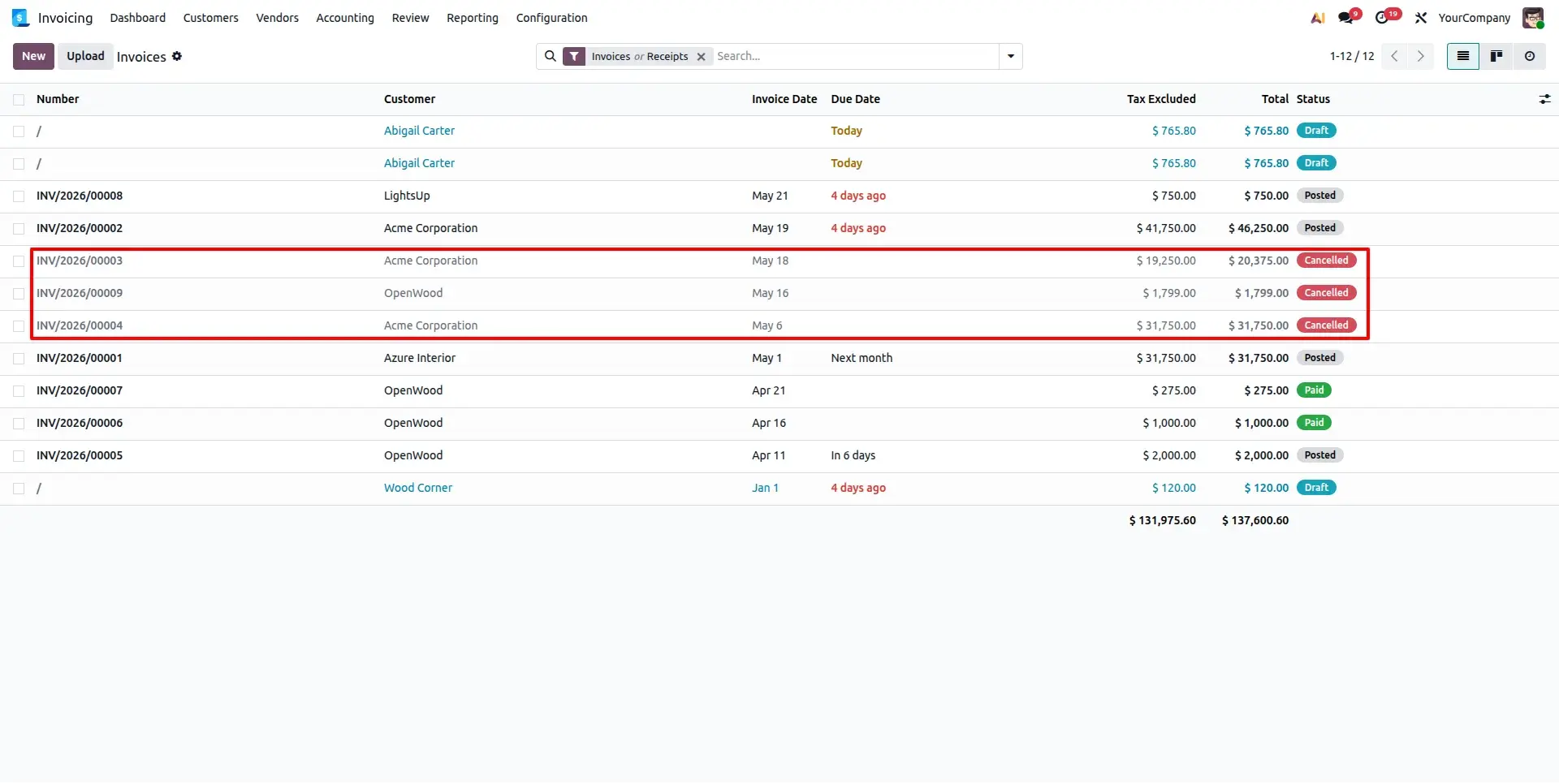
Cancel Only
When the Cancel Only option is selected, the system cancels the selected journal entries while keeping them in the cancelled state. This option is ideal when cancelled records should remain available for auditing, reporting, or future reference.
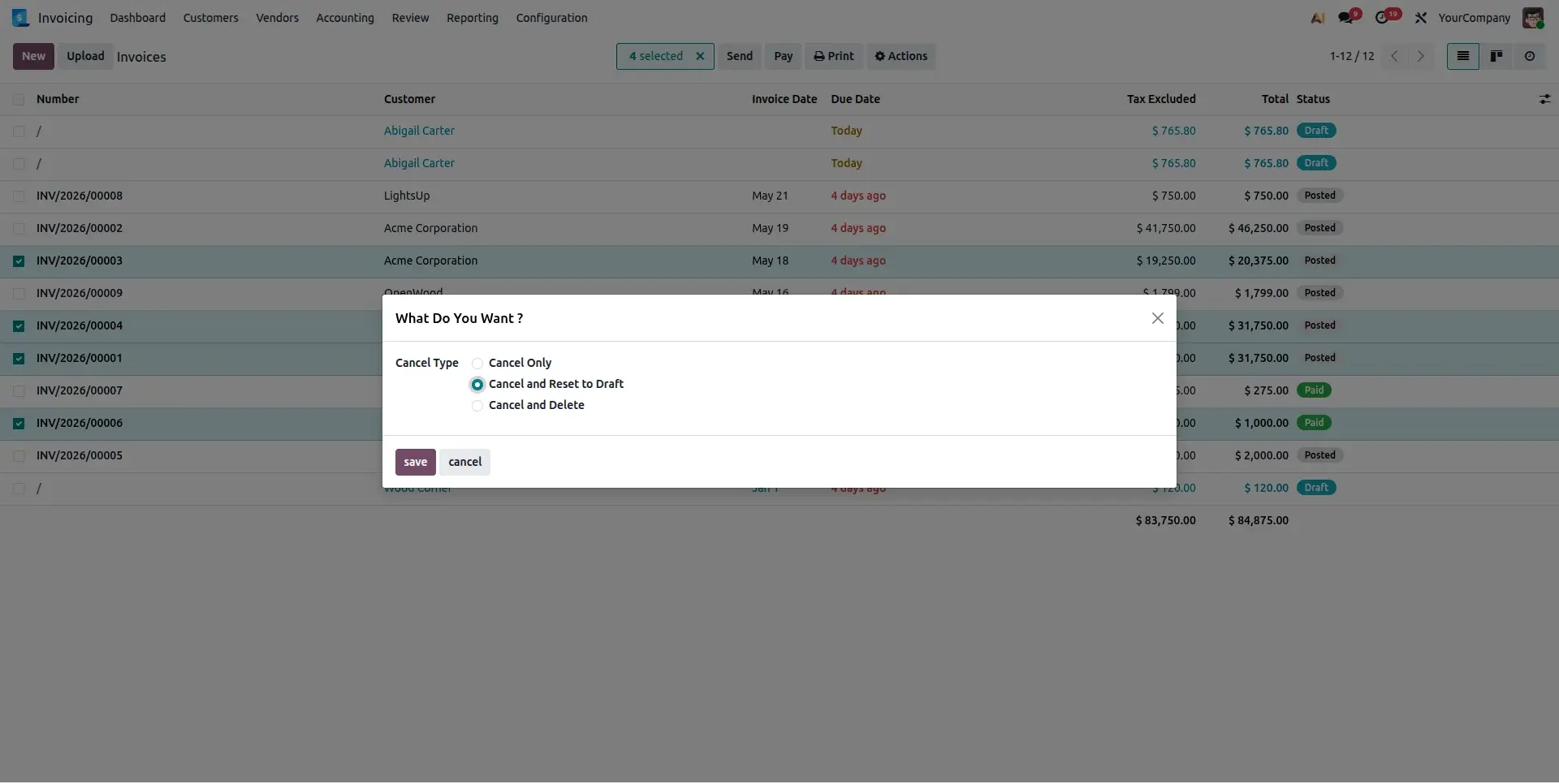
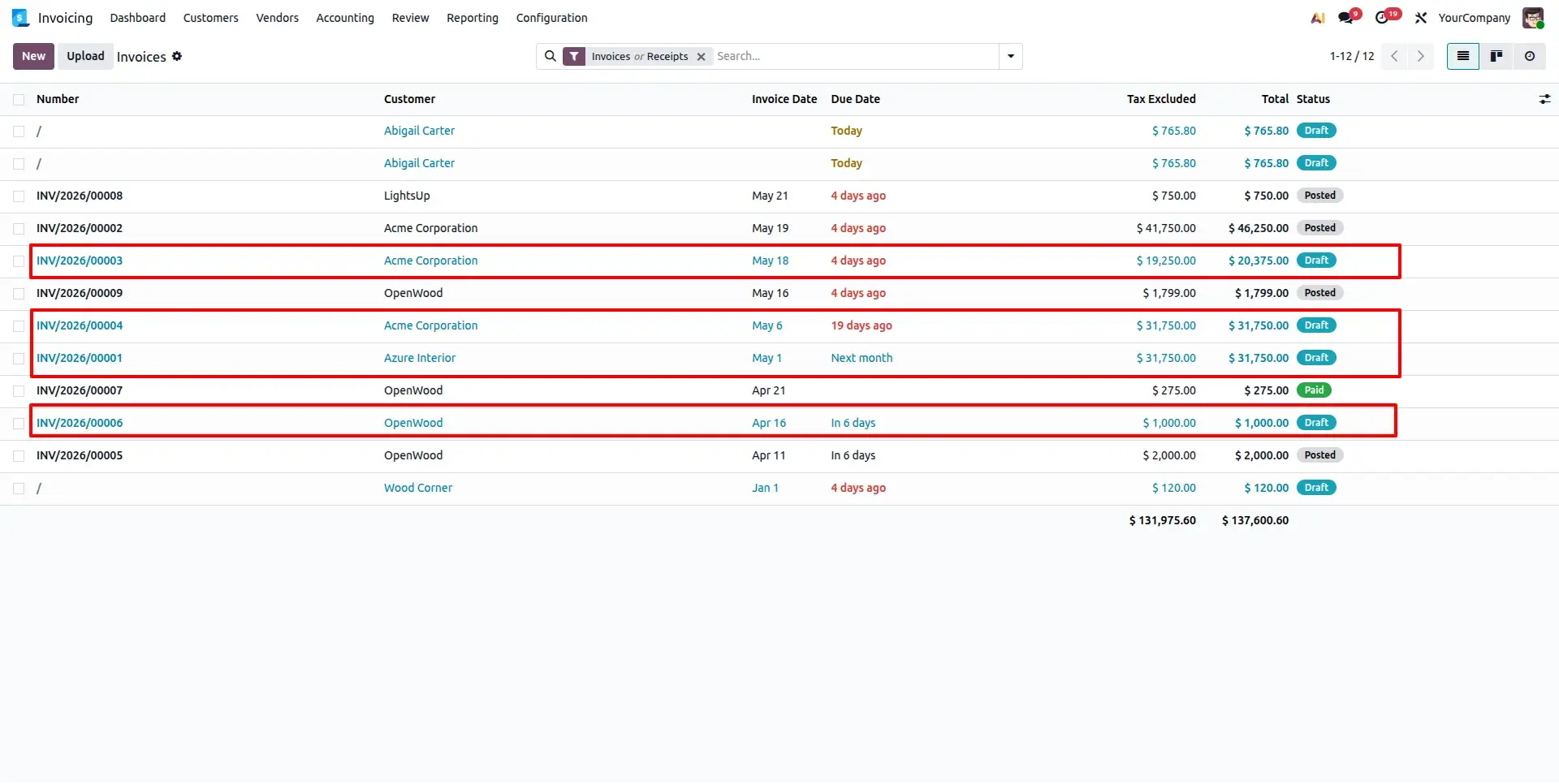
Cancel and Reset to Draft
Selecting Cancel and Reset to Draft first cancels the selected records and then automatically changes them back to the draft state. Users can modify accounting information, validate corrections, and repost the entries whenever required.
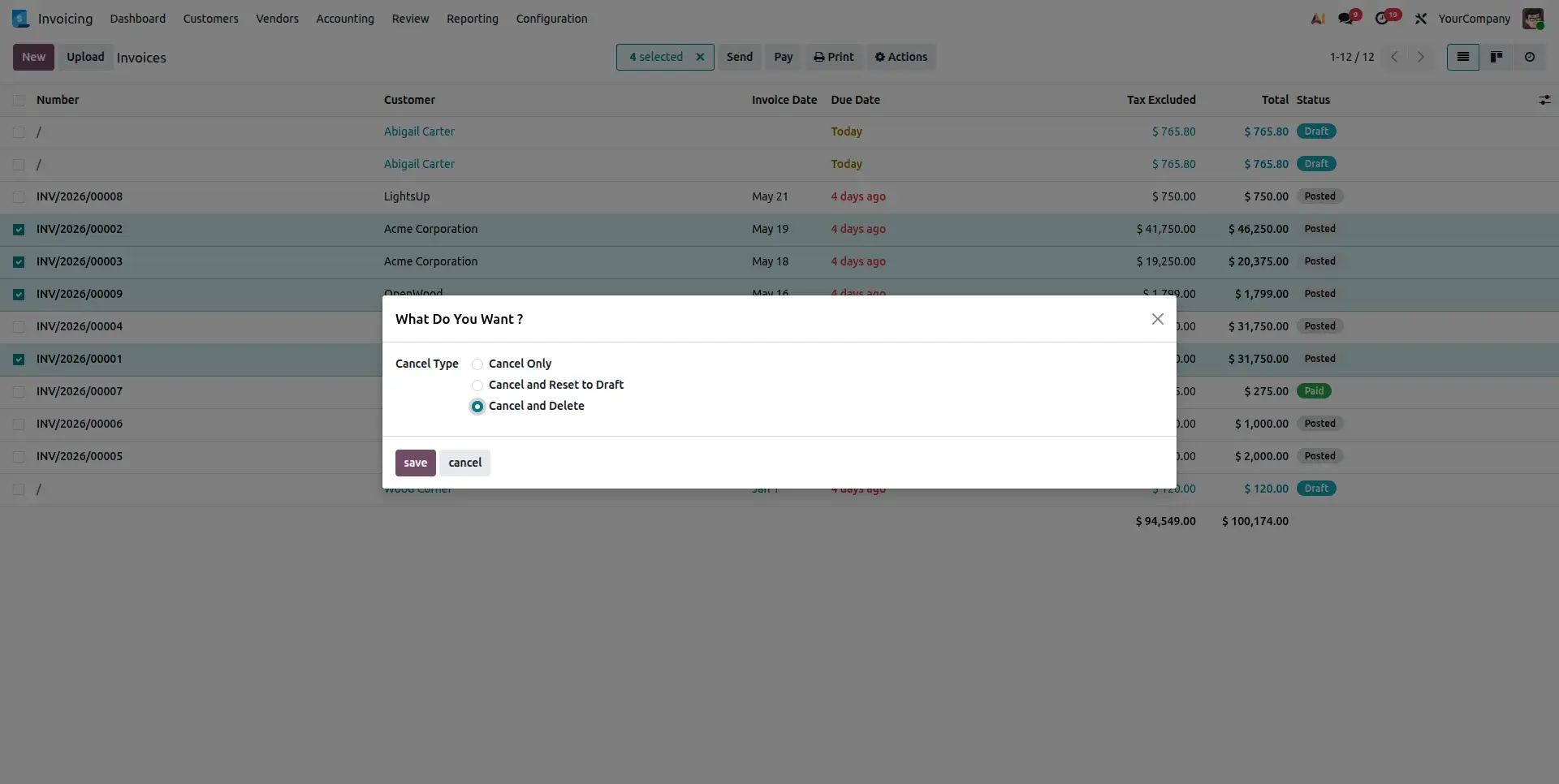
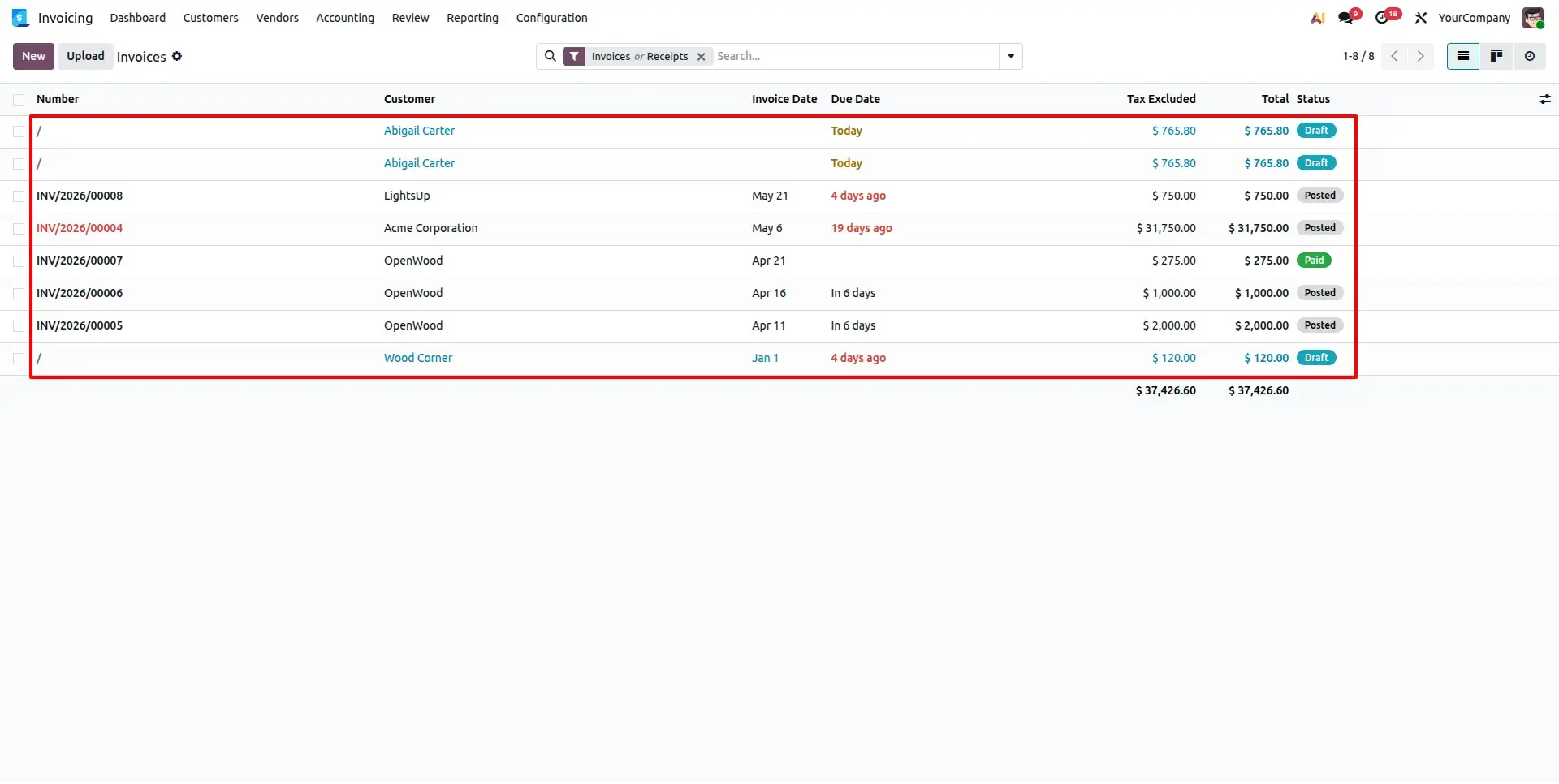
Cancel and Delete
When Cancel and Delete is selected, the module first cancels the selected journal entries and then permanently deletes them from the system. This option is useful when incorrect accounting records are no longer required and should be completely removed after cancellation.
Frequently Asked Questions
Technical Details
Dependencies
• Invoicing (account)
• Discuss (mail)
License
OPL-1
Need Assistance?
Email Support
contact@gritxi-tech.comHave Any Questions?
Have questions about this app?
Fill out the form below and our team will get back to you with more information.
Customer Reviews
Share your experience with this module.
Write a Review
Latest Reviews
No reviews yet. Be the first to share your thoughts!