
Auto Create/Confirm Invoice by Delivery Done
Auto Create/Confirm Invoice by on Delivery Order Done.
Auto Create/Confirm Invoice by Delivery Done
Automatically generate, confirm, and send customer invoices instantly upon delivery validation for seamless end to end workflow automation.
App Overview

Introduction
The Auto Create/Confirm Invoice by Delivery Done module automates customer invoice generation directly from delivery operations in Odoo. Once a delivery order is validated, the module automatically creates the related Customer Invoice and can optionally confirm/post it automatically.
This automation helps businesses reduce manual accounting work, improve operational efficiency, and ensure accurate customer billing based on delivered quantities.

Purpose
Handling invoice generation manually can lead to delays in revenue recognition and billing discrepancies. The purpose of this module is to achieve perfect operational alignment. It ensures that every validated delivery note has a corresponding invoice created based on delivered quantities. This minimizes billing errors, avoids missing invoices, and significantly accelerates the end-to-end business cycle.
Business Use Cases

Warehouse Automation
Automatically trigger the financial cycle immediately after warehouse staff validates outbound stock.

Accurate Billing
Ensure customers are billed strictly for delivered quantities, protecting revenue and reducing disputes.
ERP Integration
Connect Sales, Inventory, and Accounting workflows seamlessly to eliminate manual document silos.
Key Features
Auto Creation
Instantly generates Customer Invoices upon delivery validation.
Auto Posting
Optionally confirms and posts invoices immediately after creation.
Quantity Smart
Invoices are synced precisely with delivered product quantities.
Native Sync
Fully integrated with standard Sales and Inventory modules.
Configuration & Workflow
Invoice Automation Configuration
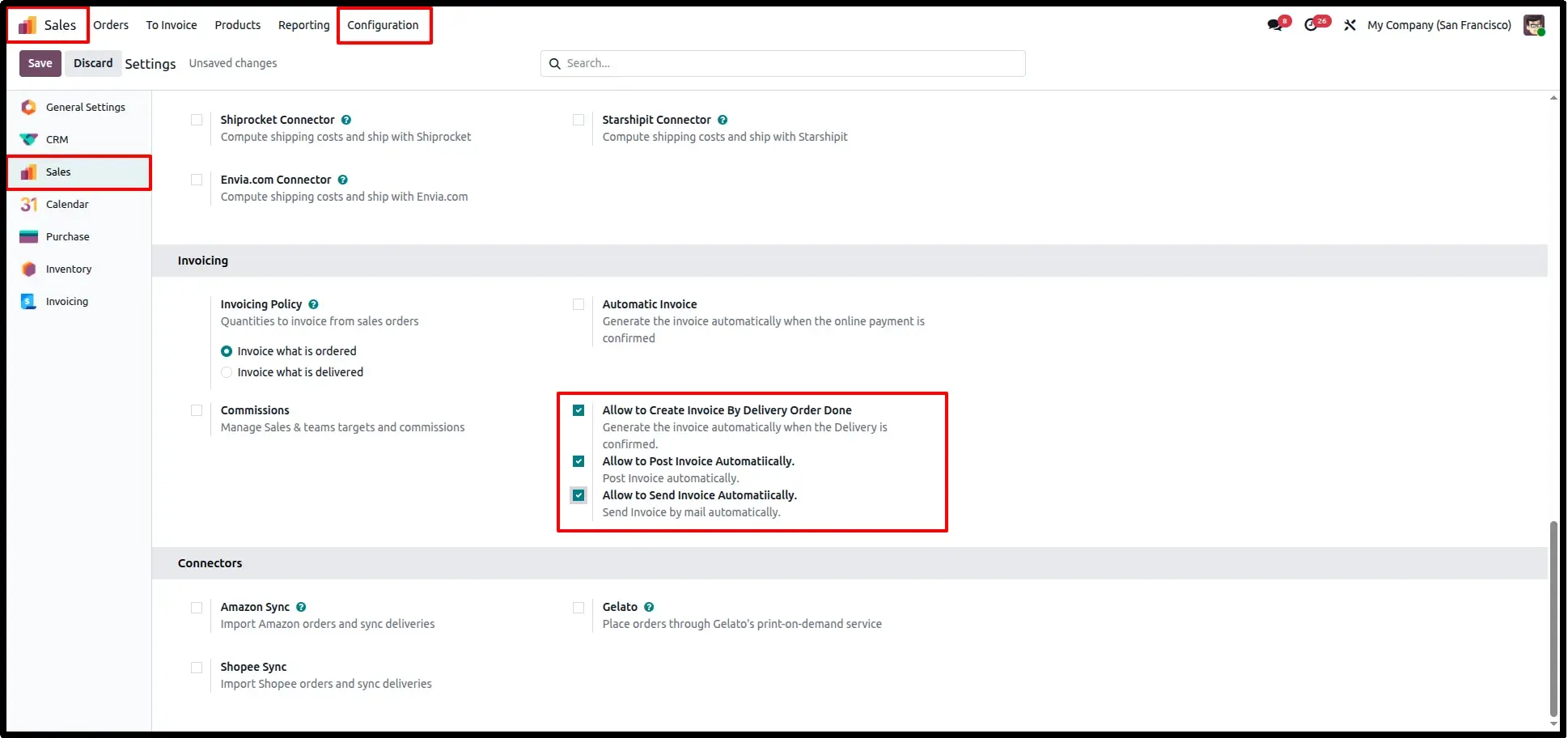
Navigate to Sales → Configuration → Settings. Under the Invoicing section, you can enable three powerful automation levels:
• Auto-Create: Generate invoices instantly when a delivery is confirmed.
• Auto-Post: Automatically validate/post the invoice to accounting.
• Auto-Send: Email the confirmed invoice to the customer without any manual intervention.
Sales Order Initiation
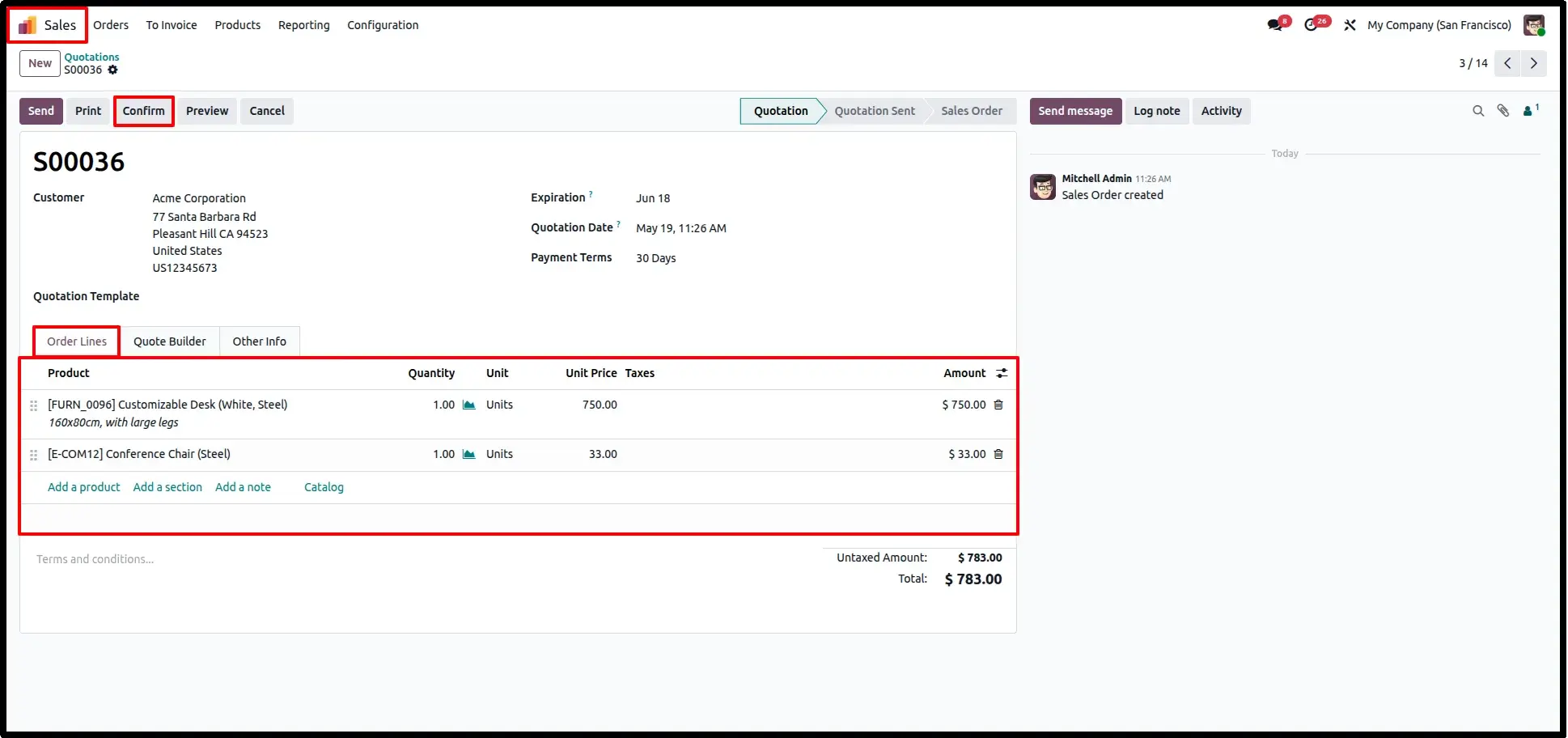
Begin by creating a Quotation or Sales Order containing deliverable products as per your standard sales workflow.
Order Confirmation
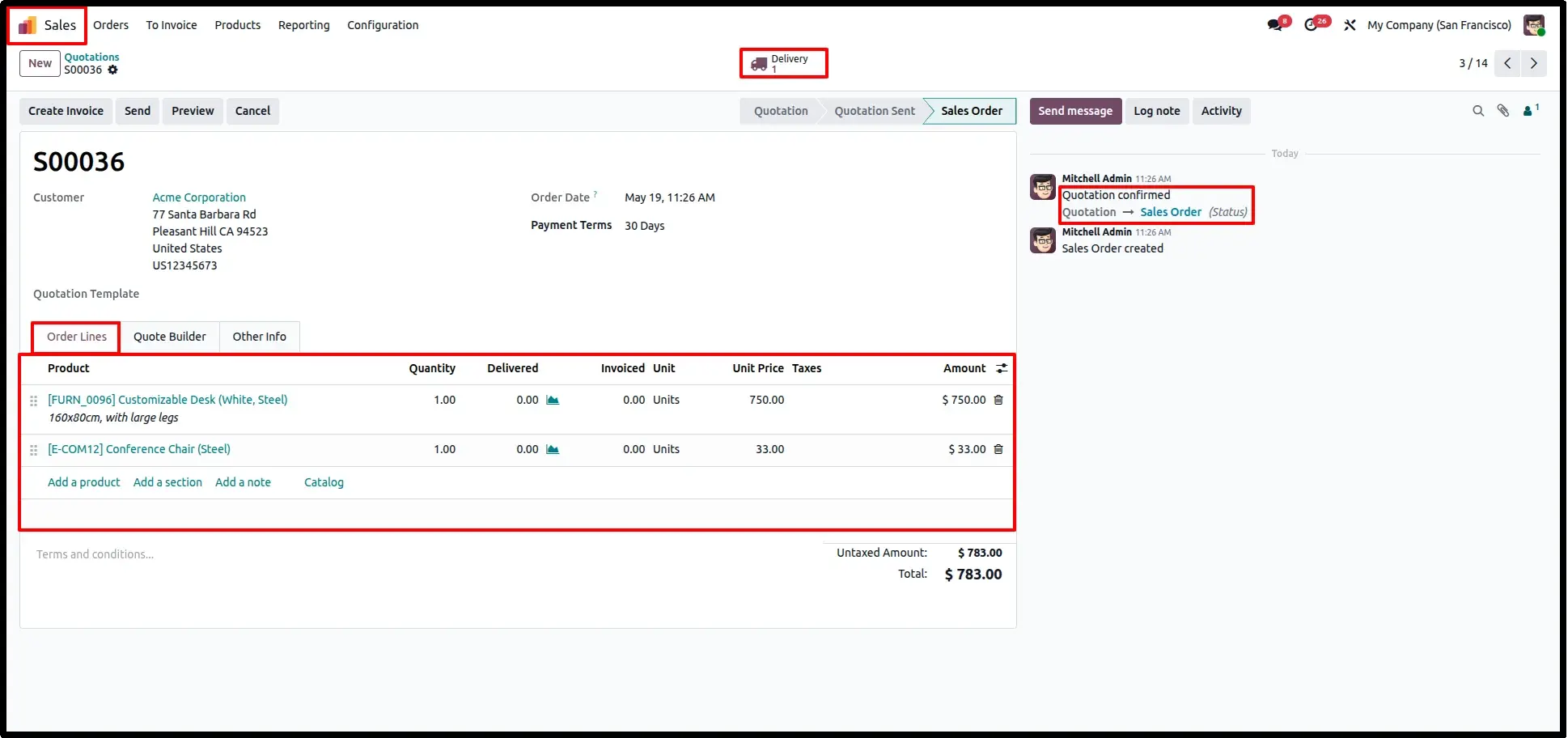
Confirm the Quotation. Upon confirmation, the Delivery Order is automatically generated via the native Odoo workflow.
Delivery Validation
Validate the Delivery Order associated with the Sales Order. This action confirms that the physical goods have left the warehouse.
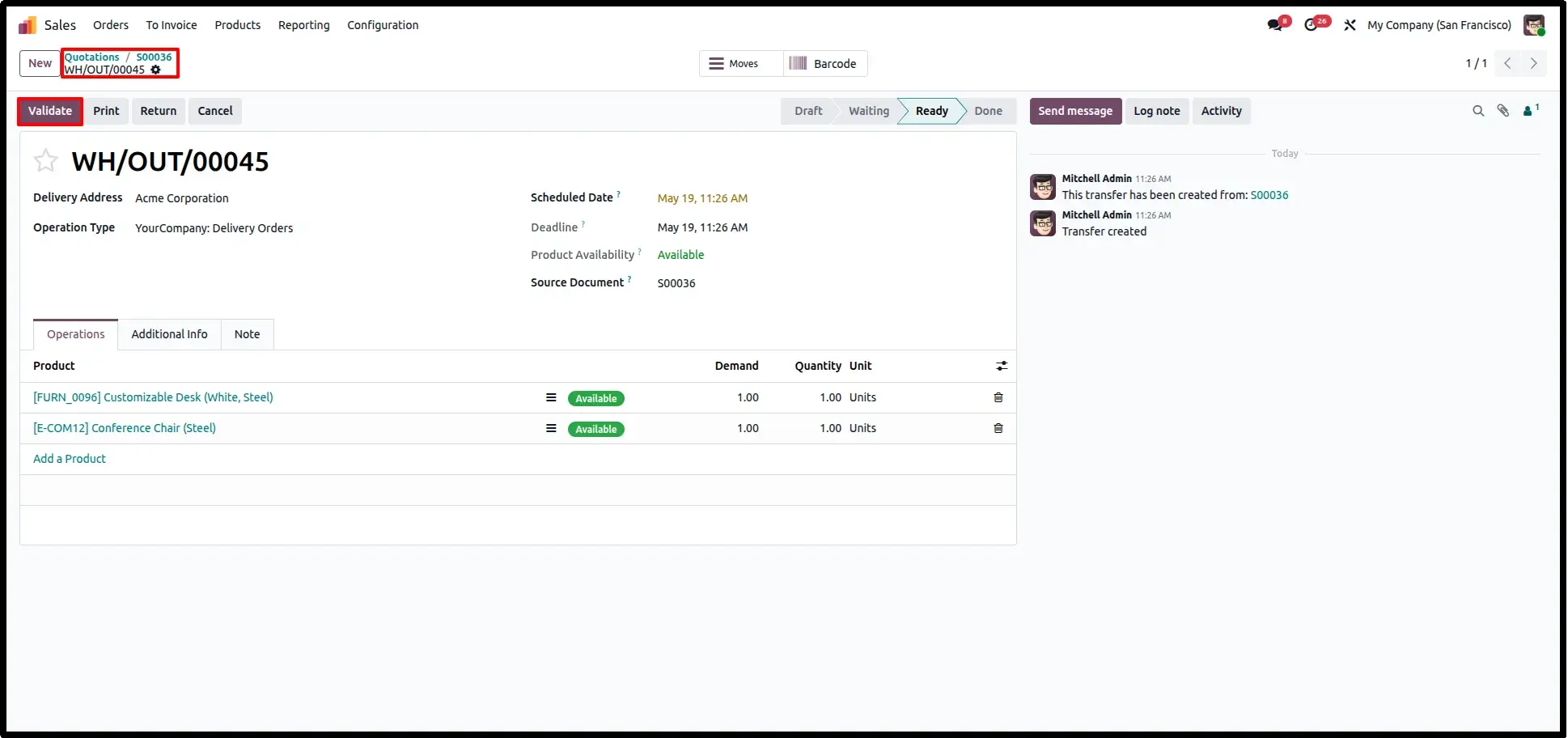
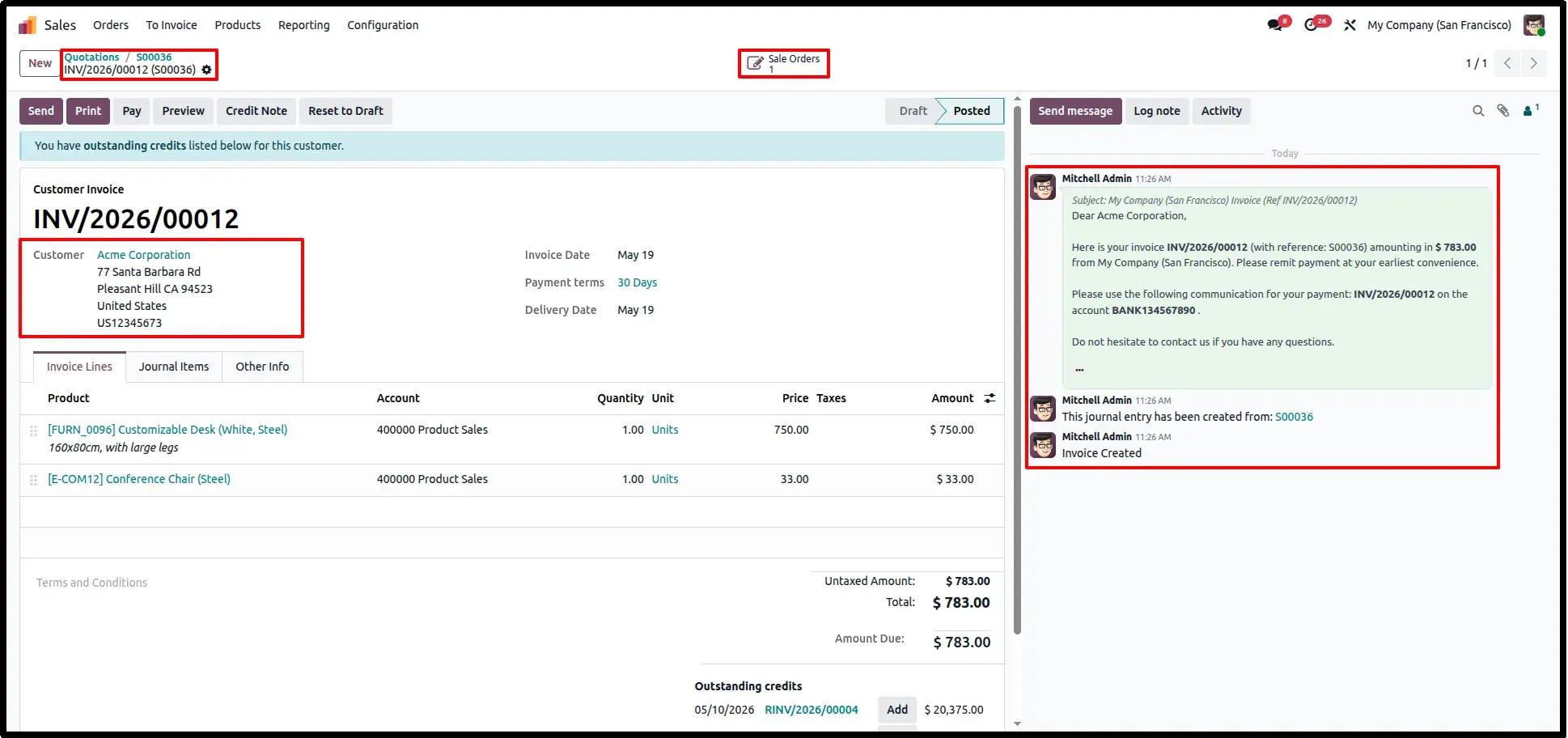
Automatic Invoice Creation
The moment delivery is validated, the system automatically generates an Invoice in the background, utilizing the actual quantities delivered.
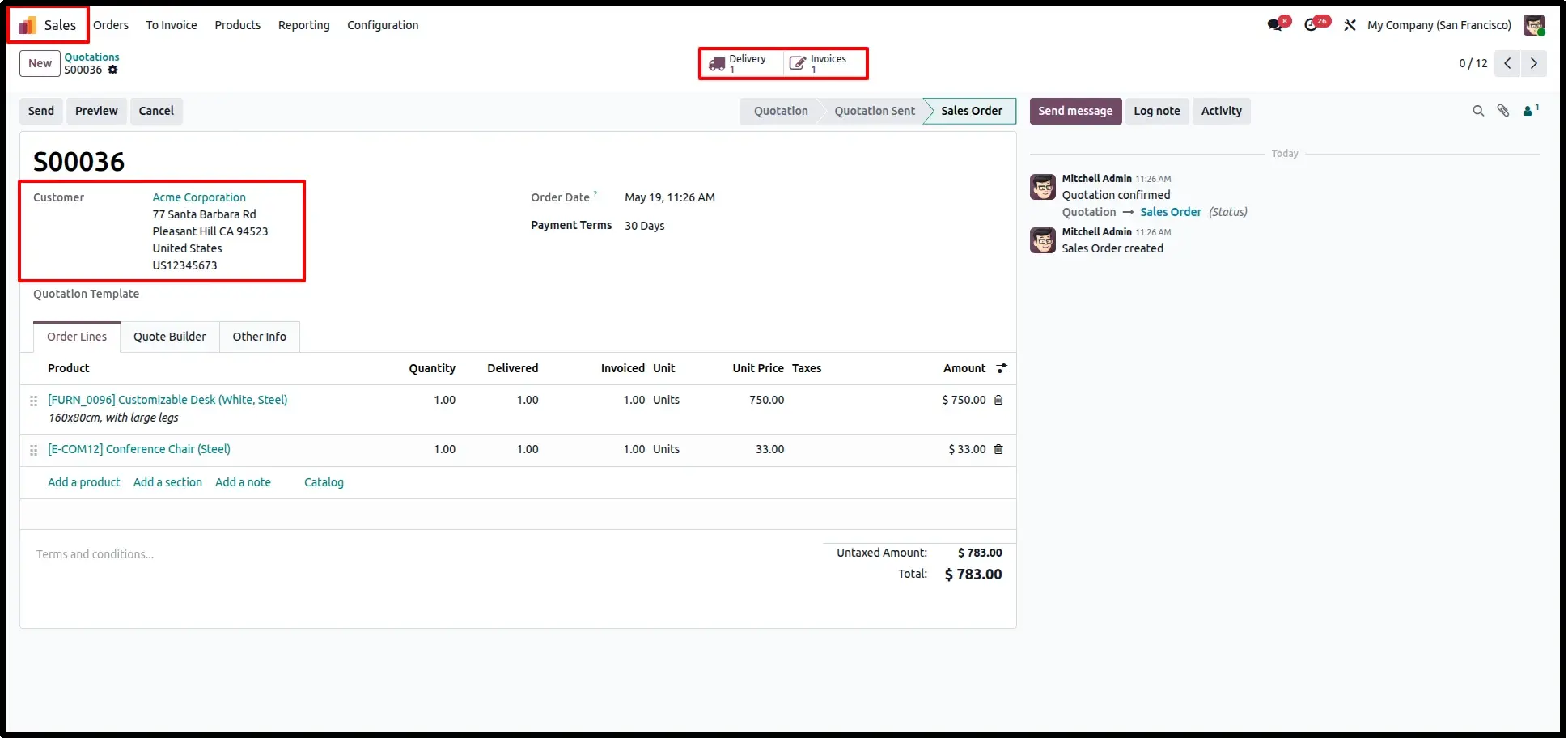
Invoice Association
The auto-created invoice is perfectly linked with both the Sales Order and Delivery, accessible from the smart buttons for easy auditing and financial tracking.
Frequently Asked Questions
Technical Details
Dependencies
• Inventory (stock)
• Sales (sale_management)
• Purchase (purchase)
• Invoicing (account)
• Discuss (mail)
License
OPL-1
Need Assistance?
Email Support
contact@gritxi-tech.comAny Questions?
Have questions about this app?
Fill out the form below and our team will get back to you with more information.
Customer Reviews
Share your experience with this module.