
Advance Helpdesk Quotation
Advance Helpdesk Quotation Based on Product Quantity Added on Sales Order
Advance Helpdesk Quotation
Generate Sales Quotations directly from Helpdesk tickets with Product Catalog integration, automated customer data transfer and seamless sales workflow management.


Key Features
Sales Quotation from Ticket
Click the Products button on any Helpdesk ticket to open the Product Catalog. Adding the first product automatically creates a Sales Quotation with customer details and product lines pre-filled from the ticket.
Product Catalog Access
Open Odoo's built-in Product Catalog directly from the Helpdesk ticket. Product additions and quantity updates are automatically synchronized with the related Sales Order lines.
Sales Order Creation
Convert customer support requests into Sales Quotations and Sales Orders directly from Helpdesk, creating a seamless bridge between support and sales processes.
Linked Records (Smart Buttons)
Dedicated smart buttons provide quick access to linked Sales Quotations/Orders and the Product Catalog directly from the Helpdesk ticket.
Standard Odoo Invoice Flow
Invoicing follows Odoo's standard Sales workflow through the linked Sales Order. No changes are made to the native invoicing process.
Discuss Integration
Chatter messages, internal notes, and customer communications remain connected to the Helpdesk ticket for complete visibility.
Zero Manual Re entry
Customer information is automatically transferred from the Helpdesk ticket to the Sales Quotation, eliminating duplicate data entry.
Native Odoo Integration
Works seamlessly with Odoo Helpdesk, Sales, Projects, and Discuss modules without requiring any third-party applications.
Configuration Steps
No additional configuration is required after installation. The module is ready to use immediately and applies automatically to all Helpdesk tickets. The steps below describe how to use the module after activation.
Open Helpdesk Ticket
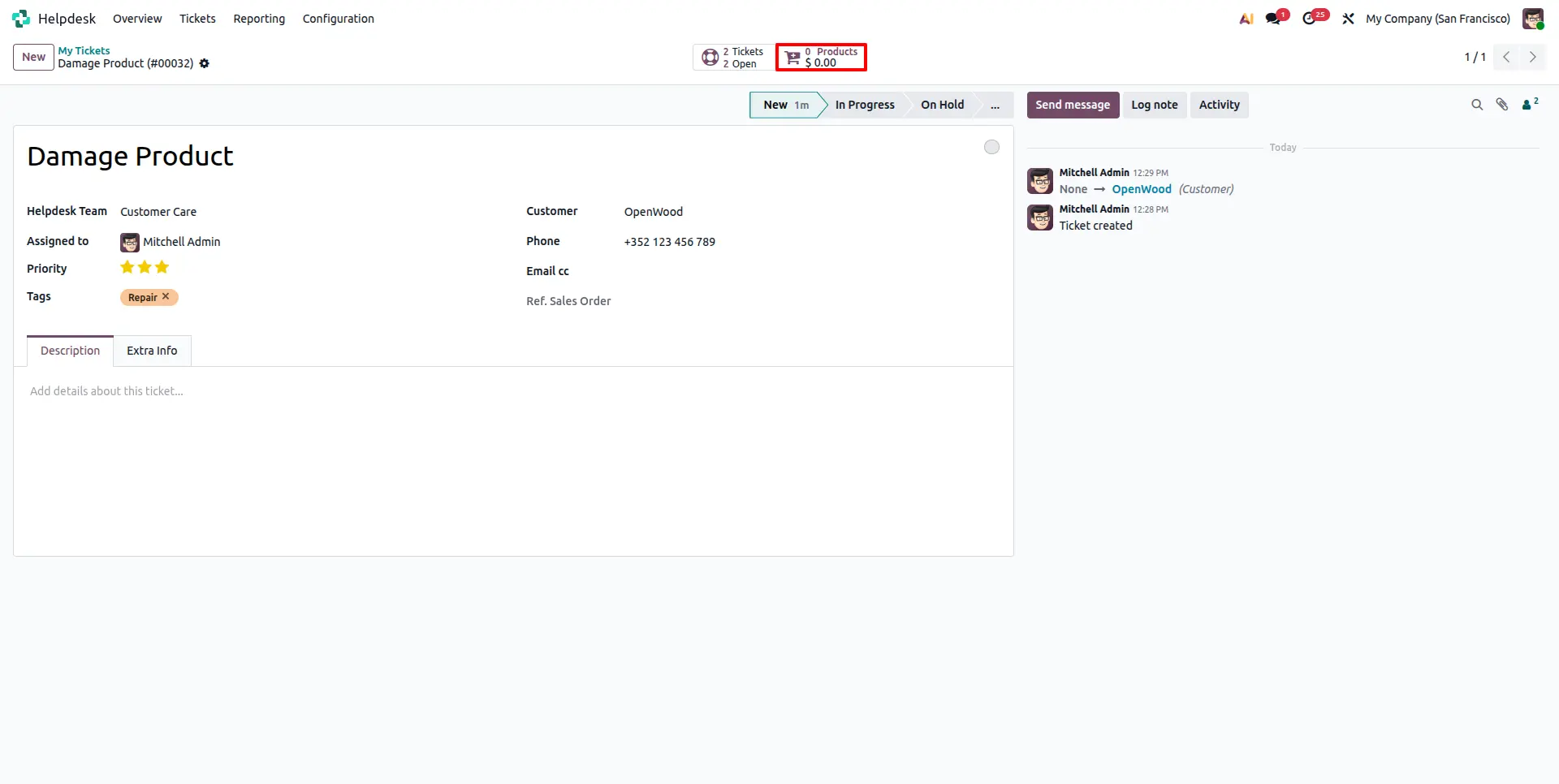
Navigate to Helpdesk → Tickets and open any existing or newly created ticket. The module automatically adds a Sale Order smart button for linked quotations/orders and a Products smart button for opening the Product Catalog directly from the ticket.
Open Product Catalog
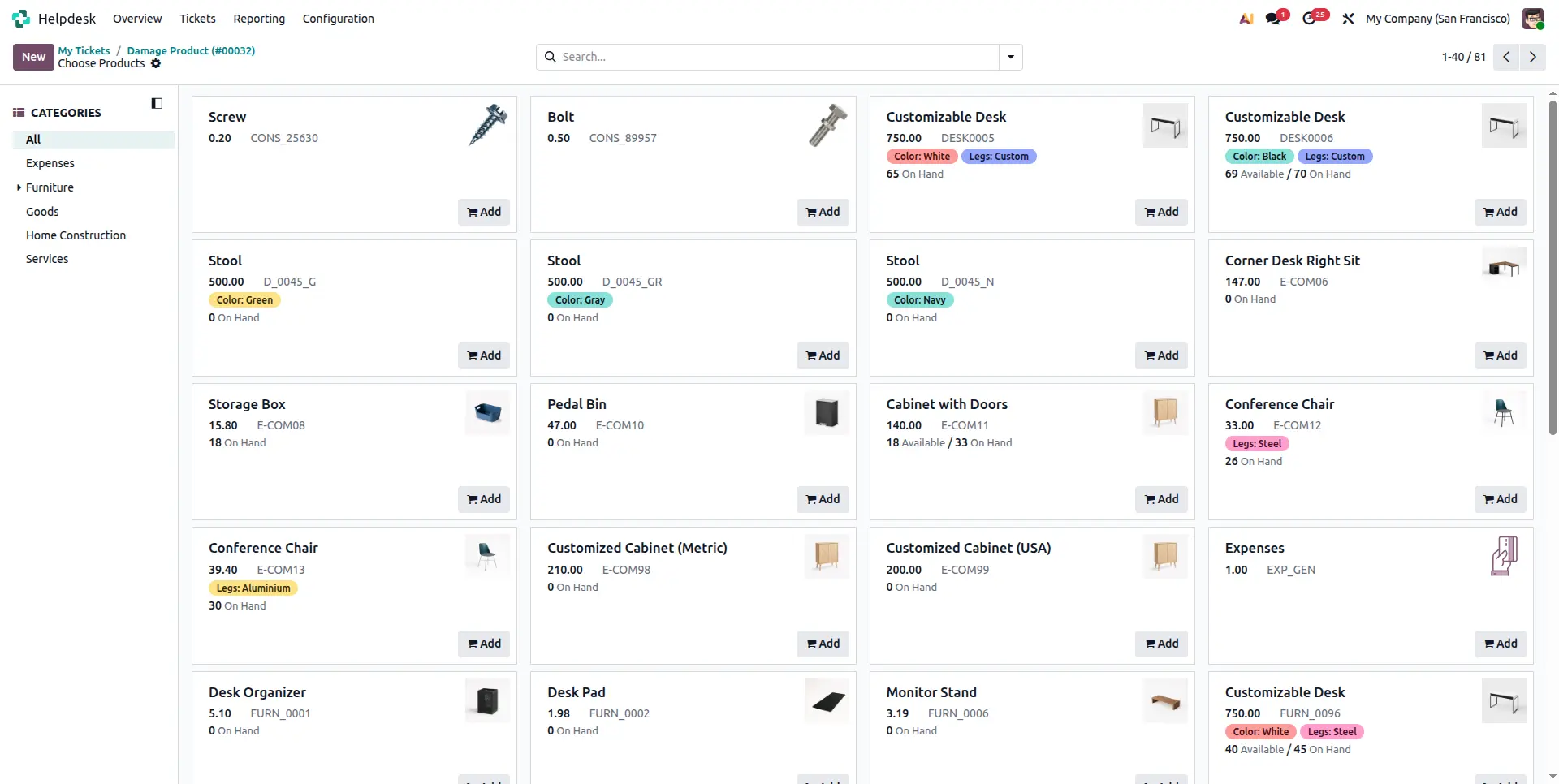
Click the Products smart button from the Helpdesk ticket to open Odoo's Product Catalog. Browse available products and add the required items for the customer.
Automatic Sales Quotation Creation
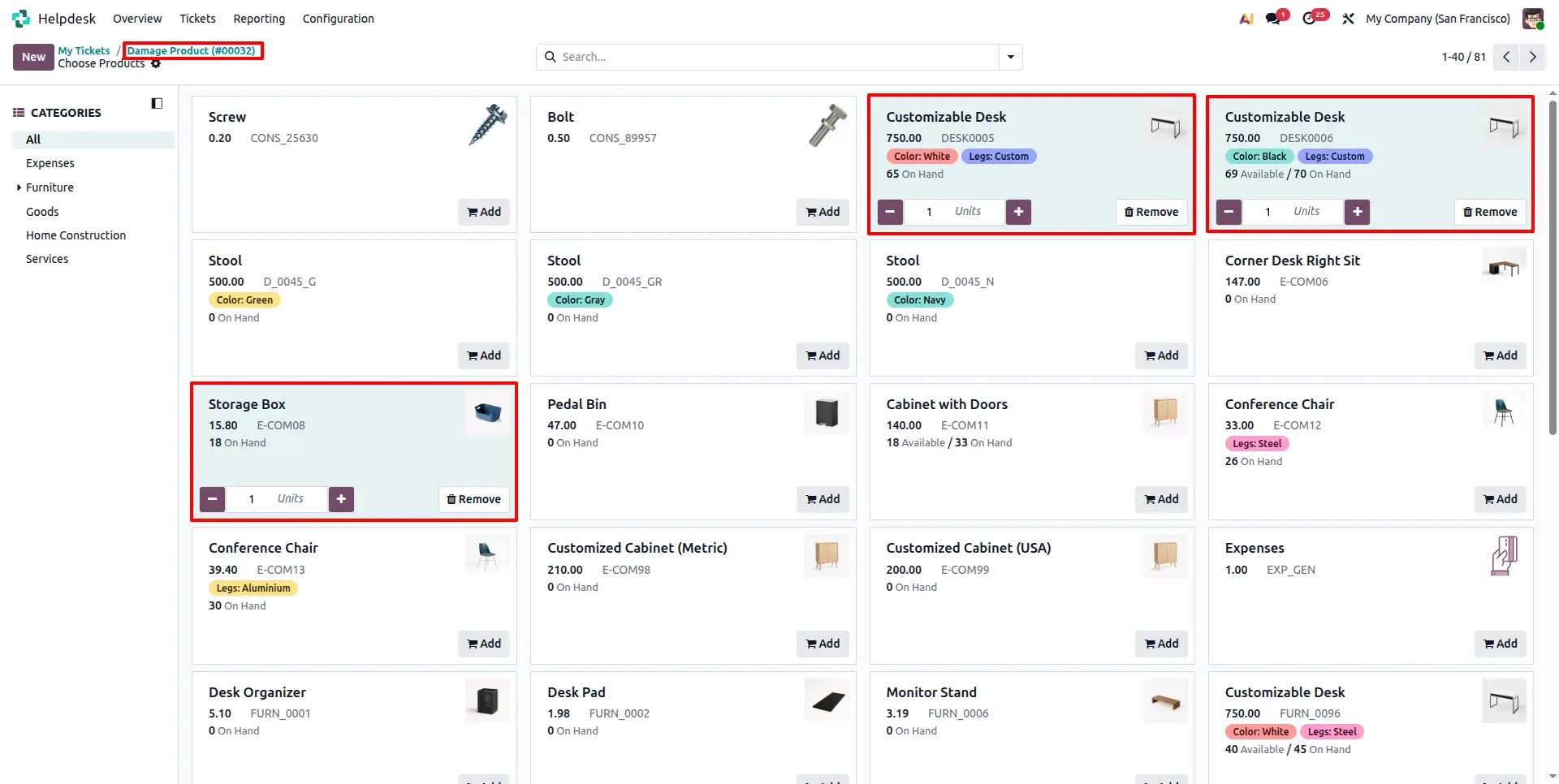
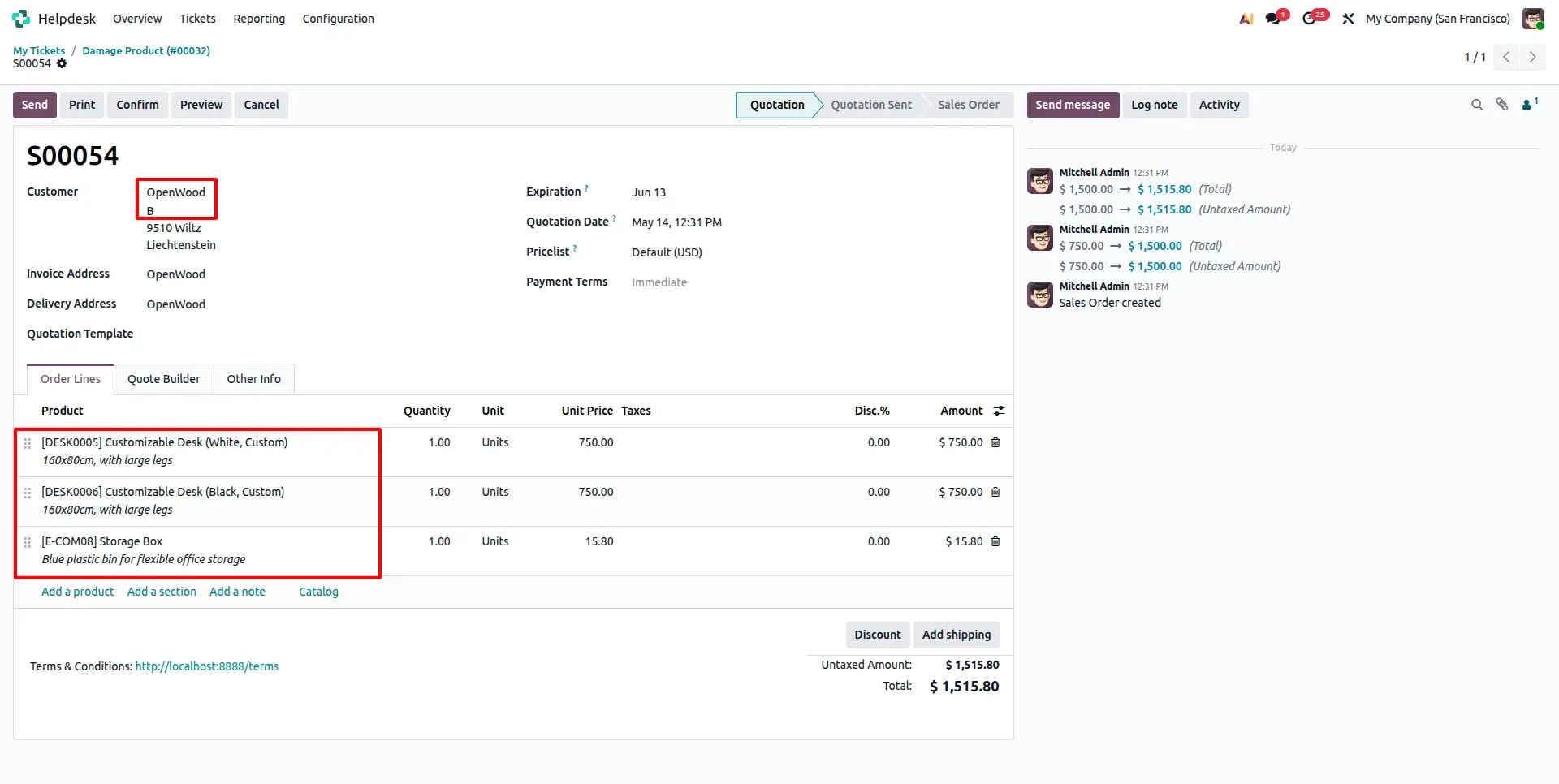
Adding the first product automatically creates a Sales Quotation linked to the Helpdesk ticket. Customer details are automatically fetched from the ticket and selected products are added to the quotation lines. Any further product or quantity updates in the catalog are automatically reflected in the Sales Order lines.
Track Linked Quotations and Orders
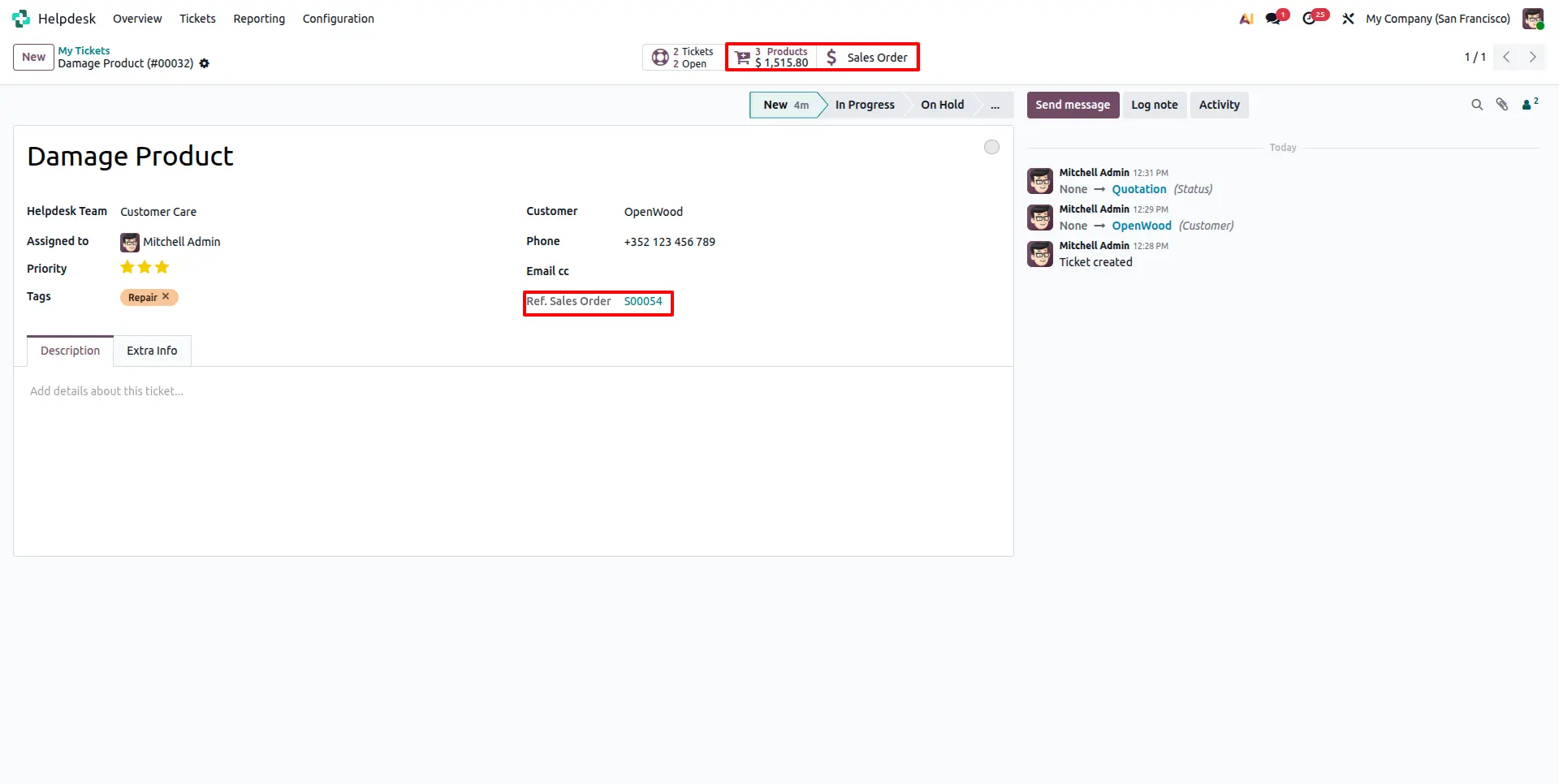
The generated Sales Quotation or Sales Order is automatically linked back to the originating Helpdesk ticket. Use the Sale Order smart button to view and navigate to linked quotations and orders at any time, ensuring complete traceability.
Manage Sales Order and Invoicing
The created Sales Quotation follows the standard Odoo sales workflow. Confirm it into a Sales Order, generate invoices and manage payments directly from the Sales Order. The Helpdesk ticket remains linked for easy reference throughout the entire process.
Frequently Asked Questions
Technical Details
Dependencies
• Helpdesk (helpdesk)
• Project (project)
• Sales (sale_management)
• Discuss (mail)
• Invoicing (account)
License
OPL-1
Need Assistance?
Email Support
contact@gritxi-tech.comAny Questions?
Have questions about this app?
Fill out the form below and our team will get back to you with more information.
Customer Reviews
Share your experience with this module.
Write a Review
Latest Reviews
No reviews yet. Be the first to share your thoughts!