
Website Partial Invoice Payment
Enabling customers to easily make partial payments for seamless financial transactions
Website Partial Invoice Payment
Allow Customers to Make Partial Invoice Payments Directly from the Odoo Website Portal
App Overview

Introduction
The Website Partial Invoice Payment module allows customers to make partial payments for invoices directly from the Odoo website portal. By default, Odoo allows customers to pay the full invoice amount online. This module enhances the standard functionality by enabling customers to enter and pay a custom amount against an invoice using available payment providers.
The module is ideal for businesses that offer installment payments, advance payments, milestone-based billing, flexible payment terms, and deposit-based orders.
It integrates seamlessly with Odoo Invoicing, Odoo Website, Odoo Payment Providers, and the Customer Portal to improve customer convenience while helping businesses manage collections more efficiently.

Purpose
The purpose of the Website Partial Invoice Payment module is to provide customers with flexible invoice payment options directly from the Odoo website portal. It enables businesses to improve customer payment experiences, accept installment payments online, reduce overdue invoices, increase collection efficiency, support advance and partial billing workflows, automate payment reconciliation, and offer flexible payment methods while maintaining full integration with Odoo's accounting system.
Business Use Cases
Educational Institutes
Allow students to pay tuition fees and educational charges in installments.
Manufacturing Businesses
Accept advance payments before production, delivery, or project execution.
Service Companies
Enable milestone-based billing and progressive project payments.
Real Estate Businesses
Collect booking deposits and staged customer payments.
Wholesale & Distribution
Offer flexible payment terms to B2B customers and distributors.
Key Features
Partial Invoice Payments
Customers can pay custom amounts against invoices.
Website Portal Integration
Fully integrated with the Odoo customer portal.
Automatic Balance Updates
Remaining invoice balance updates automatically.
Flexible Payment Workflow
Supports installment and milestone-based payments.
Invoice Residual Tracking
Track paid and pending amounts easily.
Seamless Payment Processing
Works with all supported Odoo payment providers.
Customer-Friendly Experience
Simplified online invoice payment process.
Responsive UI
Mobile-friendly payment interface.
Secure Transactions
Uses secure Odoo payment gateway workflows.
Accounting Integration
Automatically linked with invoice reconciliation.
Configuration & Workflow
The following workflow demonstrates how customers can make partial invoice payments directly from the Odoo website portal, from invoice selection through payment processing and accounting reconciliation.
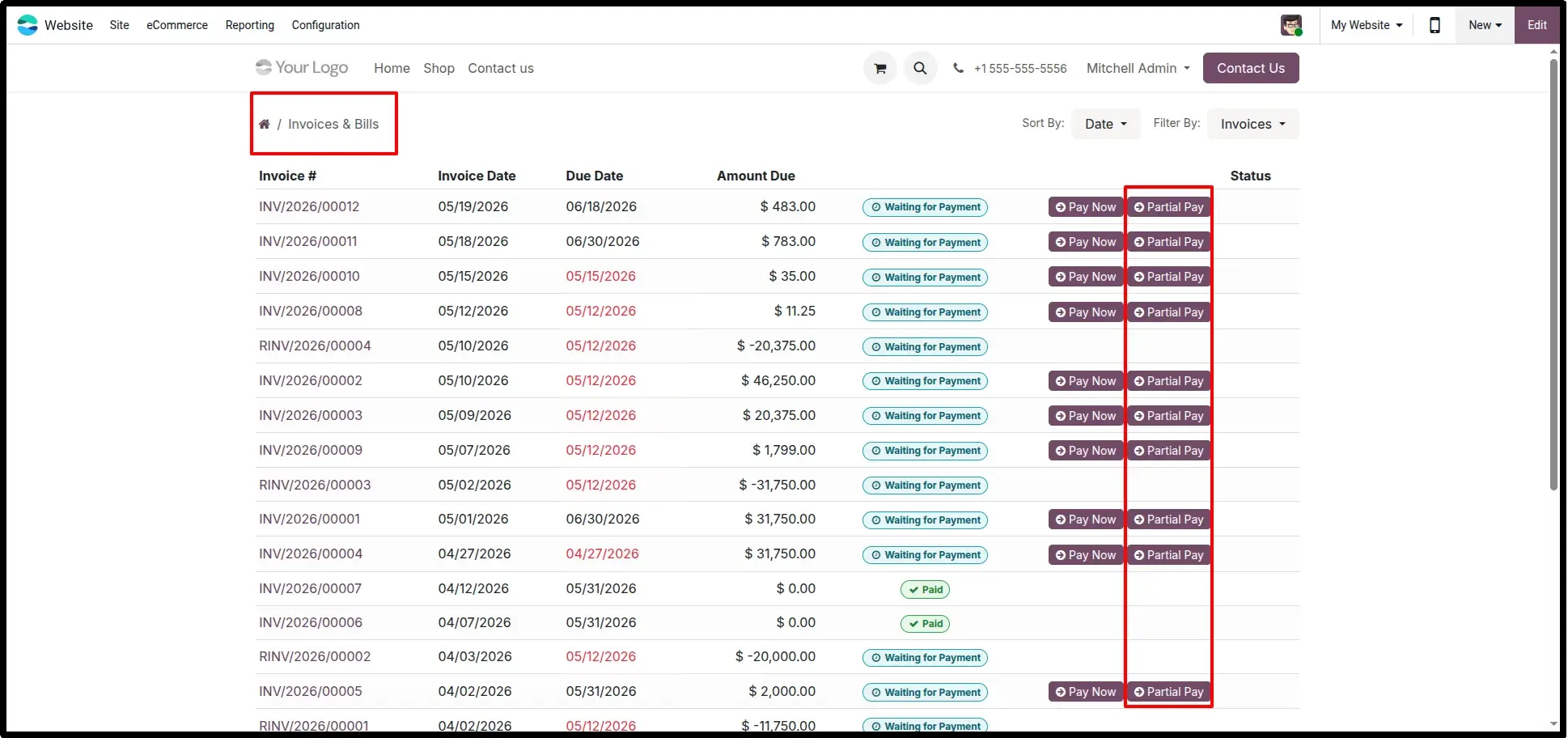
Partial Pay Button on Due Invoices
Customers can access their invoices from the website portal. For invoices that are unpaid or partially paid, a dedicated Partial Pay button is displayed, allowing flexible payment amounts without requiring full settlement.
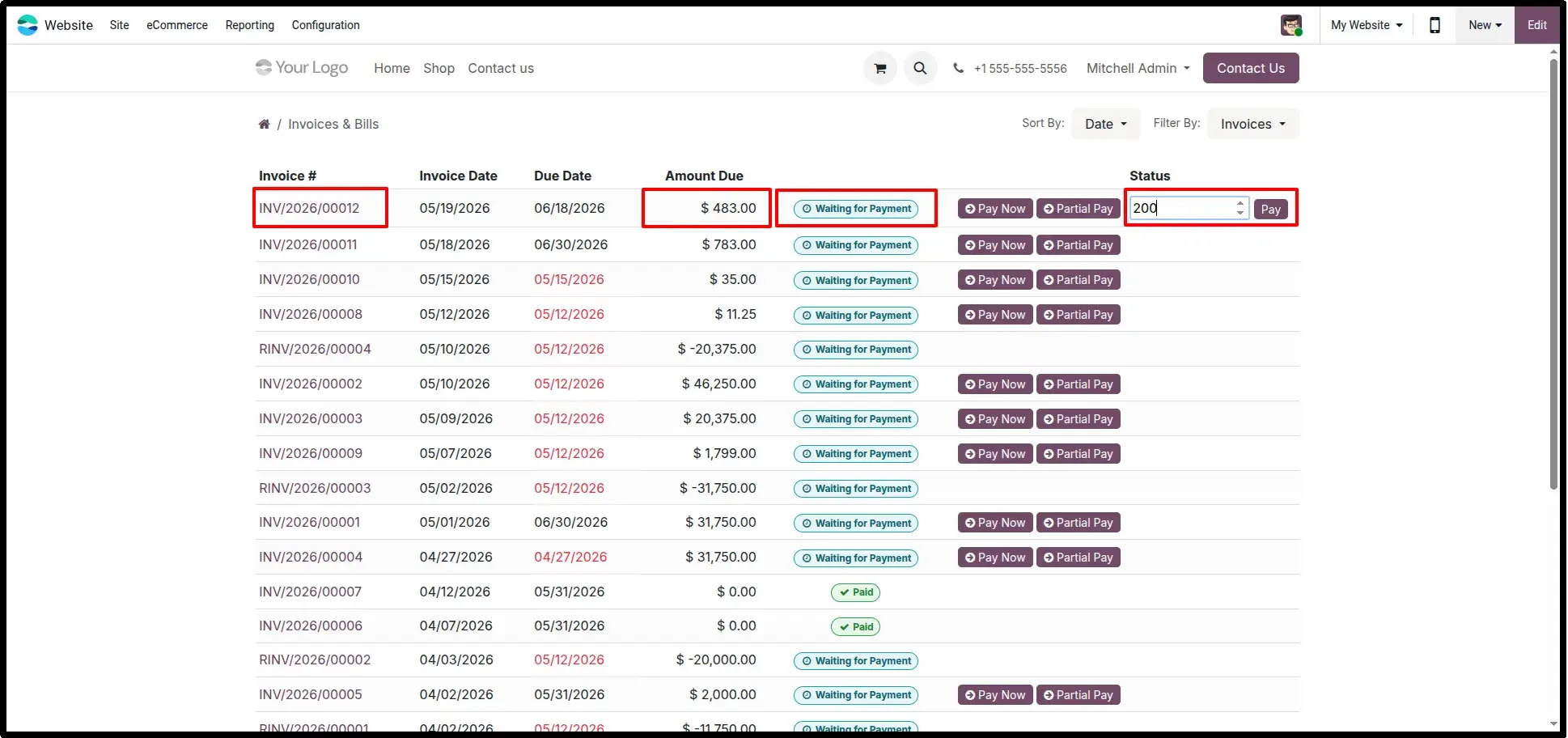
Enter Partial Payment Amount
Customers can enter the amount they wish to pay against the invoice. The remaining balance continues to stay open and can be paid later through additional payments.
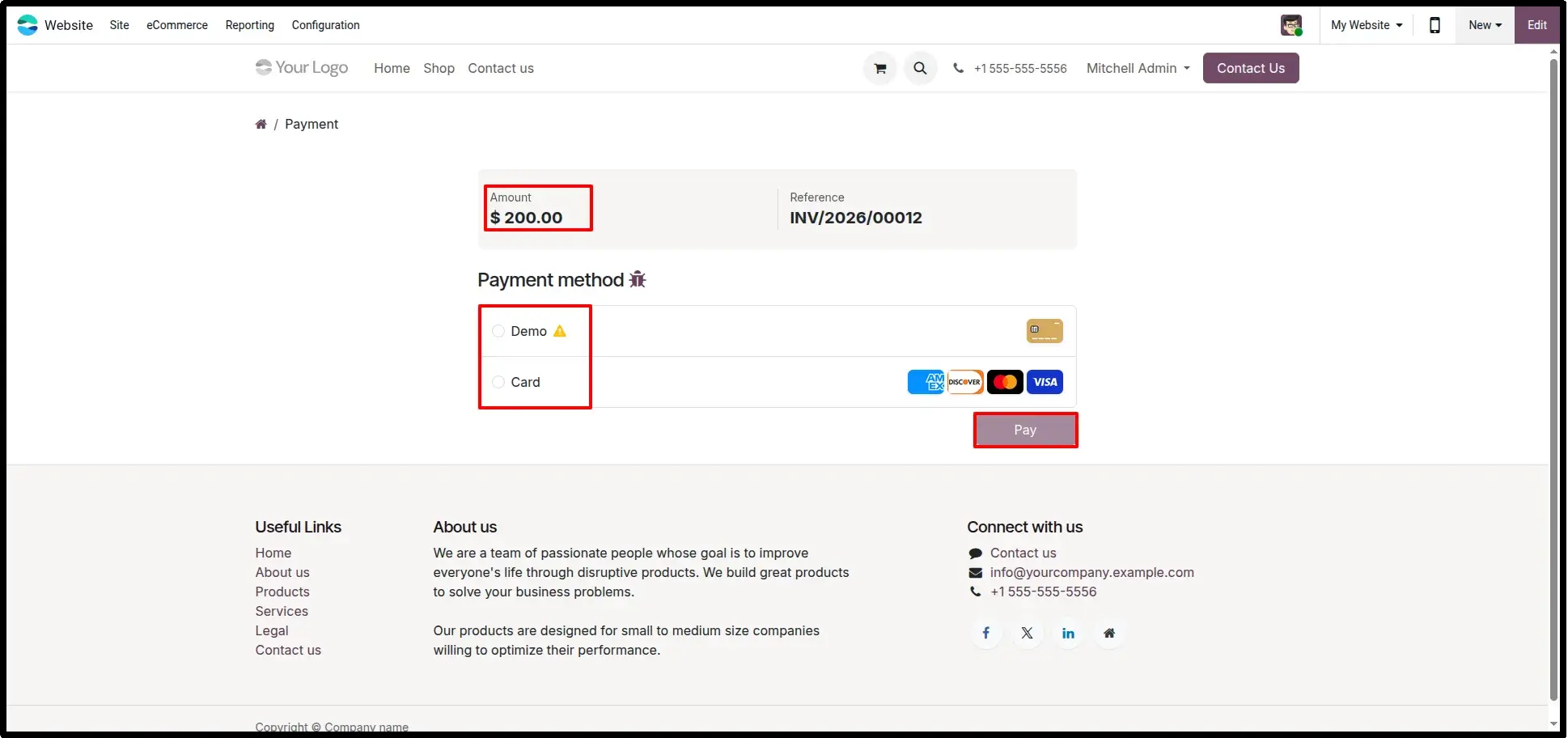
Select Payment Method
After entering the desired amount, customers choose their preferred payment method from the available payment providers configured in Odoo.
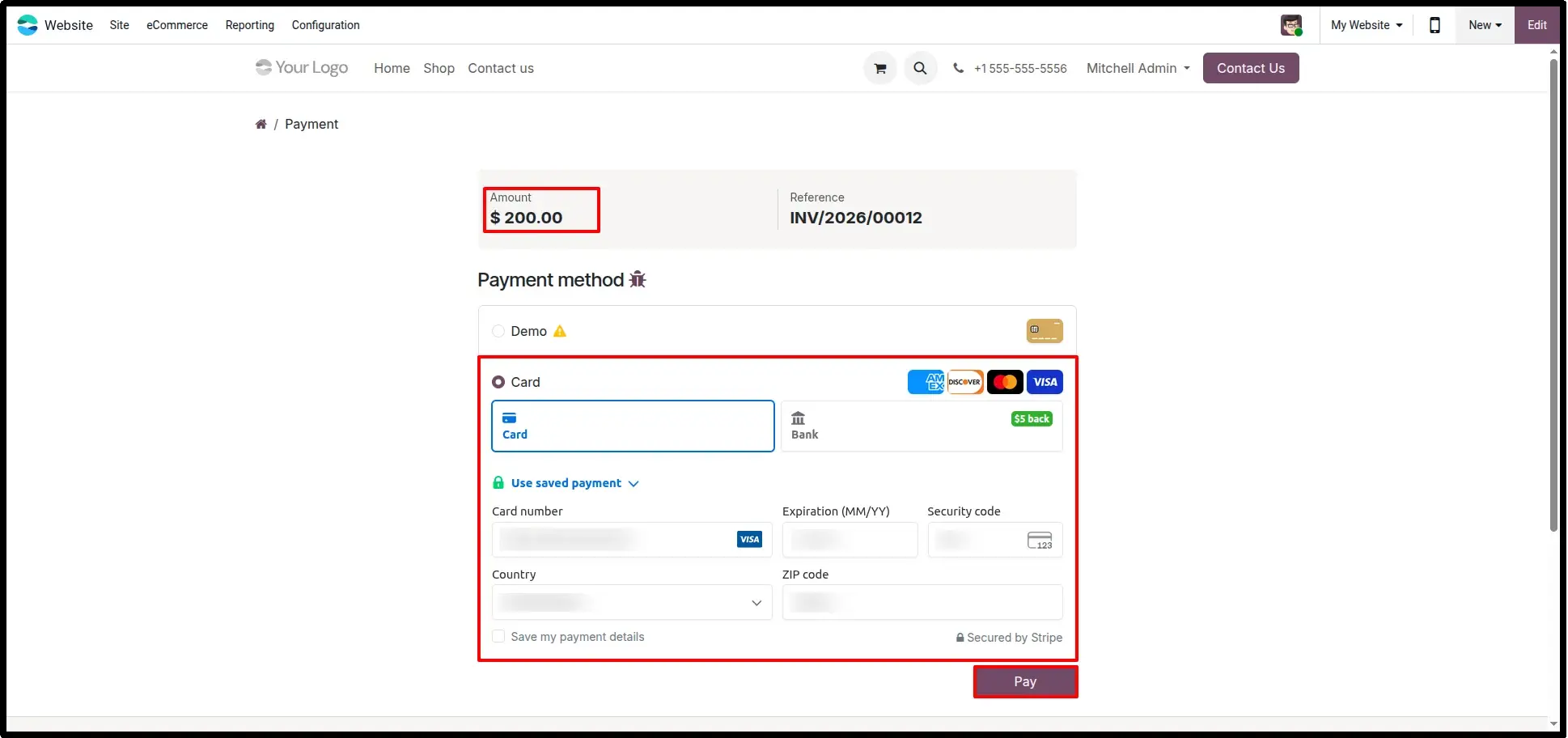
Submit Payment Details
Customers securely enter card or payment information and submit the transaction through Odoo's standard payment flow.
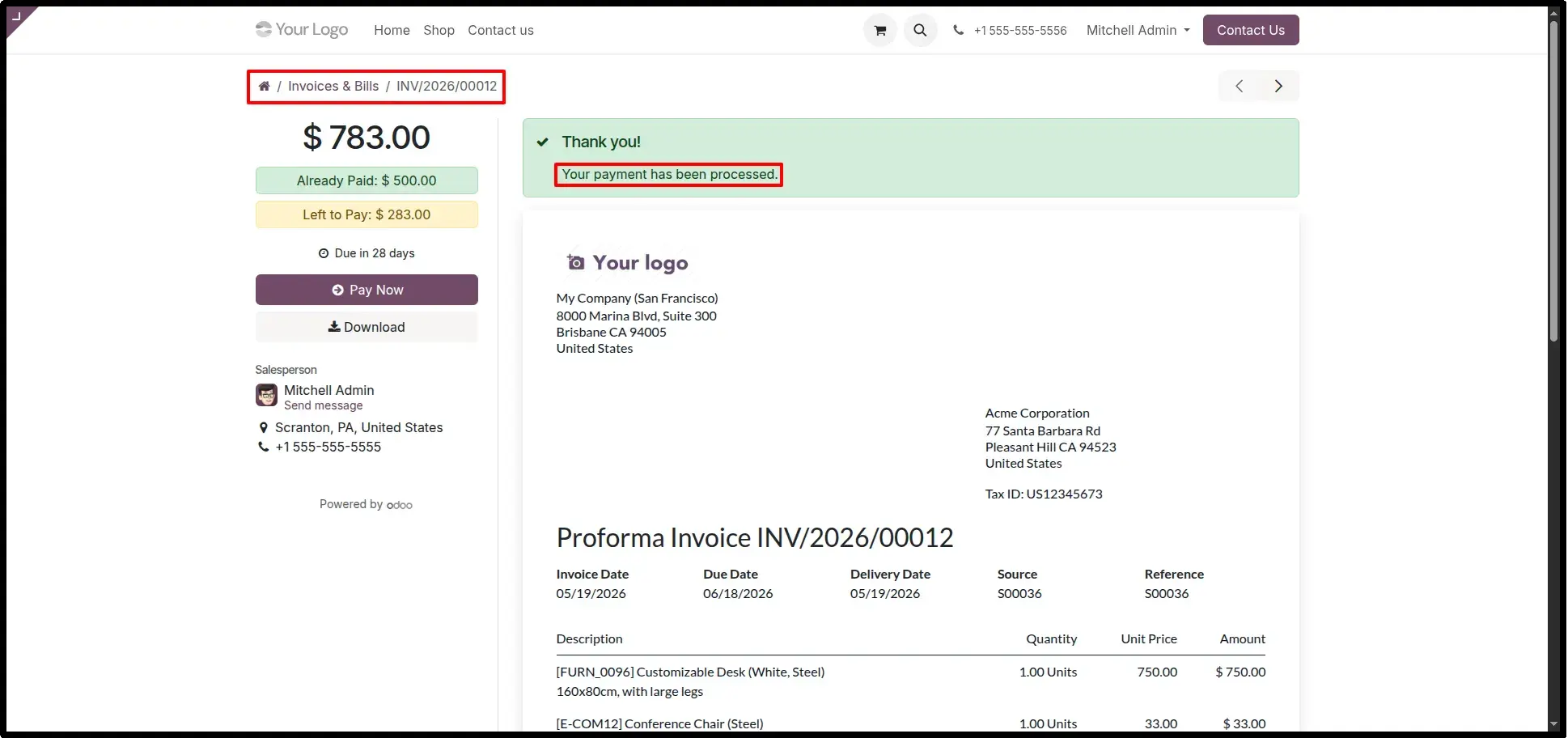
Payment Success & Invoice Details
After successful payment, customers receive confirmation and can view updated invoice information including paid amount, remaining balance, and payment status.
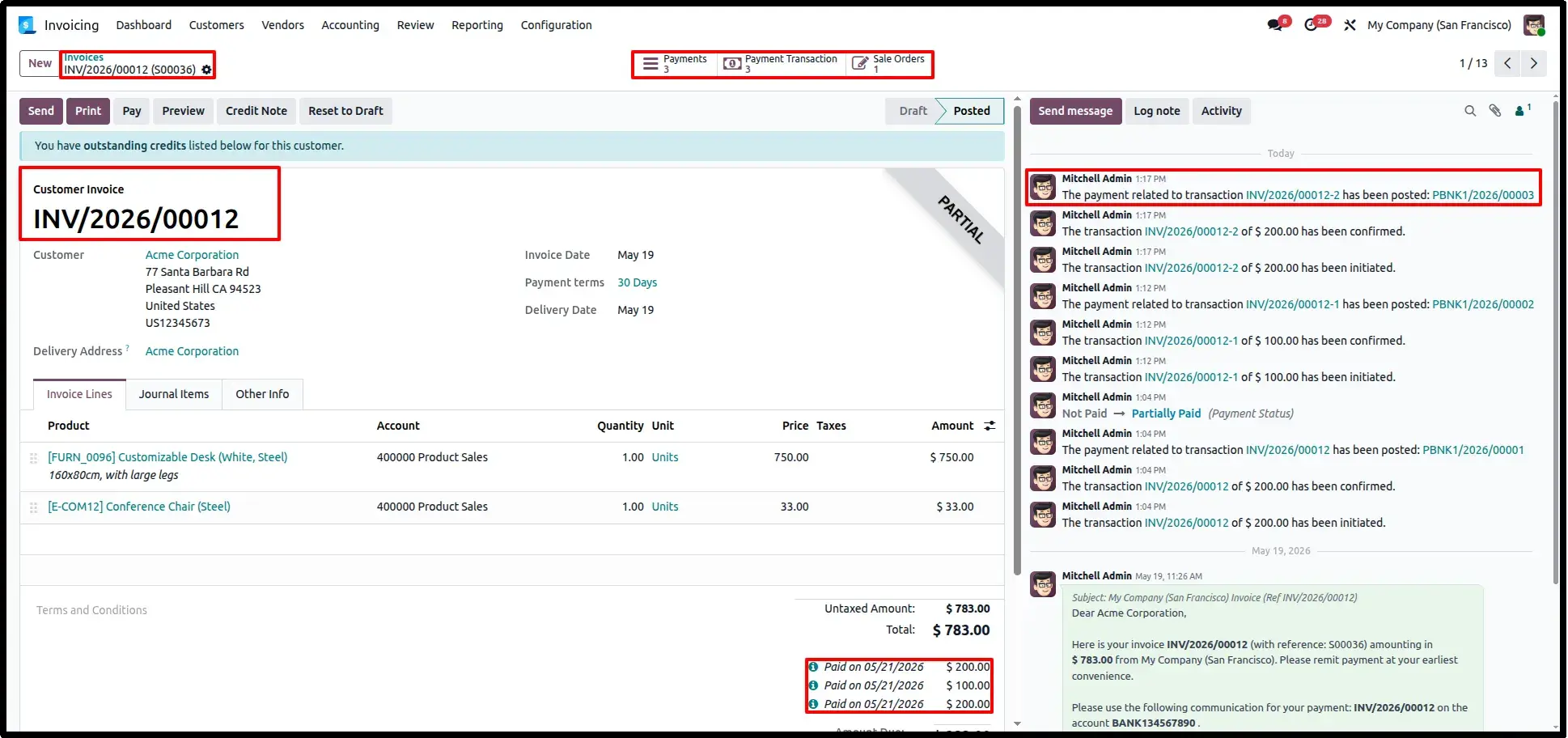
Invoice Record Updated
Odoo automatically updates the invoice record and links the payment to the invoice while maintaining complete payment history.
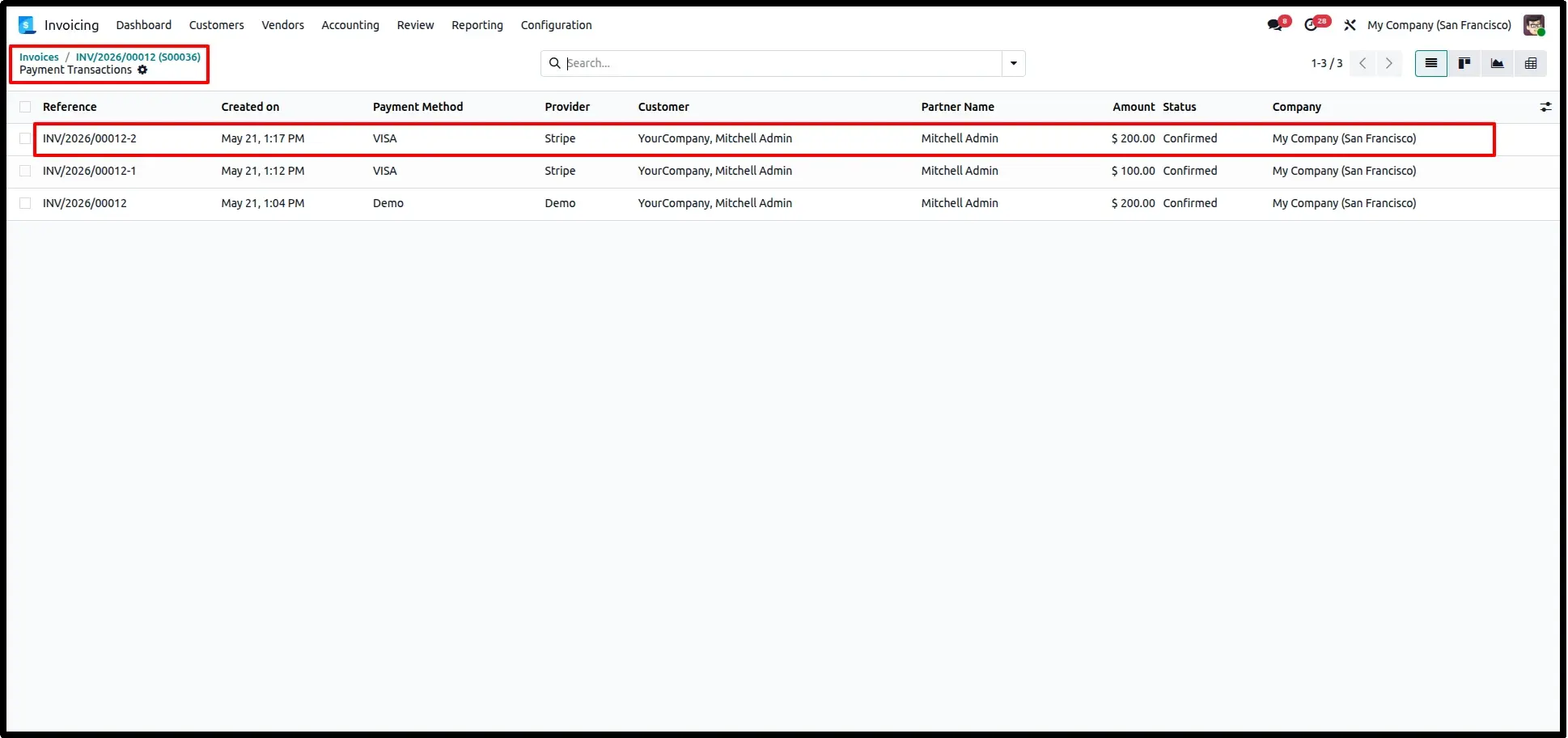
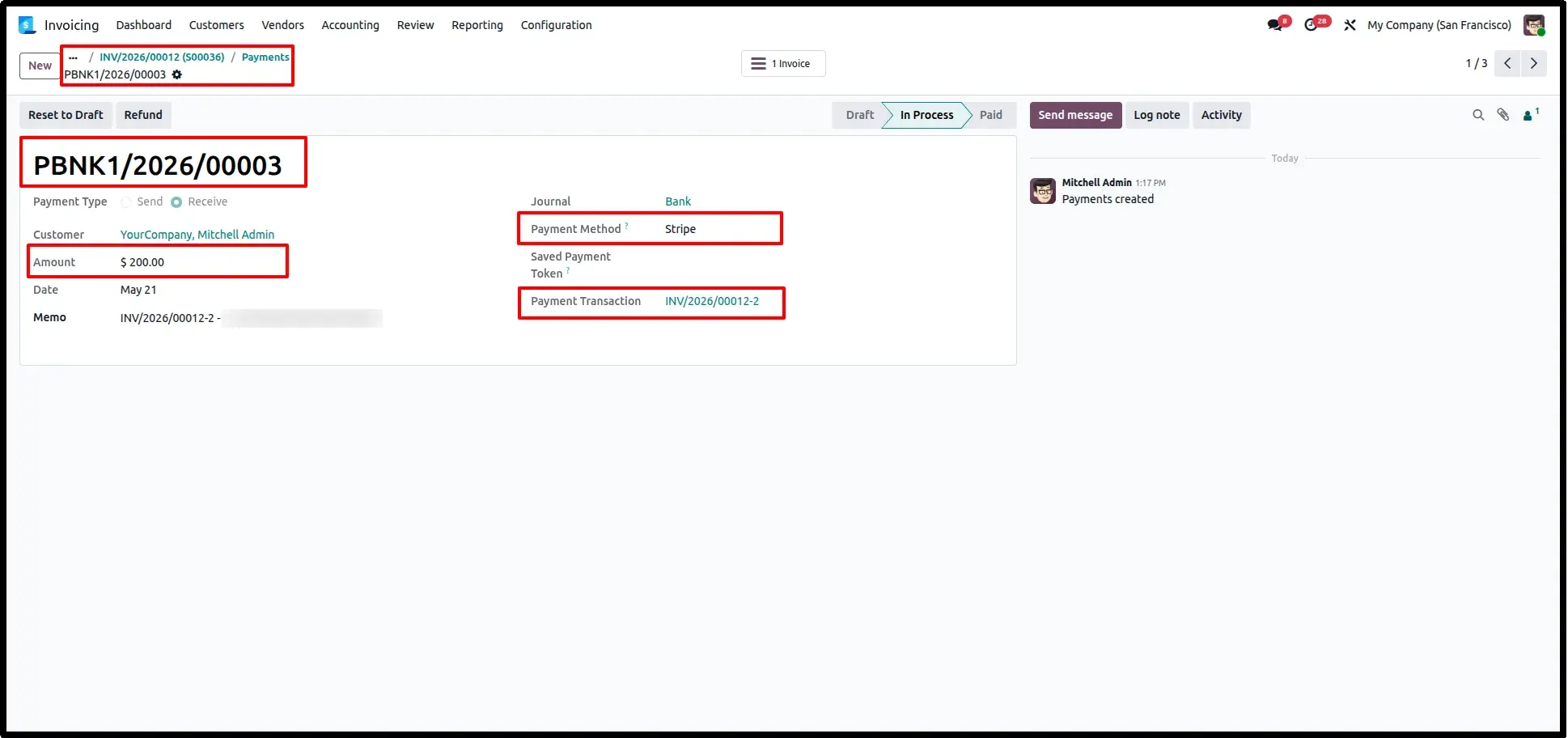
Payment Transaction Record
Each partial payment generates a dedicated payment transaction record containing transaction references, provider details, amount, and status information.
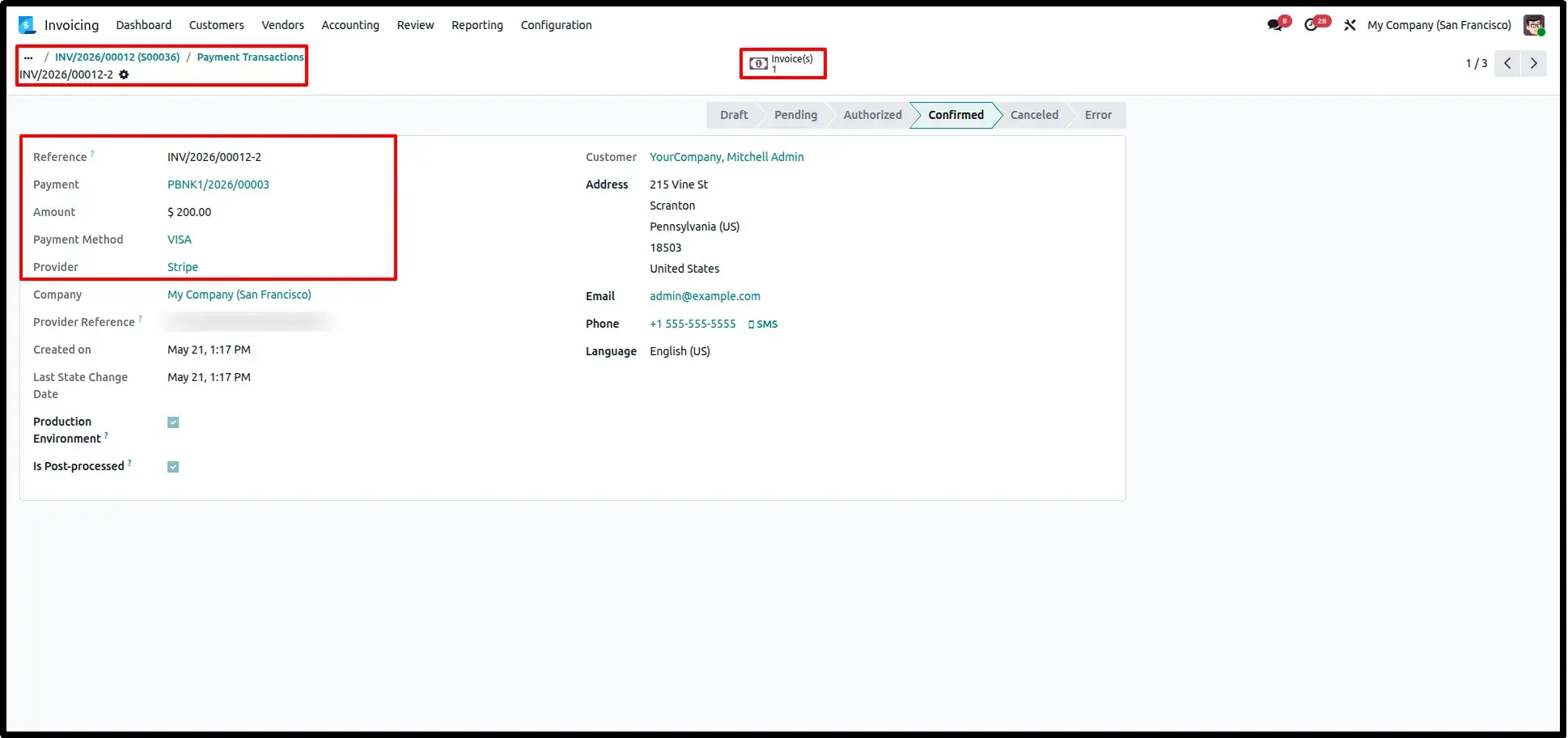
Transaction Detail Tracking
Administrators can review complete transaction details including provider information, payment status, references, and customer data.
Account Payment Record
Odoo automatically creates an Account Payment entry for every successful partial payment, ensuring proper accounting integration.
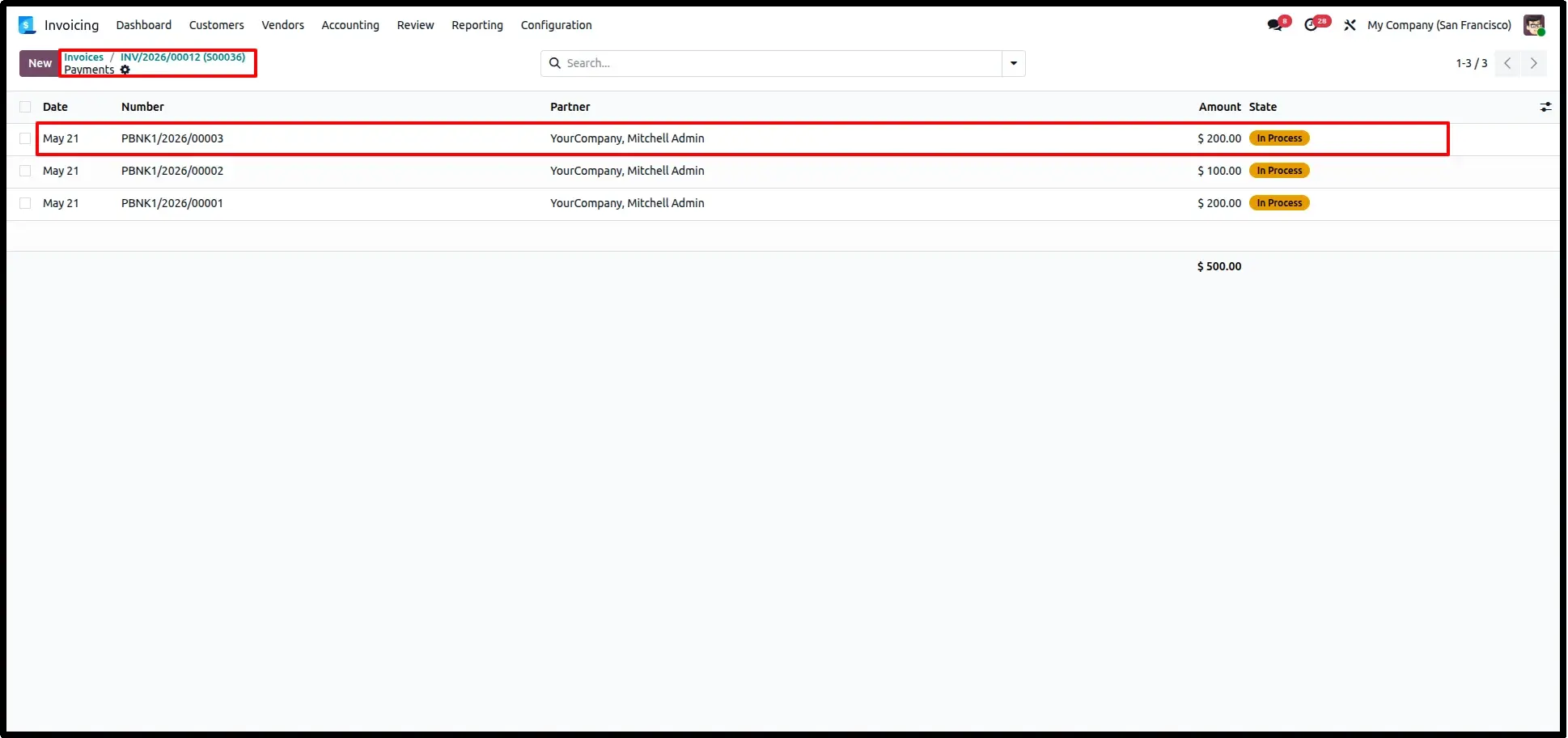
Payment Linked with Invoice
Payment records remain fully linked with invoices and transactions, enabling automatic reconciliation, accurate reporting, and complete financial traceability.
Frequently Asked Questions
Technical Details
Dependencies
• Invoicing (account)
• Website (website)
• Discuss (mail)
License
OPL-1
Need Assistance?
Email Support
contact@gritxi-tech.comAny Questions?
Have questions about this app?
Fill out the form below and our team will get back to you with more information.
Customer Reviews
Share your experience with this module.
Write a Review
Latest Reviews
No reviews yet. Be the first to share your thoughts!