
Surcharge In Sale and Invoice
Apply a percentage surcharge to sale order and invoice lines, automatically updating totals.
Surcharge In Sale and Invoice
Apply percentage-based surcharges directly to individual item lines. Automate handling fees, logistics costs, and service surcharges from quotation to final invoice.
App Overview

Introduction
The Surcharge In Sale and Invoice module extends Odoo Sales and Invoicing by allowing businesses to apply surcharge percentages directly on item lines. It introduces a smart calculation field that automatically updates line subtotals and taxes, ensuring seamless data flow from Sales Orders to Customer Invoices for high-accuracy billing.

Purpose
Managing additional fees like handling charges, fuel surcharges, or urgent processing costs often requires creating separate product lines, which clutters invoices and leads to manual errors. Standard Odoo does not offer a native way to apply a percentage-based surcharge directly to specific products.
This module bridges that gap by integrating a dedicated surcharge field into your sales and accounting workflows. It automates the recalculation of line totals based on your percentages—ensuring that additional costs are transparently communicated to customers and perfectly synchronized from the initial quote to the final printed report.
Key Features
Line-Level Surcharge
Apply surcharge percentages directly to specific item lines on both Sales Orders and Invoices.
Automatic Recalculation
Line subtotals, taxes, and final totals automatically update the moment you enter a percentage.
Seamless Invoice Sync
Surcharge values transfer automatically from Sales Orders to Customer Invoices with zero manual entry.
Configuration Support
Easily enable or disable surcharge access using native Odoo settings and security group options.
Report Integration
Show clear surcharge columns on both Printed Sales Reports and Customer Invoice PDF reports.

Targeted Businesses
Wholesale & B2B
Apply logistics, handling, or specific material surcharges automatically on bulk orders.

Service Agencies
Add operational fees or processing percentages directly to billable consulting hours and services.

Logistics & Transport
Manage fuel surcharge percentages that automatically adjust based on transport line items.
Configuration Steps
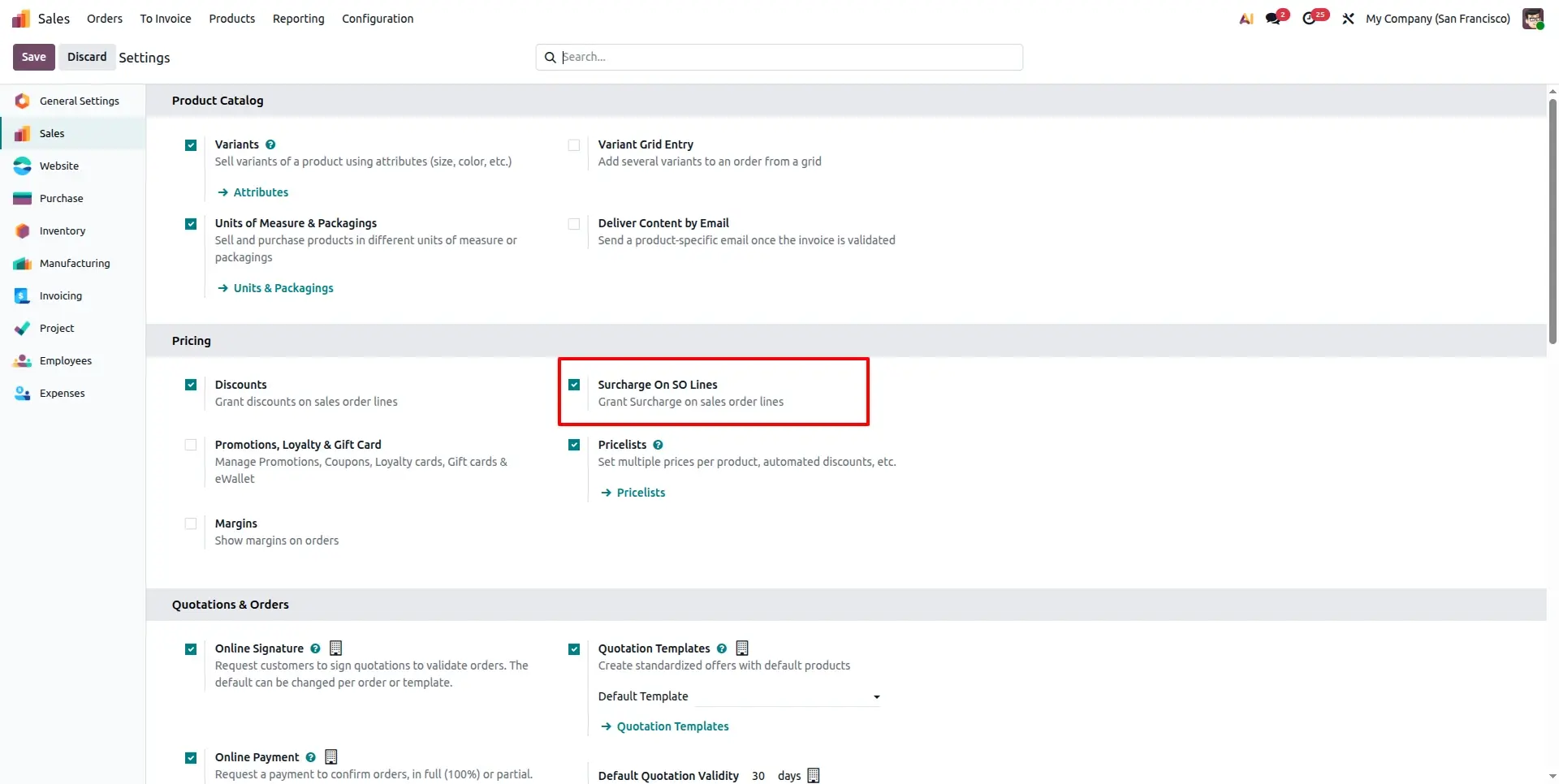
Enable Global Configuration
Navigate to Sales > Configuration > Settings. Locate the Pricing section and activate "Surcharge On SO Lines" to unlock the feature across your platform.
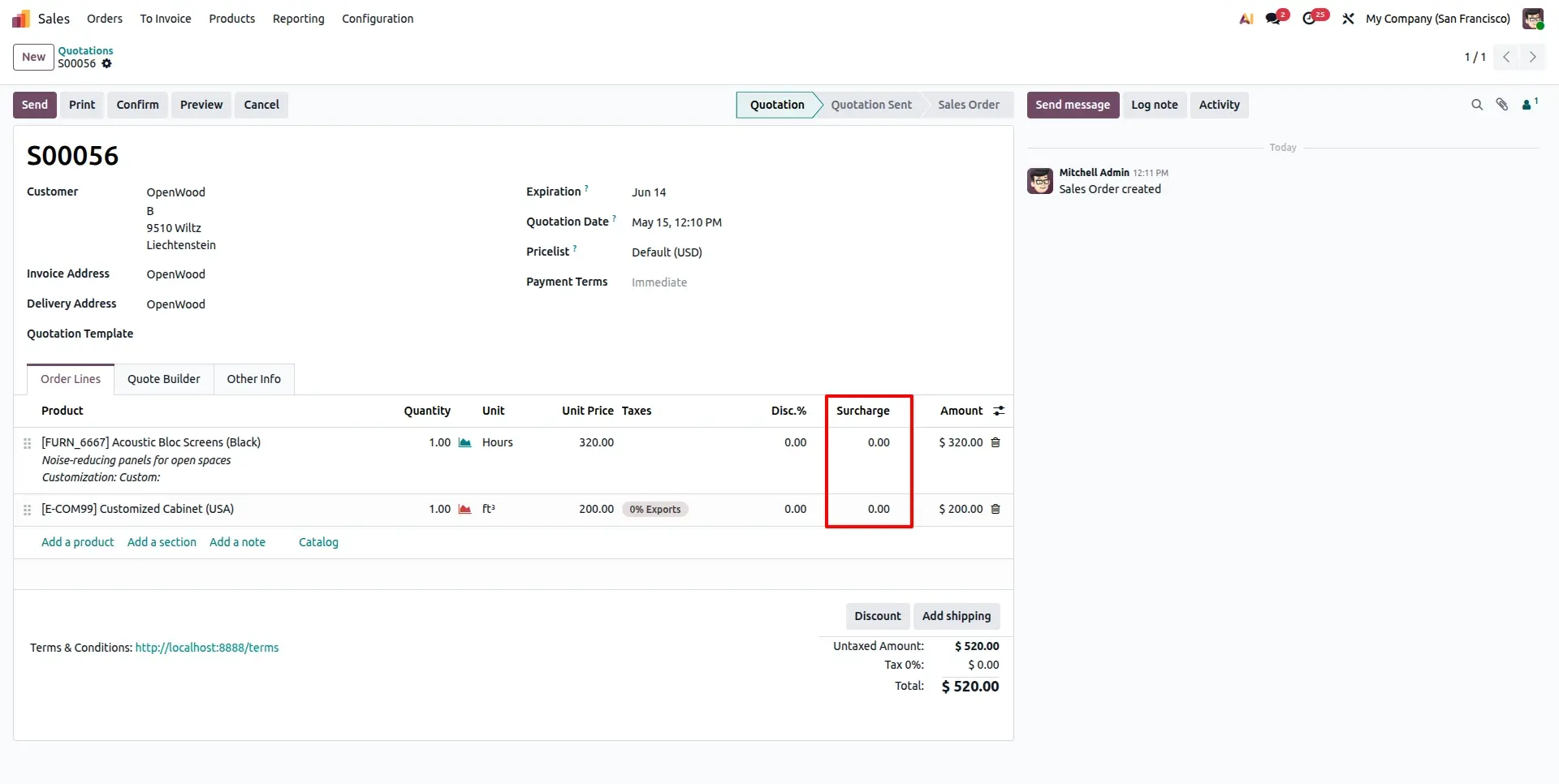
Access Surcharge Field
Open any Sales Order. A dedicated Surcharge column is now available directly within the order lines for individual product adjustments.
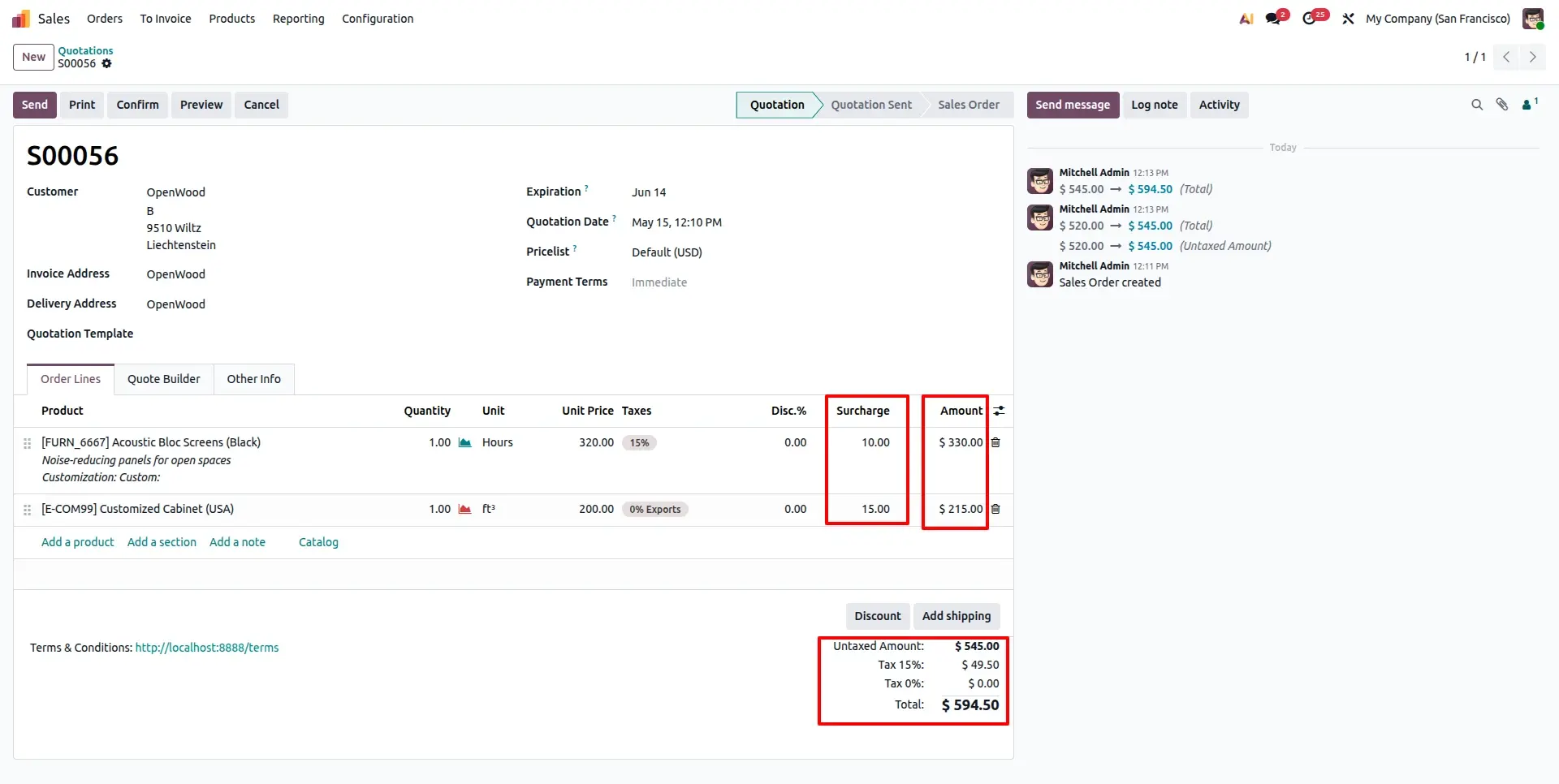
Real-time Total Calculation
As you enter surcharge percentages, the system computes the new subtotal and taxes instantly, ensuring your order value is always accurate.
Seamless Invoice Transfer
Upon order confirmation, create the invoice. All surcharge data synchronized from the Sales Order transfers flawlessly to the Customer Invoice.
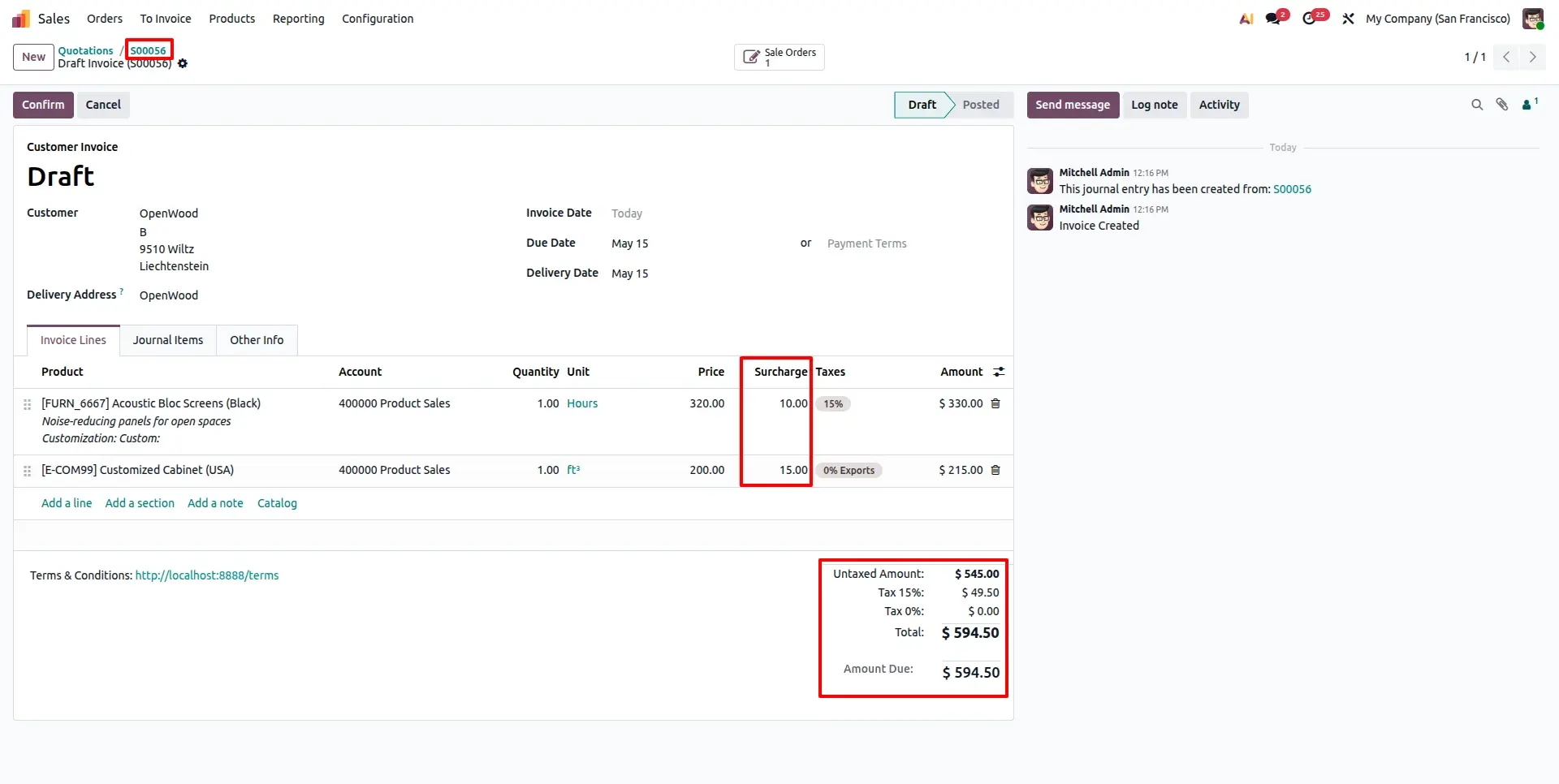
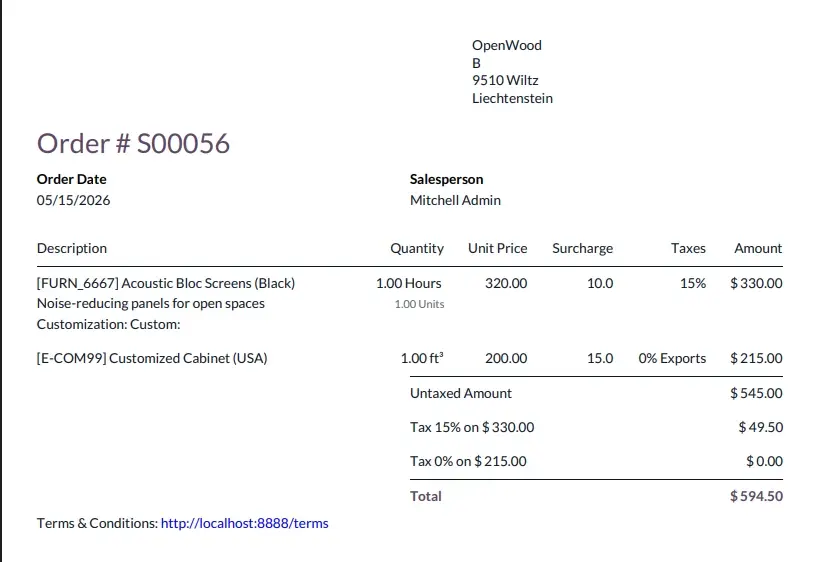
Transparent Sales Reporting
Generate the Quotation PDF report to view the surcharge column, ensuring your clients have clear visibility into the additional line-item costs.
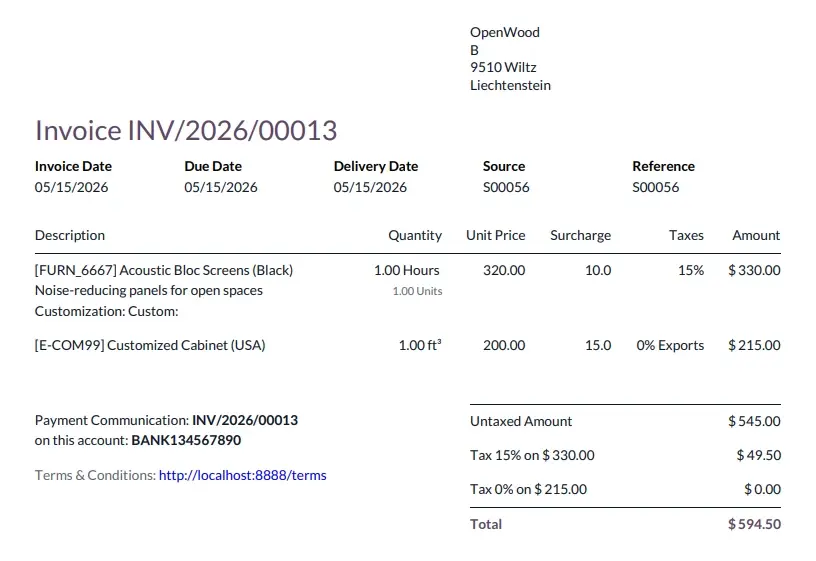
Detailed Invoice Analytics
The final Invoice PDF report maintains total transparency, showing exactly how surcharges were applied to achieve the final billable total.
Frequently Asked Questions
Technical Details
Dependencies
• Invoicing (account)
• Sales (sale_management)
• Discuss (mail)
License
OPL-1
Need Assistance?
Email Support
contact@gritxi-tech.comAny Questions?
Have questions about this app?
Fill out the form below and our team will get back to you with more information.
Customer Reviews
Share your experience with this module.
Write a Review
Latest Reviews
No reviews yet. Be the first to share your thoughts!