
Secondary UOM
Manage a secondary unit of measure in sales, purchase, inventory and accounting.
Secondary UOM
Manage secondary units of measure in Odoo with seamless conversion across sales, purchase, inventory, and accounting, enabling dual UOM handling, accurate quantity tracking, and enhanced reporting with secondary unit display on documents.
App Overview

Introduction
In Odoo, every product is managed using a primary unit of measure, but many industries require the same product to be handled in two different measurement units simultaneously. A business may purchase products in kilograms while selling them in boxes, manage fabrics in metres while stocking them in kilograms, or quote chemicals in litres while delivering them in drums.
The Secondary UOM module introduces a second unit of measure for products and automatically carries both quantities throughout the complete Odoo workflow. Secondary quantities are available across Sales Orders, Purchase Orders, Delivery Orders, Stock Moves, Stock Move Lines, Inventory Adjustments, Scrap Orders, Customer Invoices, Vendor Bills, and printed reports while maintaining automatic quantity conversion between the primary and secondary units.

Purpose
The purpose of this module is to provide businesses with an efficient dual unit of measure system that automatically synchronises quantities throughout Odoo. It enables organisations to manage products using both primary and secondary units, simplifies operations involving different measurement standards, eliminates manual conversion calculations, improves inventory accuracy, and ensures consistent quantity tracking across Sales, Purchase, Inventory, Accounting, and reporting while preserving Odoo's native workflows and performance.
Business Use Cases

Dual Measurement Operations
Manage products that are purchased, stocked, sold, or delivered using two different units of measure without performing manual quantity conversions.

Accurate Inventory Tracking
Maintain inventory using both primary and secondary quantities to improve stock accuracy across warehouses, receipts, deliveries, and inventory adjustments.
Eliminate Manual Conversions
Automatically convert quantities between primary and secondary units throughout Sales, Purchase, Accounting, and Inventory, reducing calculation errors and improving operational efficiency.
Key Features
Dual UOM Per Product
Configure a secondary unit of measure and conversion ratio directly on the product for accurate dual quantity management.
Automatic Quantity Conversion
Primary and secondary quantities stay synchronized automatically with instant bidirectional conversion.
Sales & Purchase Integration
Secondary quantities flow automatically through Sales Orders, Purchase Orders, and procurement operations.
Inventory & Delivery Support
Secondary quantities are maintained across Stock Moves, Move Lines, Inventory Adjustments, Deliveries, and Scrap Orders.
Accounting & Reports
Display secondary quantities on invoices, bills, delivery slips, quotations, purchase orders, and analytical reports.
Flexible Module Control
Enable or disable Secondary UOM independently for Sales, Purchase, Inventory, Accounting, and printed reports using dedicated settings.
Configuration & Workflow
Secondary UOM General Configuration
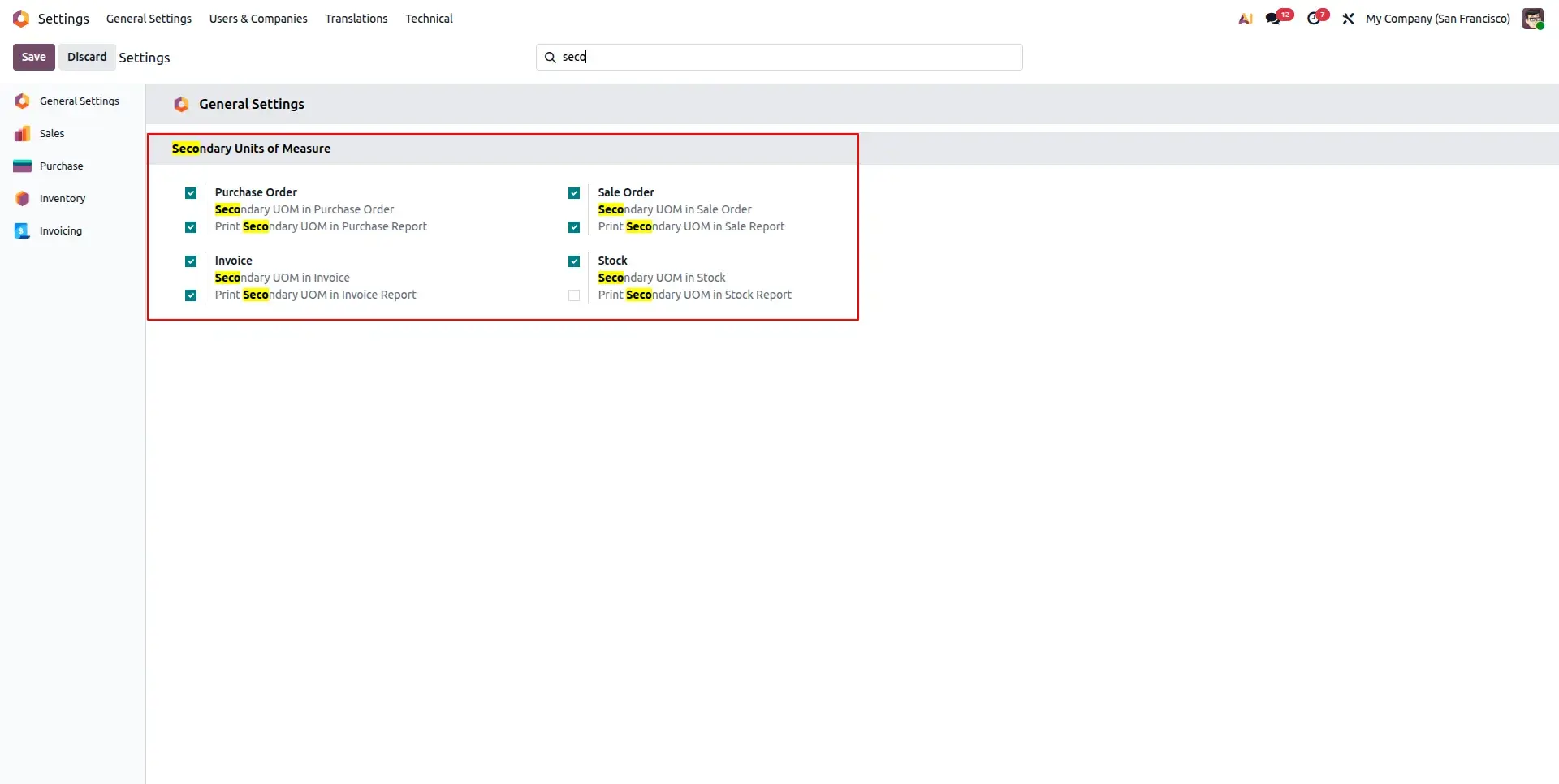
Open Settings and enable the Secondary UOM feature for the required modules such as Sales, Purchase, Inventory, and Accounting. Individual print options are also available to control whether secondary quantities appear on Sales Orders, Purchase Orders, Delivery Slips, Invoices, Bills, and other reports.
Configure Secondary UOM on Product
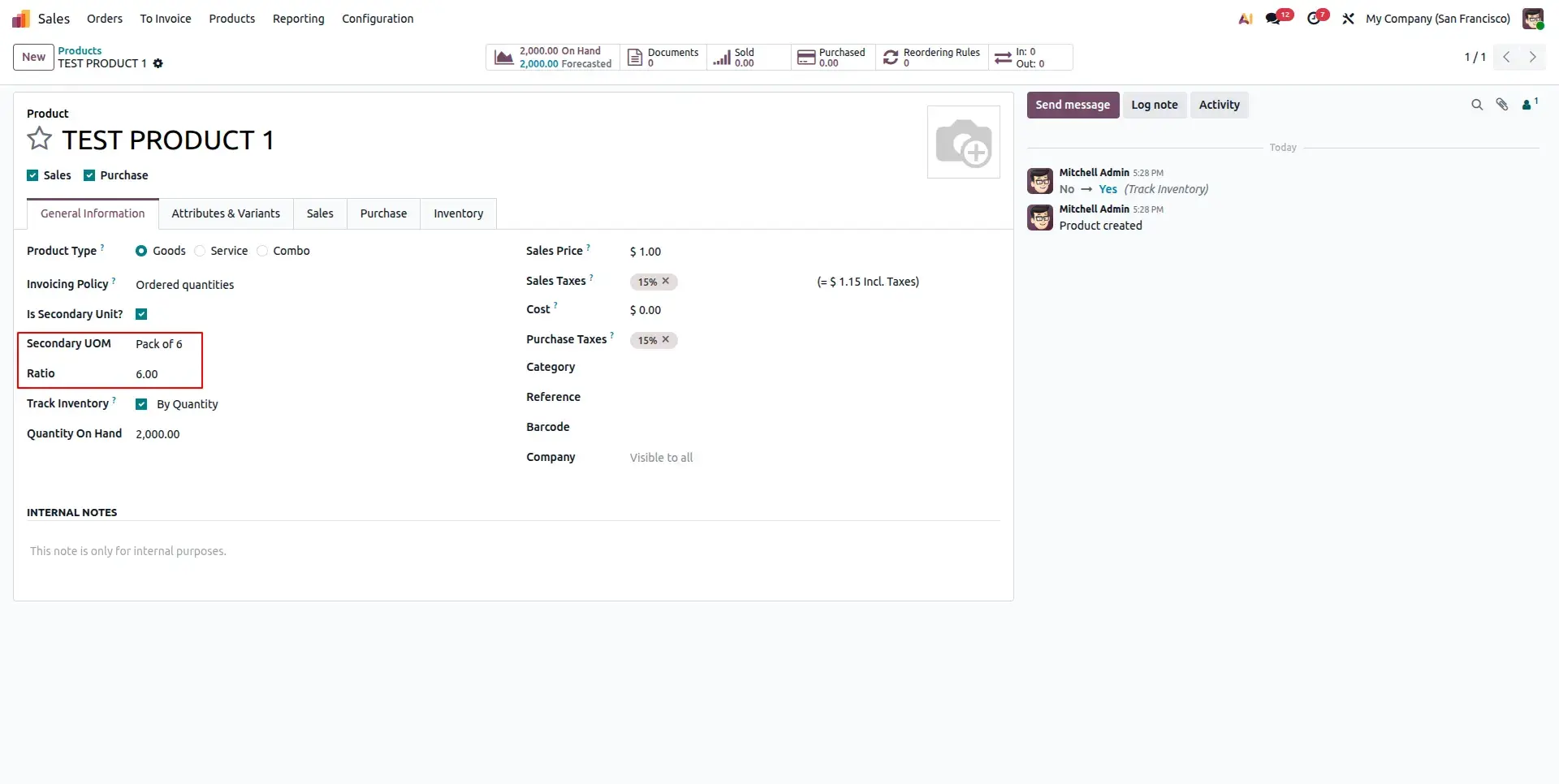
Open the Product form and enable the Is Secondary Unit? option. Select the required Secondary UOM and configure the Ratio whenever the primary and secondary units belong to different measurement categories. If both units belong to the same UOM category, Odoo automatically performs the conversion using its native UOM engine.
Automatic Quantity Conversion
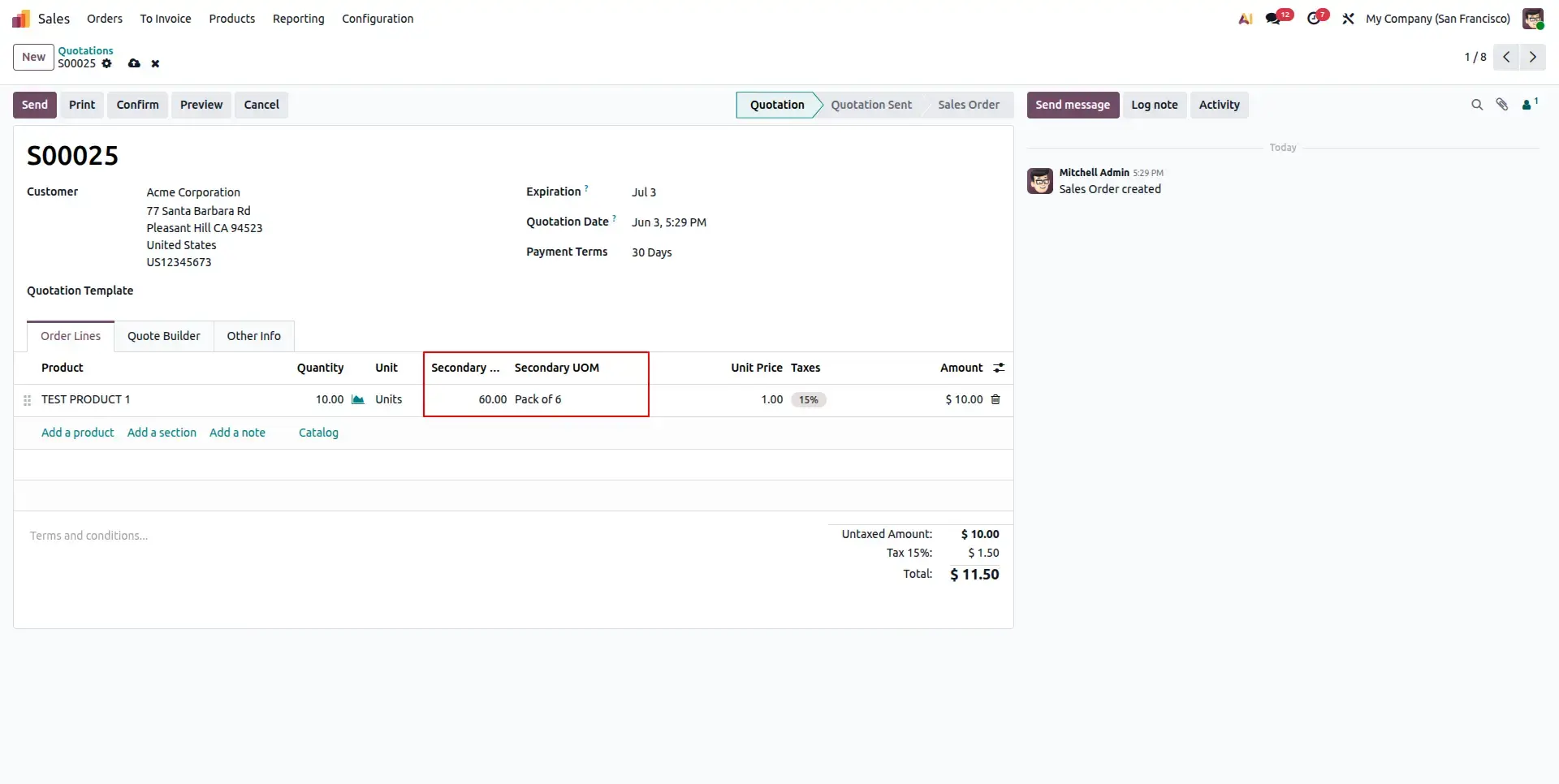
Whenever a transaction is created, the module automatically computes the secondary quantity from the primary quantity. For units within the same measurement category, Odoo's built-in UOM conversion is used. For different categories, the configured conversion ratio is applied automatically. Editing either quantity instantly updates the other through bidirectional synchronisation.
Delivery Orders Carry Both Quantities
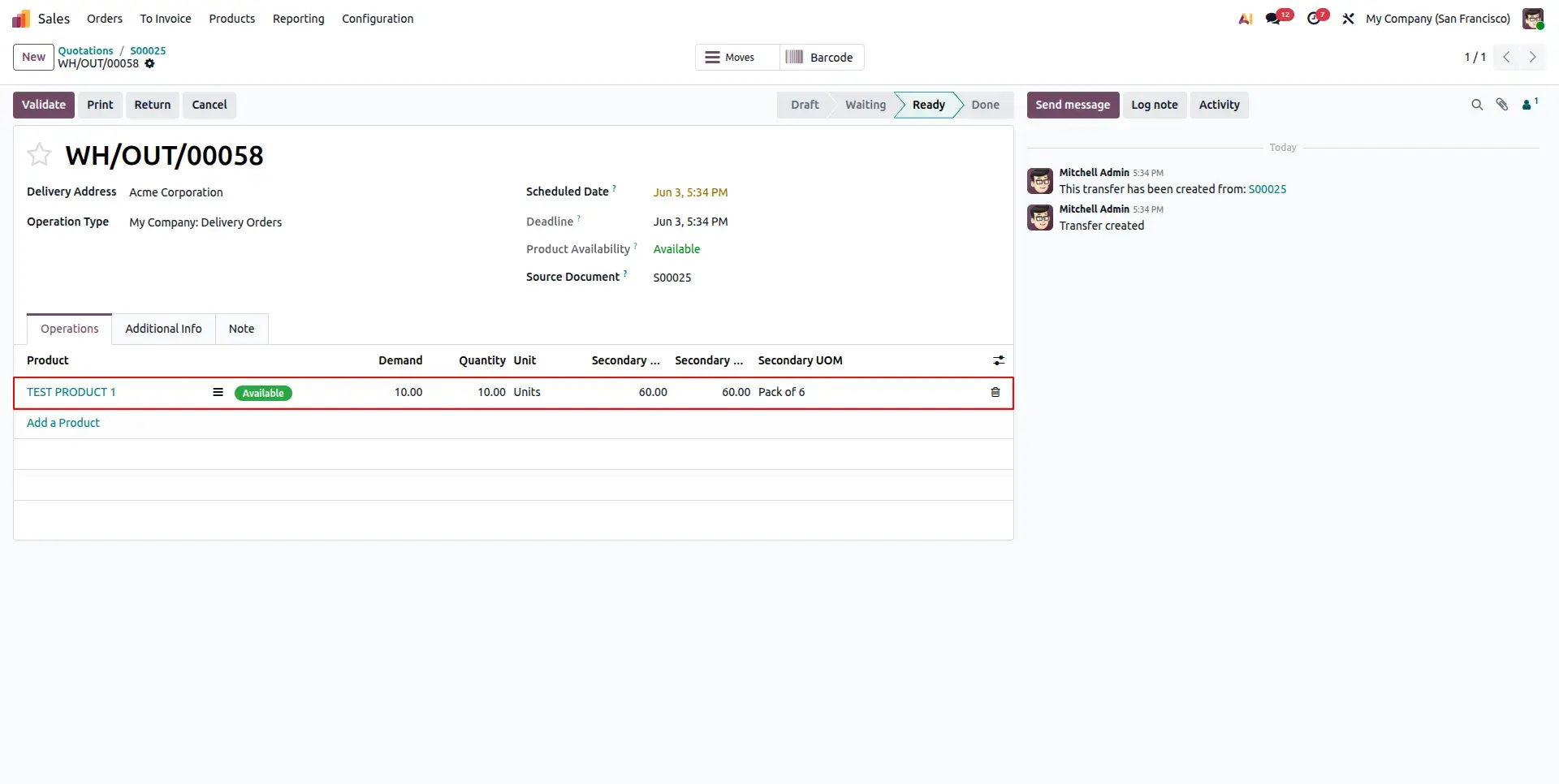
Once Sales Orders or Purchase Orders are confirmed, the generated Stock Moves and Move Lines automatically inherit both the primary and secondary quantities. Planned quantities and completed quantities remain synchronized throughout warehouse operations, ensuring consistent inventory tracking during receipts and deliveries.
Printed Reports with Secondary Quantity
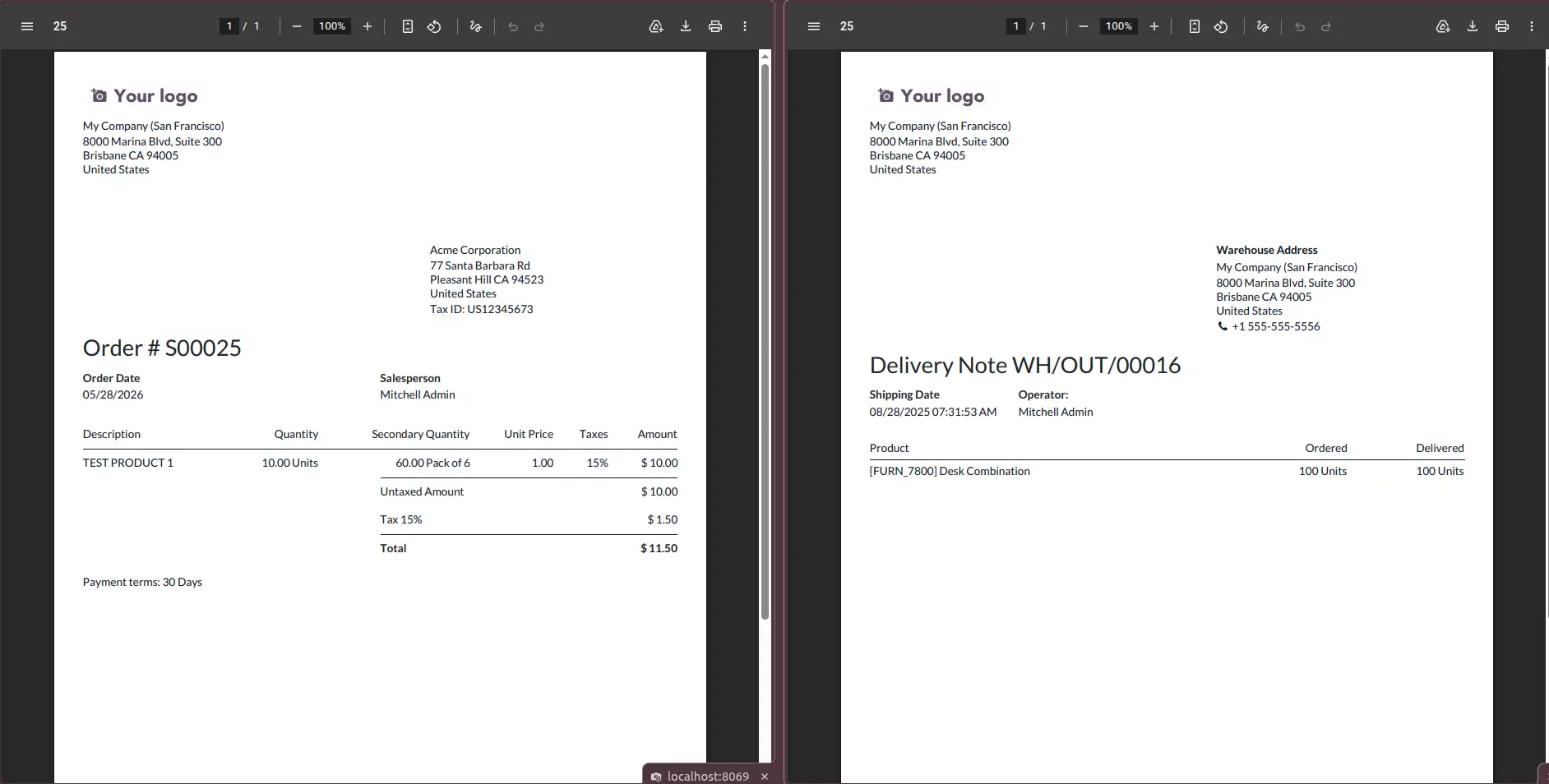
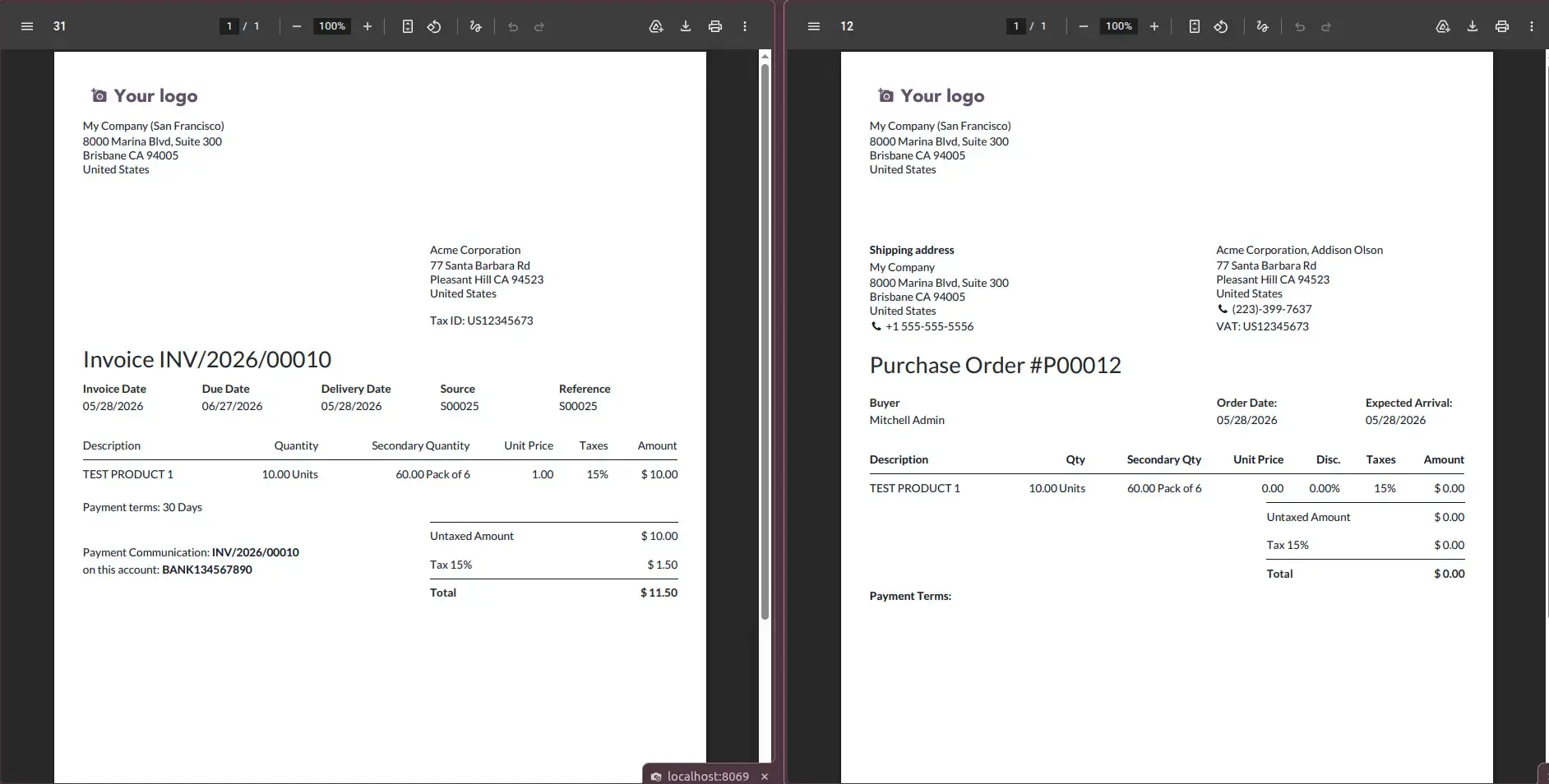
Secondary quantities are automatically included in supported printed reports including Sales Orders, Purchase Orders, Delivery Slips, Customer Invoices, Vendor Bills, and analytical reports whenever the corresponding print option is enabled from Settings.
Frequently Asked Questions
Technical Details
Dependencies
• Sales (sale_management)
• Purchase (purchase)
• Inventory (stock)
• Accounting (account)
License
OPL-1
Need Assistance?
Email Support
contact@gritxi-tech.comAny Questions?
Have questions about this app?
Fill out the form below and our team will get back to you with more information.
Customer Reviews
Share your experience with this module.
Write a Review
Latest Reviews
No reviews yet. Be the first to share your thoughts!