RFQ from Sale Order
Create multiple RFQ from Sale order based on selected vendors
RFQ from Sale Order
Generate Purchase Orders directly from Sales Orders with vendor-based automation, smart Purchase Order management, and streamlined procurement workflows.
App Overview

Introduction
The RFQ from Sale Order process streamlines procurement by generating Purchase Orders directly from Sales Orders, thereby enhancing efficiency across interdepartmental operations.
This optimized approach minimizes manual errors, ensures accurate data transfer between departments, and speeds up order fulfillment. By automating the flow from sales to procurement, organizations can improve productivity, maintain better inventory control, and respond more efficiently to customer demands.

Purpose
The RFQ from Sale Order module helps businesses simplify and automate the procurement process by generating Purchase Orders directly from Sales Orders. It reduces manual work, minimizes errors, improves coordination between sales and purchase teams, and speeds up the overall order fulfillment process.
Key Features

One Click RFQ
Generate Purchase Orders directly from Sales Orders with a single click.
Vendor Selection
Select vendors individually for each Sales Order line to improve purchasing accuracy.

Smart Integration
Automatically replaces the Purchase button with a smart button showing linked Purchase Orders.

Quick Access
Open all related Purchase Orders directly from the Sale Order using the smart button.

PO Consolidation
Merge multiple Sale Order lines into one Purchase Order when the same vendor is selected.

Maintain Line Integrity
Preserve individual Sale Order lines inside consolidated Purchase Orders for complete traceability.
Configuration & Workflow
Enable discount functionality in Odoo and configure the application in just a few simple steps.
Generate PO from SO
Select the desired vendor from the Sale Order Line in the Order Lines tab and click the Purchase button to create a Purchase Order.
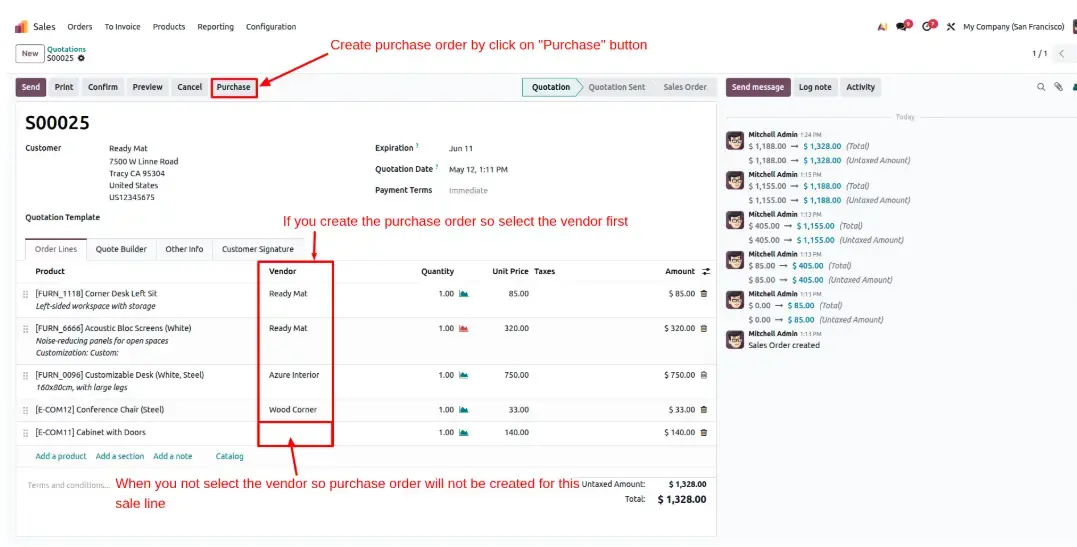
View the Purchase Order
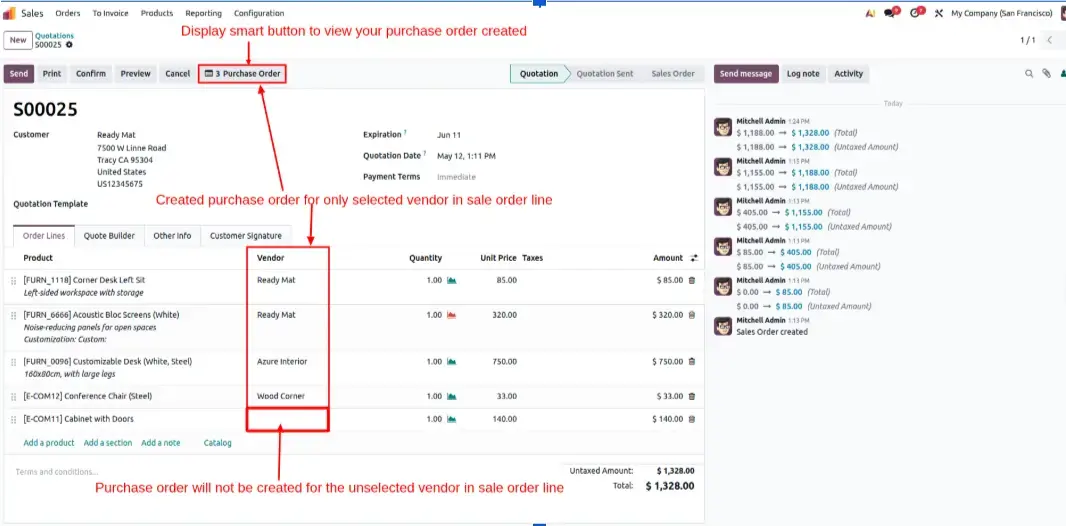
The Purchase button is automatically replaced with a smart button displaying the total number of linked Purchase Orders.
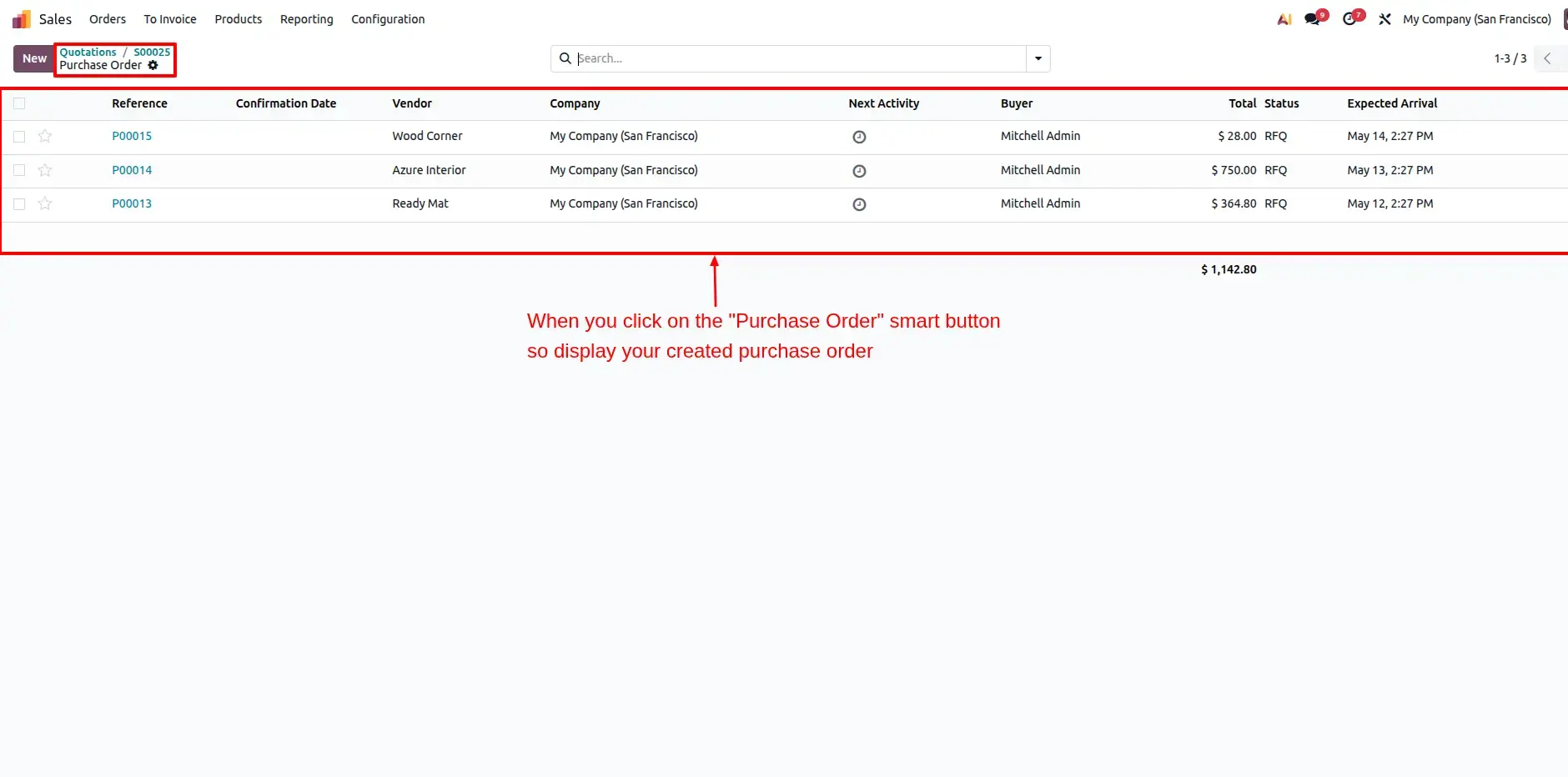
Display All Created POs
Quickly access all linked Purchase Orders directly from the Sale Order using the Purchase Orders smart button.
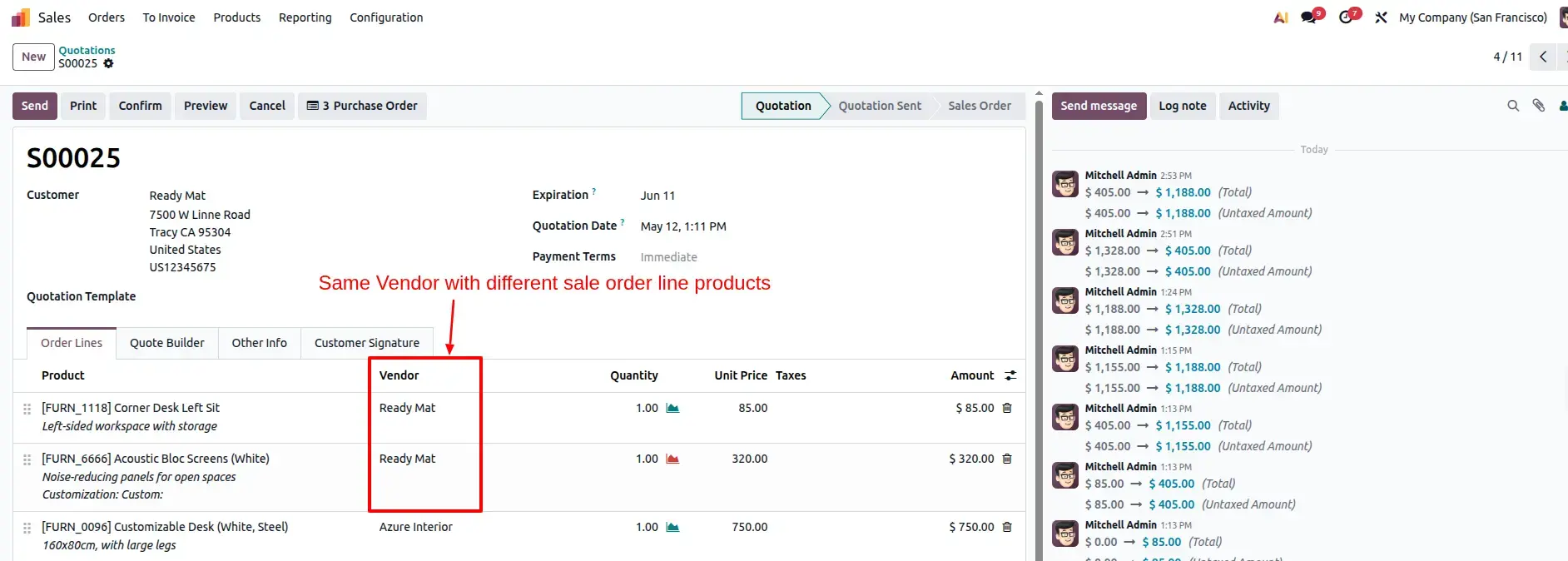
Consolidated Automation
Combine multiple Sale Order lines into a single Purchase Order when they belong to the same vendor.
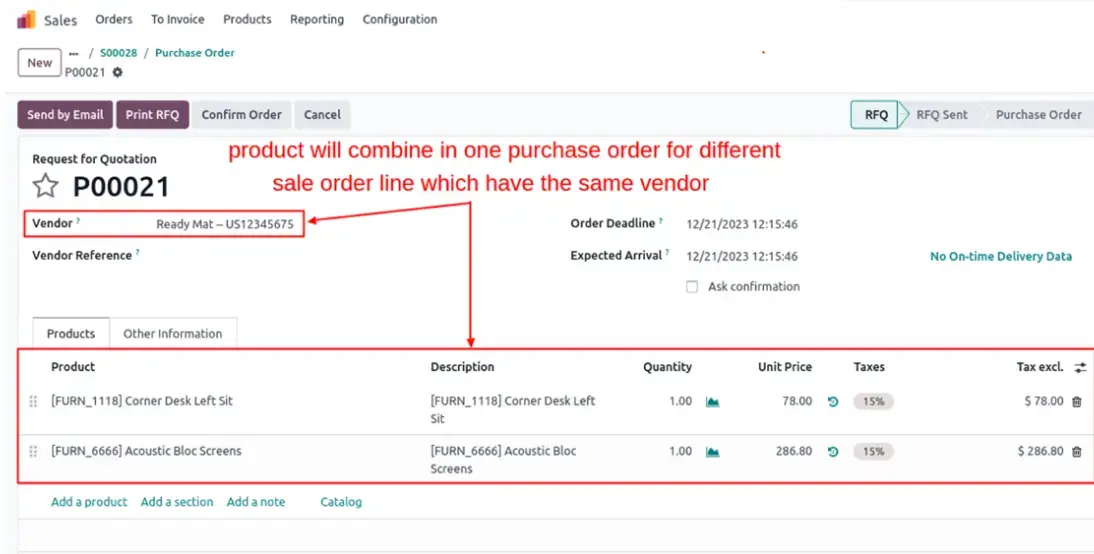
Unique Line Handling
Even when Purchase Orders are consolidated, each Sale Order line remains individually traceable.
Frequently Asked Questions
Technical Details
Dependencies
• Inventory (stock)
• Purchase (purchase)
• Sales (sale_management)
• Discuss (mail)
• Invoicing (account)
License
OPL-1
Need Assistance?
Email Support
contact@gritxi-tech.comAny Questions?
Have questions about this app?
Fill out the form below and our team will get back to you with more information.
Customer Reviews
Share your experience with this module.
Write a Review
Latest Reviews (0)
No reviews yet. Be the first to share your thoughts!