
Restrict Send Email to Followers
Restrict Send Email to Followers
Restrict Send Email to Followers
Eliminate notification fatigue and secure your document threads from accidental internal leaks with granular recipient control.
App Overview

Introduction
The Restrict Send Email to Followers module enhances Odoo’s email communication workflow by giving users full control over whether document followers should receive outgoing emails.
By default, Odoo automatically sends emails to all followers of a document whenever an email is composed and sent from the chatter or email composer. In many business scenarios, this behavior creates unnecessary notifications, internal communication leaks, excessive mailbox traffic and accidental email delivery to unrelated followers.
This module introduces a simple and user-friendly checkbox option directly inside the email composer:
“Don't Send Mail to Followers”
When enabled, Odoo sends the email only to explicitly selected recipients and excludes document followers from the outgoing email notification process.
The module works natively with Odoo’s mail framework and integrates directly into the standard email composition workflow without changing existing business processes.

Purpose
The purpose of the Restrict Send Email to Followers module is to introduce a "mute" capability for document followers during the email composition process. It solves three primary operational challenges:
- • Privacy Governance: Ensuring customer-facing emails remain strictly between the agent and the client.
- • Information Management: Reducing unnecessary mailbox clutter for internal teams.
- • Communication Precision: Allowing users to manually curate recipient lists for every outgoing message without altering the permanent follower structure of the record.
Targeted Business Beneficiaries

Odoo Service Providers
Protect sensitive implementation or support discussions from leaking to unnecessary followers.

Consulting Agencies
Prevent internal team followers from receiving client-facing professional communication.

Financial & Legal
Restrict confidential communication strictly to approved recipients and partners only.

Manufacturing Units
Avoid operational spam to large follower groups during routine vendor or procurement emails.

Healthcare Compliance
Improve communication governance and HIPAA-aligned privacy for patient records.
Support Teams
Send targeted ticket responses without notifying every technical observer on the task.
Workflow Use Cases
Sales Quotations
When sending a revised quote, the salesperson mutes followers to prevent internal employees from receiving repeat commercial notifications, keeping customer dialogue professional.
Helpdesk Replies
Support agents can reply to a specific customer without alerting the entire technical engineering or escalation team attached to the ticket, reducing mailbox clutter.
Finance Clarification
Accountants sending invoice payment links can exclude sales or operations followers, ensuring financial data stays between the customer and the accounting department.
Key Features

Selective Delivery
Prevent automatic delivery to followers with a single click in the mail composer.

Wizard Integration
Adds a simple, native-feeling toggle checkbox directly inside the Odoo composer.
Leakage Prevention
Eliminate accidental internal delivery of highly confidential customer-facing emails.

Universal Scope
Works across Sales, CRM, Helpdesk, Projects, and all chatter-enabled documents.
Native Core Extend
Extends core mail models without changing standard business workflows or logic.

Targeted Response
Deliver emails only to manually selected recipients instead of the entire document group.

Zero Clutter
Massively reduces internal mailbox traffic while keeping followers attached for visibility.
Plug-and-Play
No complex configuration required. Simply install and it integrates with your chatter.
Configuration & Workflow
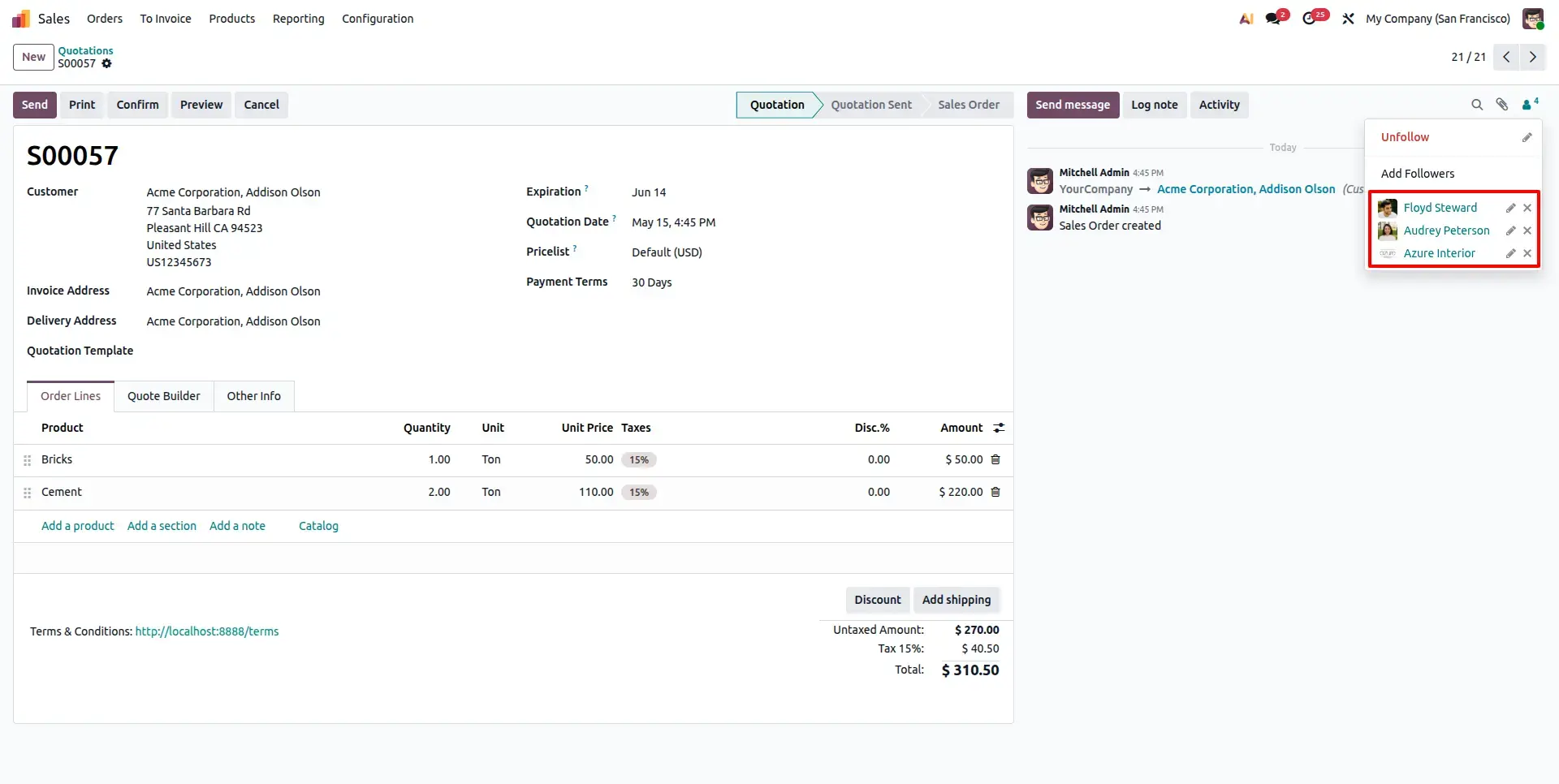
Identify Existing Followers
Open any document (e.g., a Sale Order) and view the list of Followers in the chatter. By default, these individuals receive every outgoing email sent from this record.
Activate Email Restriction
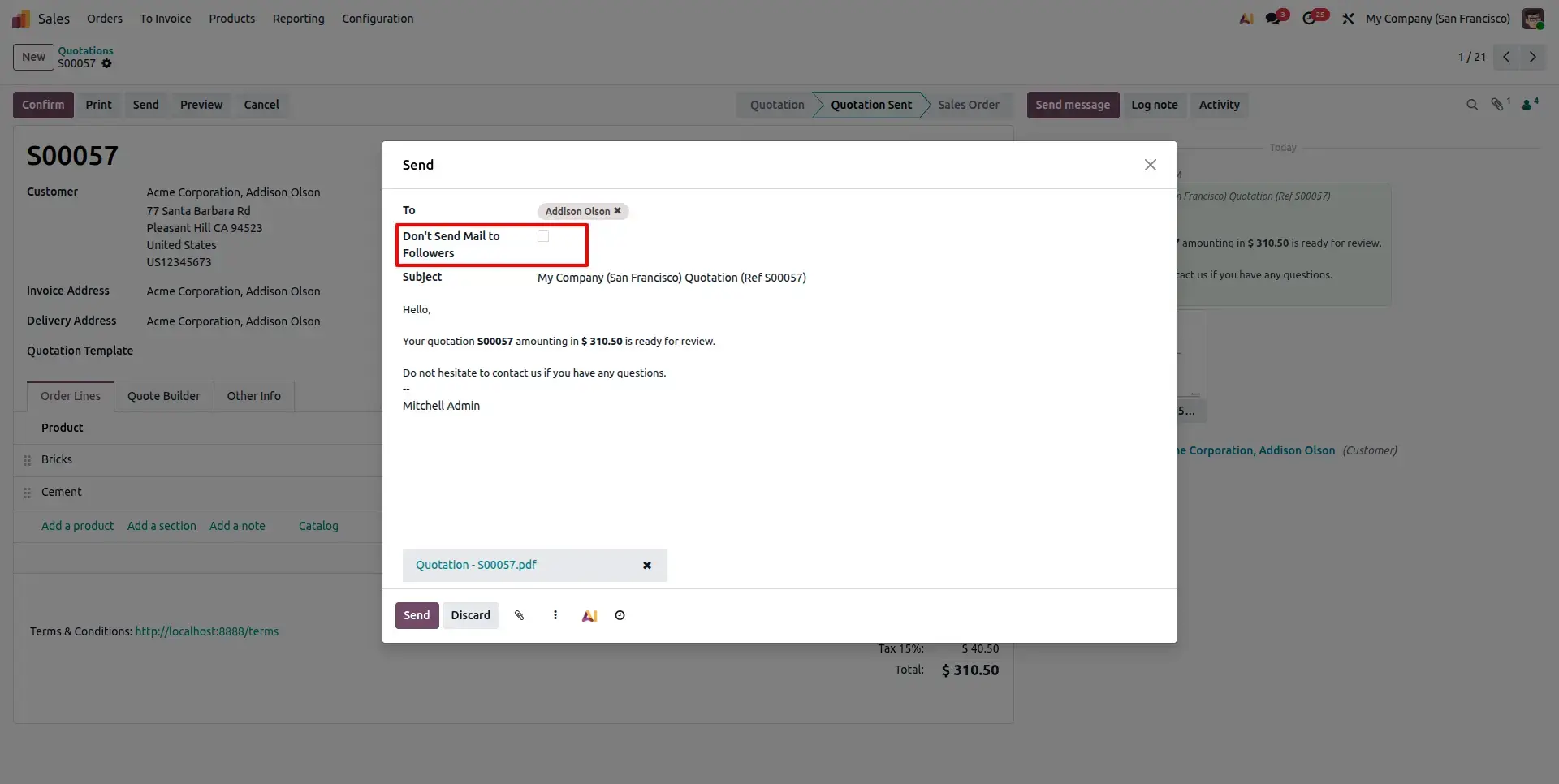
When composing an email, enable the "Don't Send Mail to Followers" option. This ensures the email is delivered only to explicitly selected recipients while muting the document followers.
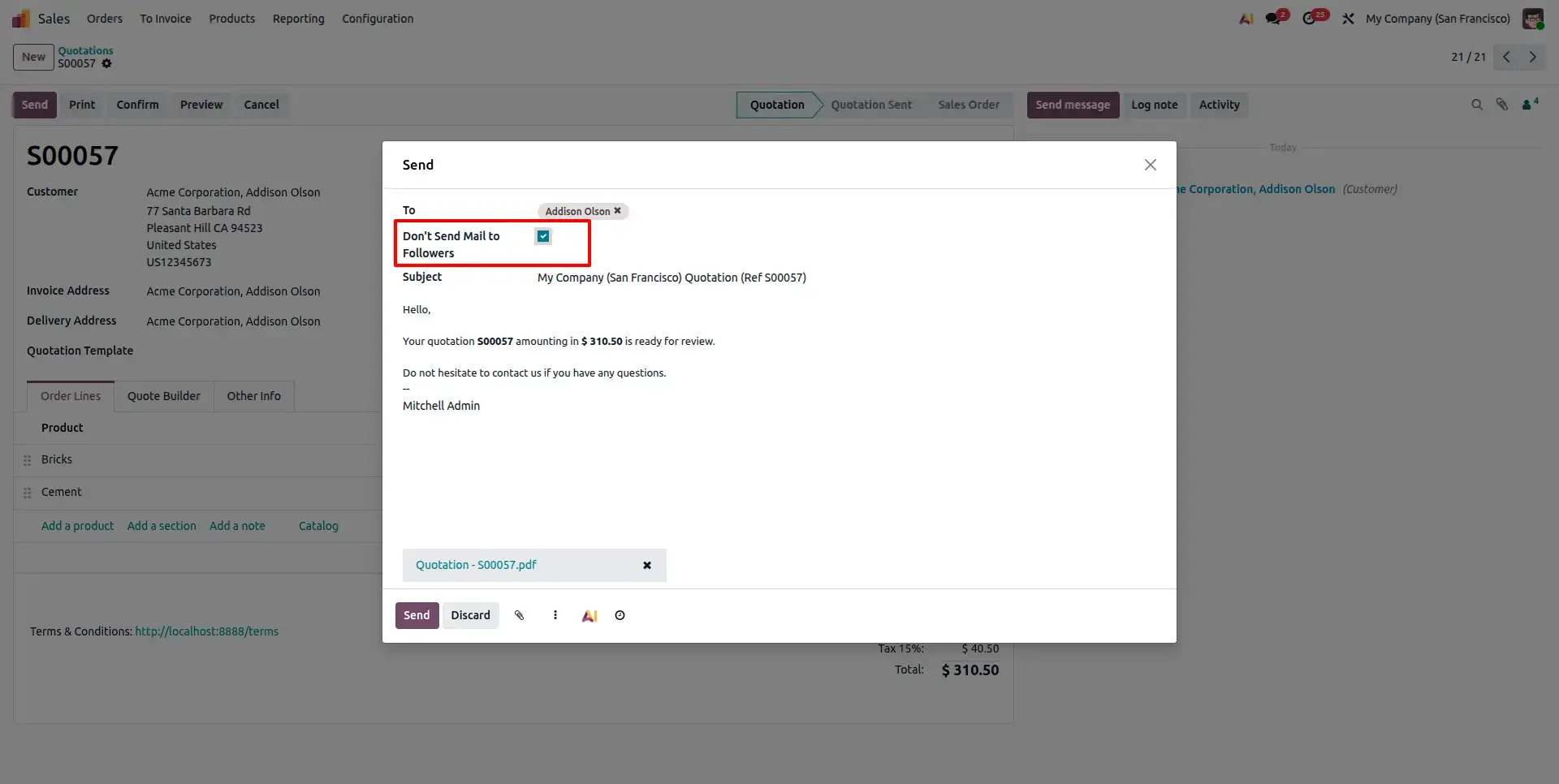
Targeted Recipient Delivery
Review the interface to confirm that only the selected recipients from the "To" field are targeted. Followers attached to the record are completely bypassed in this specific mailing action.
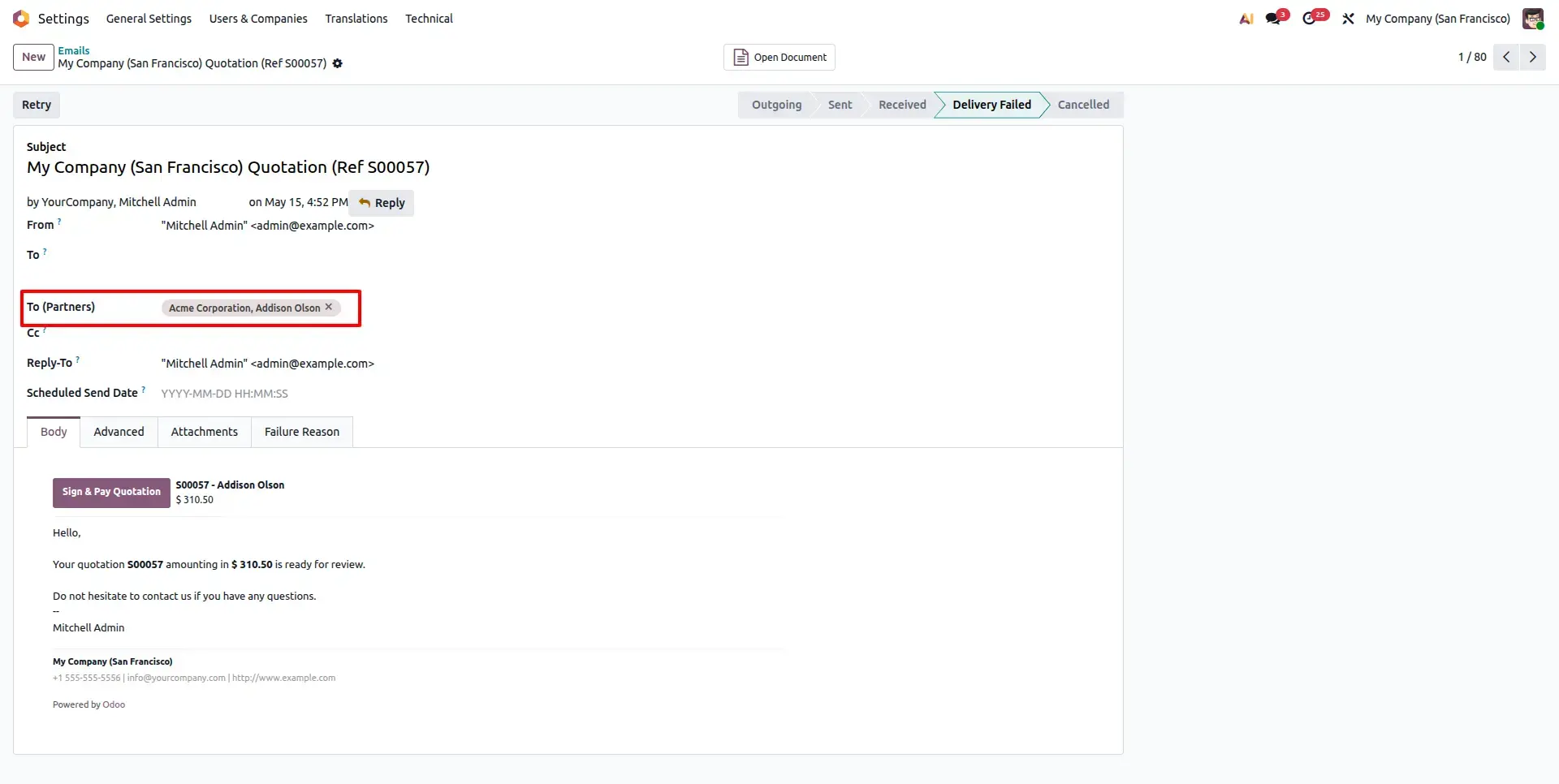
Standard Global Notification
By leaving the restriction option unchecked (default behavior), Odoo will proceed with its standard logic sending the email to both your selected recipients and all document followers.
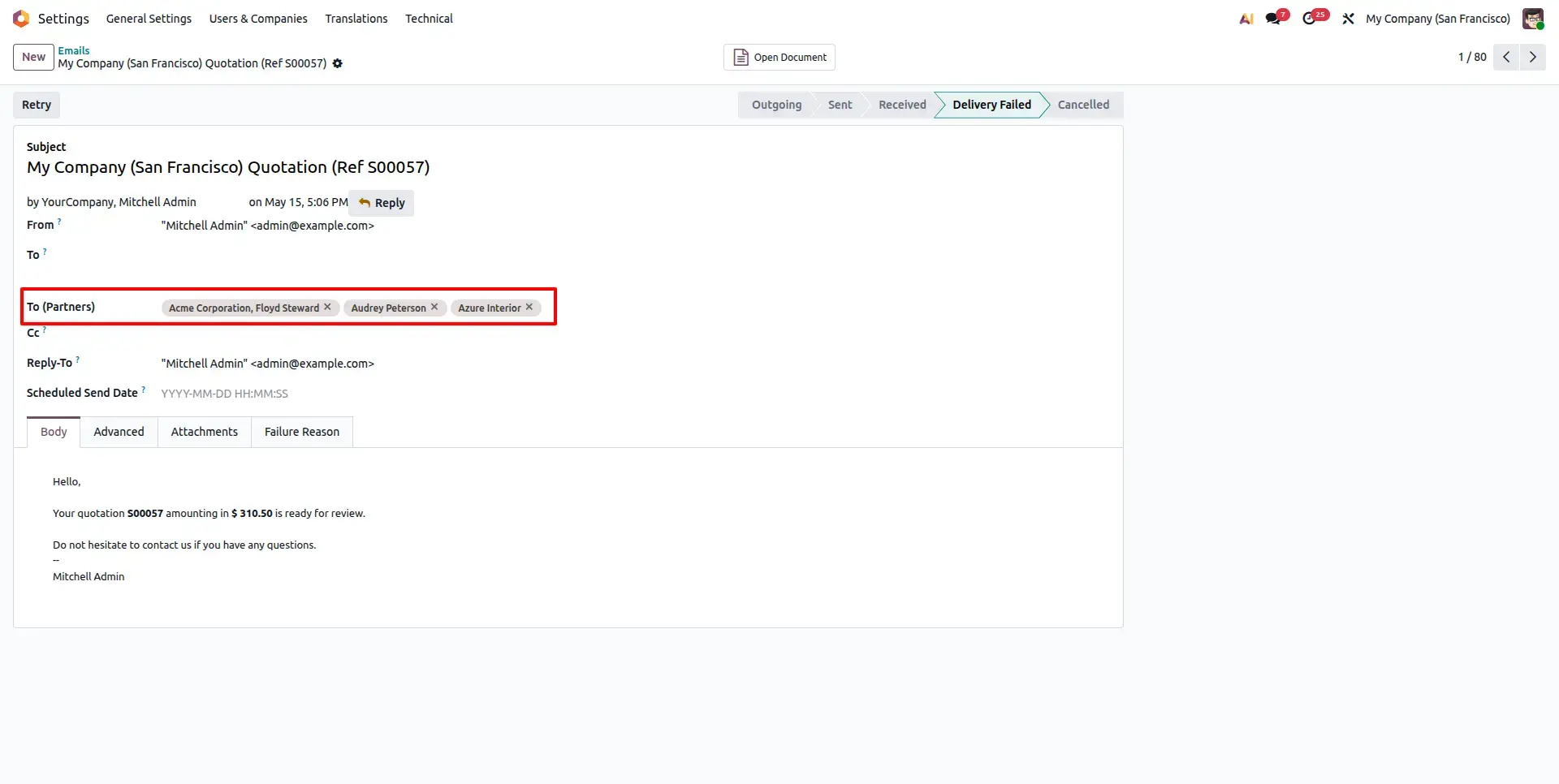
Broad Recipient Interface
In this default mode, the resulting system notification list will include a combination of the recipients you added and the existing followers of the record.
Frequently Asked Questions
Technical Details
Dependencies
Discuss (mail)
License
OPL-1
Need Assistance?
Email Support
contact@gritxi-tech.comAny Questions?
Have questions about this app?
Fill out the form below and our team will get back to you with more information.
Customer Reviews
Share your experience with this module.
Write a Review
Latest Reviews
No reviews yet. Be the first to share your thoughts!