
Purchase Order Cancel
Purchase Order Cancel streamlines procurement corrections by allowing users to cancel, reset, or delete purchase orders while automatically managing related receipts, vendor bills, and accounting entries.
Purchase Order Cancel
Easily cancel, reset, and delete purchase orders while automatically managing related stock receipts, vendor bills, and accounting entries. Simplify procurement corrections, maintain data accuracy, and streamline purchasing operations with confidence.
App Overview

Introduction
The Purchase Order Cancel module helps businesses efficiently cancel, reset, and delete Purchase Orders in Odoo while properly handling all related procurement, inventory, and accounting transactions. It provides a streamlined workflow for reversing incorrectly created, duplicated, or no longer required purchase orders without requiring manual technical intervention.
The module automatically manages linked stock receipts, vendor bills, and accounting entries during the cancellation process, ensuring data consistency across departments. Procurement teams can confidently reverse purchase transactions, correct operational mistakes, and maintain accurate records while minimizing disruption to ongoing business operations.

Purpose
Procurement errors can impact inventory accuracy, vendor accounting, and operational efficiency. The purpose of this module is to provide businesses with a secure and controlled mechanism for reversing procurement transactions while preserving system integrity. By automating the cancellation of linked stock receipts, vendor bills, and journal entries, organizations can eliminate manual correction processes and significantly reduce administrative effort.
The module helps businesses correct purchasing mistakes quickly, reverse incorrect purchase orders, manage supplier-related changes, maintain accurate accounting records, and improve overall procurement governance. It provides a reliable correction workflow that supports operational accuracy, financial compliance, and better control over purchasing activities.
Targeted Business Types
Manufacturing Industry
Manufacturing companies frequently update procurement orders because of production planning changes or raw material requirements. This module helps purchasing teams quickly reverse incorrect purchase orders while properly handling stock receipts and vendor bills.
Retail Businesses
Retail organizations often encounter duplicate supplier orders, pricing changes, or purchasing mistakes. The module allows procurement teams to cancel purchase orders efficiently while maintaining accurate inventory and accounting records.
Wholesale Distribution
Wholesale distributors can efficiently manage supplier order corrections by reversing purchase orders together with related inventory movements and accounting transactions.
Construction Companies
Construction projects often require procurement revisions because of project scope changes or supplier replacements. This module simplifies purchase order cancellation while preserving financial accuracy.
Healthcare Organizations
Hospitals and healthcare providers can securely reverse medical supply purchase transactions, helping maintain accurate procurement, inventory, and financial records.
Corporate Procurement Teams
Large enterprises can improve procurement governance by quickly cancelling incorrect purchase orders, reducing manual accounting corrections, and ensuring consistent purchasing workflows across departments.
Business Use Cases
Manufacturing Procurement Correction
Reverse incorrect raw material purchase orders caused by production planning changes while automatically handling stock receipts and vendor bills.
Retail Order Adjustments
Cancel duplicate supplier orders, pricing errors, and procurement mistakes while maintaining inventory and accounting accuracy.
Supplier Order Revisions
Quickly reverse purchase orders when suppliers change pricing, delivery schedules, or product availability after confirmation.
Construction Procurement Control
Manage project procurement revisions efficiently by cancelling purchase orders and reversing associated operational transactions.
Enterprise Procurement Governance
Improve purchasing control by allowing authorized users to safely reverse procurement transactions across departments.
Key Features
Purchase Order Cancellation
Cancel confirmed purchase orders with a single action while preserving workflow integrity.
Reset to Draft
Restore cancelled purchase orders to draft mode for editing and revalidation.
Delete Purchase Orders
Remove cancelled purchase orders safely when they are no longer required.
Receipt Cancellation
Automatically reverse linked stock receipts during cancellation.
Vendor Bill Reversal
Reverse vendor bills and accounting journal entries automatically.
Bulk Cancellation
Cancel multiple purchase orders simultaneously from list views.
Access Rights Control
Restrict cancellation permissions to authorized procurement users.
Native Odoo Integration
Works seamlessly with Purchase, Inventory, and Accounting workflows.
Multi-Company Support
Supports procurement management across multiple companies.
Configuration & Workflow
The Purchase Order Cancel module provides a quick and secure way to cancel purchase orders directly from the Purchase Order list. Users can choose different cancellation actions depending on their business requirements while the module automatically manages related records.
Cancel Order Option
Select one or more purchase orders from the list view, open the Action menu, and click Cancel Order. This starts the cancellation workflow directly from the standard Odoo Purchase application.
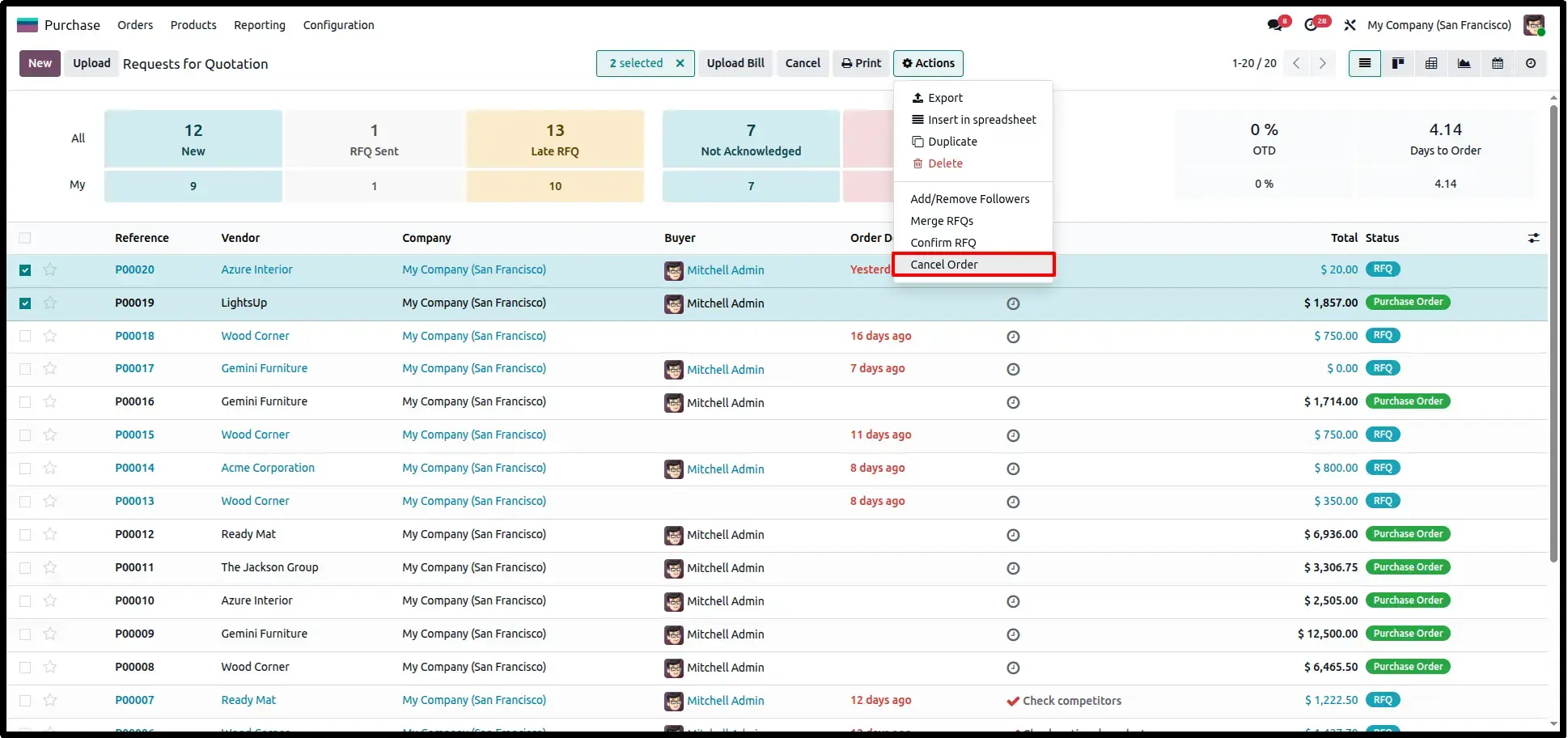
Different Cancellation Options
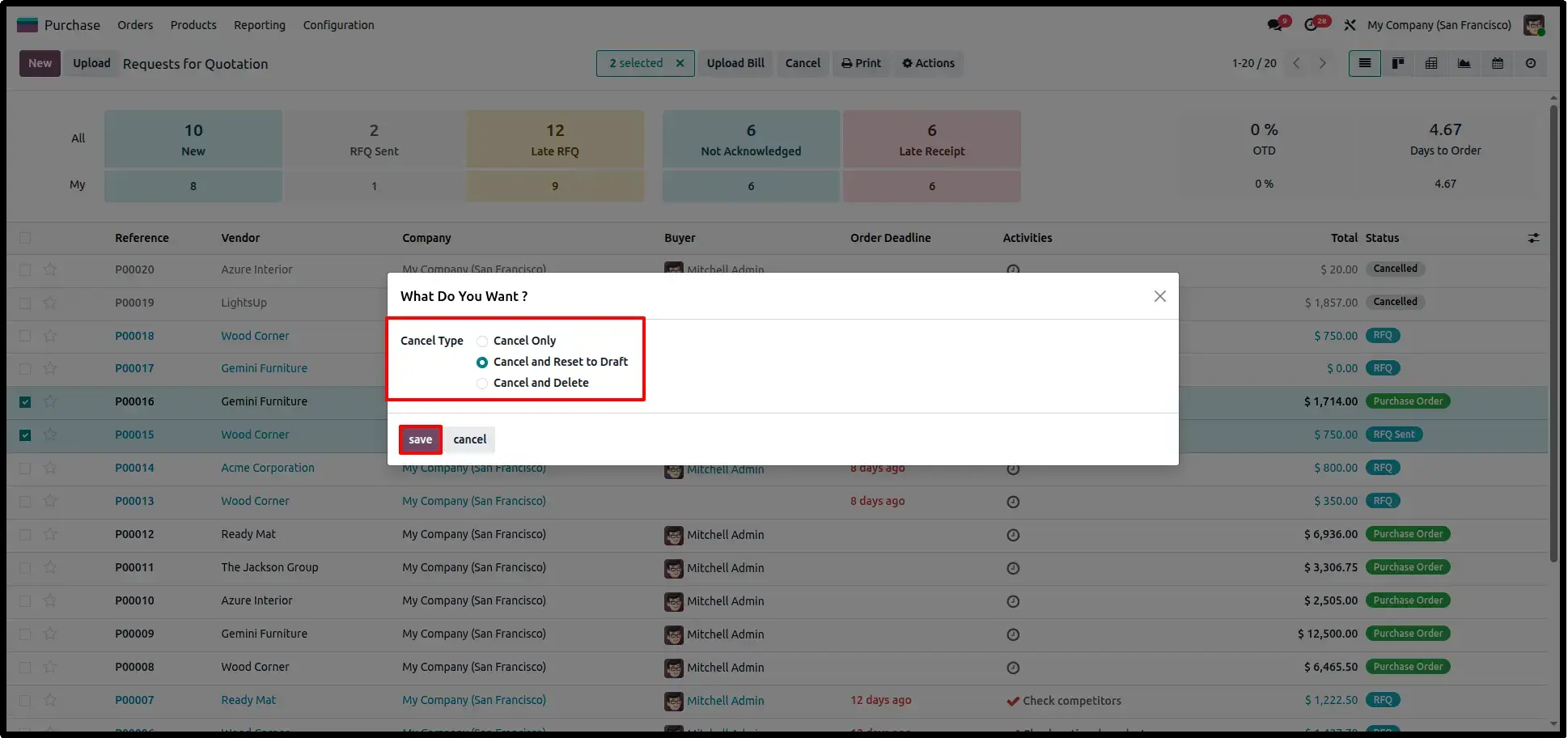
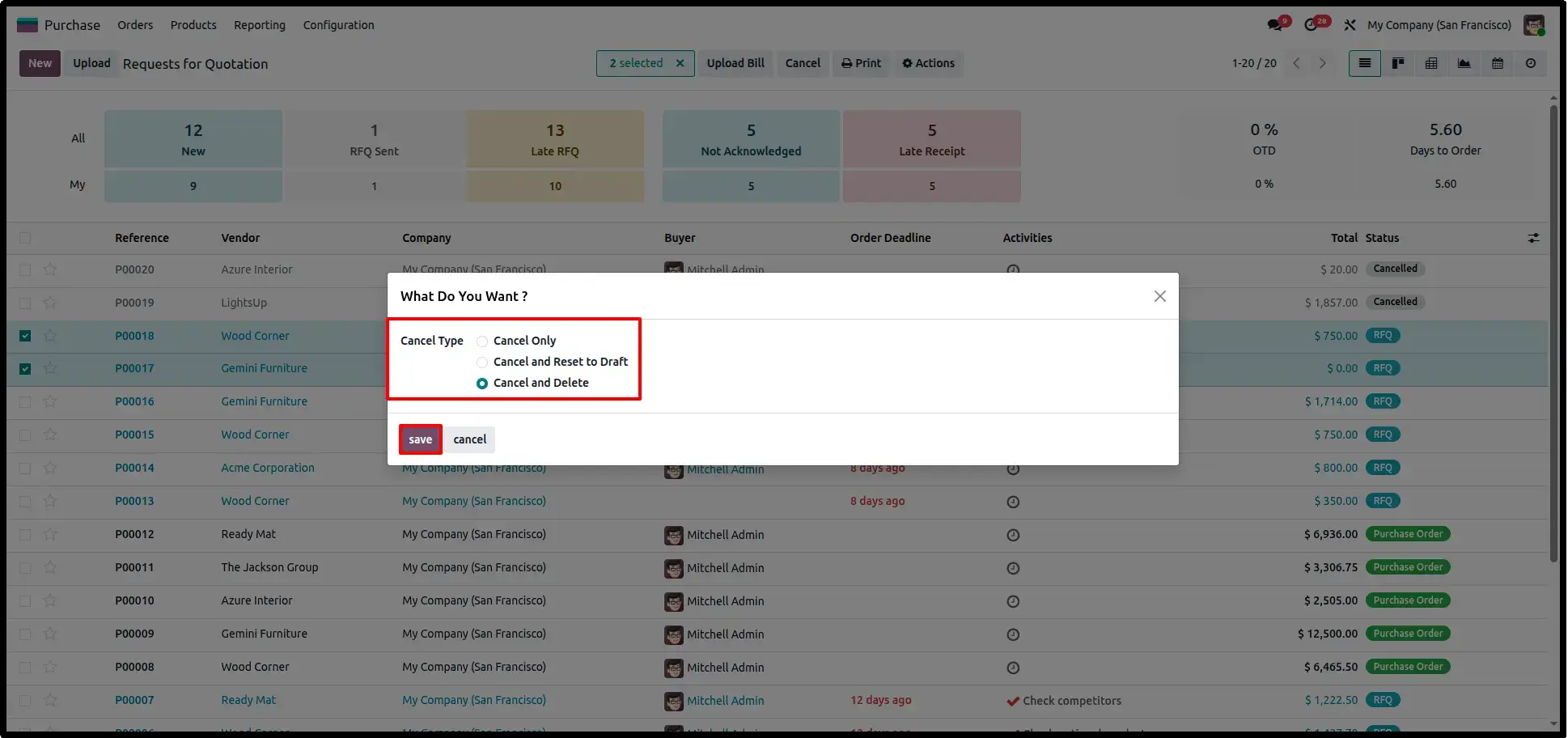
The cancellation wizard displays three available options: Cancel Only, Cancel & Reset to Draft, and Cancel & Delete. Users simply choose the required action before confirming the operation.
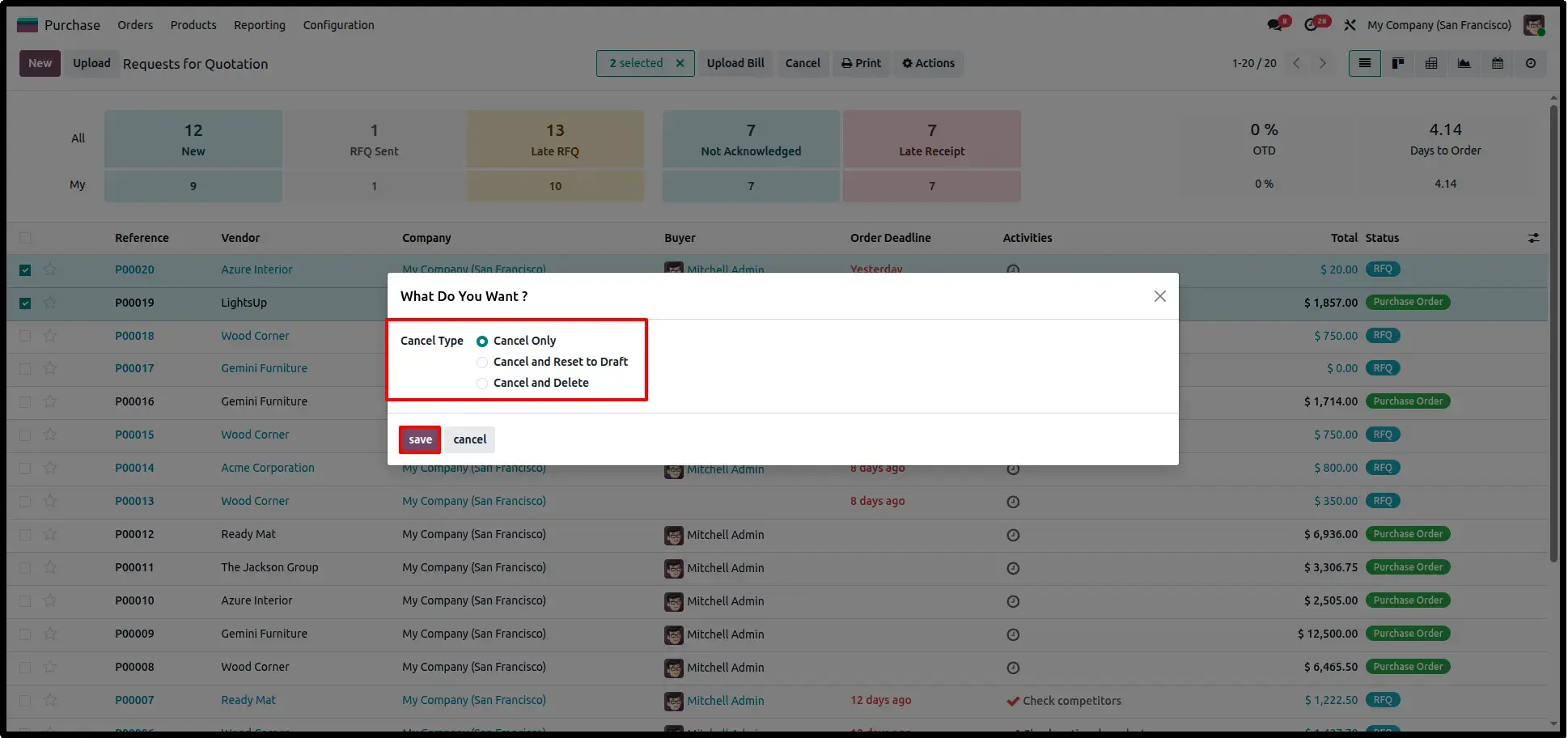
Cancel Selected Purchase Orders
Choosing the Cancel Only option cancels all selected purchase orders while keeping them available in the cancelled state for future reference and audit purposes.
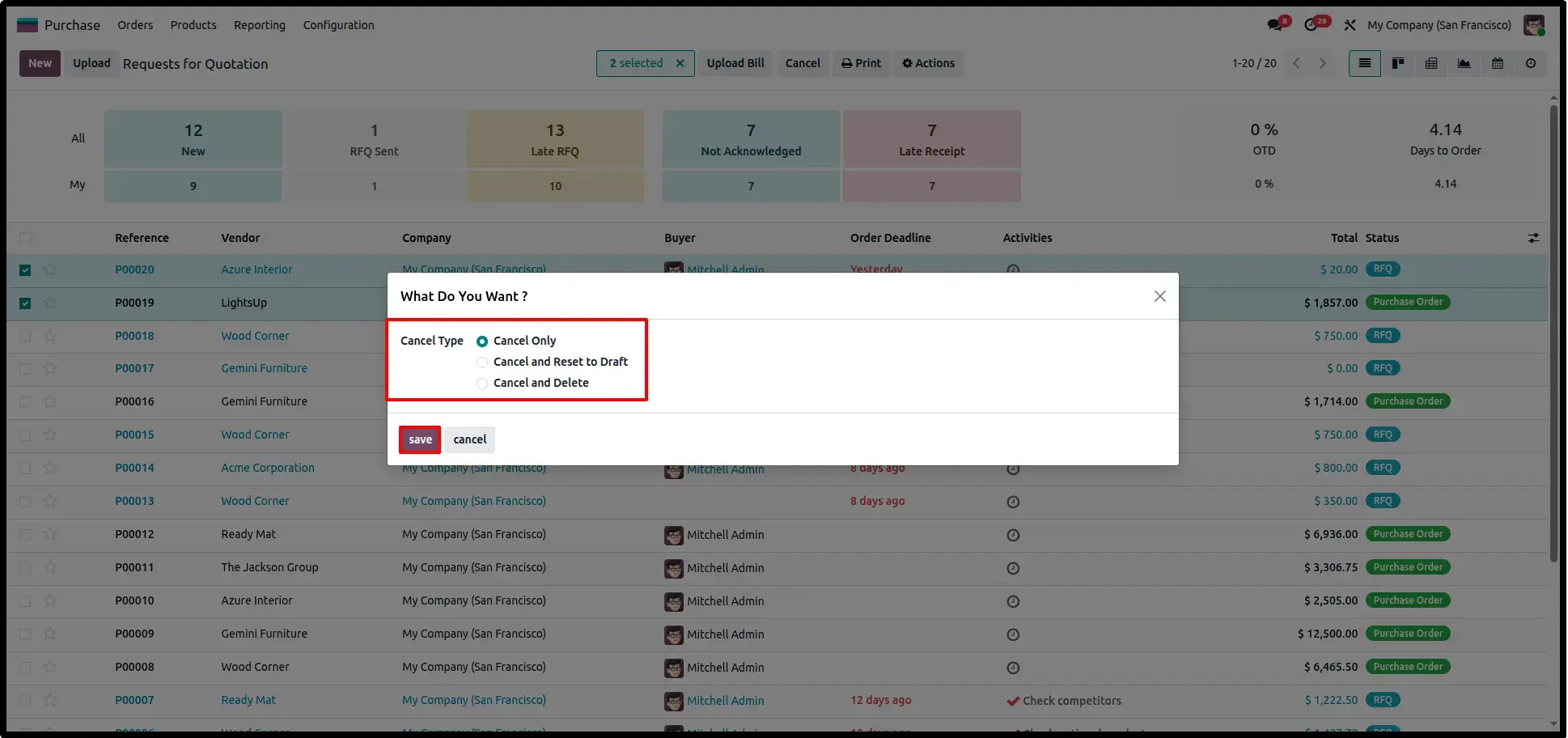
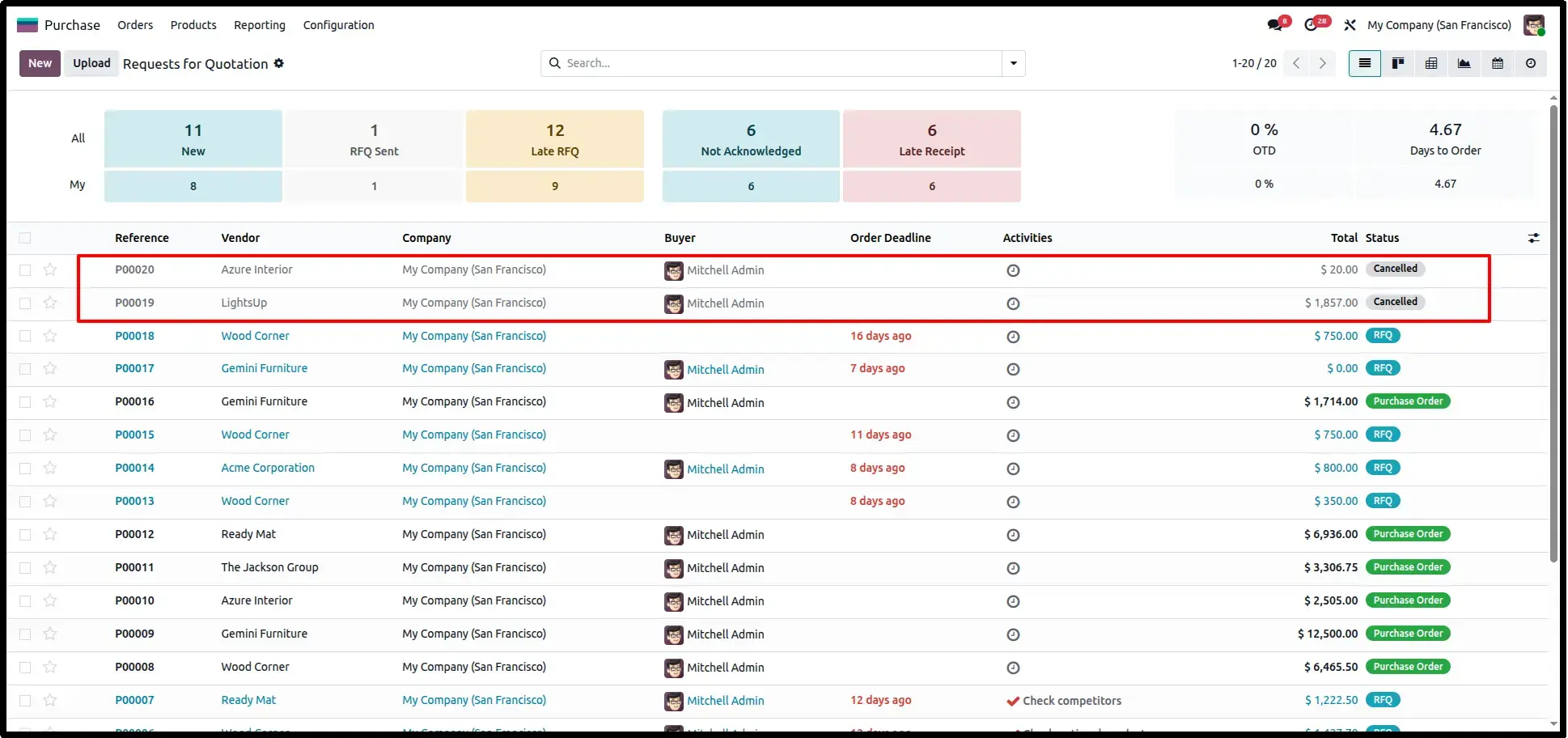
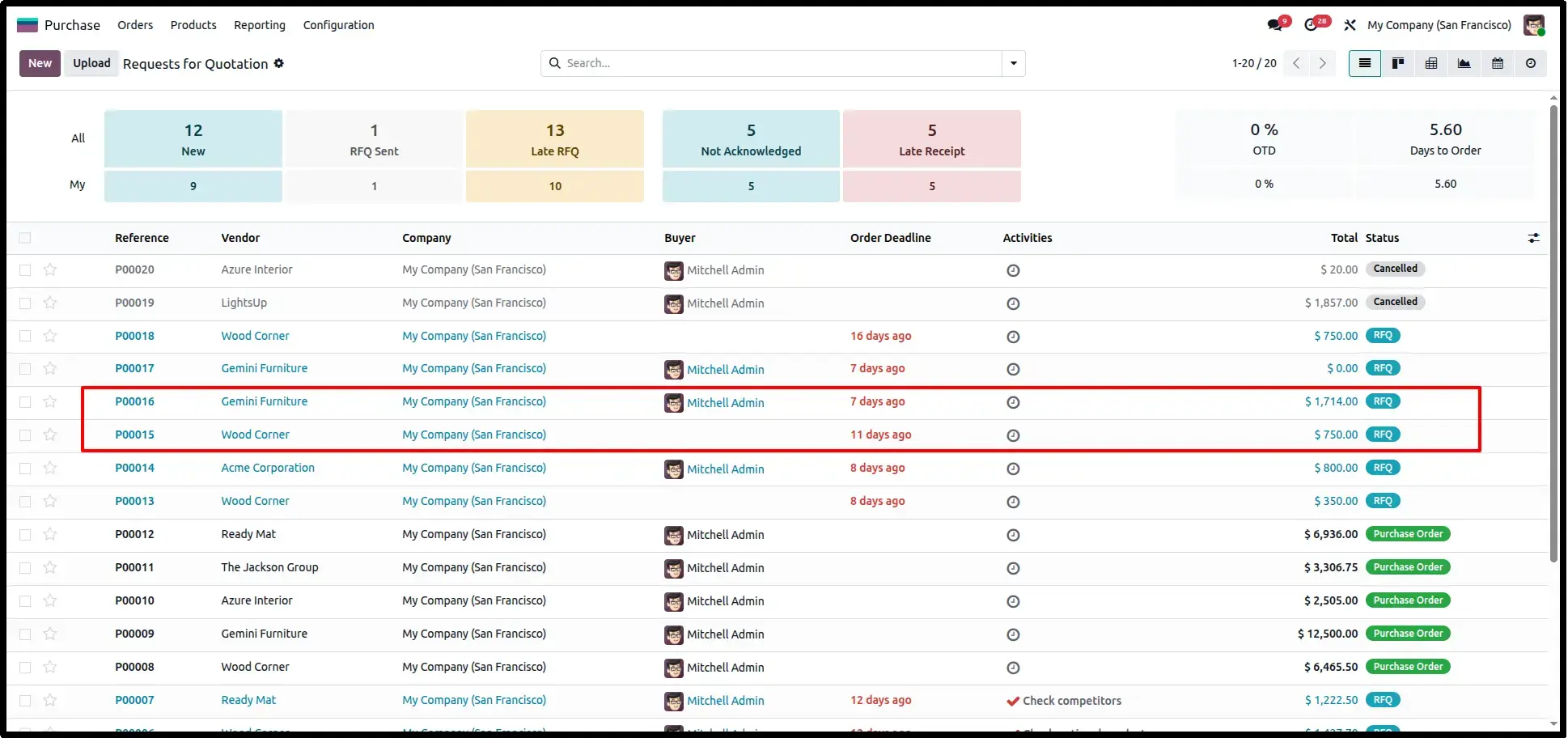
Cancel and Reset to Draft
Selecting Cancel & Reset to Draft first cancels the purchase orders and then restores them to the draft state, allowing users to modify supplier information, products, quantities, or pricing before confirming the order again.
Cancel and Delete Selected Purchase Orders
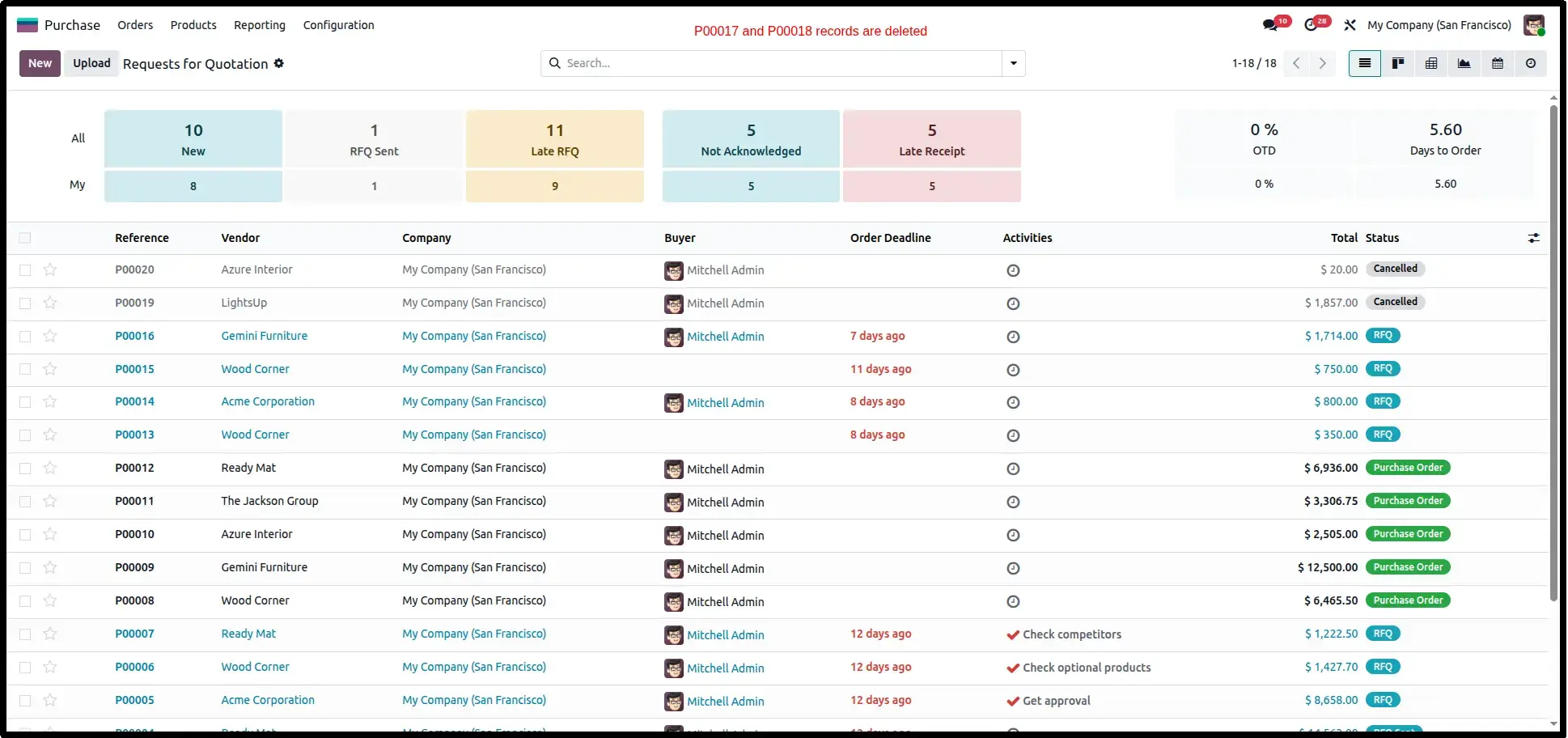
When Cancel & Delete is selected, the module cancels the selected purchase orders and permanently removes them from the system. This option is useful for duplicate or incorrectly created purchase orders that are no longer required.
Frequently Asked Questions
Technical Details
Dependencies
• Purchase (purchase)
• Invoicing (account)
• Discuss (mail)
License
OPL-1
Need Assistance?
Email Support
contact@gritxi-tech.comHave Any Questions?
Have questions about this app?
Fill out the form below and our team will get back to you with more information.
Customer Reviews
Share your experience with this module.
Write a Review
Latest Reviews
No reviews yet. Be the first to share your thoughts!