
Project Task Stages
Project Stages
Project Task Stages
Standardize workflows across your projects with automated secondary process management. Link Task Stage Templates to Service Products for zero-manual-effort setup.
App Overview

Introduction
The Project Task Stages module helps businesses automatically create and manage project task stages using reusable Task Stage Templates in Odoo. By linking templates directly to service products, you ensure that every new project or task generated from a Sales Order comes pre-configured with the exact workflow your team needs.
By default, Odoo does not provide an automated way to assign custom task stages dynamically during project creation from service products. This module eliminates repetitive manual stage setup, ensuring standardized workflows and eliminating setup errors across implementation, consulting, and service teams.

Purpose
Repetitive configuration of task stages for every new client project is a massive administrative bottleneck. Without standardization, different projects often end up with inconsistent stages, making cross-project reporting and resource management nearly impossible.
This module centralizes your workflow standards into Task Stage Templates. When a Sales Order is confirmed, Odoo automatically identifies the template linked to the service product and generates the required stages instantly. This ensures compliance with business processes and allows your team to start working immediately with the right stages in place.
Key Features
Task Stage Configuration
Add Task Stage and Template fields directly on service-type products for automatic assignment.
Reusable Templates
Create standardized templates once and reuse them across any number of projects or products.
Automatic Generation
Task stages are instantly created during project or task generation, matching the template's structure.
Sales Order Integration
Confirmation of a Sales Order triggers total automation, using pre-defined product settings.
Centralized Management
Manage all your organizational workflows from a central configuration menu in the Project app.
Native Ecosystem
Deeply integrated with Odoo Project, Sales, and Discuss modules with zero external dependencies.
Configuration Steps
Access Stage Templates
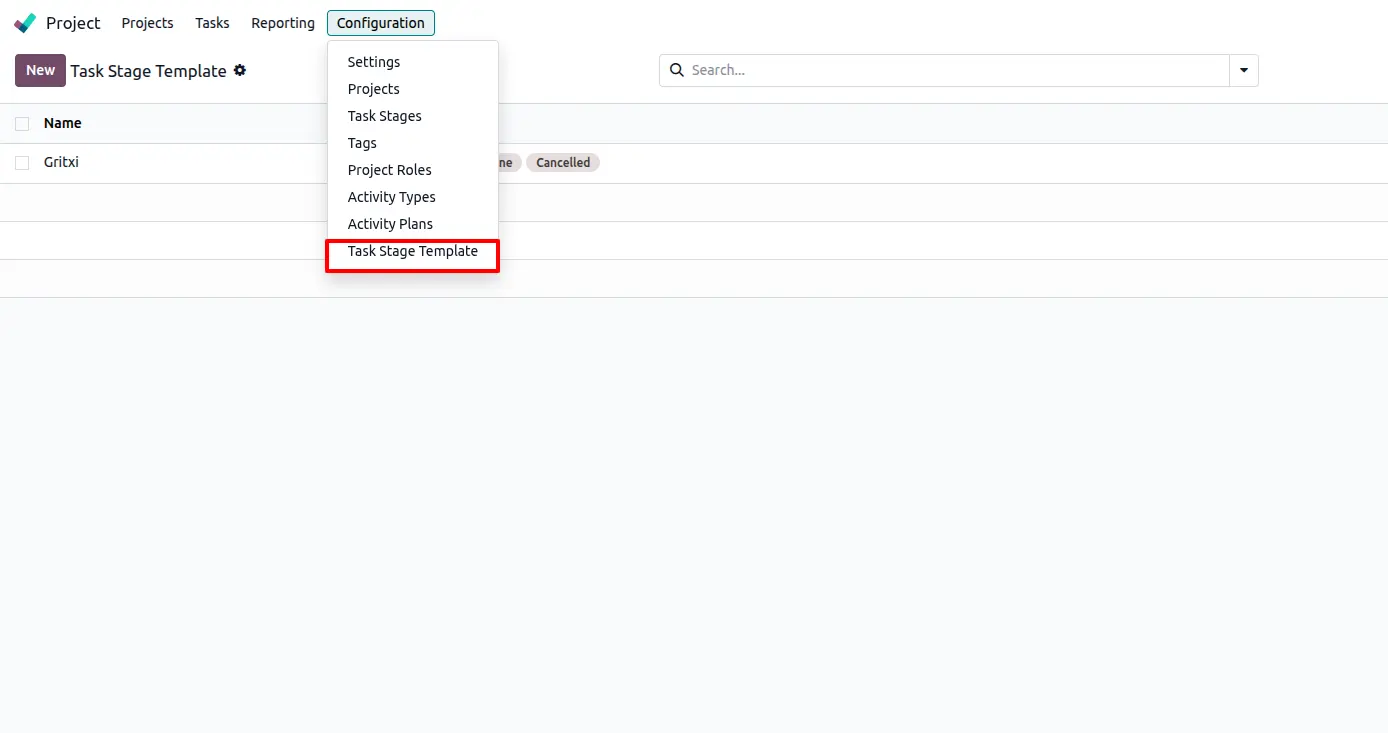
Navigate to Project > Configuration and select the new Task Stage Template menu. This centralized configuration area allows you to define your organizational workflow standards.
Define Reusable Stages
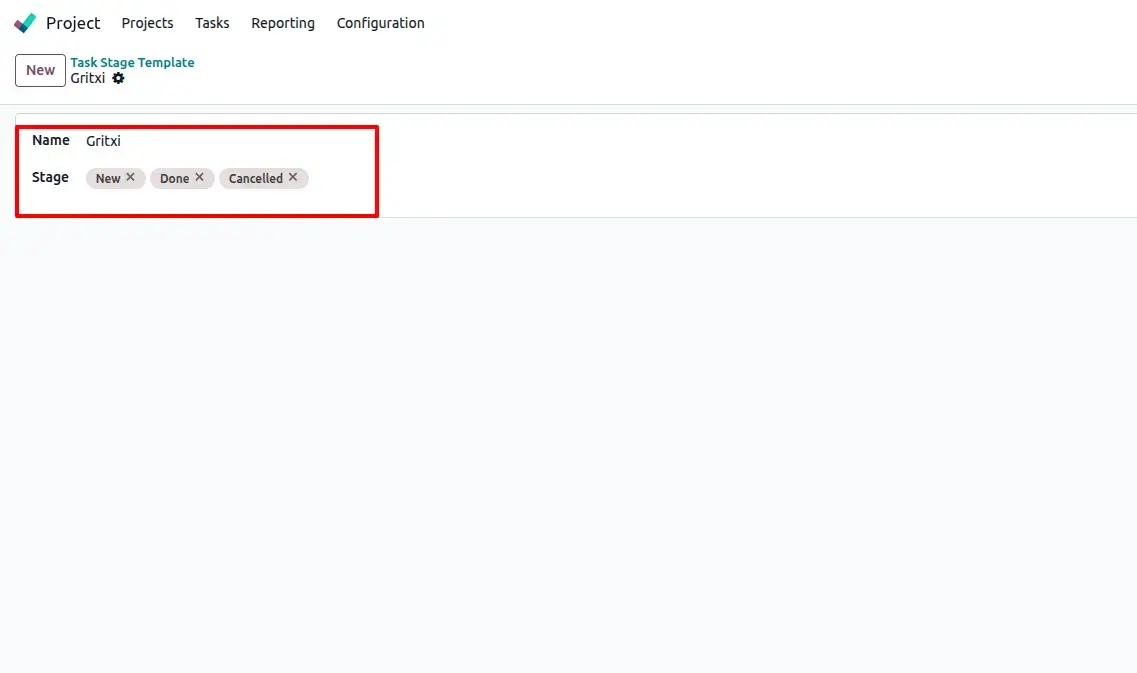
Create a new template and add the required stages (e.g., New, Done, Cancelled). These stages will be automatically applied whenever this template is used.
Create a project manually
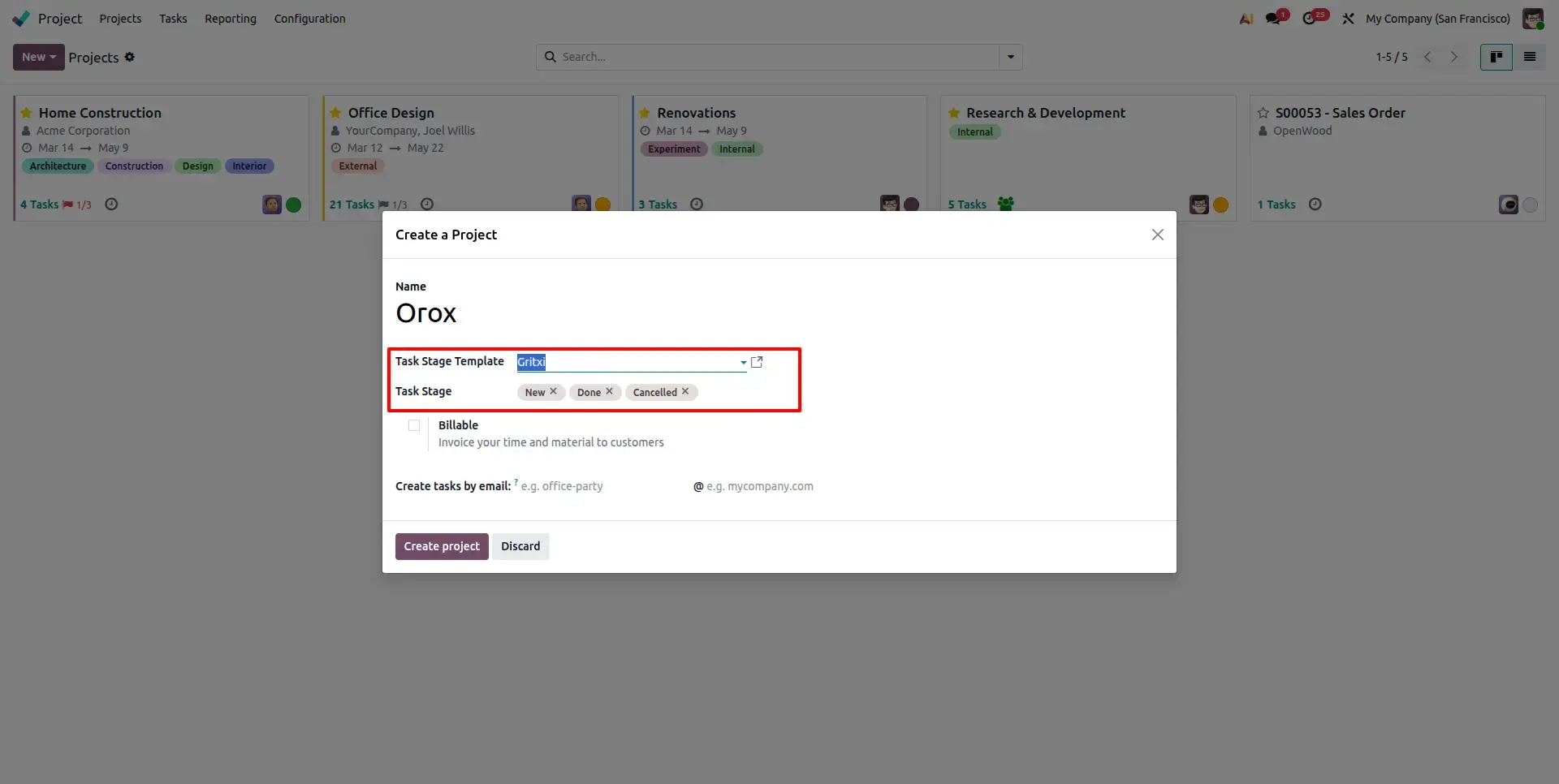
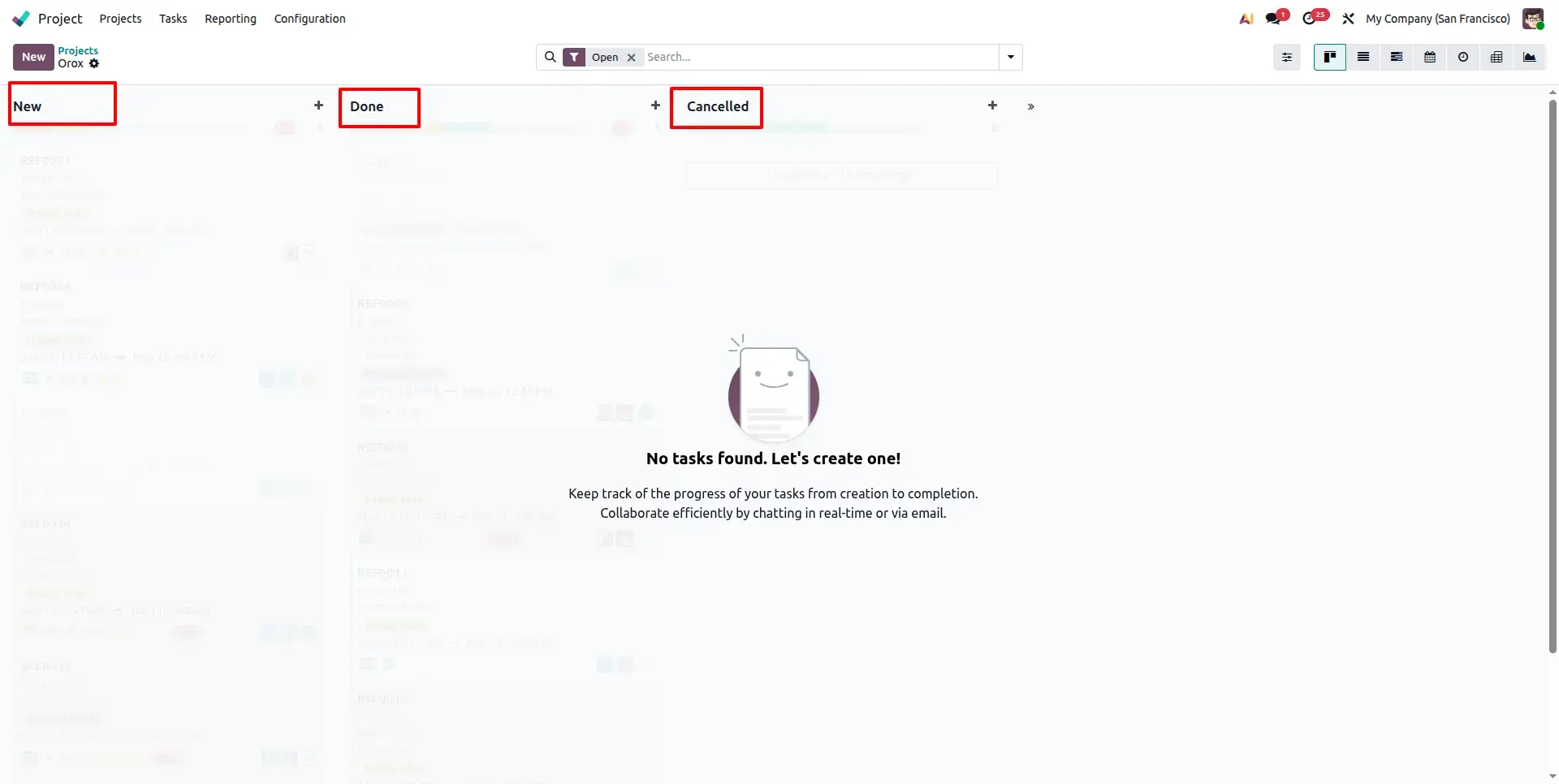
When we create a new project manually, the predefined stages are created automatically from the selected Task Stage Template, ensuring consistency from the start.
Automated Stage Generation
Selecting a template generates stages automatically, streamlining the process. Effortlessly create standardized workflows with your chosen template in one click.
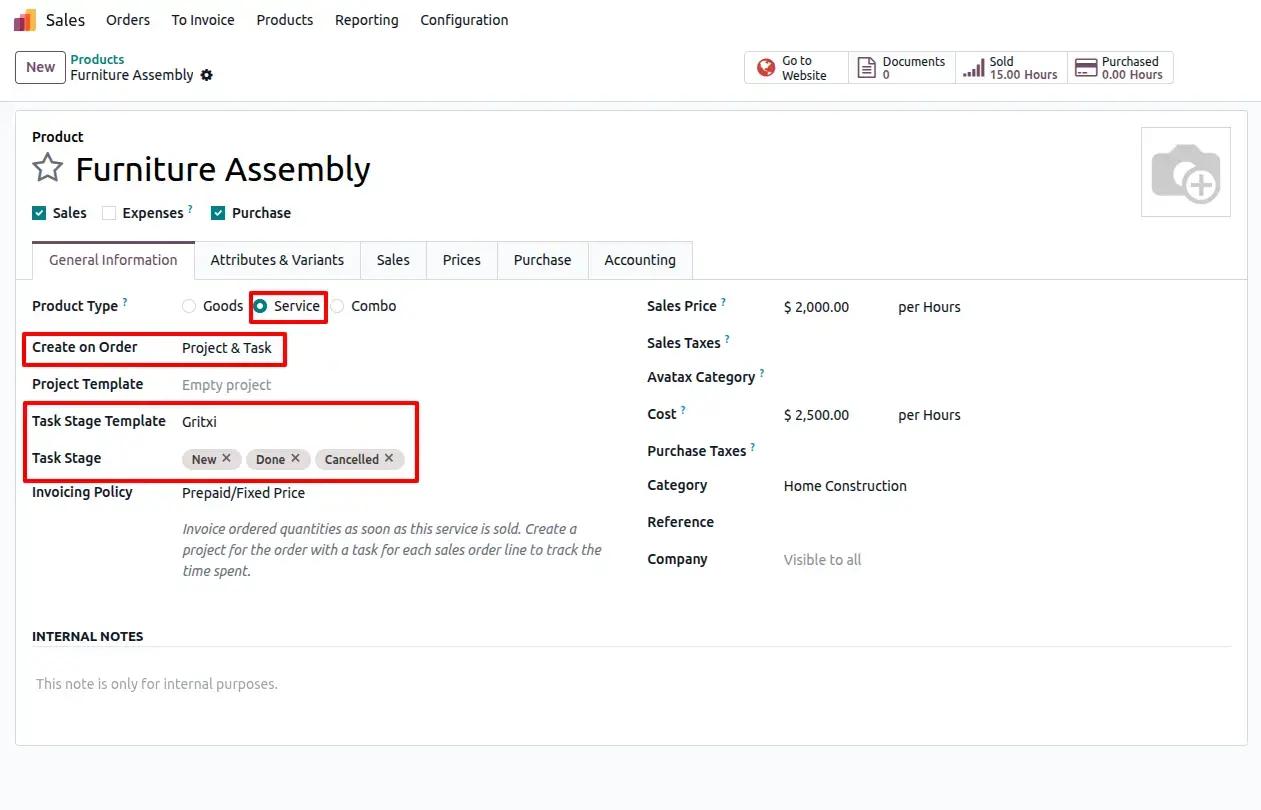
Creating a service type product
Users can create service-type products and link them to Task Stage Templates. This configuration ensures that automated fulfillment uses the correct stages.
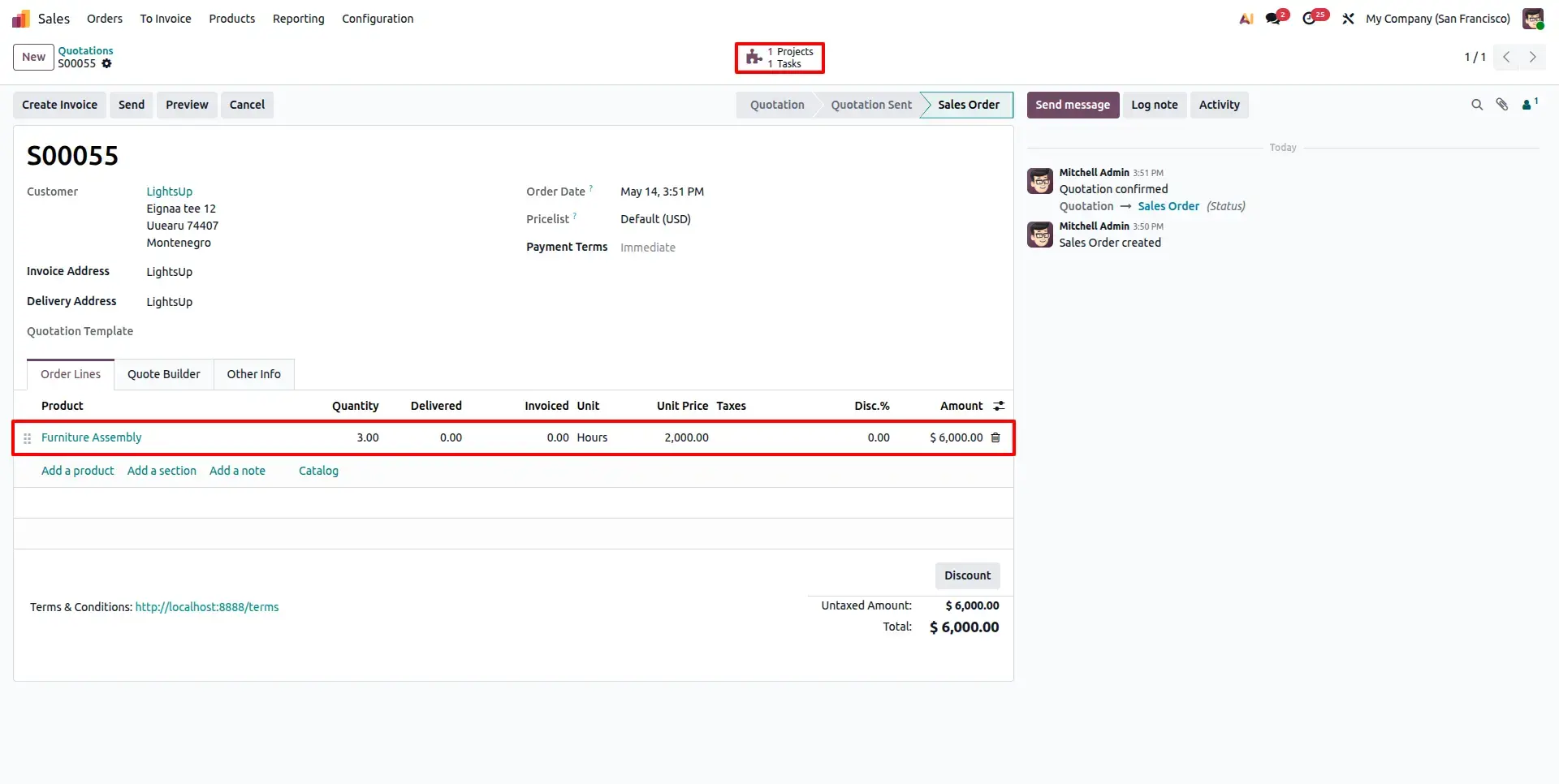
Confirm Sales Orders
Confirm a Sales Order containing your configured service product. Odoo will instantly generate the project and tasks with all stages pre-applied using Odoo's native fulfillment engine.
Targeted Business Types
Standardize dev-ops, testing, and deployment stages for software delivery projects.
Maintain rigid workflows for discovery, configuration, and UAT across client projects.
Different operational workflows for audit, strategy, and execution services.
Separate stage structures for creative design, campaign launch, and reporting.
Milestone-based stage management for site planning, engineering, and build-out.
Standardize workflows across diverse departments and professional services.
Frequently Asked Questions
Technical Details
Dependencies
• Project (project)
• Sales (sale_management)
• Discuss (mail)
• Invoicing (account)
License
OPL-1
Need Assistance?
Email Support
contact@gritxi-tech.comAny Questions?
Have questions about this app?
Fill out the form below and our team will get back to you with more information.
Customer Reviews
Share your experience with this module.
Write a Review
Latest Reviews
No reviews yet. Be the first to share your thoughts!