
Products on Multi Website
Manage and display products across multiple Odoo websites from a single database with centralized product control and seamless catalog management.
Products on Multi Website
Assign a single product or eCommerce category to multiple websites simultaneously and manage product visibility across multiple storefronts from one centralized Odoo database.
App Overview

Introduction
The Products on Multi Website module extends Odoo Website and eCommerce by allowing administrators to assign a single product to multiple websites simultaneously. Unlike the standard Odoo workflow where products are typically linked to only one website, this module enables flexible multi-website product management from a single database.
The module also supports multi-website assignment for eCommerce categories, making it easy to organize products across regional, brand-specific, B2B, and B2C storefronts. Product visibility is managed automatically according to the selected websites without changing standard Odoo workflows.
Fully integrated with Website, eCommerce, Product Management, and Website Categories, this module simplifies centralized catalog management while ensuring customers only see products available for their selected website.

Purpose
The purpose of this module is to provide businesses with a flexible
way to manage product availability across multiple websites from a
single Odoo instance.
It enables administrators to assign products and eCommerce
categories to multiple websites, reduce duplicate product
maintenance, simplify catalog management, and automatically control
website-specific product visibility.
This solution is ideal for organizations operating multiple online
stores, regional websites, or separate B2B and B2C storefronts
while maintaining one centralized product database.
Targeted Business Types
Multi Brand Businesses
Manage multiple brand websites from a single Odoo database while maintaining independent product visibility and catalogs.
Regional eCommerce Stores
Display products based on regional websites, allowing each market to showcase its own product catalog.
Wholesale & Retail Companies
Maintain separate B2B and B2C storefronts with different product availability for each customer segment.
Electronics Businesses
Control website-specific product visibility for electronics, accessories, and product lines across multiple online stores.
Fashion Stores
Organize seasonal collections, exclusive brands, and website-specific catalogs for different fashion storefronts.
Configuration & Workflow
Website Settings Configuration
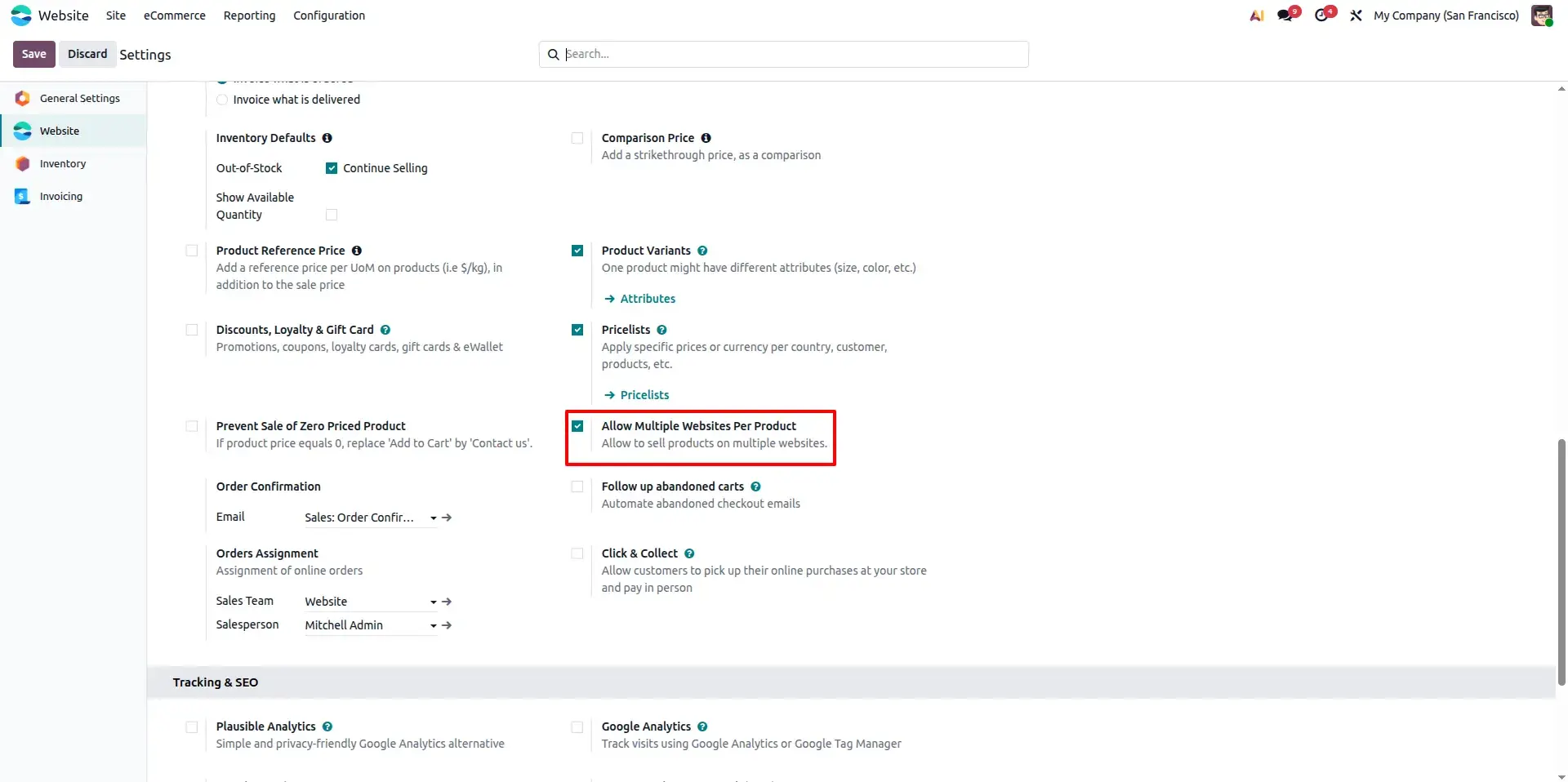
Navigate to the Website settings and enable the Multi Website Product Management option. Once activated, the module enables website-specific product assignment throughout the system.
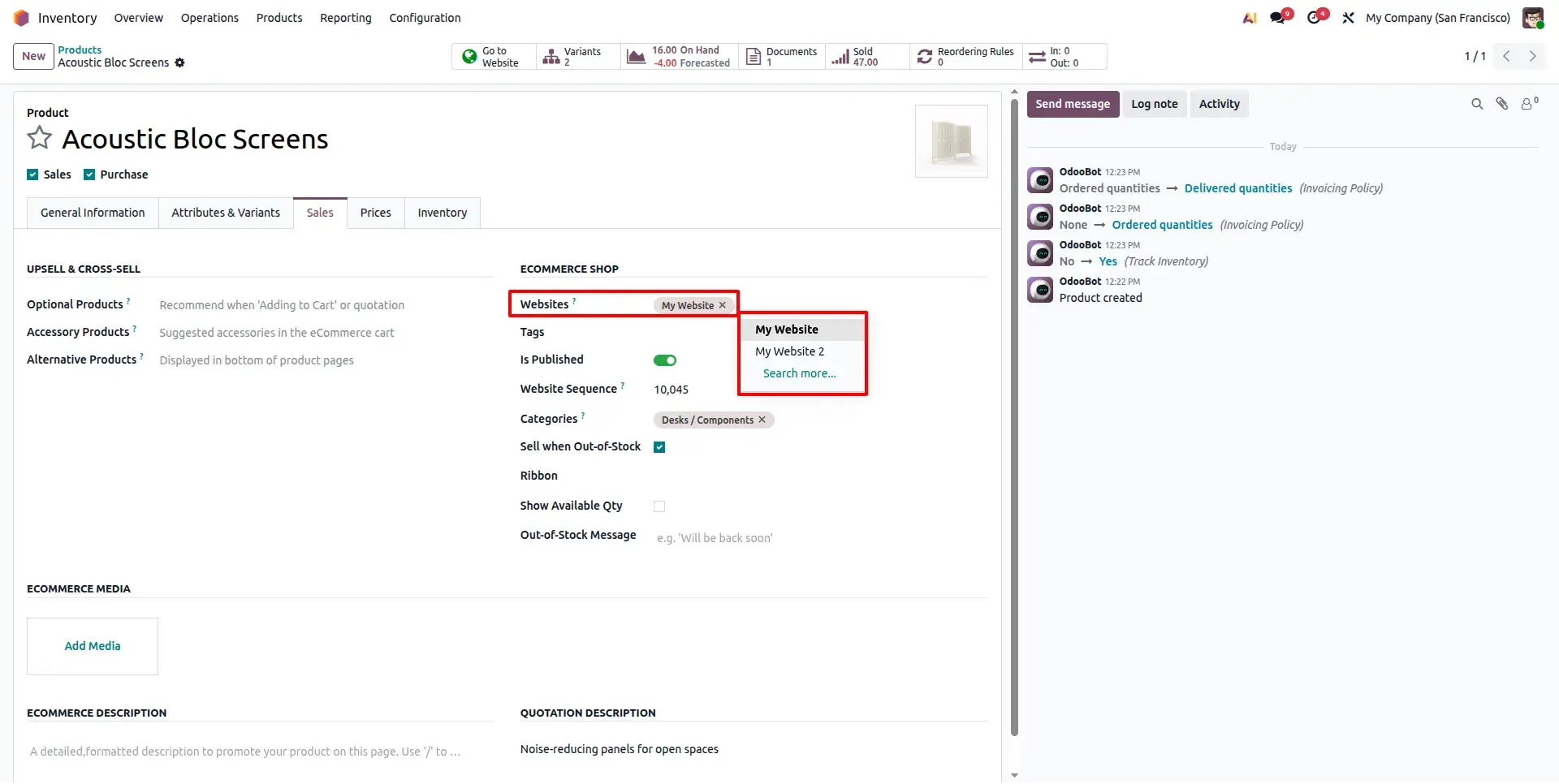
Product Form with Multiple Website Selection
Open any product and assign it to one or multiple websites using the newly added Websites field. A single product can now appear on several storefronts simultaneously.
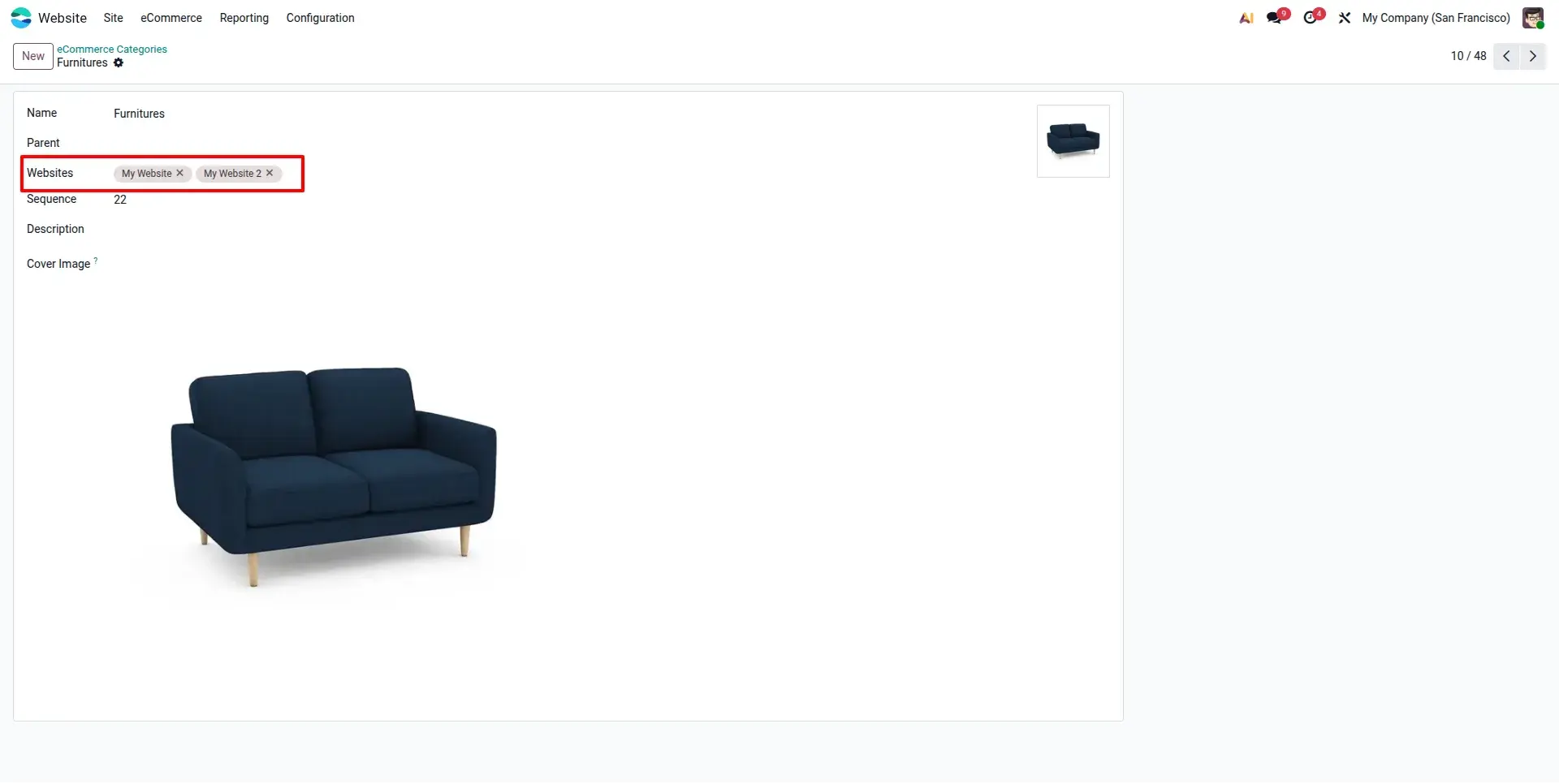
eCommerce Category Multi Website Configuration
Configure multiple websites directly on eCommerce Categories. Category-level website assignment helps organize product catalogs efficiently across multiple online stores.
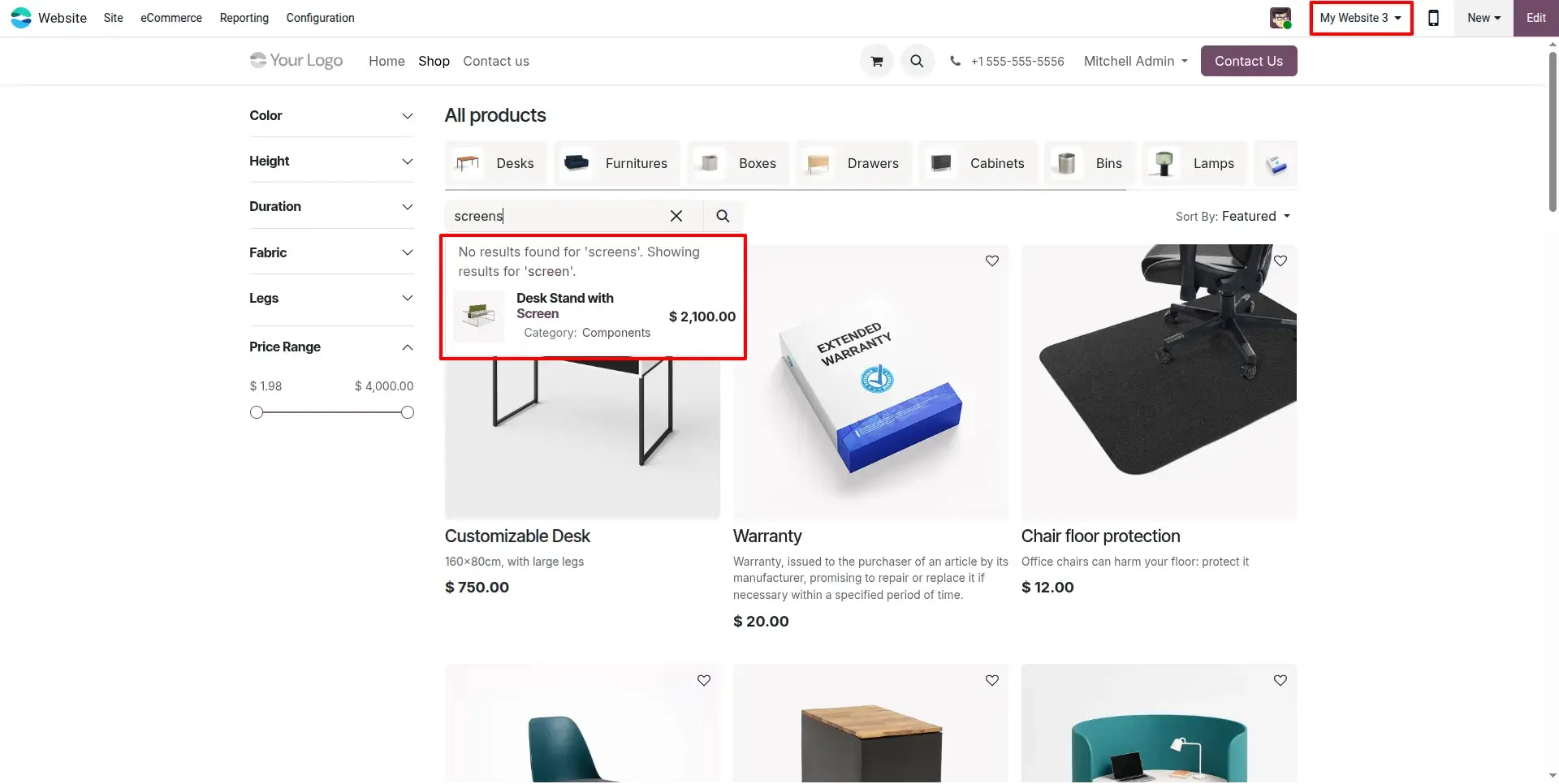
Product Visibility Across Multiple Websites
Products automatically become visible on every selected website after assignment, while remaining hidden on websites that are not selected.
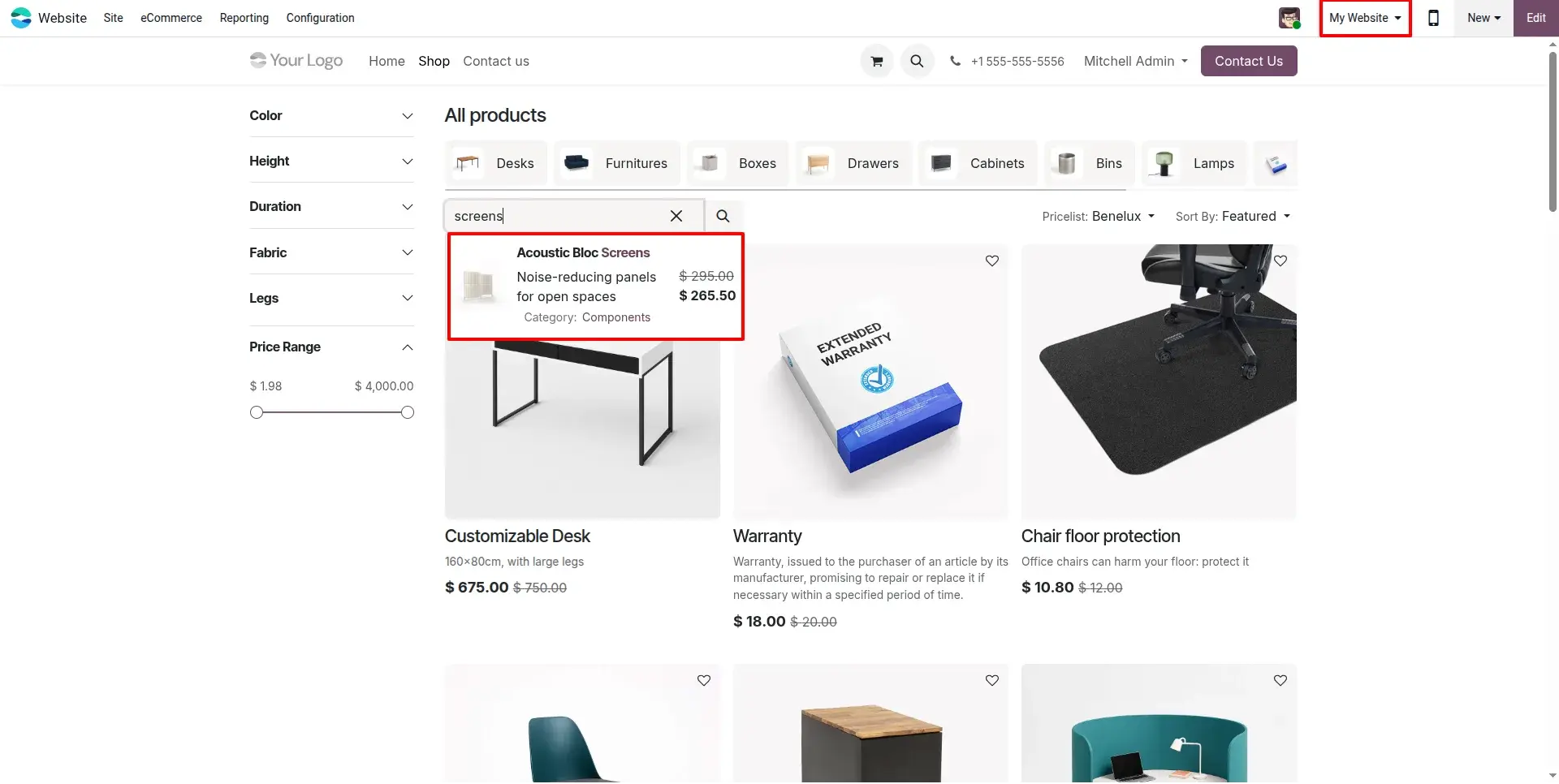
Product Display on Additional Website
Verify the same product appearing on another assigned website. The module synchronizes website visibility without creating duplicate product records.
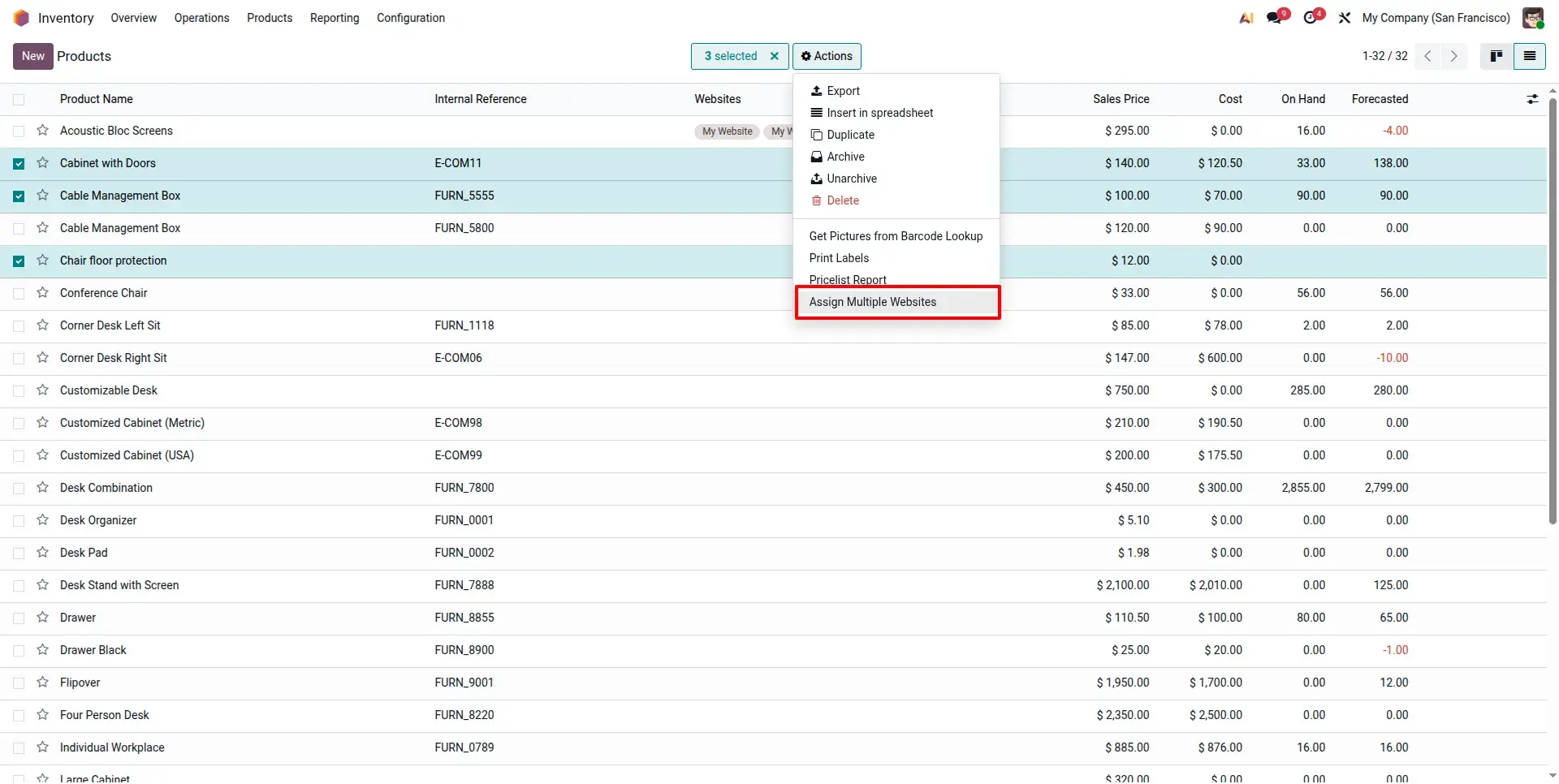
Bulk Website Assignment Wizard
Select multiple products from the list view and launch the bulk assignment wizard to assign websites to all selected products simultaneously, reducing repetitive manual work.
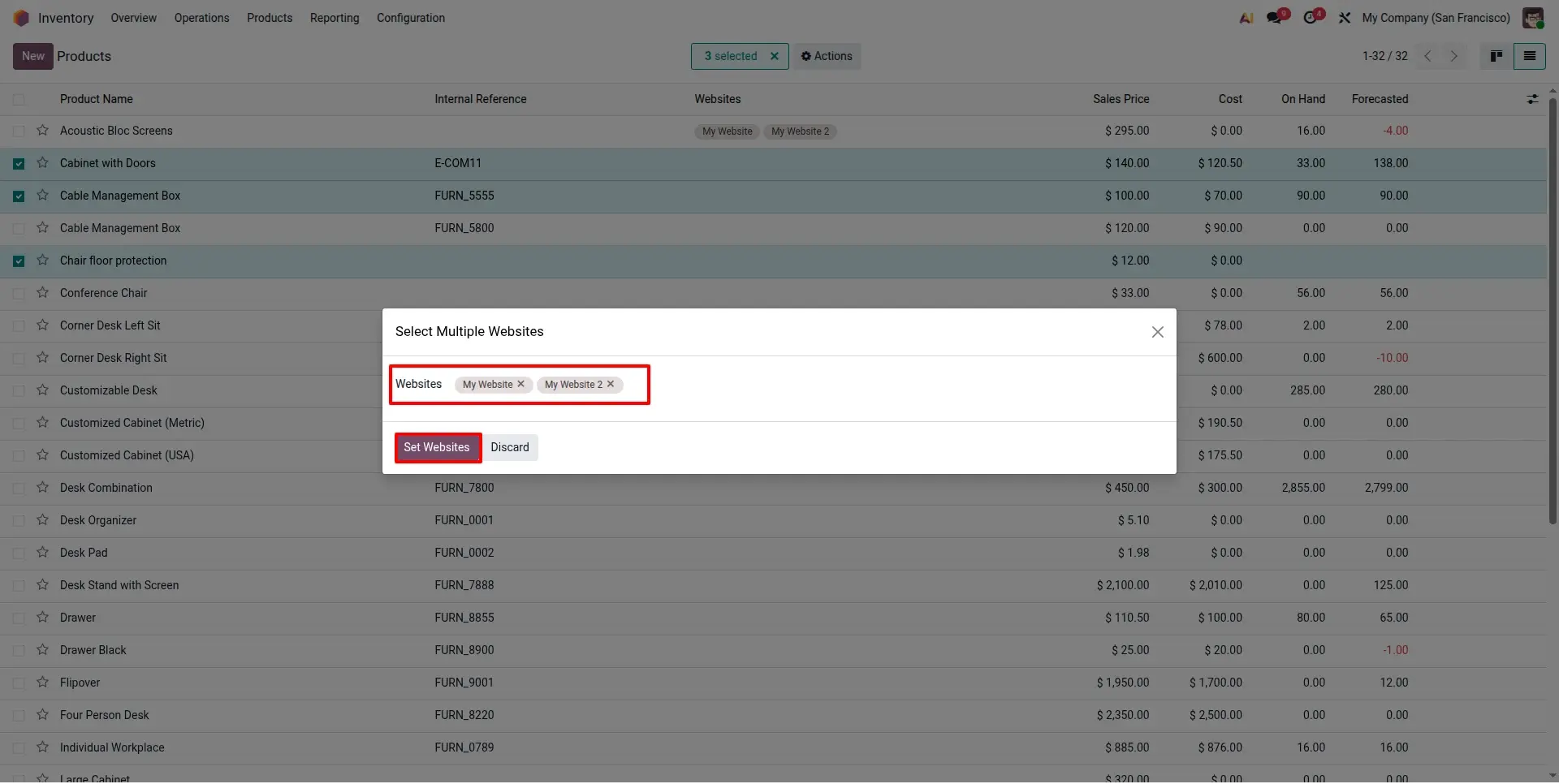
Bulk Assign Multiple Websites Wizard
Choose one or more websites inside the wizard and apply them to all selected products in a single operation, simplifying large catalog management.
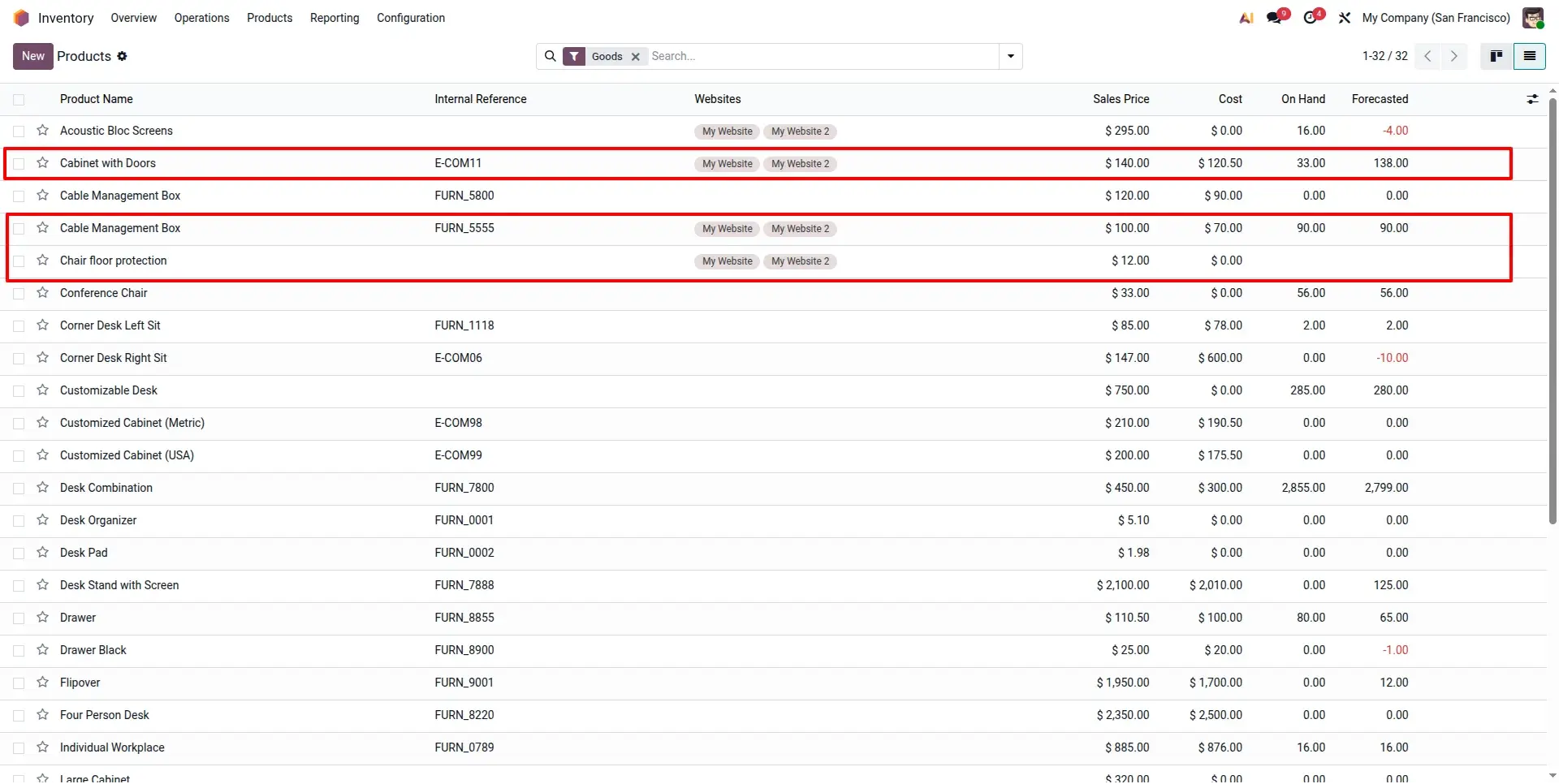
Multi Website Assignment Applied
After applying the wizard, all selected products immediately inherit the assigned websites, ensuring consistent visibility across every chosen storefront.
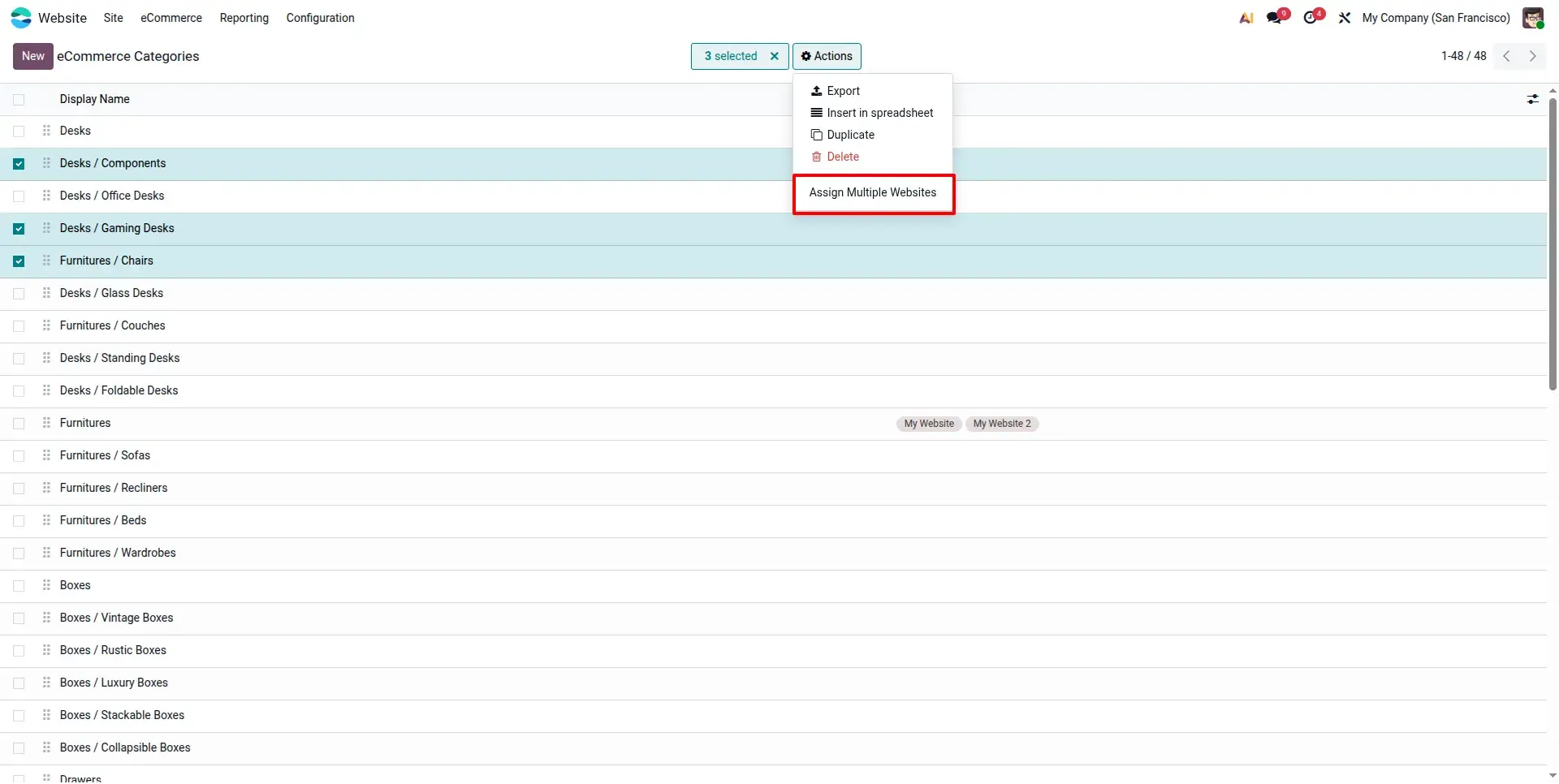
Bulk Assign Websites to eCommerce Categories
Apply website assignments to multiple eCommerce categories simultaneously, ensuring consistent catalog visibility across selected websites.
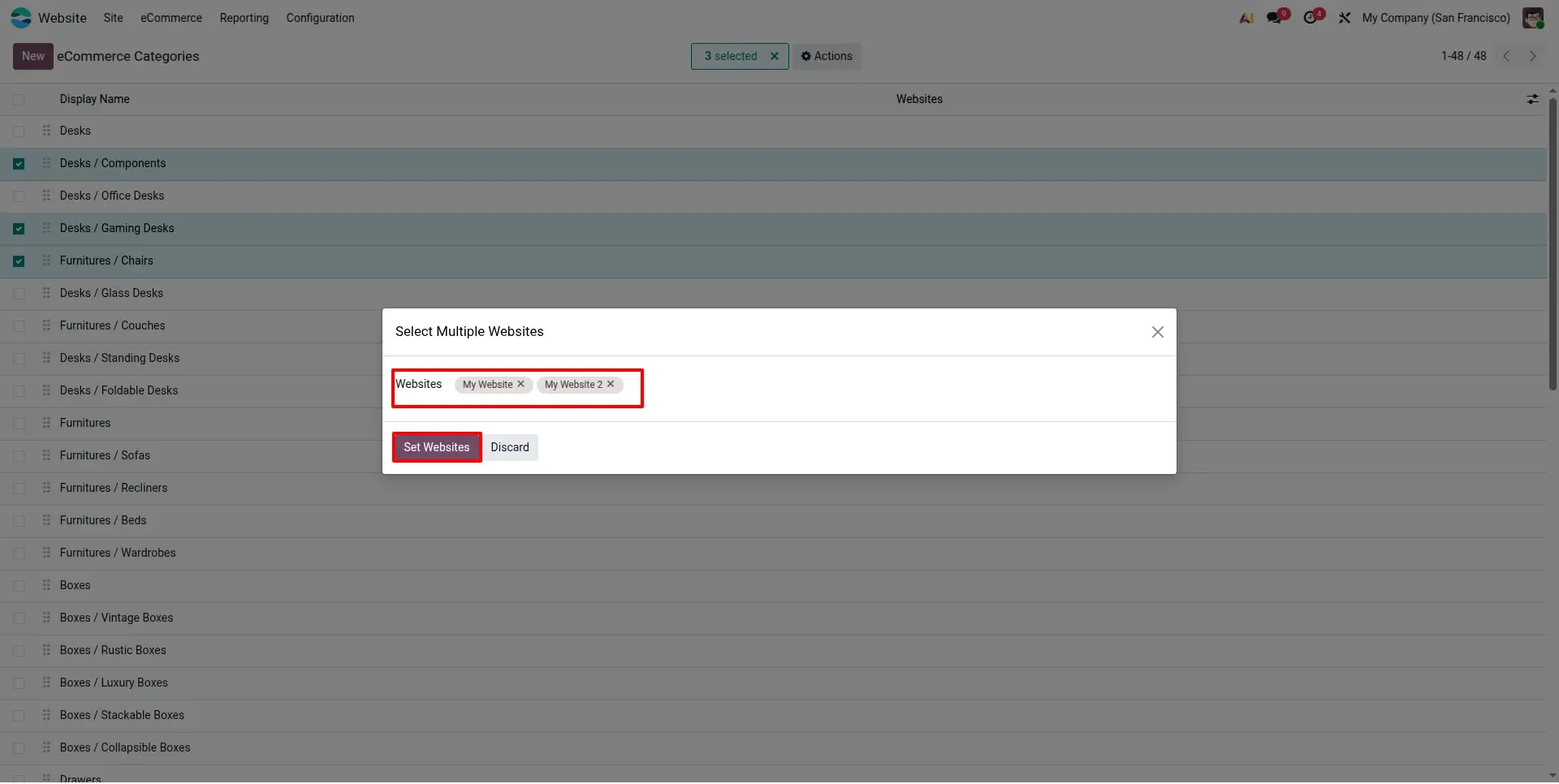
Category Assignment Wizard
The dedicated wizard allows administrators to select multiple websites and assign them to selected eCommerce categories with just a few clicks.
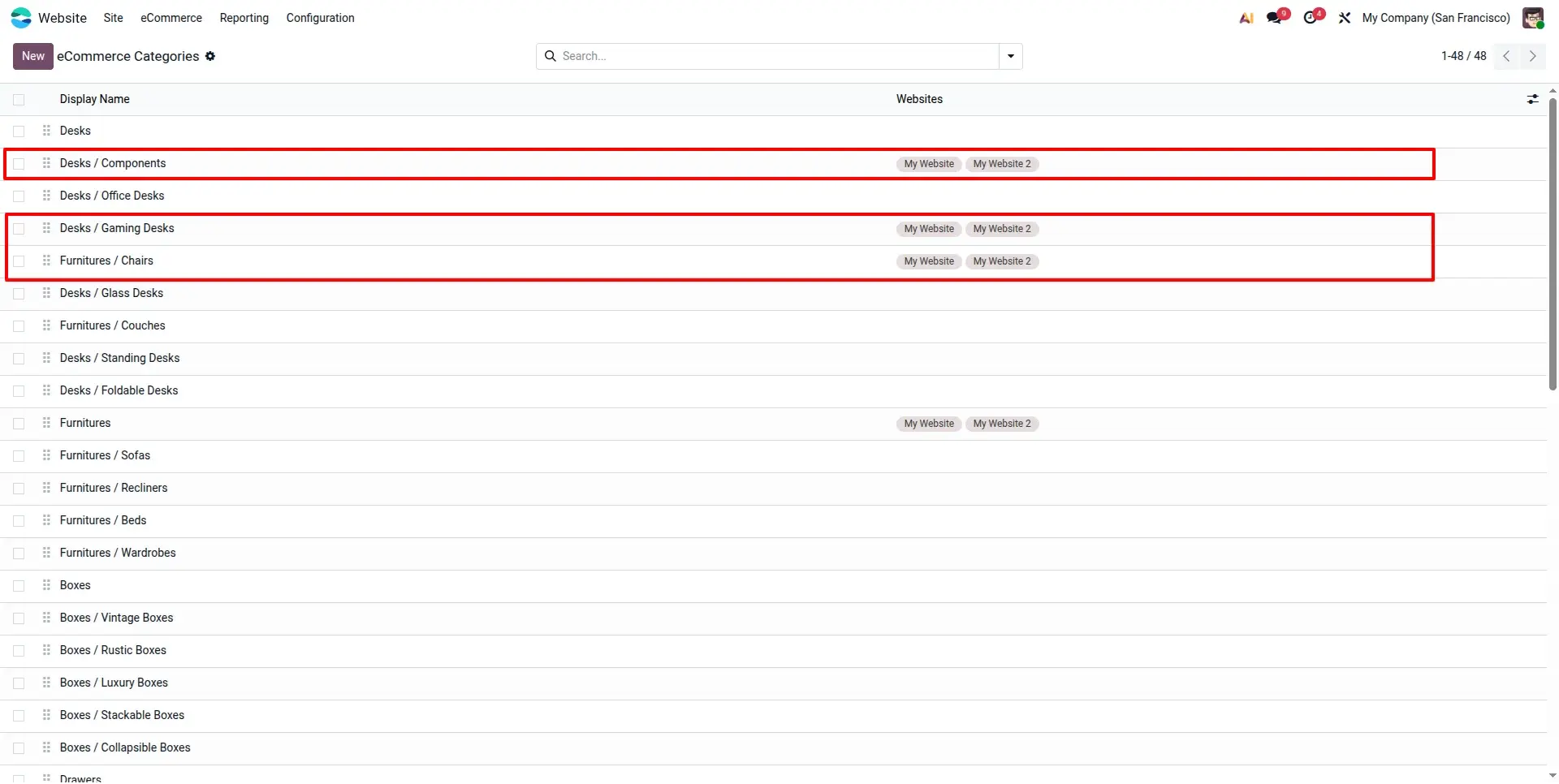
Multi Website Categories Applied
After applying the wizard, all selected categories become available on the chosen websites, making category management fast, consistent, and scalable.
Frequently Asked Questions
Technical Details
Dependencies
• Website Sale (website_sale)
• Inventory (stock)
License
OPL-1
Need Assistance?
Email Support
contact@gritxi-tech.comAny Questions?
Have questions about this app?
Fill out the form below and our team will get back to you with more information.
Customer Reviews
Share your experience with this module.
Write a Review
Latest Reviews
No reviews yet. Be the first to share your thoughts!