
Product Low Notification
Eliminate stockouts and ensure continuous availability by automating real-time email alerts and professional PDF reports based on On-Hand or Forecast quantities.
Product Low Notification
Automate your inventory monitoring. Get intelligent stock alerts based on On Hand or Forecast quantities to prevent shortages before they happen.
App Overview

Introduction
The Product Low Stock Notification module helps businesses automatically monitor inventory levels and receive alerts when products reach critical thresholds. By extending standard Odoo Inventory functionality, it provides configurable rules based on On Hand or Forecast quantities. Proactively manage your warehouse using automated email reminders and detailed low stock reports.

Purpose
The purpose of this module is to eliminate the risks of unexpected stockouts. By automating the monitoring process, procurement teams receive daily or periodic insights into potential shortages, allowing for better replenishment planning and smoother warehouse operations.
Business Use Cases
Retail Stores
Prevent stockouts for fast-moving consumer products and ensure your shelves are always full.
Warehouses
Automate large-scale warehouse inventory monitoring and eliminate the need for manual stock checking.
Manufacturing
Track raw material shortages in real-time to avoid costly production disruptions and delays.
E-commerce
Ensure products remain available for online orders and maintain high levels of customer satisfaction.
Wholesale
Monitor bulk inventory efficiently and coordinate high-volume distribution without stockout risks.
Multi-Warehouse
Track inventory levels across multiple physical locations from a single, centralized notification system.
Procurement Teams
Significantly improve purchasing and replenishment planning with data-driven stock alerts.
Key Features
Global Low Stock Rules
Set up inventory thresholds globally for all products across the entire database.
Automated Notifications
Send low stock alerts directly to the inventory team's email without manual intervention.
Forecast Quantity Support
Monitor upcoming stock shortages based on planned sales and delivery orders.
On-Hand Alerts
Track real-time inventory levels to prevent stockouts on physically available items.
Product-Specific Config
Define unique minimum stock quantities for individual high-value or fast-moving items.
Email PDF Reports
Receive professional, detailed low stock inventory reports attached to every alert.
Scheduled Cron Automation
Odoo Cron jobs run in the background to ensure periodic and reliable stock checks.
Easy Configuration
Get set up instantly with a simple and intuitive backend configuration screen.
Inventory Integration
Fully integrated with the native Odoo Inventory module for seamless data flow.
Responsive Interface
Mobile-friendly dashboard and configuration screens for management on the go.
Configuration & Workflow
Follow these 15 steps to fully configure your automated inventory monitoring and shortage alert system.
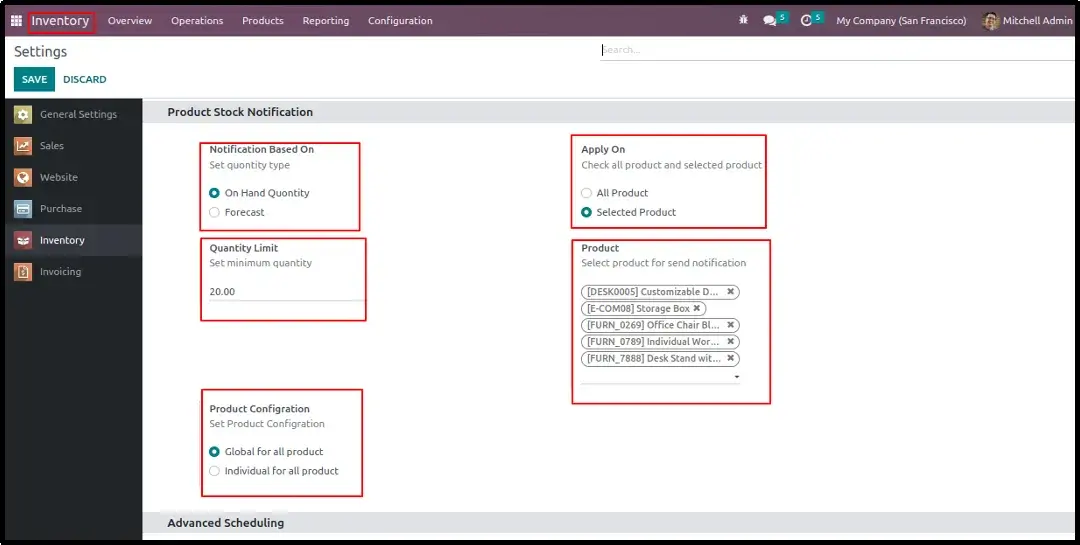
Global Settings Configuration
Establish default rules under Inventory Settings by selecting "Min Quantity Based On Global" and defining whether the system should apply to all or selected products.
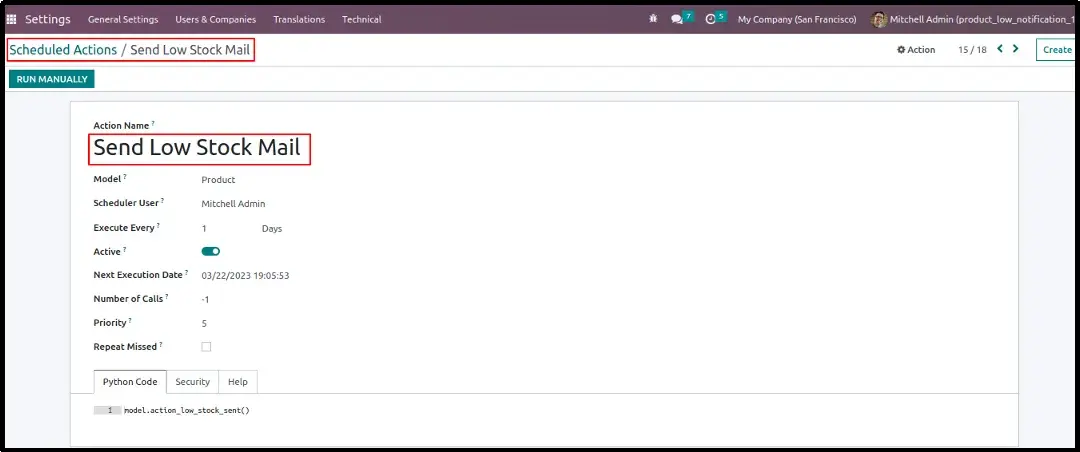
Scheduled Cron for Stock Checks
Manage automated periodic checks through the Odoo Scheduled Action setup under Settings → Technical to set your desired notification interval (e.g., daily).
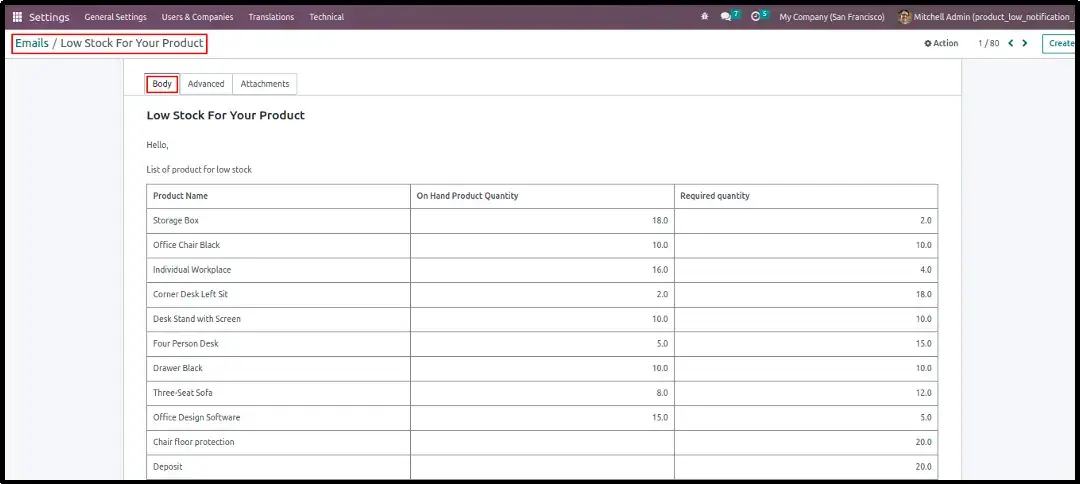
Global Low Stock Alert Email
Automated emails are sent directly to the inventory team when any item in the warehouse breaches the configured global threshold.
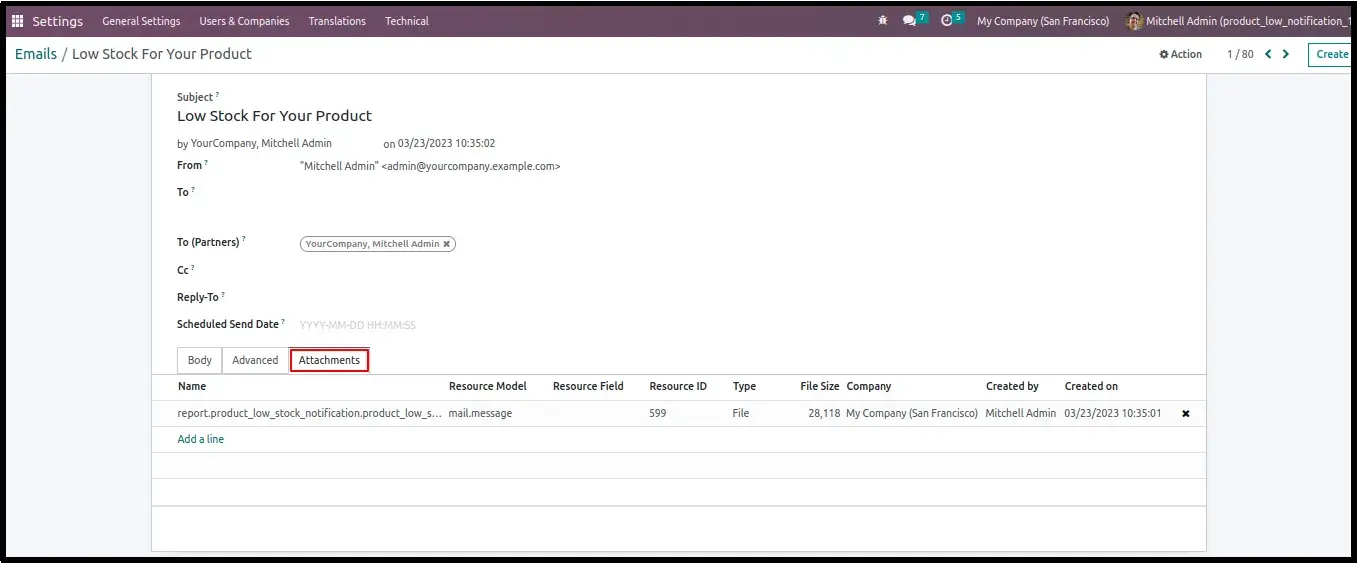
Email Report Attachment
Every notification email comes with a professional low stock inventory report generated automatically and linked to the message.
Global Low Stock PDF Report
The downloadable PDF provides a clear table displaying essential columns like Min Qty, On Hand, Forecast, and the calculated Difference.
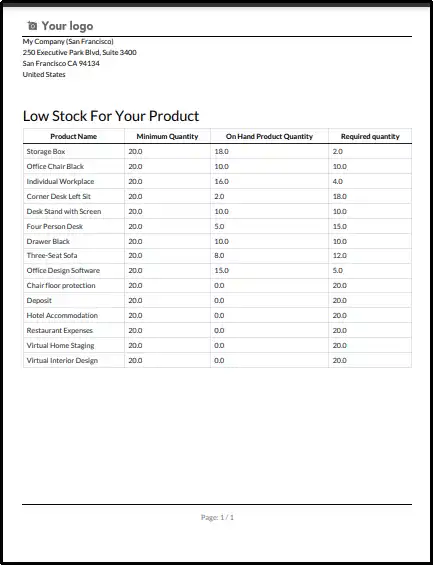
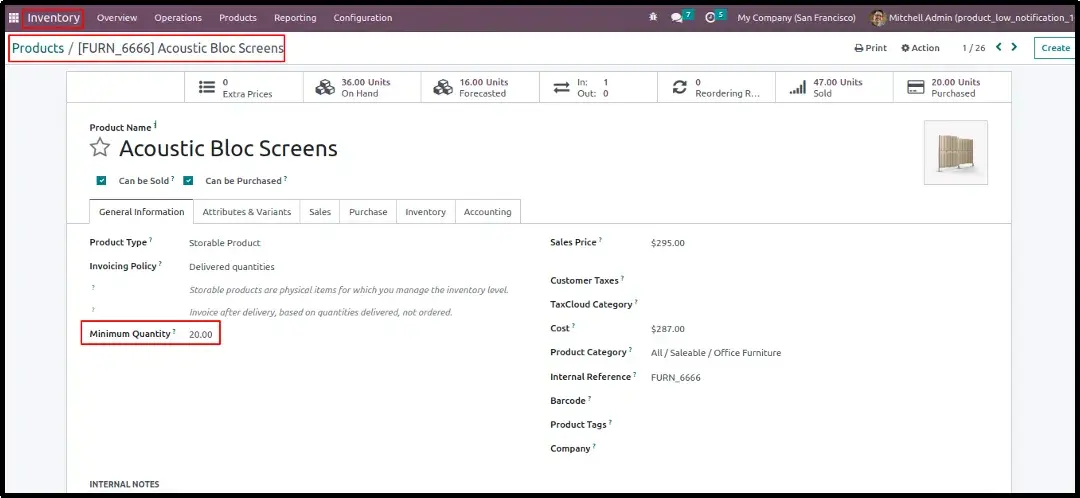
Individual Product Configuration
Navigate to any individual product template to set a specific "Minimum Stock Qty" field located under the Inventory tab.
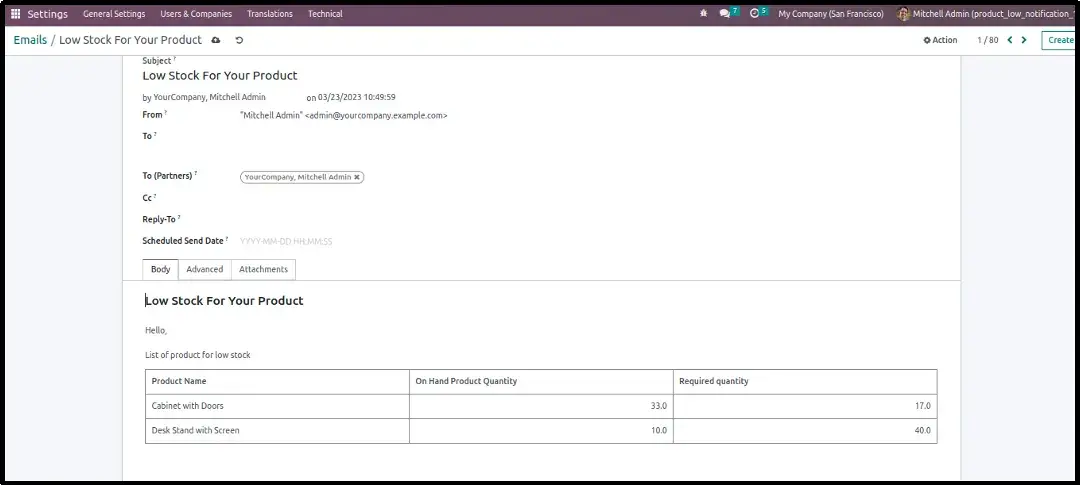
Individual Stock Alert Email
A specialized email is generated specifically when an high-priority individual item breaches its custom-defined threshold.
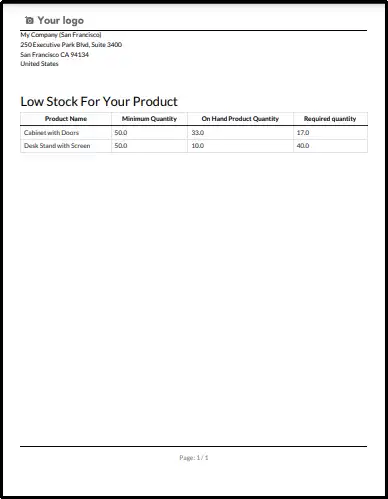
Individual Low Stock PDF
A custom PDF report is generated containing only the data relevant to the specific product that triggered the individual alert.
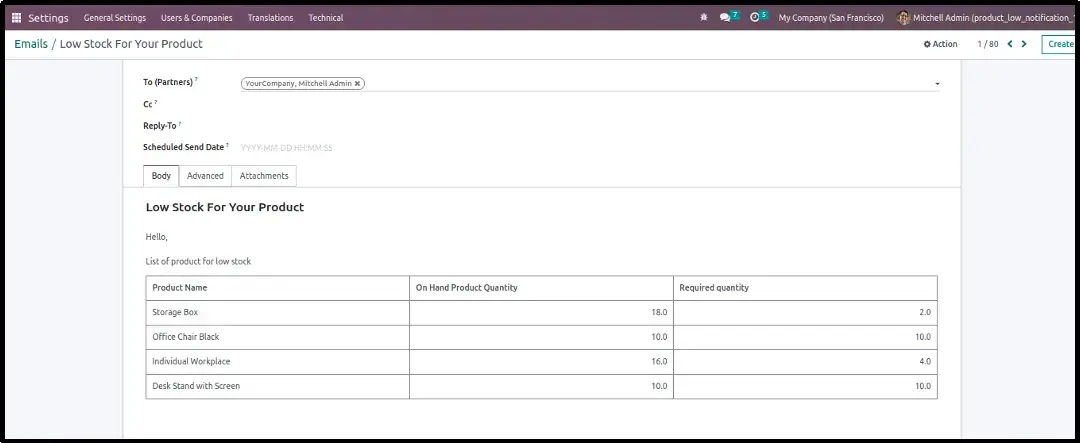
Selected Product Group Alert
Monitor a specific group of essential items by configuring a "Selected Products" list, receiving consolidated alerts only for those items.
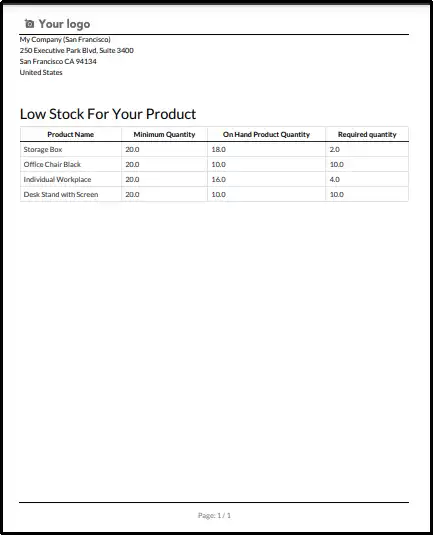
Selected Group PDF Report
The PDF layout highlights the current status of all members within your curated "Selected Products" list in a single document.
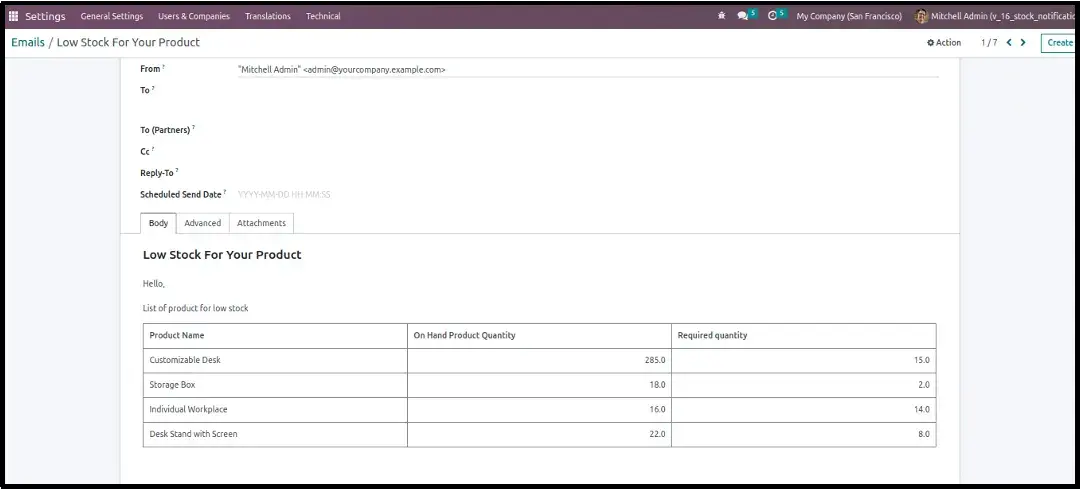
Group Individual Thresholds
Configure unique thresholds for each item within your selected product group directly on their internal product template.
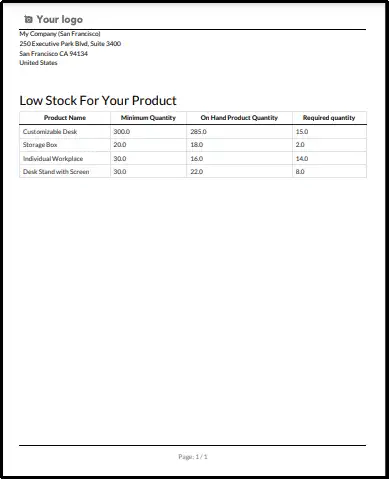
Group Individual PDF Report
A final summary PDF generated to reflect the individual threshold statuses for your selected product catalog group.
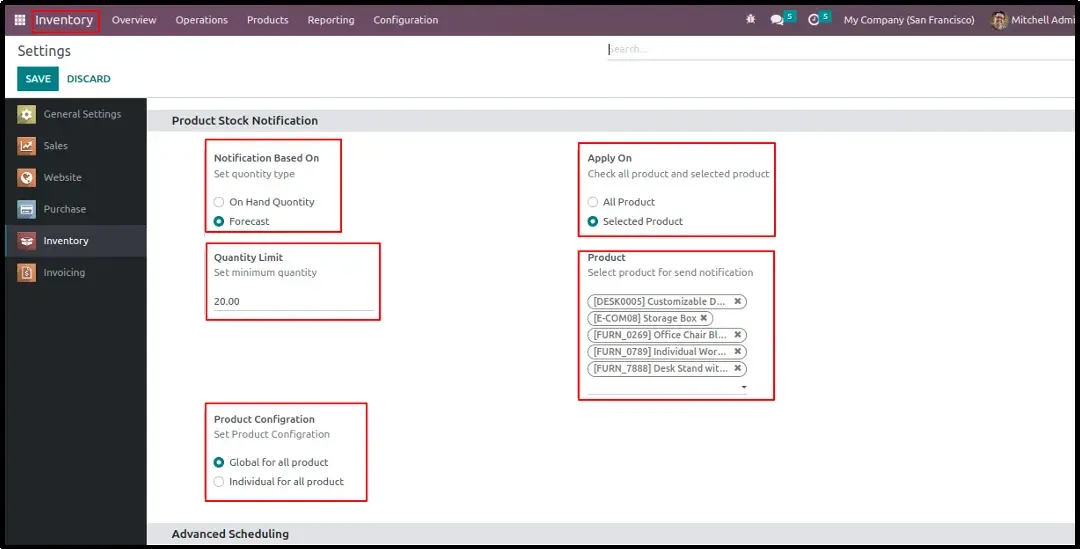
Forecast Configuration Settings
Enable proactive monitoring by switching from "On Hand" to "Forecast Quantity" logic, accounting for upcoming warehouse data.
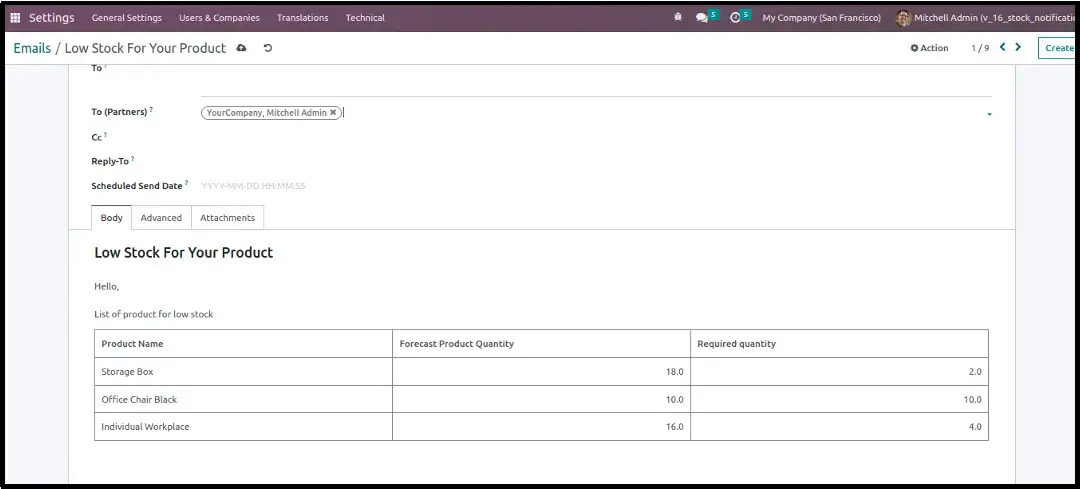
Forecast Stock Shortage Email
Receive early warnings regarding incoming shortages based on planned sales, deliveries, and replenishment timing.
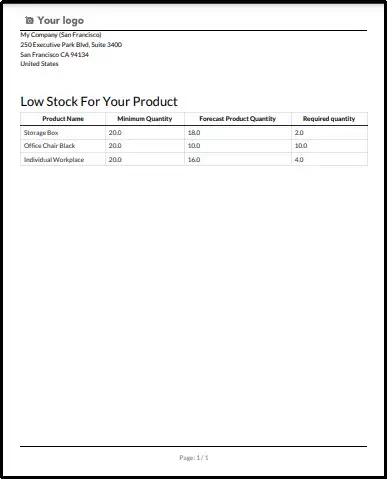
Forecast Stock Shortage PDF
A comprehensive PDF detailing forecast deficits, helping procurement teams replenish before the shelf is actually empty.
Frequently Asked Questions
Technical Details
Dependencies
• Stock (stock)
• Mail (mail)
License
OPL-1
Need Assistance?
Email Support
contact@gritxi-tech.comAny Questions?
Have questions about this app?
Fill out the form below and our team will get back to you with more information.
Customer Reviews
Share your experience with this module.
Write a Review
Latest Reviews
No reviews yet. Be the first to share your thoughts!